Main Points
- Pick the platform that matches the cloud you already run and the workload you have.
- BigQuery and Redshift Serverless suit spiky use, while committed capacity suits steady workloads.
- Most vendors offer free tiers or trials, but terms change, so check each vendor page.
- Test two finalists on your own queries before you commit.
The Best Cloud Data Warehouse Tools at a Glance
| Tool | Type | Best for |
|---|---|---|
| 1. Snowflake | Cloud data platform | Multi-cloud teams and data sharing |
| 2. Google BigQuery | Serverless warehouse | Google Cloud users and light-touch analytics |
| 3. Amazon Redshift | AWS warehouse | AWS-centered teams |
| 4. Databricks | Lakehouse platform | Data engineering and machine learning teams |
| 5. Microsoft Fabric | Unified analytics platform | Microsoft-centered companies |
| 6. ClickHouse Cloud | Real-time analytics database | Low-latency and event analytics |
| 7. Oracle Autonomous Data Warehouse | Autonomous warehouse | Oracle-based companies |
| 8. Teradata VantageCloud | Enterprise analytics engine | Large enterprises with Teradata estates |
| 9. Firebolt | Fast analytics warehouse | Speed-focused teams |
The 9 Best Cloud Data Warehouse Tools, Ranked
I start with platforms that fit the widest range of teams and move toward more specialized picks. The tool is only part of the result, because modeling, ingestion and cost controls decide whether it pays off. My page on cloud data warehouse consulting covers that side, and the pricing notes here come from each vendor page as I read it.
Snowflake
The Most Complete Choice When You Run Several Clouds or Share Data With Partners
Snowflake is a cloud data platform that separates storage from compute and runs on AWS, Azure and Google Cloud.
Snowflake is the platform I suggest most often to teams that want a warehouse that works without much tuning. You create virtual warehouses of different sizes, point each team at its own, and storage stays shared. Reporting does not slow down the data team's jobs because the compute is separate.
Data sharing is a real strength. You can give a partner live access to a table without copying files, which fintechs and retailers use a lot. The trade-off is cost discipline: credits burn quickly when a large warehouse is left running, so set auto-suspend and resource monitors on day one.
Snowflake Strengths
- Separate compute per team keeps workloads from colliding
- Data sharing with partners works without file copies
- Runs on the three major clouds with similar behavior
Snowflake Weaknesses
- Credit-based costs rise fast without monitors and auto-suspend
- Reviewers on Capterra describe a learning curve around roles and governance
Snowflake Pricing
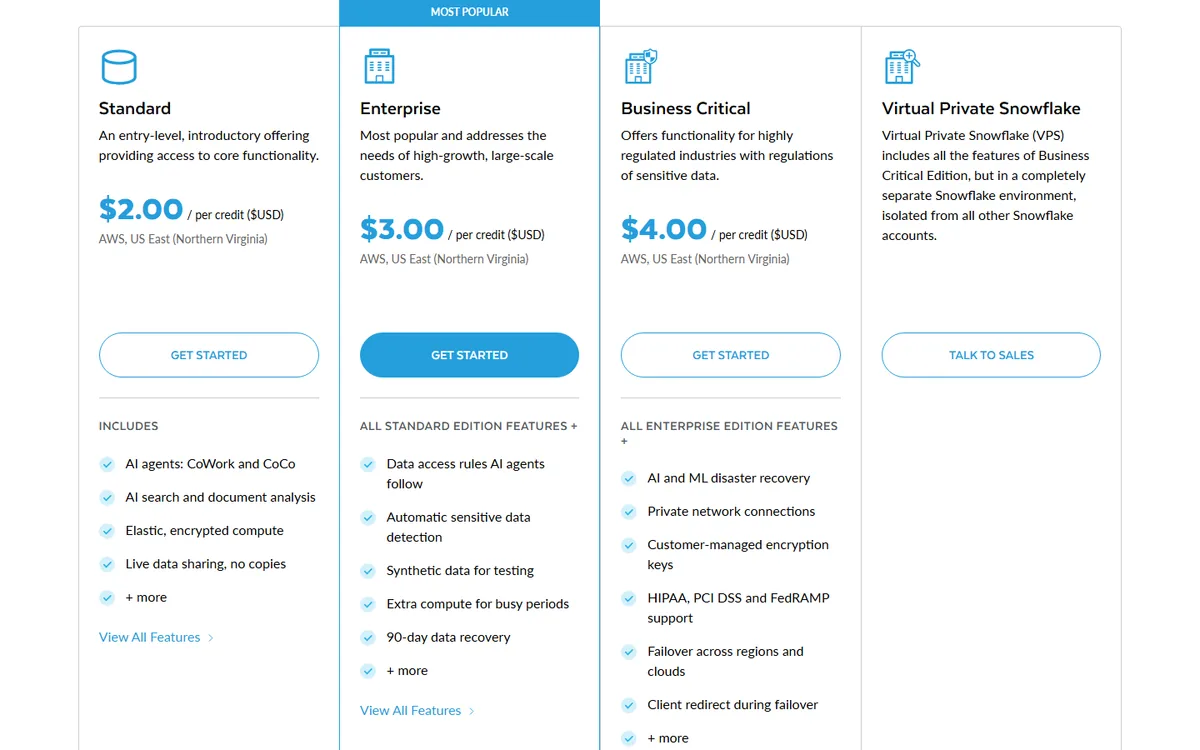
Snowflake bills storage and compute separately. Compute is consumed as credits, and the vendor sells four editions: Standard, Enterprise, Business Critical and Virtual Private Snowflake. Snowflake does not print per-credit prices on its pricing page and points to a consumption table, so check current rates there before you plan a budget. On-demand and pre-paid capacity options exist.
Snowflake Reviews
- G2: 4.6 of 5 stars (based on 779 verified reviews)
- Capterra: 4.7 of 5 stars (based on 101 verified reviews)
Google BigQuery
A Serverless Warehouse That Is Hard to Beat When You Already Live on Google Cloud
BigQuery is Google Cloud's serverless data warehouse, with no clusters to size and built-in machine learning.
BigQuery removes the infrastructure questions. You load data, write SQL and pay either for the data each query scans or for reserved compute. For analysts who just want answers, it is the least friction of any platform here, and the free monthly tier makes it good for a first project.
I watch the on-demand model closely with clients. A careless query that scans a huge table costs real money, and one dashboard refreshing every minute can add up quickly. Partition and cluster your tables, set per-project query limits and move heavy, steady workloads to capacity pricing.
Google BigQuery Strengths
- No servers to manage and fast start for analysts
- Free monthly query tier helps early projects
- Strong fit with other Google Cloud and analytics tools
Google BigQuery Weaknesses
- On-demand cost can spike with unoptimized queries
- Best value is on Google Cloud, with fewer benefits elsewhere
Google BigQuery Pricing
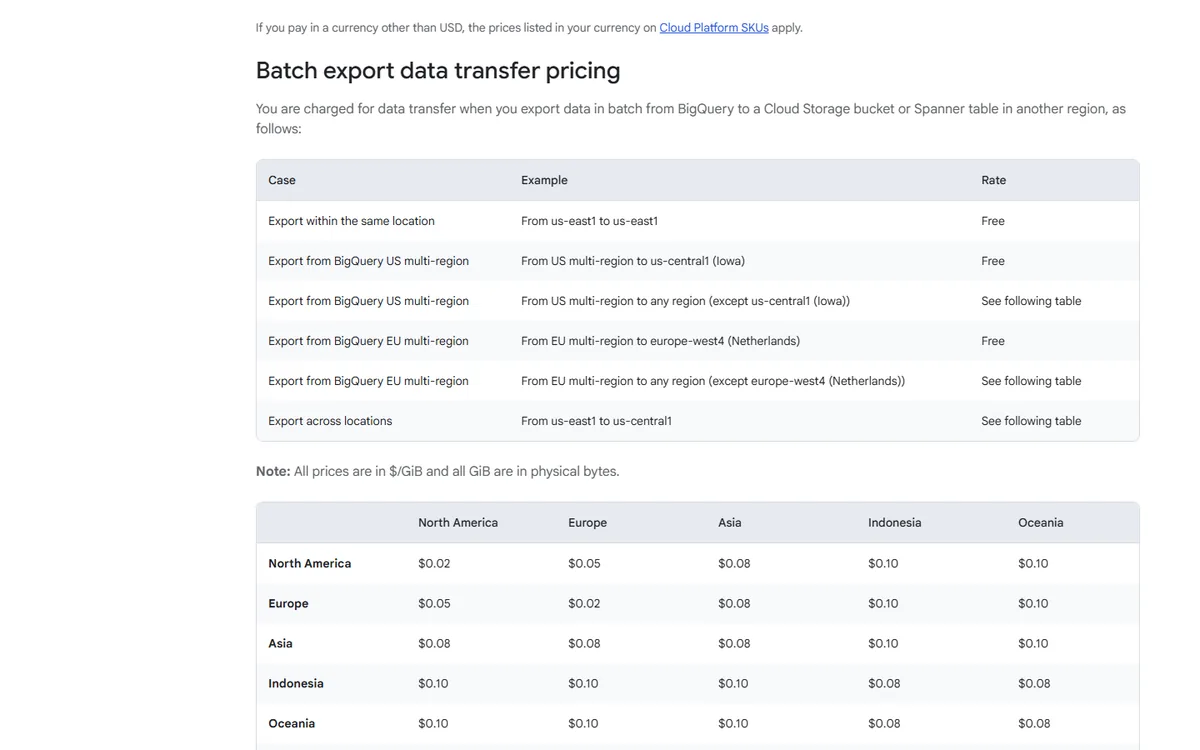
On-demand queries cost $6.25 per TiB processed, and the first 1 TiB each month is free, according to Google Cloud. Active logical storage costs about $0.023 per GiB per month, and the first 10 GiB each month is free. Capacity pricing is available in Standard, Enterprise and Enterprise Plus editions, from $0.04 to $0.10 per slot-hour at pay-as-you-go rates in the Iowa region. Rates vary by region.
Google BigQuery Reviews
- G2: 4.5 of 5 stars (based on 1,239 verified reviews)
Amazon Redshift
The Natural Pick for Teams Whose Data and Applications Already Run on AWS
Redshift is the AWS data warehouse, available as provisioned clusters or as Redshift Serverless.
If your applications, storage and security already sit on AWS, Redshift fits in with little friction. It connects to S3, Glue and IAM, and the zero-ETL integrations from some AWS databases cut pipeline work. Serverless mode removes cluster sizing for teams that do not want to manage nodes.
Redshift rewards tuning more than some rivals do. Distribution and sort choices still matter on provisioned clusters, and I have seen costs drift when nobody owned them. For new projects with variable load, start with Serverless and set a maximum capacity so a bad query cannot run wild.
Amazon Redshift Strengths
- Deep integration with AWS storage, security and databases
- Serverless option removes cluster management
- Zero-ETL integrations reduce pipeline work for supported sources
Amazon Redshift Weaknesses
- Provisioned clusters need tuning and capacity planning
- Less appealing if most of your stack sits outside AWS
Amazon Redshift Pricing
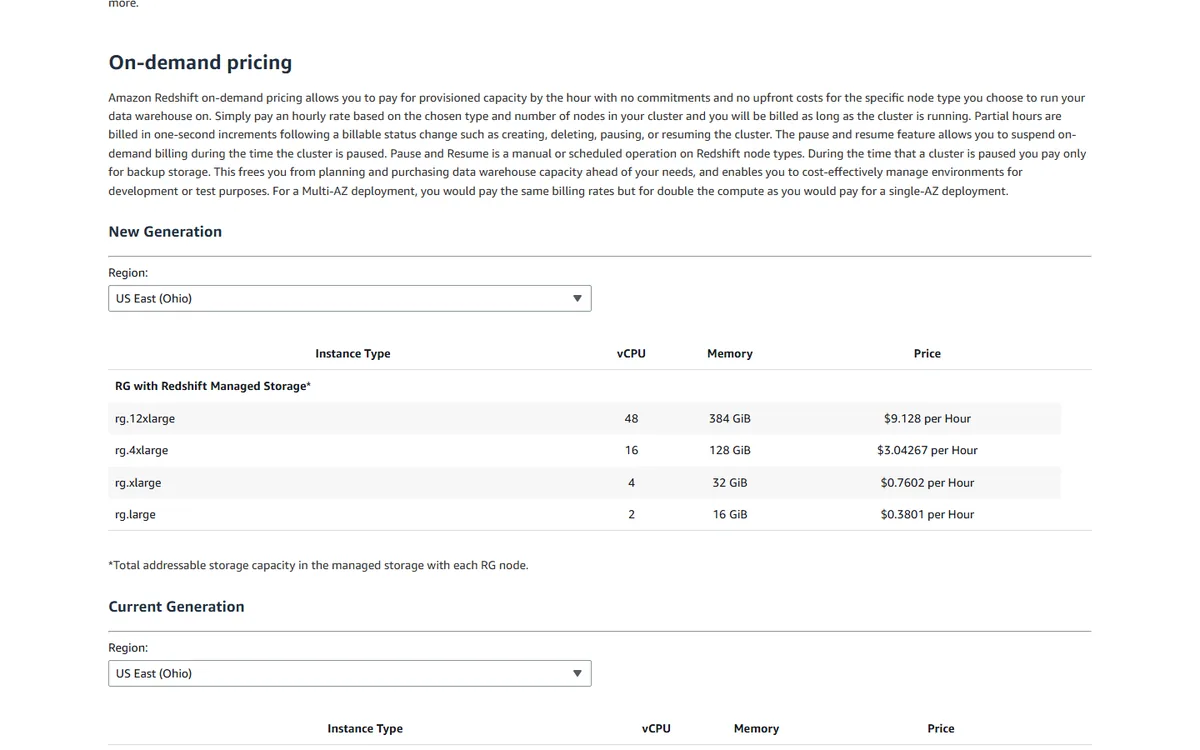
Redshift Serverless costs $0.375 per RPU-hour in US East (N. Virginia), billed per second with a 60-second minimum. Provisioned clusters start at $0.543 per hour according to AWS, and managed storage is $0.024 per GB per month in that region. New Serverless users receive a $300 credit that expires after 90 days.
Amazon Redshift Reviews
- G2: 4.3 of 5 stars (based on 419 verified reviews)
Databricks
The Best Option When Data Engineering, Machine Learning and Reporting Share One Platform
Databricks is a lakehouse platform that combines data engineering, SQL analytics and machine learning on open data formats.
Databricks started with big data processing and added a SQL warehouse on top. If your team writes Spark jobs, trains models and also needs dashboards, having it all in one place has real benefits. Data stays in open formats in your own cloud storage, which keeps your exit options open.
For a team that only needs reports, it can be more platform than you need. I recommend it when data engineers and data scientists are as important as analysts. Watch DBU consumption, because clusters that stay on overnight quietly drive the bill.
Databricks Strengths
- One platform for engineering, SQL and machine learning
- Open formats keep data in your own storage
- Strong with large and varied data
Databricks Weaknesses
- More moving parts than a pure SQL warehouse
- Cost needs careful tracking across clusters and jobs
Databricks Pricing
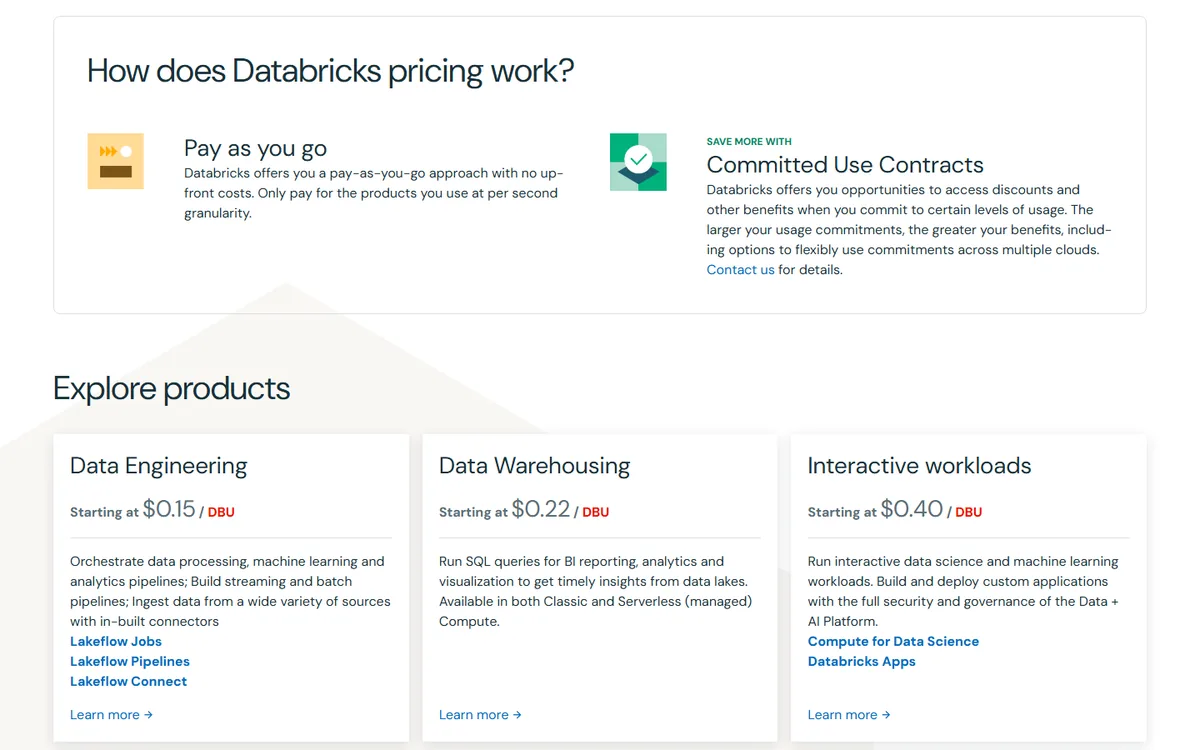
Databricks SQL is pay-as-you-go with a 14-day free trial, according to Databricks. Rates are charged per DBU and depend on the cloud, region and tier, and the vendor's page loads them through a calculator, so I do not quote a per-DBU figure here. Committed-use discounts are available on request.
Databricks Reviews
- G2: 4.6 of 5 stars (based on 1,415 verified reviews)
Microsoft Fabric
A Sensible Choice for Microsoft-Centered Companies That Want Warehouse, Lake and Power BI Together
Microsoft Fabric bundles a data warehouse, lakehouse, pipelines and Power BI on one capacity-based platform.
Fabric brings the Microsoft data tools under one roof. The warehouse sits next to a lakehouse, data pipelines and Power BI, and everything shares one storage layer. For companies that already use Microsoft 365 and Power BI, adoption is easy and licensing is easier to reason about than a mix of separate services.
Fabric is younger than the others on this list, and features keep changing. I would check that the workload you need is generally available before you build on it. Capacity planning also takes thought, because jobs from different teams share the same pool.
Microsoft Fabric Strengths
- Warehouse, lake and Power BI on one platform
- Natural fit for Microsoft 365 organizations
- One capacity model across workloads
Microsoft Fabric Weaknesses
- A younger product with fast-changing features
- Shared capacity needs planning to avoid noisy neighbors
Microsoft Fabric Pricing
Fabric is sold as capacity SKUs, such as F2 with 2 capacity units, billed pay-as-you-go or through one- or three-year reservations. Microsoft says reservations save about 41 percent against pay-as-you-go. The page offers a 60-day free trial. Per-unit prices did not load on the page I read, so check Azure's current price list for your region.
Microsoft Fabric Reviews
- G2: 4.6 of 5 stars (based on 47 verified reviews)
ClickHouse Cloud
The Speed Pick for Real-Time Analytics and Customer-Facing Dashboards
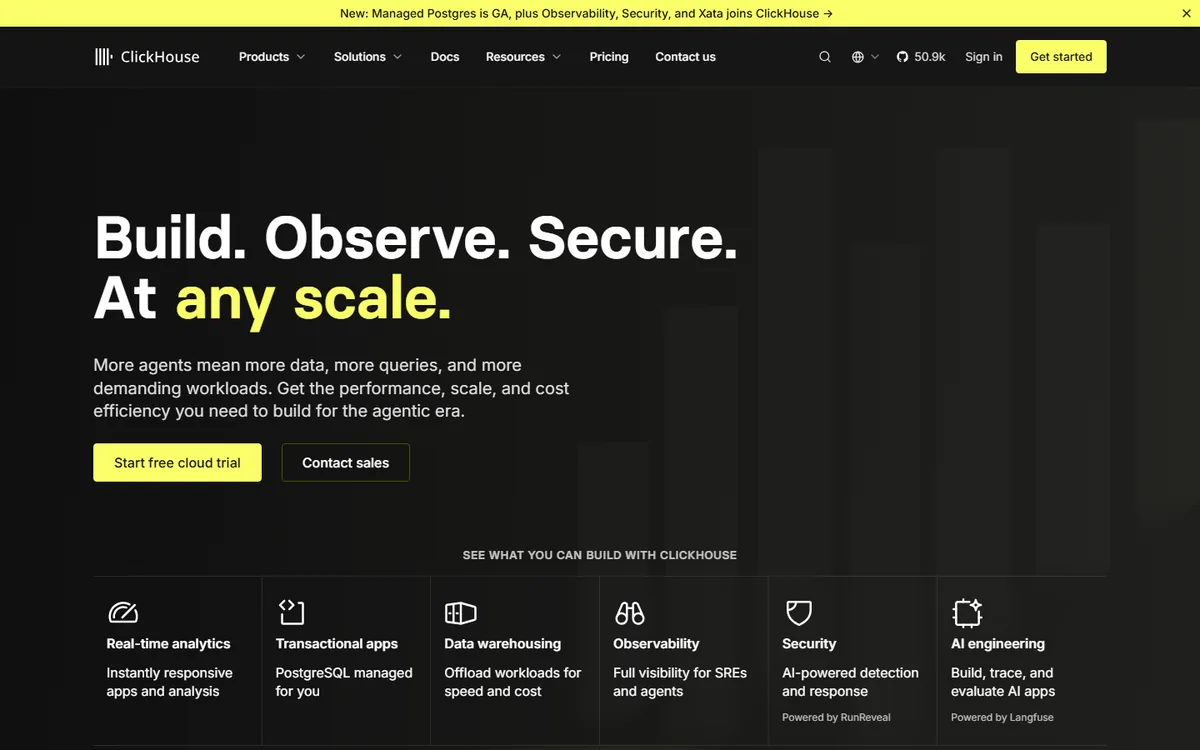
ClickHouse Cloud is a managed version of the open-source column database built for fast queries on large event data.
ClickHouse is the tool I reach for when queries must return in milliseconds on billions of rows, such as product analytics, logs or customer-facing dashboards. It is a column store designed for speed, and the managed cloud service removes the work of running clusters.
It is less of a general business warehouse. Complex joins across many modeled tables are not its strongest side, and the SQL has its own habits. I use it next to a main warehouse for the workloads that need low latency, not as a replacement.
ClickHouse Cloud Strengths
- Very fast queries on large event data
- Open-source roots and a managed cloud service
- Predictable storage price
ClickHouse Cloud Weaknesses
- Not ideal for heavy multi-table modeling
- Teams need time to learn its design habits
ClickHouse Cloud Pricing
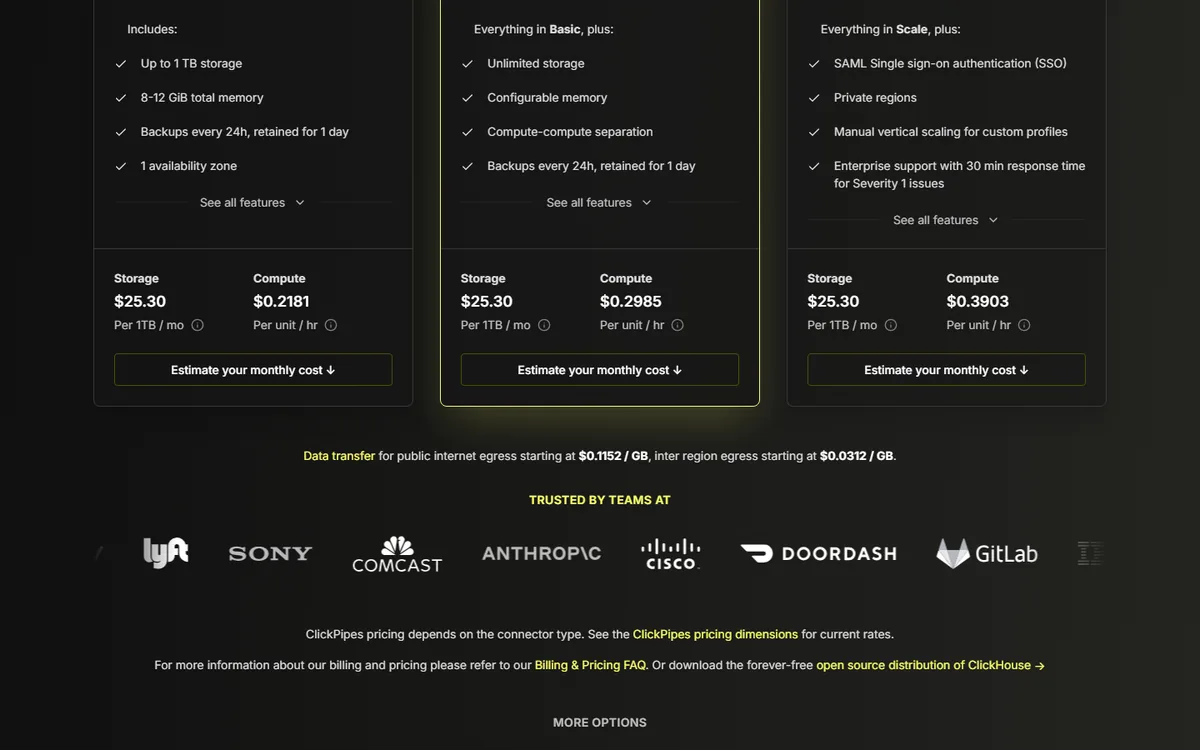
ClickHouse Cloud lists Basic, Scale and Enterprise plans with compute from $0.2181, $0.2985 and $0.3903 per compute unit per hour in US East (N. Virginia). Storage is $25.30 per TB per month on all plans, and new accounts receive $300 in credits valid for 30 days.
ClickHouse Cloud Reviews
- G2: 4.3 of 5 stars (based on 57 verified reviews)
Oracle Autonomous Data Warehouse
A Self-Tuning Option for Companies That Already Run Oracle Databases
Oracle Autonomous Data Warehouse is a managed warehouse on Oracle Cloud that tunes, patches and backs itself up.
If your core systems already run on Oracle, this warehouse keeps data close, uses familiar SQL and tooling and cuts the tuning workload with automation. Oracle's autonomous features handle indexing, patching and scaling for you, which lowers operations effort for small teams.
It makes the most sense inside the Oracle world. Outside it, the ecosystem is smaller than that of the three big clouds, and skills are harder to hire. Check how it connects to your BI tools and ingestion stack before you commit.
Oracle Autonomous Data Warehouse Strengths
- Automated tuning, patching and backups
- Familiar to teams with Oracle skills
- Strong fit for Oracle-based applications
Oracle Autonomous Data Warehouse Weaknesses
- Smaller ecosystem outside Oracle environments
- Fewer public reviews than the leading platforms
Oracle Autonomous Data Warehouse Pricing
Oracle prices the service per ECPU hour and per storage amount, with a free tier and trial available. The pricing page I read did not display the unit rates, so I do not quote them here. Use Oracle's cost estimator for your region and workload.
Oracle Autonomous Data Warehouse Reviews
- G2: 4.3 of 5 stars (based on 15 verified reviews)
Teradata VantageCloud
A Proven Engine for Very Large, Complex Workloads in Big Enterprises
Teradata VantageCloud is the cloud version of a long-established analytics engine built for large, complex queries.
Teradata has handled heavy enterprise analytics for decades, and VantageCloud brings that engine to the cloud. It suits banks, telecoms and retailers with large existing Teradata estates, where moving to another platform would mean rewriting years of logic.
For a new, smaller project it is rarely the first pick. Pricing is negotiated and the sales process is longer than a self-service sign-up. I mainly see it chosen to modernize an existing Teradata investment step by step.
Teradata VantageCloud Strengths
- Strong with very large, complex workloads
- A natural cloud path for existing Teradata users
- Enterprise-grade workload management
Teradata VantageCloud Weaknesses
- Quote-based pricing and a longer buying process
- Heavier than needed for small and mid-size projects
Teradata VantageCloud Pricing
Teradata says pricing varies by deployment, workload, capacity, usage and package, and does not publish list prices. A pricing calculator and a contact form are available on its site. There is a try-for-free link, but the page I read did not describe its terms.
Teradata VantageCloud Reviews
I could not read a current G2 or Capterra rating for Teradata VantageCloud, so I leave it out instead of guessing.
Firebolt
A Lean, Fast Engine for Teams That Care About Query Speed and Cost Per Query
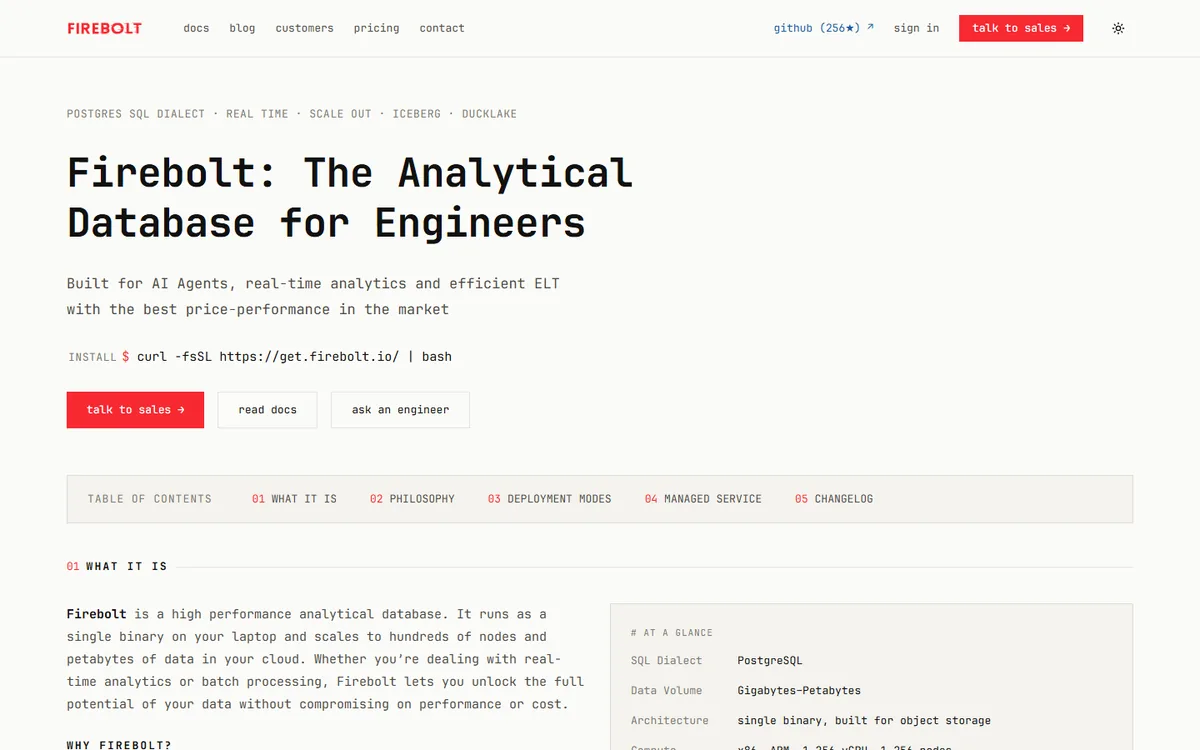
Firebolt is a cloud data warehouse tuned for fast analytics and efficient resource use on data in object storage.
Firebolt aims at teams that need fast, predictable queries without a heavy bill. Compute is billed per second, engines stop and start automatically and storage sits in object storage. Teams running customer-facing analytics or heavy dashboards look at it for speed.
It is a smaller company with a smaller ecosystem, and review counts are low. I would pilot it on one demanding workload before committing, and confirm that your BI and ingestion tools connect cleanly.
Firebolt Strengths
- Fast queries with per-second compute billing
- Auto-stop and resume limit idle cost
- Straightforward pricing calculator
Firebolt Weaknesses
- Small user base and few public reviews
- Smaller partner and tool ecosystem
Firebolt Pricing
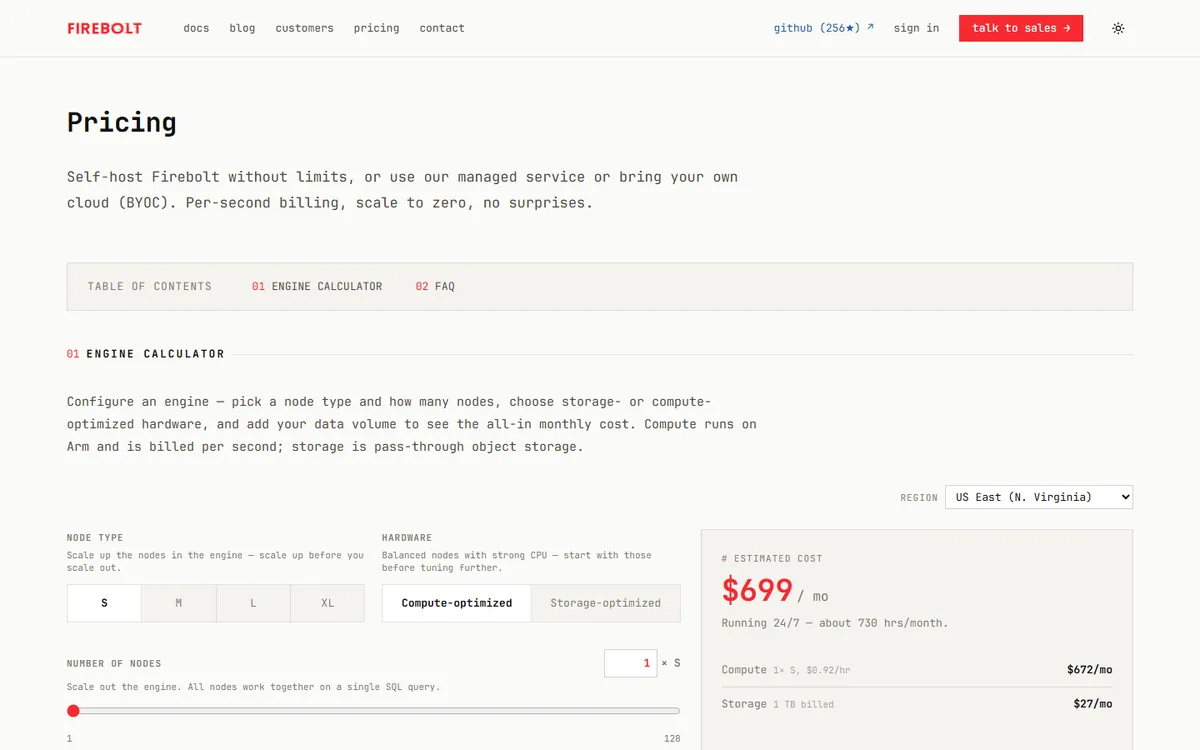
Firebolt bills compute per second, and its calculator example shows one S compute-optimized node in US East (N. Virginia) at $0.92 per hour, about $672 per month if it runs around the clock. Storage is $0.0264 per GB per month, about $27 per month for 1 TB of compressed data. The page lists $200 in free credits for the example engine.
Firebolt Reviews
- G2: 4.5 of 5 stars (based on 14 verified reviews)
How to Choose the Right Cloud Data Warehouse Tool
In my experience, fit with your cloud, your team and your cost pattern decides more than any feature list. Before you compare vendors, answer four questions:
- Which cloud do your applications and storage already run on?
- Is your workload steady, or does it come in bursts with long idle gaps?
- Who will run the platform: analysts, data engineers or a platform team?
- Do you need real-time queries, data sharing with partners or machine learning on the same data?
If you live on Google Cloud, start with BigQuery, and on AWS look at Redshift. Microsoft-centered companies should test Fabric, and teams that mix engineering and machine learning should try Databricks. Snowflake is a strong default for multi-cloud and sharing, while ClickHouse and Firebolt suit speed-critical workloads.
Then test two finalists on your own queries. See how projects like yours are built in my cloud data warehouse examples, and check the cloud data warehouse trends for features that may tip the decision.
Important: prices, plans and ratings move quickly. They were checked when this article was last updated, so confirm them on each vendor site before you buy. Nothing in this article is legal or financial advice.
Did this article help you?
Thanks, noted.
Garrett Linville
Garrett leads the Cloud Hull editorial team and works with the consultants to turn real client projects into practical guides on cloud migration, DevOps, security and cost control. Each article is edited together with the consultant who did the work, and every price and limit is checked against current provider documentation. He is based in the USA and works remotely.