86 Workloads Moved, Zero Downtime
“We had a data center lease ending in six months. Cloud Hull sorted our workloads into waves, ran test cutovers and moved 86 of them on schedule. Customers saw no outage, and the lease was not renewed.”
Strategy & Migration
Architecture & Infrastructure
DevOps & Cloud Native
Security & Cost Control
Data & Business Platforms
Your workloads move to the cloud in planned waves, with tested cutovers and a rollback for every step. You start with a free first call and strategy workshop.

Cloud migration consulting is a service that helps your business decide which applications and data move to the cloud, in what order and by which method, then carries out the move and hands you a stable environment. You start with your workloads, deadlines and risks, not with a provider’s sales pitch.
Most migrations mix several approaches. Some systems are moved as they are (rehost), some get small changes to use managed services (replatform), some are rebuilt and some are retired because nobody uses them. A consultant decides this for each workload, based on cost, risk and how much the business depends on it.
In practice, the work covers discovery of your estate, a dependency map, a landing zone with security and networking in place, migration waves with test cutovers, data transfer, cutover weekends, and a cost review once everything runs in the new environment.
A good engagement covers the full path from first inventory to a quiet first month on the cloud, so you never end up with half your systems in each place.
Aging hardware, renewal deadlines and unpredictable bills pile up quietly. Yet many teams put off the move until a deadline forces it, when a planned migration costs far less than a rushed one.
A data center lease or hardware support contract ends, and the plan is still a spreadsheet. Rushed moves skip testing and break things on cutover weekend.
Outages that a longer runway would avoid
Old hardware keeps running while the new cloud bill starts. Without a plan, the overlap lasts months longer than needed.
Money spent on systems waiting to be shut down
An old reporting job or file share turns out to feed three other systems. Nobody knew until it was switched off.
Failures found after cutover, not before
Your engineers keep production running and learn a new platform at the same time, so both suffer.
Projects that wait while the migration drags on
Migrations that go wrong usually started with a target date and a provider, not with a clear picture of what runs where. Yours starts with an inventory of your systems, who owns them and what depends on what.
From there you get a plan with waves, owners and dates. Each wave has a test cutover and a rollback path, and every decision about rehost, replatform or retire is written down with its reasoning. Your team stays in the loop at every step.
If you’re going to move, the order matters more than the speed. A migration done in the right sequence keeps your business running, keeps your costs predictable and leaves you with an environment your team understands. Start with a clear map, move a low-risk wave first and build from there.
You talk through your systems, your deadline and what worries you most. Your consultant asks about size, dependencies and compliance needs and points out where the risk sits.
A short written version you can circulate before deciding.
Your estate is inventoried and every workload is scored for complexity, risk and the best migration approach. Dependencies are mapped and costs are compared with your current spend.
Clear priorities, dates and one fixed price for the first phase.
The landing zone is built, then each wave is tested, cut over and checked against your success criteria. Your team approves every cutover before it happens.
Connected, monitored and documented, with a rollback ready for each wave.
Your account manager reviews cost and performance after each wave, retires old systems and trains your team on the new runbooks.
Rightsized resources, clear ownership and support whenever you need it.
Choose a single service or get the full program, from first assessment to ongoing support.
Your assessment rates each system for complexity, risk and the right migration approach.
Dependencies, owners, dates and rollback paths for every wave, agreed before work starts.
Accounts, networking, identity, logging and guardrails set up and reviewed before the first move.
Databases and files transferred with validation, so you know nothing was lost on the way.
Rehearsed cutovers with a written runbook and a rollback you have already tested.
Rightsizing and pricing reviews so your cloud bill matches what you actually use.


“We had a data center lease ending in six months. Cloud Hull sorted our workloads into waves, ran test cutovers and moved 86 of them on schedule. Customers saw no outage, and the lease was not renewed.”
“Releases were a Friday event with three people on call. Cloud Hull built a CI/CD pipeline, added automated tests and set up infrastructure as code. We now deploy daily, and rollbacks take minutes instead of an evening.”
“On the discovery call they asked about our actual workloads instead of pitching a platform, and told us two systems should stay where they were. That honesty is why we hired them. The work since has been practical and well documented.”
Where the risk sits today, and what changes once your workloads have moved.
Why outside help pays off when you move to the cloud.
A team that has run dozens of migrations knows where they usually slip: licensing, firewall rules, database size and forgotten jobs. You avoid those delays because they are on the checklist from day one.
Test cutovers, short freeze windows and rollback plans mean your customers see no outage. Your own team keeps focusing on production instead of a weekend project.
The landing zone sets up access control, logging and network rules once, so every workload that follows inherits them. That is far cheaper than adding security after the move.
A dated plan for retiring old hardware and licenses keeps the overlap short. Your cloud spend is reviewed after each wave, not after the first surprise invoice.
Every project gets a fixed quote after the readiness assessment. The table shows what usually shapes the scope, so you can place your own project before the call.
| Project size | Typical scope | Cost drivers | Typical timeline |
|---|---|---|---|
| Small estate | A handful of applications, one database, simple dependencies | Number of servers, data volume, downtime window | 4 to 8 weeks |
| Mid-sized estate | Dozens of workloads in several waves, a landing zone, data transfer | Dependencies, licensing, compliance requirements | 3 to 6 months |
| Large or regulated estate | Hundreds of workloads, legacy systems, strict audit trails | Legacy platforms, regulatory evidence, parallel running | 6 to 12 months or more |
The assessment ends with a fixed quote and no extra charges later.
If a system should stay where it is, you hear it on the first call, along with why.
You get short weekly updates on what is done, what is blocked and what is needed from you.
You leave the call with a summary of priorities, timing and likely cost that your colleagues can review.

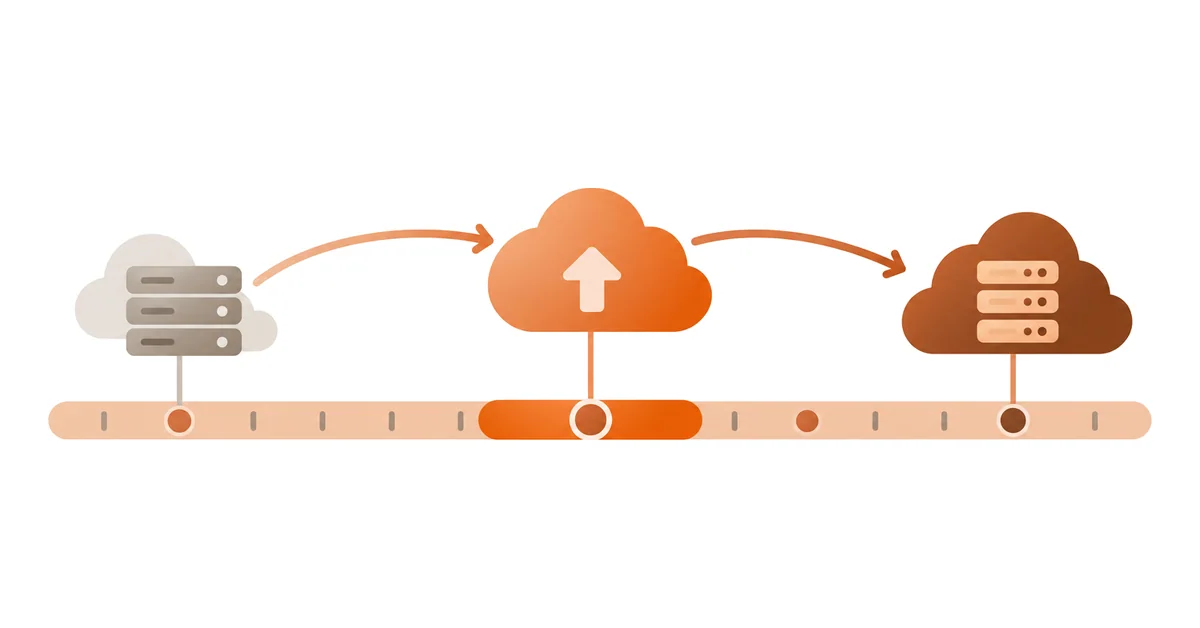
Every wave follows the same rhythm: test cutover, fix, real cutover, check. Nothing moves without a rollback you have already tried, so a bad night means a rollback, not an outage.
You approve the cutover window and the success checks before work starts. Your customers and your own teams know what to expect and when.

Accounts, networks, identity and logging are built first. Every workload that arrives inherits the same controls, which keeps security consistent as the estate grows.
Your security team reviews the design before the first move. See cloud security consulting if you want a deeper review of the finished environment.
Where the work starts in your sector.
Plan migrations around audit trails, data residency and strict change windows, with every cutover documented. Learn more about cloud security consulting for regulated workloads.
Move storefronts, catalogs and order systems without losing a peak season. Pair the move with cloud cost optimization so your bill follows traffic, and check cloud architecture consulting for autoscaling.
Shift from hosted servers to a platform that scales with your users, with automated deployments in place. See cloud strategy consulting for the longer plan.
Keep tracking, scheduling and records available through the move, with strict access control and tested recovery.
The right partner makes the difference between a migration your team forgets about and one that drags into a second year. Before you sign, check that your cloud migration consulting partner can show you each of these:
Also ask who runs the environment afterward. You should receive runbooks and training, so the capability stays inside your business.
Know exactly what you pay before any migration starts.
Full-service, end-to-end consulting at a price that fits your first wave.
One contact who knows your project and answers your questions fast.
Least-privilege access, documented data flows and NDAs on request.
Start with low-risk systems that have few dependencies, such as internal tools, test environments or archives. They prove the landing zone, the networking and your team’s runbooks without putting customers at risk. Your assessment scores every workload, so the first wave is picked on evidence and the critical systems follow once the process is proven.
It depends on the number of workloads, their dependencies and your downtime window. A small estate can move in a couple of months, while a large or regulated one often takes most of a year. You get a dated plan after the assessment, before anything moves, and each wave has its own checkpoint.
Usually only briefly. Many workloads can be replicated while they keep running, and the final cutover then takes minutes to a few hours. Every wave has a test cutover and a rollback plan, so if something looks wrong you return to the old system instead of troubleshooting live.
They are rehost, replatform, repurchase, refactor, retire and retain. Rehost moves a system as it is, replatform makes small changes to use managed services, repurchase swaps it for software as a service, refactor rebuilds it, retire switches it off and retain leaves it in place. Your assessment assigns one to each workload.
The cost depends on the number of workloads, their complexity and the downtime you can accept. You get a realistic cost range on your free discovery call and a fixed quote after the readiness assessment, so there are no surprises later.
The right choice depends on your existing licenses, your team’s skills and the services you need. Your assessment compares AWS, Azure and Google Cloud against your actual workloads and spend. If one clearly fits better, you see the reasoning in writing before you commit.
Data is encrypted in transit and at rest, access follows least-privilege rules and every transfer is validated against the source. Your landing zone is reviewed for security before the first workload arrives, and NDAs are available on request.
Yes. Some systems are better left where they are, for example because of latency, licensing or a planned retirement. A hybrid setup is common, and your plan documents which systems stay, why and when you will review that decision again.
Your account manager reviews cost and performance, helps retire the old environment and answers questions as your team takes over. You also receive runbooks and training. If you want ongoing help, support is available in 5+ languages.
Yes. After each wave your resources are rightsized and your pricing options are reviewed, so you do not carry data center sizing into the cloud. If you want a deeper review, cost optimization is a separate service you can add.

Get a free discovery call and a clear first-wave plan for your move.