Main Points
- Write a one-page business case and a real inventory before you plan any wave.
- Build the landing zone first and start with a small, typical workload.
- Rehearse every cutover and decide the rollback in advance.
- Tag, size on real use, train your team and schedule the decommissioning.
You will find plenty of cloud migration advice that sounds right and changes nothing on the day. The rules below are the ones that do change the outcome. I use them on every cloud migration consulting project, and each one comes from a problem I have seen at least twice.
Each rule is short, with one thing to do and one thing to avoid. Read them in order the first time, then use the table to check which ones your plan is missing.
12 Rules That Keep a Cloud Migration on Track
| Phase | Rules | What they protect |
|---|---|---|
| Decide | 1 to 3: business case, inventory, strategy per workload | Scope and cost |
| Prepare | 4 to 6: landing zone, first wave, dependency groups | Security and learning |
| Move | 7 to 8: rehearsals and rollback | Uptime |
| Run | 9 to 12: tags, sizing, training, decommission | Cost and ownership |
Start With a Written Business Case
A migration without a stated reason drifts. When cost, speed and resilience pull in different directions, the team needs a rule for choosing. In my client work, the projects with a one-page business case made scope decisions in minutes instead of meetings.
Do this: Write the goal, the deadline, the baseline cost and the expected benefit on one page, and have the sponsor sign it.
Avoid this: Starting the build before anyone can say what success looks like.
Inventory Before You Plan
Plans built on a guessed inventory fall apart in the second wave. Estates almost always hold more machines than the team believes, including servers nobody owns. A real list also gives you your first savings, because unused systems can be retired instead of moved.
Do this: Combine discovery tool output with owner interviews, and record an owner and a criticality for every item.
Avoid this: Trusting a diagram that was last updated two years ago.
Decide a Strategy for Each Workload
Treating the estate as one lump leads to either too much change or too little. Some systems should be rehosted, some rebuilt and some retired. The mix drives cost and risk more than any other decision, and the method for scoring it is in my cloud migration assessment guide.
Do this: Score each workload on value, effort and risk, and write down the choice and the reason.
Avoid this: Defaulting to lift and shift for everything because it is fastest to approve.
Build the Landing Zone First
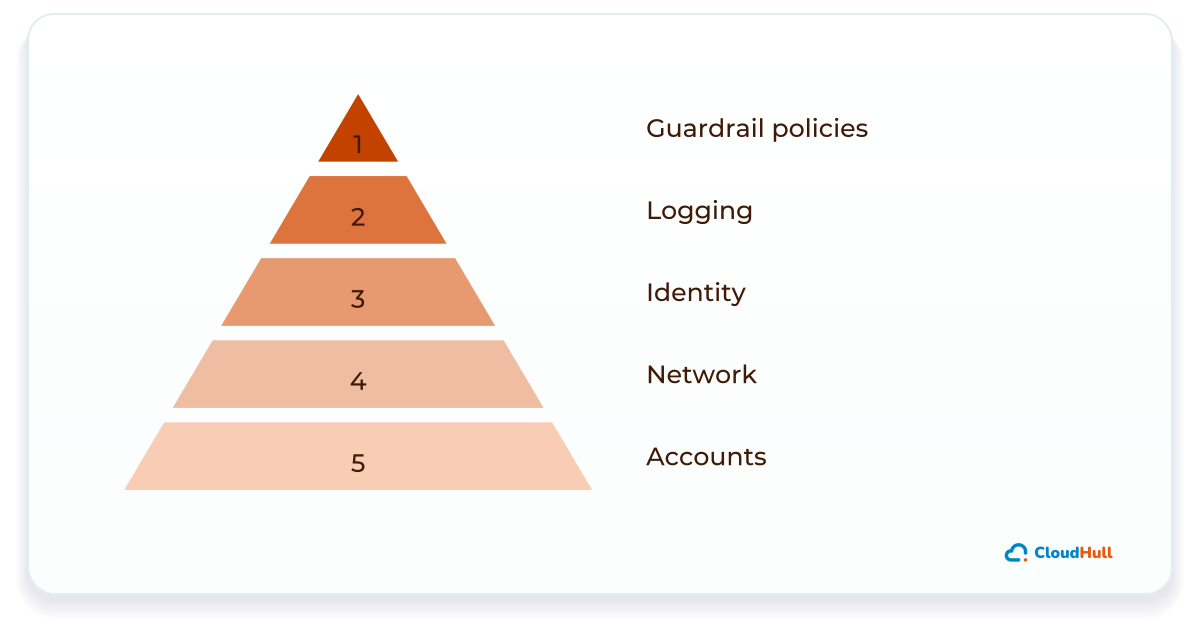
Security, networking and identity are cheap to set up once and expensive to retrofit. A landing zone lets every wave inherit the same controls, and it means the first workload does not set a pattern by accident.
Do this: Build accounts, network, identity, logging and guardrails with infrastructure as code, and review them before wave one.
Avoid this: Moving a workload into an empty account and promising to fix the settings later.
Move a Small, Typical Wave First
The first wave teaches you the process. A small and representative system lets you test replication, networking and runbooks at low risk. A failed first wave on a critical system costs trust that is hard to win back.
Do this: Pick a low-risk system with a few dependencies that looks like most of your estate.
Avoid this: Starting with the easiest system that teaches you nothing, or the hardest one that puts customers at risk.
Group Waves by Dependency
Chatty or tightly coupled systems split across two environments perform badly and break in surprising ways. Waves should follow dependency, not server type or team. The common failures are listed in cloud migration challenges.
Do this: Use traffic data and owner interviews to build the map, and move coupled systems together.
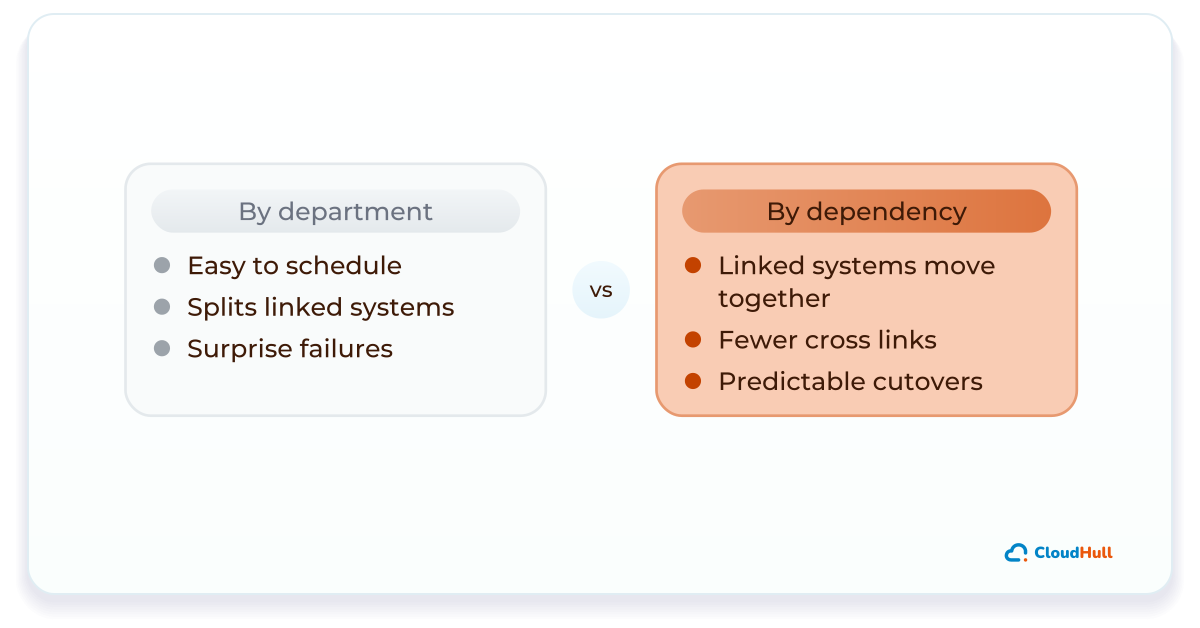
Avoid this: Organizing waves by department because it is easy to schedule.
Rehearse Every Cutover
A test cutover finds the firewall rule, the hard-coded address and the license check while production is safe. It also gives you real timings for the runbook. Teams that rehearse report calmer cutover nights, and I have yet to see a rehearsal that found nothing.
Do this: Run a full test launch with owners checking their own applications, and time every step.
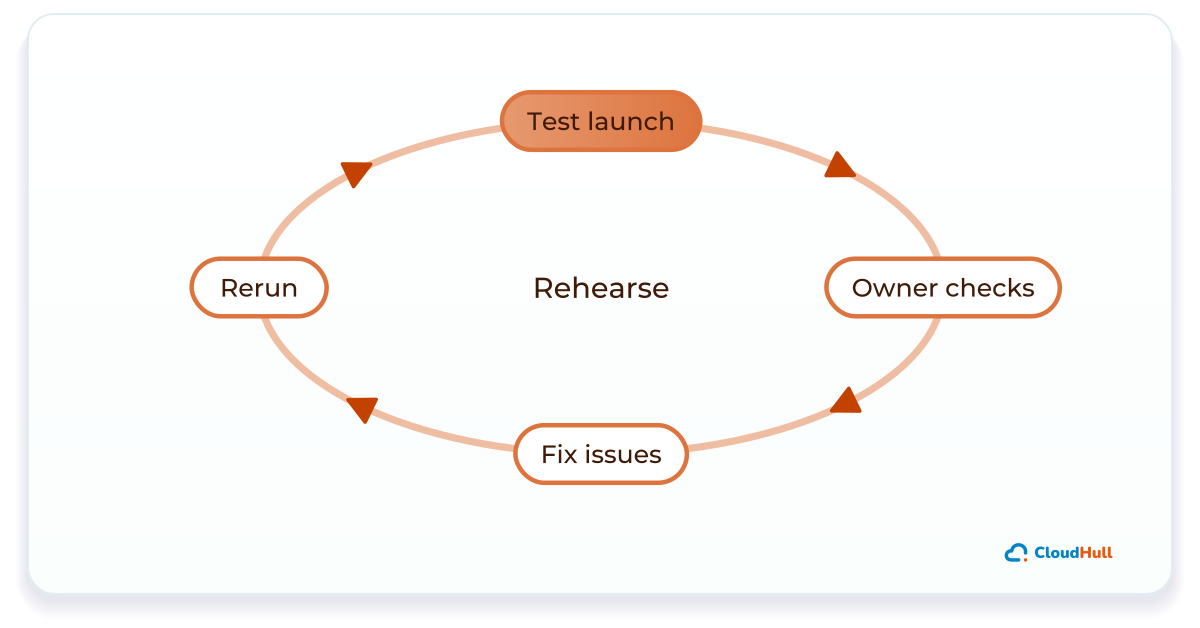
Avoid this: Treating the first real cutover as the first full run.
Plan the Rollback in Advance
A rollback only works if you decided when to use it. Under pressure, people hesitate or push on. Write the criteria, the decision owner and the deadline before the night starts, and test the restore.
Do this: Agree the rollback point and the person who calls it, and keep the source intact for an agreed period.
Avoid this: Deleting or changing the source system on the night of the cutover.
Tag Everything From Day One
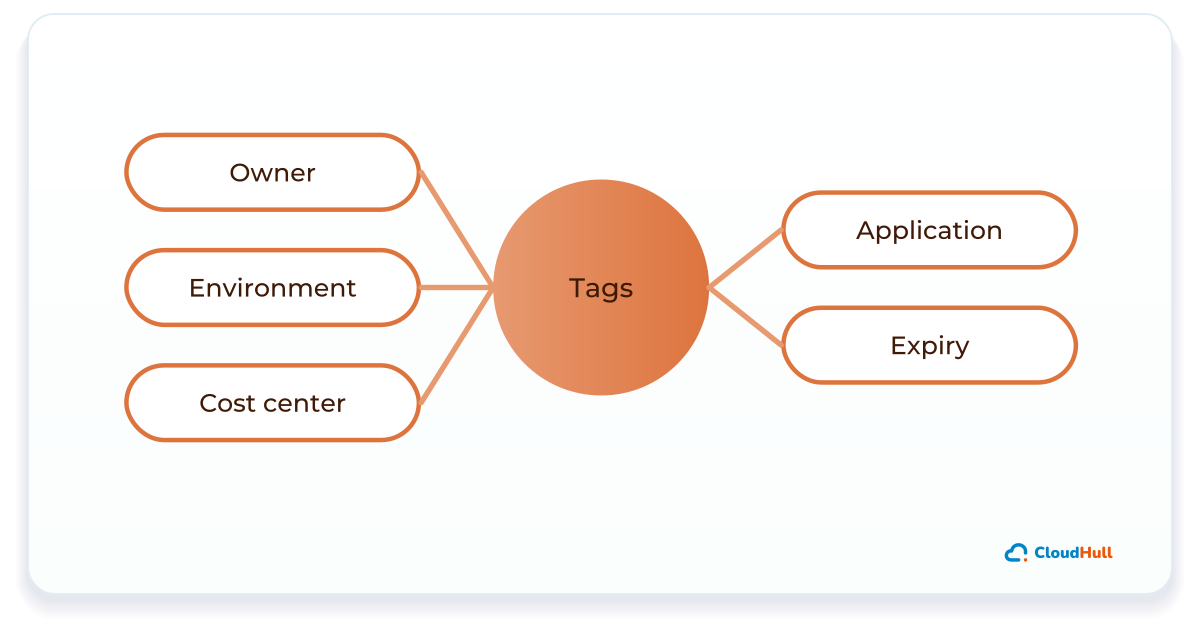
Cost and ownership questions come up in the first month, and untagged resources make them impossible to answer. Tags for owner, product and environment let finance see spend per product and let engineers find who to ask.
Do this: Enforce tags with policy so untagged resources are blocked or flagged.
Avoid this: Promising to clean up tags after the migration, when the resources have already multiplied.
Size on Real Utilization
Servers bought for peak load in a data center often idle at a fraction of capacity. Copying the old size into the cloud means paying for that idle capacity every hour. Measure first, and size on what is used.
Do this: Collect a month of utilization data, size on the real peak with headroom and review after the first month.
Avoid this: Choosing instance sizes to match the old hardware one-to-one.
Train Your Team Before the Waves
Engineers who learned the platform during the project will run it better afterward. Training late means the consultant leaves and the environment becomes something nobody dares change.
Do this: Book provider training before wave one and pair your engineers with experienced ones on the first waves.
Avoid this: Handing a finished environment to a team that saw it for the first time on the day of handover.
Decommission on a Planned Date
Until the old environment is off, you pay for two. The overlap tends to stretch for months when nobody owns the shutdown. Put the date and the owner in the plan, and track the saving as a project result.
Do this: Schedule the retirement of hardware, support and licenses with the same care as the cutover.
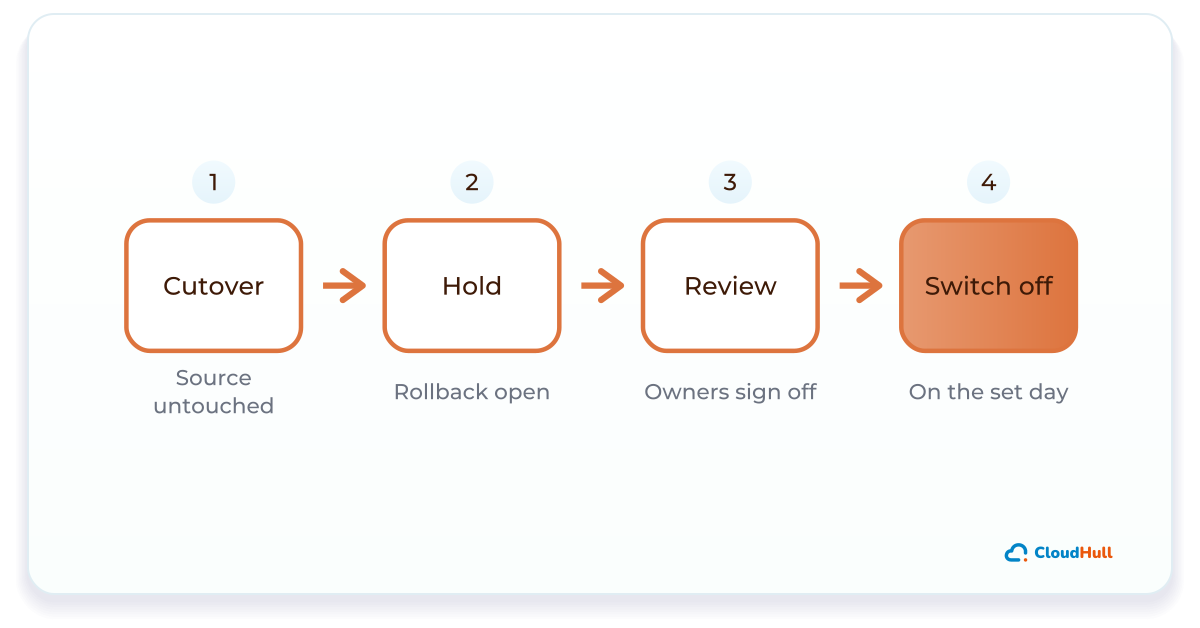
Avoid this: Leaving old servers on just in case, with no review date.
How the Rules Change With the Size of Your Estate
The twelve rules apply to every migration, but the effort behind each one changes with scale. A ten-server estate does not need a formal wave calendar. A thousand-server estate cannot run without one.
| Rule | Small estate | Large estate |
|---|---|---|
| Inventory | A shared spreadsheet and owner chat | Discovery tooling and an owner review per application |
| Waves | One or two moves | A calendar of waves with freeze periods |
| Rehearsal | A test launch on a day | A full test cutover for each wave |
| Training | Provider courses for two engineers | A training plan per role and a support rota |
If your estate is small, the lighter route in my guide to cloud migration for small business keeps the rules and drops the overhead. The full set of steps, in order, is in the cloud migration checklist.
What These Rules Look Like in a Real Project
On one project, a regional lender had to leave its data center within six months. The team had a spreadsheet inventory that listed 140 servers, and discovery found 171. Interviews showed that about a dozen had no active users. Those were retired instead of moved, which shortened the plan before it started.
The first wave was a small internal tool, and it failed its test cutover because of a firewall rule nobody had written down. Fixing it took a day. On a customer-facing system, the same problem would have meant an outage during business hours. That is the case for rehearsal in one example, and it repeats on almost every project I see.
Where Tools Help and Where They Do Not
Good tools make the rules easier to follow. Continuous replication shortens cutovers, discovery tools build the inventory and test launches support rehearsals. They do not decide what to move or why, and they do not train your team. My ranking of cloud migration tools shows which tool fits which source and target.
Tools also differ in what they assume. A native tool from your target provider assumes you have already chosen that provider, so check that decision before you rely on its numbers. When I review a stalled project, the missing piece is almost never a tool. It is usually a rule from this list that was skipped, most often the rollback or the first-wave choice.
How to Choose Which Rules to Apply First
If you cannot do all twelve at once, start where your risk is highest. I suggest you ask four questions:
- Can you name every system you run and who owns it?
- Do you have a tested rollback for the first wave?
- Is your landing zone reviewed by someone outside the build team?
- Does your team know the target platform well enough to run it?
A no to any of them is the rule to work on next. If several answers are no, a short outside review is a quick way to rank the work.
Questions About Cloud Migration Best Practices
What Are the Most Important Cloud Migration Best Practices?
In my experience, the most important are an accurate inventory, a strategy per workload, a built landing zone, rehearsed cutovers and a tested rollback. Those five prevent most of the failures I see, and the other rules protect cost and ownership.
How Do I Choose Which Workload to Migrate First?
Pick a small, low-risk system that is typical of your estate. It should have few dependencies and a clear owner. You want to learn the process on something that does not hurt if it goes wrong.
Is Lift and Shift a Bad Practice?
No. It is fast and low risk, and it fits many workloads, especially under a deadline. It becomes a problem when you apply it to everything and never rightsize afterward, which leaves you paying for old sizing in the cloud.
How Much of the Project Should Be Planning?
A large share. In my experience, planning, preparation and rehearsal take more calendar time than the actual cutovers, and projects that cut that share usually pay for it in outages and rework.
How Do I Keep Cloud Costs Under Control During a Migration?
Tag everything, size on measured use, set budgets and alerts per account and review the bill after each wave. Schedule the shutdown of the old environment so you do not pay for both for long.
Should I Train My Team Before or After the Migration?
Before and during. Engineers who work alongside experienced people on the first waves run the environment better afterward. Training only at handover leaves a team that fears changing anything.
Do These Practices Apply to Small Businesses?
Yes, scaled down. A small estate can use a spreadsheet inventory and one or two waves, but the rollback, rehearsal and decommissioning rules still apply in full.
Sources
Please note: this guide is general information and not legal, financial or tax advice. Numbers and examples are typical-project estimates; confirm current details with your providers and advisers.
Did this article help you?
Thanks, noted.
Garrett Linville
Garrett leads the Cloud Hull editorial team and works with the consultants to turn real client projects into practical guides on cloud migration, DevOps, security and cost control. Each article is edited together with the consultant who did the work, and every price and limit is checked against current provider documentation. He is based in the USA and works remotely.