Main Points
- Decisions come first: goals, inventory and a strategy for every workload.
- A built landing zone and a small first wave make every later cutover quieter.
- Backups, a rehearsed rollback and a test cutover protect you from outages.
- Decommissioning the old environment is part of the project, or you pay twice.
A migration checklist is only useful if it is short enough to use and complete enough to trust. The twelve points below are the ones I run through with cloud migration consulting clients, in the order they matter. Skip one and you usually find out during cutover.
The checklist is grouped into four phases: plan, prepare, move and settle. Each point has a short explanation and a few checks you can tick off. Where a point deserves more depth, I link to the guide that covers it.
The 12 Points at a Glance
| Phase | Points | Done when |
|---|---|---|
| Plan | 1. Goals and deadline, 2. Inventory, 3. Strategy per workload | Every workload has an owner and a decision |
| Prepare | 4. Dependencies and waves, 5. Landing zone, 6. Security and access | The first wave has a dated plan and a ready platform |
| Move | 7. Backups and rollback, 8. Test cutover, 9. Cutover and validation | Users run on the new system and checks pass |
| Settle | 10. Performance check, 11. Cost tuning, 12. Decommission and review | Old systems are off and the bill matches the plan |
Plan: Decide What You Move and Why
Most checklists start with the technical steps. I start with the decisions, because every later step depends on them.
1. Write Down Your Goals and Deadline
Say why you are moving in one sentence each: end a lease, cut cost, improve resilience, support growth. Goals decide what you optimize for, and a hard deadline such as a lease end decides how much you can change along the way. Without them, every disagreement about scope has no tiebreaker.
If the goal is cost, you need a baseline of what you pay today, including staff time and licenses. If it is speed of delivery, you will accept more rework in exchange for faster moves.
- One sentence per goal, signed off by the sponsor
- A hard date and the reason for it
- Current annual run cost, including licenses and staff time
2. Inventory Every Server, Database and Application
You cannot plan what you cannot list. Pull data from your hypervisor, your configuration database and your monitoring, then reconcile it with a walk through each team. The list will always be longer than you expected, and it always includes machines nobody owns.
A discovery tool speeds this up, and the comparison of cloud migration tools shows which ones do it for your platform. Add an owner, an environment and a business criticality to every line.
- Servers, databases, storage and network devices listed
- An owner named for every item
- Orphans flagged for retirement
3. Choose a Strategy for Each Workload
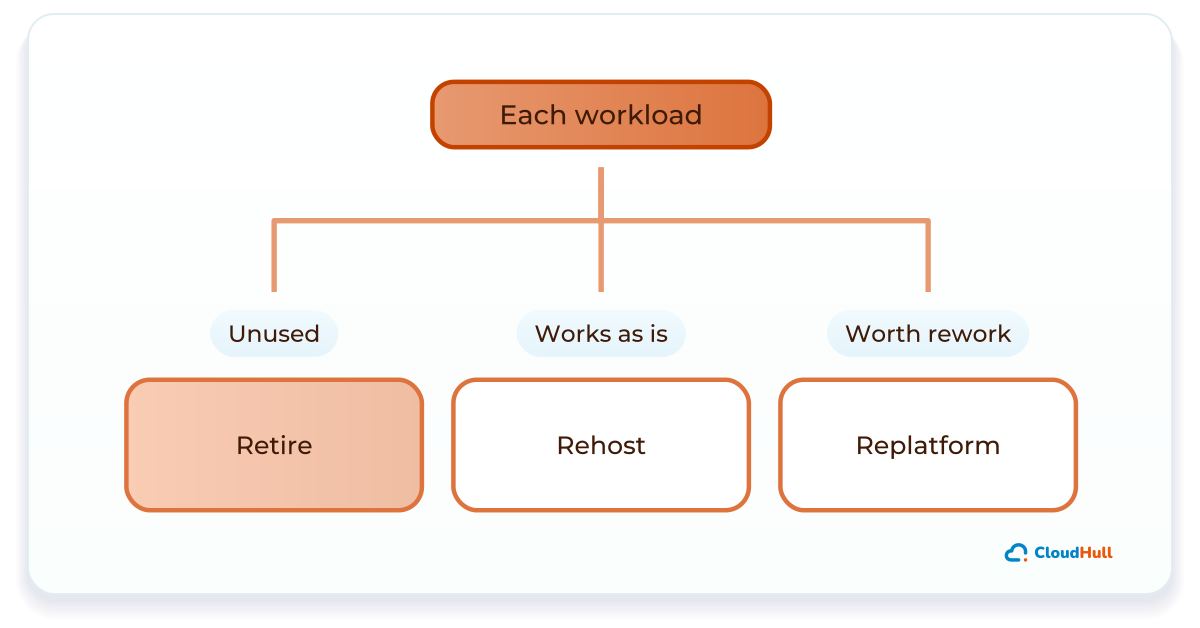
The usual options are rehost, replatform, repurchase, refactor, retire and retain. Rehost is fastest, and refactor brings the most long-term benefit and costs the most. Pick per workload, using value, effort and risk, and expect a mix. The scoring in my guide to cloud migration assessment does exactly this.
Retire is the most underused option. In most estates, a share of the servers have no active users, and moving them is wasted effort.
- A strategy recorded for each workload
- Retire candidates confirmed with owners
- Retained systems listed with a review date
Prepare: Build the Platform and the Plan
Preparation is where you save the most time later. A ready platform and a clear wave plan make cutovers uneventful.
4. Map Dependencies and Define Waves
Group workloads into waves by dependency and risk. A good first wave is small, low risk and representative, so you learn the process on something that does not hurt if it goes wrong. Later waves group tightly coupled systems together.
Waves also have owners and dates. Publish the calendar so every team can plan around freeze periods and testing. The most common reasons waves fail are covered in cloud migration challenges.
- Dependency map reviewed with owners
- Waves with dates, owners and success criteria
- First wave chosen for low risk
5. Build the Landing Zone Before Anything Moves
The landing zone is the foundation: accounts, networking, identity, logging, encryption and guardrails. Build it once, review it and let every wave inherit it. Adding these later means touching systems that are already in production.
Use infrastructure as code so you can rebuild it, and document the naming and tagging rules from day one.
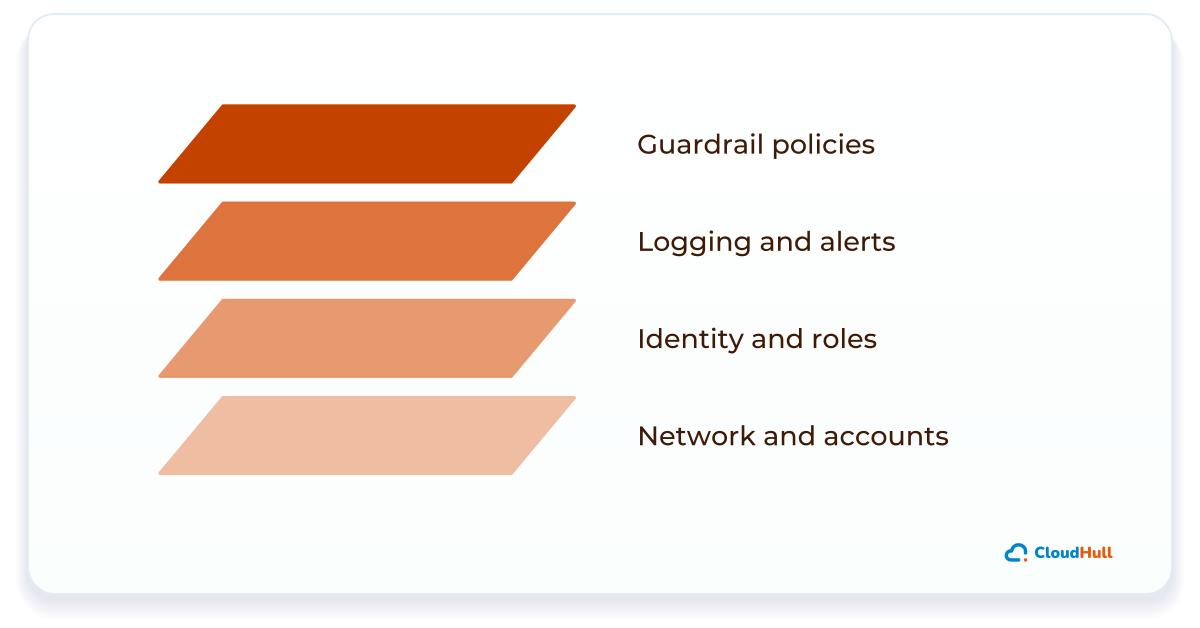
- Accounts and network layout agreed and built
- Single sign-on and role model in place
- Central logging and tagging rules active
6. Lock Down Security and Access
Decide who can do what, in writing. Give people the least access they need, protect admin accounts with multi-factor authentication and block public storage by default. If you hold regulated data, check the requirements early, since they decide where data may live.
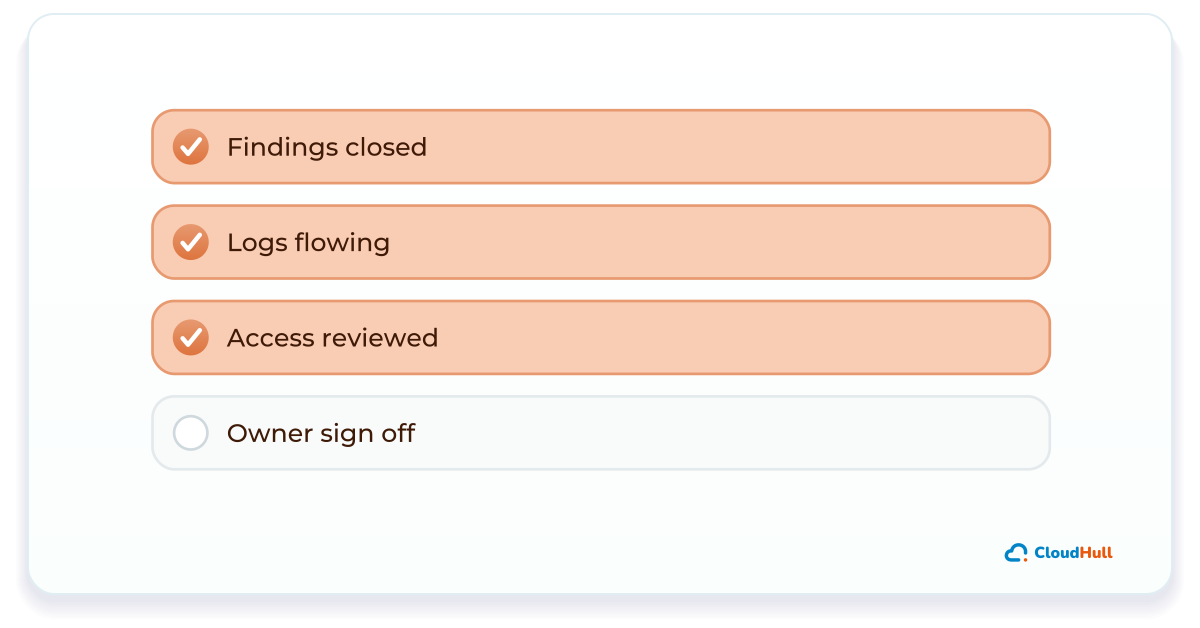
Security checks belong in the wave exit criteria. The practices that stop most issues are in my list of cloud migration best practices.
- Admin accounts protected with multi-factor authentication
- Public access to storage blocked by default
- Configuration check run against a recognized benchmark
Move: Rehearse, Then Cut Over
The move phase should feel boring. If it feels exciting, something in the earlier phases was skipped.
7. Take Backups and Agree the Rollback
Before each wave, back up what you are about to change and prove you can restore it. Define the rollback point and the person who decides to use it, and the time by which they must decide. A rollback nobody has tried is a hope, not a plan.
Write the decision criteria in advance. People make worse calls at 3 a.m. than they do in a planning meeting.
- Backups taken and a restore tested
- Rollback steps written with a decision owner
- Decision deadline agreed with the business
8. Run a Full Test Cutover
Launch the replicated systems in an isolated network, run the same checks users would, and time every step. Fix what breaks. A test cutover surfaces the firewall rule, the hard-coded address and the license check, and it does so while production is still untouched.
Your replication tool will support test launches, and the options are compared in cloud migration tools. Repeat the test if the first one found significant problems.
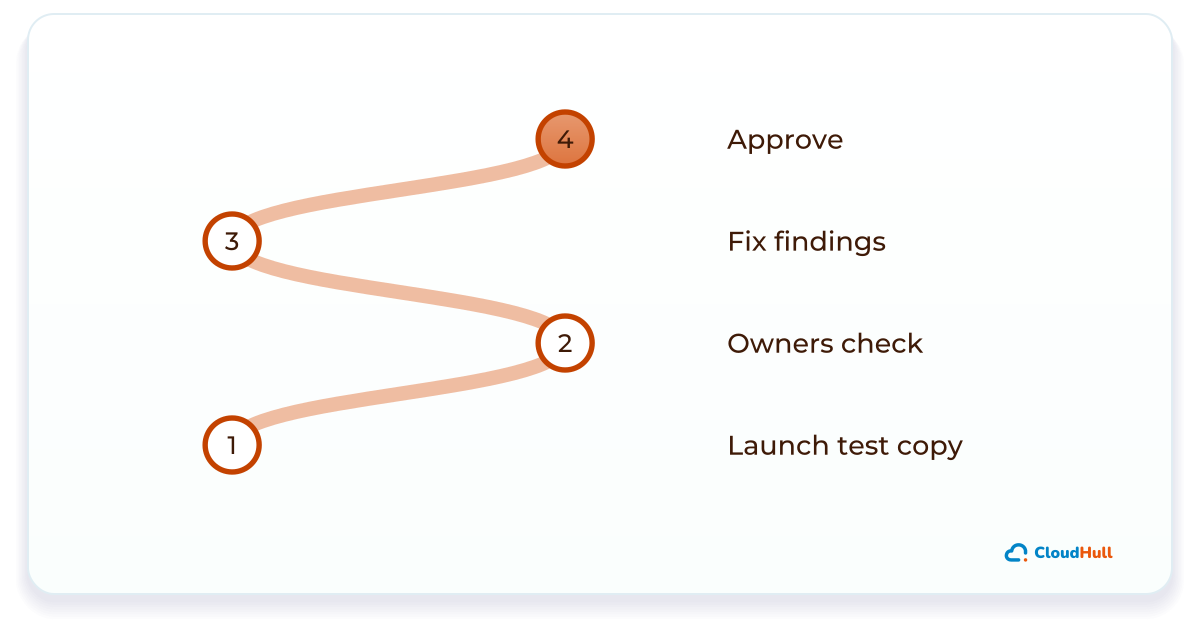
- Test launch completed in an isolated network
- Application owners ran their own checks
- Step timings recorded for the runbook
9. Cut Over and Validate
Follow the runbook, in order, with the same people who rehearsed it. Stop the source, run the final sync, start the target, change DNS and run the validation checks. Hold a short call at the end to confirm success against the criteria you set.
Keep the old system available and untouched for a defined period, so a late problem can still be rolled back.
- Runbook followed with a live log
- Validation checks passed and signed off
- Source kept intact for the agreed period
Settle: Make It Stick
The project is not over at cutover. Three more checks turn a moved workload into a healthy one.
10. Compare Performance With Your Baseline
Compare response times, throughput and error rates with the numbers you recorded before the move. Check sizing and storage first, since they explain most differences. Give users a way to report slowness and watch what comes in during the first week.
If performance is worse, fix it before you move the next wave, so the problem does not repeat.
- Baseline compared within one week
- Sizing and storage reviewed
- User feedback channel open
11. Tune Cost After a Month of Real Use
The first bill is a guess. After a month of real traffic, rightsize instances, remove idle resources and review pricing options for steady workloads. Check the tags to confirm that every cost has an owner.
Compare the result to your forecast and update the business case with the real numbers.
- Idle resources removed
- Steady workloads reviewed for committed pricing
- Spend compared with the forecast
12. Decommission the Old Environment and Review the Project
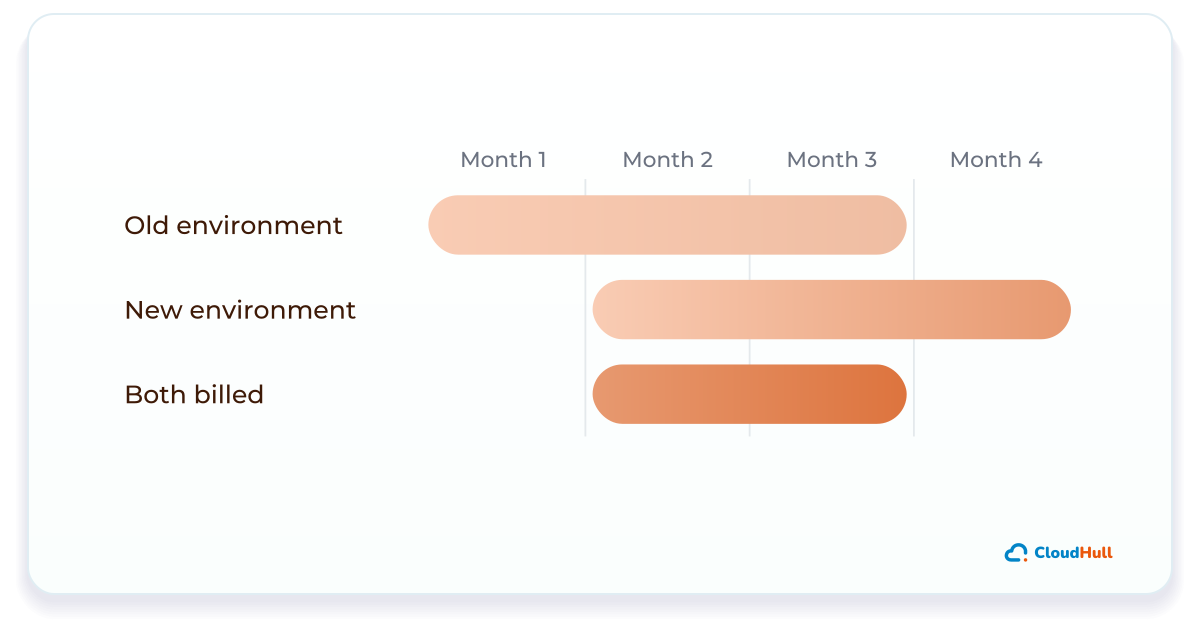
Shut down and remove the old systems on a planned date, and cancel hardware support and licenses. Until you do, you pay for two environments. Then run a short review: what slowed you down, what you would change and what the next wave should do differently.
If a small team is doing this alone, the lighter version in my guide to cloud migration for small business keeps the same steps with less overhead.
- Hardware, support and licenses retired
- Data disposal documented
- Lessons recorded for the next wave
Where Checklists Go Wrong
A checklist helps only if people use it honestly. The common failure is ticking a box because a document exists, not because the check was done. A rollback plan in a folder is not a rollback plan until someone has tried it. Ask for evidence at each point: a restore log, a timing sheet, a signed validation list.
The second failure is treating the list as linear for the whole estate. Points 1 to 6 are done once, and points 7 to 12 repeat for every wave. Build that loop into your plan, and the later waves get faster because the early ones taught you what to expect.
How to Use This Checklist on Your Project
Copy the twelve points into your project tracker and give each an owner and a date. For a small estate, you can merge points, for example inventory and strategy. For a large one, repeat points 4 to 12 for every wave.
- Does every point have an owner and a date?
- Is the first wave small and typical?
- Has someone other than the author reviewed the rollback?
- Is the decommission date in the plan?
If you want someone to check your plan against these points before the first wave, a short call is a quick way to do it.
Questions About Your Cloud Migration Checklist
What Should Be on a Cloud Migration Checklist?
It should cover goals and deadline, inventory, a strategy per workload, dependency mapping, a landing zone, security and access, backups and rollback, a test cutover, the real cutover, a performance check, cost tuning and decommissioning. The twelve points above cover those in order.
How Long Does It Take to Work Through the Checklist?
For a small estate, a few weeks. For a mid-sized one, several months, because points 4 to 12 repeat for each wave. The planning phase usually takes the longest per workload but saves the most time later.
What Is the First Step in a Cloud Migration?
Writing down your goals and deadline, and then listing everything you run. These two steps decide scope, order and method, so skipping either makes every later decision harder.
Do I Need a Test Cutover for Every Wave?
Yes for anything customer-facing or business critical. For a trivial internal tool, a smaller test may be enough. The test is cheap compared with an outage, and it finds the firewall, address and license problems that only show up on a real launch.
What Is a Landing Zone?
It is the prepared foundation in your cloud: accounts, network layout, identity, logging, encryption and guardrails. Every workload that arrives inherits those settings, which keeps the environment consistent and secure as it grows.
When Should I Turn Off the Old Environment?
After a defined period of stable operation, agreed in advance, and after backups and data disposal are handled. Put the date in the plan with an owner, since the overlap is a common hidden cost.
Can I Use This Checklist for a Database Migration?
Yes, with extra steps. Add schema and version compatibility, a full data validation, a test migration with production-sized data and a plan for stored procedures and application queries.
Sources
Please note: this guide is general information and not legal, financial or tax advice. Numbers and examples are typical-project estimates; confirm current details with your providers and advisers.
Did this article help you?
Thanks, noted.
Garrett Linville
Garrett leads the Cloud Hull editorial team and works with the consultants to turn real client projects into practical guides on cloud migration, DevOps, security and cost control. Each article is edited together with the consultant who did the work, and every price and limit is checked against current provider documentation. He is based in the USA and works remotely.