Main Points
- Hidden dependencies, unclear ownership and slow data transfers block more waves than any technical limit.
- Cost, security and skills problems are cheap to fix before wave one and expensive afterward.
- Rehearsed cutovers with a rollback plan turn downtime from a surprise into a known quantity.
- Treat awkward legacy systems as their own track, and accept a hybrid end state when it is cheaper.
Most cloud migrations do not fail on technology. They slip because of something the plan missed: a dependency, a license, a transfer that takes three weeks or an owner who was never named. If you plan a move with cloud migration consulting or on your own, these twelve challenges are the ones I see again and again.
Below, each challenge comes with what it looks like in practice, steps to handle it and the tools that help. Use the table to jump to the ones that worry you most, and read the rest before your first wave.
The 12 Challenges at a Glance
The table lists each challenge, what goes wrong and the fix that works most often. Some challenges sit on the critical path early, such as dependencies and skills, while others, such as performance, show up only after go-live.
| Challenge | What goes wrong | What fixes it |
|---|---|---|
| 1. Hidden Dependencies Between Systems | Broken workflows after cutover | Map dependencies and group waves |
| 2. Cost Overruns and Surprise Bills | Bill above the business case | Size on utilization and tag everything |
| 3. Downtime During Cutover | Outage beyond the agreed window | Continuous replication and a rehearsed runbook |
| 4. Data Volume and Transfer Time | Waves stalling on slow copies | Calculate early, use delta sync or offline devices |
| 5. Legacy Applications That Will Not Move | A data center that never closes | Treat as a separate track with decision records |
| 6. Skills Gaps in Your Team | Mistakes repeated across waves | Pair your engineers with experienced ones |
| 7. Security and Compliance Gaps | Open configurations and weak evidence | Landing zone with controls first |
| 8. Licensing Surprises | Software costs that jump | Check each vendor’s cloud rules in writing |
| 9. Network Latency and Connectivity | Slow applications during split periods | Move chatty systems together |
| 10. Vendor Lock-In Worries | Expensive exit or over-engineering | Choose portability where it pays |
| 11. Unclear Ownership and Stakeholder Alignment | Decisions waiting, scope growing | One owner, one sponsor, weekly blockers |
| 12. Performance Problems After Go-Live | Users noticing slowness first | Baseline before, compare after |
12 Cloud Migration Challenges and How to Solve Them
I start with the problems that appear during planning, move through the cutover and end with what shows up after go-live. Run the checks in my cloud migration checklist alongside this list, and the cloud migration assessment gives you the scoring that tells you which challenges apply to which workload.
Cost Overruns and Surprise Bills
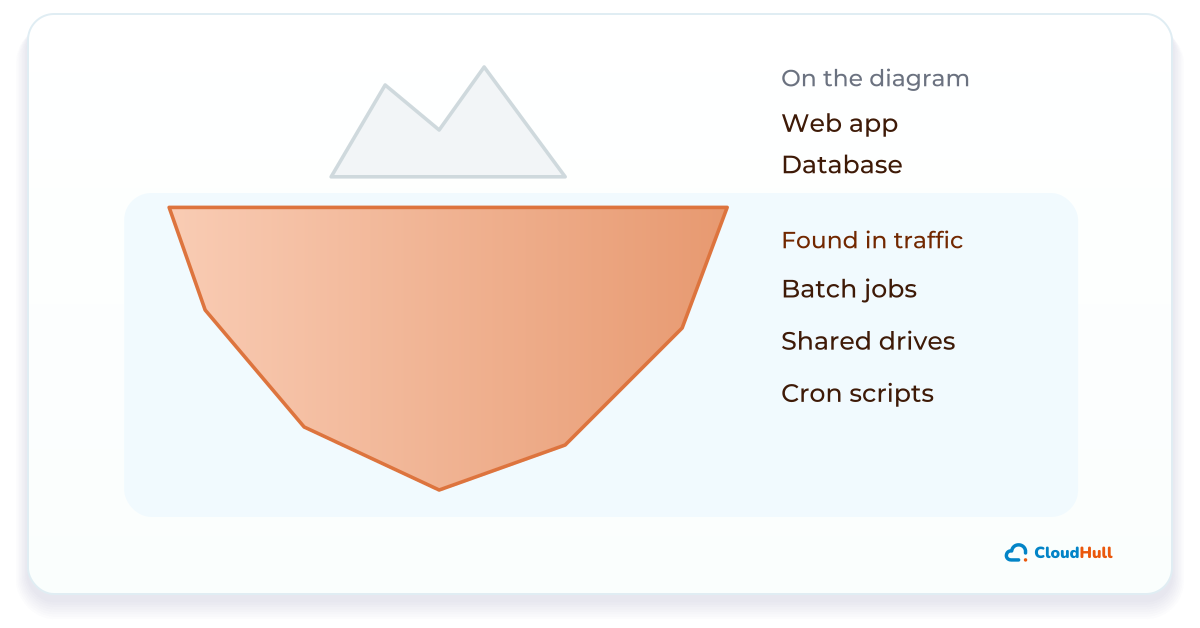
The business case said the cloud would cost less. Three months in, the bill is higher than the old data center budget. The usual causes are lifted-and-shifted servers sized for peak load that never comes, test environments left running, and data leaving the cloud at a price nobody modeled.
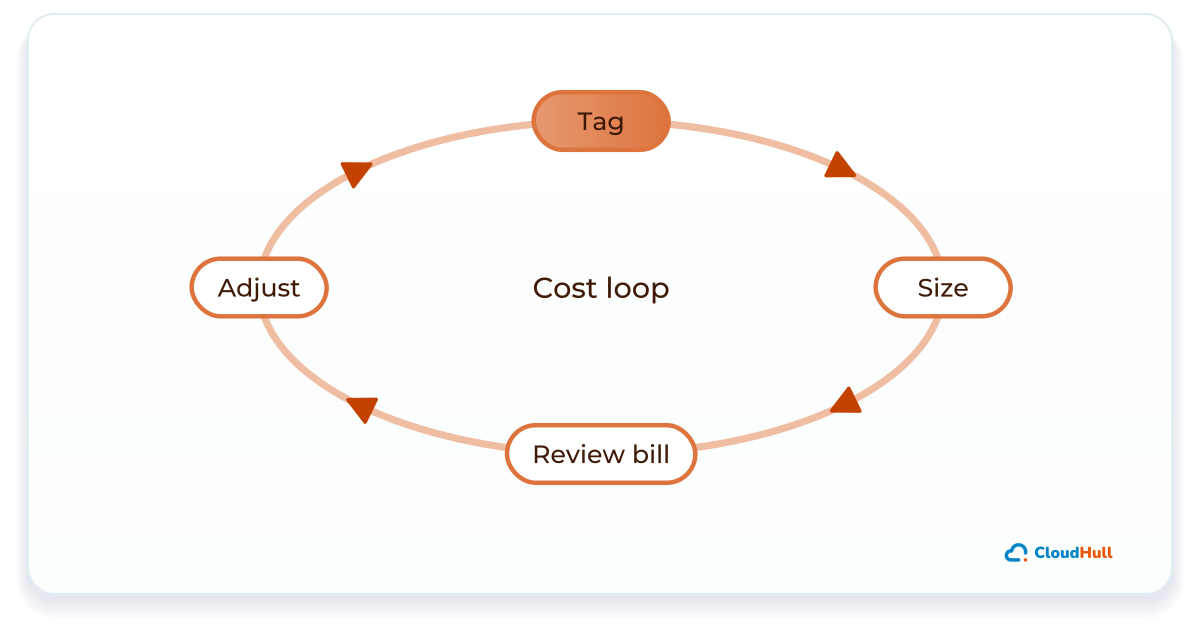
Cost control starts before the first workload moves. Estimate from real utilization, not from the size of the old server, and tag every resource with an owner and a product so you can see who spends what. Expect the first bill to be wrong in both directions and plan a review in the second month.
How to keep costs in line
- Pull utilization data for each server and size the cloud instance on that, not on the old hardware.
- Set budgets and alerts per account before the first migration.
- Require tags for owner, product and environment on every resource.
- Schedule non-production environments to shut down at night and on weekends.
- Model data transfer, storage and support costs, not only compute.
- Review the bill against the forecast after each wave.
Tools for cost control
Each provider has a native cost explorer and budget alerts, and they are free to turn on. A cost platform such as Flexera One helps once you run several accounts or clouds.
Downtime During Cutover
Cutover is the moment you switch users from the old system to the new one. If the final data sync is slow or a DNS change takes longer than planned, the outage is longer than the business agreed to. Customer-facing systems are the ones that bring the most pressure.
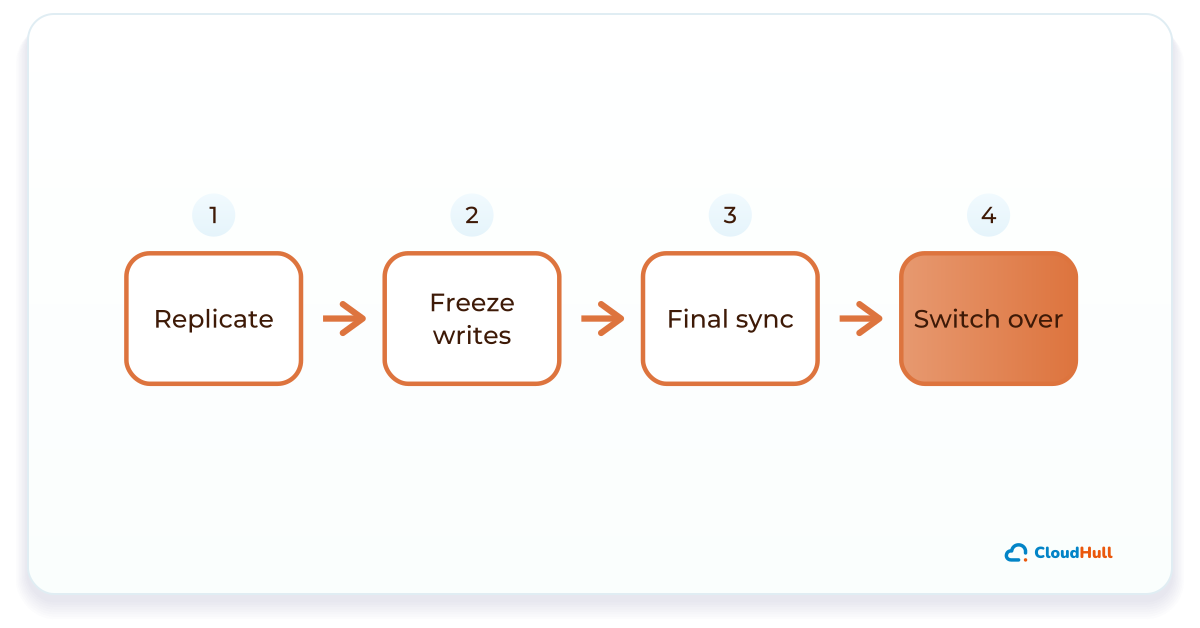
Continuous replication shrinks the window, because only the last changes remain at cutover. The rest of the downtime comes from the steps around the copy: stopping the application, checking the data, changing DNS and starting services. Write those steps down as a runbook and rehearse them with the same people who will run the real one.
How to shorten the window
- Replicate continuously so the final sync is small.
- Lower DNS time-to-live values a few days before cutover.
- Write a runbook with named owners and times for every step.
- Run a full test cutover and measure each step.
- Define a rollback point and the decision time for using it.
- Hold a go or no-go call with the business before you start.
Replication tools
AWS Application Migration Service and Google Migrate to Virtual Machines both replicate continuously and support test launches. Zerto offers similar replication when you also want recovery between sites.
Data Volume and Transfer Time
Moving a few hundred gigabytes is easy. Moving hundreds of terabytes over a normal business connection can take weeks, and the connection is shared with the people who need it for work. Teams often discover this in the middle of the project, when a wave stalls.
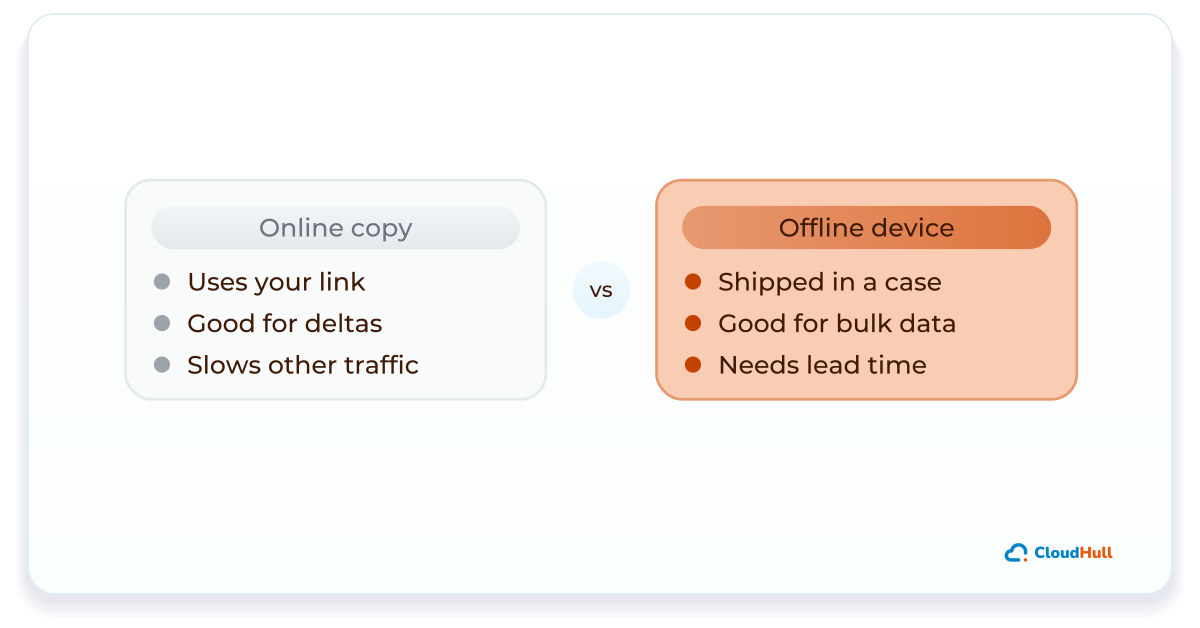
Do the arithmetic early. Divide the data volume by the bandwidth you can really use, which is usually well below the line speed. If the answer is longer than your window, you need compression, a dedicated link, a staged approach or an offline transfer device. Delta sync keeps the gap small so only changes move at the end.
How to plan transfers
- List the data volume per workload, including archives nobody uses.
- Measure real usable bandwidth at different times of day.
- Calculate transfer time and compare it with your wave windows.
- Decide per workload between online replication and offline transfer.
- Clean up or archive data you do not need to move.
- Test one large transfer early to find out how it really behaves.
Transfer options
Azure Data Box is an offline bulk transfer option listed in the Azure Migrate overview. Other providers offer similar appliances, and a dedicated network link helps when data keeps changing.
Legacy Applications That Will Not Move
Some applications run on an operating system nobody supports, depend on a specific CPU, or have no vendor left to ask. They can be the last ten percent that decides whether you ever close the data center. Trying to force them into the cloud on the same schedule as everything else is how projects slip.
Treat them as their own track. Decide per application whether to retire it, replace it, wrap it, host it on a compatible platform or leave it where it is. A hybrid end state is a valid result when the alternative is a rebuild that costs more than the savings.
How to decide
- List every application with its age, vendor support status and business value.
- Mark the ones that nobody has touched in a year as retirement candidates.
- Check if a software-as-a-service product replaces the function.
- Test whether the system boots as a virtual machine in the cloud.
- Write a short decision record for each application that stays behind.
- Set a review date, so staying becomes a decision and not a default.
Tools for scoring
CAST Highlight scores custom application code for cloud readiness and effort. For vendor software, the vendor’s own support statement for your target platform is the best source.
Skills Gaps in Your Team
Your engineers know your data center. They may not know cloud networking, identity or cost models, and the first few months are when mistakes are cheapest to make and most likely to be repeated. A migration without training produces an environment nobody feels safe to change.
Pair your own people with experienced cloud engineers on the first waves and let them do real work, with review. A small team that learned by doing keeps the environment healthy, while a team that only watched a contractor does not. Plan training before the waves start, not after the handover.
How to close the gap
- List the skills the target environment needs, such as networking, identity, cost control and monitoring.
- Assess your team against that list and mark the gaps.
- Book provider training for the roles that need it before wave one.
- Pair each engineer with an experienced one on the first two waves.
- Hand runbooks to the people who will run them and have them do a dry run.
- Decide who owns the environment after the project ends.
Learning resources
Each major provider offers free learning paths and certifications. Pairing those with real work on a low-risk wave is what makes the knowledge stick.
Security and Compliance Gaps
On premises, many controls come from the building and the network perimeter. In the cloud, access control and configuration take over, and defaults are often open enough to cause trouble. A rushed migration copies old rules over and leaves holes the old environment never had.
Build the landing zone first, with identity, logging, encryption and network rules in place before the first workload arrives. That way every wave inherits the same controls. If you hold regulated data, check your provider’s documentation and your auditor’s requirements early, because they shape where data may live.
How to build it in
- Set up accounts, roles and single sign-on before any workload moves.
- Turn on central logging and keep it in a separate account.
- Encrypt data at rest and in transit by default.
- Block public storage access unless a review approves it.
- Run a configuration check against a recognized benchmark after each wave.
- Document the controls so you can show them to an auditor or customer.
Security tooling
Native posture and logging services are free or cheap to start with. See my review of cloud security tools if you need continuous checks across accounts.
Licensing Surprises
Software that was licensed per physical server or per core can cost much more in the cloud, or be forbidden by the vendor on shared infrastructure. Database and operating system licenses are the usual surprises, and the invoice arrives long after the migration.
Check each licensed product before it moves. Ask the vendor how the license works on your target platform, and include the answer in the business case. Sometimes a managed service or a license-included option is cheaper than bringing your own, and sometimes it is not.
How to check them
- Inventory every licensed product with its metric, such as cores, sockets or users.
- Ask each vendor for its cloud licensing rules in writing.
- Compare bring-your-own license with license-included pricing.
- Flag products where the vendor forbids or limits cloud use.
- Update the business case before you commit to the wave.
- Plan license retirement on the same date as hardware retirement.
Licensing help
Flexera One focuses on software and cloud asset visibility. A short call with your vendor’s account team usually settles each product.
Network Latency and Connectivity
Applications that talk to each other all day work well when they sit next to each other. Split them across the old data center and the cloud for two months and every chatty call crosses a network link, and users notice. Database calls are the classic case.
Plan waves so that chatty systems move together, and size the link between the sites with real traffic data. Test performance during the pilot, not after the cutover. If a system cannot be split, move the whole group in a single wave.
How to avoid slow splits
- Measure traffic between systems in packets and calls per second.
- Group chatty systems into the same wave.
- Size the connection between sites for the peak with headroom.
- Choose a private link for steady traffic instead of the public internet.
- Test the application during the pilot with split components.
- Track response times before and after each wave.
Connectivity options
Each provider offers a private connection service, and a VPN works for small or temporary needs. Network extension features in tools such as VMware HCX help when IP addresses must stay the same.
Vendor Lock-In Worries
Leaders often ask whether moving to one cloud traps them. The risk is real, but so is the cost of avoiding it. Designing for every provider at once means giving up managed services that save time and money, and many companies pay that price without ever switching.
A practical approach is to decide where portability is worth the cost. Keep your data in open formats, use containers where they fit, and accept provider services where they bring clear value. Record each decision and the exit effort, so lock-in is something you chose and understand.
How to decide where to stay portable
- List the managed services you plan to use and their alternatives.
- Estimate the effort to leave each one in person-weeks.
- Keep backups and exports in open formats outside the platform.
- Use infrastructure as code so environments can be rebuilt.
- Prefer open standards for databases and messaging where cost is similar.
- Review the list once a year.
Portability tools
Container platforms and infrastructure as code help portability where they fit. They add their own effort, so use them where the exit risk justifies it.
Unclear Ownership and Stakeholder Alignment
Migrations touch finance, security, application owners and operations. When nobody owns the project end to end, decisions wait, scope grows and each team protects its own system. The technology is rarely the reason these projects fail.
Name one accountable owner and one executive sponsor. Give application owners a clear role in testing and sign-off, and write down what done means for each wave. A weekly status that lists blockers and decisions keeps small issues from growing into delays.
How to set it up
- Name an accountable project owner and an executive sponsor.
- List application owners and give each a sign-off task per wave.
- Agree on success criteria for each wave before it starts.
- Hold a weekly meeting that is only about blockers and decisions.
- Keep a single risk list and review it with the sponsor monthly.
- Publish the wave calendar so every team plans around it.
Project tools
A shared plan and a simple risk register are enough. The tool matters less than the weekly habit.
Performance Problems After Go-Live
A workload that ran fine on its old hardware can feel slower in the cloud, because of network distance, storage type or an instance size that was chosen to save money. Users notice slowness faster than any cost report.
Capture a performance baseline before you move, and compare after every wave. Fix sizing and storage first, because they solve most issues. Keep the old environment available for a defined period, so you can roll back if the problem is deeper than a setting.
How to check the result
- Record response times and throughput for each workload before the wave.
- Compare the same measures within the first week after cutover.
- Check storage type, instance size and network path first.
- Review database indexes and queries if latency stays high.
- Keep the old system available until performance is confirmed.
- Tune the sizing again after one month of real traffic.
Monitoring tools
Native monitoring from your provider is enough to start. Add application performance monitoring if you need to trace slow requests across services.
Which Challenges to Tackle First
You cannot fix all twelve at once, and you do not need to. Start with the ones that block a wave, which are dependencies, ownership and transfer time. Then handle cost, security and skills before the first production workload moves, since those are cheap to fix early and expensive later.
Teams with a small estate can shorten the list. The simpler path in my guide to cloud migration for small business drops the challenges that only show up at scale. For the rules that prevent most of these problems in the first place, see the cloud migration best practices list. If you are picking software for the move, my comparison of cloud migration tools shows which tool handles which source.
Picking Your First Step
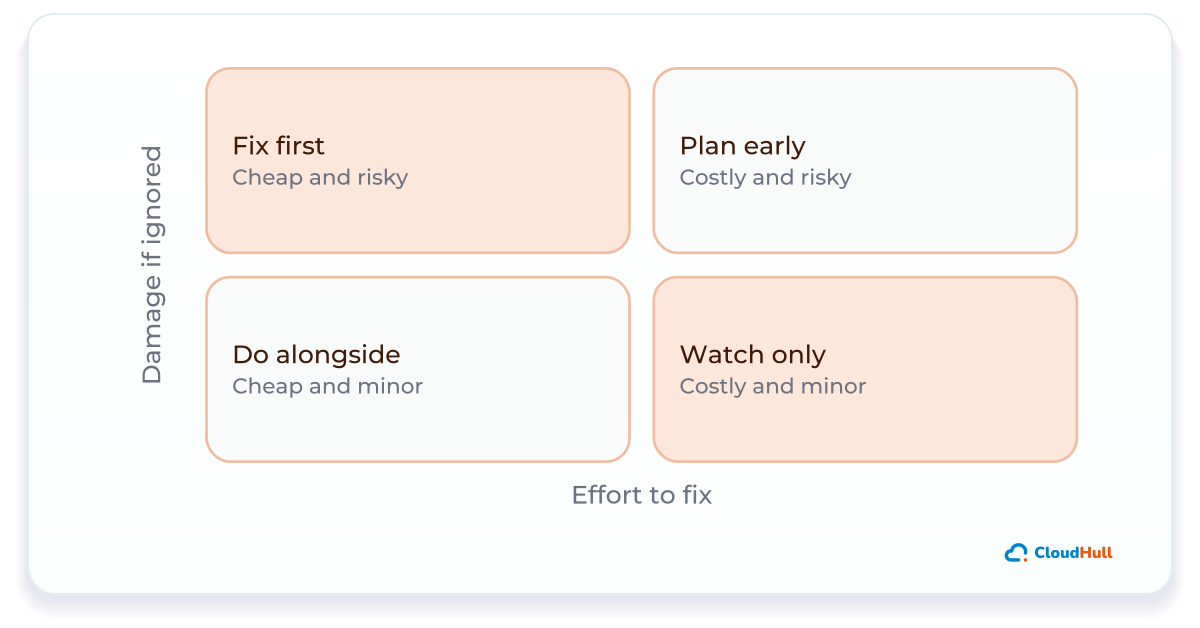
I suggest you score each challenge for your own estate on two questions: how likely is it, and how bad is it if it happens. A legacy system with no vendor and a hard deadline scores high on both. A latency issue for an internal tool scores low on both.
- Which workloads have the most dependencies and the least documentation?
- Which wave has the tightest downtime window?
- Where is your team’s experience thinnest?
- Which licenses are still unchecked?
Work down the list from the highest score. If you want an outside view of where your risk sits, a short call usually surfaces the top three in an hour.
Questions About Cloud Migration Challenges
What Is the Biggest Challenge in Cloud Migration?
In my client work it is usually hidden dependencies, followed closely by unclear ownership. Both are about people and information, not technology. A system that nobody mapped breaks the wave it was not part of, and a project with no owner stalls on every decision.
Why Do Cloud Migrations Go Over Budget?
Common causes are servers sized for old peak load, test environments left running, data transfer fees nobody modeled and licensing that costs more in the cloud. Tagging resources and reviewing the bill after each wave catches most of it early.
How Long Does a Cloud Migration Usually Take?
A small estate can move in a few weeks to a couple of months. Mid-sized ones usually take several months, and large or regulated ones often take most of a year or more. Your assessment and wave plan give a dated estimate for your case.
How Do I Reduce Downtime During a Migration?
Replicate continuously, lower DNS time-to-live values before cutover, write a runbook and rehearse it with a test cutover. Most downtime comes from the steps around the data copy, so those are the ones to practice.
What Should I Do About Applications That Cannot Move?
Decide for each one whether to retire, replace, host on a compatible platform or leave it in place. A hybrid end state is acceptable when the alternative costs more than it saves. Write the decision down and set a review date.
Does Migration Make Security Better or Worse?
It depends on the work you do. A landing zone with identity, logging and encryption in place can make you safer than before, while a rushed copy of old rules can leave gaps. Build the controls first and check configuration after each wave.
Do I Need a Consultant for a Cloud Migration?
Not always. A small, simple estate with experienced engineers can do it alone. Outside help pays off with wave planning, dependency mapping and the decisions about what to change, because those drive risk and cost.
Sources
Please note: this guide is general information and not legal, financial or tax advice. Numbers and examples are typical-project estimates; confirm current details with your providers and advisers.
Did this article help you?
Thanks, noted.
Garrett Linville
Garrett leads the Cloud Hull editorial team and works with the consultants to turn real client projects into practical guides on cloud migration, DevOps, security and cost control. Each article is edited together with the consultant who did the work, and every price and limit is checked against current provider documentation. He is based in the USA and works remotely.