Main Points
- Start from the questions the lake must answer, and add only the data that serves them.
- Keep raw data unedited, and build cleaned and curated layers on an open table format.
- Catalogs, owners, access rules and quality checks decide whether a lake stays useful.
- Lifecycle rules, scan limits and cost tags keep storage and query spend under control.
A cloud data lake is easy to start and hard to keep healthy. Object storage accepts anything, so the first months feel great. The trouble shows up when the third team loads its own copy of the customer table and nobody trusts the numbers anymore.
These nine rules come from lakes I have reviewed and rebuilt. If you want an outside review of your own design, cloud data lake consulting covers architecture, governance and cost. For a feel of how real teams apply the rules, my cloud data lake examples walk through public cases.
The Nine Rules at a Glance
| Rule | Problem it prevents | Effort |
|---|---|---|
| 1. Write Down the Questions the Lake Must Answer | Copying every table from every system because storage is cheap | Low |
| 2. Use Zones So Raw Data Stays Untouched | Letting analysts save their own extracts into the raw area, or overwriting raw files during a fix | Medium |
| 3. Pick an Open Table Format Early | Mixing three formats because each team picked its own favorite | Medium to high |
| 4. Partition for the Way People Query | Partitioning by a column with thousands of distinct values, or never compacting streaming output | Low |
| 5. Catalog Everything and Give Every Dataset an Owner | A spreadsheet of datasets that was accurate for one week | Medium |
| 6. Control Access at the Table, Column and Row Level | Giving a broad role read access to the whole lake because requests were slow | Medium to high |
| 7. Validate Data Quality Before It Moves Up a Zone | Checks that only log warnings nobody reads | Low |
| 8. Control Cost With Tiers, Lifecycle Rules and Compute Limits | Keeping every intermediate table forever, or letting dev and test copies run on production-size data | Medium |
| 9. Track Lineage So You Can Trace Any Number | Documenting lineage by hand in a wiki that falls out of date | Medium to high |
| 10. Plan Operations: Backups, Recovery and Incident Routines | Assuming the cloud provider's durability numbers replace a recovery plan | Low |
Nine Rules and How to Apply Them
I ordered the rules by when you meet them in a project. The first three shape the design, the next four shape daily operation and the last two protect you when something goes wrong.
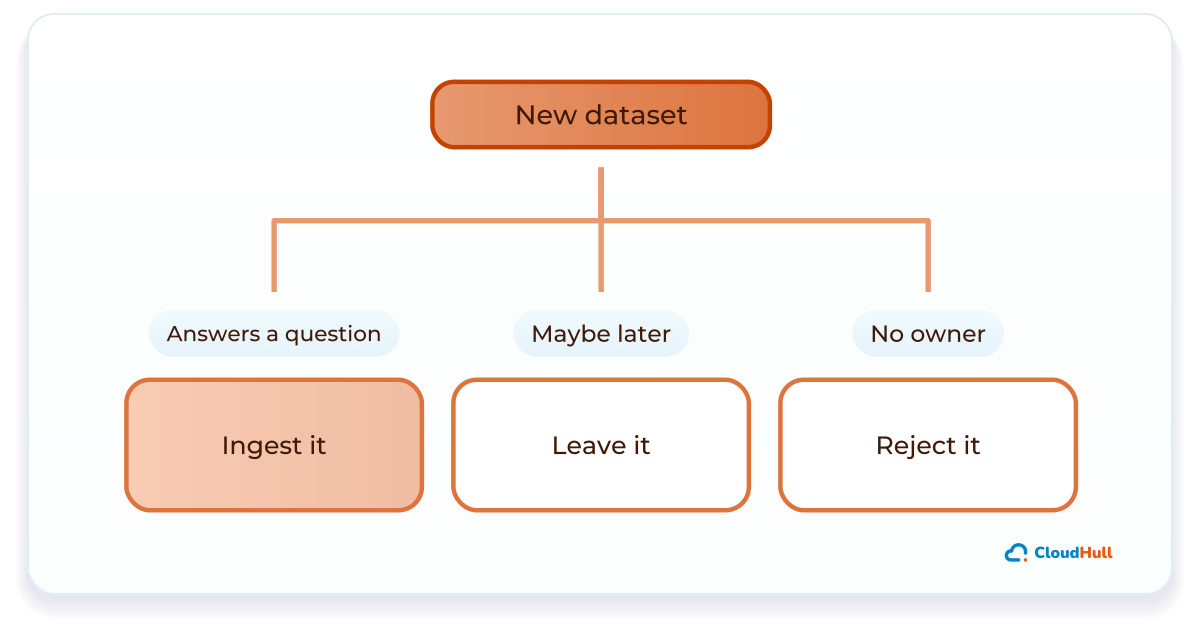
Write Down the Questions the Lake Must Answer
The lakes I get called in to rescue usually began with a storage decision. Someone created a bucket, pointed a few exports at it and promised that analysts would find value later. Two years on, the bucket holds forty terabytes, and nobody can say which parts are used.
Start from three to five business questions instead, such as weekly margin by product, fraud rates by channel or cost per customer. Each question names the data it needs, the freshness it needs and the people who will ask it. That list is your first scope, and it keeps the first release small enough to finish.
Do this: List the questions and the source systems behind them, and add only the data that serves a question on the list.
Avoid this: Copying every table from every system because storage is cheap.
Use Zones So Raw Data Stays Untouched
Split the lake into at least three layers. The raw layer holds data exactly as it arrived, never edited. The cleaned layer holds validated, typed and deduplicated data. The curated layer holds data shaped for a use, such as a finance mart or a feature table. Many teams call these bronze, silver and gold, and the names matter less than the discipline.
The raw layer is your insurance. When a transformation turns out to be wrong, and one always does, you rebuild from raw instead of begging a source system for a re-export. I keep raw data read-only for everyone except the ingestion job.
Do this: Give each zone its own prefix or bucket, its own permissions and its own retention rule, and let only pipelines write to them.
Avoid this: Letting analysts save their own extracts into the raw area, or overwriting raw files during a fix.
Pick an Open Table Format Early
Plain files in object storage do not give you transactions, safe updates or easy schema changes. Open table formats such as Apache Iceberg, Delta Lake and Apache Hudi add those things on top of Parquet files. They let you update and delete rows, read a table as it looked last Tuesday and change a column without rewriting everything.
The choice matters less than making one. Check which engines your team will use, since support differs between query engines and cloud services. Iceberg has wide engine support, and Delta Lake is the natural fit if your platform is built around Databricks. Changing formats later means rewriting your tables, so decide before the first load.
Do this: Choose one table format per lake, store data as Parquet underneath and test time travel and schema changes in the pilot.
Avoid this: Mixing three formats because each team picked its own favorite.
Partition for the Way People Query
Partitioning decides how much data each query reads, and reading less is the cheapest speed-up you will ever get. Date is the usual first choice, because most questions are about a time window. A second level, such as region or tenant, only helps when queries filter on it almost every time.
The classic mistake is over-partitioning. A table split by customer and by hour can end up with millions of tiny files, which slow every query and inflate metadata. Aim for files of roughly 128 MB to 1 GB, and schedule compaction jobs that merge small files into larger ones.
Do this: Partition by the column most queries filter on, keep file sizes large and compact small files on a schedule.
Avoid this: Partitioning by a column with thousands of distinct values, or never compacting streaming output.
Catalog Everything and Give Every Dataset an Owner
A lake without a catalog is a swamp with good storage. The catalog holds table names, schemas, descriptions, owners and freshness. Services such as AWS Glue Data Catalog, Unity Catalog and Google Dataplex do the technical part, but the catalog only helps if the descriptions are written.
Ownership is the habit that makes the difference. Every curated table has a named owner who answers questions and approves access. When I find a table with no owner, it is a candidate for deletion after a notice period. That rule alone removes a surprising share of clutter.
Do this: Register every table automatically, require a description and an owner for curated data, and review unowned tables every quarter.
Avoid this: A spreadsheet of datasets that was accurate for one week.
Control Access at the Table, Column and Row Level
Bucket-level permissions are too coarse for a lake that holds customer, payment and employee data. You need rules that say a marketing analyst can read orders without seeing card fragments or email addresses. Lake-level tools such as AWS Lake Formation and the access features in Unity Catalog let you grant by table, column and row, using tags instead of per-user lists.
Tag sensitive columns at ingestion, mask or hash them in the cleaned zone and grant raw access to almost no one. If you handle payment data, check the PCI DSS scope early, because every system that touches card data joins the audit.
Do this: Classify data on the way in, grant access through roles and tags and log every read of sensitive tables.
Avoid this: Giving a broad role read access to the whole lake because requests were slow.
Validate Data Quality Before It Moves Up a Zone
Bad data is cheaper to stop at the door than to find in a board report. Put checks between zones: row counts against the source, null rates on key fields, duplicate keys, accepted value ranges and freshness. Tools such as dbt tests, Great Expectations and Soda run these checks inside your pipelines.
Decide in advance what happens when a check fails. Some failures should stop the load, and others should load the data and raise an alert. In my client work, the teams that wrote that rule down had far fewer arguments at 7 a.m. on the day a report was late.
Do this: Add automated checks at each zone boundary, quarantine failing records and alert the data owner.
Avoid this: Checks that only log warnings nobody reads.
Control Cost With Tiers, Lifecycle Rules and Compute Limits
Object storage is cheap, but a lake has two other cost drivers: queries and copies. Scan-based engines charge for the data they read, so a careless full-table query can cost real money. Copies pile up when each team keeps its own extract of the same table.
Use lifecycle rules to move old raw data to colder tiers, and delete temporary and intermediate data automatically. Set budgets and alerts per team, and tag every resource with an owner. Flexera's 2026 State of the Cloud report puts wasted cloud spend at 29%, and data platforms are a common place to find it. The FinOps Framework gives you a shared language for reviewing it with finance.
Do this: Apply lifecycle rules, limit query scan sizes, tag costs by team and review the top ten queries every month.
Avoid this: Keeping every intermediate table forever, or letting dev and test copies run on production-size data.
Track Lineage So You Can Trace Any Number
Sooner or later, someone asks where a number in a dashboard came from. With lineage, you open the table, see its upstream tables and the job that built each one, and answer in minutes. Without it, you read code for a day.
Lineage also tells you what breaks when you change something. Before dropping a column, you can see which reports use it. OpenLineage is an open standard that many orchestrators and catalogs support, which keeps you from locking the information into one product.
Do this: Capture lineage automatically from your pipeline tools and check downstream users before any schema change.
Avoid this: Documenting lineage by hand in a wiki that falls out of date.
Plan Operations: Backups, Recovery and Incident Routines
A lake is a production system once a finance report depends on it. Version your table metadata, turn on object versioning for critical buckets and copy important data to a second region if your recovery goals require it. Then test a restore, because an untested backup is a hope.
Write a short runbook for the failures you will see: a late source, a broken schema, a failed compaction and a runaway query. Assign an on-call owner. A lake with no operations plan fails in small ways every week until trust is gone.
Do this: Enable versioning, rehearse a restore twice a year and keep a runbook for the five most likely failures.
Avoid this: Assuming the cloud provider's durability numbers replace a recovery plan.
What a Healthy Lake Looks Like After a Year
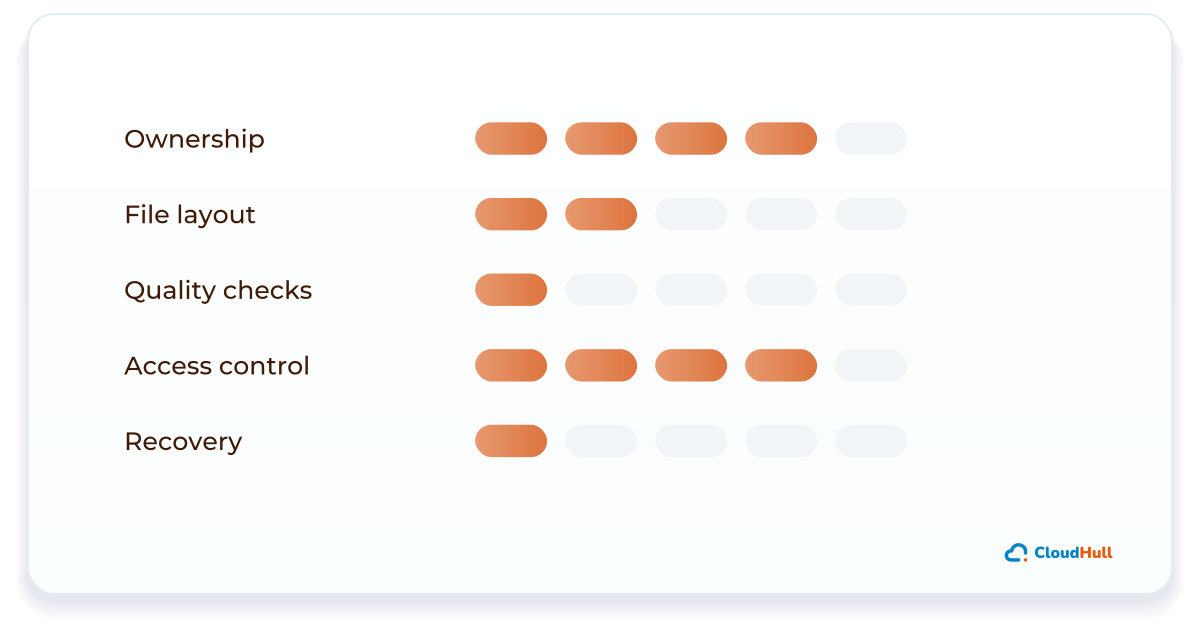
You can judge a lake's health by a few observable signs. The table lists what I check when I open a lake for the first time and what a good result looks like.
| Check | Healthy sign | Warning sign |
|---|---|---|
| Ownership | Every curated table has a named owner | Owners left the company |
| File layout | Files mostly above 128 MB | Millions of files under 10 MB |
| Quality | Failed checks stop loads or alert owners | Warnings in logs, nobody reading |
| Access | Role and tag based, logged | Shared admin keys |
| Cost | Spend visible by team each month | One bill, no breakdown |
| Recovery | A restore tested this year | Backups never opened |
Most lakes I review score well on two of the six and badly on the rest. That is normal. Pick the two worst rows, fix them in a quarter and measure again. Trying to repair everything at once usually ends with a long project and no visible change.
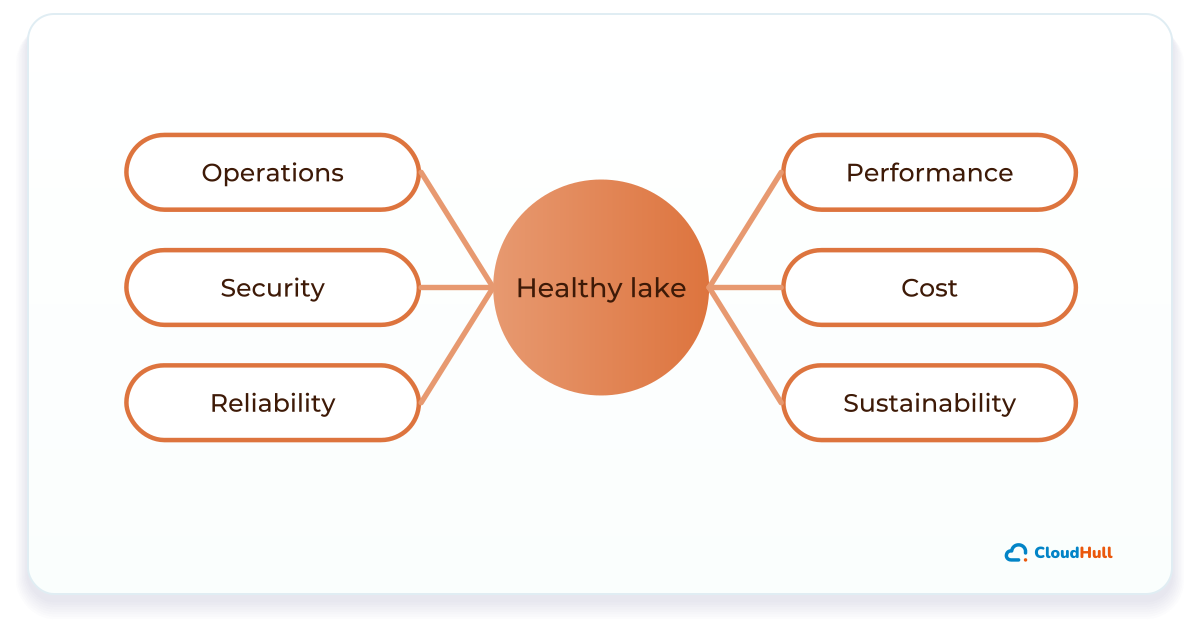
The AWS Well-Architected Framework lists operational excellence, security, reliability, performance, cost and sustainability as its pillars, and the six checks above map to them closely. If your lake runs on AWS, the framework's data analytics lens gives you a longer checklist to work from.
In Which Order to Introduce the Rules
You do not need all nine on day one. For a new lake, I introduce rules 1, 2 and 3 before loading anything, because they are expensive to change later. Rules 5 and 6 arrive with the first sensitive dataset. Rules 4, 7 and 8 come with the second and third teams, when clutter and cost begin to show. Rule 9 belongs in place before the first report anyone depends on goes live.
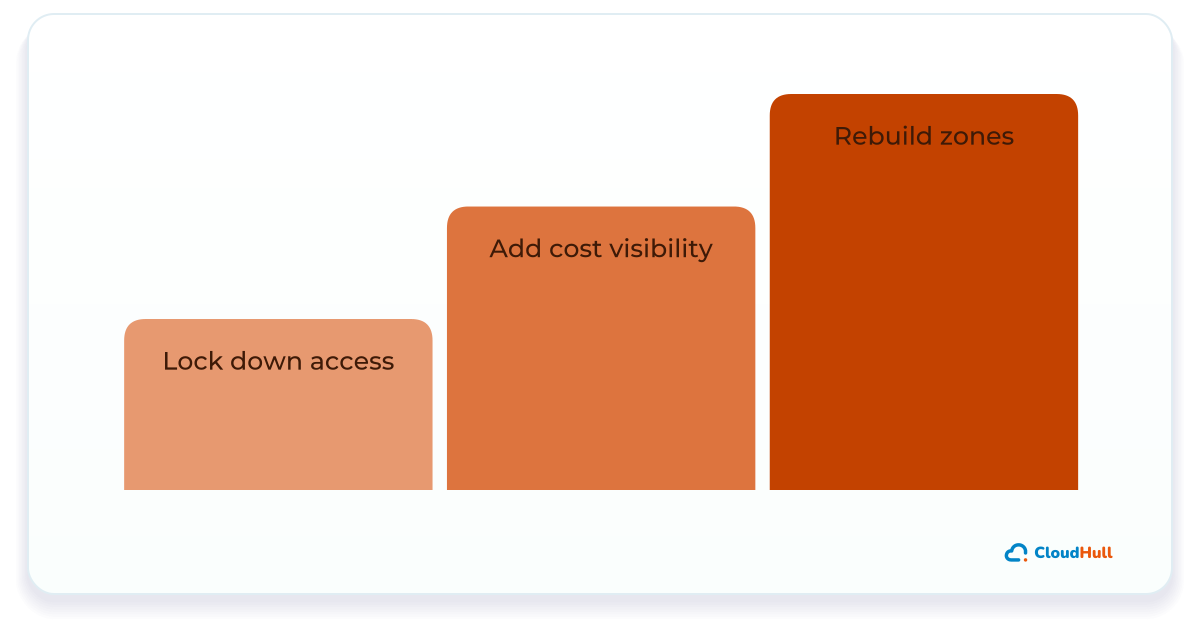
For an existing lake, start with rule 5, because exposed data is the most urgent risk, and then rule 7, because a cost surprise is the quickest way to lose executive support. Rebuilding the zones is the biggest job, so treat it as a project with its own plan. The use cases that justify that investment are laid out in my guide to cloud data lake use cases.
How to Decide What to Fix First
Use these checks to set your own priority list:
- Sensitive data is classified and access is granted by role, not by person.
- Raw data is read-only and every curated table has an owner.
- You can name your top five queries by cost, and who runs them.
- A failed load alerts a person, with a runbook to follow.
If two or more of those are false, an outside review will pay for itself quickly. A short assessment can rank the fixes and give you a plan for your lake.
Questions About Cloud Data Lake Best Practices
What Is the Difference Between a Data Lake and a Data Warehouse?
A data lake stores raw and varied data cheaply in object storage and applies structure when you read it. A data warehouse stores modeled, structured data and is tuned for fast SQL. Many teams now combine them in a lakehouse, where open table formats give lake storage warehouse-like behavior.
How Many Zones Does a Cloud Data Lake Need?
Three is a good default: raw, cleaned and curated. Very small lakes can start with two, and large organizations sometimes add a sandbox zone. The important part is that raw data stays unedited and that each zone has its own rules.
Which Table Format Should I Choose?
Pick the one your main query engines support best. Iceberg has the broadest engine support, Delta Lake fits Databricks-centered platforms and Hudi suits heavy update workloads. Test one pilot table with your real engines before you commit.
How Do I Stop a Data Lake from Becoming a Data Swamp?
Require an owner and a description for every curated table, run quality checks between zones and delete data that nobody has queried in a set period. Governance has to be a routine, not a one-time cleanup project.
How Much Does a Cloud Data Lake Cost to Run?
It depends on data volume, query patterns and the engines you use. Storage is usually the smaller part. Compute for queries and pipelines, plus the people who run the lake, tend to dominate. Tag costs by team from the start so you can see where the money goes.
Do I Need Streaming Ingestion from Day One?
Usually not. Batch loads every hour or every day satisfy most reporting questions. Add streaming when a use case needs data within seconds or minutes, because it increases cost and operational effort.
Can I Build a Lake Across AWS, Azure and Google Cloud?
You can, using open formats and engines that run everywhere, but data transfer costs and added complexity are real. Most teams do better with one primary cloud for the lake and open formats that keep a later move possible.
Sources
- Apache Iceberg documentation
- AWS Well-Architected Framework pillars
- Flexera 2026 State of the Cloud Report
- FinOps Framework
Please note: this guide is general information and not legal, financial or tax advice. Numbers and examples are typical-project estimates; confirm current details with your providers and advisers.
Did this article help you?
Thanks, noted.
Garrett Linville
Garrett leads the Cloud Hull editorial team and works with the consultants to turn real client projects into practical guides on cloud migration, DevOps, security and cost control. Each article is edited together with the consultant who did the work, and every price and limit is checked against current provider documentation. He is based in the USA and works remotely.