Main Points
- Cloud hosting runs your site on virtual servers from a large pool, so you can resize and copy it.
- Control and effort rise together, so choose the least control that meets your needs.
- Compare yearly cost including backups, data transfer and renewal prices.
- Test a restore from backup and set a budget alert before you go live.
Cloud hosting means your website or application runs on a pool of servers from a cloud provider instead of on a single machine. That sounds simple, and then the pricing pages arrive with terms such as vCPU, egress, snapshot and region. This guide explains the basics in plain words and then moves to the choices that matter once you are past them.
I wrote it for people who need to decide, not just to understand. If you want a person to help with the decision, my cloud hosting consulting work starts with the same steps you find below.
What Cloud Hosting Is and How It Works
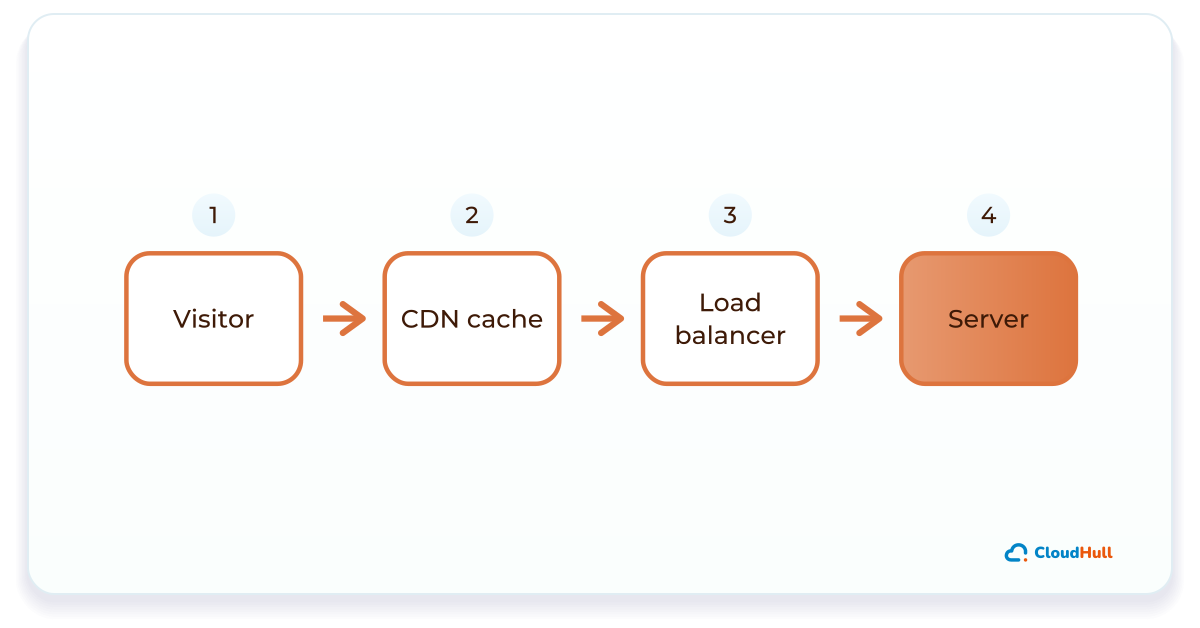
When a visitor opens your site, a request travels to a server that holds your files and database, and the server sends the page back. In traditional hosting, that server is one machine, or a slice of one. In cloud hosting, the server is a virtual machine running on a large pool of physical hardware. If a machine fails, the provider can start your virtual machine somewhere else.
This design gives you three things: you can resize the server quickly, you can create copies for testing, and you pay by usage or by plan instead of buying hardware. It does not give you automatic speed. A slow application on a large server is still slow.
The Building Blocks You Will Meet
| Term | What it means | Why you care |
|---|---|---|
| Virtual machine | A server that runs on shared physical hardware | It is the basic unit you rent |
| vCPU and memory | The processing power and working memory of the server | They set speed under load and the price |
| Storage | Disk space for files, databases and backups | Types differ in speed and cost |
| Data transfer | Traffic leaving the server to visitors | Included amounts differ, extra can be billed |
| Region | The location of the data center | Closer to visitors means lower delay |
| Snapshot and backup | A saved copy of the server or data | Your way back after a failure |
| Content delivery network | Copies of files stored near visitors | Cuts load time and server load |
| Load balancer | A tool that spreads requests over several servers | Adds capacity and reduces single points of failure |
You do not need all of these on day one. A small site can run on one virtual machine with backups and a content delivery network. The rest becomes relevant when traffic or risk grows. If you want to see how the pieces combine in a larger design, my cloud architecture consulting pages show it step by step.
Types of Cloud Hosting
Managed Cloud Hosting
A company runs the servers for you. Cloudways, for example, lists DigitalOcean, Vultr, Linode, AWS and Google Cloud as the providers under its Flexible plans, with plans from $14 a month on the page I read. Kinsta and Hostinger offer managed cloud plans too. You pay more per server, and you save time.
Self-Managed Cloud Servers
You rent a virtual machine and run it yourself. DigitalOcean lists a Droplet from $4 a month and Vultr lists a small cloud server from $2.50 a month. You choose the software and you are responsible for updates, security and backups.
Bundled Cloud Plans on Large Providers
Amazon Lightsail lists a $5 a month bundle with 0.5 GB of memory, 2 vCPUs, 20 GB of SSD and 1 TB of data transfer on the page I read. Fixed bundles are easy to budget and give you a path into the wider AWS services later.
Full Cloud Infrastructure
Google Compute Engine and similar services give you detailed control. Google bills each vCPU and gigabyte of memory per second, with a one-minute minimum, and offers discounts such as committed use and spot pricing. This is the most flexible model and the one with the most to learn.
How Cloud Hosting Compares With the Alternatives
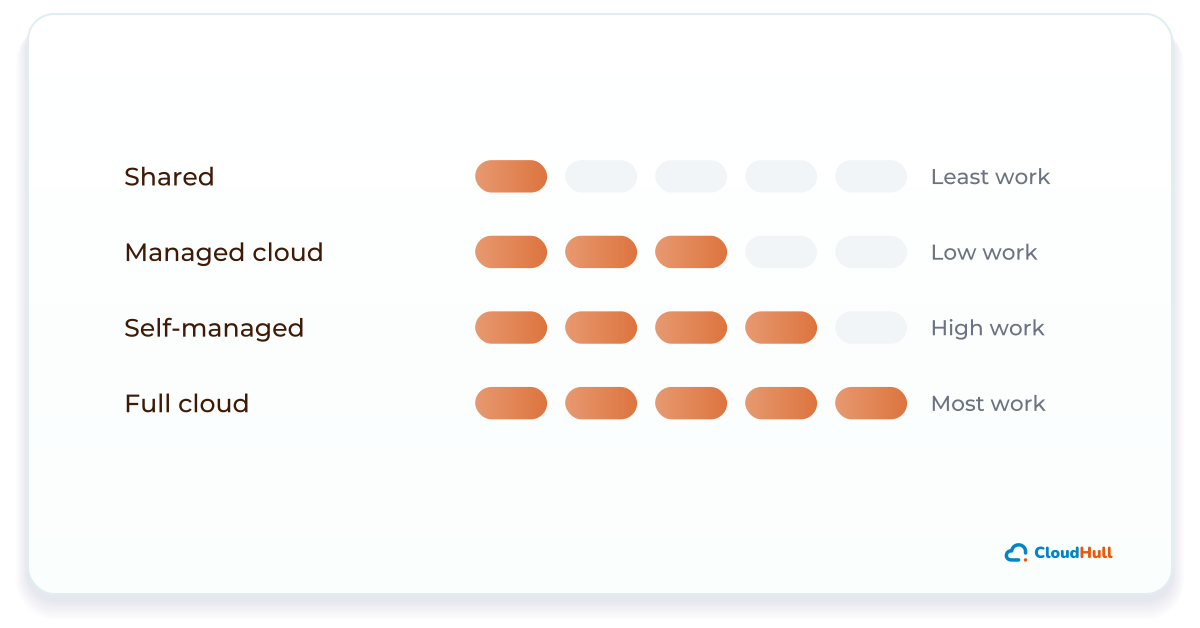
| Option | Control | Effort | Scaling | Typical cost |
|---|---|---|---|---|
| Shared hosting | Low | Very low | Limited | Lowest |
| Managed cloud hosting | Medium | Low | Good | Medium |
| Self-managed cloud server | High | High | Good, with work | Low to medium |
| Full cloud infrastructure | Very high | Very high | Very good | Varies with usage |
The trade-offs deserve a longer look, which is why I wrote a separate piece on cloud hosting pros and cons.
What Cloud Hosting Costs
Pricing comes in three shapes. Flat plans charge a fixed monthly price. Usage-based plans charge by the second or hour for resources and by the gigabyte for data. Hybrid plans charge a flat price with limits and then bill extra above them. Always find out which one you are looking at.
Hidden costs show up in the same places on every platform: backups and snapshots, data transfer above the included amount, extra storage, static IP addresses and support plans. Promotions add one more trap, since a price that applies only for a long term renews at a higher rate. Hostinger's cloud page, for example, listed $7.99 a month on a 48-month term and a renewal at $25.99.
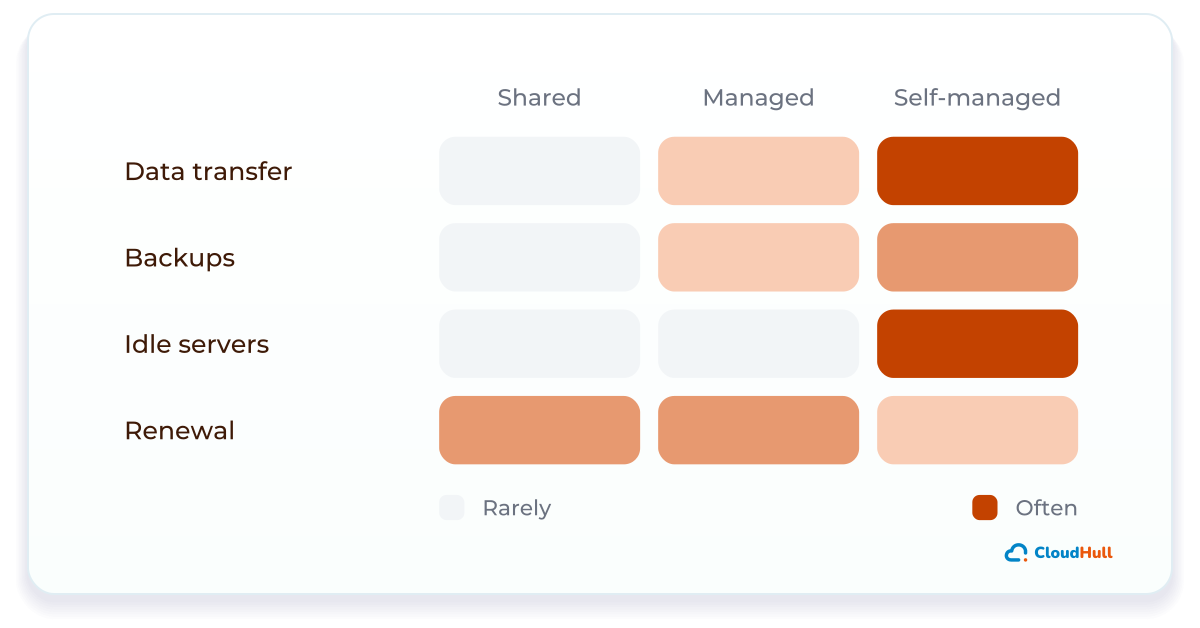
| Cost item | Where it hides | How to control it |
|---|---|---|
| Server size | Oversized plans bought to be safe | Start small and resize on measured load |
| Data transfer | Traffic above the included amount | Use a content delivery network and watch usage |
| Backups | Per-gigabyte charges for snapshots | Set a retention period |
| Idle servers | Test servers nobody turned off | Tag, review monthly and delete |
| Renewal | Promotional prices that expire | Read the renewal price before signing |
Usage-based bills benefit from the habits I describe in cloud cost optimization consulting, especially budgets and alerts.
Common Beginner Mistakes
The first mistake is choosing by price alone. A $2.50 server and a $35 managed plan do different jobs, and the cheaper one hands you the work of running it. The second is buying more server than you need. Most small sites run fine on the smallest sensible size, and you can resize in minutes when the numbers show a need.
The third is skipping backups until something breaks. A backup is the only thing that turns a disaster into an afternoon of work, and it has to be tested. The fourth is leaving accounts in one person's name. Put the provider account and domain in the company name, with at least two people who can sign in.
A fifth, quieter mistake is ignoring the application. If your pages are slow because of a heavy theme, unoptimized images or a slow database query, a bigger server only hides the problem and raises the bill. Profile the site first, fix the obvious causes and then decide whether you need more resources. In the audits I run, this step alone often removes the need for an upgrade.
Choosing the Right Setup Step by Step
Step One: Describe Your Workload
Write down what you host, such as a WordPress site, a shop or a custom application. Note the traffic in a normal week and in a peak week, and the size of your files and database. These numbers drive every other choice.
Step Two: Decide Who Runs the Servers
Be honest about skills. If nobody can patch a server and restore a backup, choose managed hosting. If you have a developer, a self-managed server saves money and gives control.
Step Three: Pick a Region and a Provider
Choose the region closest to most of your visitors, and check your data location rules. Then compare two or three providers on real prices and the limits of each plan. My ranking of cloud hosting platforms compares nine of them, with G2 ratings.
Step Four: Plan Security and Backups
Turn on multi-factor sign-in, limit who can change settings and schedule automatic backups. Test a restore before you go live. Security work in a bigger environment is covered by cloud security consulting.
Step Five: Test, Switch and Watch
Build a copy, test the pages that earn money, then switch your domain at a quiet time. Watch uptime, page speed and the bill for the first month.
Going Further Once the Basics Work
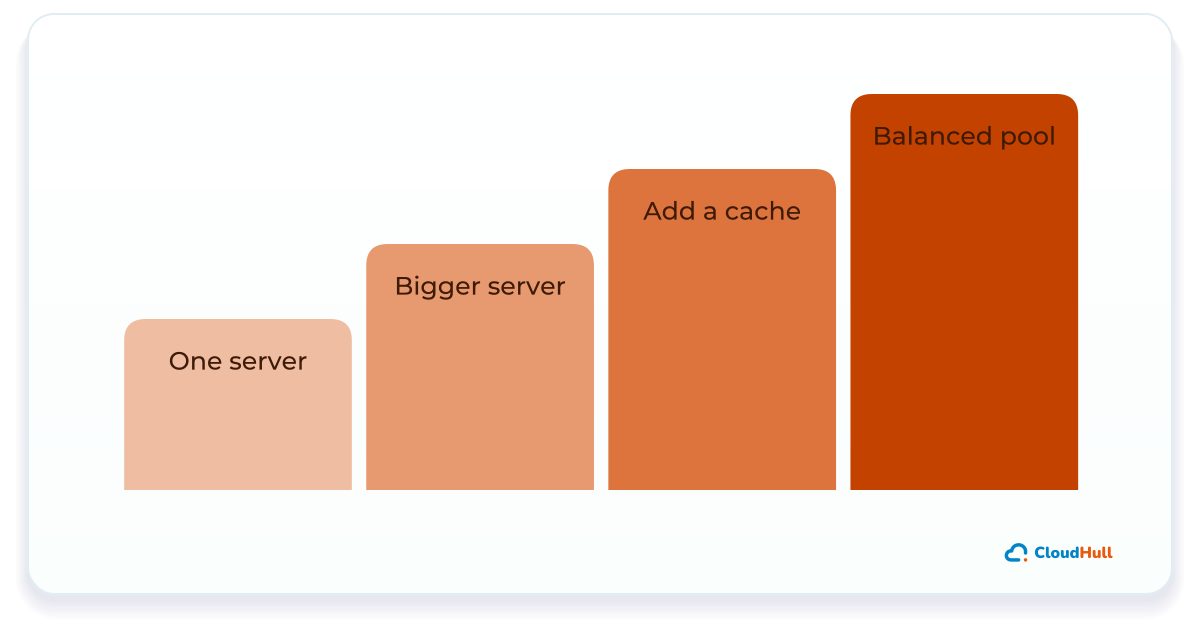
When one server is not enough, the next steps are a load balancer with two or more servers, a separate managed database and automatic scaling rules. Each adds capacity and also adds things that can fail. Add them when a measured problem calls for them, not before.
Teams that outgrow a single host often move to containers and automated deployment. That path is covered in my pages on cloud DevOps consulting. If you are moving an existing server from your own premises, cloud migration consulting covers the steps and risks.
Monitoring and Day-Two Work
Launch is the start of the work, not the end. Uptime checks tell you when the site is down, and speed checks tell you when it is slow. Resource graphs for CPU, memory and disk show you a problem before visitors do. Alerts should reach a person who can act, by email or chat, outside business hours if the site earns money at night.
Plan a monthly routine as well: apply updates, test one restore, review the bill and remove anything unused. In my experience, hosting that is neglected for a year turns into a patchwork of old servers, open ports and surprise charges. A small routine prevents that at almost no cost, and it takes about an hour a month once you have written the checklist down.
A Beginner Checklist Before You Pay
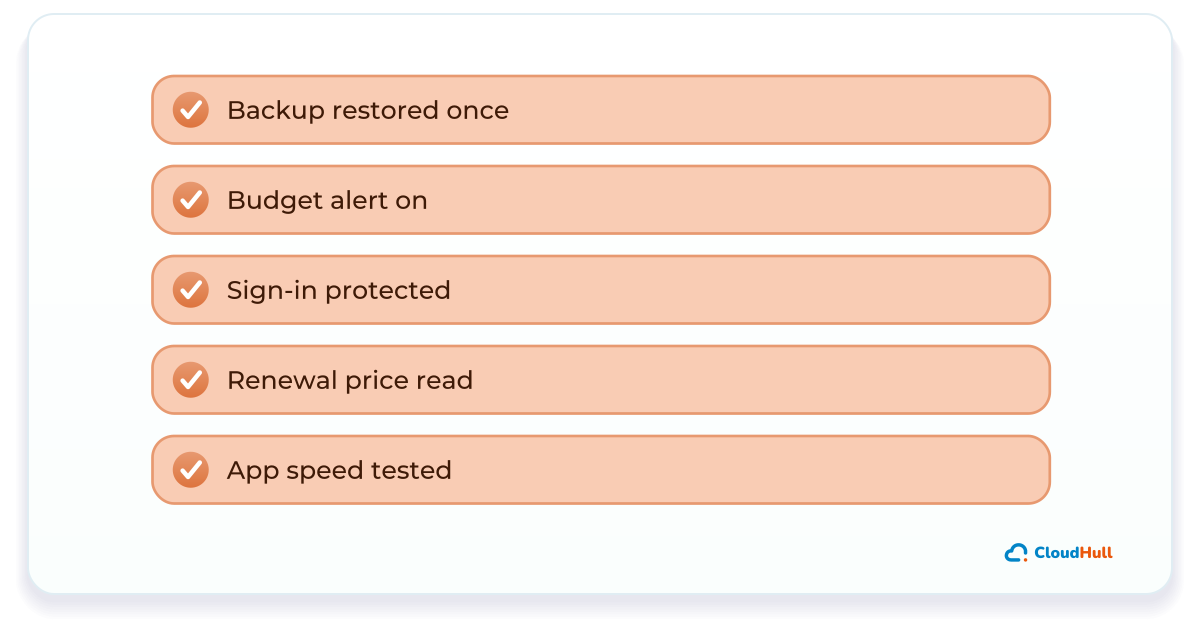
- I know my normal and peak traffic.
- I know who will patch, back up and monitor the server.
- I have compared the yearly cost, including renewal and extras.
- I have chosen a region near my visitors.
- I have tested a restore from backup.
- I have set a budget alert.
- I know how I would move away if I had to.
Next, decide how you will track the setup after launch. For small companies, I wrote a shorter route in cloud hosting for small business, with a monthly routine.
Questions About Cloud Hosting
What Is Cloud Hosting in Simple Terms?
It is hosting where your site runs on virtual servers drawn from a large pool of hardware. You can resize the server, copy it for testing and pay by plan or by usage.
How Is Cloud Hosting Different from Shared Hosting?
Shared hosting puts many sites on one server with limited control. Cloud hosting gives you your own virtual resources that you can resize, and the provider can move them if hardware fails.
Do I Need to Know Linux to Use Cloud Hosting?
For a self-managed server, yes, at a basic level. Managed platforms hide most of that work.
What Is a Region and Why Does It Matter?
A region is the location of a provider's data center. Choosing one close to your visitors lowers delay, and some rules require data to stay in a certain area.
How Much Cloud Hosting Do I Need?
Start with a small plan, measure load and resize when you see slow pages at peak times. Oversizing from the start wastes money.
What Is the Difference Between a Snapshot and a Backup?
A snapshot is a saved copy of a server at one moment, often on the same platform. A backup is a copy kept for recovery, ideally stored separately. Use both and test a restore.
Can I Switch Providers Later?
Yes, with planning. Keep accounts in your name, store backups in a portable format and test the move on a copy before you switch.
Sources
Please note: this guide is general information and not legal, financial or tax advice. Numbers and examples are typical-project estimates; confirm current details with your providers and advisers.
Did this article help you?
Thanks, noted.
Garrett Linville
Garrett leads the Cloud Hull editorial team and works with the consultants to turn real client projects into practical guides on cloud migration, DevOps, security and cost control. Each article is edited together with the consultant who did the work, and every price and limit is checked against current provider documentation. He is based in the USA and works remotely.