Main Points
- Choose managed hosting if nobody on your team wants to patch servers, and raw cloud servers if you have a developer.
- Entry prices differ widely, from a listed $2.50 a month to $100 a month and up, so compare the same resources.
- Promotional prices on long contracts often renew higher, so check renewal terms.
- Test your own site on a trial before you move anything important.
The Best Cloud Hosting Platforms at a Glance
| Platform | Type | Best for |
|---|---|---|
| 1. Cloudways | Managed layer on top of clouds | Small teams that want cloud servers without server work |
| 2. DigitalOcean | Self-managed virtual servers | Developers who want simple servers and a flat cap |
| 3. Kinsta | Premium managed WordPress | Revenue-critical WordPress sites |
| 4. Akamai Cloud (Linode) | Self-managed virtual servers | Developers who want a plain server from a long-standing provider |
| 5. Vultr | Self-managed virtual servers | Low-cost servers in many locations |
| 6. Google Compute Engine | Virtual machines on Google Cloud | Teams that need fine control over machine size and discounts |
| 7. Hostinger Cloud | Managed cloud hosting | Small business sites on a long contract |
| 8. Amazon Lightsail | Fixed bundles on AWS | Small projects heading toward AWS |
| 9. SiteGround Cloud | Managed cloud hosting | Busy business sites with dedicated resources |
The 9 Best Cloud Hosting Platforms, Ranked
I ranked these by how well they fit a business that cares about speed, uptime and a bill it understands. I did not run my own speed tests, because results depend on region, caching and the site itself, so I describe what each platform is built for. If you want a second opinion on your own setup, my cloud hosting consulting work starts with that comparison.
Cloudways
The Easiest Managed Layer If You Want Big-Name Cloud Servers Without Running Them
Cloudways is a managed hosting platform that sits on top of cloud providers, so you choose the infrastructure and it handles the server work.
On its pricing page, Cloudways lists DigitalOcean, Vultr, Linode, AWS and Google Cloud as providers for its Flexible plans. You pick a provider and a size, deploy WordPress, Magento, Laravel or plain PHP, and the platform takes care of server setup, backups and caching. Cloudways also lists an Autonomous plan, which it describes as fully managed, autoscaling WordPress running on Google Cloud.
I recommend it to small teams that want cloud servers but have nobody who enjoys maintaining them. The trade is control: you work inside the Cloudways dashboard and its limits. If you outgrow it, you can move to raw servers, though the move is a project, so plan for it. I did not run speed tests for this article, and your results will depend on the provider, region and caching you choose.
Cloudways Strengths
- Choose from five cloud providers for Flexible plans
- Managed setup, backups and caching reduce server chores
- Free trial lets you test before paying
Cloudways Weaknesses
- Adds a fee on top of the raw server cost
- Less control than running your own servers
- Autonomous plans start at a much higher price than Flexible
Cloudways Pricing
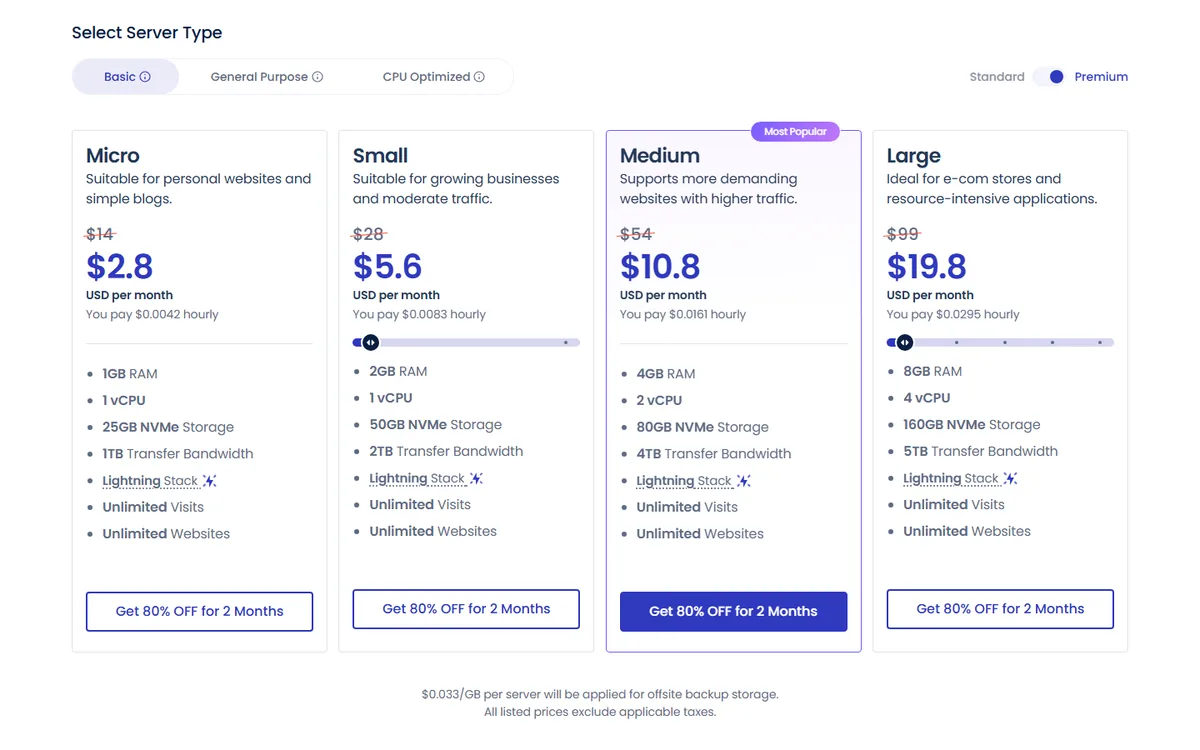
Cloudways lists Flexible plans from $14 a month for Micro (1GB RAM, 1 vCPU), with Small at $28, Medium at $54 and Large at $99 on the page I read. Autonomous starts at $99 a month and Velocity, for Node.js, at $20. The Flexible plan includes a 5-day free trial without a credit card, though the trial excludes AWS and Google Cloud. A Black Friday offer was shown during my check, so confirm the current terms.
Cloudways Reviews
- G2: 4.7 of 5 stars (based on 1,148 verified reviews)
DigitalOcean
A Clean, Developer-Friendly Cloud for Teams That Want Simple Servers and Predictable Bills
DigitalOcean rents virtual servers called Droplets, with simple tools around them for storage, databases and containers.
A Droplet is a virtual machine that you create in minutes and manage yourself. The platform is known for a readable interface and a short list of products, which makes it a good place to learn cloud hosting. You get root access, so you install what you want, and that also means you are responsible for security updates and backups.
In my projects, DigitalOcean works well for small applications, staging environments and sites that need more control than managed hosting gives. It becomes less comfortable when you need a very large list of services, for which the big three providers have more. Check the cost of backups and extra storage, because they sit outside the headline price.
DigitalOcean Strengths
- Simple interface and short learning curve
- Fixed monthly cap on Droplet pricing
- Good fit for small apps and test servers
DigitalOcean Weaknesses
- You manage updates, security and backups
- Fewer services than the largest clouds
DigitalOcean Pricing
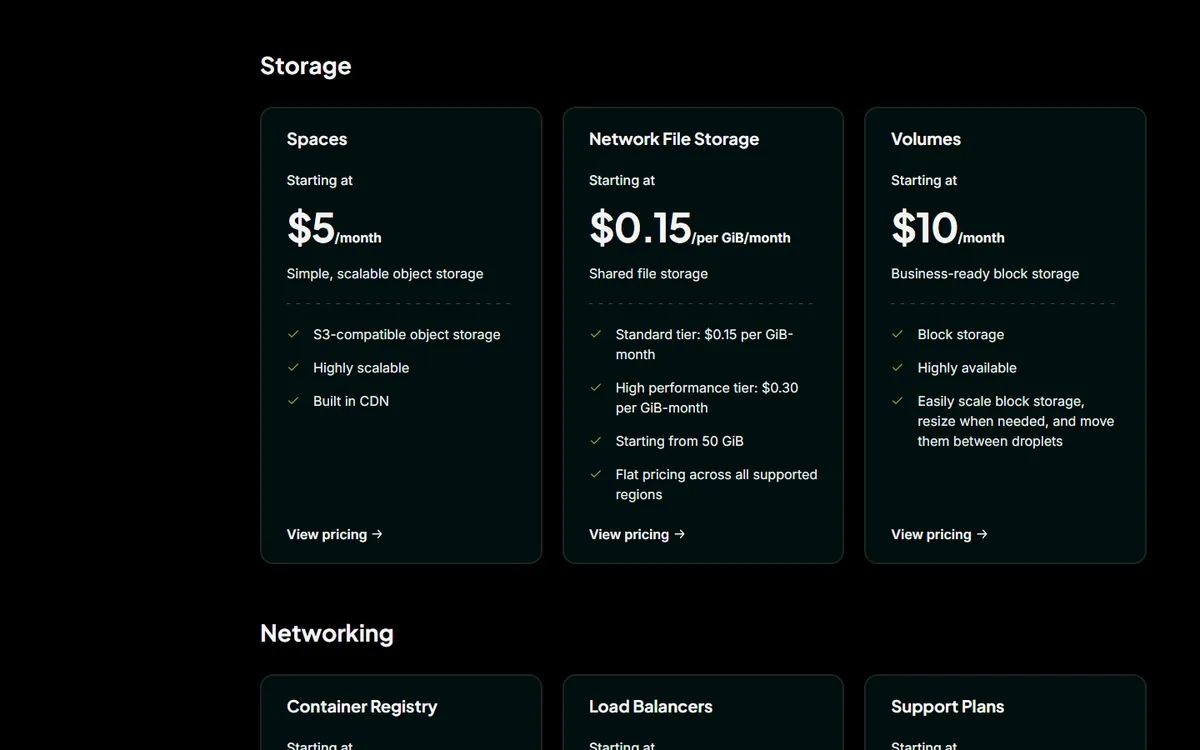
DigitalOcean lists the Basic Droplet at $4 a month ($0.00595 an hour) for 512 MiB of memory, 1 vCPU, 10 GiB of SSD and 500 GiB of outbound transfer. The page says bundled plans are billed per second with a 60-second minimum and that you never pay more than the flat monthly price for that plan. It also states that from January 1, 2026, Droplets move to per-second billing with a minimum charge of 60 seconds or $0.01, whichever is higher.
DigitalOcean Reviews
- G2: 4.6 of 5 stars (based on 761 verified reviews)
Kinsta
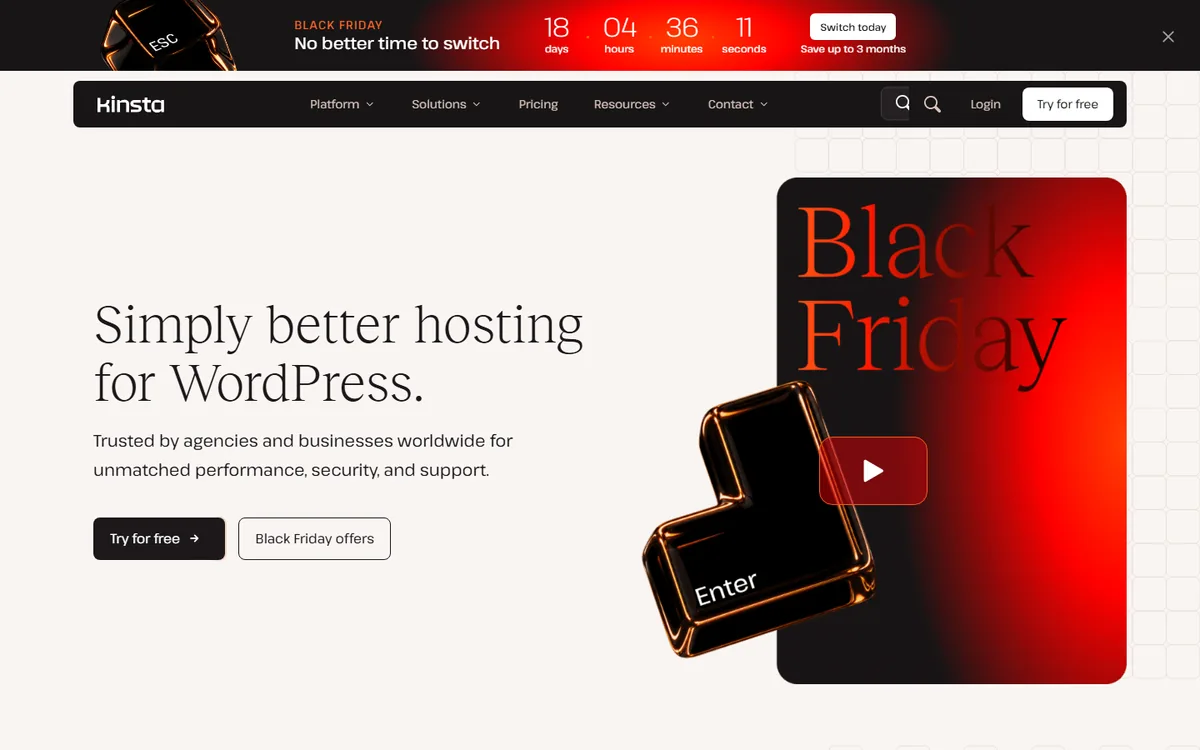
A Premium Managed WordPress Host With the Highest G2 Rating in This List
Kinsta is a managed WordPress host aimed at sites where speed, support and staging matter more than the lowest price.
Kinsta handles the server side of WordPress for you: updates, caching, backups and monitoring. Its entry plans on the page I read start at $35 a month, and the plans are described by monthly visits or by bandwidth. I could not confirm from that page which cloud provider runs underneath, so check that if it matters for your compliance needs.
This is the host I suggest when a WordPress site earns real money and an outage would hurt. It is not the host for a tiny hobby site or for non-WordPress applications. If you run an agency with many small sites, work out the cost per site, because that is where managed pricing grows quickly.
Kinsta Strengths
- Highest G2 rating in this list, with a large review base
- Managed WordPress with staging and backups
- You spend little time on server work
Kinsta Weaknesses
- Higher price than self-managed servers
- Focused on WordPress, so a poor fit for other stacks
Kinsta Pricing
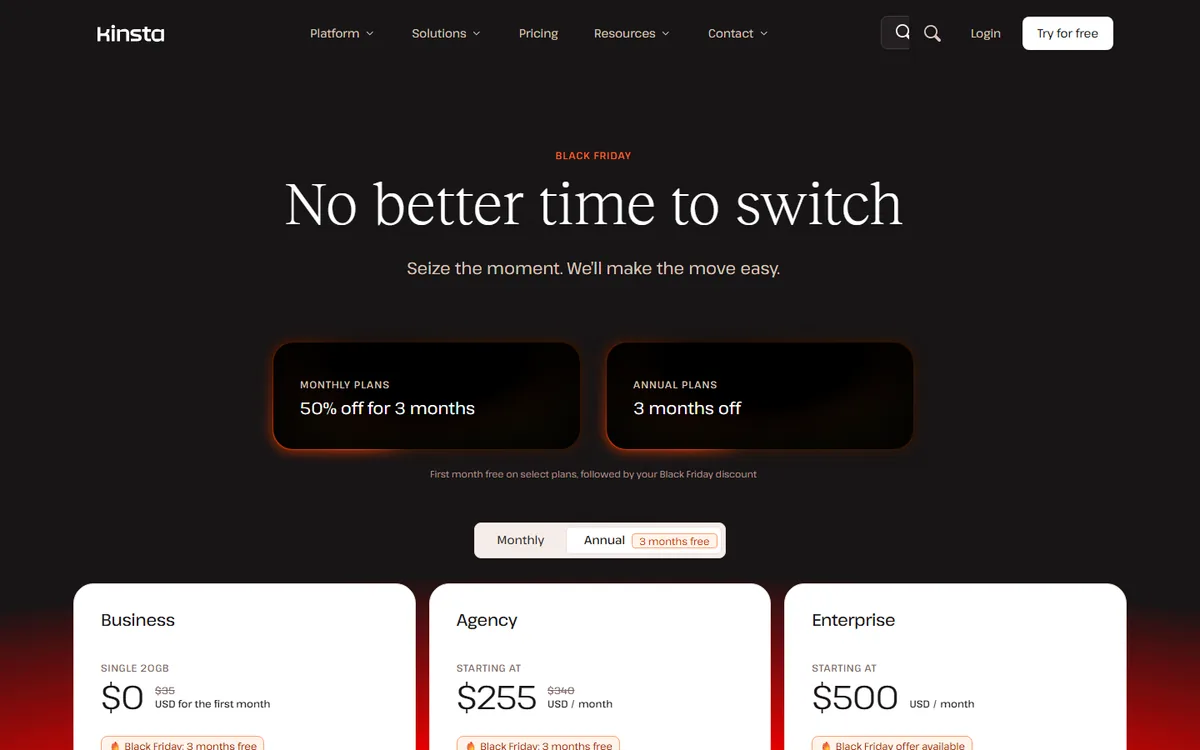
Kinsta's pricing page lists two entry plans at $35 a month list price: Single 20GB, billed by bandwidth with 10GB of storage, and Launch, with about 75,000 visits a month and 15GB of storage. A Black Friday offer was shown with discounts for the first months, ending December 1, 2026, and renewals return to list price. Confirm the current plan details on the vendor page.
Kinsta Reviews
- G2: 4.8 of 5 stars (based on 1,713 verified reviews)
Akamai Cloud (Linode)
A Long-Standing Developer Cloud, Now With the Backing of a Global Delivery Network
Akamai Cloud is the new home of Linode, a cloud provider that offers virtual servers, storage and managed Kubernetes.
Linode joined Akamai, and the old linode.com pricing page now redirects to Akamai's cloud pricing. The platform offers dedicated, shared and high-memory compute plans. Many developers like it for plain, predictable servers, and the link to Akamai's delivery network is an appeal for sites with a global audience.
Because the brand has changed names, check that documentation, support routes and account settings match what you read in older guides. I could not read specific plan prices on the page I fetched, which only gave one hourly rate for a 1 GB virtual machine. If you consider it, compare the exact plan you need against DigitalOcean and Vultr.
Akamai Cloud (Linode) Strengths
- Clear plan types for different workloads
- High G2 rating, similar to DigitalOcean
- Strong long-term reputation among developers
Akamai Cloud (Linode) Weaknesses
- Branding and documentation moved from Linode to Akamai
- Pricing is harder to read at a glance than on some competitors
Akamai Cloud (Linode) Pricing
The Akamai pricing page I read lists a 1 GB virtual machine at $0.0075 an hour but does not say which plan that applies to, and it gave no monthly plan prices. Compute comes as dedicated, shared and high-memory plans, with details on a separate CPU pricing page. Check that page for the plan you need.
Akamai Cloud (Linode) Reviews
- G2: 4.6 of 5 stars (based on 410 verified reviews)
Vultr
The Cheapest Entry Price in This List, With Many Data Center Locations
Vultr offers cloud servers, bare metal and storage with a focus on global reach and low entry pricing.
Vultr's Cloud Compute is a close competitor to DigitalOcean and Akamai Cloud. You deploy a server, choose a region and manage it yourself. The entry price is the lowest I found in this article, which makes it attractive for tests, small utilities and side projects.
I would not choose it on price alone. A server for $2.50 a month still needs patching, backups and monitoring, and those jobs cost more than the server. Choose it when you want many locations or a cheap place to try an idea, and keep a written backup routine.
Vultr Strengths
- Very low entry price
- Many regions for placing servers near users
- Simple deployment of standard servers
Vultr Weaknesses
- Lower G2 rating than the top options in this list
- You handle security, updates and backups
Vultr Pricing
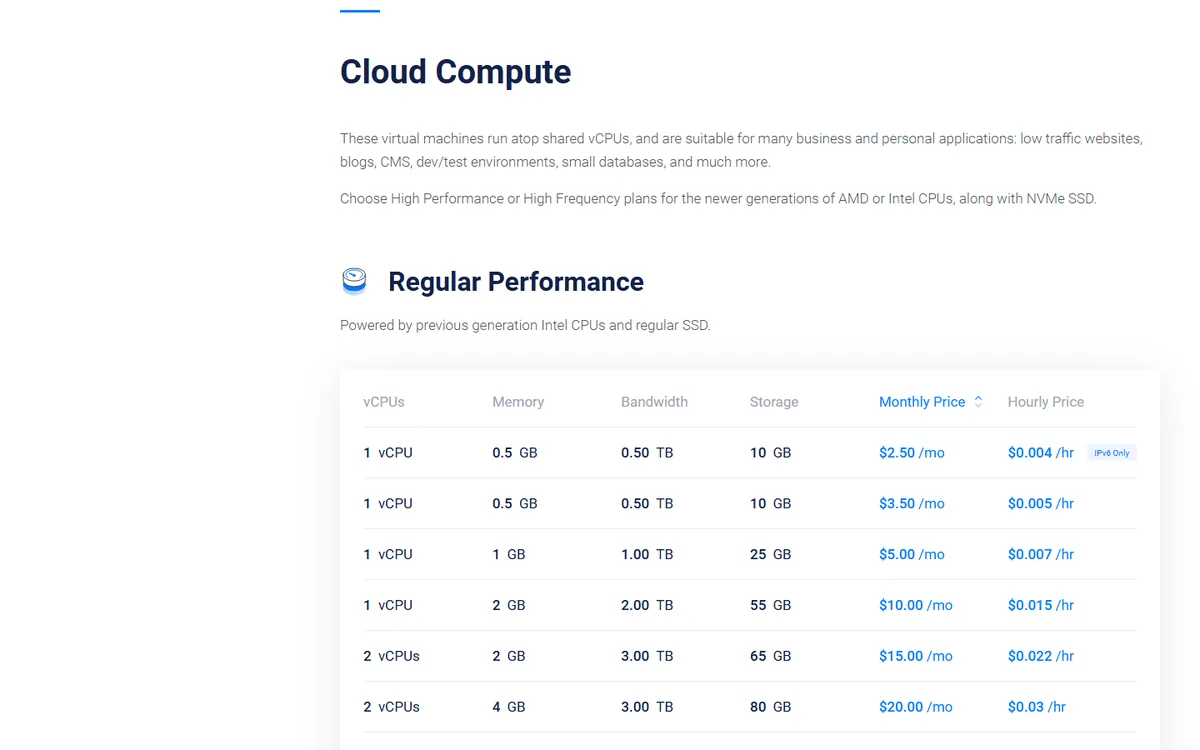
Vultr's pricing page lists Cloud Compute Regular Performance from $2.50 a month ($0.004 an hour) for 1 vCPU, 0.5 GB of memory, 10 GB of storage and 0.50 TB of bandwidth. Other performance tiers cost more, so check the page for the plan that fits your workload.
Vultr Reviews
- G2: 4.3 of 5 stars (based on 288 verified reviews)
Google Compute Engine
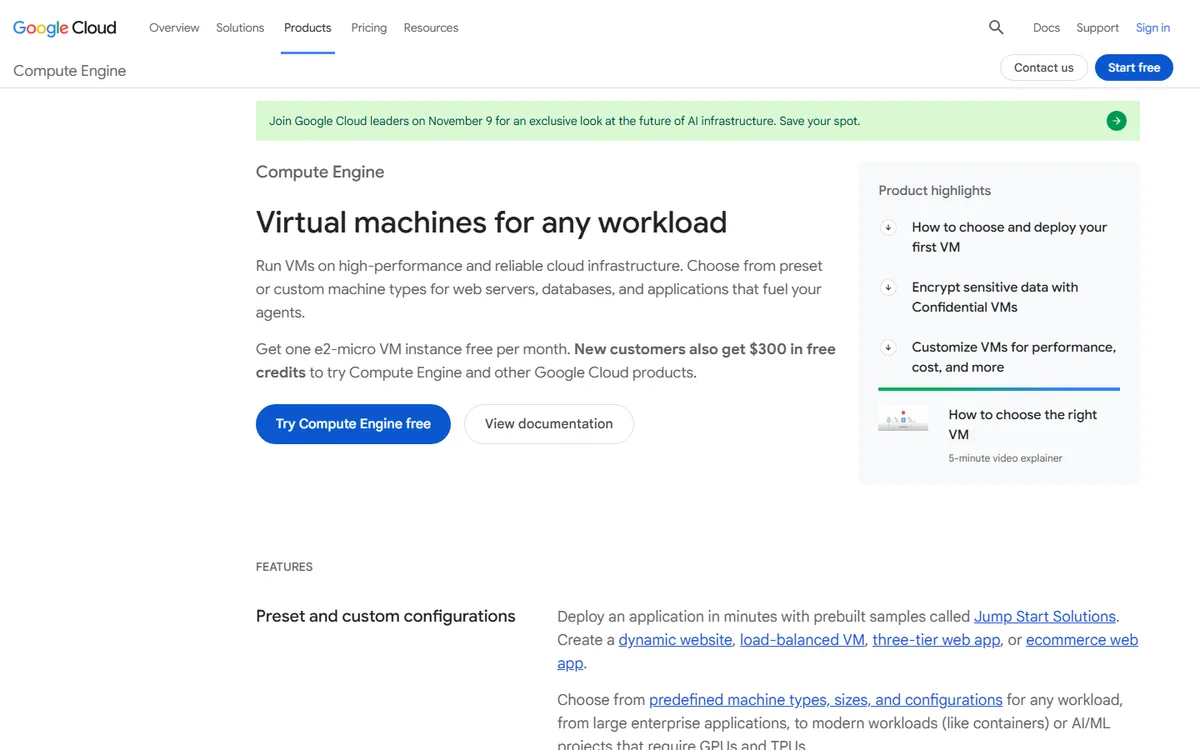
The Most Flexible Option When You Need Fine Control Over Machine Size and Discounts
Compute Engine is Google Cloud's service for virtual machines, with a wide range of machine types and discount models.
Google bills Compute Engine by vCPU and gigabyte of memory per second, with a one-minute minimum. That gives you fine control, and it also makes the bill harder to predict than a flat monthly plan. The pricing page describes spot VMs with up to 91 percent off, committed use discounts up to 55 percent and sustained use discounts up to 30 percent, and it says discount types cannot be combined.
I suggest Compute Engine when your hosting is part of a larger Google Cloud estate, or when you need machine types that smaller providers do not offer. It is more than most single websites need. Use the pricing calculator before you commit, and set budgets and alerts on day one.
Google Compute Engine Strengths
- Wide range of machine sizes
- Several discount models for steady or flexible workloads
- High G2 rating and a large review base
Google Compute Engine Weaknesses
- Bills are complex and hard to predict
- More power and options than a simple website needs
Google Compute Engine Pricing
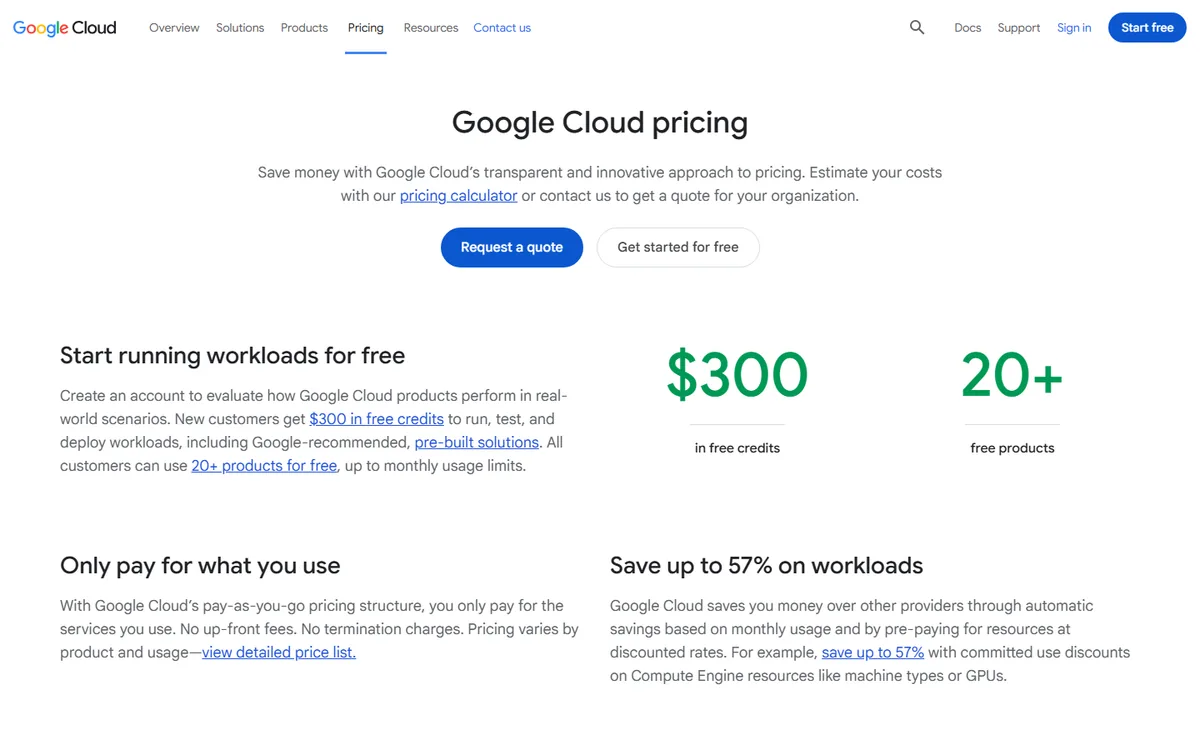
Compute Engine has no single entry price. Google bills each vCPU and gigabyte of memory per second after a one-minute minimum, and the page says idle running instances are still billed. Spot VMs offer up to 91 percent off, committed use discounts up to 55 percent and sustained use discounts up to 30 percent. A free e2-micro VM program exists, so read the current eligibility on the Google Cloud free program page.
Google Compute Engine Reviews
- G2: 4.5 of 5 stars (based on 952 verified reviews)
Hostinger Cloud
An Affordable Cloud Plan With Generous Specs for Small Sites on a Long Contract
Hostinger Cloud is a managed cloud hosting range for websites, sold as Cloud Startup, Cloud Professional and Cloud Enterprise.
The Cloud Startup plan on the page I read lists 10 web apps, 4 CPU cores, 4 GB of RAM, 100 GB of NVMe storage and 100 PHP workers. The low headline price relies on a 48-month term, and it renews at a higher rate, so work out the renewal price before you sign. I did not find specs for the Professional and Enterprise plans on that page.
It suits small business sites that want more resources than shared hosting gives, without server work. A long contract reduces flexibility, which matters if you might move providers. Check the refund window and the renewal price in writing.
Hostinger Cloud Strengths
- Generous resources at the entry price
- Managed setup with no server administration
- Large review base on G2
Hostinger Cloud Weaknesses
- Lowest price needs a 48-month term
- Renewal price is much higher than the promotional price
Hostinger Cloud Pricing
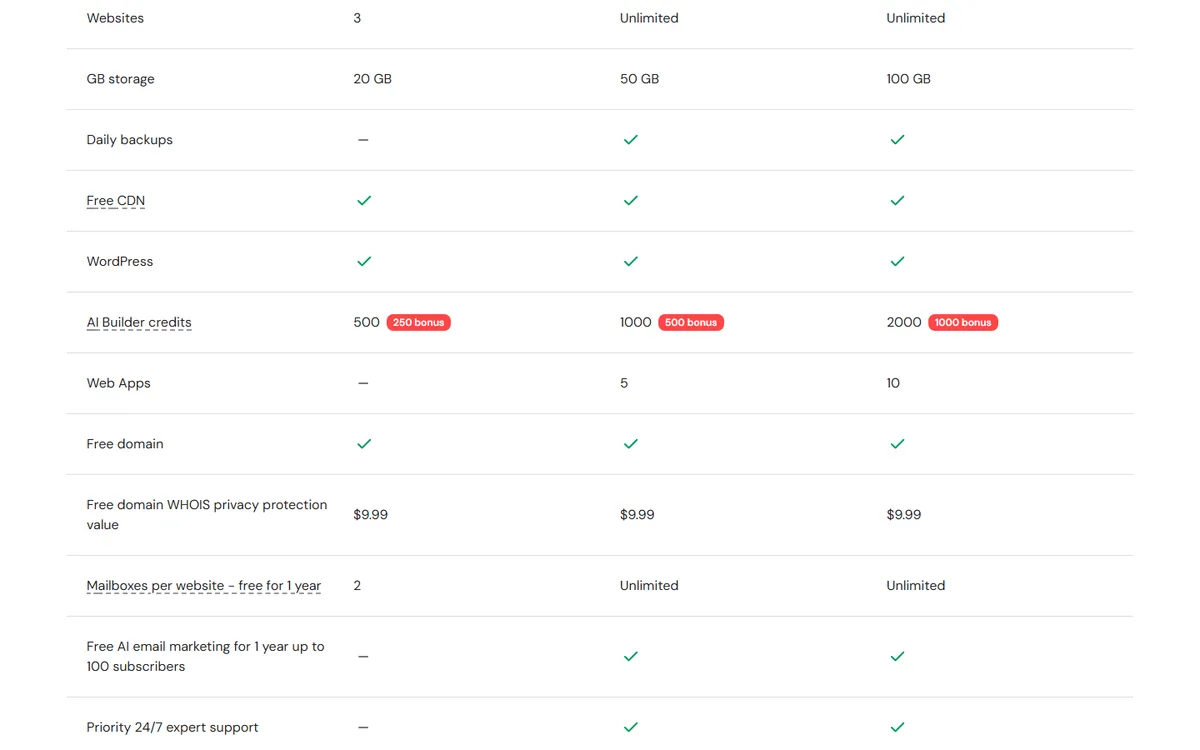
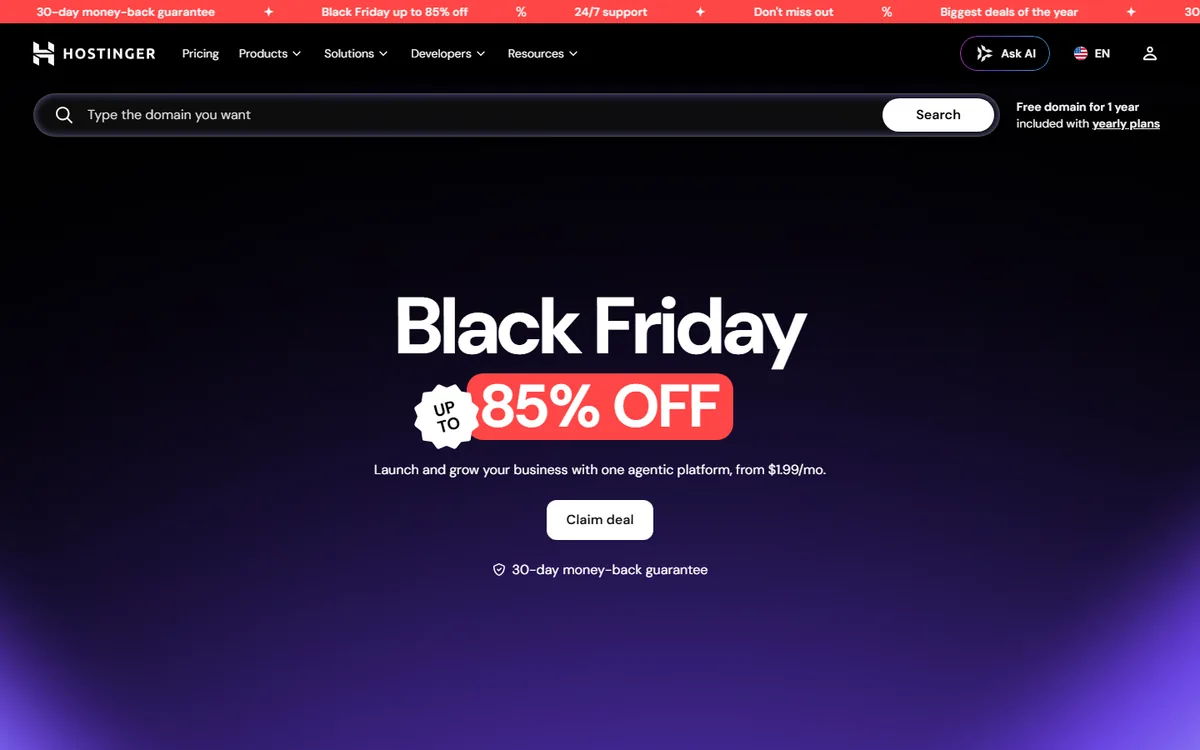
Hostinger lists Cloud Startup at $7.99 a month on a 48-month plan, discounted from $27.99 during a Black Friday sale, and it renews at $25.99 a month. Cloud Professional is listed at $15.99 and Cloud Enterprise at $29.99 on the same term. The Startup plan costs $383.52 for the full 48 months, and the vendor states a 30-day refund period.
Hostinger Cloud Reviews
- G2: 4.4 of 5 stars (based on 885 verified reviews)
Amazon Lightsail
A Gentle Entry Into AWS With Fixed Monthly Bundles
Lightsail is the simple end of AWS, with fixed-price bundles of a server, storage and data transfer.
Lightsail bundles the parts you need to run a small website or app into a single monthly price. It is meant to be the easy door into AWS, and you can later connect Lightsail resources to the wider AWS ecosystem. The cheapest Linux bundle with a public IPv4 address lists 0.5 GB of memory, 2 vCPUs, 20 GB of SSD and 1 TB of data transfer.
I like it for people who know they will use AWS later and want to start small without the pricing maze. The limits of the bundles will show as you grow, and then you move to EC2 and related services. Keep an eye on extra charges for snapshots and data transfer above the bundle.
Amazon Lightsail Strengths
- Fixed monthly bundles are easy to budget
- A clear path into the wider AWS services
- Free tier access stated on the pricing page
Amazon Lightsail Weaknesses
- Small bundles, so you outgrow them
- Fewer managed web features than WordPress hosts
Amazon Lightsail Pricing
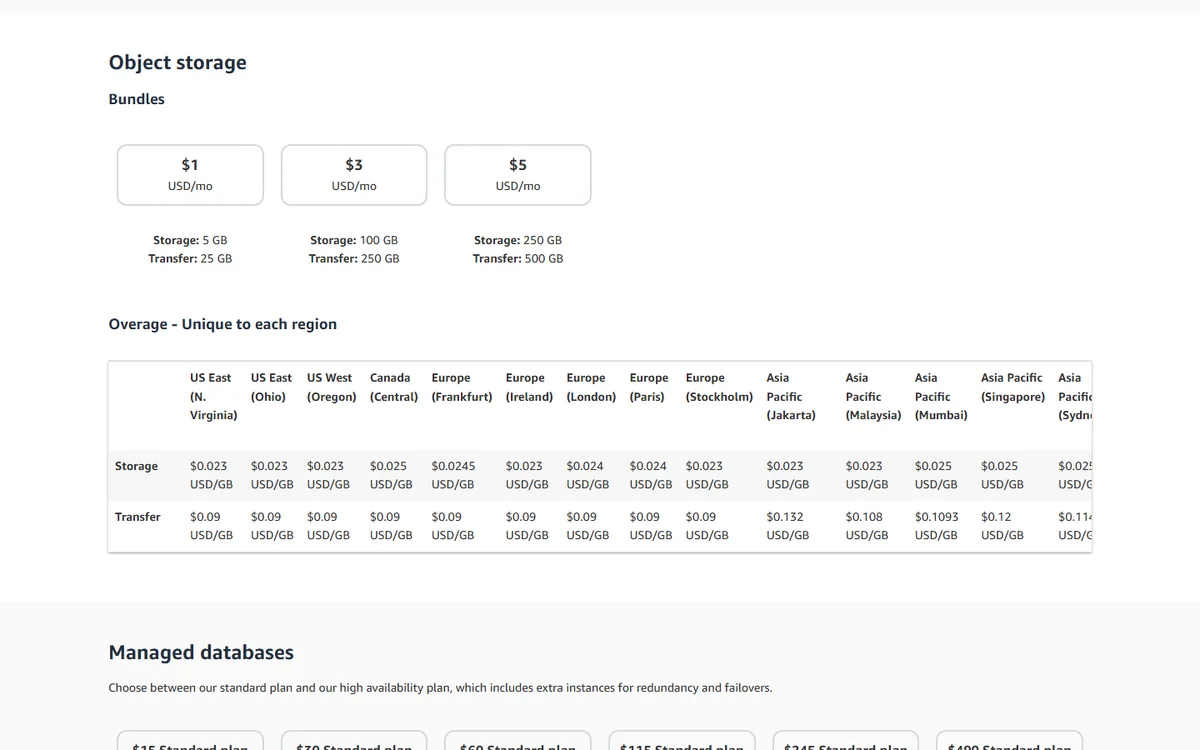
AWS lists the cheapest Linux bundle with a public IPv4 address at $5 a month, with 0.5 GB of memory, 2 vCPUs, 20 GB of SSD and 1 TB of data transfer. An IPv6-only bundle is listed at $3.50 a month. The page says Lightsail is available under the AWS Free Tier, but it does not list the allowance, so check the AWS Free Tier FAQs.
Amazon Lightsail Reviews
- G2: 4.3 of 5 stars (based on 59 verified reviews)
SiteGround Cloud
A Managed Cloud Range for Busy Business Sites, With a Price Tag to Match
SiteGround's cloud plans offer dedicated resources with managed service for sites that outgrew shared hosting.
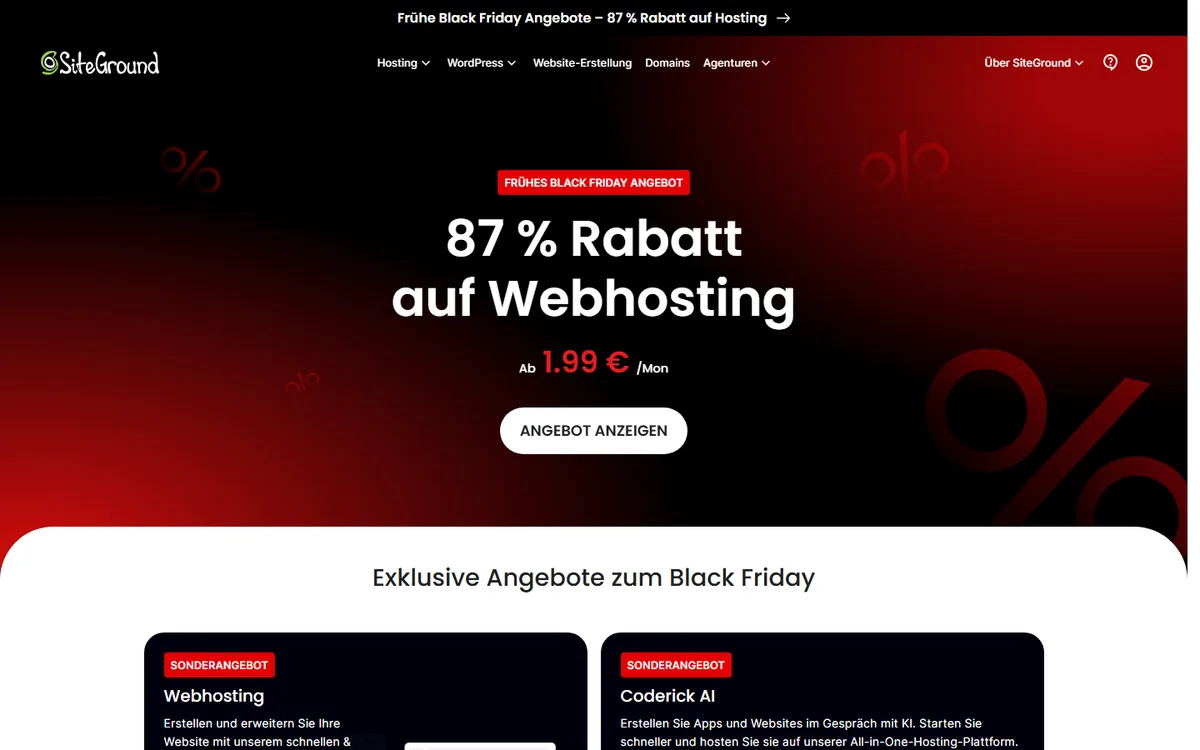
The plans I read start at $100 a month for Jump Start with 4 cores, 8 GB of memory, 40 GB of SSD and 5 TB of transfer. Higher tiers are Business at $200, Business Plus at $300 and Super Power at $400, and there is also a custom cloud option where you set your own resources.
This is an option for established business sites that need guaranteed resources and a managed service. For small sites, the price is hard to justify, and a smaller managed plan from another provider is usually enough. Compare the same resources on a self-managed cloud server before you decide.
SiteGround Cloud Strengths
- Dedicated resources for busy sites
- Custom option to set your own resources
- Managed service, not just a raw server
SiteGround Cloud Weaknesses
- Starts at a much higher price than most options here
- Lowest G2 rating in this list
SiteGround Cloud Pricing
SiteGround lists its cloud plans on monthly billing at $100 for Jump Start, $200 for Business, $300 for Business Plus and $400 for Super Power. Resources rise from 4 cores and 8 GB of memory up to 16 cores and 20 GB, with 5 TB of transfer on each. A custom option lets you set CPU, memory and SSD yourself.
SiteGround Cloud Reviews
- G2: 4.2 of 5 stars (based on 309 verified reviews)
How to Choose the Right Cloud Hosting Platform
In my experience, your team's skills decide most of the choice, and price comes second. Before you compare plans, answer four questions:
- Who will patch servers and restore backups when something breaks?
- Is your site WordPress, another application or a custom build?
- Where are your visitors, and how fast do pages need to load for them?
- What happens to your bill if traffic doubles for a month?
If nobody on your team enjoys server work, start with a managed option such as Cloudways, Kinsta or Hostinger. If you have a developer, DigitalOcean, Akamai Cloud and Vultr give you more control for less money. Teams already on AWS or Google Cloud can use Lightsail or Compute Engine to stay in one place. The trade-offs behind this choice are explained in my overview of cloud hosting pros and cons.
Smaller companies have extra constraints, so I wrote cloud hosting for small business to cover them. If the terms are new to you, start with the cloud hosting guide before you compare prices. A short call can also settle the choice quickly.
Questions About Choosing Cloud Hosting Platforms
What Is the Best Cloud Hosting Platform?
There is no single best choice. Managed platforms such as Cloudways and Kinsta suit teams without server skills, while DigitalOcean, Akamai Cloud and Vultr suit developers who want control.
Is Cloud Hosting Faster than Shared Hosting?
Often, but not automatically. Speed depends on server size, region, caching and your site. Cloud hosting gives you room to add resources and caching when pages slow down.
How Much Does Cloud Hosting Cost?
The platforms in this article range from a listed $2.50 a month for a small Vultr server to $100 a month and up for SiteGround Cloud. Check each vendor's page, because promotions and renewal prices change.
Do I Need a Developer to Run Cloud Hosting?
Not for managed platforms such as Cloudways, Kinsta or Hostinger. Self-managed servers on DigitalOcean, Vultr or Akamai Cloud need someone who can handle updates, security and backups.
Can I Move My Site Later?
Yes, though a move is a project with testing and a domain change. Keep your backups portable and your accounts in your own name to make it easier.
Are Long Contracts a Good Idea?
Only when you are sure of the provider. Promotional prices on a long term usually renew higher, so check the renewal price and the refund period in writing.
What Should I Watch for on the Bill?
Data transfer above the included amount, backups and snapshots, extra storage and idle servers. Set a budget alert on day one.
Important: prices, plans and ratings move quickly. They reflect our last update, so double-check each vendor’s site before purchasing. Nothing in this article is legal or financial advice.
Did this article help you?
Thanks, noted.
Garrett Linville
Garrett leads the Cloud Hull editorial team and works with the consultants to turn real client projects into practical guides on cloud migration, DevOps, security and cost control. Each article is edited together with the consultant who did the work, and every price and limit is checked against current provider documentation. He is based in the USA and works remotely.