Main Points
- Transcoding and archive tiering are the safest first projects and show results within weeks.
- Every live channel needs a backup input and a tested failover.
- Egress, storage class and the number of renditions drive cost more than compute.
- Keep assets and metadata in storage you control, because managed services can be retired.
Most media cloud articles list product names and stop there. The more useful question is how a setup is put together and why it works. In my media cloud consulting work, I take apart real patterns, and I want to share eleven of them with you.
Some examples come from companies that describe their setups publicly, and some are patterns I see across projects without naming clients. I say which is which. Each example has the idea, the way it runs in steps and the tools that usually sit behind it. Check current details on each vendor's site, because services change.
The 11 Examples at a Glance
| Example | Area | Where the detail comes from |
|---|---|---|
| 1. Embedded delivery appliances | Delivery | Netflix describes it publicly |
| 2. File-based transcoding | Processing | AWS documentation |
| 3. Managed live channel | Live | AWS documentation |
| 4. Server-side ad insertion | Revenue | AWS documentation |
| 5. Low-latency interactive live | Live | AWS documentation |
| 6. Cloud render farm | Production | AWS documentation |
| 7. Tiered archive storage | Storage | Pattern from client work |
| 8. Browser-based review | Collaboration | Pattern from client work |
| 9. Automated captions and tags | Metadata | Pattern from client work |
| 10. Multi-CDN delivery | Delivery | Pattern from client work |
| 11. A forced platform exit | Risk | Microsoft documentation |
Eleven Media Cloud Setups, Taken Apart
Read them in order the first time. The early ones cover delivery and processing, the middle ones live and revenue, and the last ones cover storage, review and risk. If you want the same ideas ranked by when to start, my guide to media cloud use cases does that.
Embedded Delivery Appliances Inside Internet Providers
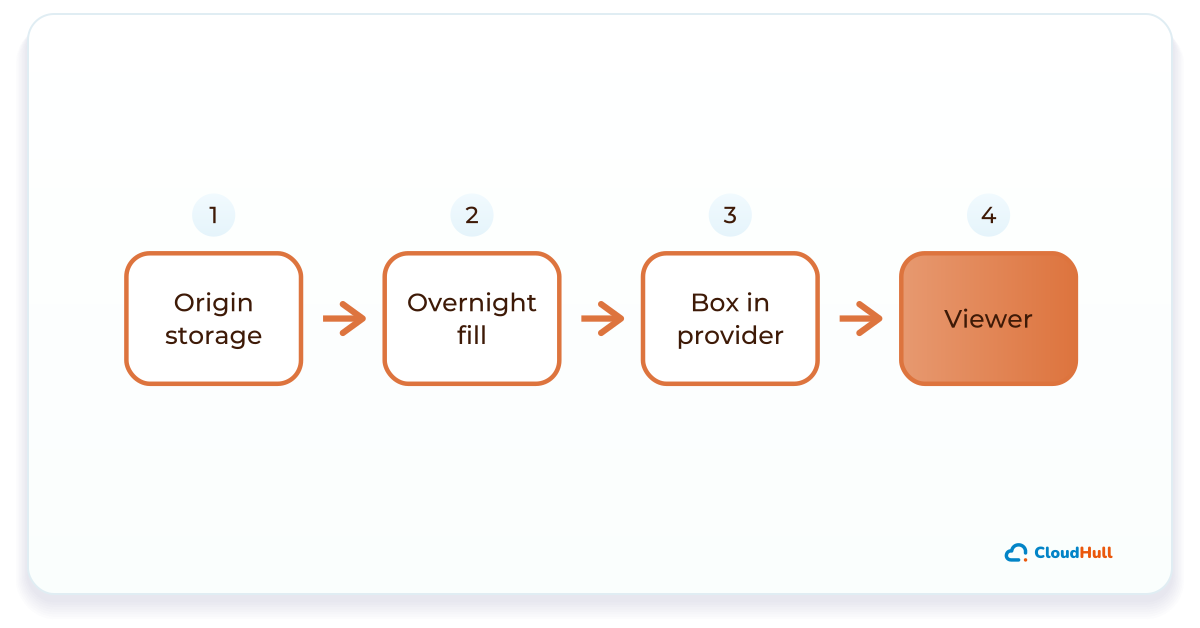
Netflix runs its own delivery network called Open Connect. It places servers called Open Connect Appliances inside internet provider networks, and it states that it works with over 1,000 internet service providers. The idea is simple: keep the traffic local, so viewers get their stream from a nearby box instead of a distant data center.
The lesson for you is the principle, not the scale. Putting content close to viewers cuts load time and transit cost. Most businesses reach the same goal with a content delivery network from a provider. Netflix itself says the appliances get filled with content ahead of time, with setup and pre-fill taking one to two weeks depending on catalog size.
How the setup runs
- Pick the titles that earn most of the views.
- Fill the edge locations ahead of demand, overnight.
- Route each viewer to the nearest healthy location.
- Fall back to a larger site if a local box fails.
- Track start time and rebuffering by region.
Where this runs
A commercial content delivery network gives you the same idea without owning hardware. Your cloud provider's CDN is the usual first choice.
File-Based Transcoding for On-Demand Video
Every uploaded video needs versions for phones, tablets and televisions. AWS describes MediaConvert as a service that prepares file-based video for on-demand and multiscreen delivery. You submit a job, it produces the outputs you define and you pay for what you process.
I like this pattern because it replaces a rack of encoders that sits idle between releases. The catch is cost discipline. Output ladders with too many renditions multiply storage and delivery cost, so I review the ladder before any build.
How a job moves through
- A file lands in storage.
- A trigger starts a transcoding job.
- The job creates the renditions you defined.
- Outputs are checked and moved to the delivery origin.
- The catalog entry is updated and the title goes live.
Tools behind it
AWS Elemental MediaConvert, Google Transcoder API and similar managed services handle the jobs. Open source encoders such as FFmpeg on autoscaled workers suit teams that want full control.
A Managed Live Channel From Camera to Player
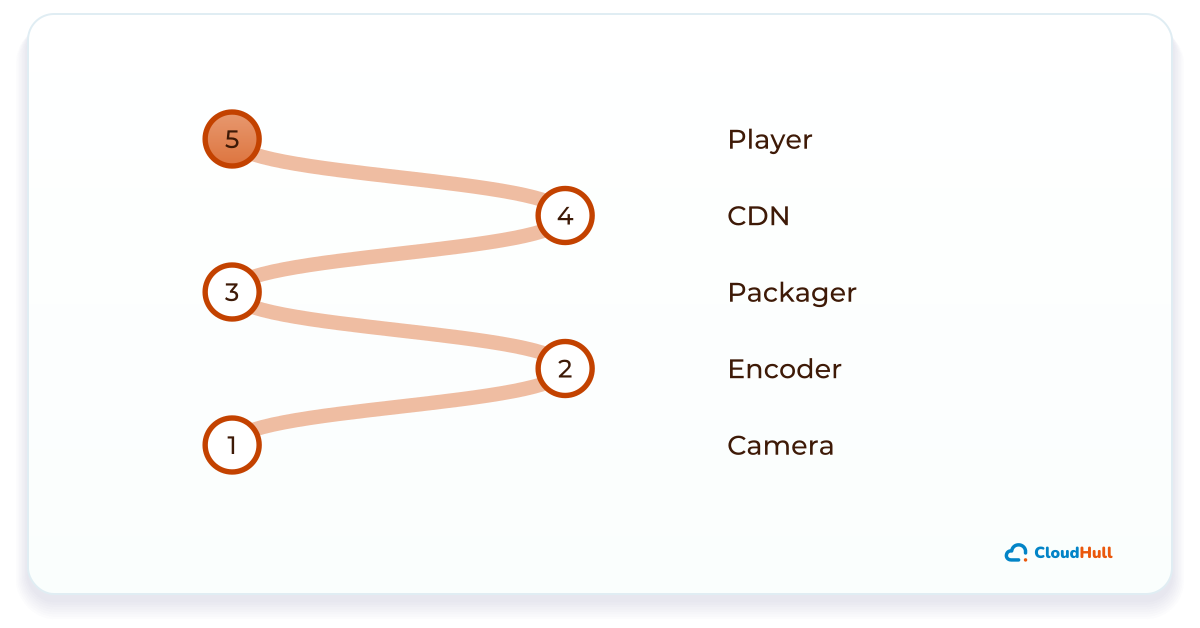
AWS lists MediaLive as a service that converts live inputs into outputs for broadcast and multiscreen delivery, and MediaPackage as one that originates and packages live and on-demand video. Together they form the middle of a live channel: encode, package, deliver.
A live channel is a chain, and the weakest link decides the experience. In practice I design every channel with a second input and a tested failover, because a single encoder will fail on the night that matters. Pair the design with monitoring that a human actually reads.
Steps in the live chain
- Send the feed to the cloud over a reliable transport.
- Encode it into several quality levels.
- Package it for the player formats you support.
- Distribute it through a delivery network.
- Watch health checks and switch to the backup if needed.
Tools behind it
AWS Elemental MediaConnect, MediaLive and MediaPackage cover the chain on AWS. Other clouds and specialist vendors offer comparable building blocks.
Server-Side Ad Insertion for Streaming Revenue
Ad-supported streaming needs ads that fit the viewer and the stream. AWS lists MediaTailor as a service that inserts personalized ads into video streams on the server side. Inserting ads on the server avoids many ad blocker and player issues, and it stitches ads into the stream so the viewer sees one continuous video.
The technology is the easy part. The work is in the ad server integration, the reporting that advertisers expect and the testing across devices. If you plan this, budget more time for ad measurement than for the stream itself.
How an ad gets placed
- Mark ad breaks in the content.
- Request ads for each viewer from your ad server.
- Stitch the ads into the stream.
- Send playback beacons for reporting.
- Reconcile the numbers with your advertisers.
Tools behind it
AWS Elemental MediaTailor is one managed option. Check how your ad server and measurement partners integrate before you choose.
Low-Latency Live for Interactive Audiences
Chat-driven and interactive streams need delay in seconds, not tens of seconds. AWS describes Amazon Interactive Video Service as a managed service for low-latency live streaming. It trades some flexibility for simplicity, because you do not run the encoders and packaging yourself.
I suggest this when your audience participates, for example in live commerce or Q&A. For a regular broadcast, standard live delivery costs less and has more control. Be clear about the delay you actually need before you pick the tool.
How to put it in place
- Define the maximum delay your format can accept.
- Create a channel and send the stream to it.
- Embed the player in your site or app.
- Test with a realistic number of simultaneous viewers.
- Add chat or interaction on top.
Tools behind it
Amazon IVS is the managed option on AWS. WebRTC-based platforms are another route when you need sub-second interaction.
A Cloud Render Farm for Production Peaks
AWS lists Deadline Cloud as a service for setting up a cloud render farm quickly. Rendering is bursty by nature: a rush before a deadline, then silence. Buying machines for the peak means they sit idle most of the year.
In client conversations, the number I ask for is utilization of the current farm. When it sits below 30 percent most months, bursting to the cloud for peaks usually wins. Plan for asset transfer time and software licensing, because both can eat the savings.
How a render job runs
- Measure farm utilization over a year.
- Choose the jobs that burst to the cloud.
- Sync assets to cloud storage ahead of time.
- Submit jobs with a spending cap.
- Pull results back and shut down the workers.
Tools behind it
AWS Deadline Cloud and the Thinkbox Deadline software manage the queue. Check that your render software and plug-in licenses allow cloud workers.
Tiered Archive Storage for a Growing Library
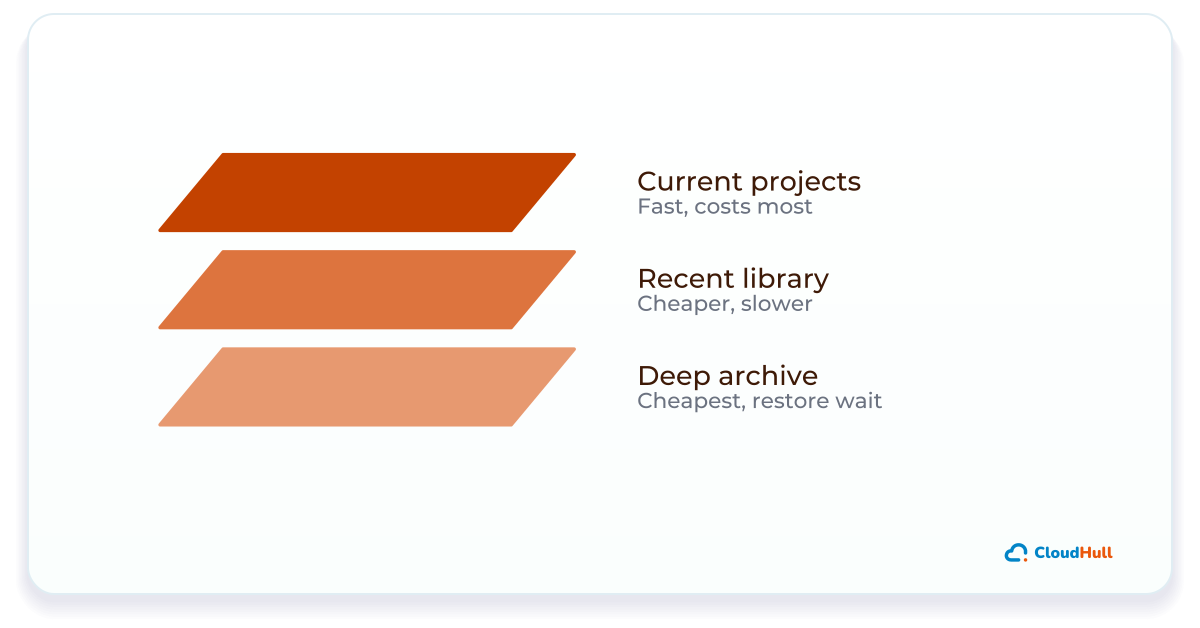
Media libraries grow by terabytes and most files are rarely touched again. I see the same pattern in many studios and publishers: everything stays on fast, expensive storage because nobody dares to move it. Lifecycle rules can move files down to cheaper tiers by age and access pattern.
The risk is restore time and retrieval fees. Before you move a collection, check how long a restore takes and what it costs, and keep a small hot copy of anything you might need in a hurry. This is a pattern from my own client work, so treat the numbers on your own bill as the source of truth.
How the lifecycle works
- Group content by how often it is used.
- Define a lifecycle rule per group.
- Keep thumbnails and metadata on fast storage.
- Test a restore before you rely on the archive.
- Review retrieval costs each quarter.
Tools behind it
Object storage with lifecycle policies on AWS, Azure or Google Cloud covers this. A media asset manager helps people find archived files.
Browser-Based Review and Approval
Sending large files by courier or file transfer links slows every review round. A browser-based review space keeps one copy in the cloud, with comments tied to timecodes. Editors, clients and legal reviewers all look at the same version.
This pattern pays back in calendar time more than in money. In my projects, the largest gain is that rounds of feedback stop crossing in the post. Set access rules carefully, because unreleased content is valuable and review links tend to spread.
How a review round works
- Upload the cut to cloud storage.
- Create a review link with expiry and watermark.
- Collect comments on specific frames.
- Resolve comments and publish a new version.
- Archive the approved version with its history.
Tools behind it
Dedicated review platforms and cloud storage with proxies handle this. Look at access logging and watermarking before anything else.
Automated Captions and Metadata
Captions and tags make video accessible and searchable. Speech recognition and image analysis services can create a first pass automatically, and editors then correct it. AWS lists Kinesis Video Streams as a service that captures, processes and stores video streams for analytics and machine learning, which is one way to feed such analysis.
A first pass is not a final product. Names, jargon and accents still need a human check, and I advise you to measure the correction time per hour of content. If correction takes longer than writing from scratch, the model or the audio quality needs work.
How the pipeline works
- Send the audio track to a speech service.
- Generate captions in the languages you need.
- Extract tags from speech and images.
- Have an editor review a sample and the flagged parts.
- Write the approved data back to the asset record.
Tools behind it
Cloud speech and video analysis services produce the first pass. Your asset manager should store the results with the file.
Multi-CDN Delivery for Reliability
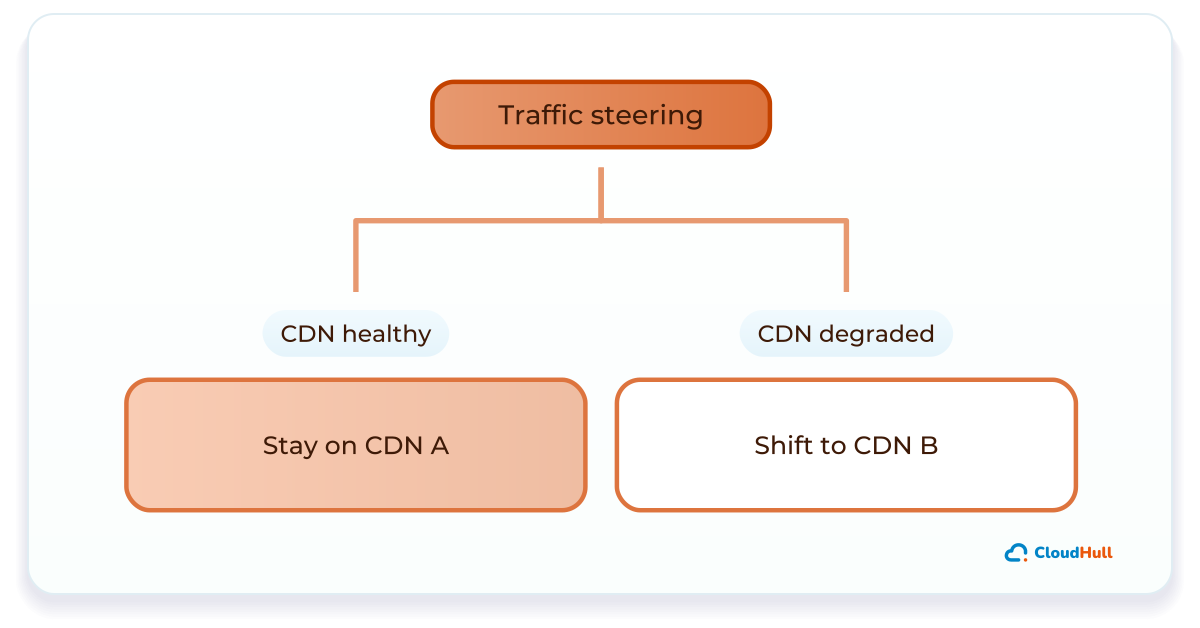
Relying on one delivery network is a single point of failure. A multi-CDN setup routes viewers across two or more networks, based on health and performance. It also gives you negotiating power on price, because you can move traffic.
It adds complexity, so I only suggest it when outages cost you real money, for example for big live events. A single well-tuned network with a tested fallback is enough for most businesses. This pattern is drawn from my client work.
How you set it up
- Pick two networks with different strengths.
- Put a traffic steering layer in front.
- Define health checks and switching rules.
- Test a deliberate failure during a quiet period.
- Review cost and performance monthly.
Tools behind it
Traffic steering services or a DNS-based approach split the load. Make sure both networks can serve the same cache keys and formats.
A Forced Platform Exit and What It Teaches
Microsoft retired Azure Media Services on June 30, 2024. Its documentation says streaming stopped on all accounts after that date, and that account data such as endpoints and asset metadata is deleted about 90 days after deactivation. Customers had to move to partner solutions or rebuild.
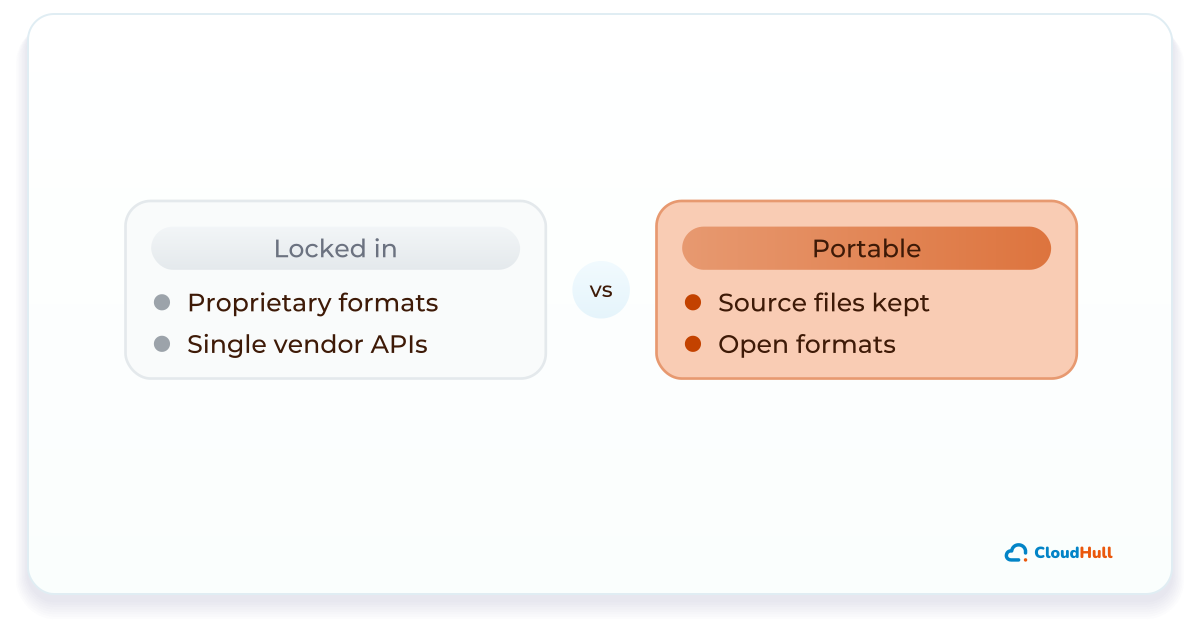
The example is a reminder that managed services can disappear. Keep your media in storage you control, document your pipeline and know your exit route before you need it. Check the current status of any service you depend on.
What to do before an exit
- List every managed service in your pipeline.
- Record where your assets and metadata live.
- Note an alternative for each service.
- Test an export of your metadata.
- Review the list every six months.
Tools behind it
Your own documentation and a metadata export are the main tools. Partner platforms are an option when a provider retires a service.
Common Threads Across the Examples
Three things repeat in these examples. Files stay in storage you control, jobs scale up and down with demand, and every delivery path has a fallback. Cost follows the same pattern: egress and storage class decide more of the bill than compute.
If you are building your first workflow, start with transcoding or archive tiering. They are the least risky and show savings quickly. My list of media cloud best practices covers the habits that keep these setups healthy.
How to Choose Which Example to Copy
Check your situation against four questions:
- Is your biggest pain slow publishing, high storage cost or unstable streams?
- Do your peaks come from live events, releases or deadlines?
- Where do your files live today, and how often are they used?
- Which services would hurt most if a provider retired them?
The first answer points to the example to start with, and the last one tells you where to document an exit. Keep the first project small and measurable.
Questions About Media Cloud Examples
What Is a Media Cloud?
A media cloud is a set of cloud services used to store, process and deliver media such as video, audio and images. It can include storage, transcoding, live streaming, rendering and delivery networks.
Which Media Cloud Example Should I Start With?
Start with file-based transcoding or tiered archive storage. Both are low risk, easy to measure and reversible, and they show savings or time gains within weeks.
Is Live Streaming in the Cloud Reliable?
It can be, with a backup input, a tested failover and monitoring. Single points of failure cause most live problems, so design them out.
How Do I Control Media Cloud Costs?
Review the number of renditions you create, move cold files to cheaper tiers, and watch delivery fees. Egress and storage class often matter more than compute.
Do I Need a Multi-CDN Setup?
Usually not. A single well-tuned delivery network with a tested fallback is enough for most businesses. Multi-CDN pays off when an outage costs a lot, such as during big live events.
What Happens If a Provider Retires a Media Service?
You must migrate on their timeline. Azure Media Services, retired on June 30, 2024, is an example. Keep assets and metadata in storage you control, and document an exit route.
Can AI Create Captions and Tags Automatically?
It can create a first pass. Humans still need to check names, jargon and accents, so measure the correction time per hour of content.
Sources
Please note: this guide is general information and not legal, financial or tax advice. Numbers and examples are typical-project estimates; confirm current details with your providers and advisers.
Did this article help you?
Thanks, noted.
Garrett Linville
Garrett leads the Cloud Hull editorial team and works with the consultants to turn real client projects into practical guides on cloud migration, DevOps, security and cost control. Each article is edited together with the consultant who did the work, and every price and limit is checked against current provider documentation. He is based in the USA and works remotely.