Main Points
- Cloud ingest and file sharing is the lowest-risk first project and shows results on day one.
- A streaming library needs a lean encoding ladder, or storage and delivery costs climb.
- Rehearse live events under load, including the failure of the primary path.
- Archive value comes from metadata, so review tags on your most valuable collections first.
A use case is only worth prioritizing when it solves a problem you have today and can be measured within a quarter. Plenty of media cloud ideas sound good and then sit in a backlog for a year. In my media cloud consulting work, I score each scenario on pain, effort and risk before it earns a place on the plan.
Here are seven scenarios I see most often, with the signs that tell you it is the right one for you, the way it runs and the traps to watch for.
Seven Scenarios and When Each One Fits
| Use case | Sign that it fits you | Main risk |
|---|---|---|
| 1. Cloud ingest and file sharing | Files travel by drive or slow uploads | Upload speed and access control |
| 2. On-demand streaming library | Viewers watch back catalog on many devices | Too many renditions and egress cost |
| 3. Live events and launches | One-time peaks that overload your setup | Single points of failure |
| 4. Ad-supported or personalized streams | You earn from advertising or subscriptions | Measurement and device testing |
| 5. Burst rendering and batch jobs | Machines idle between deadlines | Asset transfer and licensing |
| 6. Searchable archive | Footage exists that nobody can find | Retrieval cost and tagging quality |
| 7. Audience analytics | You guess which content works | Privacy and data quality |
The Seven Use Cases, One by One
They are ordered from the lowest risk to the highest. If your catalog and audience are still small, the first two will give you most of the benefit. My overview of media cloud examples shows how real setups handle several of these.
Cloud Ingest and File Sharing
If your team moves footage on drives or waits for overnight uploads, this is the first thing to fix. Files land in cloud storage straight from the field, editors and partners see them within minutes and nobody has to wait for a courier.
I like it as a starter project because the result is visible on day one. The risk is access control, since raw footage is valuable. Use expiring links and named accounts, and test uploads from the worst connection your crews actually use.
Steps to Get Started
- Measure how long a typical transfer takes today.
- Set up cloud storage with folders by project.
- Give crews an upload tool that resumes after a drop.
- Grant partners access with expiring links.
- Check transfer times again after a month.
Tools to Look At
Cloud object storage with an accelerated upload tool handles this. A file transfer service with resume support is the usual choice for field crews.
An On-Demand Streaming Library
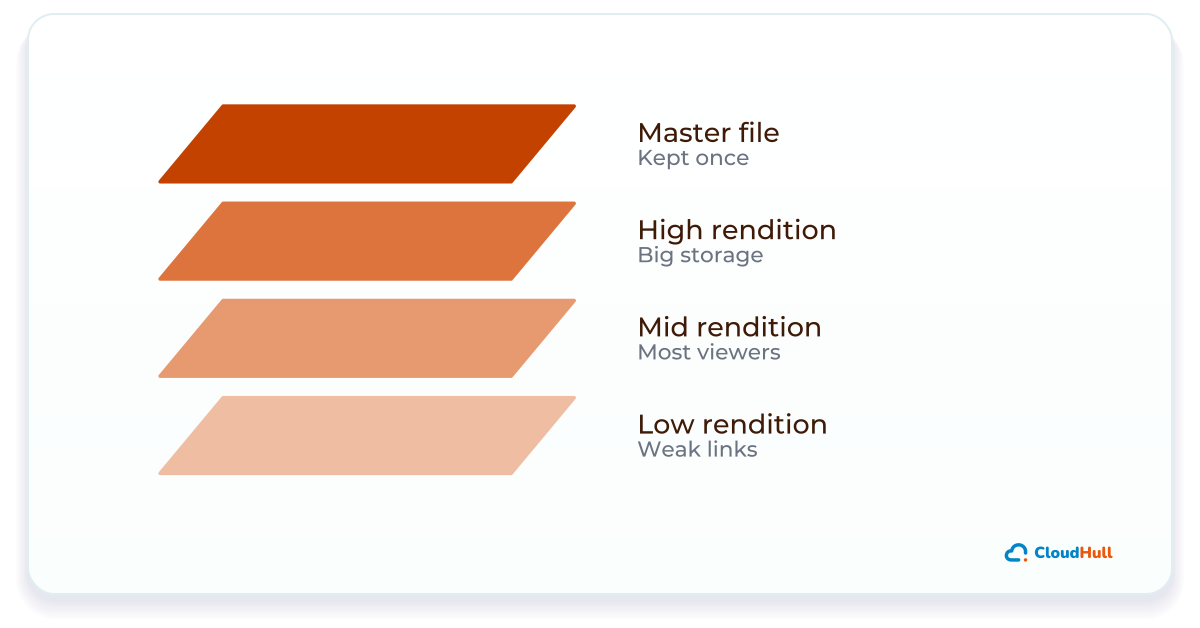
Viewers expect to watch your back catalog on phones, tablets and televisions. A cloud pipeline transcodes each file once, stores the renditions and serves them through a delivery network. You scale with the audience instead of the hardware.
The cost trap is in the details. Every extra rendition adds storage and every viewer adds egress. I review the encoding ladder before the first build, and I compare it with real viewing data after a month to remove versions nobody uses.
Building the Library in Steps
- List the devices your audience uses.
- Define an encoding ladder with the fewest versions that cover them.
- Automate transcoding on upload.
- Serve through a delivery network with sensible caching.
- Remove renditions that get no views.
Tools to Look At
Managed transcoding, object storage and a content delivery network form the core. Add a player that adapts to bandwidth.
Live Events and Launches
A live event is a spike with a hard deadline. Cloud capacity can scale for the night and scale back after. Planning matters more than the tools, because the weak spot is usually one encoder, one network path or one person who knows the setup.
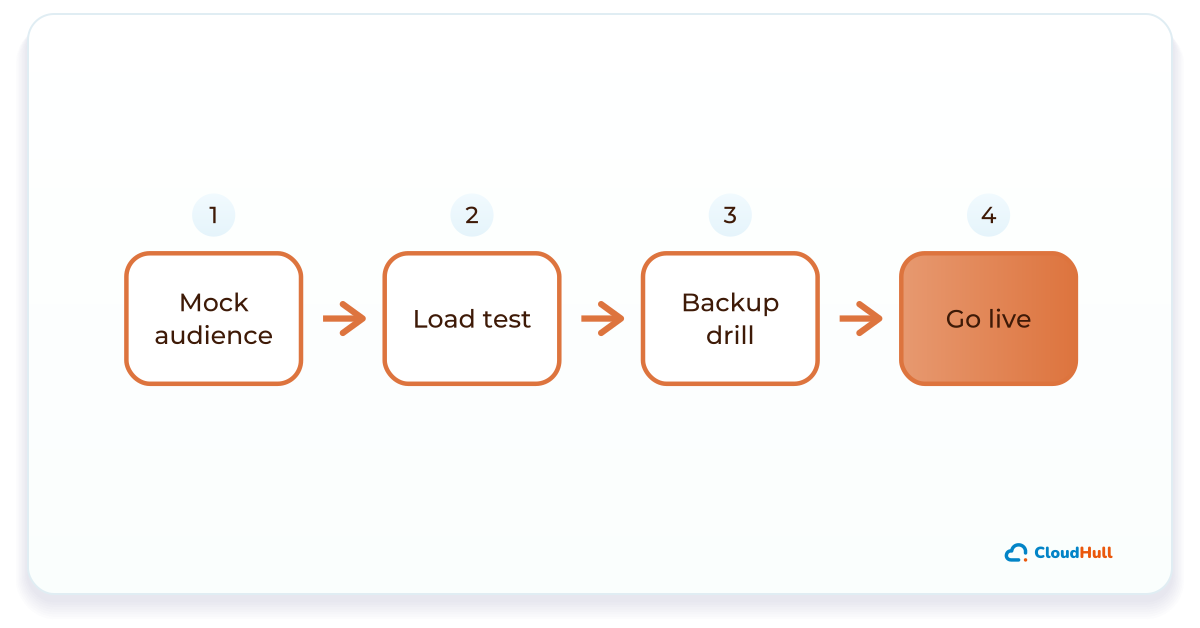
I always rehearse the event end to end with realistic traffic. In practice, the rehearsal finds one or two problems every time, and finding them on a Tuesday is much cheaper than finding them on the night.
How to Prepare for the Event
- Estimate peak viewers and the quality levels you need.
- Add a backup input and a backup path.
- Rehearse with a load test.
- Assign roles for the event.
- Review the numbers within a day of the end.
Tools to Look At
Managed live encoding and packaging services cover the chain. Monitoring that shows viewer experience, not just server health, tells you what is really happening.
Ad-Supported or Personalized Streams
If revenue comes from ads or subscriptions, the stream needs to know who is watching. Server-side ad insertion and personalized recommendations both depend on clean data and an integration with your ad or subscription systems.
This is the use case where the media cloud work is the smaller part. Agreements, measurement and testing on dozens of devices take the time. I plan it only after the delivery basics are stable, because ad problems hide stream problems.
What to Do Before Ads Go Live
- Choose the ad server and measurement partners first.
- Mark ad breaks in your content.
- Test on every device you support.
- Compare your reports with advertiser reports.
- Refine targeting based on results.
Tools to Look At
Server-side ad insertion services and your ad server do the heavy work. A test device lab, even a small one, saves weeks.
Burst Rendering and Batch Jobs
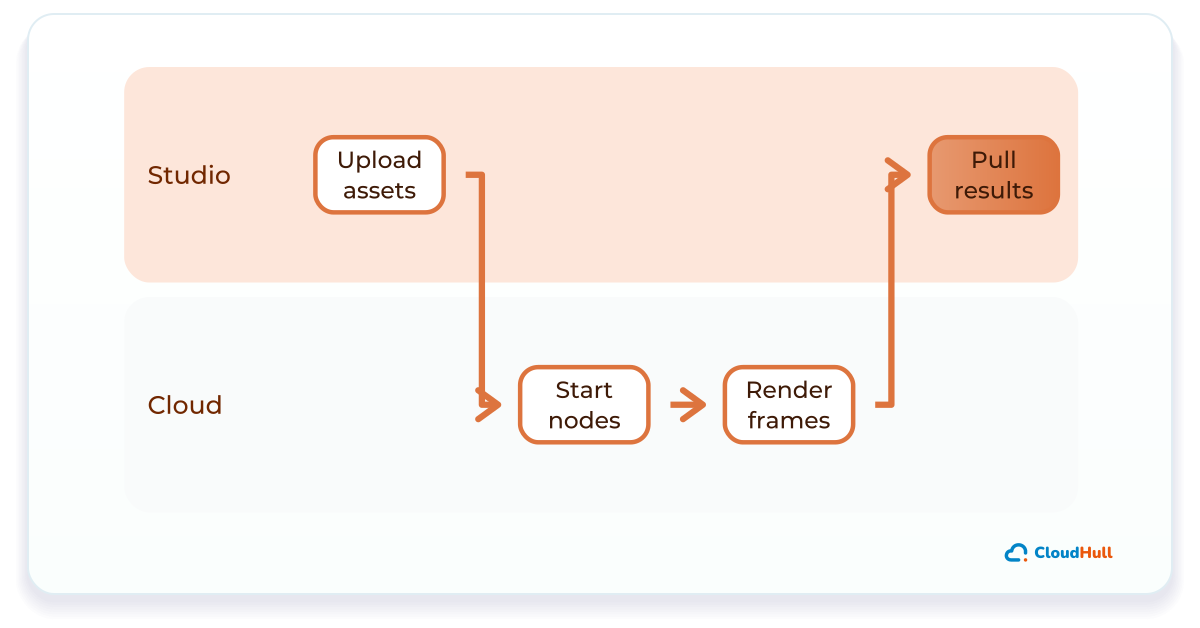
Rendering, encoding and conversion jobs come in waves. Owning machines for the peak leaves them idle the rest of the year. Cloud workers start when jobs arrive, and stop when done.
The honest caveat is data movement. If the assets sit on-premises, moving them takes time and costs money, so the saving is smaller than the compute price suggests. Check software licensing too, because some render tools charge per node.
How to Move the First Job
- Measure how often your current machines are busy.
- Pick one job type to move first.
- Copy assets to cloud storage ahead of time.
- Set a spending cap on the job queue.
- Compare cost and speed with the old farm.
Tools to Look At
A render queue manager that can start cloud workers is the key tool. Spot or preemptible machines cut cost if your jobs can restart.
A Searchable Media Archive
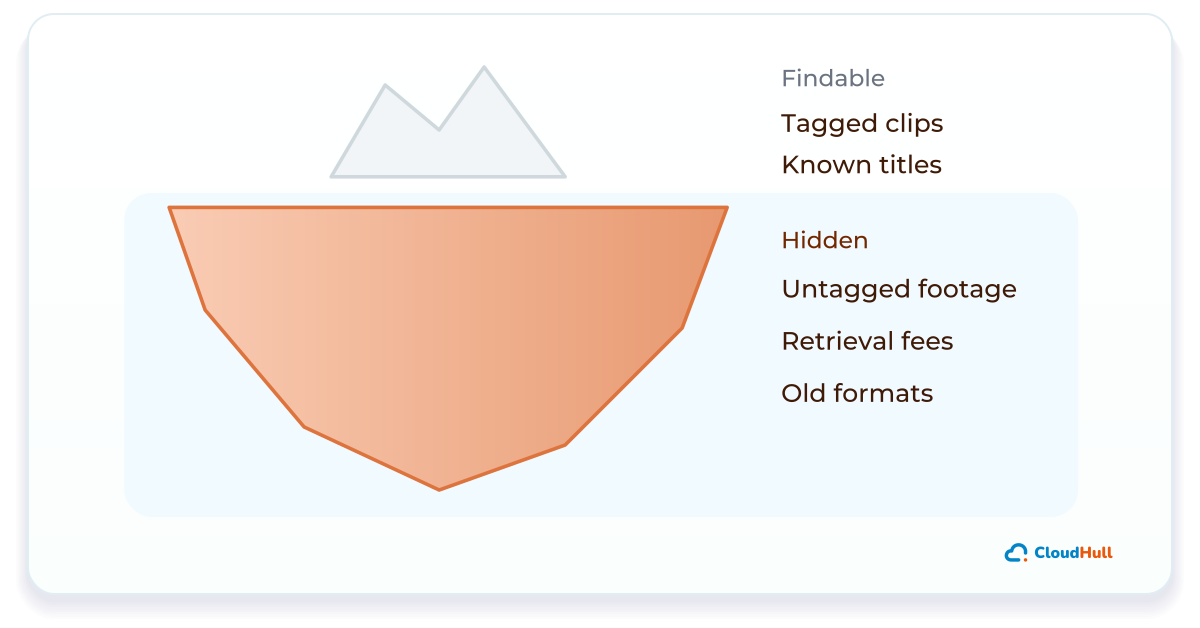
Many studios and publishers own footage that nobody can find. Moving the archive to the cloud is the easy part. The value comes from metadata: speech transcripts, faces where permitted, scenes and topics that make the library searchable.
The risk is cost and quality. Retrieval fees can surprise you, and automatic tags are only a first pass. In my experience, a small team that reviews the tags of the most valuable collections first gets more than a large automatic run on everything.
Steps to Search Your Archive
- Rank collections by how valuable they could be.
- Move them to tiered cloud storage.
- Run speech and image analysis on the top collections.
- Review a sample of the tags.
- Open search to the teams who need it.
Tools to Look At
Object storage tiers hold the files and an asset manager holds the metadata. Cloud speech and vision services create the first pass.
Audience Analytics
Streams generate a lot of data: what people start, where they stop and how well playback runs. Cloud data tools turn it into answers about what to commission, what to cut and where quality breaks down.
Keep it small at first. A few questions, such as which titles hold viewers and which devices rebuffer, are worth more than a large dashboard. Respect privacy rules in your markets and check what you collect with your legal advisor.
How to Turn Events Into Answers
- Write the three questions you want answered.
- Collect playback events from your players.
- Store them in a cloud data warehouse.
- Build one view per question.
- Review decisions made from the data every quarter.
Tools to Look At
A cloud data warehouse and a visualization tool are the usual stack. A broader treatment of that setup is in cloud data warehouse consulting.
How to Rank These for Your Business
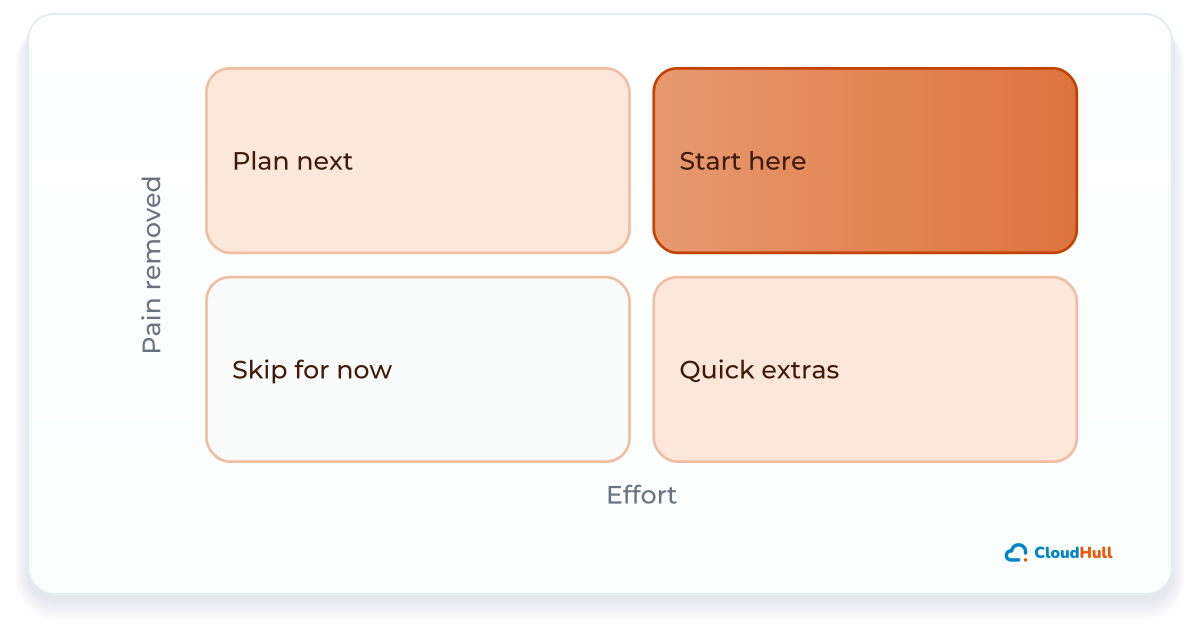
Score each use case from one to five on three things: how much pain it removes, how much effort it needs and how risky it is. Start with the highest pain and the lowest effort. A short pilot on one channel or one collection will tell you more than a long plan.
| Question | Low score means | High score means |
|---|---|---|
| Pain removed | You can live with it | It blocks publishing or revenue |
| Effort | A few weeks, one team | Several teams and new contracts |
| Risk | Easy to reverse | Hard to undo or public |
A Scoring Example From a Regional Publisher
A regional publisher with a large video archive and a small team gave me this list. Ingest scored high on pain, because editors waited for hours on uploads, and it was cheap to fix. The searchable archive scored high on value but also on effort, because nobody had a catalog of what the archive held.
They started with ingest and a streaming library for recent content. Six months later, they ran a small tagging pilot on one collection of local events. The archive project was not rejected, it simply waited until the team had capacity and a clear owner. Sequencing, not selection, was the real decision.
What to Measure Before and After
Pick two numbers per use case and write them down before you start. For ingest, measure the hours from shoot to first edit. For a streaming library, measure cost per hour streamed and the share of sessions that start within two seconds. For live events, measure the number of viewers who saw a stall and how long recovery took.
For rendering, measure cost per finished frame or minute. For an archive, measure the time an editor needs to find a clip. For analytics, count the decisions that changed because of a report. Numbers like these turn a pilot into an argument that a budget owner can accept.
Three Prioritizing Mistakes I See
The first is picking the most impressive scenario instead of the most painful one. Live streaming with ads looks exciting, while slow file transfers quietly cost hours each week. The second is skipping the baseline. Without today's cost per hour of video and today's publishing time, you cannot show that anything improved.
The third is ignoring exit costs. Before a use case goes live, write down how you would move the content again. That habit protects you if a provider changes terms or retires a service.
Keep your first project inside one team. Habits that make any of these last are listed in media cloud best practices.
Questions About Media Cloud Use Cases
Which Media Cloud Use Case Should I Start With?
Cloud ingest and file sharing is usually first, because it is low risk and the benefit shows on day one. An on-demand streaming library is a close second.
How Do I Estimate the Cost of a Media Cloud Project?
Model storage, processing and delivery separately. Delivery fees and storage class often decide the total, so use your real viewing and file data.
Can I Run Live Events on the Cloud?
Yes, with a backup input, a tested failover and a rehearsal under load. Most live problems come from single points of failure.
Do I Need AI to Make Use of a Media Archive?
It helps with a first pass of speech and scene tags, but you still need human review of the most valuable collections. Good metadata makes the archive useful.
Is Burst Rendering Cheaper than My Own Farm?
It is when your farm sits idle most of the year. Asset transfer time and software licensing can reduce the saving, so test with one job type first.
What Data Should I Collect for Audience Analytics?
Start with playback starts, drop-off points and device or quality problems. Keep it small, respect privacy rules and check them with a legal advisor.
How Long Does a First Media Cloud Project Take?
A focused first project often takes six to ten weeks, from assessment to a working workflow. Larger programs run for several months.
Please note: this guide is general information and not legal, financial or tax advice. Numbers and examples are typical-project estimates; confirm current details with your providers and advisers.
Did this article help you?
Thanks, noted.
Garrett Linville
Garrett leads the Cloud Hull editorial team and works with the consultants to turn real client projects into practical guides on cloud migration, DevOps, security and cost control. Each article is edited together with the consultant who did the work, and every price and limit is checked against current provider documentation. He is based in the USA and works remotely.