Main Points
- A hub with spokes, a written IP plan and private endpoints remove most routing headaches.
- Control outbound traffic as carefully as inbound traffic.
- Every link, region and failover path needs a rehearsal, not just a diagram.
- Review network cost lines monthly, because gateways, addresses and transfer hide in the bill.
Cloud networking is where small shortcuts turn into large problems. Overlapping address ranges, one-link connections and open outbound rules all work for months and then fail on a bad day. Reviewing designs as part of cloud networking consulting for fintech and ecommerce teams, I keep meeting the same ten patterns in the environments that run calmly.
Each example below explains what the pattern does, where it goes wrong and how to set it up. Prices come from the providers' own pages at the time of writing, so check them before you plan a budget.
The 10 Examples at a Glance
| Example | Area | Best fit |
|---|---|---|
| 1. A Transit Hub Between Every Network | Connectivity | Teams with more than a handful of VPCs or VNets |
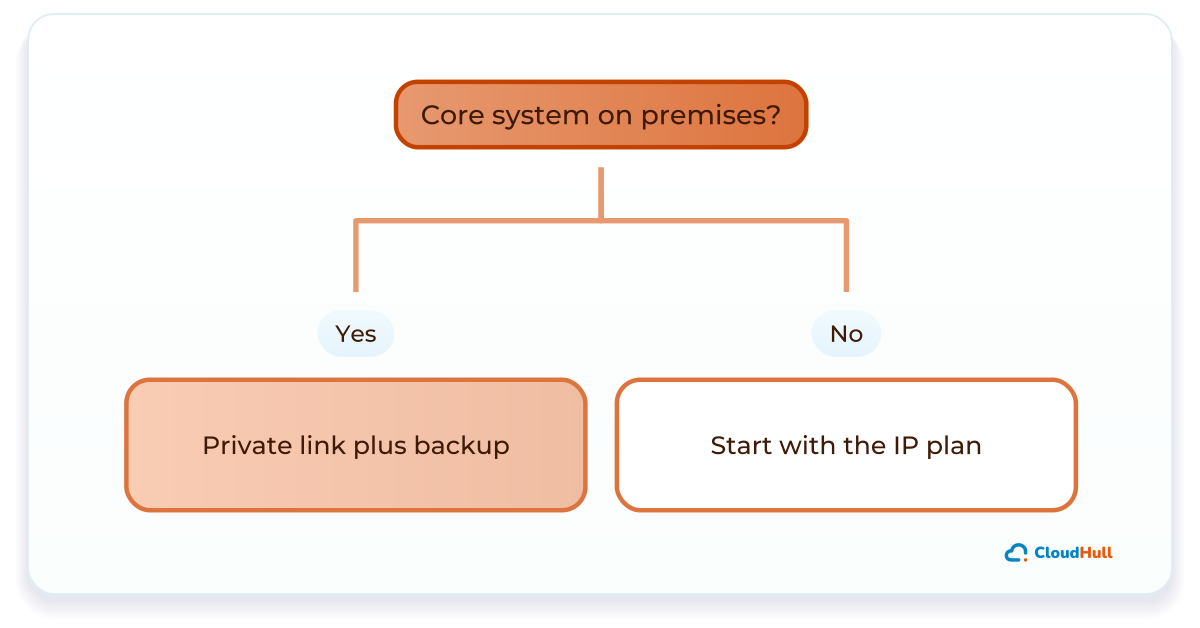
| 2. Private Links to the Data Center With a Backup Path | Connectivity | Companies with a core system that stays on premises |
| 3. Controlled Egress Instead of Open Outbound Rules | Security | Regulated teams and any workload with sensitive data |
| 4. An IP Plan Written Down Before the First VPC | Design | Any company that expects to connect more than one network |
| 5. Private Endpoints for Managed Services | Design | Teams using managed databases, storage and queues |
| 6. Global Load Balancing and a CDN for Traffic Peaks | Performance | Ecommerce and consumer apps with seasonal spikes |
| 7. Zero-Trust Access Replacing the Flat VPN | Access | Remote teams and contractors |
| 8. Flow Logs and Network Observability From Day One | Operations | Teams that have debugged a mystery timeout |
| 9. DNS-Based Failover Across Regions | Resilience | Services with strict uptime targets |
| 10. Network Cost Reviews Next to the Architecture Review | Cost | Any bill with a large data transfer line |
You do not need all ten. Most teams get the biggest gain from the IP plan, the hub and the egress rules, and I would start there. The rest follow the needs of your workloads.
A Transit Hub Between Every Network
Once you have a few dozen networks, peering every pair becomes a tangle nobody can draw from memory. The pattern I see in calm environments is a hub that every spoke attaches to, such as AWS Transit Gateway or Azure Virtual WAN. Routes live in one place, and a new team joins by attaching a network instead of negotiating peerings.
The hub has a price. AWS lists a per-attachment hourly charge and $0.02 per GB processed on Transit Gateway, so chatty workloads cost more through the hub than over a direct peering. I keep direct peering for two or three high-volume pairs and send everything else through the hub.
How the Hub Gets Built
- List every network and the traffic that must flow between them.
- Create the hub in a shared network account.
- Attach each spoke and give it its own route table.
- Block spoke-to-spoke traffic by default and open only what the list requires.
- Turn on flow logs at the hub before the first workload moves.
Tools for the Hub
AWS Transit Gateway, Azure Virtual WAN and Google Cloud Network Connectivity Center cover this natively. Terraform keeps the attachments and route tables in code.
Private Links to the Data Center With a Backup Path
A dedicated link such as AWS Direct Connect, Azure ExpressRoute or Google Cloud Interconnect gives you predictable latency to the systems that cannot move yet. Teams that depend on a card processor or a legacy ERP often start here, because the public internet adds jitter that checkout and settlement jobs notice.
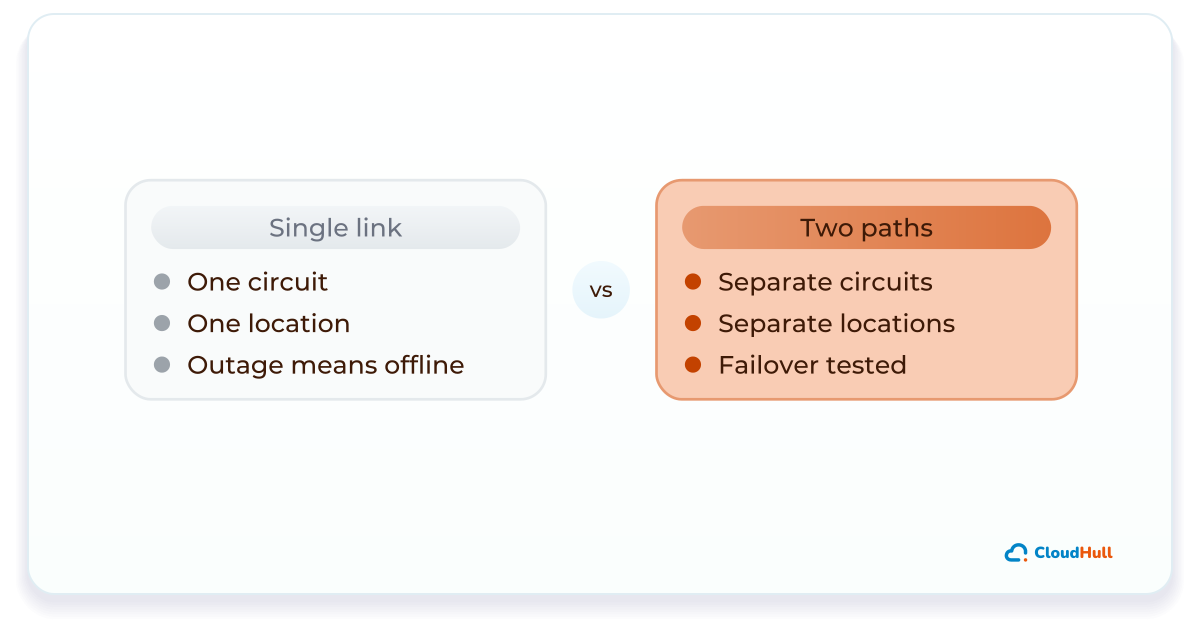
The mistake I see most is a single link treated as production-ready. Circuits fail, and ordering a second one takes weeks. The better pattern is two links in different facilities and an encrypted VPN as a third path, tested with a real cutover each quarter.
From Order to Tested Failover
- Pick the facilities and providers for two diverse circuits.
- Order the circuits early, because lead times run to weeks.
- Build the VPN backup and set route preferences so the dedicated path wins.
- Test failover by taking the primary link down in a maintenance window.
- Alert on link state and on any route that changes.
Providers and Tooling
Colocation and exchange providers such as Megaport sell virtual cross connects to several clouds. Your cloud's own gateway service terminates the link.
Controlled Egress Instead of Open Outbound Rules
Most environments lock down inbound traffic and leave outbound wide open. A compromised workload then sends data anywhere. Top teams route outbound traffic through a central point that allows named domains and blocks the rest, and they start in monitor mode so nothing breaks on day one.
Cost matters here too. A managed NAT gateway on AWS lists $0.045 per hour plus $0.045 per GB processed in US East (Ohio), so heavy downloads through NAT add up. Private endpoints for storage and container registries keep that traffic off NAT and often pay for themselves.
Rolling Out Egress Control Safely
- Turn on flow logs and record every outbound destination for two weeks.
- Group the destinations into an allow list per application.
- Run the policy in monitor mode and review what would have been blocked.
- Switch to enforcement one environment at a time.
- Review denied traffic weekly for the first month.
What Enforces the Policy
Cloud firewalls and egress gateways handle domain-based rules. Aviatrix lists outbound control as a workload-priced product, which suits teams that want policy by tag.
An IP Plan Written Down Before the First VPC
Overlapping address ranges are the quietest networking problem in the cloud. Nothing breaks until you try to peer two networks, or to connect a recently acquired company, and then the fix is a renumbering project that touches every workload. A one-page plan avoids it.
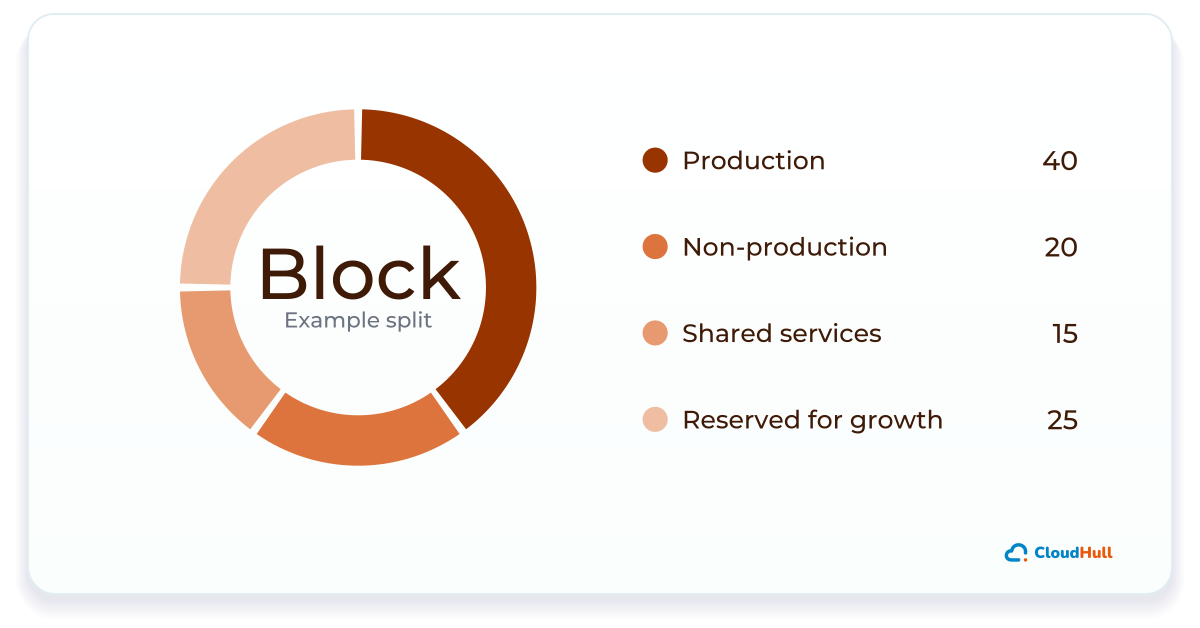
The plan assigns a large block to each environment and region, then carves out ranges for each account. Leave room, because networks grow. I reserve at least half the space unused and track allocations in an IP address management tool or even a reviewed spreadsheet in version control.
Building the Address Plan
- Collect every range in use today, on premises and in the cloud.
- Split a private block into regional and environment ranges.
- Reserve space for acquisitions and new regions.
- Record each allocation with an owner.
- Check new networks against the plan in your pipeline.
Where to Keep the Plan
Native IPAM services on AWS and Azure track allocations and flag overlaps. A plain file in a Git repository works for smaller estates.
Private Endpoints for Managed Services
Managed services default to public endpoints. Teams that take security seriously put those services behind private endpoints, so storage, databases and secrets managers are reachable only from inside their own networks. It also removes a lot of traffic from your NAT bill.
Private endpoints bring a DNS requirement that surprises people. Names must resolve to private addresses from every network that needs them, including your office and VPN users. I plan DNS first, and I have seen more than one rollout stall for a day because it was left until last.
Moving a Service to a Private Endpoint
- Inventory the managed services that hold data.
- Create endpoints in the networks that use them.
- Set up private DNS zones and link them to every consumer network.
- Disable public access on the service once traffic has moved.
- Test from the office, from a VPN client and from a build server.
Native Building Blocks
AWS PrivateLink, Azure Private Link and Google Private Service Connect all follow the same idea. A DNS resolver rule set ties them together.
Global Load Balancing and a CDN for Traffic Peaks
Retail teams learn about network limits on the busiest day of the year. A content delivery network absorbs static and cacheable traffic at the edge, and a global load balancer sends dynamic requests to the healthiest region. Together they keep origin servers calm while the front end stays quick.
The detail that separates good setups is cache design. Product pages, images and scripts need clear cache rules, and checkout must never be cached. I test the rules with a load test before the season, because a wrong rule on a cart page is an expensive way to learn.
Preparing for the Peak
- Classify every URL as cacheable, short-lived or never cached.
- Set cache headers and edge rules to match.
- Put health checks on every origin region.
- Run a load test at twice last year's peak.
- Keep a rollback plan for rule changes during the sale.
Edge and Balancing Tools
Cloudflare, Amazon CloudFront, Azure Front Door and Google Cloud CDN are common choices. Pick the one that fits your cloud and your team's skills.
Zero-Trust Access Replacing the Flat VPN
A traditional VPN drops every user onto the network. A zero-trust approach grants access to one application at a time and checks the user and device each time. For a fintech with contractors, this limits what a stolen laptop can reach.
Start with the least risky group. Developers reaching a staging environment are a good first pilot. Tailscale lists a free plan for up to 6 users for non-commercial use and paid plans from $8 per user per month, which makes a small trial cheap. Larger rollouts need an identity provider and a clear owner for access rules.
Running the Access Pilot
- Choose one application and one user group for the pilot.
- Connect your identity provider.
- Write access rules per application, not per network.
- Require a managed, patched device.
- Retire the old VPN profile for that group once the pilot works.
Tools to Compare
Tailscale, Cloudflare One and the zero-trust services from your cloud provider all fit. Compare them on identity integration and logging, then read my ranking of cloud networking tools.
Flow Logs and Network Observability From Day One
When a service times out, the first question is whether the network dropped the packet. Teams that answer it fast have flow logs, DNS logs and a simple path-testing habit in place before an incident. Teams that do not spend hours guessing.
Logs cost money, so be selective. Send flow logs for shared hubs and production networks to cheap storage and query them on demand. Keep a short list of dashboards, such as dropped traffic by rule and top talkers by cost, and review them monthly.
Setting Up the Visibility Layer
- Enable flow logs on hubs, gateways and production networks.
- Store them in a central bucket with a retention rule.
- Build queries for denied traffic and top talkers.
- Add synthetic tests between regions and to key SaaS providers.
- Share a one-page runbook for reading the results.
Observability Options
Native flow log services come first. Kentik, ThousandEyes and Datadog add analysis and path monitoring when the native views run out.
DNS-Based Failover Across Regions
A second region is only useful if traffic can move to it. DNS health checks that shift records when the primary fails are the simplest mechanism, and they work with almost any stack. The records need short lifetimes, and the secondary region needs real capacity.
Most failovers fail on state, not on DNS. Databases lag, caches are cold and queues hold messages for a region that is gone. I make teams run a real failover once a quarter and write down what broke.
From Standby to Tested Failover
- Define the recovery time and data loss you accept.
- Replicate data to the second region.
- Create health checks and failover records with short lifetimes.
- Scale the standby to carry real traffic.
- Practice a failover and fail back in a maintenance window.
Requirements
Route 53, Azure Traffic Manager and Cloud DNS all offer health-checked routing. Add a game day to your calendar so the drill actually happens.
Network Cost Reviews Next to the Architecture Review
Networking charges hide in line items named after gateways, addresses and data transfer. AWS lists $0.005 per hour for every public IPv4 address, in use or idle, and cross-zone traffic adds up in chatty designs. Top teams review those lines monthly, the same way they review compute.
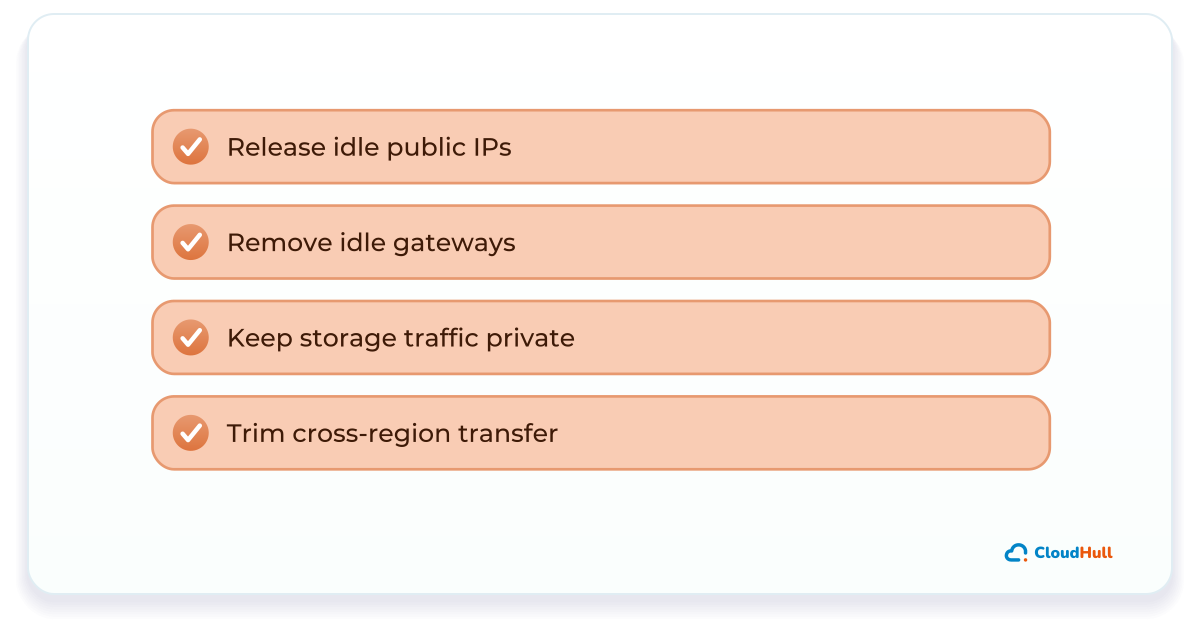
A short list of habits covers most savings: release unused public addresses, keep chatty services in the same zone when resilience allows, use private endpoints for heavy storage traffic and compare hub versus peering for the largest flows. If the bill is the pain point, my cloud networking consulting reviews start with exactly this list.
Reading the Network Bill
- Group network charges by line item for the last three months.
- Find the five largest and trace each to a workload.
- Release idle addresses and unused gateways.
- Move heavy traffic onto private paths where it is cheaper.
- Set a budget alert on data transfer.
Where to Look
Your provider's cost explorer groups charges by service and usage type. A tagging rule that names the owner of every gateway makes the follow-up easier.
What to Build First
The order matters more than the list. Foundations first, then protection, then speed and resilience. A sequence I use with new clients looks like this.
| Stage | Examples | Why this order |
|---|---|---|
| Foundations | IP plan, transit hub, flow logs | Everything else depends on addresses, routes and visibility |
| Protection | Egress control, private endpoints, zero-trust access | Cuts the damage a single compromised workload can do |
| Reach | Dedicated links, CDN and global balancing | Worth the cost once traffic and latency targets are clear |
| Resilience and cost | DNS failover, monthly cost review | Rehearsals and reviews keep earlier work from decaying |
Before you copy any pattern, check it against the habits in my list of cloud networking best practices. The examples show what good looks like, and the practices tell you which rules to hold the line on.
Picking Your First Step
Look at your last three incidents and your last three bills. The pattern that would have prevented the most pain is your first project. A short checklist helps:
- Do you know every network range in use, on premises and in the cloud?
- Can you list the destinations your workloads send data to?
- Does every critical path have a second route you have tested?
- Does someone own the network line items on your bill?
Each "no" points to an example above. When the answer is yes everywhere, look at tooling next. My ranking of cloud networking tools compares ten options, and the direction of the market is covered in cloud networking trends.
Questions About Cloud Networking Examples
What Is a Good Example of Cloud Networking?
A hub-and-spoke design is the example I see most. Each workload network attaches to a central hub, and routing, inspection and logging happen in one place. It scales from a handful of networks to hundreds and makes it clear who can reach what.
How Many VPCs or VNets Should I Have?
There is no magic number. Separate networks for production, staging and shared services are a sensible minimum, and many teams add one per workload or per team. The better question is whether you can name who owns each network and what it connects to.
Do I Need a Dedicated Link to the Cloud?
Only if the public internet is not good enough for a specific system, such as a processor, a legacy database or a large data feed. A site-to-site VPN covers many first projects. Order a dedicated circuit when latency, bandwidth or compliance rules call for it, and plan two.
Is Zero Trust a Replacement for Network Segmentation?
No. Zero-trust access controls who reaches an application. Segmentation limits what a compromised workload can reach once it is running. Good designs use both, and each covers gaps the other leaves.
How Do I Keep Cloud Network Costs Under Control?
Review data transfer, NAT gateway and public address charges monthly, keep heavy traffic on private paths and tag every gateway with an owner. Most surprises come from traffic nobody expected to cross a billed boundary.
What Is the Biggest Mistake in Cloud Networking?
Overlapping IP ranges chosen without a plan. It stays invisible until you connect two networks, and then fixing it means renumbering live workloads. A one-page address plan prevents it.
Should I Use One Cloud's Networking or a Multi-Cloud Tool?
Start with the native services of your main cloud. Add a multi-cloud tool when you run serious workloads in a second cloud and need one policy across both. Adding it earlier gives you another system to learn with little payoff.
Sources
Please note: this guide is general information and not legal, financial or tax advice. Numbers and examples are typical-project estimates; confirm current details with your providers and advisers.
Did this article help you?
Thanks, noted.
Garrett Linville
Garrett leads the Cloud Hull editorial team and works with the consultants to turn real client projects into practical guides on cloud migration, DevOps, security and cost control. Each article is edited together with the consultant who did the work, and every price and limit is checked against current provider documentation. He is based in the USA and works remotely.