Main Points
- Native hubs such as AWS Transit Gateway and Azure Virtual WAN cover most connectivity needs inside one cloud.
- Tailscale and Wireshark give you strong free options for access and troubleshooting.
- Monitoring tools such as Kentik, ThousandEyes and Datadog earn their cost when native flow logs stop answering questions.
- Choose by the problem you have today, then pilot on one real network before you commit.
The Best Cloud Networking Tools at a Glance
| Tool | Type | Best for |
|---|---|---|
| 1. Tailscale | Mesh VPN and private access | Small teams and developers who need secure access to private resources |
| 2. Cloudflare | Edge network, CDN and zero-trust access | Teams that want one provider for edge delivery, DNS and secure access |
| 3. AWS Transit Gateway | Cloud network hub on AWS | AWS teams connecting many VPCs and on-premises networks |
| 4. Azure Virtual WAN | Cloud network hub on Azure | Azure teams with branches, VPN users and several virtual networks |
| 5. Megaport | Private interconnect and software-defined network | Teams that need private links between data centers and one or more clouds |
| 6. Aviatrix | Multi-cloud network security and policy | Teams that want outbound and lateral traffic policy across workloads |
| 7. Wireshark | Free packet analyzer | Engineers who need to see exactly what is on the wire |
| 8. Kentik | Network observability and flow analytics | Teams that outgrew native flow logs and want traffic analysis across clouds and sites |
| 9. ThousandEyes | Internet and path monitoring | Teams that depend on SaaS, ISPs and cloud providers they do not control |
| 10. Datadog Network Monitoring | Network monitoring inside a full observability platform | Teams already using Datadog for infrastructure and applications |
The 10 Best Cloud Networking Tools, Ranked
I start with tools that solve access and connectivity, then move to interconnects, policy and finally troubleshooting and monitoring. Treat the tool as the smaller part of the result. In the cloud networking consulting projects I review, an address plan and clear ownership matter more than which product moves the packets.
Tailscale
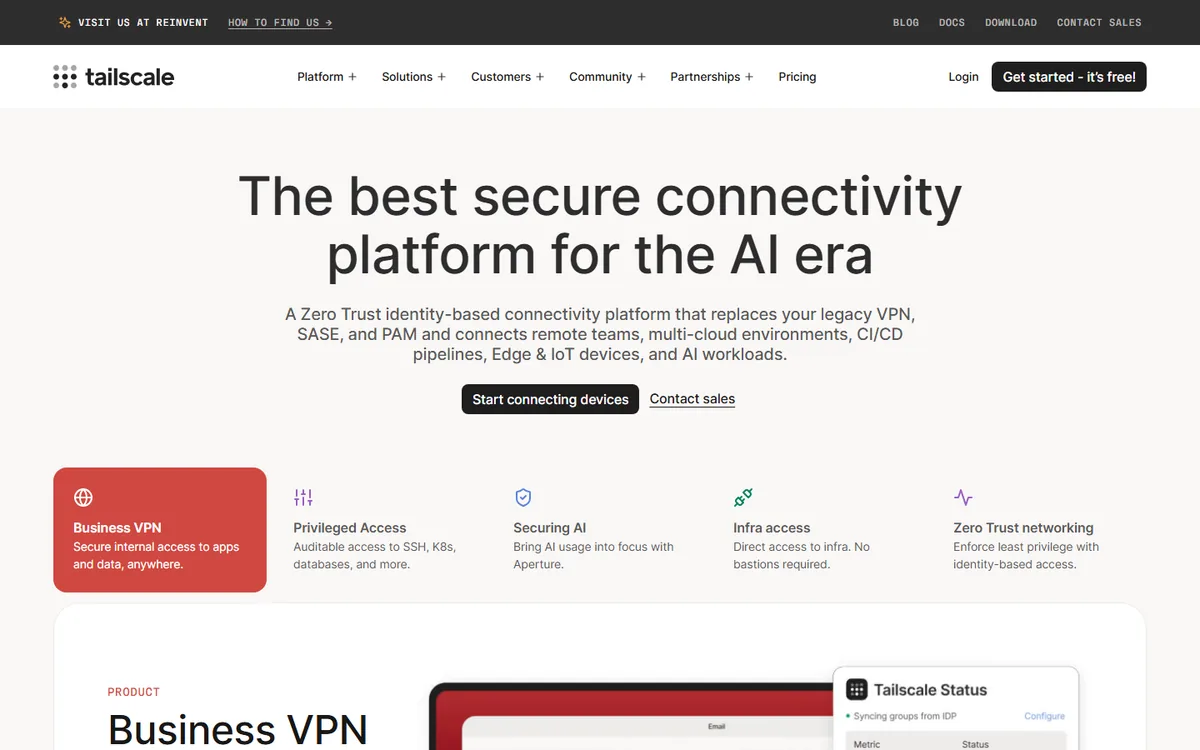
The Easiest Way to Give a Small Team Private Access to Cloud Resources
Tailscale builds a private network between your devices and servers, so people reach cloud resources without a traditional VPN gateway.
You install a client on each device or server, sign in through your identity provider and write access rules that say who can reach what. Traffic travels directly between devices when it can, which keeps latency low and removes the single VPN appliance everyone shares.
I like it for developer access to staging environments and for reaching private databases without opening public ports. For a large estate with strict audit demands you will want to check logging and policy depth against your needs, and the free plan is for non-commercial use only.
Tailscale Strengths
- A free plan exists for up to 6 users
- Setup takes minutes, not days
- Access rules are tied to identity
Tailscale Weaknesses
- The free plan is limited to non-commercial use
- Large regulated estates need a closer look at logging and policy
Tailscale Pricing
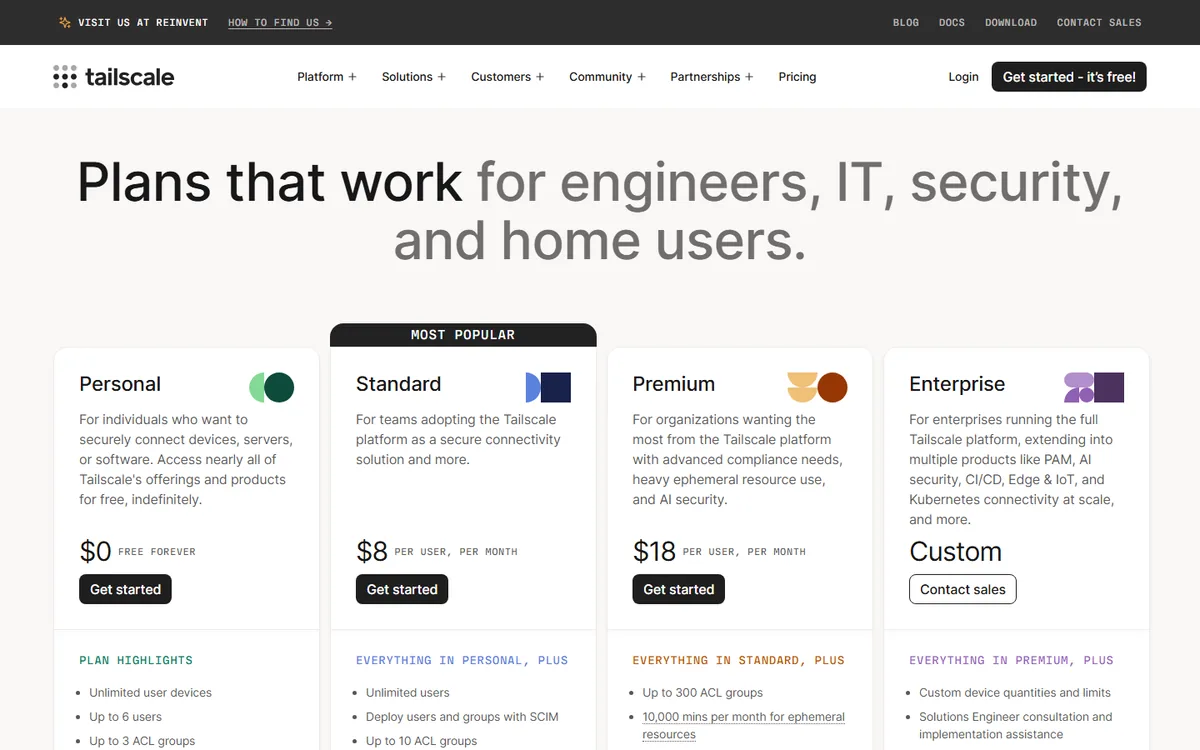
Tailscale lists a free Personal plan at $0 for up to 6 users, for non-commercial use. Standard is $8 per user per month, Premium is $18 per user per month and Enterprise is custom priced.
Tailscale Reviews
- G2: 4.6 of 5 stars (based on 31 verified reviews)
Cloudflare
A Single Edge Provider for Delivery, DNS and Zero-Trust Access to Your Apps
Cloudflare runs a global network that sits in front of your apps and your users, and it sells services for delivery, security and private access.
Ecommerce and fintech teams often start with its CDN and DNS, then add zero-trust access and network services under the Cloudflare One name. Because everything runs through one edge, policy and logs sit in one place.
The breadth is the strength and the challenge. Product names and plans are many, and I have seen teams buy more than they use. Pilot one use case, such as protecting an internal app, before you widen the contract.
Cloudflare Strengths
- One edge for delivery, DNS and access
- Global network that absorbs traffic peaks
- A free plan is offered for a proof of concept
Cloudflare Weaknesses
- Many products and plan names to sort through
- Zero-trust and network pricing is shown through sales on the pages I read
Cloudflare Pricing
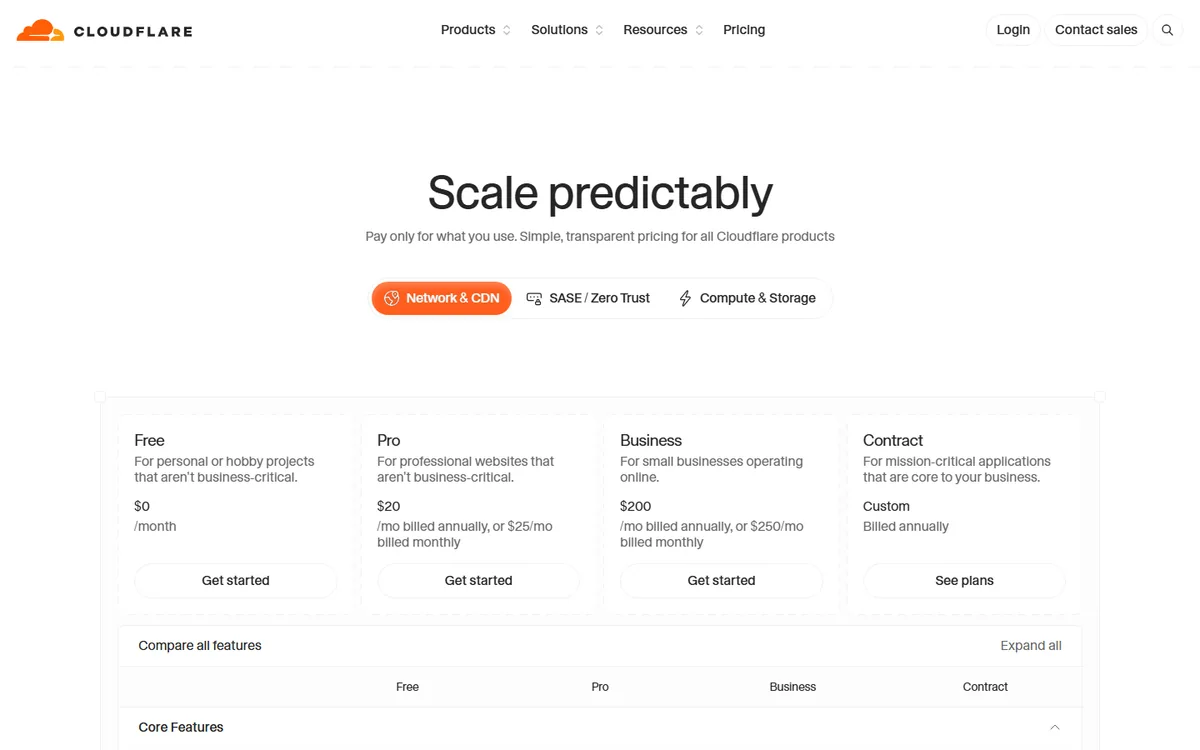
Cloudflare says you can start a proof of concept on a free plan, and the page I read did not list its limits. I could not read per-user prices for its SASE packages, which are handled by sales.
Cloudflare Reviews
- G2: 4.5 of 5 stars (based on 808 verified reviews) for the Cloudflare Application Security and Performance listing
AWS Transit Gateway
The Default Hub for Joining Many AWS Networks Without a Mesh of Peerings
AWS Transit Gateway is a regional router that connects VPCs and on-premises networks through one hub.
Each network attaches once, and route tables on the hub decide who can reach whom. That replaces a web of peerings with a design you can draw on one page, and it gives you one place to log and inspect traffic.
It charges per attachment hour and per gigabyte processed, so chatty pairs can be cheaper with direct peering. I model both views before I recommend the hub for heavy traffic.
AWS Transit Gateway Strengths
- One hub instead of many peerings
- Route tables separate environments cleanly
- Connects VPCs, VPN and dedicated links
AWS Transit Gateway Weaknesses
- Per-gigabyte processing adds cost on heavy traffic
- Works inside AWS, so it does not solve multi-cloud
AWS Transit Gateway Pricing
AWS’s example on its pricing page lists $0.05 per hour for each VPC attachment and $0.02 per GB of data processed. Rates vary by region, so use the AWS Pricing Calculator for your numbers.
AWS Transit Gateway Reviews
- G2: 4.4 of 5 stars (based on 28 verified reviews)
Azure Virtual WAN
A Managed Hub for Azure Networks, Branches and VPN Users in One Service
Azure Virtual WAN is Microsoft’s managed hub for connecting virtual networks, branch offices, VPN users and ExpressRoute circuits.
Microsoft runs the hub for you, which saves effort compared with building your own routing in each region. Branch devices from several vendors can connect to it, and routing between spokes works out of the box.
The billing model has several parts, so a cost estimate takes care. Hubs, data processing and connection units are all metered, and I like to run the numbers on one region before a wider rollout.
Azure Virtual WAN Strengths
- Managed hub that removes custom routing work
- Covers branches, VPN users and ExpressRoute
- Fits teams already on Azure
Azure Virtual WAN Weaknesses
- Several billing parts make estimates fiddly
- Azure only, so it does not span clouds
Azure Virtual WAN Pricing
Azure bills Virtual WAN by hub deployment hour, per GB of hub data processing and per connection unit hour. The pricing table I read showed no dollar amounts, so use the Azure pricing calculator for your region.
Azure Virtual WAN Reviews
- G2: 4.3 of 5 stars (based on 15 verified reviews)
Megaport
A Fast Way to Order Private Connections to Several Clouds Without Building Your Own
Megaport sells private connectivity between data centers, clouds and other networks, ordered through a portal or API.
Instead of negotiating a separate circuit per cloud, you buy a port and create virtual connections to each provider. Cloud-to-cloud links and a virtual router give you a private path between providers without sending traffic over the public internet.
It suits companies that outgrew a VPN and want dedicated paths. I advise the same redundancy rule as for any link: two ports in different facilities, tested before you rely on them.
Megaport Strengths
- Order connections in minutes through a portal
- One port reaches several clouds
- Highest G2 rating in this list
Megaport Weaknesses
- Costs add up with several ports and connections
- Still requires planning for redundancy
Megaport Pricing
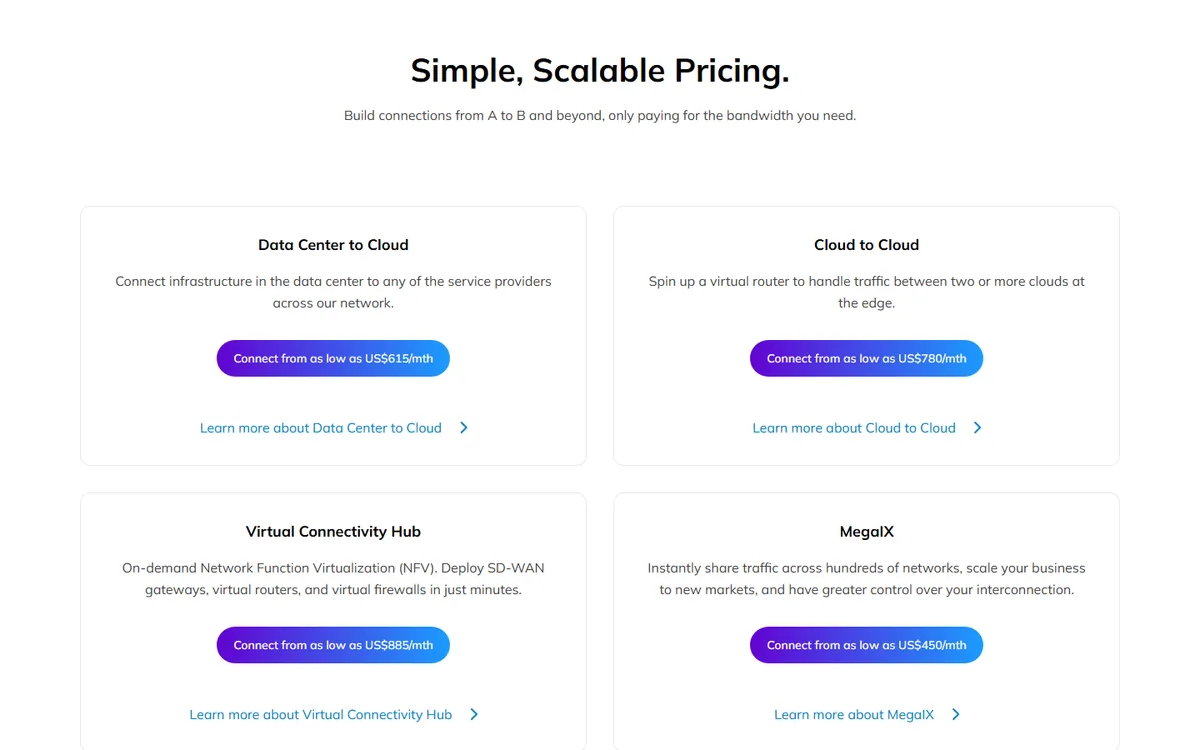
Megaport lists monthly prices that start at US$615 for data center to cloud, US$780 for cloud to cloud and US$885 for a virtual connectivity hub. Other connection types are priced in its portal, and Global WAN is quoted by sales.
Megaport Reviews
- G2: 4.8 of 5 stars (based on 221 verified reviews)
Aviatrix
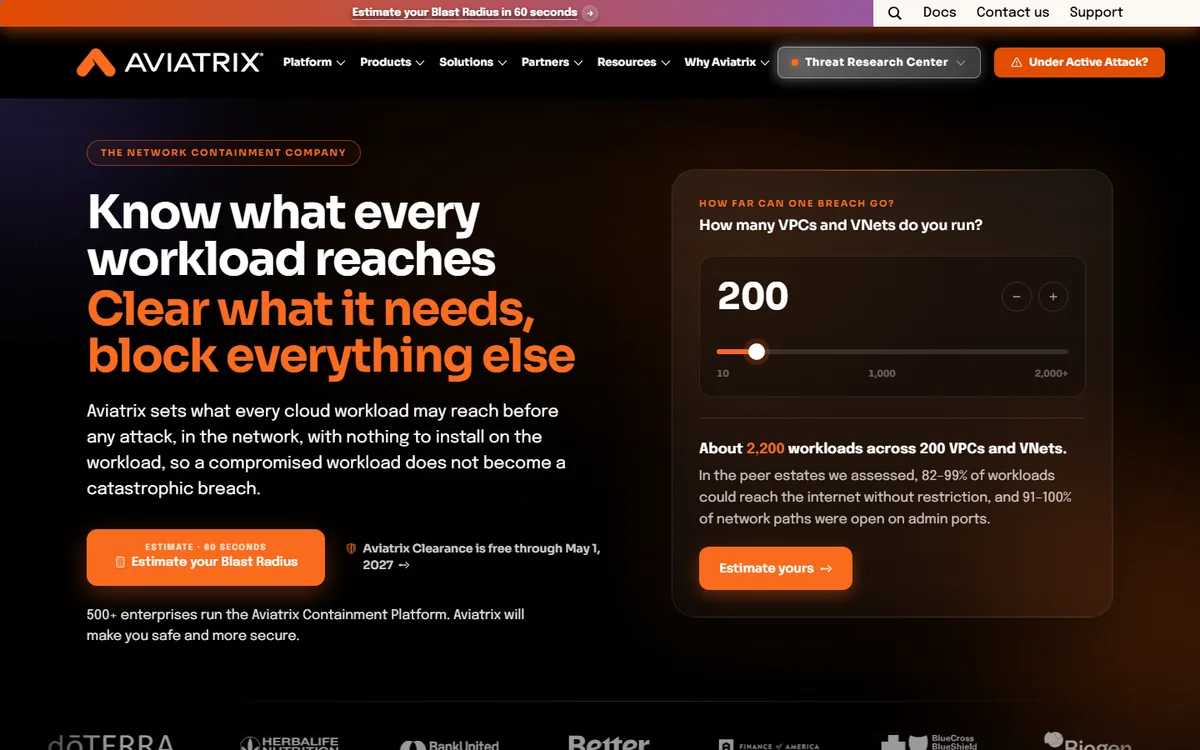
Policy by Workload and Tag for Outbound and Lateral Traffic in Your Cloud Accounts
Aviatrix focuses on controlling where workloads can send data and which workloads can talk to each other.
Its outbound containment sets rules by domain, tag or group and can run in monitor mode before you enforce. Lateral containment limits traffic between workloads and can block management ports such as SSH and RDP.
The pricing page states that VPC, VNet and cloud-to-cloud connectivity are not included today, so it complements a hub and does not replace one. The per-workload model is easier to predict than traffic-based pricing.
Aviatrix Strengths
- Monitor mode before enforcement
- Rules by tag and group
- Free tier with no time limit
Aviatrix Weaknesses
- Lateral containment is AWS only today
- Does not provide cloud-to-cloud connectivity today
Aviatrix Pricing
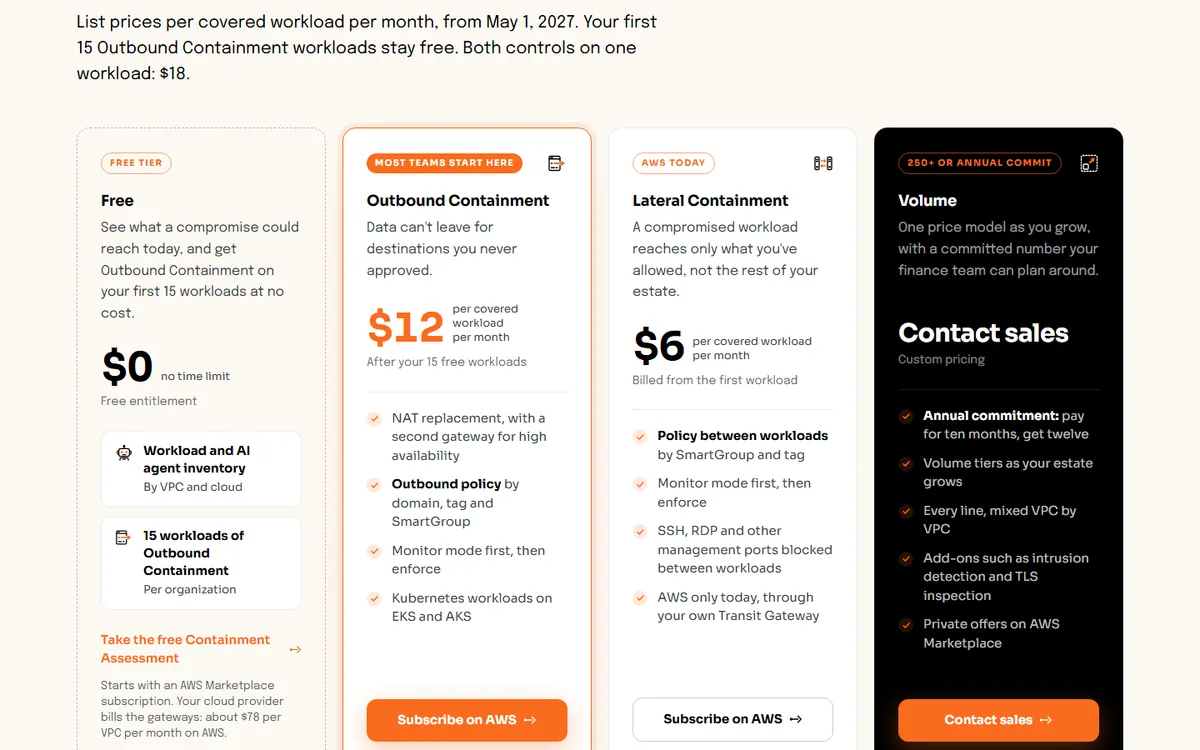
Aviatrix lists a free tier at $0 with no time limit for a workload and AI agent inventory and outbound containment on the first 15 workloads. From May 1, 2027 its list prices are $12 per workload per month for outbound containment, $6 for lateral and $18 for both. Cloud providers bill the gateways separately, which the page puts at about $78 per VPC per month on AWS.
Aviatrix Reviews
- G2: 4.3 of 5 stars (based on 11 verified reviews)
Wireshark
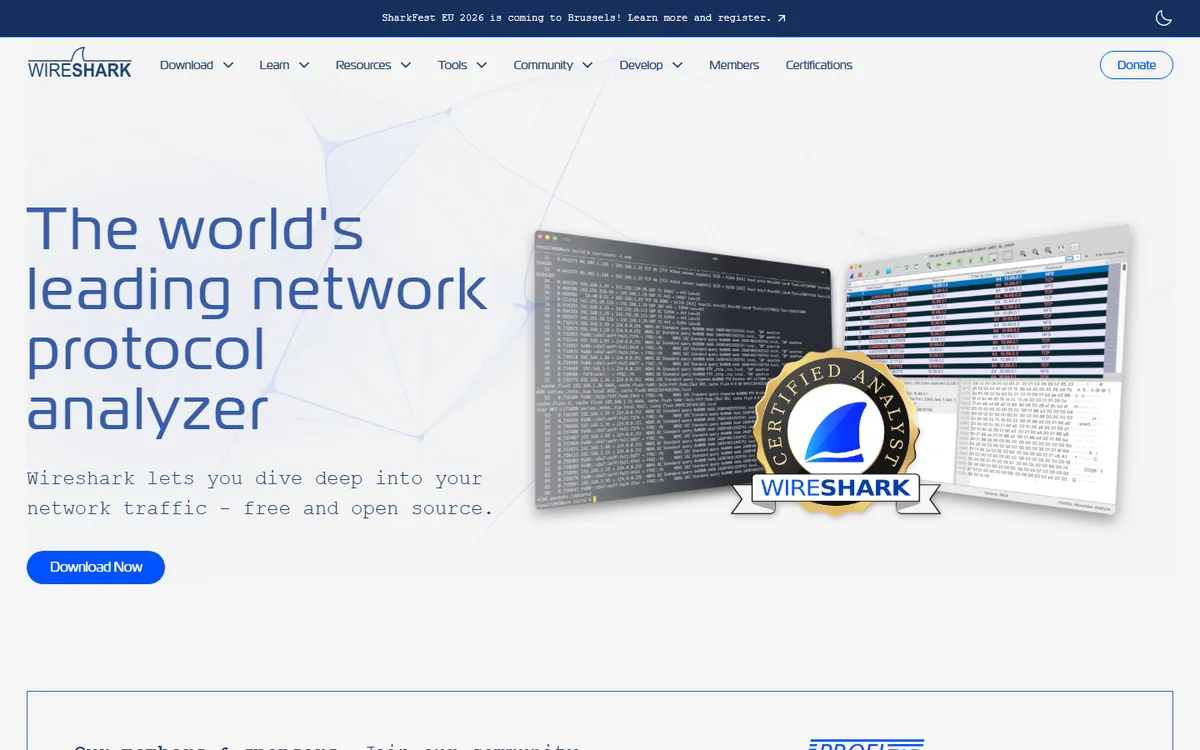
The Free Standard for Packet-Level Troubleshooting When Logs Do Not Explain the Problem
Wireshark captures and analyzes network packets, and it is free to download and use.
When a connection resets for no clear reason, a capture shows the handshake, the retries and the exact moment things fail. In the cloud you usually capture on an instance, a mirrored port or a virtual appliance, so plan the capture point first.
It needs skill to read well, and it does not give you ongoing monitoring. I keep it as the tool I reach for after the dashboards run out of answers, and I teach teams a few display filters early.
Wireshark Strengths
- Free software under the GPL v2 license
- Deep protocol coverage
- Large community and documentation
Wireshark Weaknesses
- Needs skill to interpret captures
- Not a monitoring tool, so it only shows what you capture
Wireshark Pricing
Wireshark is free software licensed under the GNU General Public License version 2, and you can download it without paying a license fee.
Wireshark Reviews
- G2: 4.7 of 5 stars (based on 148 verified reviews)
Kentik
Flow Analytics That Turns Raw Traffic Records Into Answers Across Clouds and Sites
Kentik collects flow data from cloud and physical networks and shows who is talking to whom, how much and at what cost.
It helps you find top talkers, trace unusual traffic and understand where data transfer charges come from. Because it covers cloud and on-premises networks in one view, it suits hybrid estates.
The entry price is higher than most tools in this list, so you need enough network complexity to justify it. I would run the free trial on one busy network and ask whether it answers questions your logs could not.
Kentik Strengths
- Covers cloud and on-premises traffic in one view
- Helps explain data transfer costs
- Strong G2 rating
Kentik Weaknesses
- Pro starts at a high price for small teams
- Annual contracts only
Kentik Pricing
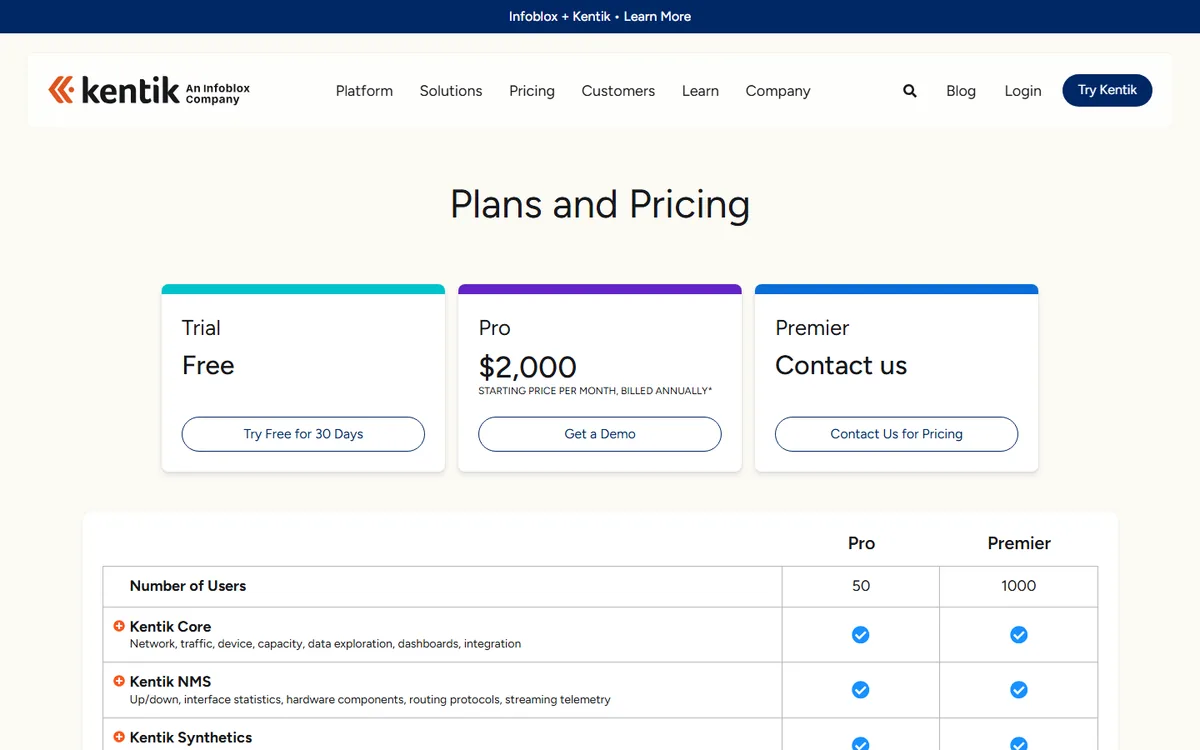
Kentik offers a free 30-day trial. Pro starts at $2,000 per month billed annually, which is $24,000 per year for US pricing, and Premier is quote only. Paid editions require an annual contract.
Kentik Reviews
- G2: 4.8 of 5 stars (based on 23 verified reviews)
ThousandEyes
Path Monitoring That Shows Where the Internet Between You and Your Users Breaks
ThousandEyes, from Cisco, tests network paths from many vantage points and shows where delays and outages occur.
When customers say your app is slow and your servers look fine, the problem is often an ISP or a provider in between. ThousandEyes runs synthetic tests and shows the hop where things degrade, which gives you evidence for a support ticket.
It is priced by what you monitor, so a careful scope matters. I start with the five paths that matter most to revenue and add more later.
ThousandEyes Strengths
- Shows problems outside your own network
- Synthetic tests from many locations
- Includes cloud-specific insights
ThousandEyes Weaknesses
- Pricing is by quote
- Scope creep raises the cost quickly
ThousandEyes Pricing
ThousandEyes is an annual subscription priced by what you monitor, and the page I read listed no dollar amounts. It offers a 15-day free trial with no credit card required.
ThousandEyes Reviews
- G2: 4.5 of 5 stars (based on 80 verified reviews)
Datadog Network Monitoring
The Natural Add-On for Teams That Already Watch Everything Else in Datadog
Datadog Network Monitoring adds traffic visibility to a platform that already tracks hosts, containers, logs and applications.
The value is correlation. A slow request can be followed from the application to the service dependency to the network flow in one place, which shortens investigations.
I like it when Datadog is already your standard. If it is not, a stand-alone network tool may be cheaper and simpler. Costs grow with scale, and G2 reviewers often name cost as the most common complaint about the platform.
Datadog Network Monitoring Strengths
- Network data sits next to logs, metrics and traces
- Many integrations
- Useful for dependency mapping
Datadog Network Monitoring Weaknesses
- Costs climb with scale
- Crowded interface for new users
Datadog Network Monitoring Pricing
I could not read a price for Network Monitoring on the Datadog pages. Datadog lists its Infrastructure plans at $15 per host per month for Pro and $23 for Enterprise when billed annually, which is a separate product.
Datadog Network Monitoring Reviews
- G2: 4.4 of 5 stars (based on 749 verified reviews) for the Datadog platform as a whole
How to Choose the Right Cloud Networking Tool
In my experience, the problem you need to solve decides the tool. Before you compare vendors, answer four questions:
- Are you connecting networks, people, data centers or all three?
- Do you run one cloud or several?
- How much visibility do native flow logs give you today?
- Who will operate the tool after the first month?
If you stay in one cloud, start with its hub and add tools only where a gap shows up. For remote access, trial Tailscale or Cloudflare on one team. Add Wireshark for deep troubleshooting at no cost, and look at Kentik, ThousandEyes or Datadog when you need monitoring across paths and providers. Before you buy anything, compare your setup with the patterns in my cloud networking best practices. If you want to see how top teams combine these tools, my list of cloud networking examples shows real setups, and the market direction is in cloud networking trends.
Questions About Choosing Cloud Networking Tools
What Is the Best Cloud Networking Tool?
There is no single best tool. For connecting networks inside one cloud, the native hub is usually the first choice. For access, Tailscale or Cloudflare. For troubleshooting, Wireshark is free. Monitoring tools come after you know which questions your flow logs cannot answer.
Are There Free Cloud Networking Tools?
Yes. Wireshark is free software under the GPL v2 license. Tailscale lists a free Personal plan for up to 6 users, for non-commercial use. Cloud providers also include basic network services, though you pay for the traffic and gateways you use.
Do I Need a Multi-Cloud Networking Tool?
Only when you run serious workloads in more than one cloud and need one policy across them. For a single cloud, the native services are simpler and cheaper to operate.
What Is the Difference Between a Cloud Hub and an Interconnect Provider?
A hub such as Transit Gateway routes traffic between your cloud networks. An interconnect provider such as Megaport sells private links between your sites and one or more clouds. Many companies use both.
How Much Do Cloud Networking Tools Cost?
It ranges from free to tens of thousands of dollars a year. Kentik lists its Pro plan from $2,000 per month billed annually, while Tailscale lists paid plans from $8 per user per month. Cloud hubs bill by hour and by traffic.
Which Tool Is Best for Network Monitoring?
It depends on your estate. Kentik focuses on flow analysis, ThousandEyes on path monitoring across the internet and Datadog on combining network data with the rest of your telemetry. Run a trial on your own traffic before you decide.
How Do I Avoid Surprise Networking Bills?
Model hourly charges and data processing before you move traffic, tag every gateway with an owner and review the network lines of your bill every month.
Important: prices, plans and ratings move quickly. They reflect our last update, so double-check each vendor’s site before purchasing. Nothing in this article is legal or financial advice.
Did this article help you?
Thanks, noted.
Garrett Linville
Garrett leads the Cloud Hull editorial team and works with the consultants to turn real client projects into practical guides on cloud migration, DevOps, security and cost control. Each article is edited together with the consultant who did the work, and every price and limit is checked against current provider documentation. He is based in the USA and works remotely.