Main Points
- Assess six areas: business, people, governance, platform, security and operations.
- Score every application for readiness and payoff, and decide to move, retire or keep it.
- Use interviews and discovery tools together, since each finds what the other misses.
- End with a ranked plan, an owner and a budget range, not a long report.
A cloud adoption assessment tells you how ready your organization is to move to the cloud and what to do first. Done well, it takes a few weeks and ends in a ranked plan. Done badly, it produces a 90-page document that nobody opens.
I run assessments as part of cloud adoption consulting, and the method below is the one I use. You can run it yourself with a small team, and the sections explain where an outside view helps most.
What an Assessment Covers
The assessment has two parts. The first looks at your organization: strategy, people, governance, platform, security and operations. The second looks at your applications and data, and decides what happens to each one. The AWS, Microsoft and Google adoption frameworks all structure their guidance around similar areas, which is a good sign that the list is complete.
| Area | What it answers | Typical evidence |
|---|---|---|
| Business | Why are you moving, and who pays? | Goals, budget, sponsor, targets |
| People | Who can build and run it? | Skills inventory, training plan, roles |
| Governance | Who decides, and by which rules? | Policies, approval paths, cost ownership |
| Platform | Which applications and data are ready? | Inventory, dependencies, architecture notes |
| Security | Which controls and rules must carry over? | Compliance needs, identity setup, data classes |
| Operations | How will you monitor, back up and respond? | Runbooks, monitoring, incident history |
The Assessment in Six Steps
Plan on two to four weeks for a mid-sized company. The steps overlap, and the interviews take the most calendar time because people are busy.
Step 1: Set Scope and Sponsors
Decide which business units, applications and data are in scope, and who will receive the result. Write down the goal in one sentence. An assessment with no decision at the end tends to drift.
Step 2: Build the Application Inventory
List every application with its owner, purpose, technology, users, data type and approximate cost. Discovery tools such as AWS Application Discovery Service, Azure Migrate or Google's migration tools find servers and dependencies automatically, but they miss business context. Start with the tool, then correct it by asking owners.
Step 3: Interview the People Who Run Things
Talk to the engineers who keep the systems running, not only the managers. Ask what breaks, what nobody wants to touch and which scheduled jobs exist. In my client work, the most useful facts came from the person who says "oh, and there is this one script". Allow 45 minutes per application owner for the top candidates.
Step 4: Score Readiness and Payoff
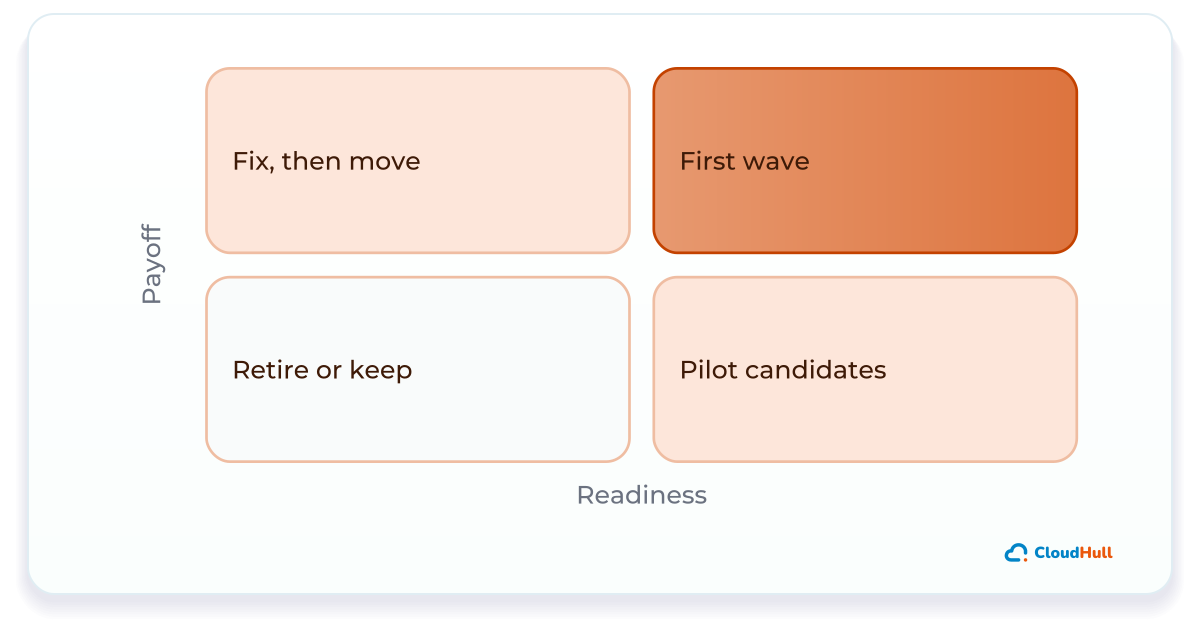
Give each application a readiness score and a payoff score, using the criteria below. Plot them on a grid, and the order of work becomes visible.
Step 5: Check Skills, Security and Operations
Compare what the first workloads will need against what you have. Look at skills, identity management, monitoring and how you would handle an incident in the cloud. Gaps become the first items in your plan.
Step 6: Present a Ranked Plan
The output is a list of decisions with owners: which applications move first, which are retired and which stay. Add a budget range, a timeline and the gaps to close first. A good readout takes an hour and ends with named next steps. The resulting plan fits the phases in my cloud adoption roadmap.
How to Score Each Application
I use five readiness criteria and four payoff criteria, each scored from 1 to 5. The weights are simple, because the goal is a defensible ranking and not a decimal point of precision.
| Criterion | Score 1 means | Score 5 means |
|---|---|---|
| Dependencies | Tied to many unknown systems | Self-contained or well mapped |
| Technology fit | Needs special hardware or old OS | Runs on standard platforms |
| Data sensitivity | Regulated data with residency limits | Low-risk data |
| Licensing | Tied to server or unclear terms | Cloud-friendly or open source |
| Team knowledge | Nobody understands it | Owners know it well |
| Business value | Rarely used | Central to revenue or operations |
| Change rate | Almost never changes | Changes often, and releases hurt |
| Scaling need | Flat, predictable load | Spiky or growing load |
| Run cost | Cheap to run today | Expensive hardware or support |
Add up each group. Applications with high readiness and high payoff go first. High payoff and low readiness need preparation, such as cleanup or a rewrite plan. Low payoff and high readiness are easy wins that can fill gaps between larger moves. Low on both usually means retire or keep.
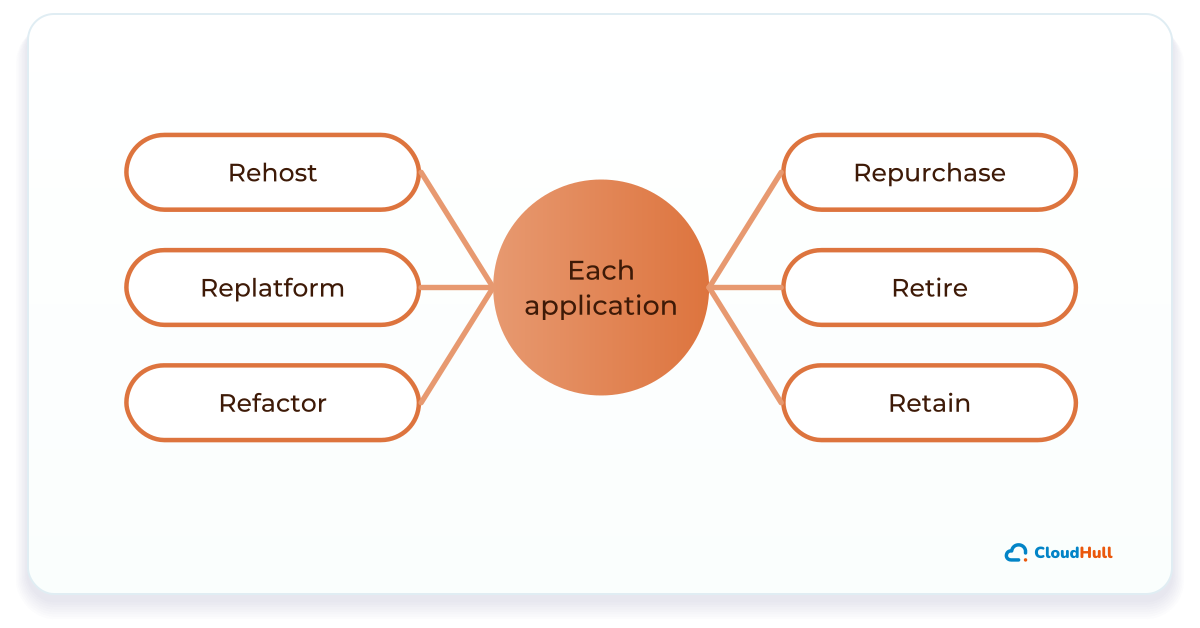
Each application then gets one of the common migration strategies: rehost, replatform, refactor, repurchase, retire or retain. The AWS guide to migration strategies describes the options, and you can use them as a shared vocabulary with your team.
Assessing People, Security and Operations
Application scoring gets the attention, but the other areas often decide the outcome. For people, ask how many engineers have run a production workload in the cloud, and whether those people are also the ones needed for the migration. A team that is already fully loaded with daily operations cannot add a migration without something giving way.
For security, list the compliance rules that apply, such as PCI DSS for card data, and check whether your identity system can extend to the cloud. Ask where data may be stored and who may access it. Findings here usually shape the landing zone design, and the issues that follow are covered in my article on cloud adoption risks.
For operations, check monitoring, backups, incident handling and on-call routines. Cloud environments change faster than data centers, and teams used to quarterly change windows often need new habits. Write down what will be different on day one after the first workload moves.
A Readiness Checklist You Can Use Today
Answer yes or no. Every no is a candidate for the first phase of your plan.
- A sponsor with budget authority has agreed on the goals in writing.
- You have an application inventory with owners and dependencies.
- You know which regulations and data location rules apply.
- At least two engineers have run production workloads on your target provider.
- A budget, tagging rule and cost owner exist for cloud spend.
- Your identity system can extend to the cloud with single sign-on.
- You have a plan for monitoring, backup and incident response.
- You know which applications will be retired or left in place.
Six or more yes answers mean you can start a pilot soon. Three to five mean you should spend a month on foundation work first. Fewer than three suggests starting with goals, ownership and skills, and leaving technical migration to later. The challenges you are likely to meet along the way are listed in my guide to cloud adoption challenges.
Turning Results Into a Plan
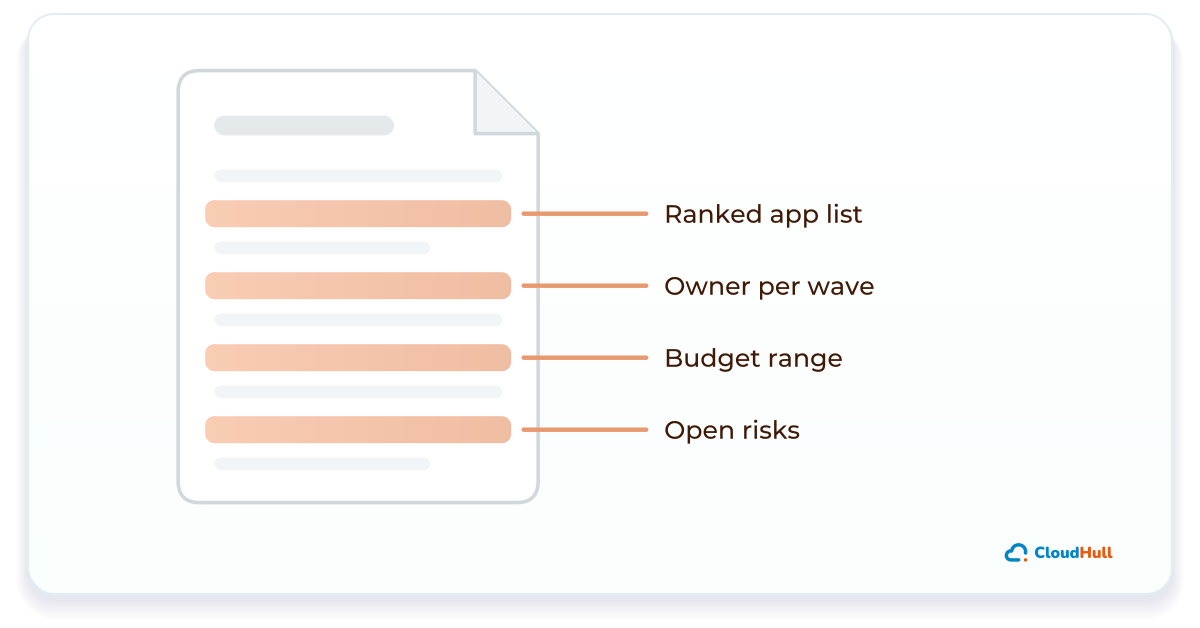
The assessment should end with a short document. Mine usually has five parts: the goal, the readiness score for each area, the ranked application list with a decision for each, the gaps to close first and a rough budget and timeline. Skip anything that does not support a decision.
Budget ranges depend on your size and approach, and they are always wrong in the first version. Show a low, expected and high case, and say what moves a number from one to the other. Teams that present one number get held to it when a license surprise arrives. When you turn the plan into action, the habits in my guide to cloud adoption best practices keep the early phases from drifting.
Mistakes That Make an Assessment Useless
I have seen assessments that cost real money and changed nothing. The causes repeat. The first is scope creep: the team tries to analyze every server in detail and runs out of time before reaching a decision. A light screen of everything and a deep review of the top candidates is faster and more useful.
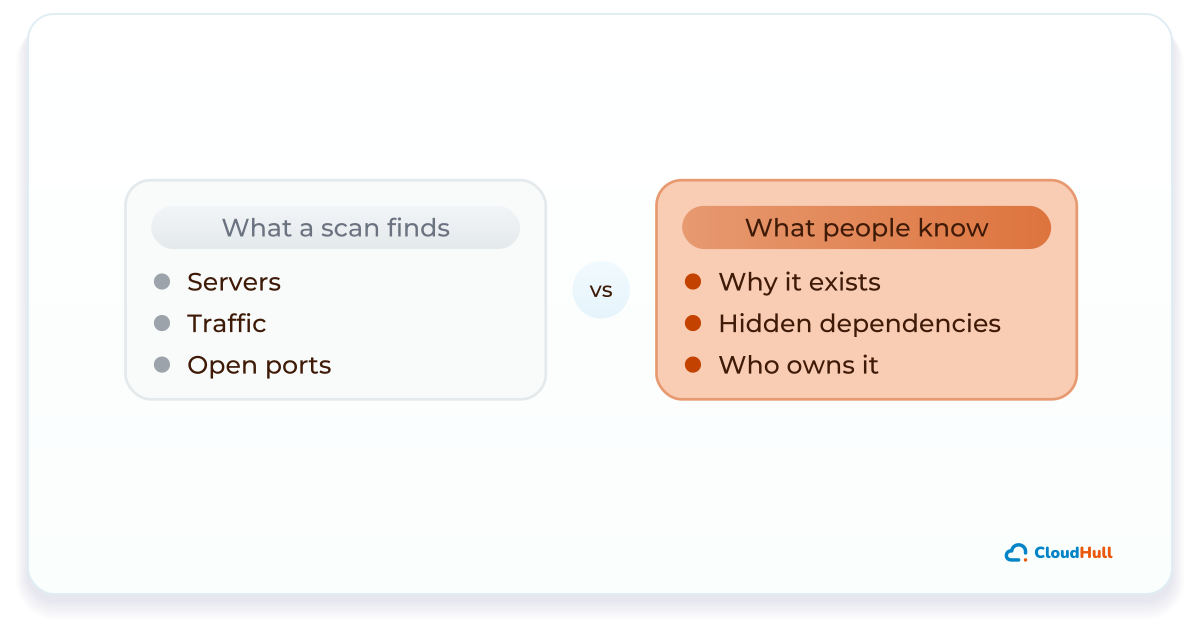
The second is tool-only discovery. A scan lists servers and traffic, and the report looks thorough, but nobody asked why the finance system has a nightly job that writes to a file share. The third is a result with no owner. A ranked list that nobody is asked to act on ends up in a shared folder, and six months later the team repeats the work.
The fourth is treating the score as the decision. A score is an input. A low-scoring application may still move first because a contract ends, and a high-scoring one may wait because its owner is on leave. Record the reason whenever you override the ranking, so later readers know what happened.
Finally, avoid a readiness bar that nobody can meet. If your checklist says every area must score at least four out of five before you start, you will never start. Use the scores to choose what to fix first, and begin the pilot as soon as the biggest gaps have a plan.
When to Repeat the Assessment
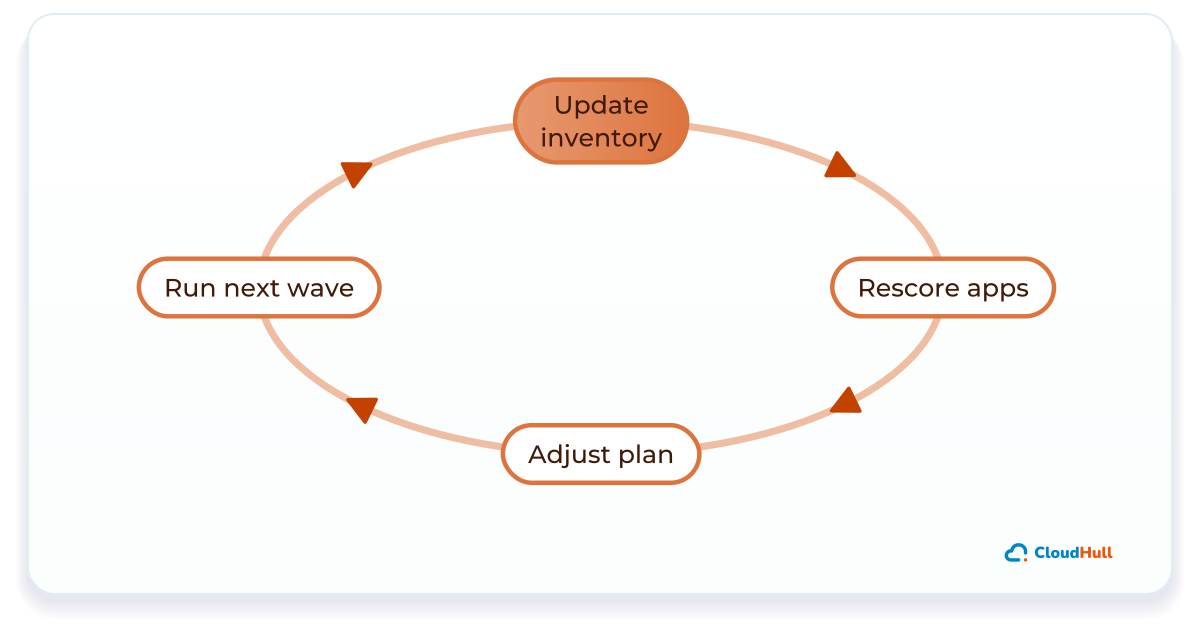
An assessment is a snapshot. Applications change, people leave and new rules arrive, so a result from last year loses value. I suggest a light refresh before each migration wave, covering only the applications in that wave and any change in skills or governance. A full reassessment makes sense every year or after a merger, a major provider change or a new regulation that touches your data.
Keep the first assessment's inventory in a living form, such as a table in your configuration database or a shared sheet with one owner. Refreshing a maintained inventory takes days, and rebuilding a stale one takes weeks.
Run It Yourself or Bring in Help
A small team can run the assessment itself when it has a clear sponsor and someone who has done cloud programs before. Outside help pays off when you lack that experience, when internal politics make honest scoring hard or when you need a result in weeks. Before you decide, check that you can answer these:
- Someone can lead the effort for several weeks without other duties.
- Application owners will make time for interviews.
- Someone on the team has run a cloud migration before.
If any of those is a no, an outside assessment gives you a neutral view and a faster result.
Questions About Your Cloud Adoption Assessment
How Long Does a Cloud Adoption Assessment Take?
For a company with 20 to 100 applications, two to four weeks is typical, including interviews and a readout. Larger portfolios take longer, mostly because of the time it takes to reach application owners.
What Does a Cloud Adoption Assessment Cost?
Running one yourself costs staff time. Outside assessments are usually priced as a fixed fee that depends on the number of applications and teams in scope. Ask for the scope and the deliverables in writing before you agree.
Who Should Take Part in the Assessment?
Application owners, infrastructure and security engineers, a finance contact, someone from legal or compliance and a business sponsor. Missing voices cause the late surprises that stall programs.
What If My Score Is Low?
A low score is useful information. It tells you to start with foundation work such as skills, governance and a pilot before moving critical systems. Many successful programs began with low readiness.
Should I Assess Every Application?
For large portfolios, begin with a light screen of every application and a deep review of the top 15 to 20 candidates. Detailed analysis of systems you will retire or leave alone wastes time.
Do Automated Discovery Tools Replace Interviews?
No. Discovery tools find servers, dependencies and usage, and interviews find purpose, business risk and planned change. You need both, because tools cannot tell you that a system is about to be replaced.
Which Cloud Framework Should I Base the Assessment On?
AWS, Microsoft and Google each publish a free adoption framework, and they overlap heavily. Choose the one that matches your likely primary provider, or use the common themes of business, people, governance, platform, security and operations.
Sources
- AWS Cloud Adoption Framework
- Microsoft Cloud Adoption Framework for Azure
- Google Cloud Adoption Framework
- AWS migration strategies guide
- PCI Security Standards Council
Please note: this guide is general information and not legal, financial or tax advice. Numbers and examples are typical-project estimates; confirm current details with your providers and advisers.
Did this article help you?
Thanks, noted.
Garrett Linville
Garrett leads the Cloud Hull editorial team and works with the consultants to turn real client projects into practical guides on cloud migration, DevOps, security and cost control. Each article is edited together with the consultant who did the work, and every price and limit is checked against current provider documentation. He is based in the USA and works remotely.