Main Points
- Settle goals, owners and skills before you move anything.
- Build a landing zone with identity, network, tags and budgets before the first workload.
- Pilot first, migrate in waves and rehearse every cutover.
- Review cost, security and reliability every quarter, because cloud environments drift.
Most cloud adoption advice is either vague or tied to one vendor's products. The twelve practices below come from programs I have worked on, and from the places those programs went wrong. They are grouped by the stage you are in, so you can skip to the part that matches your situation.
If you want to apply them with help, cloud adoption consulting covers the assessment, the foundation and the first waves. For the problems these practices prevent, see my list of cloud adoption challenges.
The Twelve Practices by Stage
| Stage | Practices | Main payoff |
|---|---|---|
| Before you move | Outcomes, owners, assessment, skills | A program that has direction |
| Foundation | Landing zone, network, identity, tags and budgets | Safe, cheap defaults for every team |
| Migrate and operate | Pilot and waves, rehearsals, code, quarterly reviews | Controlled risk and falling waste |
Before You Move Anything
Four habits decide most of the outcome, and none of them needs a cloud account. Skipping them is the most common reason programs stall in the second year.
1. Tie Adoption to Two or Three Business Outcomes
Goals such as shorter release time, a closed data center or lower hardware spend let you say no to work that does not help. I ask clients to write each goal with a number and a date. A program with ten goals has none.
Do this: Write outcomes with numbers, review them each quarter. Avoid this: Moving because competitors are.
2. Name One Sponsor and One Program Owner
The sponsor removes blockers and holds the budget, and the owner runs the plan day to day. When ownership is shared between infrastructure, security and product, decisions wait for meetings. Give the owner real authority over scheduling and priorities.
Do this: Put both names on the plan. Avoid this: A steering group where everyone has a veto and nobody has the budget.
3. Assess Applications Before You Choose a Strategy
Each application should get a decision: rehost, replatform, refactor, repurchase, retire or retain. Retiring unused applications is the cheapest migration you will ever do. My guide to a cloud adoption assessment shows the scoring.
Do this: Inventory everything, score it and make a decision for each application. Avoid this: Lifting and shifting every server because it is the default.
4. Plan Skills as Carefully as Servers
Hiring takes months and training takes practice. List the skills your first two waves need, compare them with what you have and fill gaps with training, hires or a partner. Pair outside experts with internal owners, so knowledge stays after they leave.
Do this: Train on a real workload and certify a few key engineers. Avoid this: Letting two people hold all the knowledge.
While You Build the Foundation
These practices belong in the landing zone, where changes are cheap. Each one prevents a problem that gets more expensive with every team that joins.
5. Build a Landing Zone Before the First Workload
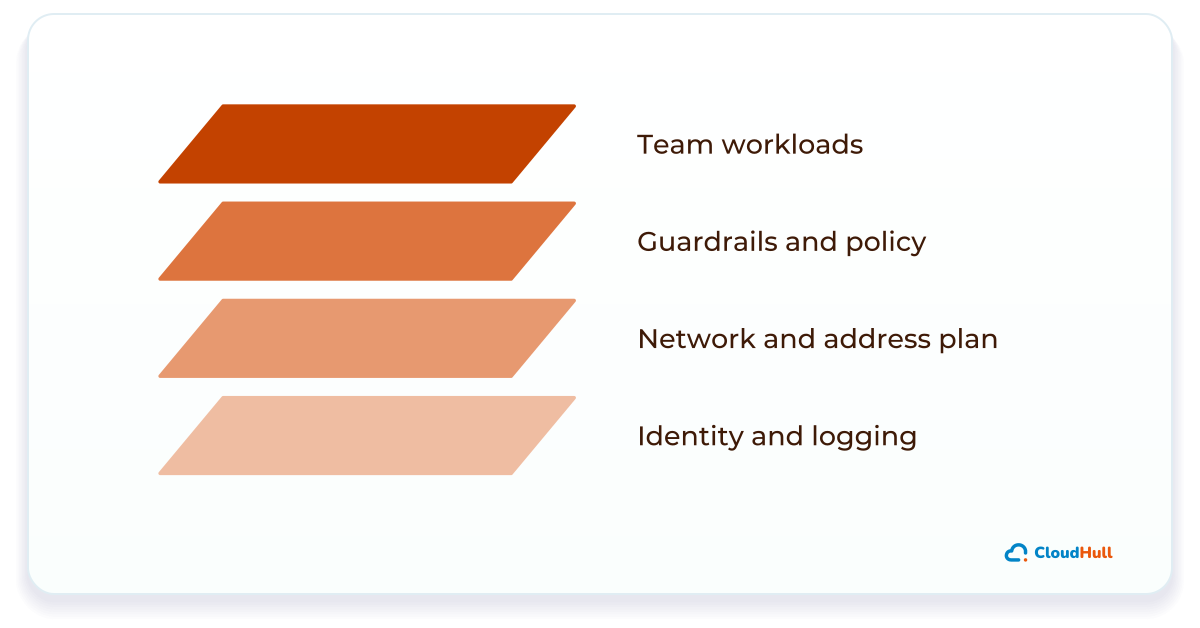
A landing zone gives you accounts or subscriptions, identity, network ranges, logging and baseline policies. Cloud providers publish reference designs, such as AWS Control Tower and the Azure landing zone guidance. Use them as a starting point and adjust to your needs.
Do this: Define the foundation in code and review it with two product teams. Avoid this: Letting each project create its own accounts and networks.
6. Plan the Network and Address Space Early
Overlapping address ranges block connections between environments, and renumbering a live network is painful. Reserve ranges for every account, region and site, with growth room. See cloud networking consulting for what a sound design includes.
Do this: Document the address plan and keep it in version control. Avoid this: Using the default range in every account.
7. Use Least-Privilege Identity From Day One
Central identity with single sign-on, short-lived credentials and role-based access removes most of the risk that comes with shared admin accounts. Review access on a schedule, and remove accounts when people change roles.
Do this: Grant access by role, require multi-factor authentication and log every admin action. Avoid this: Shared root credentials and long-lived access keys.
8. Tag Everything and Set Budgets Per Team
Without tags, a bill shows only totals. With tags for team, product and environment, you see who spends what and can ask the right person. Set alerts at 50%, 80% and 100% of each budget. The FinOps Framework describes how finance and engineering review these numbers together.
Do this: Enforce required tags with policy and review spend monthly. Avoid this: A single shared account with one bill and no owner.
As You Migrate and Operate
The last four practices keep the program healthy once workloads move. They are less exciting than the foundation, and they decide whether the cloud pays back.
9. Start With a Pilot and Move in Waves
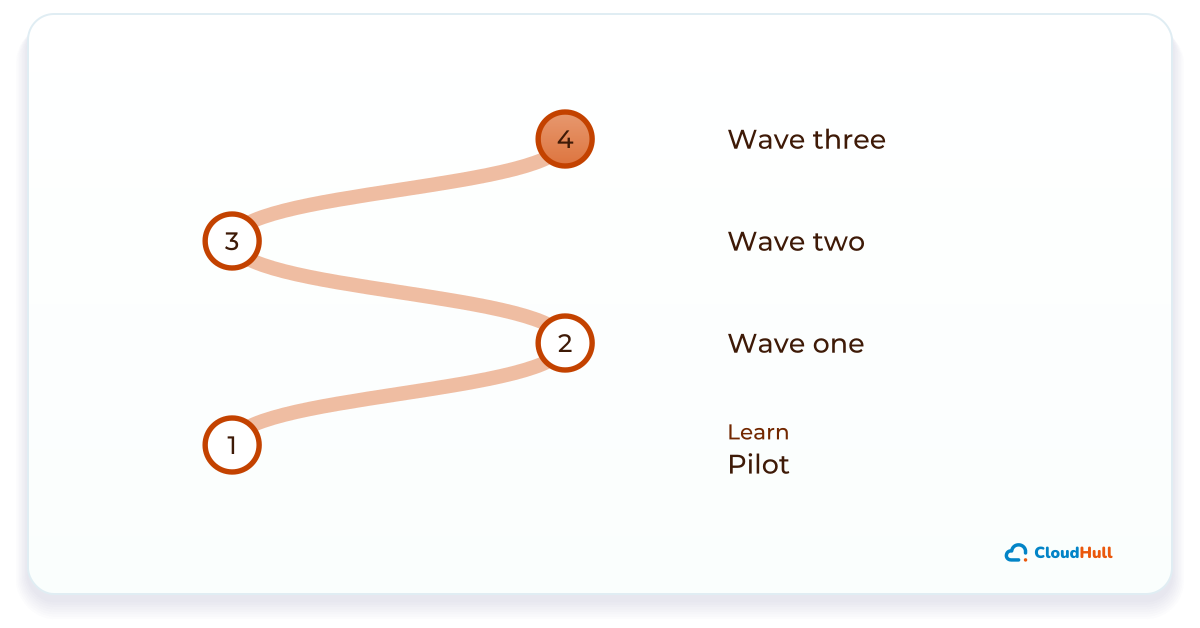
A pilot teaches you what the foundation misses. Waves of three to eight applications, ordered by readiness and payoff, keep risk contained. Review each wave before starting the next. The full phase plan is in my cloud adoption roadmap.
Do this: Run a pilot with real users and write down the lessons. Avoid this: A big-bang cutover of dozens of systems.
10. Rehearse Every Cutover and Keep a Rollback Path
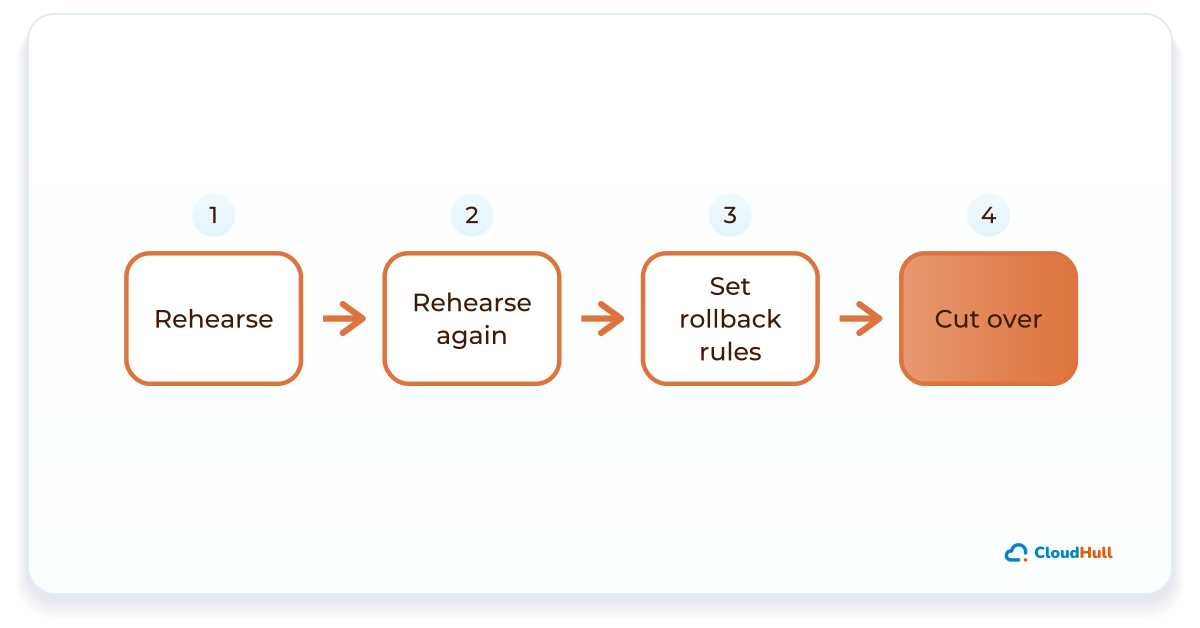
A cutover that has not been rehearsed is a first attempt on production. Practice the sequence with test data, time each step and define the point of no return. Keep the old environment ready for a few weeks after the move.
Do this: Rehearse twice, agree on rollback criteria and keep the source system until checks pass. Avoid this: Switching off the old environment on the day of the move.
11. Automate With Infrastructure as Code
Environments built from code are repeatable, reviewable and easy to rebuild. Terraform, OpenTofu, CloudFormation, Bicep and Pulumi are the common tools. Pick one for the shared foundation, so teams can read each other's work.
Do this: Keep infrastructure in version control and run plan checks on every pull request. Avoid this: Console changes that never reach the repository.
12. Review Cost, Security and Reliability Every Quarter
Cloud environments drift. A quarterly review of spend, security findings and incidents catches waste and risk early. Flexera's 2026 State of the Cloud report estimates wasted cloud spend at 29%, which shows how easy drift is to miss. Review the exposures I describe in cloud adoption risks as part of the same meeting.
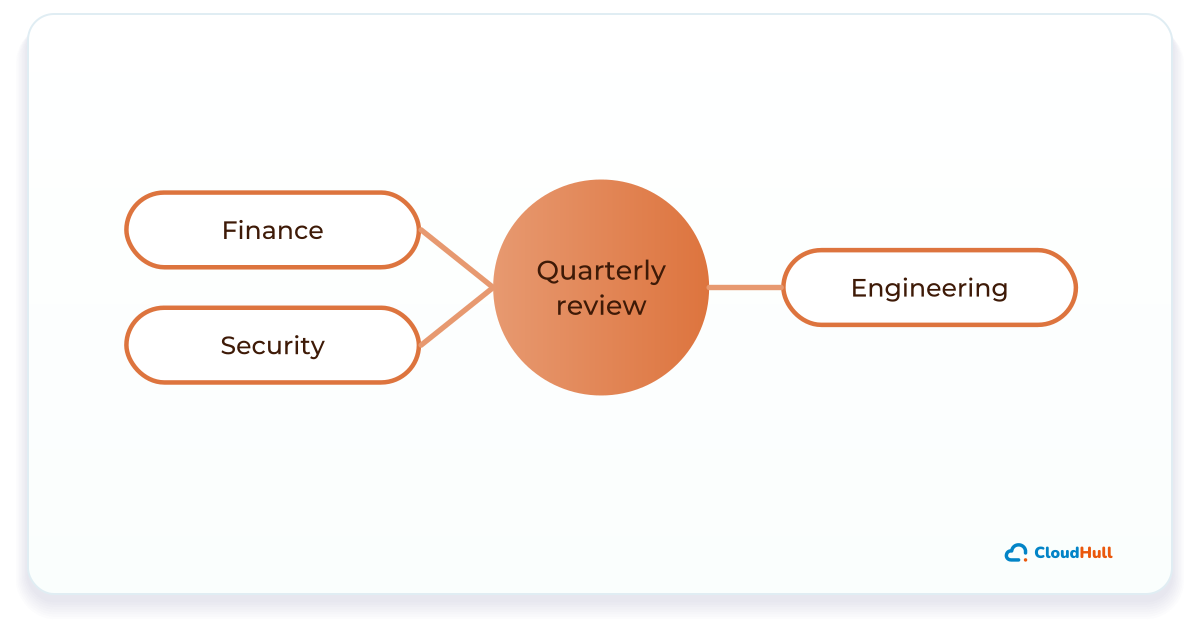
Do this: Hold a fixed quarterly review with finance, security and engineering. Avoid this: Waiting for the annual bill review to look at spend.
How to Tell Whether You Are Following Them
It is easy to claim a practice and hard to prove it. The table gives you a quick check, based on evidence you can look at in an afternoon.
| Practice | Evidence that you follow it | Evidence that you do not |
|---|---|---|
| Outcomes and owners | A one-page goal sheet with numbers | Different leaders give different goals |
| Assessment | Each application has a decision | A flat list of servers |
| Landing zone | A new team gets an environment in a day | Accounts created by email request |
| Identity | Single sign-on, short-lived credentials | Long-lived keys in repositories |
| Tags and budgets | Spend by team in a monthly report | One bill, no breakdown |
| Waves and rehearsals | Timed cutover runbooks | Cutovers planned the week before |
| Quarterly reviews | Dated review notes with actions | Reviews only after an incident |
Most programs I review meet about half of these. That is a normal result. Choose the two weakest rows and fix them in the coming quarter, then check again.
Common Mistakes When Applying the List
Teams that read a list like this often make the same errors. They treat it as a checklist to complete before launch, and then the program stalls while someone perfects a policy. A practice is a habit you start in a simple form and improve. A first tagging rule with three tags beats a perfect taxonomy that arrives in month nine.
Another error is copying a reference design without understanding it. Provider landing zones are good starting points, and they include settings built for large enterprises. A small team may not need half of them, and an unused control still has to be maintained. Remove what you do not need, and write down why.
A third error is leaving the practices with the program team. The rules only hold when application teams see the reason and have an easy path. Explain each guardrail in one sentence, and publish the templates in a place teams can find.
Adapting the Practices to Your Size
Small companies should keep every practice and shrink its form. A twelve-person team does not need a center of excellence, but it still needs an owner, a tag rule and a budget alert. A one-page foundation in code beats a long policy document nobody reads.
Larger and regulated organizations need more formality. Add a formal architecture review, written control mappings for audits and a defined path for exceptions. The cost is real, so build the lightest process that gives auditors evidence and gives teams a fast path.
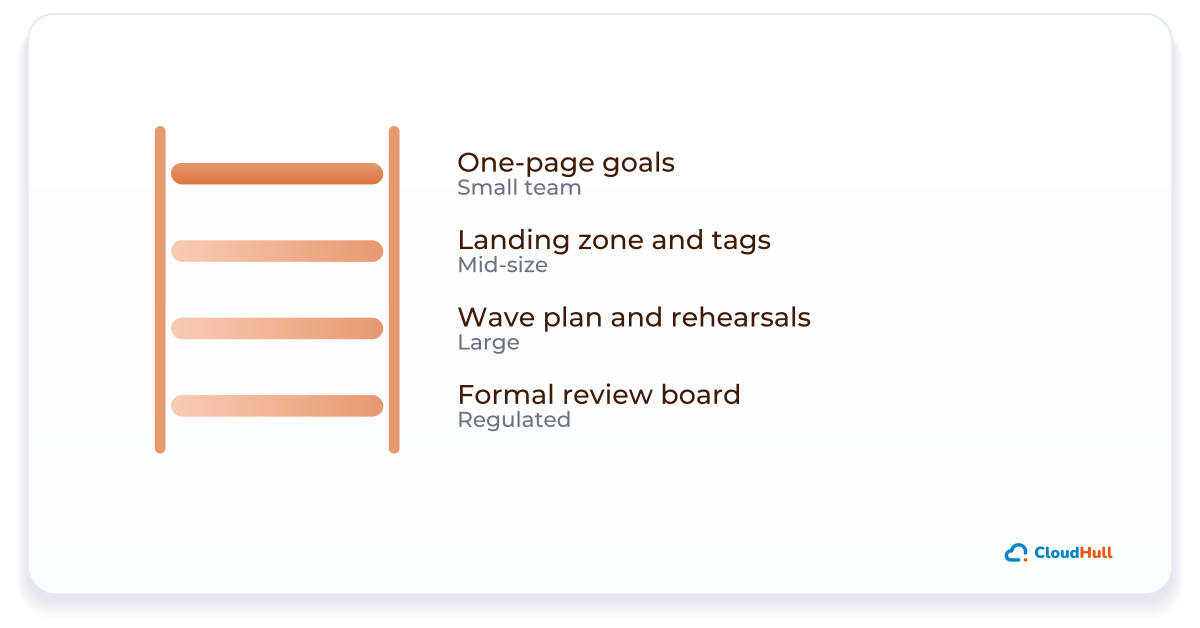
Whatever your size, the order stays the same. Goals first, foundation second, workloads third. Reversing the order is the most common shortcut I see, and it usually costs more than the time it saved.
How to Pick Where to Start
You cannot adopt all 12 practices in a month. Use these checks to choose your first two:
- Do your leaders agree on the goals? If not, start with practices 1 and 2.
- Are workloads already running without tags or budgets? Start with practice 8.
- Does everyone have admin access? Start with practice 7.
- Is a cutover coming within a quarter? Start with practices 9 and 10.
If several apply at once, an outside review can rank them and show what to fix first. A cloud adoption assessment is a good way to find the gaps.
Questions About Cloud Adoption Best Practices
What Are the Most Important Cloud Adoption Best Practices?
Clear goals with an owner, a landing zone with guardrails and cost visibility. Those three prevent most of the problems I see. The others on the list build on them.
Where Should a Company Start with Cloud Adoption?
Start with goals, a sponsor and an assessment of your applications and skills. Technical work follows once you know what you are moving and why.
How Do I Choose Between Cloud Providers?
Compare them on the services your applications need, your team's skills, existing contracts and compliance support. Run the pilot on your preferred provider and check the result before committing further.
Do I Need a Cloud Center of Excellence?
A small group that owns standards, the landing zone and training helps most programs. It can start with three or four people and grow as more teams join.
How Do I Get Engineers to Follow the Guardrails?
Make the approved path the fastest one. Give teams templates that work, remove slow approval steps and explain the reason behind each rule.
How Long Before Cloud Adoption Pays Back?
It depends on your goals and starting point. Some savings appear when old hardware is retired, while speed and flexibility benefits grow after teams learn the platform. Track the numbers from your original goals each quarter.
Should I Use More than One Cloud?
Only with a clear reason, such as a required service, a customer demand or a regulatory need. More providers mean more skills, tools and data transfer cost.
Sources
- AWS Cloud Adoption Framework
- Microsoft Cloud Adoption Framework for Azure
- Flexera 2026 State of the Cloud Report
- FinOps Framework
Please note: this guide is general information and not legal, financial or tax advice. Numbers and examples are typical-project estimates; confirm current details with your providers and advisers.
Did this article help you?
Thanks, noted.
Garrett Linville
Garrett leads the Cloud Hull editorial team and works with the consultants to turn real client projects into practical guides on cloud migration, DevOps, security and cost control. Each article is edited together with the consultant who did the work, and every price and limit is checked against current provider documentation. He is based in the USA and works remotely.