Main Points
- Misconfigured access and unowned spend are the two risks I see most often.
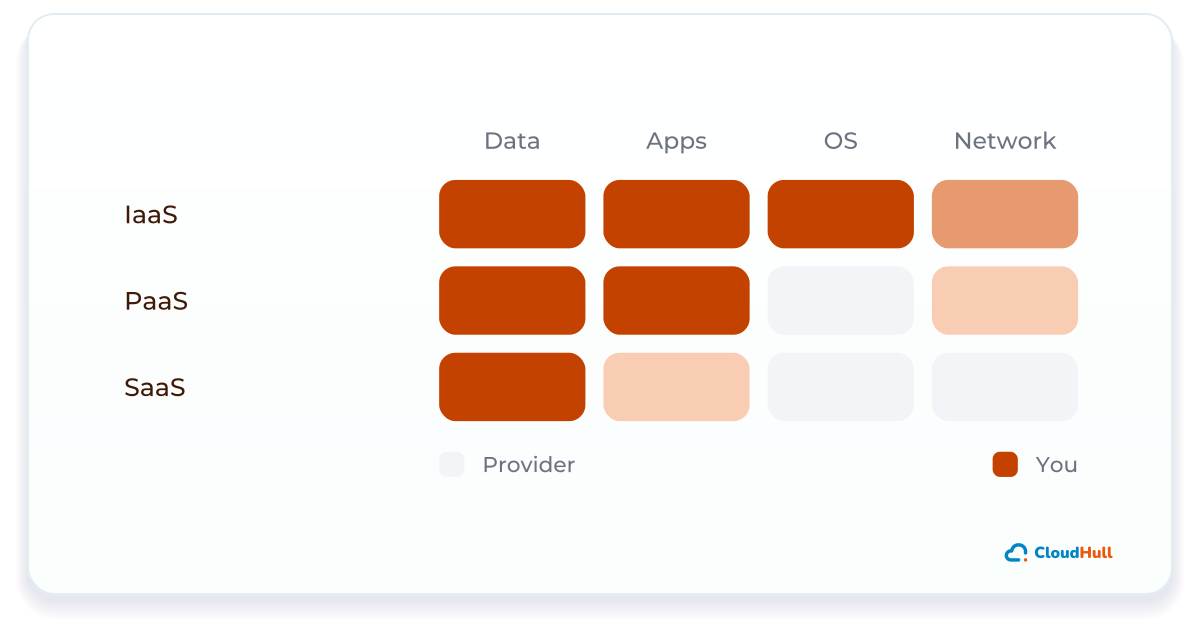
- Under shared responsibility, you secure your data, identities and configuration.
- Each risk needs a named owner and a mitigation that is tested before launch.
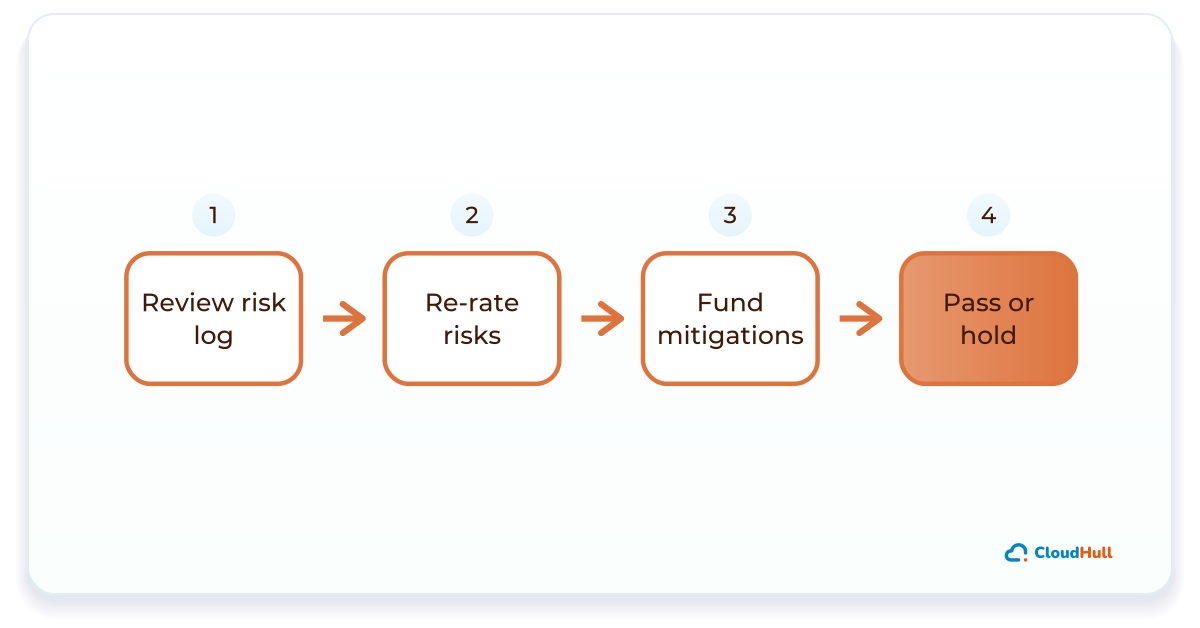
- Review the risk list at every phase gate and add what you learn.
A cloud adoption program carries risks that differ from a normal IT project. Changes are fast, resources are created by anyone with access, and the bill is variable. Most of the damage I have seen came from a small group of risks, and most could have been reduced early with simple steps.
This list covers ten of them, with my rating, the exposure and the mitigation for each. If you want a risk review fitted to your environment, cloud adoption consulting includes one. The ratings are my own judgment from client work, so adjust them to your situation.
The Risk Register at a Glance
| Risk | Area | My rating |
|---|---|---|
| Misconfigured Storage and Access | Security | High |
| Cost Overruns and Unowned Spend | Cost | High |
| Shared Responsibility Misunderstandings | Security | High |
| Data Loss or Corruption During Migration | Operations | Medium to high |
| Downtime and Failed Cutovers | Operations | Medium to high |
| Compliance and Data Residency Gaps | Compliance | Medium to high |
| Vendor Lock-In | Strategy | Medium |
| Skills Gaps and Key-Person Dependence | People | Medium |
| Availability and Concentration Risk | Operations | Medium |
| Shadow IT and Ungoverned Accounts | Governance | Medium |
Ten Risks and How to Reduce Them
I list the risks in order of how often they affect my clients, starting with security and cost. For a view of the problems these risks cause once they materialize, read my list of cloud adoption challenges.
Misconfigured Storage and Access
Exposure (high): A storage bucket set to public, a database open to the internet or an admin role shared by ten people. These errors take a minute to make and can stay unnoticed for years. IBM's Cost of a Data Breach report puts the global average cost of a breach at several million dollars, and cloud misconfiguration appears repeatedly in public incident write-ups.
Mitigation: Block public access at the account level, scan for misconfigurations continuously, grant access by role and alert on policy changes. Test the setup with an outside review before launch.
Cost Overruns and Unowned Spend
Exposure (high): Flexera's 2026 State of the Cloud report estimates that 29% of cloud spend is wasted. Idle environments, oversized instances and forgotten test data pile up, and a double-running period adds cost during migration. The exposure is financial and political, because a surprise bill ends many programs.
Mitigation: Tag everything with an owner, set budgets and alerts per team, model the double-running months and review spend monthly. Buy commitment discounts only for stable usage.
Data Loss or Corruption During Migration
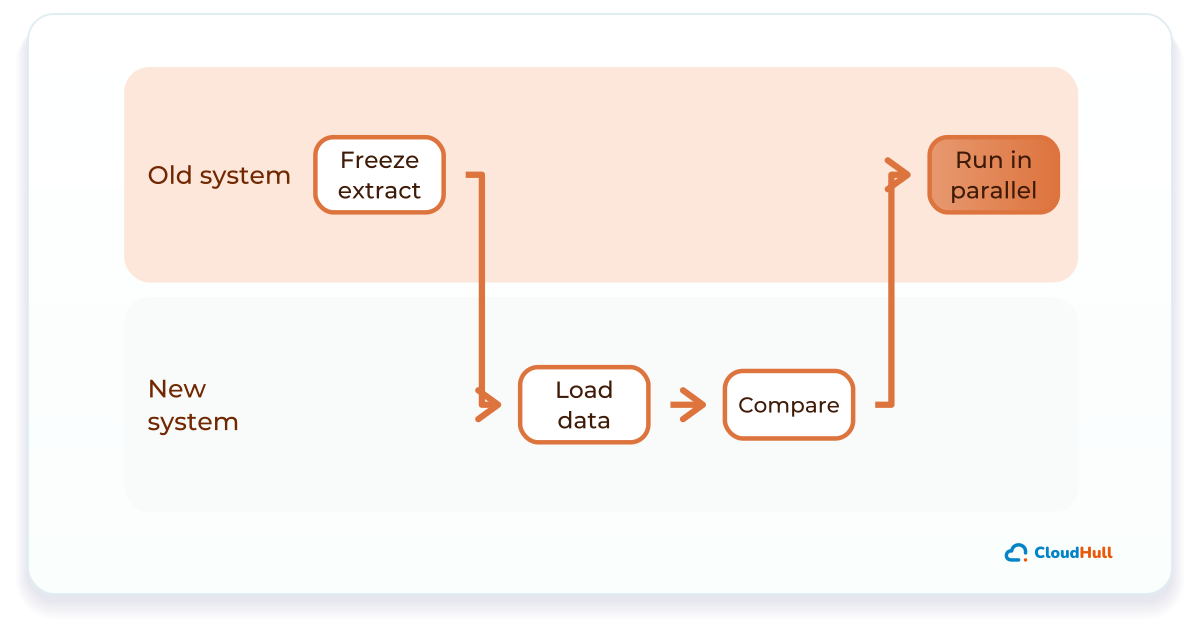
Exposure (medium to high): Data copies can be incomplete, encodings can change and applications can write to both sides during a cutover. The damage often shows weeks later, when a report does not match.
Mitigation: Validate row counts and checksums, run both systems in parallel for a period, keep the source until checks pass and rehearse the cutover on a copy.
Downtime and Failed Cutovers
Exposure (medium to high): A cutover that overruns its window affects customers. Hidden dependencies, such as a scheduled job or a hard-coded address, are the usual reason a planned hour becomes a long night.
Mitigation: Map dependencies before the move, time each step in a rehearsal, define a point of no return and keep a rollback path that has been tested.
Compliance and Data Residency Gaps
Exposure (medium to high): Regulations may limit where data can live, who can access it and how long it must be kept. Moving without checking can create a finding. I do not give legal advice here, so treat this as a prompt to involve your counsel and auditors.
Mitigation: List the rules that apply to each data class, choose regions accordingly, enable logging for audit evidence and ask your legal team to review the design before regulated data moves.
Vendor Lock-In
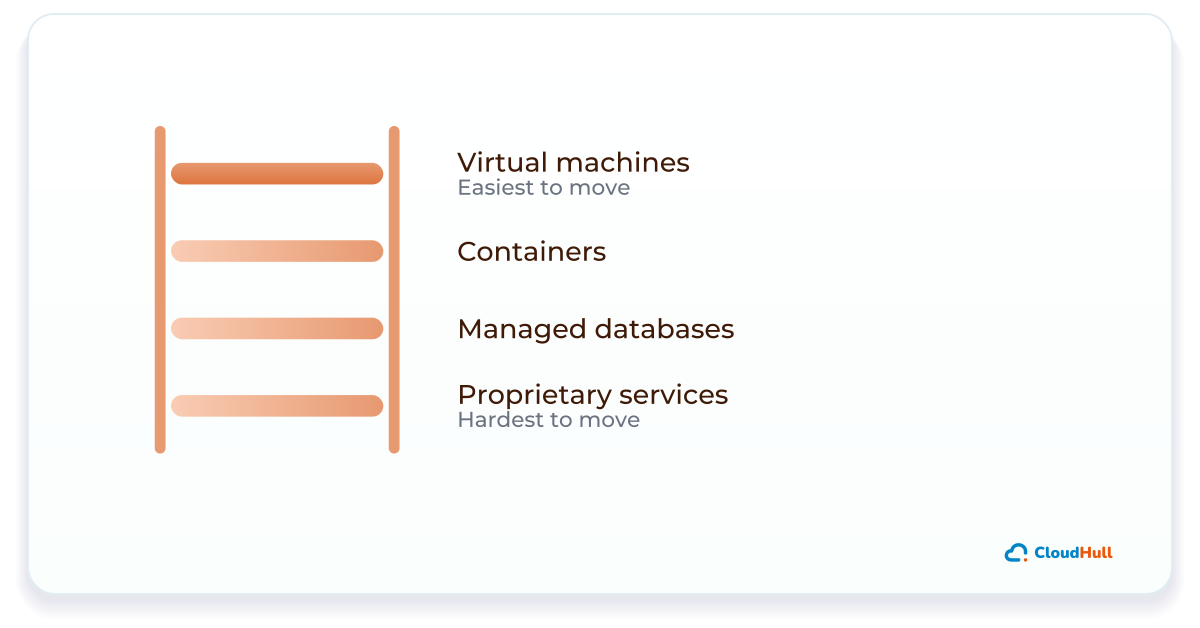
Exposure (medium): Managed services speed up delivery and make leaving harder. The exposure is the cost of a later move, in money and time, if a price change or a service decision goes against you.
Mitigation: Rank workloads by switching cost, use open standards where cheap, keep data exportable and write exit notes for your most dependent services.
Skills Gaps and Key-Person Dependence
Exposure (medium): If two engineers understand the platform, their holidays and resignations are program risks. Knowledge in a few heads also slows every team that needs help.
Mitigation: Document the foundation in code and runbooks, rotate on-call duties, pair outside experts with internal owners and train a second person for each critical area.
Availability and Concentration Risk
Exposure (medium): Major provider outages have taken down large parts of the internet, and a single region or provider can be a single point of failure. Teams that assumed the cloud is always up found out otherwise.
Mitigation: Decide the recovery goals for each workload, use multiple zones for important systems, and add a second region only where the business impact justifies the cost. Test failover.
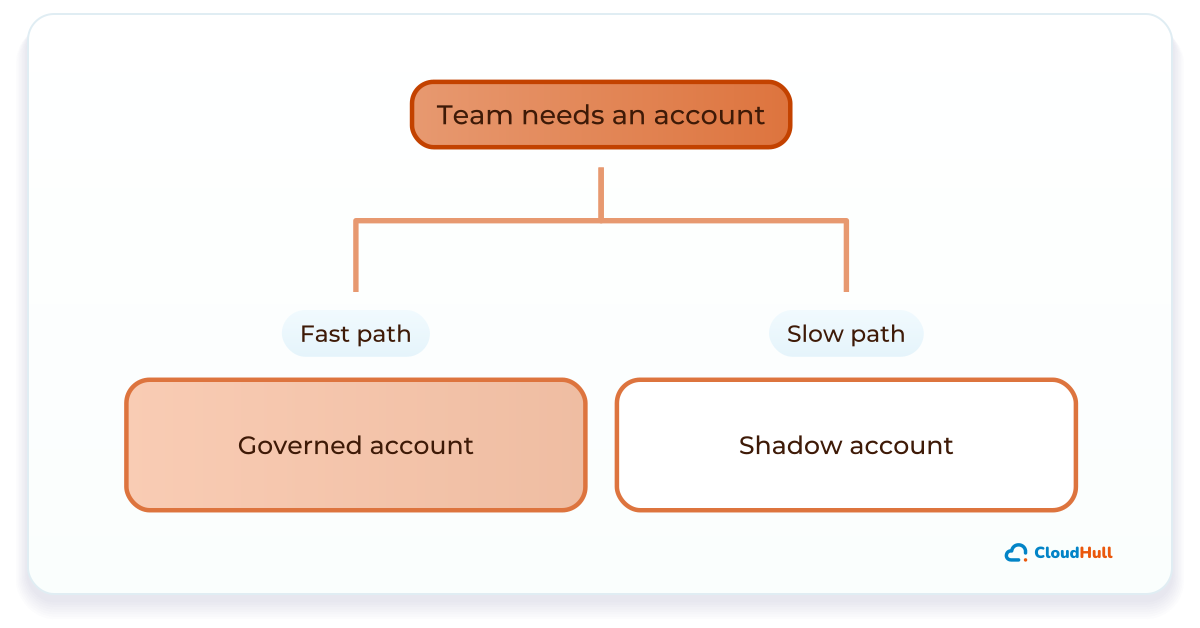
Shadow IT and Ungoverned Accounts
Exposure (medium): A team with a credit card can create an account in minutes. Those accounts hold data and spend money outside your rules.
Mitigation: Offer a fast, approved path, use an organization-level account structure, review billing for unknown accounts and agree consequences for going around the rules.
How to Rate the Risks for Your Own Program
My ratings are a starting point. To adapt them, score each risk on two scales, likelihood and impact, using low, medium and high. Multiply them in your head, or use the table. A high-impact risk with medium likelihood usually outranks a low-impact one that is nearly certain.
| Likelihood and impact | Low impact | Medium impact | High impact |
|---|---|---|---|
| Low likelihood | Accept and note | Monitor | Plan a mitigation |
| Medium likelihood | Monitor | Plan a mitigation | Mitigate before launch |
| High likelihood | Plan a mitigation | Mitigate before launch | Fix first, delay if needed |
Write each risk on one line with an owner, a mitigation and a review date. Revisit the list at each gate of your cloud adoption roadmap, because the risks change as you move from planning to migration to operation.
Which Risks Matter in Which Phase
Not every risk is live at every stage. Planning-phase risks are mostly about ownership, goals and skills. Once you build the foundation, access, network and governance risks take over. During migration, data loss and downtime dominate, and in operation, cost and drift come back. Matching the risks to the phase keeps your reviews short.
| Phase | Risks to review | Typical control |
|---|---|---|
| Planning | Skills gaps, lock-in, compliance gaps | Skills plan, exit notes, early legal review |
| Foundation | Misconfiguration, shared responsibility, shadow IT | Guardrails, role-based access, organization-level accounts |
| Migration | Data loss, downtime, cost overruns | Validation, rehearsals, budget alerts |
| Operation | Availability, cost drift, key-person dependence | Failover tests, monthly spend reviews, documentation |
A simple way to keep this practical is to attach each risk to a gate. Before the pilot starts, access and shared responsibility risks must have a mitigation. Before each wave, data loss and downtime must have a rehearsal on record. Before the program closes, cost drift and key-person dependence must have an owner who is not on the program team.
Risks also change in size. Lock-in is a small worry in the first quarter and a large one three years in, when the whole estate depends on a few proprietary services. Revisit the rating each year, and decide on purpose whether to accept the exposure or pay to reduce it.
Who Should Own Each Risk
A risk register without owners is a wish list. Security risks belong to your security lead, cost risks to a finance and engineering pair, and migration risks to the program owner. Strategy risks such as lock-in belong to the sponsor, because they involve spending decisions. Write the owner's name next to each risk, and ask them to report status in the weekly meeting, even when the answer is that nothing has changed.
Ask each owner for two things: the earliest sign that the risk is becoming real, and the first action they would take. A short answer, written down before a problem happens, saves a long discussion during one.
Why Risks Get Missed
In my experience, programs miss risks for human reasons. Teams that report a problem early get asked uncomfortable questions, so they wait. The sponsor wants good news, and each status report drifts a little greener. By the time a risk is visible, it has become an incident.
Make it safe to report. Review risks in a short weekly meeting, thank people for raising them and track how many were found early. The practices that keep reviews routine are listed in my guide to cloud adoption best practices.
Measuring where you stand helps too. A cloud adoption assessment scores readiness and shows which of these ten risks your organization is most exposed to today.
How to Prioritize Your First Three Mitigations
Do not try to close all ten at once. Choose the first three with these questions:
- Which risk could cause a public incident or a regulatory finding?
- Which risk gets more expensive each week you wait?
- Which mitigation takes less than a month and one team?
For most programs, the answers point to access controls, spend ownership and a rehearsed rollback. A short review can confirm that and give you a plan with owners.
Questions About Cloud Adoption Risks
What Is the Biggest Risk in Cloud Adoption?
For most organizations it is misconfigured access and storage on the security side, and unowned spend on the financial side. Both come from missing guardrails and missing owners, and both can be reduced early.
How Do I Assess Cloud Adoption Risk?
List risks by area, score each for likelihood and impact on a simple three-level scale, name an owner and agree a mitigation. Review the list at every phase gate, and add new items as you learn.
Is the Cloud Less Secure than On-Premises?
Not by default. Large providers invest heavily in infrastructure security, and many breaches come from customer misconfiguration. Your outcome depends on how well you configure and monitor your own part of the shared responsibility model.
How Do I Limit Vendor Lock-in?
Use open standards where the cost is low, such as containers and open data formats, keep data exportable and decide per workload how much lock-in you accept. Full portability is expensive and often removes the benefit of managed services.
How Much Should I Budget for Risk?
I add a reserve of about 15% to the migration budget for surprises. Security reviews, training and double-running periods are planned costs and belong in the base budget.
Who Should Own Cloud Risk?
A named executive owns the overall program risk, and each risk has a named owner close to the work. Security, finance and engineering share the review.
Does Insurance Cover Cloud Incidents?
Policies vary a lot in what they cover. Ask your broker whether your cyber policy covers cloud outages and provider incidents, and read the exclusions.
Sources
- Flexera 2026 State of the Cloud Report
- AWS shared responsibility model
- IBM Cost of a Data Breach Report
- NIST Cybersecurity Framework
Please note: this guide is general information and not legal, financial or tax advice. Numbers and examples are typical-project estimates; confirm current details with your providers and advisers.
Did this article help you?
Thanks, noted.
Garrett Linville
Garrett leads the Cloud Hull editorial team and works with the consultants to turn real client projects into practical guides on cloud migration, DevOps, security and cost control. Each article is edited together with the consultant who did the work, and every price and limit is checked against current provider documentation. He is based in the USA and works remotely.