Main Points
- An assessment turns a bill into a ranked list of actions, each with an owner and an estimate.
- Gather 90 days of resource-level billing data before the first workshop.
- Score seven areas and sequence the findings in three waves, low risk first.
- Treat savings as a range, because some findings fail on inspection.
Most teams know their cloud bill is too high and cannot say by how much. The invoice shows services, not decisions, so a line such as "compute: $84,000" tells you nothing about what to change. A cloud cost optimization assessment turns the invoice into a ranked list of actions with an estimated saving and an owner for each. I run one at the start of every cloud cost optimization consulting engagement, and the method is simple enough to run yourself.
This guide shows what an assessment covers, the data you need, how to score what you find and how to size the savings. It ends with a checklist you can use this week.
Flexera's 2026 State of the Cloud report estimates that 29 percent of cloud spend is wasted. Your own figure depends on how well you control usage, which is exactly what an assessment measures.
What a Cost Assessment Covers and What It Leaves Out
An assessment looks backward and forward. Backward means 60 to 90 days of billing and usage data. Forward means the changes planned for the next year, such as launches, migrations or a new region. The output is a baseline, a list of findings, an estimate for each and a sequence for acting on them.
It does not redesign your architecture or choose a new cloud. Those belong in other work. If your findings show that the design itself drives the cost, the next step is usually an architecture review.
Seven Areas I Score on Every Account
I score each area from 1 to 5, where 1 means no control and 5 means a managed, reviewed process. The scores show where the effort should go, and the pattern across areas tells you more than any single number.
| Area | What I look at | Typical finding |
|---|---|---|
| Visibility | Tags, accounts, cost reports, ownership | A third or more of spend with no owner |
| Compute | Utilization, instance sizes, idle machines, schedules | Oversized and always-on test systems |
| Storage | Unattached disks, snapshots, tiers, retention | Years of snapshots and hot-tier data nobody reads |
| Databases | Sizes, replicas, idle instances, licensing | Production-sized databases in test |
| Network | Data transfer, NAT gateways, cross-region traffic | Chatty services spread across zones or regions |
| Commitments | Coverage, utilization, expiry dates | Too little coverage, or commitments on retired systems |
| Governance | Budgets, alerts, review meetings, unit costs | Alerts that nobody reads |
Collect the Data Before You Start the Meetings
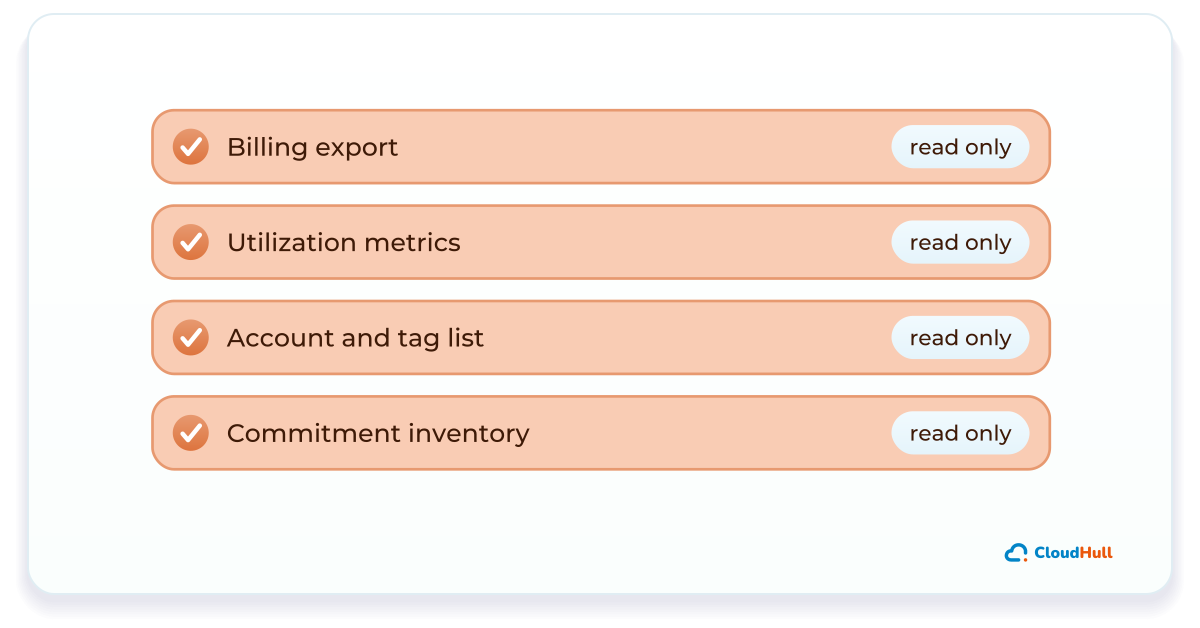
Good assessments run on exports, not opinions. Ask for these before the first workshop, and expect two weeks to gather them if your accounts are spread across teams.
- Billing exports for the last 90 days, with resource-level detail turned on
- A list of accounts, subscriptions or projects with their owners
- Utilization metrics for compute and databases for at least 14 days
- Current commitments, with coverage, utilization and end dates
- Planned launches, migrations and contract renewals for the next 12 months
Access should be read-only. Every main provider offers cost and usage reports and native tools such as AWS Cost Explorer, Azure Cost Management and Google Cloud Billing reports. If you run several clouds or need allocation across many teams, a dedicated platform may be justified, and I compare them in my ranking of cloud cost optimization tools.
Turning Raw Data Into a Ranked Findings List
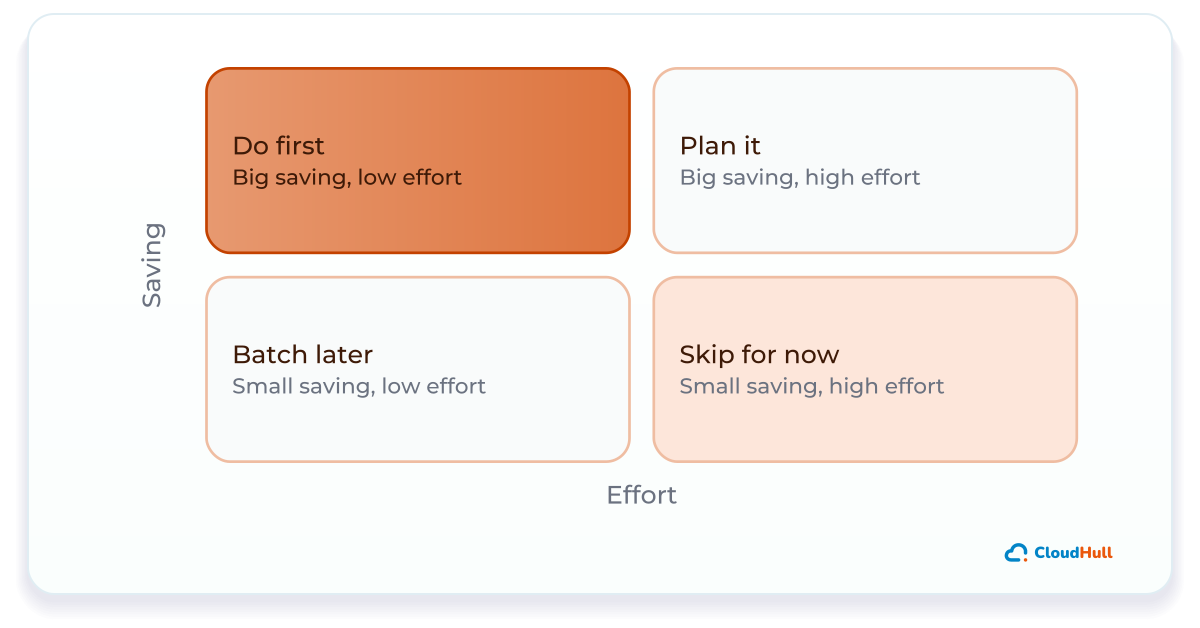
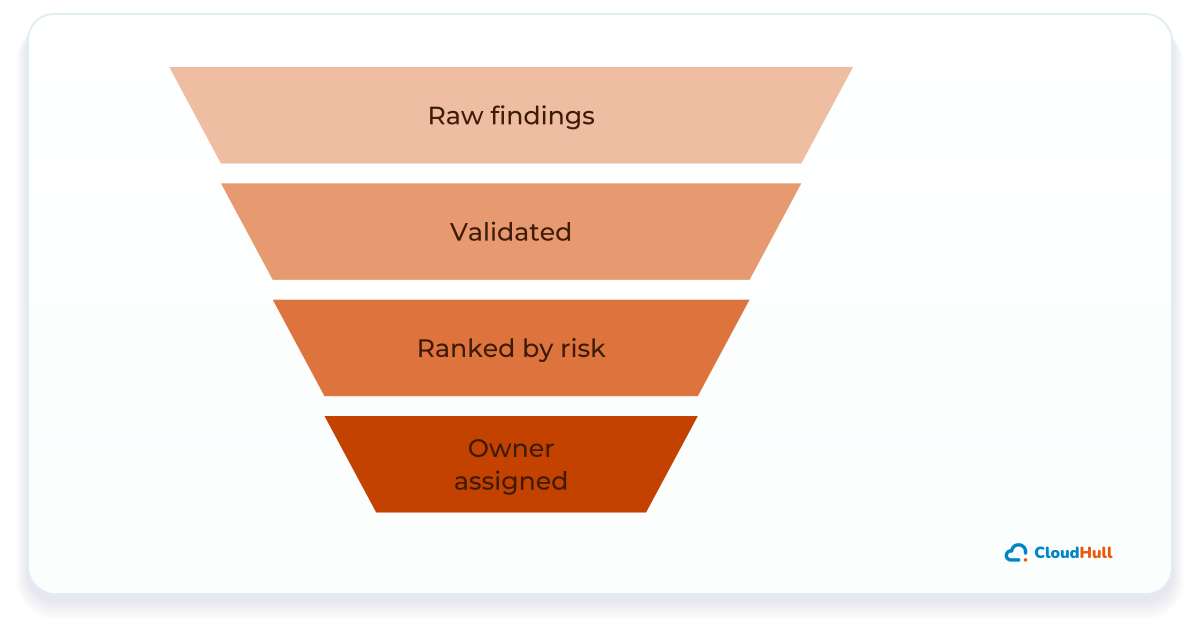
Work from the largest line items down. For each one, ask three questions: is it needed, is it the right size and is it priced the best way? Write each answer as a finding with an owner, an estimated monthly saving, the effort and the risk.
Risk matters as much as saving. Deleting an unattached disk is low risk. Changing a database size on a customer-facing system is not. I rate each finding low, medium or high and schedule the low-risk ones first, because early wins build trust for the harder ones.
Group findings by owner. A list of 60 items sent to one person gets ignored, while five items sent to each of twelve team leads get done.
A Worked Example With Realistic Numbers
An ecommerce client I assessed spent about $212,000 a month across three accounts. After 90 days of data, the findings looked like this.
| Finding | Monthly saving | Effort | Risk |
|---|---|---|---|
| Non-production runs 24 hours a day | $14,800 | Low | Low |
| Oversized production databases | $11,300 | Medium | Medium |
| Snapshots older than 12 months, hot-tier logs | $6,900 | Low | Low |
| Under-covered steady compute baseline | $17,200 | Low | Medium |
| Cross-zone traffic from one chatty service | $5,400 | High | Medium |
| Total identified | $55,600 |
That total is about 26 percent of the bill. I never promise the full figure, because some findings fail on inspection. In this case, about 80 percent was delivered in the first quarter, and the database change was delayed twice by release freezes. Plan for that kind of slippage.
The savings formula is simple: monthly saving = current monthly cost of the item minus the cost after the change, multiplied by the probability that it works. For the commitment finding, subtract a safety margin from your steady baseline before you apply the discount.
Sequence the Work in Three Waves
Order the findings in waves. Wave one is low effort and low risk: schedules, cleanup and budgets. Wave two covers rightsizing and commitments, once wave one has cleared the waste. Wave three covers design changes, such as network layout or storage architecture, which need engineering time.
The practices behind each wave are described in my guide to cloud cost optimization best practices. If you want a repeatable cycle that continues after the assessment, the cloud cost optimization framework shows how to keep it running.
Set Your Baseline Metrics While You Are at It
The assessment is the best moment to write down the numbers you will track afterward: monthly spend by owner, share of tagged spend, commitment coverage and a unit cost such as cost per order. Without them, you cannot show what the work achieved. The full set is explained in cloud cost optimization metrics.
Record the baseline date, so later comparisons stay honest. Seasonal businesses should compare against the same period in the prior year, not the previous month.
Questions to Ask Each Team Owner
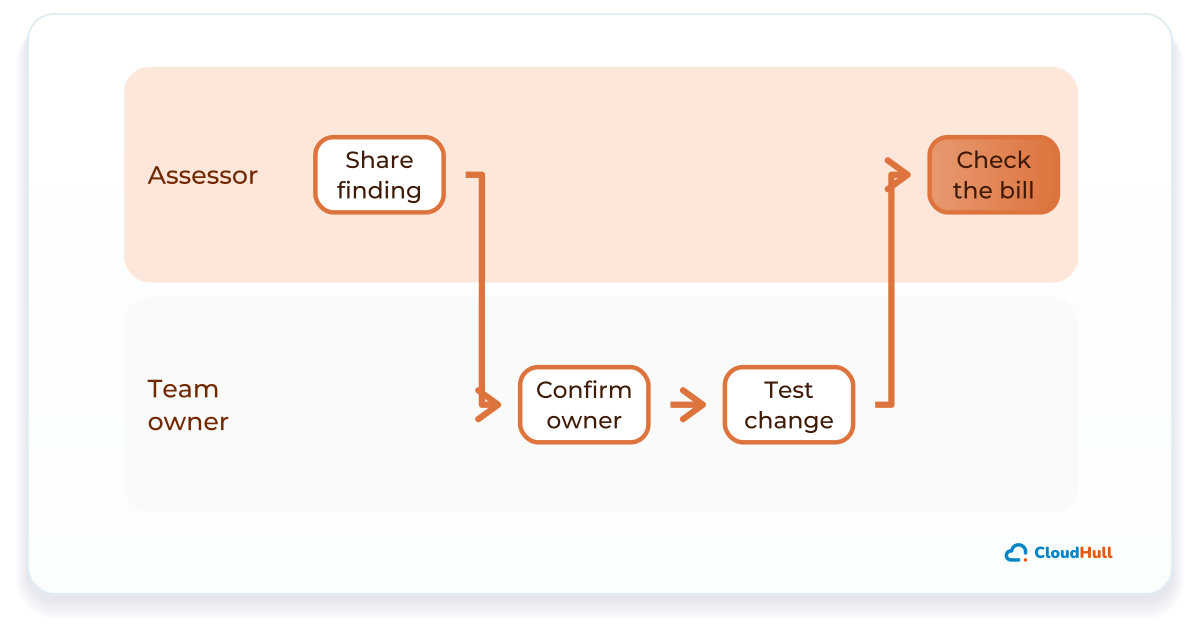
Data shows what is running. People explain why. A 20-minute conversation with each team lead often turns a vague finding into a clear decision. I ask the same five questions every time.
| Question | What it uncovers |
|---|---|
| Which of these resources would you miss if it vanished tomorrow? | Orphaned and forgotten systems |
| Why is this instance or database this size? | Sizing based on a launch that never happened |
| Which environments must run at night and on weekends? | Candidates for schedules |
| What is planned in the next two quarters? | Commitments that may become unused |
| Who approves a change to this system? | The real owner and the release rules |
Write down the answers next to each finding. When you later propose a change, you can show that the owner has already confirmed the facts. That removes most of the friction at the approval step.
Two Areas That Hide Savings: Kubernetes and Data Transfer
Kubernetes clusters hide waste behind shared nodes. Resource requests are often set high, so nodes look full while actual use is low. Ask for the gap between requested and used CPU and memory per namespace. A large gap usually means room to shrink.
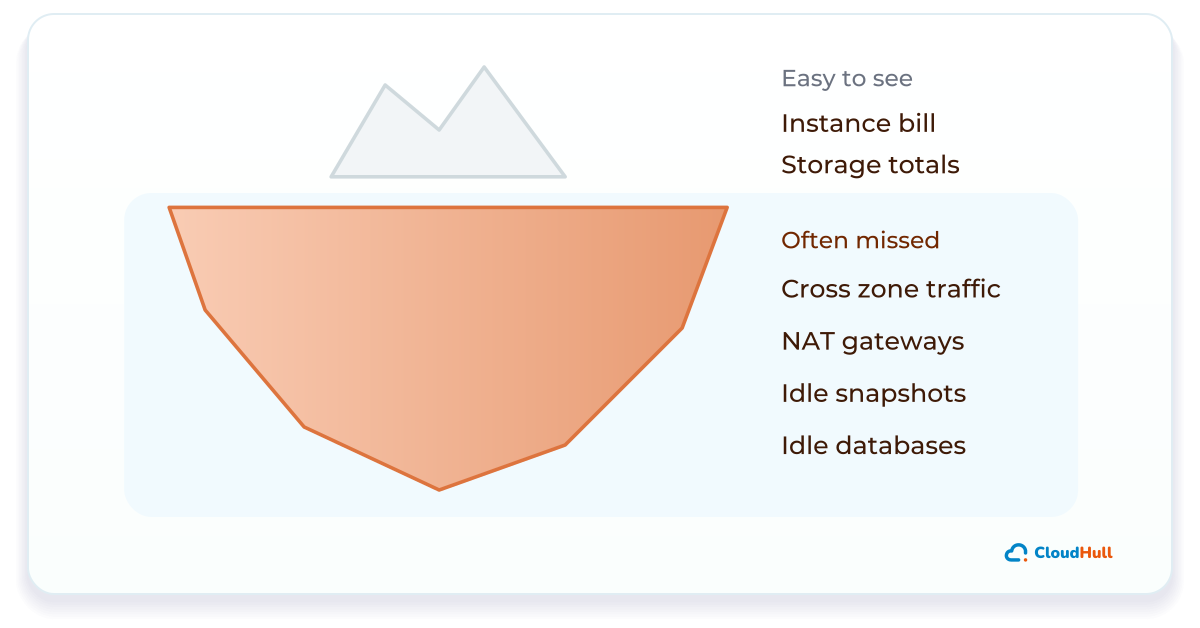
Data transfer is the other blind spot. Traffic between zones, regions and out to the internet is billed by the gigabyte, and a chatty service can create a large bill that looks like a small line item per day. Check NAT gateway charges, cross-zone traffic and egress to your users and partners.
Run It Yourself or Bring in Help
A small environment with one or two accounts can be assessed in a week by one engineer and one finance partner. Larger estates take two to four weeks, mainly because of ownership questions and gathering the data. Outside help pays back when you have multiple clouds, shared accounts with unclear owners or no one with the time to chase teams.
Expect the main obstacles to be organizational. The usual ones are covered in cloud cost optimization challenges.
What the Final Report Should Contain
Keep the report short enough that an executive reads it. I use four pages: a one-page summary with the baseline and the total opportunity range, a ranked findings table, the three-wave plan and a list of risks and open questions. Everything else goes in an appendix.
Present it to the people who will do the work, not only to the sponsor. Teams act on findings they helped shape, and the interviews you ran earlier make that easy. End the meeting with owners and dates for the first wave, and put the next review in the calendar before anyone leaves.
Risks to Name in the Assessment
Every finding carries a risk, and some risks belong to the assessment itself. Utilization data from a quiet month hides peaks, so check seasonal traffic before you propose a size. Teams may be protecting systems they do not fully understand, which makes them reluctant to approve changes. And savings from commitments depend on forecasts that can be wrong.
Write these risks down with a mitigation for each: a longer data window, a rollback plan and a conservative commitment level. Reviewers trust a report that names its own weak points.
How to Judge a Good Assessment
A good assessment ends with a document that your team can act on the next morning. Check yours against this list.
- Every finding has an owner, a saving estimate, an effort rating and a risk rating.
- Savings are shown as a range, with the assumptions written down.
- Findings are sequenced in waves, with low-risk ones first.
- A baseline and a small set of tracking metrics are included.
- Someone is named to run the monthly review.
Sources
Questions About Cloud Cost Optimization Assessments
What Is a Cloud Cost Optimization Assessment?
It is a structured review of your cloud bill and usage that produces a ranked list of savings opportunities, each with an owner, an estimate, an effort rating and a risk rating.
How Much Time Does an Assessment Need?
One or two accounts take about a week. Larger estates take two to four weeks, mostly because gathering data and finding owners is slow.
What Data Do I Need?
Ninety days of billing exports with resource-level detail, an account list with owners, utilization metrics, current commitments and your plans for the next year.
How Much Will I Save?
It varies. In my client work, identified savings range from about 15 to 30 percent of the bill, and some of that is not delivered. Treat the estimate as a range.
Can I Do It with Native Cloud Tools?
Yes, for a small footprint. AWS Cost Explorer, Azure Cost Management and Google Cloud Billing reports cover the basics, while multi-cloud allocation is easier with a dedicated platform.
Does an Assessment Affect My Systems?
No. It uses read-only access to billing and monitoring data. Changes happen afterward, one at a time, and the owner approves each one.
How Often Should I Repeat It?
Run a full assessment once a year or after a big change such as a migration. Between assessments, a monthly review keeps the findings list current.
Disclaimer: This article is for general information only and is not financial advice. Figures in the example come from a typical client project and will differ for your environment.
Did this article help you?
Thanks, noted.
Garrett Linville
Garrett leads the Cloud Hull editorial team and works with the consultants to turn real client projects into practical guides on cloud migration, DevOps, security and cost control. Each article is edited together with the consultant who did the work, and every price and limit is checked against current provider documentation. He is based in the USA and works remotely.