Main Points
- Tag spend and name an owner for every line before you try to cut anything.
- Remove waste, such as idle and oversized resources, before you buy discounts.
- Commit only to usage you have proven, and add in small steps.
- Review costs monthly with finance and engineering together.
Cloud bills grow quietly. A test cluster stays on after a demo, a database is sized for a launch that never came, and a commitment is bought for servers that were later retired. In my cloud cost optimization consulting work, a handful of habits explain most of the savings I find. Flexera's 2026 State of the Cloud report puts wasted cloud spend at 29 percent, the first increase in five years, which matches what I see in client accounts.
Below are eight practices, each with one thing to do and one thing to avoid. They are ordered by the sequence I apply them: make spend visible, remove waste, then commit.
Eight Practices in the Order to Apply Them
| Step | Practices | Main benefit |
|---|---|---|
| See | 1 to 2: tags and owners, budgets with alerts | Every dollar has an owner |
| Remove | 3 to 5: rightsizing, schedules, cleanup | Lower bill without commitments |
| Commit | 6: discounts on proven usage | Lower unit price |
| Sustain | 7 to 8: engineering reviews, monthly finance review | Savings that last |
Tag Everything and Name an Owner
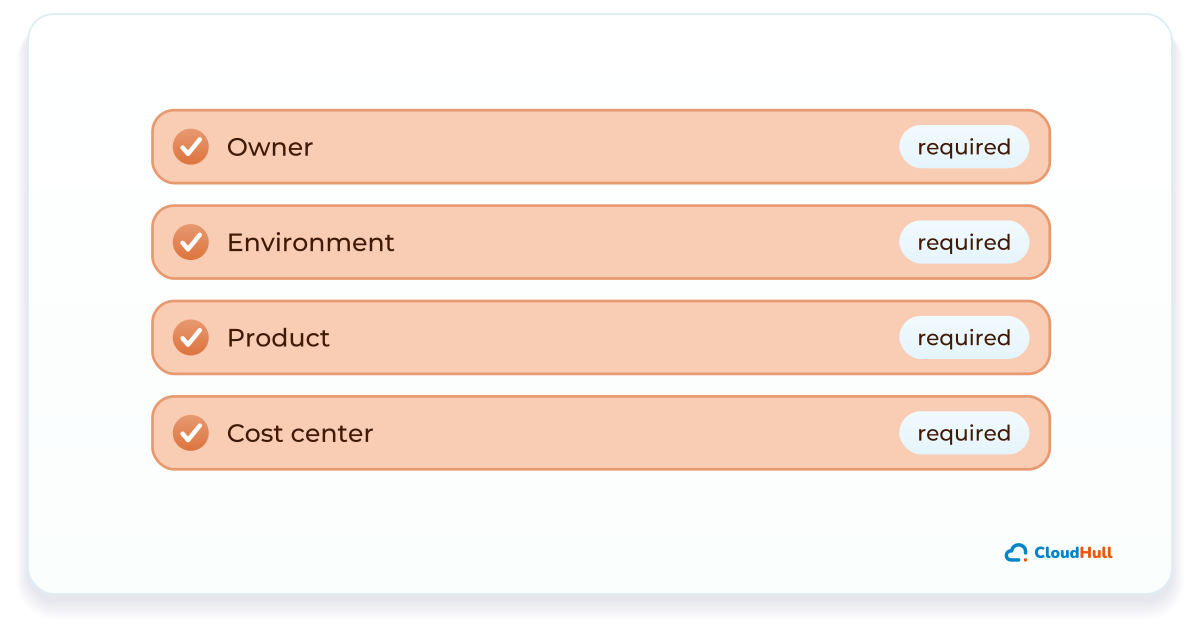
You cannot cut spend nobody claims. Tags such as team, product and environment connect each line of the bill to a person who can decide. In one account I reviewed, more than a third of spend had no usable tags, and the first two weeks of the project went into finding owners.
Enforce tags when resources are created, not afterward. Policy tools from the main providers can block or flag untagged resources.
Do this: Define four required tags, enforce them in your infrastructure code and report untagged spend weekly.
Avoid this: Asking teams to tag manually after launch and hoping the gaps close on their own.
Set Budgets and Alerts Before You Need Them
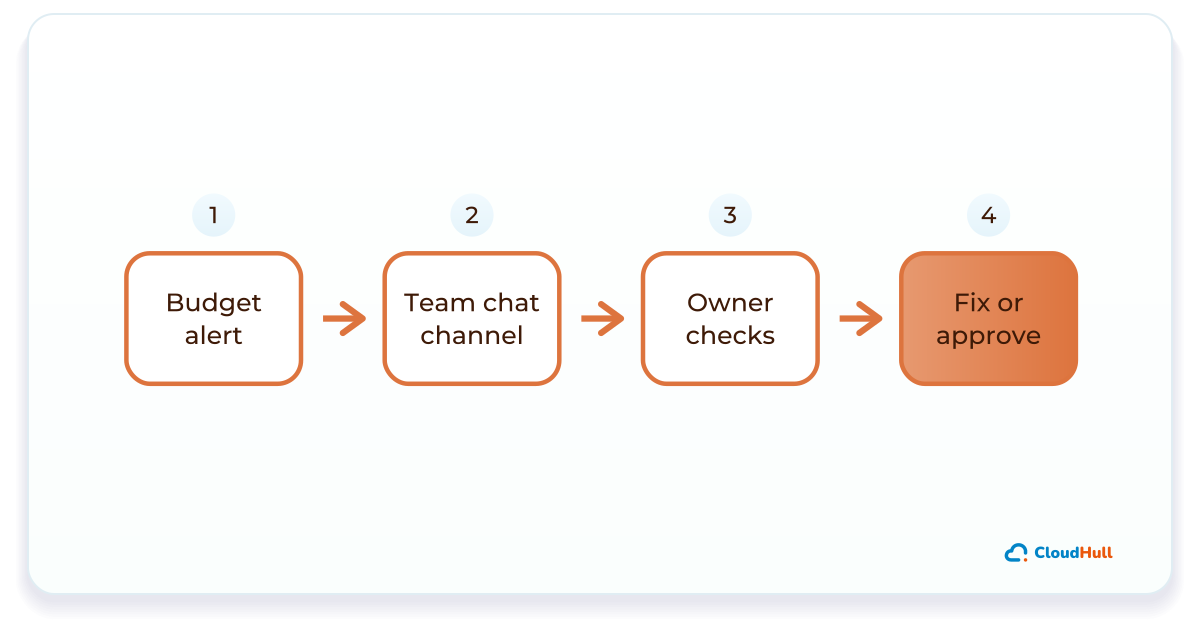
Alerts turn a month-end surprise into a same-day question. Set a budget per team or product and trigger notifications at 50, 80 and 100 percent, plus anomaly alerts for sudden jumps.
A misconfigured job that runs in a loop can cost thousands in a weekend. A budget alert is the cheapest insurance against it.
Do this: Create budgets per owner and send alerts to a chat channel the team actually reads.
Avoid this: Sending every alert to one finance mailbox where nobody can act on it.
Rightsize on Measured Use
Oversized instances and databases are the most common waste I find. Teams pick a large size at launch to be safe and never revisit it. Look at 14 to 30 days of CPU, memory and network use before you change anything, and include peak periods.
Provider tools such as AWS Compute Optimizer and Azure Advisor suggest sizes. Treat their output as a candidate list and check the peaks with the owner.
Do this: Resize in small steps, starting with non-production, and compare performance before and after.
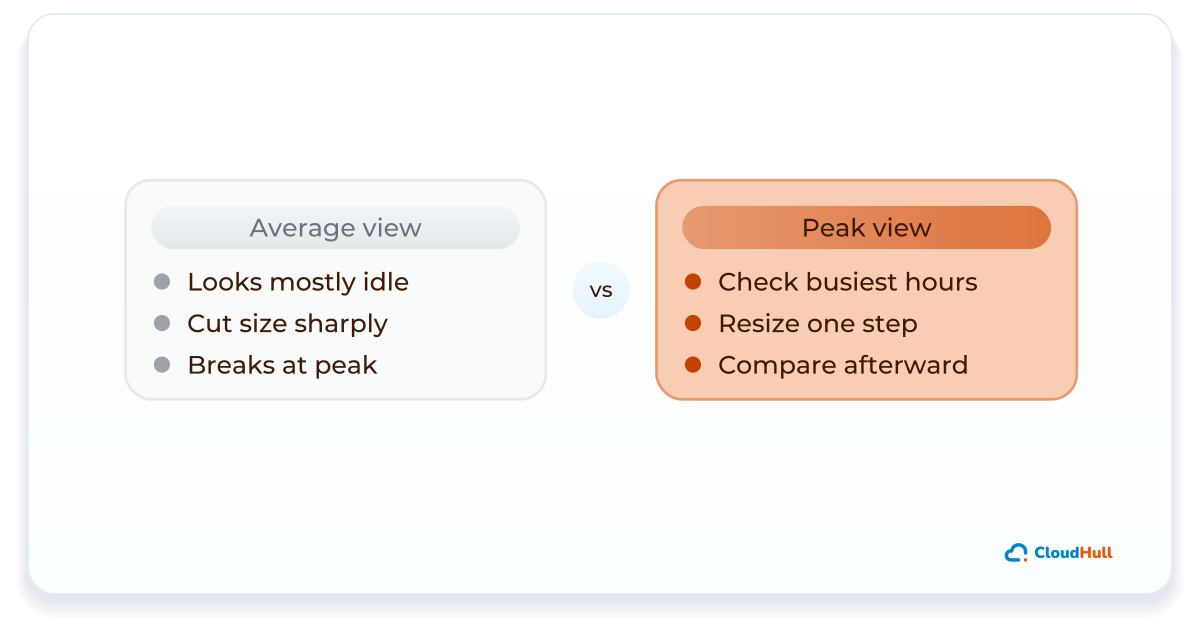
Avoid this: Cutting sizes on averages alone, which breaks the service the first time traffic peaks.
Schedule Non-Production to Sleep
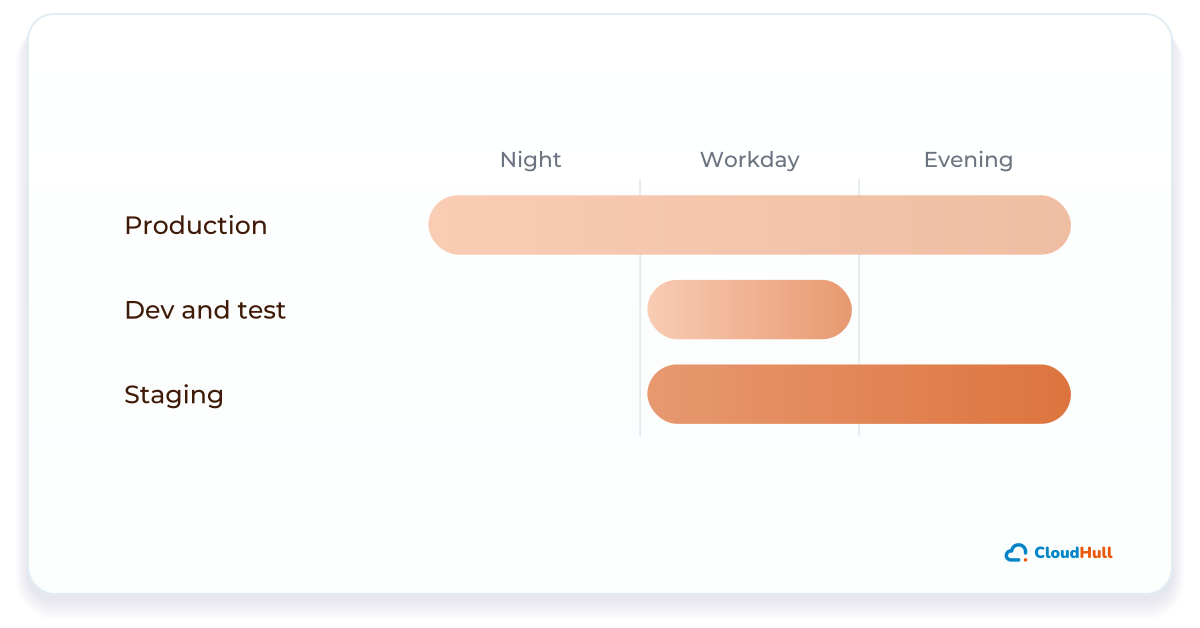
Development and test environments rarely need to run at night or on weekends. Shutting them down outside working hours cuts their compute cost by roughly two thirds. Many teams find this is the quickest saving they make.
Agree on a schedule with the developers, and give them a simple way to start an environment on demand.
Do this: Automate start and stop times with tags, and publish an override for late work.
Avoid this: Turning off environments without telling anyone, which starts a fight that kills the program.
Clean Up Orphans and Old Storage
Unattached disks, old snapshots, idle load balancers and forgotten test databases keep billing. Storage grows especially quietly. Data that nobody reads can move to cheaper tiers, and lifecycle rules can do it automatically.
Run a cleanup review each quarter, and take a snapshot or backup before you delete anything you are unsure about.
Do this: Use lifecycle rules for storage, and list unattached resources by age and size each month.
Avoid this: Deleting resources in bulk based on a name pattern, without confirming the owner.
Commit Only to Usage You Have Proven
Commitment discounts reward steady usage. AWS lists savings of up to 72 percent for Savings Plans compared with On-Demand prices, and similar programs exist on Azure and Google Cloud. The discount is real, and so is the risk of paying for capacity you stop using.
Cover your stable baseline first, then add more in small steps. Variable and experimental workloads belong on flexible pricing or interruptible capacity.
Do this: Commit to a fraction of your steady baseline, review the coverage monthly and add in steps.
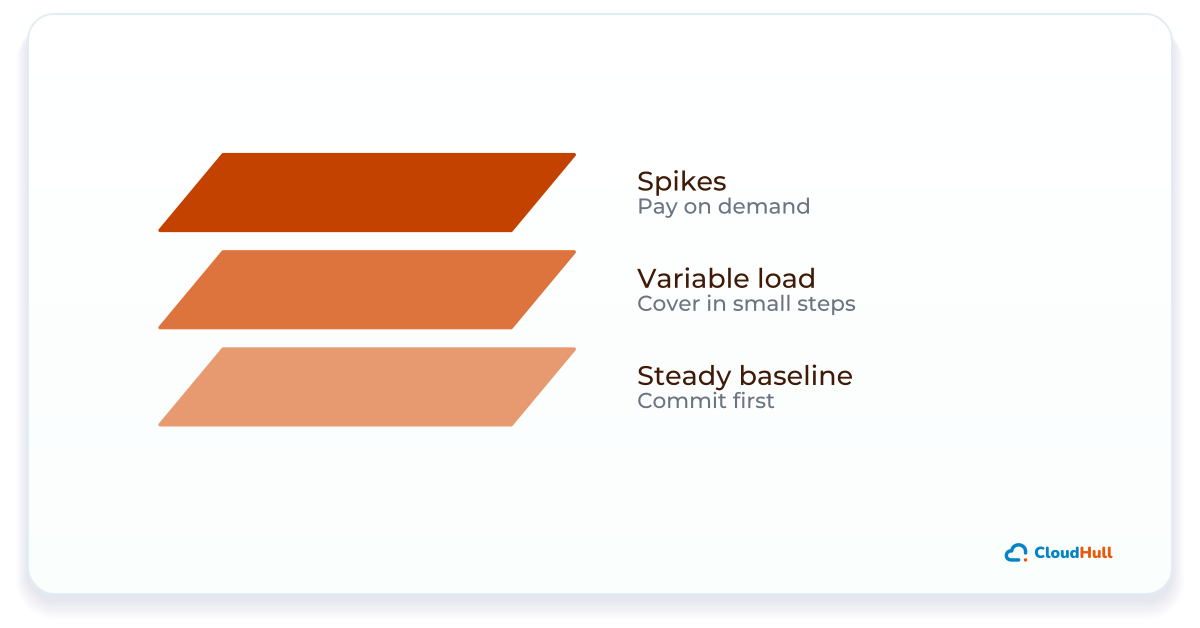
Avoid this: Buying a three-year commitment for a system you plan to replace within a year.
Put Cost Into Engineering Reviews
Engineers make cost decisions every day, from instance types to log retention. When cost appears in design reviews and pull requests, bad choices get caught before they run for months. A simple estimate in the review template is enough to start.
Show each team its own spend and a unit cost such as cost per customer or per order. Numbers a team can influence get attention.
Do this: Add a cost line to design reviews and share a weekly cost view per team.
Avoid this: Making cost a finance report that engineers see once a quarter.
Review Monthly With Finance and Engineering Together
A monthly meeting of 45 minutes keeps savings from fading. Review the top ten cost drivers, open actions and forecast against budget. Finance brings the invoice, engineering explains the movements.
Keep a list of savings found and savings delivered. The gap between the two shows where follow-through is weak. The numbers worth tracking are listed in my guide to cloud cost optimization metrics.
Do this: Run the same agenda each month and track actions to completion.
Avoid this: Skipping the meeting when the bill looks fine, because costs usually move when nobody is looking.
A 30-Day Plan for Your First Month
Practices are easier to adopt with a calendar. This plan fits one engineer and one finance partner, and it avoids the high-risk changes until the foundations are in place.
| Week | Focus | Result |
|---|---|---|
| 1 | Tag policy, owners and a list of untagged spend | Most of the bill has an owner |
| 2 | Budgets, alerts and a shared channel | Overruns show up the same day |
| 3 | Schedules for non-production and an orphan cleanup | First visible saving on the invoice |
| 4 | Rightsizing candidates and the first monthly review | A ranked backlog with owners |
By the end of the month, you will have a baseline, a first saving and a routine. Commitments come after that, once you have two clean months of usage to size them on. In one client account, the schedule and cleanup work alone removed about 11 percent of the monthly bill in the third week, and it required no change to production systems.
Keep a simple tracker of savings found, savings delivered and who owns each action. It is the best evidence you can show finance, and it keeps the program funded.
Where Teams Get Stuck With These Practices
The practices are simple. Making them stick is harder, and the usual blockers are ownership, tooling and trust. Ownership problems show up when teams share an account. Tooling problems show up when the reporting is too slow to act on. Trust problems show up when engineers believe cost work will slow them down. My article on cloud cost optimization challenges covers each one in more detail.
Tools can speed up several steps, especially tagging reports, anomaly alerts and commitment management. Which one fits depends on your size and clouds, and I compare the main options in cloud cost optimization tools.
How to Tell the Practices Are Working
Four signs show up in the data within a quarter. Untagged spend shrinks below 10 percent. Budget alerts lead to action within a day. Idle and oversized resources fall from one monthly review to the next. And your unit cost, such as cost per order, stays flat or drops while your volume grows.
If the bill is flat but unit cost is rising, growth is hiding waste. If the bill falls but incidents rise, you cut too deep. Watch both numbers together.
It helps to name one metric for each practice and review it every month. A short list kept in the open beats a long dashboard that nobody checks, and it makes the first awkward conversations with teams much easier.
The Cultural Side of Cost Work
Most failures I see are about people. Engineers worry that cost goals will slow releases, and finance worries that engineers ignore the bill. The fix is to share the same numbers and to give engineers credit for savings. A team that cut its own bill by a fifth should hear about it in the monthly review.
Keep the tone practical. A cost review that turns into blame teaches teams to hide spend, and hidden spend is the hardest to cut.
When a practice stalls, look for the missing owner first. Nine times in ten, the reason a tag policy or a schedule never took hold is that nobody was asked to own it by name and date.
How to Start With Limited Time
If you only have a week, do practices 1, 2 and 4: tag, set budgets and schedule non-production. They need little engineering effort and give you visibility plus a first saving. Then use a structured review such as a cloud cost optimization assessment to size the rest and a cloud cost optimization framework to keep the work organized.
- Do all of your accounts and projects have an owner?
- Do budgets and alerts exist for each owner?
- Do you know your idle and oversized resources by name?
- Is your commitment coverage reviewed every month?
Sources
Questions About Cloud Cost Optimization Best Practices
What Is the Fastest Way to Cut My Cloud Bill?
Schedule non-production environments to shut down outside working hours, and delete unattached disks and idle resources. Both need little engineering work and do not affect customers.
How Much Can Cloud Cost Optimization Save?
It depends on your starting point. Flexera's 2026 report estimates 29 percent of cloud spend is wasted, though your own number may be higher or lower. A review of your bill shows what is realistic.
Should I Buy Savings Plans or Reserved Instances First?
Rightsize first, then commit to part of your stable baseline. Commitments save money on steady usage, and they cost you if the usage disappears.
Who Should Own Cloud Costs?
Each team should own its own spend, with finance and a FinOps lead supporting. If nobody owns a line on the bill, it will keep growing.
Do I Need a FinOps Tool?
Native tools from AWS, Azure and Google Cloud cover a lot for a small footprint. Third-party tools help when you run several clouds, need allocation across many teams or want automated commitment management.
How Often Should I Review Cloud Spend?
Check anomalies daily through alerts, review budgets weekly and run a full review with finance monthly.
Will Cost Cutting Hurt Performance?
Not if you use measured data, change in small steps and test before and after. Cuts based on averages alone are the ones that cause incidents.
Disclaimer: This article is for general information only and is not financial advice. Prices, discounts and provider tools change often, so check current details with your cloud provider.
Did this article help you?
Thanks, noted.
Garrett Linville
Garrett leads the Cloud Hull editorial team and works with the consultants to turn real client projects into practical guides on cloud migration, DevOps, security and cost control. Each article is edited together with the consultant who did the work, and every price and limit is checked against current provider documentation. He is based in the USA and works remotely.