Main Points
- Assess eight areas: inventory, accounts, network, access, compute and data, resilience, monitoring and cost.
- Ask for evidence behind every finding, such as a resource ID or a setting.
- Rank findings by risk and effort, and fix the critical, cheap ones first.
- Read-only access is enough, and repeating the review every year shows progress.
Before you migrate, redesign, cut costs or pass an audit, you need to know what you actually have. In most cloud environments I review, there are resources nobody remembers creating, permissions nobody can explain and a bill that includes things that do nothing. An assessment brings those into view. It is the first stage of any cloud infrastructure consulting project I take on.
This guide walks through the eight areas I review, what to ask in each and how to rank the results.
What a Cloud Infrastructure Assessment Looks At
An assessment compares what you run with a standard for reliability, security and cost. AWS describes six pillars in its Well-Architected Framework: operational excellence, security, reliability, performance efficiency, cost optimization and sustainability. The standards from other providers follow a similar shape. I adapt them into eight practical areas that map to checklists a team can walk through in a week or two.
| Area | Core question | Red flag |
|---|---|---|
| 1. Inventory | Do you know what you run and who owns it? | Resources without an owner tag |
| 2. Accounts and structure | Is production separated from everything else? | Test and production in one account |
| 3. Network | Is traffic segmented and exposure deliberate? | Admin ports open to the internet |
| 4. Access | Does everyone have only the access they need? | Shared admin logins, old access keys |
| 5. Compute and data | Are workloads sized, patched and encrypted? | Unpatched systems, unencrypted storage |
| 6. Resilience | Can you recover, and how fast? | Backups never restored |
| 7. Monitoring | Do you see problems before customers do? | No alerts, or hundreds nobody reads |
| 8. Cost | Is spend visible and proportionate? | No tags, no budget alerts |
Getting Ready: Access and Scope
Decide what is in scope: one product, one account or the whole organization. Grant read-only access to your cloud accounts, billing data and infrastructure code. Read-only is enough to see configuration, and it removes the risk of accidental change. Schedule an hour each with the people who run the platform. They know the history of the odd decisions.
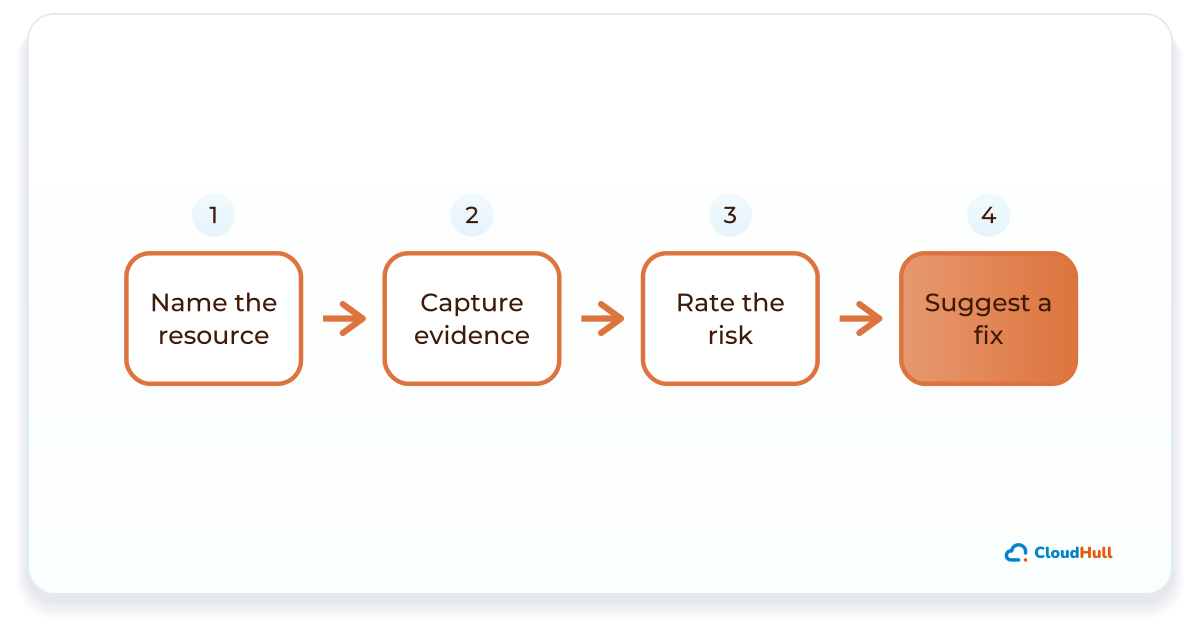
A good assessor works from evidence. Every finding should name the resource, the setting and the reason it matters. If a finding says "security could be improved" without more, ask for the detail.
Areas 1 and 2: Inventory and Account Structure
Start with a full inventory: accounts or projects, regions, compute, databases, storage, networks and the services that tie them together. Compare it with what the team believes exists. The gap is almost always larger than expected. Check each resource for an owner, a product and an environment tag.
Then look at the structure. Production should sit in its own account or project, with logging and security tooling in separate ones where possible. A single account for everything makes every change riskier and every permission broader than it should be. My cloud infrastructure strategy playbook describes the target layout.
- Every account has a named owner and a purpose.
- More than 90% of resources carry owner and environment tags.
- Production is isolated from development and test.
- Unused accounts and regions are closed or locked.
Areas 3 and 4: Network and Access
Look for exposure first. Which resources are reachable from the internet, and should they be? Management ports such as remote desktop or SSH open to the world are classic findings. Check storage buckets for public access and review the rules on every firewall or security group, especially those created in a hurry.
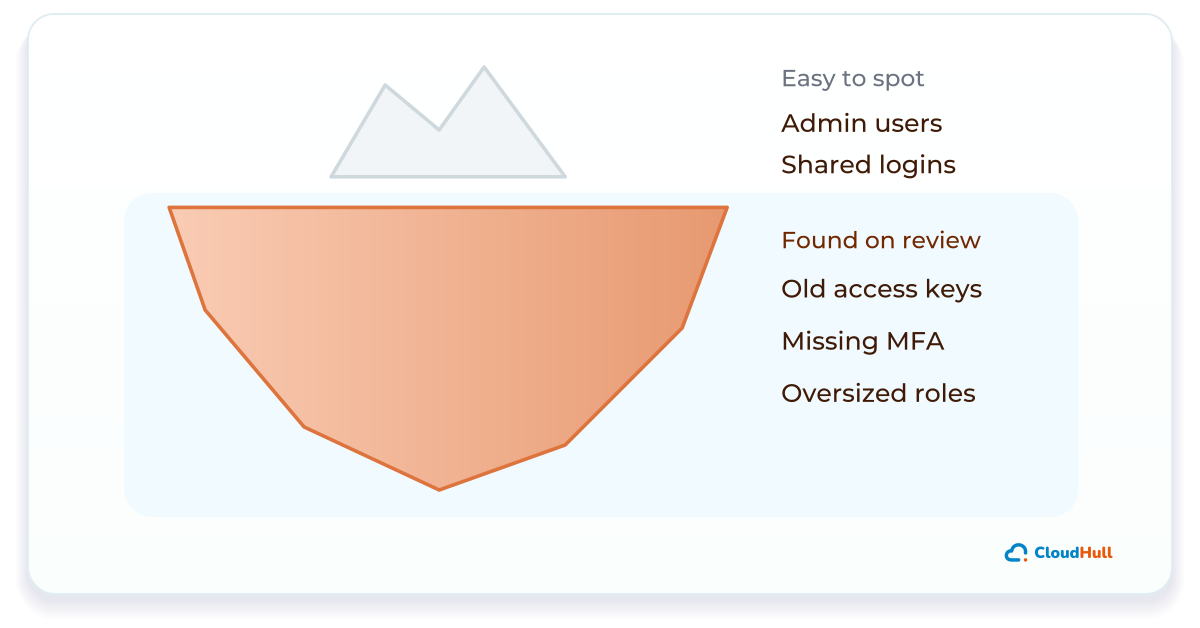
On access, list who has administrator rights and when each person last used them. Look for shared logins, accounts without multi-factor authentication, long-lived keys and roles that grant far more than the job needs. Removing unused admin access is among the cheapest fixes with the biggest risk reduction.
Areas 5 and 6: Compute, Data and Resilience
For compute and data, check sizing, patch level and encryption. Oversized instances show up in utilization data: servers that run below 10% CPU for weeks are candidates for smaller sizes. Look at operating system versions, runtime versions and the age of machine images. Confirm that databases and storage are encrypted and that keys are managed deliberately.
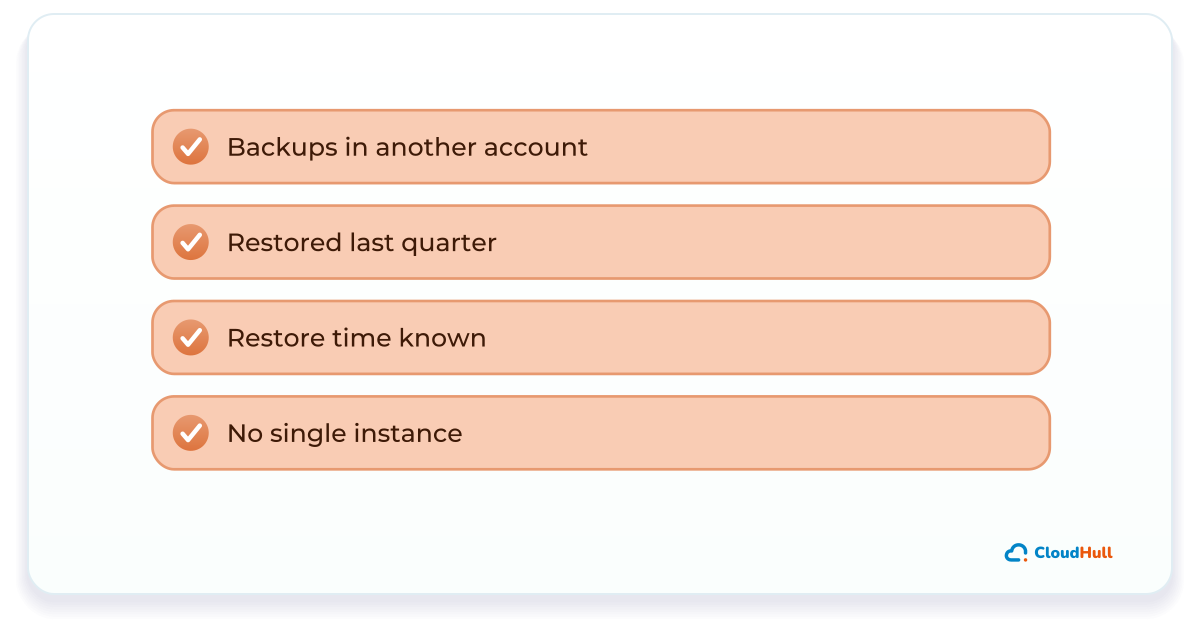
For resilience, ask three questions. Where are the backups, and are they in a separate account or region? Has anyone restored one in the last quarter? How long did it take? A backup that has never been restored is a hope, not a plan. Also check whether production depends on a single instance or zone. If your platform will change soon, my article on cloud infrastructure management shows how to keep these checks as a routine afterward.
Areas 7 and 8: Monitoring and Cost
Open the alert list. Count the alerts that fired last month and how many led to action. A high count with a low action rate means noise, and noise hides real incidents. Check that alerts exist for customer-facing symptoms and that each links to a runbook.
For cost, pull the last six months of billing data grouped by tag. Look for idle resources, unattached storage, oversized instances and environments that never shut down. Check whether steady workloads use commitment discounts. Many teams save a double-digit share of the bill from these items alone, though the amount depends entirely on how untidy the starting point is. My list of cloud infrastructure tools includes options that help with both monitoring and cost review.
Ranking What You Find
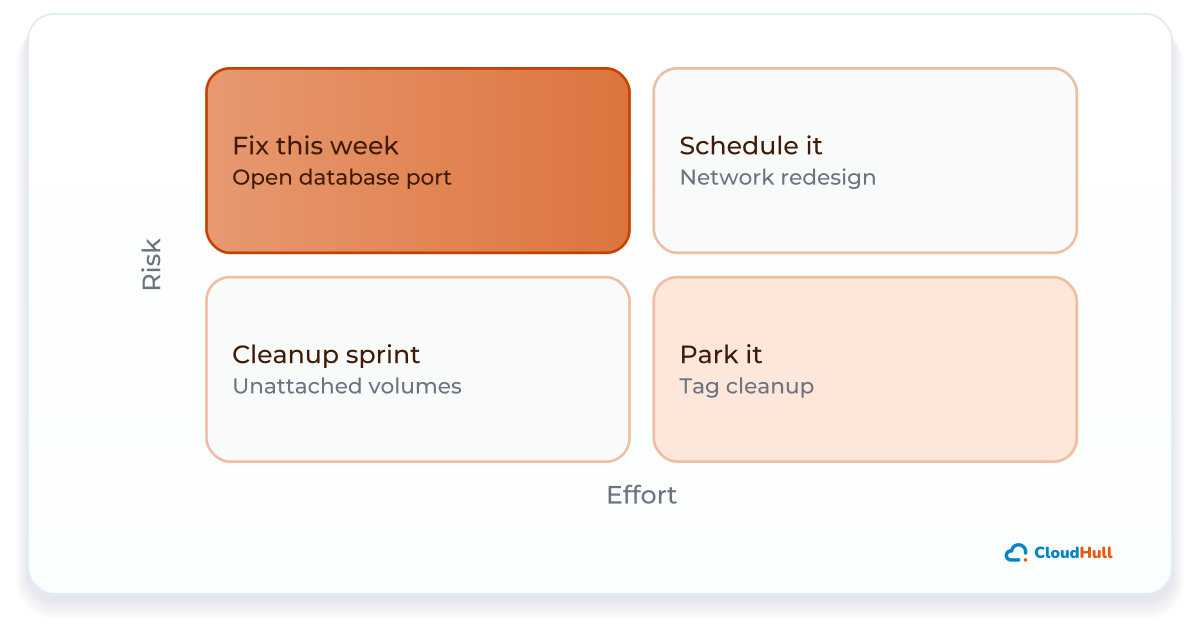
A typical assessment produces between 30 and 80 findings. Nobody fixes that many at once. Score each finding on risk (what could happen and how likely it is) and effort (hours or days to fix). Work in this order: high risk and low effort first, then high risk and high effort, then low risk and low effort. Everything else goes on a list for later.
| Risk | Effort | What to do |
|---|---|---|
| High | Low | Fix this week |
| High | High | Plan and schedule within the quarter |
| Low | Low | Batch into a cleanup sprint |
| Low | High | Park it, and say so in writing |
Many fixes become easier once the platform is built as code, which is why the report usually points toward cloud infrastructure automation as a follow-up.
What the Final Report Should Contain
A useful report is short and specific. I include six parts: a one-page summary, the inventory, the findings list, a cost review, a ranked plan and an appendix with the evidence. The summary is for leadership, and the rest is for the people who will do the work. Here is how one line of a findings list looks in practice.
| Finding | Evidence | Risk | Effort | Suggested fix |
|---|---|---|---|---|
| Database reachable from the internet | Security group allows all addresses on the database port | High | 1 hour | Restrict to the application subnet |
| Backups never restored | No restore test recorded in 12 months | High | 1 day | Run a restore to a test account, record the time |
| 14 unattached storage volumes | Volumes with no attachment for over 60 days | Low | 2 hours | Snapshot, then delete |
Notice the structure. Each line names what is wrong, where to see it, how bad it is and how long the fix takes. Anyone on your team can pick it up without a meeting. If a report cannot be read like this, ask for a revision.
Also ask for a short presentation of the results. People ask better questions about a finding they can see on a screen, and the discussion often surfaces context that changes a rating. A database exposed to the internet might be on purpose for a partner integration, and that changes both the risk and the fix.
Mistakes That Make Assessments Useless
I see the same few errors repeatedly. The scope is too wide, so the review stays shallow and produces a hundred vague findings. Nobody owns the follow-up, so the report sits in a folder. Findings arrive without evidence, so engineers argue about whether they are real. And the assessment is treated as a one-off, so six months later nobody can say whether things improved.
Avoid them by narrowing the scope to one environment first, naming an owner for the plan before the review ends and agreeing on the evidence format up front. Put a date in the calendar for the repeat, using the same checklists. The second round is where the value shows, because you can compare scores and show leadership a trend instead of a snapshot.
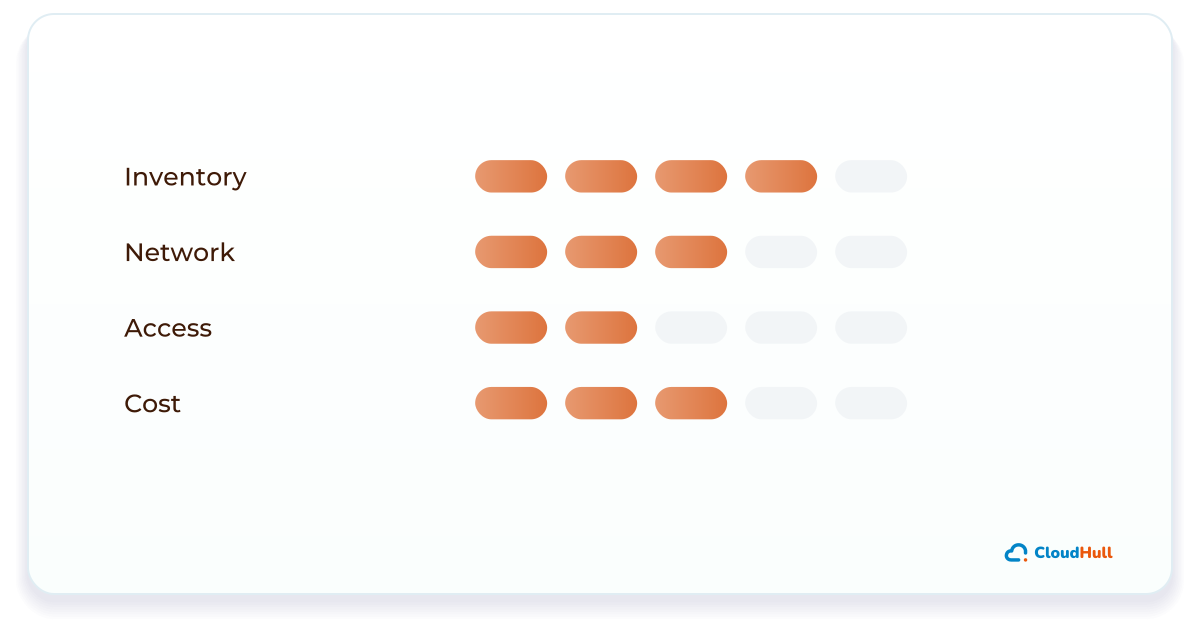
One more habit helps: share findings as you go. A critical issue such as an open database should reach the owner the same day, not wait for the final report two weeks later.
How Often to Repeat the Review
Repeat the full assessment once a year, and run a light version of the access, exposure and cost checks every quarter. Environments change fast, and a clean score in January says little about December. Keep the same eight areas and the same questions, so each round can be compared with the last. After a major change such as a migration or an acquisition, run it again sooner.
How to Choose Between Doing It Yourself and Hiring Help
A self-assessment works if you have someone who has reviewed other environments and who is willing to write down awkward findings. Outside help adds comparison and neutrality, and it frees your team to keep shipping. Whichever route you take, insist on evidence for every finding, a ranked plan and a repeatable template, so you can rerun it next year.
- Scope and access are agreed in writing.
- Findings include resource IDs and risk ratings.
- The plan ranks work by risk and effort.
- You keep the checklists for the next round.
Questions About Cloud Infrastructure Assessments
What Is a Cloud Infrastructure Assessment?
It is a review of your accounts, networks, compute, storage, databases, identity setup, monitoring and costs against standards for reliability, security and cost. The output is a list of findings with risk ratings and a suggested order for fixing them.
How Much Time Does an Assessment Need?
For one environment, usually two to four weeks. Many accounts, several providers or poor documentation take longer. The first week is spent mostly on inventory.
What Access Do Assessors Need?
Read-only access to your cloud accounts, billing data and infrastructure code, plus time with the people who run the platform. Read-only access is enough, and it lowers the risk of accidental changes.
How Is an Assessment Different from an Audit?
An assessment looks for improvement across reliability, cost and security. An audit checks compliance against a fixed standard and produces a pass or fail style result. Many teams do an assessment first, then audit.
What Deliverables Should I Expect?
An inventory, a findings list with risk ratings, a short architecture summary, a cost review and a prioritized plan with effort estimates. Insist on evidence for every finding, such as a resource ID or a screenshot of a setting.
How Much Does It Cost?
The price depends on the number of accounts, regions and services. Ask for a fixed quote after a scoping call, and check what the quote includes: workshops, a written report and a presentation of results.
What Happens After the Assessment?
You decide which findings to fix and in what order. Many teams fix the critical items themselves and use the report to justify budget for the larger ones. Repeat the assessment in six to twelve months to measure progress.
Sources
Please note: this guide is general information and not legal, financial or tax advice. Numbers and examples are typical-project estimates; confirm current details with your providers and advisers.
Did this article help you?
Thanks, noted.
Garrett Linville
Garrett leads the Cloud Hull editorial team and works with the consultants to turn real client projects into practical guides on cloud migration, DevOps, security and cost control. Each article is edited together with the consultant who did the work, and every price and limit is checked against current provider documentation. He is based in the USA and works remotely.