Main Points
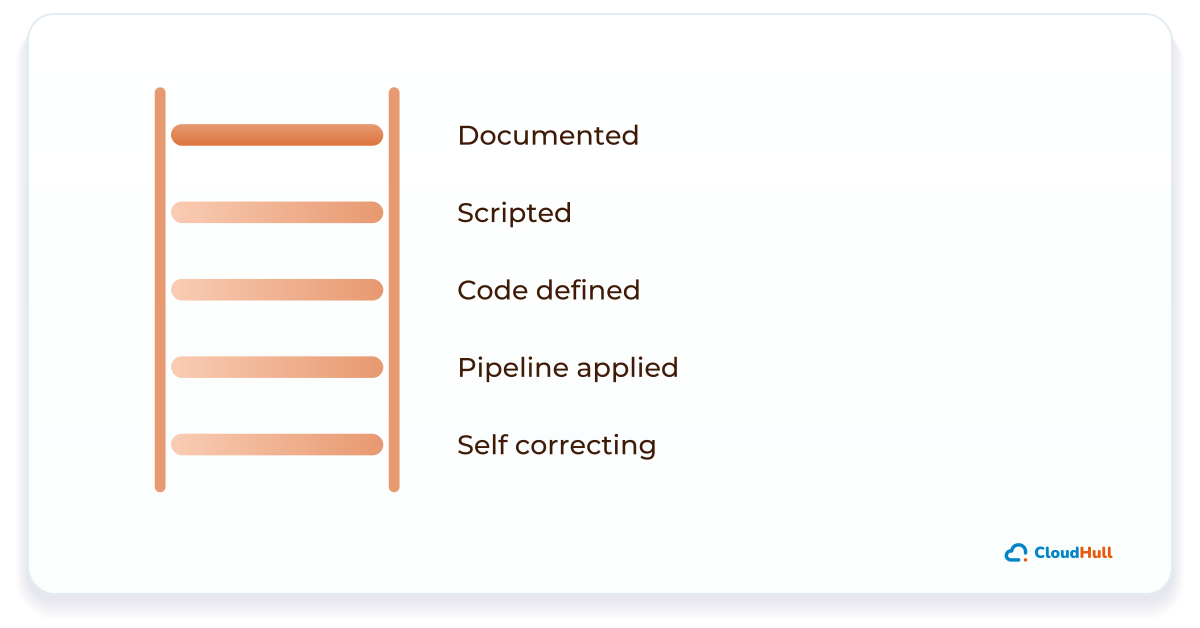
- Climb a five-level ladder: documented, scripted, code-defined, pipeline-applied, self-correcting.
- Provisioning, patching and idle-resource cleanup usually return the most hours.
- Preview every change before it is applied, and keep each pipeline's permissions narrow.
- Record a baseline first so you can show the hours and dollars saved.
Every cloud team has a job that eats the same two hours every week: building a test environment, applying patches, cleaning up stray resources. It feels too small to fix, so it never gets fixed. Added up, it is one of the largest hidden costs in the budget. When I run cloud infrastructure consulting projects, automation is where the quickest returns come from.
This article gives you a ladder to measure where you stand, a formula for the hours at stake and a calculator to try your own numbers.
The Five Levels of Infrastructure Automation
Teams do not jump from clicking in a console to self-healing systems. They climb. Knowing your current level tells you the next sensible step, and it stops you from buying tools for a level you have not reached.
| Level | How infrastructure is handled | Typical next step |
|---|---|---|
| 1. Documented | Manual console work with written steps | Script the steps that never change |
| 2. Scripted | Scripts run by hand from a laptop or a shared server | Move resources into declarative code |
| 3. Code-defined | Resources described in version-controlled files, applied by engineers | Apply changes through a pipeline, with a review |
| 4. Pipeline-applied | Every change is reviewed, planned and applied by a pipeline | Add drift detection and policy checks |
| 5. Self-correcting | Drift is reported or fixed on its own, idle resources shut down by rule, scaling follows load | Tune and measure; review quarterly |
Most teams I meet sit between levels 1 and 3. Level 4 is the target for most companies. Level 5 is worth it for parts of the estate, such as scaling and cleanup, and rarely everywhere.
The Jobs That Pay Back Fastest
Not every job deserves automation. I look for jobs that repeat often and are identical each time. These four tend to win.
Environment Provisioning
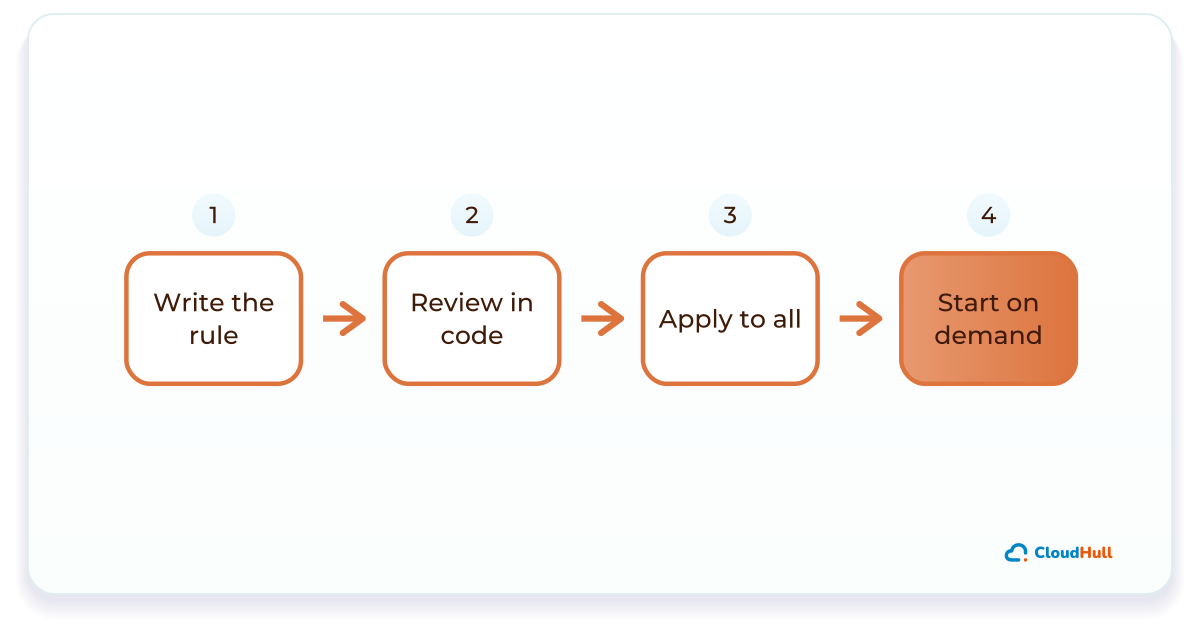
Creating a new environment by hand takes hours and produces small differences each time. From code, it takes minutes and matches production. The Terraform workflow of write, plan and apply is a good template: you describe the resources, preview the changes and then approve them. For a view of the tools that do this, see my ranking of cloud infrastructure tools.
Patching and Image Builds
Patching servers one by one is slow and easy to skip. Build a fresh machine image on a schedule and roll it out through the pipeline, and patching becomes a routine release. For container platforms, the same idea applies to base images.
Idle Resource Cleanup
Test environments left on over weekends and volumes that outlived their servers cost money every hour. Scheduled start and stop rules and a weekly cleanup job handle most of it. This is often the first line where a bill visibly drops.
Access Reviews and Key Rotation
Rotating credentials and reviewing permissions are jobs everyone agrees matter and nobody has time for. Automated rotation from a secrets manager and a scheduled report of unused permissions take them off the human to-do list.
The Formula and a Worked Example
Hours saved per week = minutes per task x runs per week x share automated / 60. Use a realistic share. Even good automation leaves some manual exceptions.
Take a SaaS company with three product teams. Each team asks for a fresh test environment about four times a month. Building one by hand took a platform engineer around three hours, including waiting for resources and fixing small mistakes. With infrastructure code and a pipeline, a request became a pull request and a ten-minute wait.
| Line | Value |
|---|---|
| Environments per month | 12 (3 teams x 4) |
| Manual time each | 180 minutes |
| Share automated | 90% |
| Hours saved per month | 12 x 180 x 0.9 / 60 = 32.4 |
| Yearly hours saved | about 390 |
The platform engineer got most of a week back every month. Teams also stopped waiting on a queue, which mattered more than the engineer's time. If your cloud bill is the bigger concern, put your numbers through the same formula for cleanup jobs, then compare the result with the plan in my cloud infrastructure strategy guide.
Calculate Your Own Hours
Choose one repeated infrastructure task, such as building an environment or applying patches, and enter your numbers. The estimate leaves out build time and running costs.
How Much Time Could You Save?
Move the sliders to match one repetitive task in your business.
Automating Without Breaking Things
Automation moves fast, so mistakes do too. Four rules keep it safe.
- Preview every change and require a review before it is applied.
- Give each pipeline only the permissions its job needs, and keep long-lived keys out of the code.
- Apply to staging first, and use the same code for production.
- Keep a logged emergency path for manual changes, and reconcile them into code the next day.
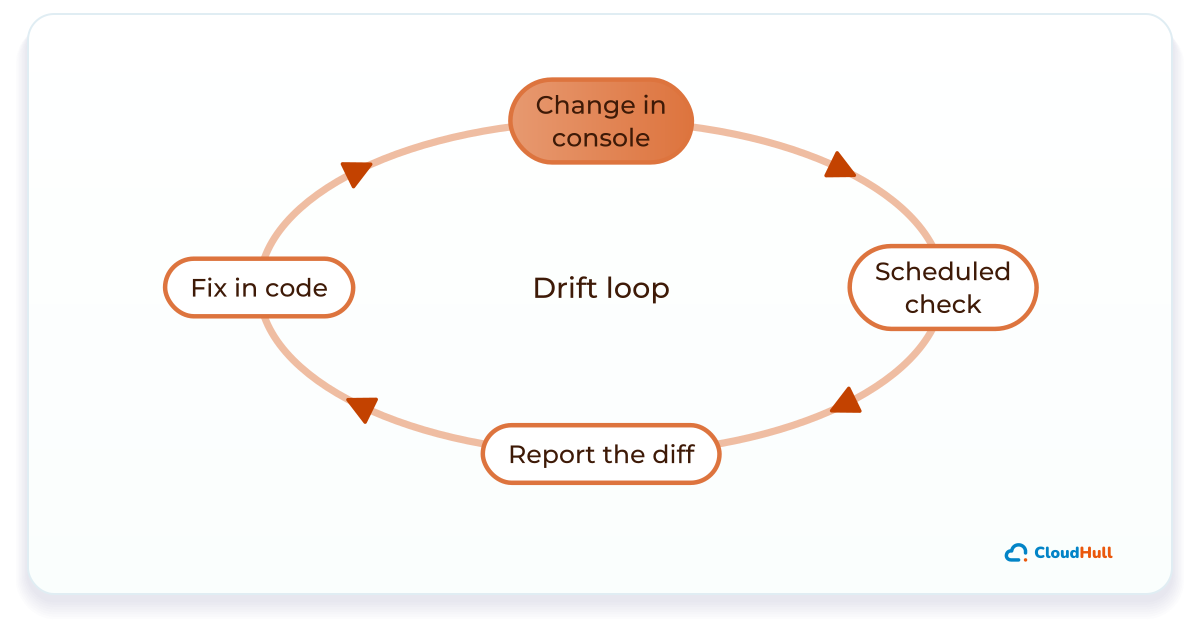
Drift is the quiet risk. Someone fixes a problem in the console at midnight and never writes it down. A scheduled drift check finds the difference and tells you before it surprises you. Teams that already run daily operations will recognize the pattern from my guide to cloud infrastructure management.
Where to Start This Month
Pick one job from the four above and follow a short path. Write down the manual steps, record how long they take, move the resources into code, run the change through a pipeline and compare the hours after a month. A first win like this usually takes a week or two, and it gives you the evidence to fund the next one.
If you are unsure where your environment stands, an infrastructure assessment places you on the ladder and ranks the jobs by hours at stake.
Tools for Each Level
Tools matter less than the level you are working at, but you still have to choose. At levels 1 and 2, shell scripts and your provider's command line tool are enough. At level 3, a declarative infrastructure tool such as Terraform, OpenTofu or a cloud-native equivalent describes your resources in files. A configuration tool such as Ansible can handle the setup inside servers. At level 4, your existing CI platform becomes the pipeline that plans and applies changes, with policy checks as an extra step.
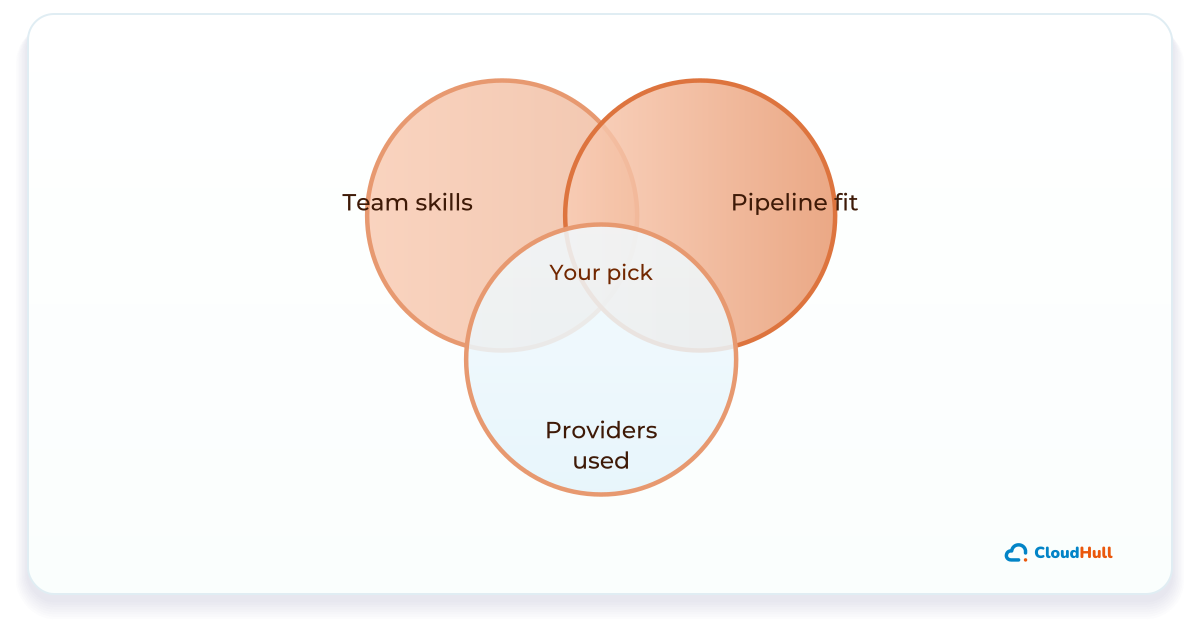
Choose by your team's skills, by how many providers you run and by how well the tool fits your pipeline. A tool your engineers can read in a code review beats a more powerful one only two people understand. For a broader comparison, see my list of cloud infrastructure tools.
A Quick Win: Shutting Down Non-Production by Schedule
If you want one change that shows up on the next bill, start here. Development and test environments are used about 50 hours a week, but a month has 168 hours in every week. Running them only during working hours switches them off for roughly two thirds of the time.
| Item | Always on | Scheduled |
|---|---|---|
| Hours running per week | 168 | about 60 (including a buffer) |
| Share of compute hours paid for | 100% | about 36% |
| Manual effort | None, and so none to fix it | One-time rule, then none |
The saving applies to compute. Storage and some managed services keep charging while a system is stopped, so check each item. Tell the team about the schedule, give them a simple way to start an environment outside hours and keep any environment that runs batch jobs overnight out of the rule.
The schedule belongs in the same code as everything else. When it is a line in a file, it gets reviewed, versioned and applied to every new environment without anyone remembering it.
Getting Your Team on Board
Engineers sometimes resist automation because they worry about losing control, or because the first script they see is a mess. Start with a task they dislike doing. Involve them in writing it. Show the preview output and the review step, so they can see that changes are more visible, not less. Within a quarter, the same people are usually asking for the next job to be automated.
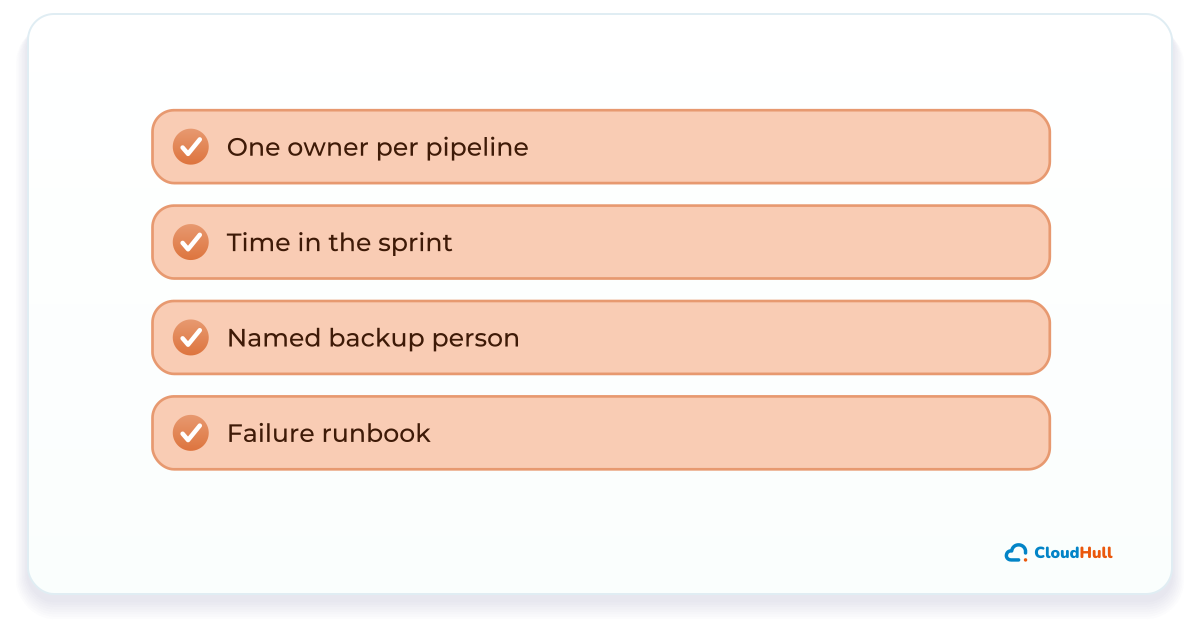
Put one owner on each pipeline and give that person time in the sprint for maintenance. Automation without an owner decays, and a decayed pipeline is worse than a manual routine because it fails at the worst moment. If you run the platform day to day, cloud infrastructure management routines are a good place to schedule that maintenance.
What Automation Costs You
Automation is not free. Budget for the build, which is usually days for a single job and weeks for a platform, and for ongoing upkeep as providers change their services. Tool licenses may apply, though many of the common tools are free to start. Include these costs in your estimate, so the return you report is net. A job that saves 40 hours a year and costs 60 hours to build and maintain is not a win, whatever the dashboard says.
Proving the Result
Keep the baseline you recorded and compare it after one month and again after three. Report hours saved, the number of manual changes still made in the console and the monthly cost of the environments you scheduled. Three numbers on one page are enough to keep funding the work, and they show you where the next job should come from.
How to Choose What to Automate Next
Rank your candidate jobs by the formula, then discard anything that fails one of these checks: it has a written procedure, you can test it outside production and someone will own it afterward. The job at the top of what remains is your next project.
Questions About Cloud Infrastructure Automation
What Is Cloud Infrastructure Automation?
It is the practice of creating, changing and retiring cloud resources through code and scheduled jobs instead of clicking through a console. Servers, networks, permissions, backups and shutdown schedules all follow written rules that run the same way every time.
How Is It Different from DevOps Automation?
DevOps automation covers the whole delivery path, including building and testing application code. Infrastructure automation focuses on the platform underneath: provisioning, configuration, patching, scaling and cleanup. The two overlap in the deployment pipeline.
Which Tool Should I Use for Infrastructure as Code?
Terraform and OpenTofu work across providers, and each major cloud offers its own native option. Pick the one your team can read and review easily, and that matches how many providers you actually run.
How Many Hours Will I Save?
Use the calculator and formula in this article with your own task durations. Provisioning environments and patching usually show the largest gains, because they repeat often and take a long time by hand.
Is Infrastructure Automation Risky?
It can be if a script has broad permissions or runs without review. Reduce risk by previewing every change, limiting each pipeline to the access it needs, applying changes to staging first and keeping an emergency manual path that is logged.
What Should Not Be Automated?
Skip tasks that run once a year, change shape every time or need real judgment, such as architecture decisions. Also leave out anything you cannot test. A written checklist often serves these better than a script.
Can Small Teams Benefit from It?
Yes. A two-person team that builds environments from code and shuts down test resources overnight gets back an afternoon every week. The setup cost is a few days, and you do not need a large platform.
Sources
Please note: this guide is general information and not legal, financial or tax advice. Numbers and examples are typical-project estimates; confirm current details with your providers and advisers.
Did this article help you?
Thanks, noted.
Garrett Linville
Garrett leads the Cloud Hull editorial team and works with the consultants to turn real client projects into practical guides on cloud migration, DevOps, security and cost control. Each article is edited together with the consultant who did the work, and every price and limit is checked against current provider documentation. He is based in the USA and works remotely.