Main Points
- Managing cloud infrastructure means running six recurring jobs: monitoring, patching, backups, access, cost and change control.
- Put each job on a daily, weekly or monthly schedule with a named owner.
- Tags, infrastructure as code and tested backups make the routine small.
- Decide early whether to run it in-house, hand it to a provider or split the work.
Building a cloud environment is a project. Running it is a job that never ends. Disks fill up, certificates expire, someone opens a port for a test and forgets to close it, and the bill creeps up by a few percent every month. Most of the cloud problems I get called in to fix come from missing routines, not from bad architecture. That is why cloud infrastructure consulting always includes a plan for day-to-day operation.
This guide lays out the routine I recommend, who should own it and how to keep it small enough that it actually happens.
What Cloud Infrastructure Management Covers
Cloud infrastructure management is the ongoing care of everything your applications run on: servers or containers, storage, databases, networks, identity and access, and the monitoring wrapped around them. It differs from application support. If a page loads slowly because of a bad query, that is an application problem. If it loads slowly because the database ran out of connections or storage, that is infrastructure.
I group the work into six recurring jobs. If your team can say who handles each one and when, you are ahead of most companies I meet.
| Job | What it means | How often |
|---|---|---|
| Monitoring and alerting | Watching availability, errors, latency and capacity, and acting on alerts | Continuous, with a weekly review of alert quality |
| Patching and updates | Applying operating system, runtime and dependency fixes | Weekly for critical fixes, monthly for the rest |
| Backup and recovery | Backing up data and proving you can restore it | Daily backups, a restore test every quarter |
| Access management | Reviewing who can reach what, and removing what is no longer needed | Monthly review, immediate removal when people leave |
| Cost management | Tracking spend by team, removing waste and adjusting commitments | Weekly glance, monthly review |
| Change control | Making infrastructure changes through reviewed code | Every change |
Three Foundations That Make Management Easier
You can run a messy environment with heroic effort. You can run a tidy one with an hour a day. Three habits decide which one you have.
Tag Everything
Every resource gets an owner, a product and an environment tag, and your infrastructure code refuses to create anything without them. Tags answer the questions that come up in every incident and budget meeting: who owns this, what is it for and can I turn it off? Untagged resources are the first place to look when the bill jumps.
Build Through Code
When servers, networks and permissions are described in version-controlled files, changes are reviewed, repeatable and easy to roll back. HashiCorp describes the Terraform workflow as write, plan and apply, and the plan step is what matters here: you see what will change before it happens. My article on cloud infrastructure automation goes through how to get there.
Write the Runbook Before the Incident
A runbook is a one-page description of what to check and do for the failures you expect. Disk full, certificate expired, database connections exhausted and a bad deploy cover most nights. The person on call at 3 a.m. should not have to be clever.
Who Should Run Your Cloud Infrastructure
There are three common models. None is correct for everyone, and the right choice shifts as you grow.
| Model | Works well when | Look out for |
|---|---|---|
| In-house team | You have steady workloads, a few engineers with cloud skills and no need for round-the-clock cover | Single points of failure when one expert is away |
| Managed service provider | You need 24/7 coverage or have no cloud engineers | Slow change requests and unclear boundaries of responsibility |
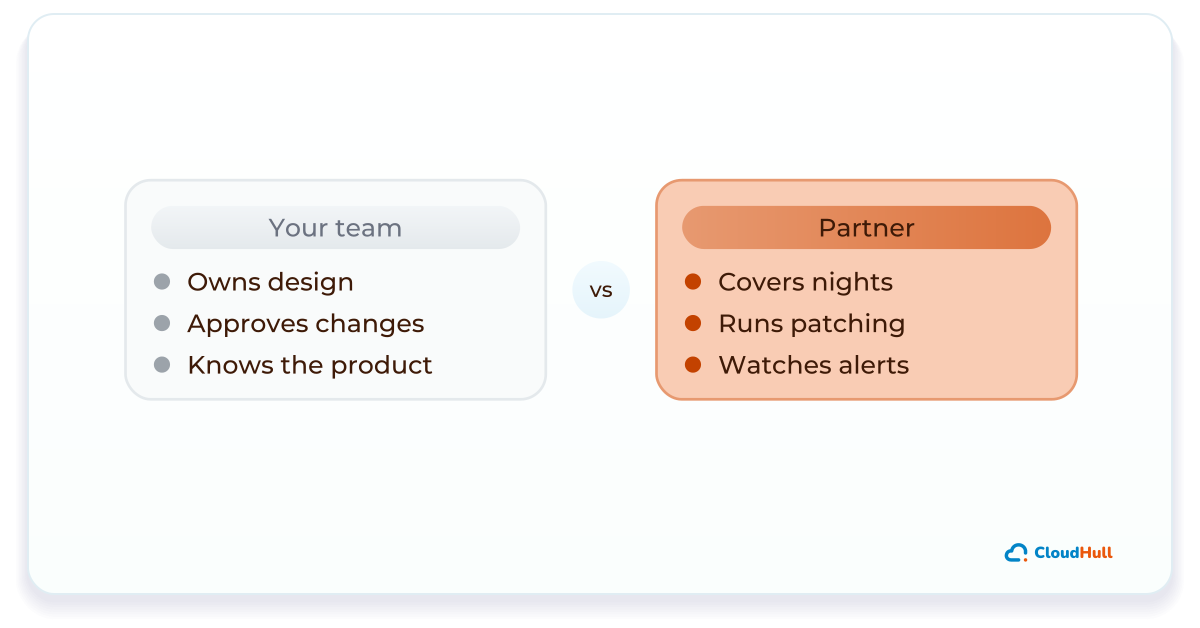
| Hybrid | You want your team to own design and changes, with a partner for night cover, audits and peaks | Gaps in the handoff if the contract is vague |
In my experience, the hybrid model fits most growing companies. Your own people keep knowledge of the product and decide the changes. An outside partner provides the second pair of eyes and the on-call depth. Whatever you choose, keep admin access to your own accounts and keep the infrastructure code in your own repository.
If you are still deciding which tools your team will use for this work, my list of cloud infrastructure tools compares free and paid options.
Keep It Reliable: Monitoring and Recovery
Monitoring tells you something is wrong. Recovery decides how long it stays wrong. Spend your effort on both.
Alert on symptoms your customers would notice: error rates, slow responses, failed payments, a full queue. Alerts on CPU or memory alone produce noise. Each alert should link to a runbook, and any alert that nobody acted on in a month should be changed or deleted.
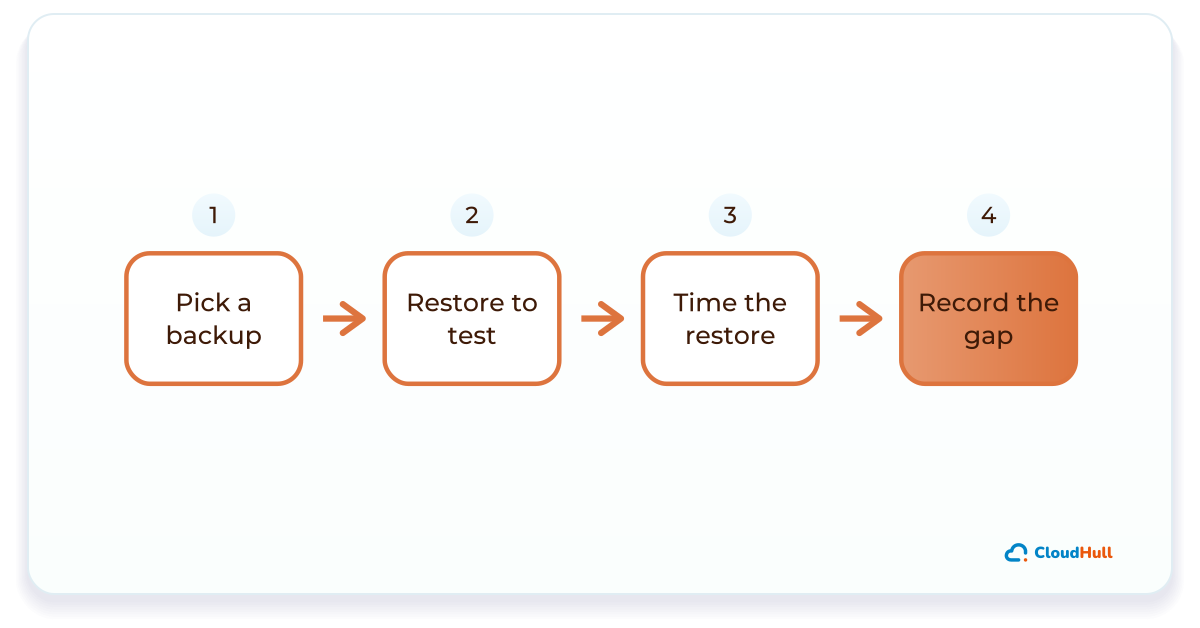
Backups deserve one uncomfortable test: restore one. A backup you have never restored is a hope. Schedule a quarterly restore to a separate environment, time it and write the time down. That number is your real recovery time, and it is the one your business will ask about during an outage.
- Alerts map to customer-visible symptoms and link to a runbook.
- Backups run daily and live in a separate account or region.
- A restore test happens every quarter and the result is recorded.
- On-call rotation is written down, with a backup person named.
Keep It Secure Without a Large Team
Security in day-to-day operation comes down to a short list of repeating checks. Review who has admin rights each month and remove anyone who does not need them. Turn on logging in every account and send it somewhere a single compromised account cannot delete. Keep storage private by default, and alert on any resource that becomes public. Patch critical vulnerabilities within days, not quarters.
AWS organizes its Well-Architected Framework into six pillars: operational excellence, security, reliability, performance efficiency, cost optimization and sustainability. I use the list as a quick review sheet for the monthly meeting. If you can say one sentence about each pillar for your own environment, you know where the gaps sit. For a deeper look, a structured cloud infrastructure assessment scores each area with evidence.
Keep It Affordable
Cloud costs drift upward for dull reasons: test environments left running, volumes that outlived their servers and instances sized for a peak that never came. A monthly 45-minute review catches most of it.
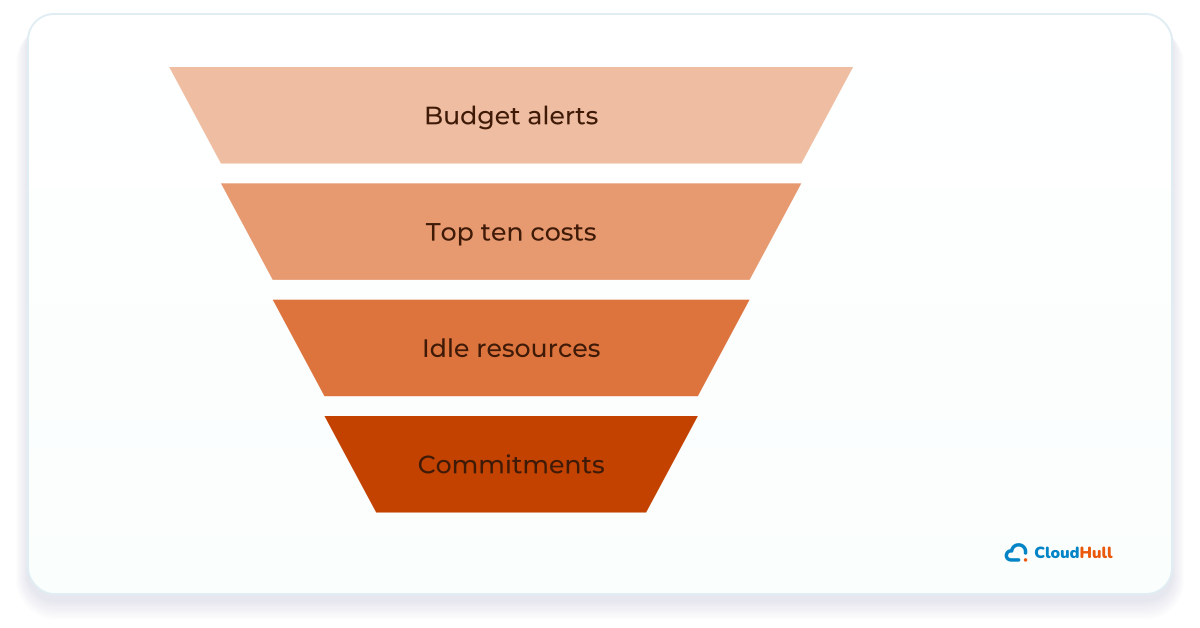
Work through the same order each month. First, check budget alerts and the top ten resources by cost. Second, look for idle or unattached resources. Third, check that non-production environments shut down outside working hours. Fourth, review commitment coverage, since discounts for steady usage only make sense once you know your baseline.
Flexera's State of the Cloud report notes that 59% of organizations now have a dedicated FinOps team, up from 51% the year before. You do not need a team at this stage. You need a calendar entry and a person who owns the number. A longer program can follow from the guidance in cloud infrastructure strategy.
A Routine You Can Start Next Week
Copy this schedule into a ticket template and adjust it.
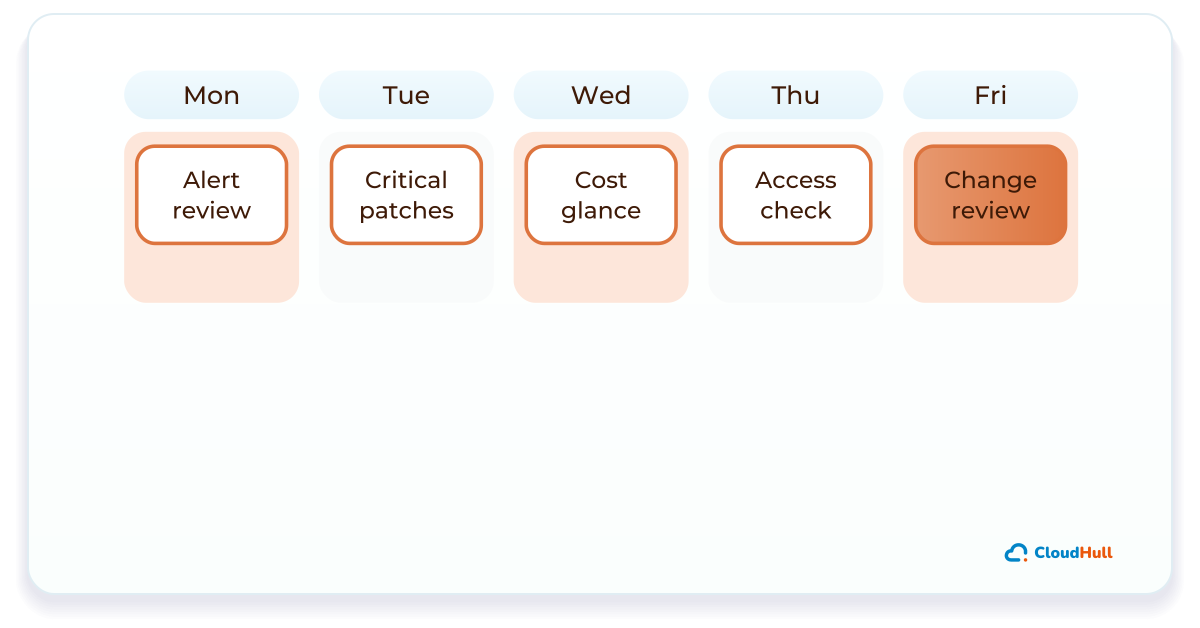
- Daily: check alerts, failed backups and pipeline failures.
- Weekly: apply critical patches, review the alert list and glance at spend by team.
- Monthly: review access, run the cost review, scan for public resources and update diagrams.
- Quarterly: restore a backup, review the runbooks and repeat your infrastructure assessment.
Assign each line to a named person, with a backup. A routine without names is a wish.
Handling Incidents Without Panic
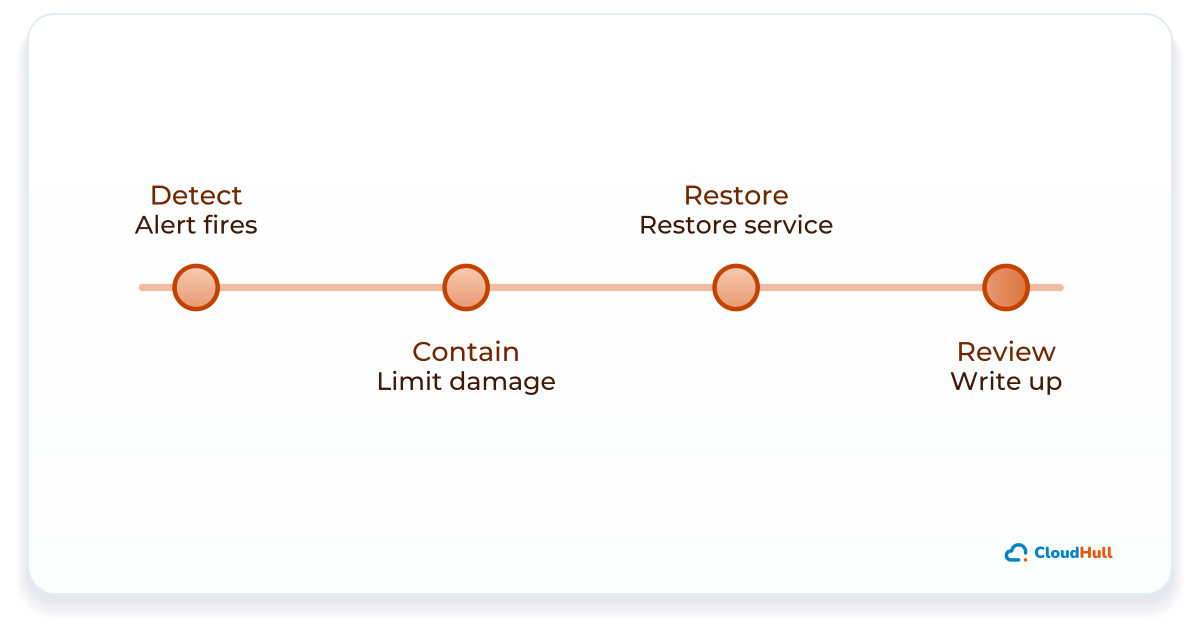
Every environment has bad nights. What separates a quiet team from a frantic one is a short, rehearsed process. Name an incident lead who coordinates and does not touch the keyboard. Keep a running timeline in a shared channel. Restore service first and look for the cause after. Within a week, write a short review that lists what happened, why the system allowed it and which two or three actions will prevent a repeat.
Keep the review blameless. People who fear blame hide small mistakes, and small mistakes become large outages. Track the actions to completion, because a review whose actions are never done teaches the team that reviews are theater.
Keeping Documentation Honest
Diagrams and runbooks go stale quickly. Generate what you can from the code and the cloud itself, such as network diagrams and resource lists, and review hand-written pages at each quarterly check. Date every page, and delete the ones that nobody has used for a year.
Planning Capacity Before It Hurts
Look at the trend of storage, database connections and network throughput each month. Growth rarely surprises you if you watch the curve. Set alerts at 70% and 85% of any limit, and treat the first alert as a task and the second as an incident. Many outages I have investigated were full disks or exhausted quotas that had been visible for weeks.
How to Choose the Right Level of Support
Start from your tolerance for downtime and the size of your team. If an hour of downtime costs you serious money and nobody is awake at night, you need outside cover. If outages are annoying and you have three capable engineers, a good routine and clear runbooks will take you a long way.
Ask any partner you consider for sample runbooks, a list of what is in scope and a clear statement of who holds admin access. Compare response times in writing. Avoid contracts that charge by the alert, because they reward noise.
Questions About Cloud Infrastructure Management
What Is Cloud Infrastructure Management?
It is the ongoing work of keeping your cloud compute, storage, networks, databases and access rules healthy, secure and affordable. It includes monitoring, patching, backups, capacity planning, cost control and change control, not just the initial build.
Who Should Manage Our Cloud Infrastructure?
Small teams often share the job between developers and one lead engineer. Growing teams add a platform or operations group. Some companies hire a managed service provider for round-the-clock coverage. Many use a hybrid, with an outside partner handling the night shift and audits.
How Much Time Does Cloud Management Take Each Week?
For a modest production environment with good automation, expect a few hours of routine review per week plus incident time. Poorly documented or hand-built environments take far more. The better your infrastructure code and monitoring, the less routine work you carry.
What Are the Biggest Cloud Management Mistakes?
The common ones are untagged resources, broad permissions, backups nobody has restored, no budget alerts and changes made by hand in the console. Each is cheap to prevent and expensive to find out about later.
Which Metrics Should I Track?
Track availability, error rate and latency for customer-facing services, the monthly bill by team, the number of open high-risk security findings and the time it takes to recover from a failure. Five numbers on one page beat fifty on a wall.
Do I Need a Multi-Cloud Strategy?
Most teams do not. Running on two providers doubles the skills, tooling and security work. Choose multi-cloud for a concrete reason, such as a customer requirement or a service only one provider offers.
How Do I Reduce My Cloud Bill Without Hurting Performance?
Start with tagging so you can see who spends what. Then remove idle resources, rightsize oversized instances and shut down non-production environments outside working hours. Commitment discounts come last, once usage is stable.
Sources
- AWS: The pillars of the Well-Architected Framework
- HashiCorp: Introduction to Terraform
- Flexera: 2025 State of the Cloud report
Please note: this guide is general information and not legal, financial or tax advice. Numbers and examples are typical-project estimates; confirm current details with your providers and advisers.
Did this article help you?
Thanks, noted.
Garrett Linville
Garrett leads the Cloud Hull editorial team and works with the consultants to turn real client projects into practical guides on cloud migration, DevOps, security and cost control. Each article is edited together with the consultant who did the work, and every price and limit is checked against current provider documentation. He is based in the USA and works remotely.