Main Points
- Start with one application that hurts and measure it, then build the platform around it.
- Containers, infrastructure and delivery should all be code, reviewed and rebuilt from Git.
- Observability, security and cost labels belong in the platform before the first incident.
- A small, well-run setup beats a large one that nobody on your team understands.
Cloud native projects rarely fail on technology. They fail on habits: a manual release path that never went away, a cluster without owners on its workloads or alerts that nobody trusts. When you bring in cloud native consulting, most of the time goes into fixing those habits rather than choosing tools.
Below are the nine practices I check first on every platform review. Each one has a short explanation, a do list and an avoid list. Read them in order if you are starting out, or jump to the one that matches your last incident.
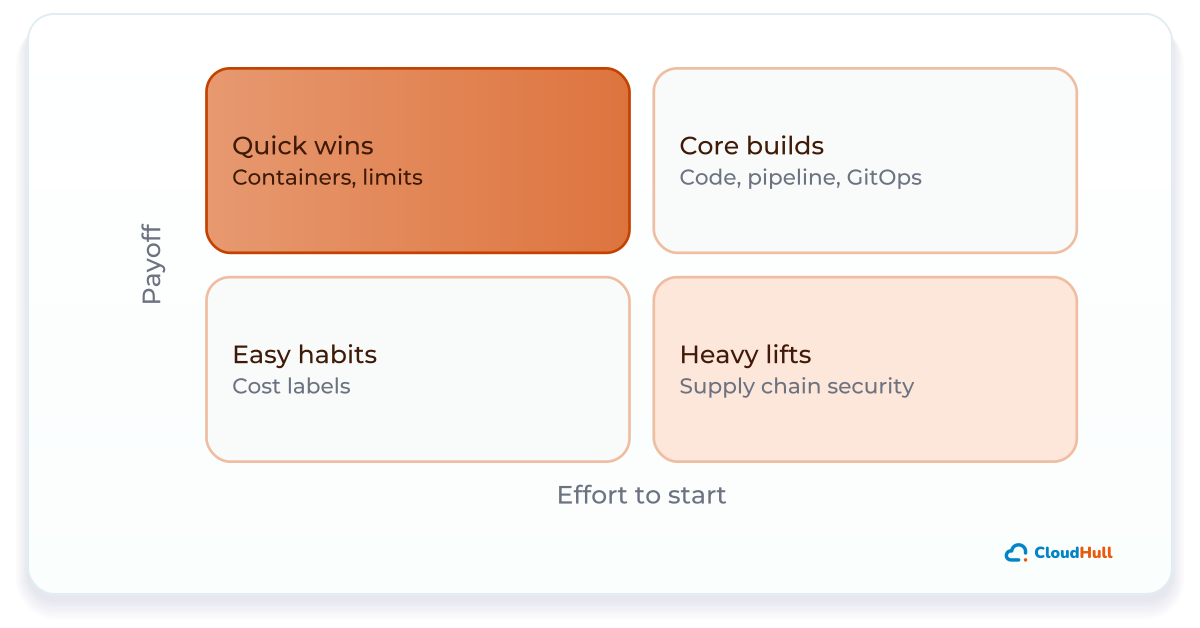
The Nine Practices at a Glance
| Practice | What it prevents | Effort to start |
|---|---|---|
| 1. Start from the application | A platform with no real workload | Low |
| 2. Immutable containers | Environment drift and patch gaps | Low |
| 3. Infrastructure as code | Unknown production setup | Medium |
| 4. One automated pipeline | Risky, manual releases | Medium |
| 5. GitOps | Untraceable changes | Medium |
| 6. Requests and limits | Waste and noisy neighbors | Low |
| 7. Observability | Long, blind incidents | Medium |
| 8. Security by default | One breach spreading | Medium to high |
| 9. Cost per service | Invisible cloud waste | Low |
Nine Practices With Do and Avoid Lists
The order roughly follows how I sequence them in client work. The first four give you repeatable builds, the next three give you control, and the last two keep the platform safe and affordable. When you are weighing which ones to pay for first, the cloud native strategy guide shows how to prioritize them against your goals.
Start From the Application, Not the Platform
The first question I ask a team is which application hurts most, and how. A slow release cycle, a monthly outage and an idle server farm each point to a different fix. Teams that begin with a Kubernetes cluster instead of a problem usually end up with a cluster that runs one forgotten service.
Pick one application with real traffic and a team that wants change. A first service that ships to production in weeks teaches more than a six-month platform design.
Do this: Choose a single application with a clear pain, write down today's release time, incident count and monthly cost, and use those numbers as your baseline.
Avoid this: Building a platform for imaginary workloads, or starting with your most critical system because it has the biggest budget.
Keep Containers Small, Immutable and Rebuilt Often
A container image is a build artifact, not a small server. Once it ships, nobody should log in and change it. If something needs to change, you rebuild the image, test it and redeploy. That single habit removes most of the "works on my machine" drift I see in older environments.
Small base images matter for more than download speed. Every package you leave out is one less thing to patch and one less line in a vulnerability report. In my client work, trimming images from a full operating system to a minimal base cut scan findings by more than half, and most of the removed items were never used.
Do this: Use minimal base images, pin versions, scan on every build and rebuild images on a schedule so patches reach production.
Avoid this: Running as root, using the latest tag in production or patching containers by hand.
Treat Infrastructure as Code, and Review It Like Code
Every network, cluster, database and permission should exist as a file in version control. When an environment is created from code, a second copy is a command, and a rollback is a revert. When it is created by clicking, nobody can say what the production setup really is.
Code review is the part teams skip. A pull request on a Terraform or OpenTofu change shows a colleague exactly which firewall rule opens, before it opens. Pair this with automated plan output in the pull request and you catch most expensive mistakes while they are still text.
Do this: Keep infrastructure in version control, require reviews, and run plan and policy checks automatically on every change.
Avoid this: Console changes that never reach the repository, and shared admin accounts that nobody can trace.
Ship Through One Automated Pipeline
Releases should look the same on a Tuesday afternoon and in an emergency. One pipeline builds the image, runs tests, scans for vulnerabilities and deploys, with approvals only where risk justifies them. Teams that keep a manual path next to the pipeline end up using the manual path whenever they are in a hurry, which is exactly when mistakes are most expensive.
The deployment frequency and recovery time that the DORA research tracks come out of this habit. Small changes that go out often are easier to test and easier to roll back than quarterly bundles.
Do this: Make the pipeline the only way to production, add automated rollback and measure lead time and recovery time.
Avoid this: Special-case scripts, hand-edited manifests and a Friday release that needs three people on call.
Use GitOps So Git Is the Source of Truth
With GitOps, a controller in the cluster compares what is running with what the repository says should be running, and corrects any difference. You get an audit trail for free, because every change is a commit with an author. Drift stops being a mystery.
The 2025 CNCF survey found that 58% of the organizations it calls cloud native innovators use GitOps principles extensively, against 23% of adopters. In my experience the gap shows up in incident reviews: teams with GitOps can say what changed in the ten minutes before an outage.
Do this: Store desired state in Git, let a controller such as Argo CD or Flux apply it, and restrict direct cluster access.
Avoid this: Letting engineers run kubectl edit in production because it is faster this once.
Set Resource Requests and Limits, and Revisit Them
Kubernetes schedules containers by their resource requests. If you leave them out, the scheduler guesses, and nodes end up either overloaded or half empty. If you set them far too high, you pay for capacity that no container ever touches. This is the most common source of waste I find in a first cluster review.
Set requests from real usage data, not from a guess in a template. Review them every quarter, because workloads drift. Autoscaling then adds and removes capacity around a sensible baseline.
Do this: Base requests on measured usage, use horizontal autoscaling for load and cluster autoscaling for nodes, and review the numbers on a schedule.
Avoid this: Copying one set of values to every service, or setting limits so tight that containers are killed under normal load.
Build Observability In Before the First Incident
Logs, metrics and traces answer three different questions: what happened, how much and where. In a system of many small services, you need all three, and you need them before something breaks. Adding monitoring during an outage is like buying a fire extinguisher while the kitchen burns.
Alert on symptoms your users feel, such as error rate and latency, not on every CPU spike. A team that gets fifty alerts a day stops reading them. I would rather see five alerts that always mean something.
Do this: Instrument every service with metrics, structured logs and traces, define service level objectives and alert on them.
Avoid this: Dashboards nobody opens and alerts that fire so often that people mute the channel.
Secure the Supply Chain and the Cluster by Default
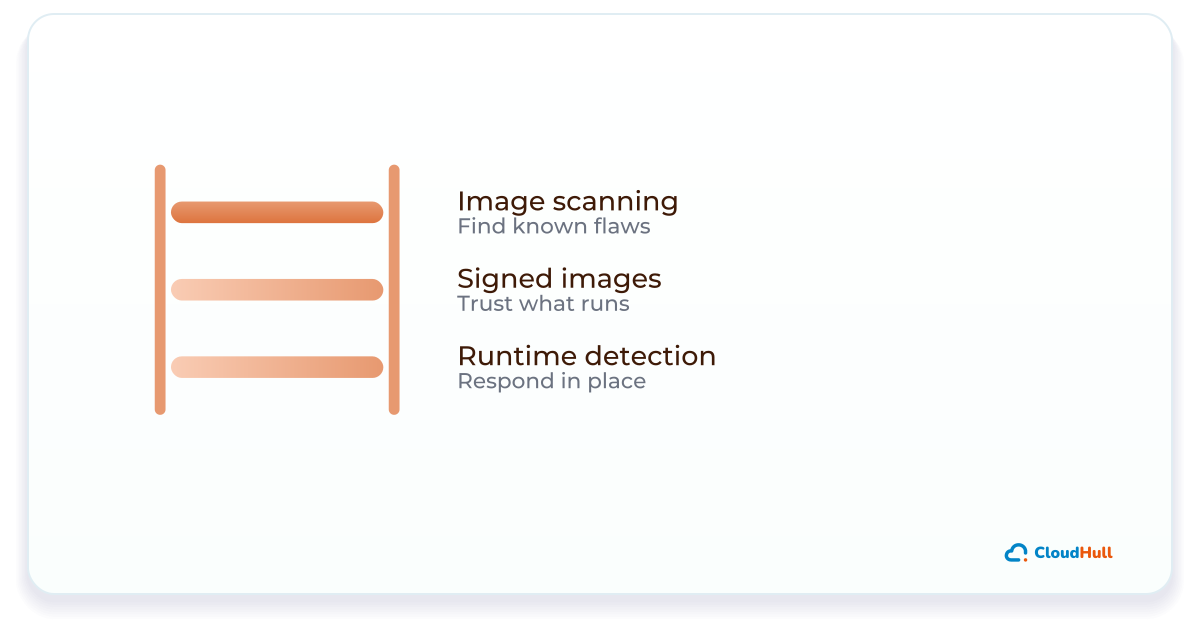
Security that depends on every developer remembering a rule fails on a busy week. Put it into the platform: scan images in the pipeline, sign them, admit only signed images to the cluster, give each service its own narrow identity and keep secrets out of the repository.
Network policies deserve special mention. By default, any pod in a Kubernetes cluster can talk to any other pod. A default-deny policy with explicit allowances turns a single compromised container into a contained problem instead of a cluster-wide one.
Do this: Enforce policies at admission, use least-privilege roles, use a secrets manager and apply default-deny network rules.
Avoid this: Cluster-admin for everyone, secrets in environment variables committed to Git and one shared service account.
Track Cost per Service From Day One
Cloud native makes it easy to create resources and just as easy to forget them. Flexera's 2026 State of the Cloud report put estimated wasted cloud spend at 29%, the first rise in five years. Containers add a layer where waste hides, because a cluster bill does not tell you which team caused it.
Label every namespace and workload with an owner and a product, and report spend by those labels each month. When a team sees its own number, it fixes the idle test environment without being asked.
Do this: Tag and label everything, report cost by team and service, and shut down non-production environments outside working hours.
Avoid this: One shared bill with no owner, and a quarterly cleanup that arrives after the money is gone.
What Each Practice Looks Like at Three Maturity Levels
You do not need all nine at full strength on day one. A small team can run a perfectly sound platform with the basic version of each. The table shows what I consider basic, solid and advanced, so you can see where you stand and what the next step looks like.
| Area | Basic | Solid | Advanced |
|---|---|---|---|
| Delivery | Pipeline builds and deploys | Tests, scans and automatic rollback | Progressive rollout with automated checks |
| Infrastructure | Core resources in code | Everything in code with reviews | Policy checks and drift detection |
| Observability | Basic metrics and logs | Traces and service level objectives | Alerts tied to user impact and error budgets |
| Security | Image scanning | Signed images and network policies | Runtime detection and automated response |
| Cost | Monthly bill review | Labels and spend per team | Unit cost per feature or customer |
In my client work, most teams that call me are basic on delivery and infrastructure and nearly absent on cost and security. That is a normal starting point. The cloud native roadmap shows how to move from one level to the next in a realistic order.
Where These Practices Break in Real Projects
Knowing the practices is the easy part. The hard part is the first eight weeks. A few patterns show up often enough that I plan for them.
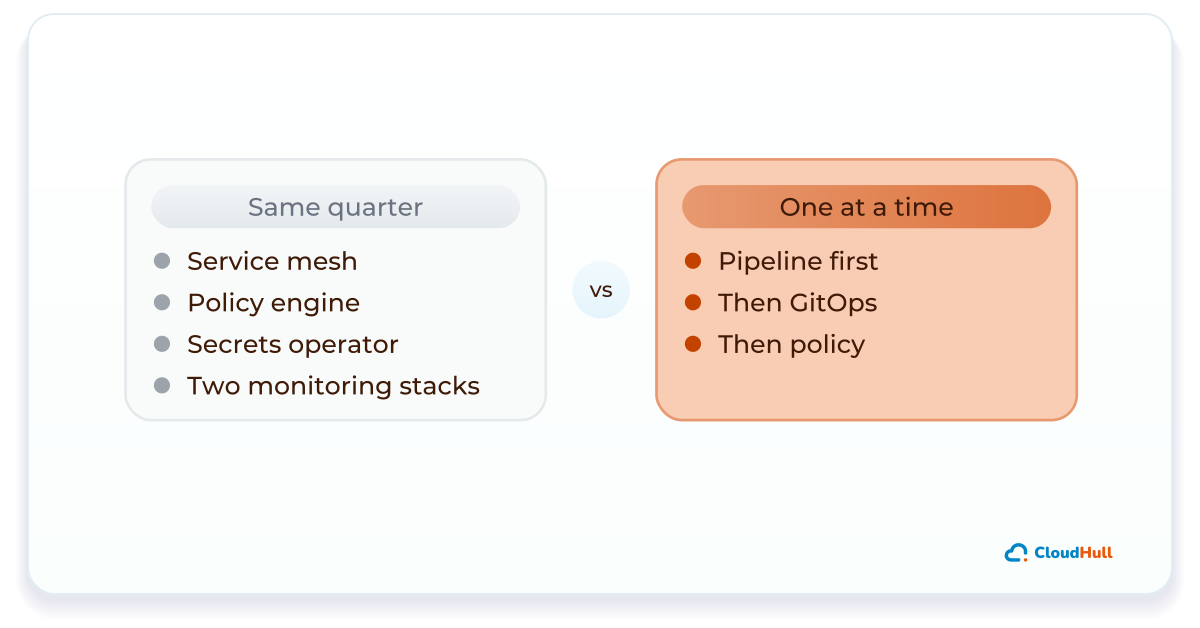
The first is tool sprawl. A team adopts a service mesh, a policy engine, a secrets operator and two monitoring stacks in the same quarter, and then nobody can upgrade the cluster. Add one capability at a time and wait until the last one is boring. The second is an owner gap: the platform exists, but no one is on call for it. Name an owner for the platform and for each service before launch.
The third is skipping the people side. The 2025 CNCF survey listed cultural change within the development team as the top challenge, cited by 47% of respondents, ahead of training, security and complexity. A pipeline that developers distrust gets bypassed. Involve them in the design, and keep the first version simple enough that they can read it. If you want a fuller list of what goes wrong and how teams recover, my guide to cloud native challenges covers twelve of them.
What Good Looks Like in Numbers
You cannot improve what you do not measure, and the DORA research gives you a shared vocabulary. Its five metrics are change lead time, deployment frequency, failed deployment recovery time, change fail rate and deployment rework rate. Measure them before you start, then again after each phase.
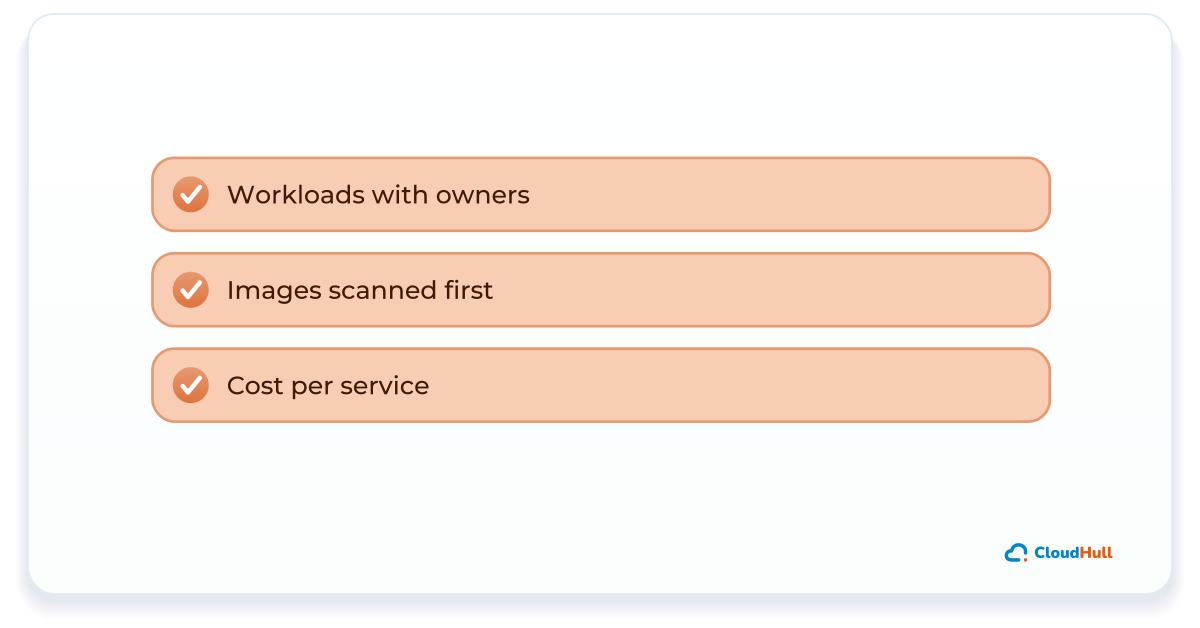
Add three numbers of your own: the share of workloads with a named owner, the share of images scanned before deployment and the cost per service. They are easy to collect, and they tell you whether the practices are spreading or only exist on one team. For examples of what these numbers looked like in real programs, see my collection of cloud native examples.
How to Choose Which Practices to Adopt First
Choose by pain, not by fashion. A short checklist helps:
- If releases are slow or frightening, begin with the pipeline and infrastructure as code.
- If incidents take hours to diagnose, begin with observability.
- If the cloud bill surprises you, begin with requests, limits and cost labels.
- If an audit or a customer questionnaire is coming, begin with security defaults and access reviews.
Then agree on an owner and a date for each. A practice without both tends to stay a good idea. If you would rather have an outside review of your current setup, the consultants I work with start with a short assessment that scores each of the nine.
Questions About Cloud Native Best Practices
What Are the Most Important Cloud Native Best Practices?
If I had to pick three, I would pick infrastructure as code, one automated delivery pipeline and observability. They give you repeatable environments, safe releases and the ability to find problems fast. Everything else on this list builds on those three.
Do I Need Kubernetes to Be Cloud Native?
No. Cloud native is about the practices: automation, small releases, scaling and monitoring. Managed container services and serverless platforms can deliver most of the benefit with less operational work. Kubernetes makes sense when you run many services or need portability and fine control.
Should I Break My Monolith into Microservices First?
Usually not. I often advise containerizing the monolith, putting it behind a pipeline and monitoring it, then extracting services where a clear boundary or scaling need exists. Splitting too early gives you the cost of distributed systems before you get the benefit.
How Many Services Are Too Many?
There is no fixed number, but a useful test is whether a team can own, deploy and run each service without asking another team for permission. If you need a diagram to explain who changes what, you have probably split too far.
How Do I Keep a Kubernetes Cluster Secure?
Start with least-privilege access, image scanning and signing, default-deny network policies and a proper secrets manager. Keep nodes and the Kubernetes version up to date, and review access on a schedule. A security assessment of the cluster gives you a ranked list of fixes.
How Do I Keep Cloud Native Costs Down?
Label workloads by owner, set requests from measured usage, use autoscaling and turn off idle environments. Review the numbers monthly with the teams that own them. Cost visibility changes behavior faster than any central policy.
How Long Does It Take to Adopt These Practices?
A focused team can put a pipeline, infrastructure as code and basic monitoring around one service in a matter of weeks. Spreading the practices across all your applications takes longer, and it follows how fast your teams can absorb the change.
Sources
Please note: this guide is general information and not legal, financial or tax advice. Numbers and examples are typical-project estimates; confirm current details with your providers and advisers.
Did this article help you?
Thanks, noted.
Garrett Linville
Garrett leads the Cloud Hull editorial team and works with the consultants to turn real client projects into practical guides on cloud migration, DevOps, security and cost control. Each article is edited together with the consultant who did the work, and every price and limit is checked against current provider documentation. He is based in the USA and works remotely.