Main Points
- Check 11 points before you commit money: outcomes, inventory, placement, provider, security, compliance, landing zone, cost, people, waves and review.
- A point only counts as done when you can show the proof, not when someone says it is handled.
- Fewer than five green points means you have ideas, not a strategy yet.
- The operating model and the review rhythm are the points teams skip most often.
A cloud strategy is easy to write and hard to verify. The checklist below is the one I run against a draft strategy before a team spends real money. If you want a second pair of eyes on the result, the cloud strategy consulting team I work with does this review as a fixed-scope project.
Each point tells you what to verify and what proof to ask for. A point is done when you can show the evidence, not when someone says it is handled. Work through them in order, because the early points (outcomes, inventory, placement) decide how hard the later ones are.
The 11 Checkpoints at a Glance
Use the table as a one-page review sheet. Print it, add a status column and bring it to your next steering meeting.
| Checkpoint | What to verify | Proof to ask for |
|---|---|---|
| 1. Business Outcomes | Each goal has a number, owner and date | Signed goal sheet |
| 2. Workload Inventory | Every app, owner and dependency listed | Inventory reconciled with billing and traffic |
| 3. Placement Decisions | One of the 6 Rs chosen per workload with a reason | Decision log |
| 4. Provider Choice | Criteria and exit options documented | Selection memo |
| 5. Security Baseline | Identity, network, encryption and logging defined | Reference architecture |
| 6. Compliance Mapping | Each requirement tied to a control | Control matrix |
| 7. Landing Zone | Accounts, network, tags and guardrails as code | Repository and test environment |
| 8. Cost Model | Forecast, tags, budgets and an owner | Forecast sheet and alerts |
| 9. Operating Model | Run, build and on-call roles filled | Org chart and training plan |
| 10. Migration Waves | Waves with dependencies and rollback | Wave plan |
| 11. Success Measures | Metrics and a quarterly review | Dashboard and calendar |
What to Verify at Each of the 11 Points
I keep each point short on purpose. The longer the explanation, the more likely you are to read it and skip the evidence.
1. Business Outcomes Written Down
Every cloud strategy I review starts with a goal such as lower hosting cost, faster releases or a data center exit. Verify that each goal has a number, an owner and a date. "Modernize our stack" fails the test, "cut deploy time from a week to a day by Q3" passes it.
Ask the sponsor to state the top three outcomes in one sentence each. If three people give three different answers, stop and fix that before you touch any design.
2. A Workload Inventory You Trust
You cannot plan a move or a cost target without knowing what runs where. Verify that your inventory lists every application, its owner, its dependencies, its data volume and its business criticality.
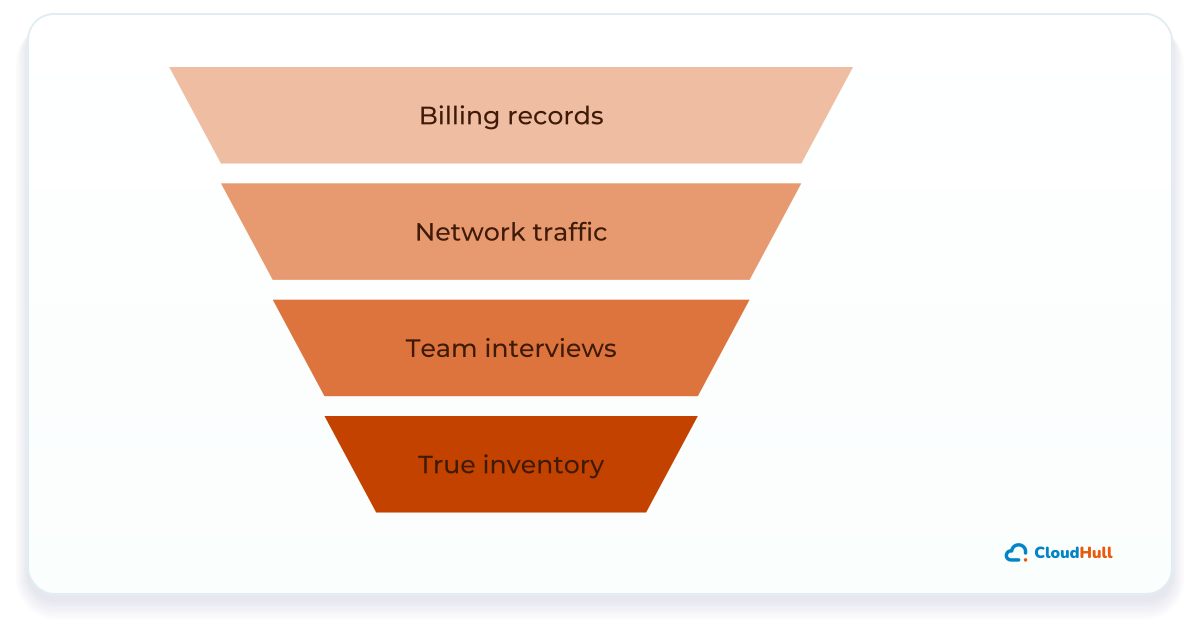
In my client work the first inventory is usually missing 10 to 20 percent of what really runs, mostly old reporting jobs and one-off integrations. Compare the list against network traffic and billing data, not just against the CMDB.
3. A Placement Decision for Each Workload
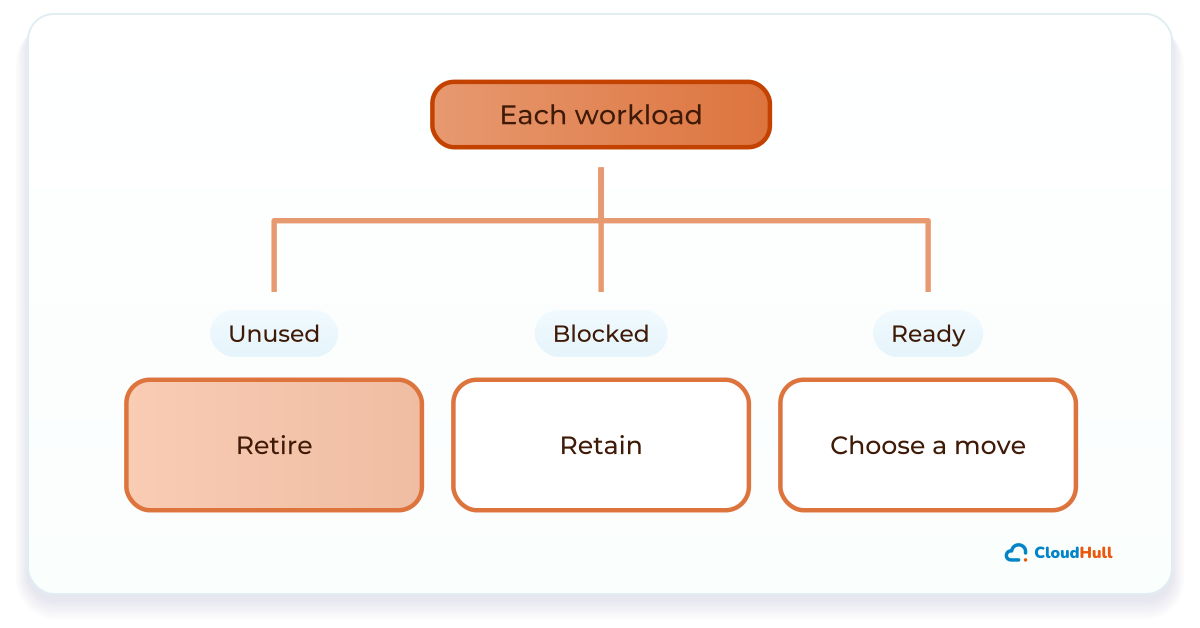
For every workload, write down whether you rehost, replatform, refactor, replace, retain or retire it, and why. Verify that the reason is about value and risk, not about which option sounds modern.
Two or three systems should usually stay where they are. A strategy that moves everything has not been tested against reality.
4. Provider and Region Choices With Reasons
Check that the choice of AWS, Azure, Google Cloud or a mix is documented with the criteria behind it: existing contracts, team skills, services you need, data residency and exit options.
If you plan more than one provider, verify that someone owns the extra cost. Multi-cloud doubles your tooling, your skills gap and your security surface.
5. Security and Identity Baseline
Verify that identity, network segmentation, encryption, logging and a shared responsibility split are defined before the first workload lands. Retrofitting access control after migration is slow and expensive.
Look for a written answer to who can create accounts, who approves privileged access and where logs go. The consultants I work with start cloud security consulting with exactly these three questions.
6. Compliance and Data Residency Mapped
List every regulation or contract that limits where data can live or how it must be handled. Verify that each requirement maps to a control, a region choice or an exception that someone signed off.
Do not rely on the provider's certifications alone. They cover the platform, and you still own your configuration. Check current requirements with your compliance adviser.
7. A Landing Zone Design
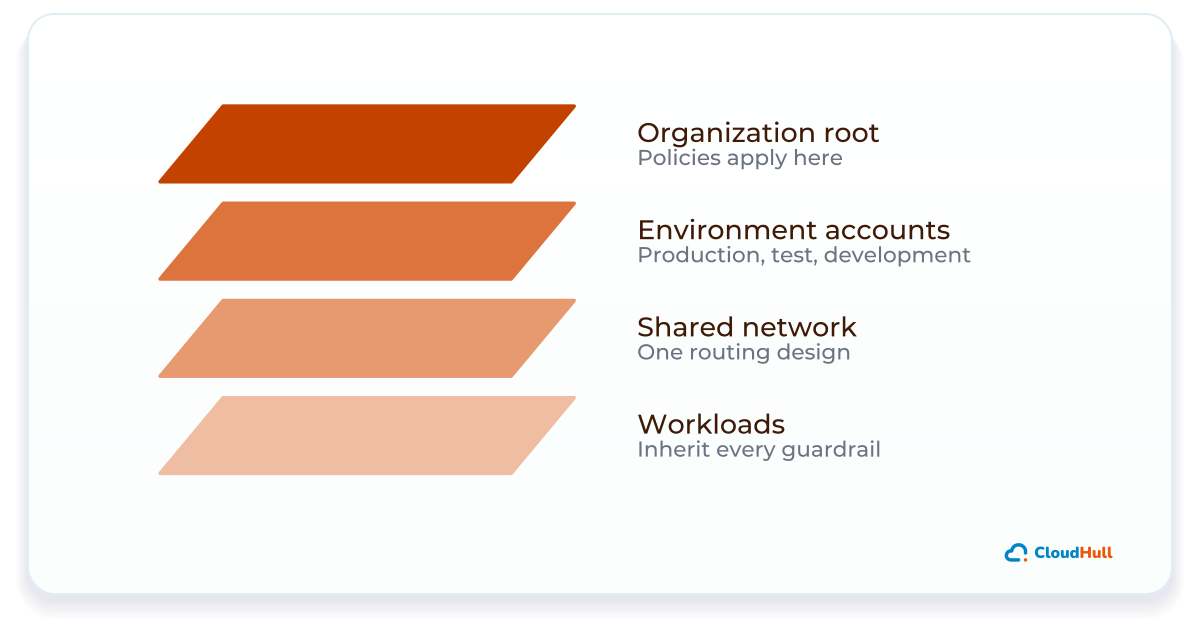
Verify that you have an account or subscription structure, network layout, naming rules, tagging standard and guardrails written down and built as code. A landing zone is the foundation every later workload inherits.
Teams that skip it end up with a flat sprawl of accounts after six months. Fixing it later means moving workloads twice.
8. A Cost Model and Ownership Rules
Verify that you have a forecast per workload, a tagging rule that makes every dollar traceable to a team, and a monthly review with a named owner. Add budgets and alerts before launch day.
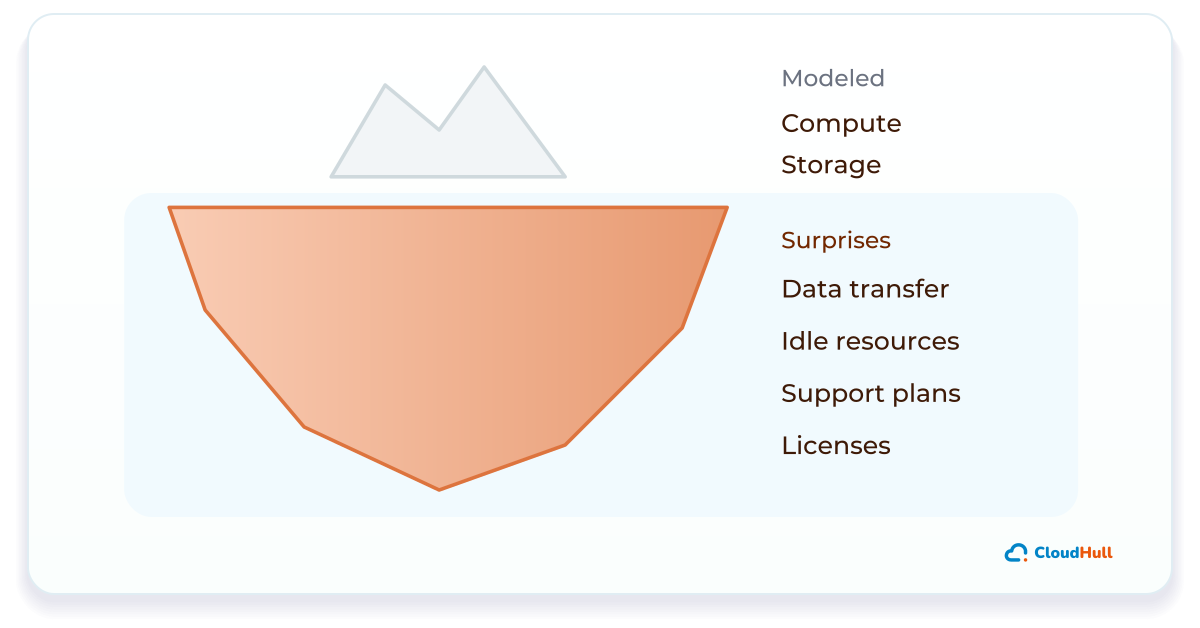
The first cloud bill tends to surprise people because nobody modeled data transfer, idle environments or logging volume. Put those three lines in the model on purpose.
9. Skills and Operating Model
Check who runs the platform, who builds on it and who gets paged at night. Verify that training, hiring or partner support covers every gap you found.
A strategy without an operating model is a slide deck. If the plan needs six platform engineers and you have two, say so now.
10. Migration Waves and Dependencies
Verify that workloads are grouped into waves by dependency, risk and business calendar, with a rollback plan per wave. Check that no wave lands on a quarter close or a peak sales week.
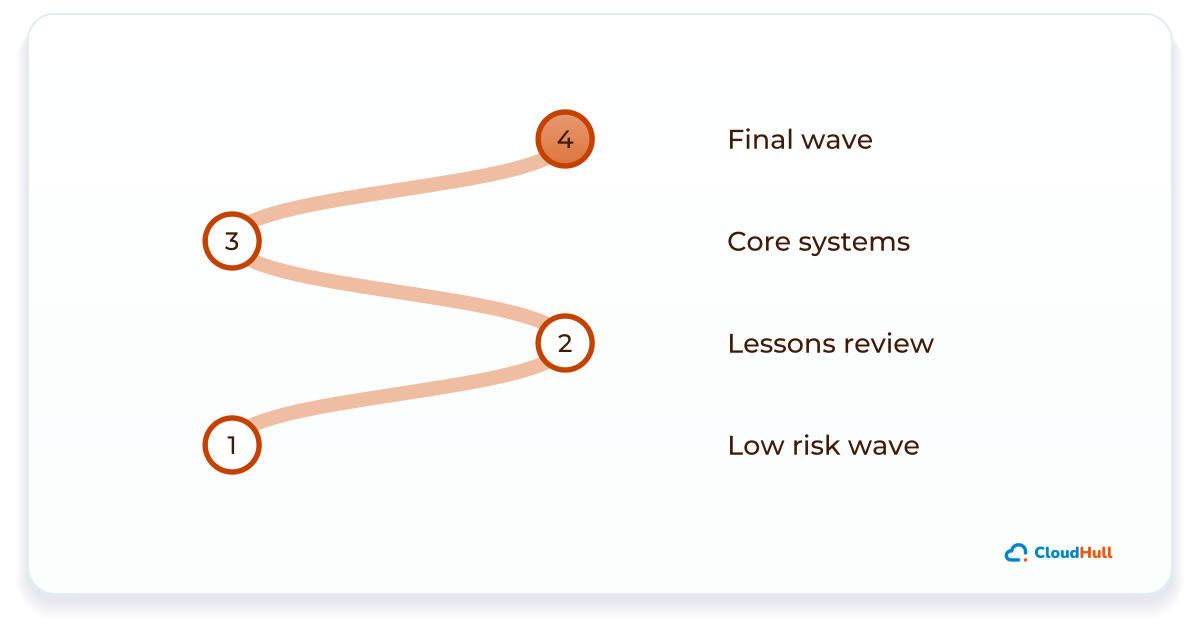
Start with a low-risk wave that teaches you the process. The first wave is a rehearsal, so pick something you can afford to get wrong.
11. Measures of Success and a Review Rhythm
Verify that you track cost per workload, deployment frequency, recovery time, availability and security findings, and that someone reviews them every quarter and updates the strategy.
A strategy that never changes is a strategy nobody reads. Put the review dates in the calendar when you approve the plan.
Turning a Finished Checklist Into a Plan
Once every checkpoint has its proof, the strategy needs a sequence. The milestones and timing for that live in the cloud strategy roadmap, which turns the placement decisions and waves above into quarters. If points 1 to 4 are still open, a structured cloud strategy assessment gives you a scored view of where you stand.
The checklist also works as the acceptance test for a strategy document you bought from someone else. The way the checkpoints connect is easier to see in a model, and the cloud strategy framework I use lays out that structure step by step. For a sense of how the same checkpoints look in finished projects, read the cloud strategy examples.
How to Score Your Result
Give each checkpoint one of three marks. Green means the proof exists and someone other than the author has read it. Amber means the work is under way. Red means nothing exists yet.
| Result | What it reveals | What to do next |
|---|---|---|
| 9 to 11 green | The strategy is ready for a first wave | Start the landing zone and a low-risk migration wave |
| 5 to 8 green | The direction is right, the evidence is thin | Close the red points before you commit budget |
| Fewer than 5 green | You have ideas, not a strategy yet | Run an assessment and rebuild the plan around outcomes and inventory |
Be strict with yourself. In my review work the most common error is marking a point green because a document exists. Open the document and check that it answers the question in the checkpoint.
Where Checklist Reviews Go Wrong
A checklist is only as honest as the person ticking the boxes. I see three patterns again and again. The first is the borrowed document: a placement decision log copied from a template, with every workload marked "rehost" because that was the default. The second is the stale proof. The inventory was accurate eight months ago, and two acquisitions and a reorganization later nobody has touched it. The third is the missing owner. A cost model exists, but no one is named to act when the monthly bill crosses the budget.
You can defend against all three with one habit: date every piece of proof and write a name next to it. If a document is older than a quarter or has no owner, mark the checkpoint amber until someone confirms it. That rule costs you five minutes per point and saves you from approving a strategy built on last year's facts.
Also ask one awkward question at the end of the review: which checkpoint would hurt most if it turned out to be wrong? Teams usually answer within seconds, and that answer tells you where to spend your next week of verification.
How to Decide Who Runs the Review
You can run the checklist yourself, with a colleague from another team or with an outside reviewer. Doing it yourself works if you did not write the strategy. A colleague from security or finance catches the gaps you stop seeing. An outside reviewer is worth the cost when the budget is above a few hundred thousand dollars or when the board will rely on the result.
Whoever runs it, insist on proof per point and a written list of what is open. If you want an independent score, book a call and bring your draft strategy. I would rather tell you three points are red now than have you discover it in wave two.
Questions About the Cloud Strategy Checklist
How Long Does It Take to Work Through This Checklist?
For a mid-sized environment, plan two to four working days if the documents already exist. If you have to create the inventory or the cost model first, the evidence gathering can take several weeks. The checklist itself is quick, the proof is what takes time.
Who Should Own the Cloud Strategy Checklist?
The person accountable for the cloud program should own it, usually the head of engineering, the CTO or a cloud platform lead. Security, finance and operations each sign off on their own checkpoints so that nobody grades their own work.
Does a Small Team Need All 11 Checkpoints?
Yes, but each one can be one page. A five-person engineering team still needs outcomes, an inventory, a security baseline and a cost owner. What shrinks is the amount of paper, not the number of questions.
How Often Should I Repeat the Checklist?
Run it fully before you approve the strategy and again at every quarterly review. Between reviews, re-check the cost model and the security baseline after any large change, such as a new provider region or an acquisition.
What Is the Most Common Failed Checkpoint?
Workload inventory and cost modeling fail most often. The inventory is missing systems nobody remembered, and the cost model leaves out data transfer, logging and idle environments. Both problems show up on the first invoice.
Is This Checklist the Same as a Migration Checklist?
No. A migration checklist covers the steps to move one workload, such as cutover and testing. This one checks the strategy that decides which workloads move, where and in what order. The strategy comes first.
Can This Checklist Replace a Professional Assessment?
It gives you a fast self-check and a list of gaps. A professional assessment adds scoring against benchmarks, interviews with the teams and a prioritized plan. Many teams use the checklist first and bring in help only for the red points.
Please note: this guide is general information and not legal, financial or tax advice. Numbers and examples are typical-project estimates; confirm current details with your providers and advisers.
Did this article help you?
Thanks, noted.
Garrett Linville
Garrett leads the Cloud Hull editorial team and works with the consultants to turn real client projects into practical guides on cloud migration, DevOps, security and cost control. Each article is edited together with the consultant who did the work, and every price and limit is checked against current provider documentation. He is based in the USA and works remotely.