Main Points
- Pick two or three tactics that match your biggest risk instead of copying all nine.
- Tagging and a landing zone make almost every later step cheaper and safer.
- Retiring unused systems is the cheapest move in any cloud strategy.
- Write kill criteria in advance, so a failing initiative gets stopped early.
Cloud strategy advice often stays abstract. The nine examples below are tactics I have seen work in real engagements, grouped from the foundations to the long game. I changed details so the clients stay anonymous, and I describe results as ranges or in ownership terms, since the numbers depend on each setup. If you want help picking the ones that fit you, the cloud strategy consulting service I work with starts with that choice.
Each example shows what the team did, what it cost and what the steps looked like. You do not need all nine. Pick two or three that match your biggest risk.
Nine Tactics at a Glance
| Example | Core tactic | Where it fits best |
|---|---|---|
| 1. Fixed exit date | Plan backward from a lease or contract end | Data center exits |
| 2. Landing zone first | Build the foundation before workloads | Any multi-team move |
| 3. Tagging first | Make every dollar traceable | Fast-growing cloud bills |
| 4. Retire before migrating | Shrink the estate first | Large legacy estates |
| 5. One provider first | Keep skills and tools focused | Mid-sized teams |
| 6. Wave planning around peaks | Move after peaks, not before | Seasonal businesses |
| 7. Security as code | Prove controls with evidence | Regulated industries |
| 8. Platform as a product | Paved paths for product teams | Many product teams |
| 9. Review with kill criteria | Stop work that misses targets | Long programs |
Before you choose, check where you stand. A quick cloud strategy assessment shows which tactic addresses your weakest dimension.
Nine Cloud Strategy Examples in Detail
Fixing the Exit Date Before Choosing the Design
A regional lender had a data center lease ending in about six months. Instead of starting with architecture, the team started with the date and worked backward. Every decision had to fit the lease, and anything that could not was parked for later. In projects like this in my client work, a fixed date removes most of the endless design debate.
The cost is some elegance. Several systems moved as they were and were tidied up after the exit. The lease was not renewed, and the savings paid for the cleanup within a year.
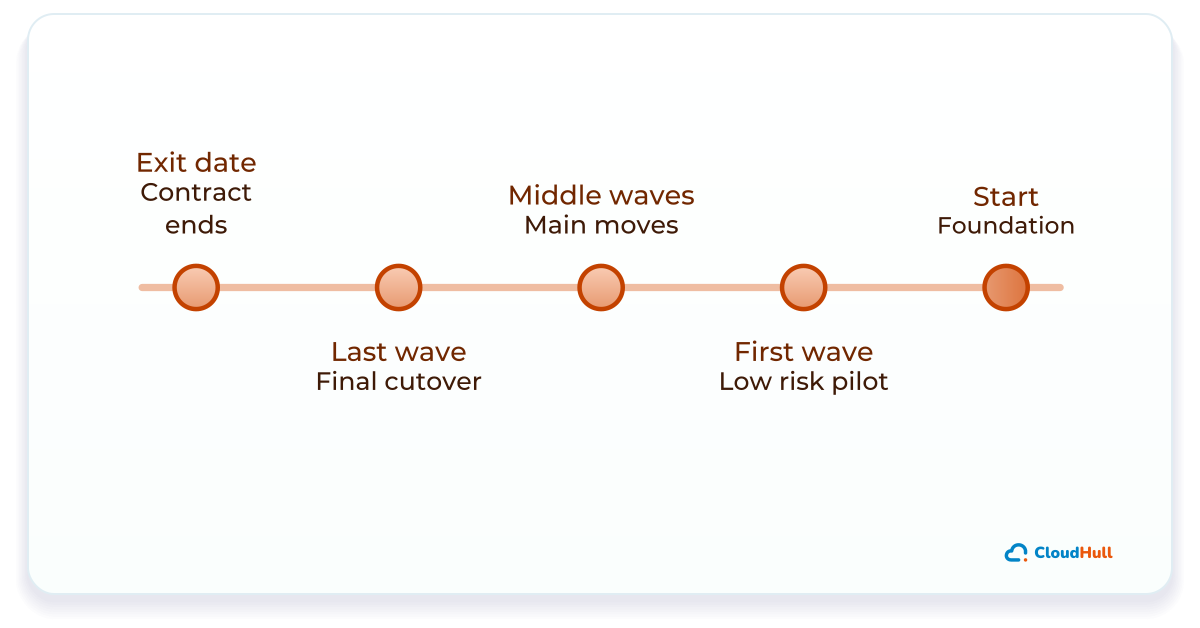
Working Backward from the Date
- Write the lease end date at the top of the plan.
- Subtract a buffer of eight weeks for surprises and testing.
- Sort workloads by how hard they are to move and fix the order.
- Rehost anything that does not need change to meet the date.
- List the items parked for later and give each an owner.
Tools for the Countdown
A shared project calendar and a dependency map are enough to run the plan. Cloud provider discovery services help build the first workload list.
Building the Landing Zone Before the First Workload
A payments company wanted to move fast and began with a pilot application. Within three months it had five accounts with different network rules. The strategy was reset around a landing zone with shared identity, network and guardrails, and workloads were moved onto it afterward.
The reset cost about two months. Later waves then ran faster, since each team deployed into a ready structure instead of building its own. Teams I work with usually say the second wave was the first one that felt routine.
The Foundation Steps
- Define the account or subscription structure and naming rules.
- Set up central identity with role-based access.
- Design the network layout with shared services.
- Add policy guardrails for regions, encryption and public access.
- Build everything as code and keep it in version control.
- Test with a throwaway application before real teams arrive.
Tools for the Foundation
Infrastructure as code tools such as Terraform or the provider's own templates keep the zone repeatable. Each major provider also ships a landing zone service you can start from.
Tagging Every Resource Before Moving Anything
An online business had a cloud bill that doubled in a year and no way to explain it. The fix started with one rule: nothing is created without owner, product and environment tags. Untagged resources were reported weekly and shut down if nobody claimed them.
Within a quarter finance could see spend per product. Idle test environments turned out to be a large part of the growth. Turning them off at night is a standard saving, and in my experience it often removes a double-digit share of a non-production bill.
Making the Bill Readable
- Agree on three required tags: owner, product and environment.
- Enforce the tags with a policy that blocks untagged creation.
- Report untagged spend to team leads every week.
- Review the largest cost lines monthly with the owners.
- Schedule non-production shutdowns outside working hours.
Tools for Cost Visibility
The provider's native cost tools cover tagging reports and budgets. A FinOps platform adds allocation across several accounts or providers.
Retiring Before Migrating
A logistics firm planned to move 140 workloads. During discovery it found that a meaningful share had no active users. Instead of moving them, the strategy added a retirement track with a sign-off from a business owner for every system.
The remaining migration was smaller, cheaper and faster. Retiring also reduced the security surface, because old systems with outdated software disappeared. I treat the retire option as the cheapest move in the whole strategy.
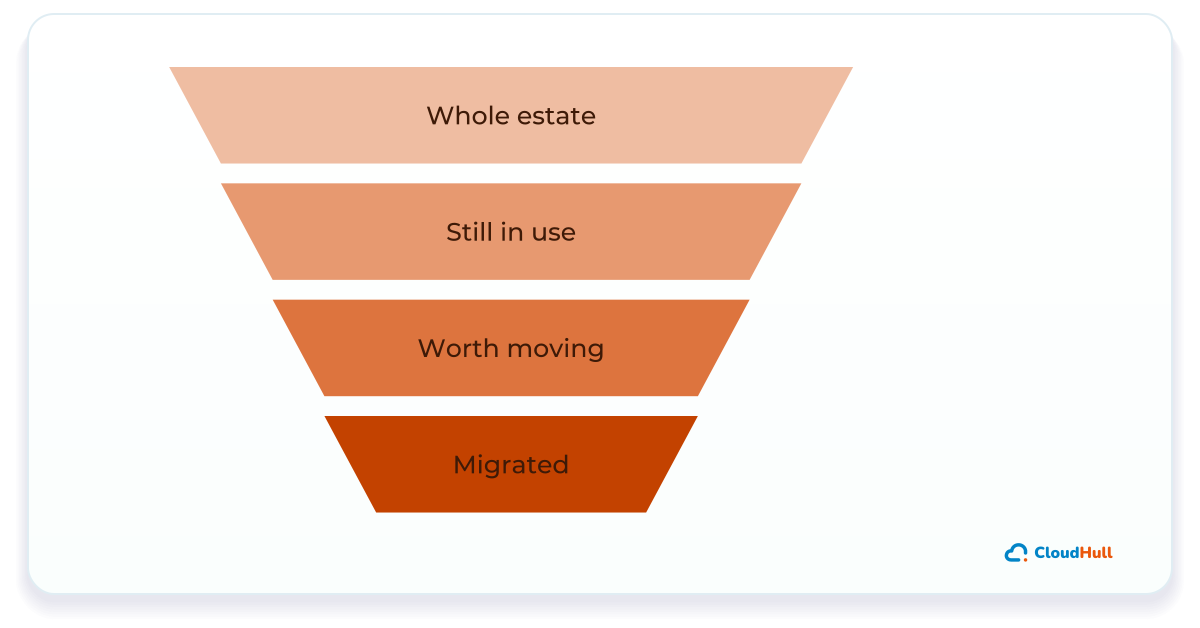
A Retirement Track
- Pull usage data for every workload from logs and licenses.
- Ask the business owner to confirm the system is still needed.
- Set a 30 day notice period with a clear contact.
- Archive the data according to your retention rules.
- Switch the system off and keep a backup for a defined time.
Tools for Finding Unused Systems
Monitoring and network flow data show which systems get traffic. License reports and access logs fill in the rest.
Staying With One Provider for the First Two Years
A mid-sized software company debated a multi-cloud strategy for months. The team chose one provider for the first two years, with a written exit plan and portable building blocks such as containers and standard databases. A second provider stayed on a review list.
The result was one set of skills, one set of tools and one security model. When the company later reviewed the decision, the specific reason for a second provider was clear instead of theoretical. Multi-cloud for its own sake mostly doubles your complexity.
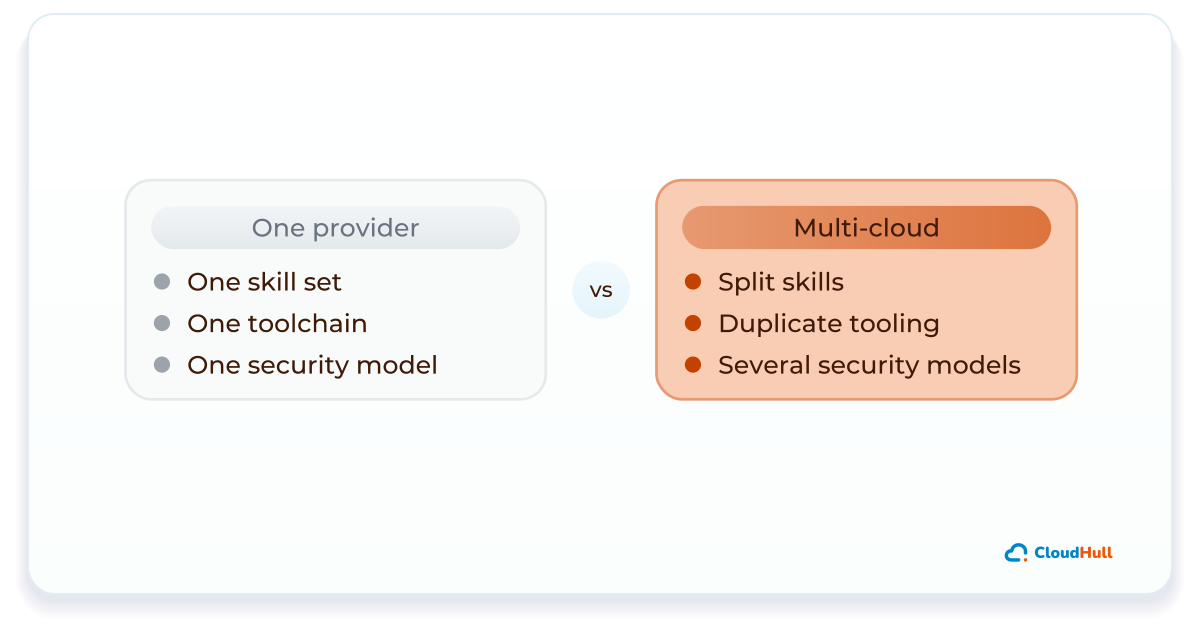
Keeping the Provider Decision Simple
- List the services you really need and check each provider for them.
- Score providers against criteria you wrote before the sales calls.
- Choose one primary provider for the first phase.
- Write an exit plan for the largest dependencies.
- Set a review date to revisit the decision with data.
Tools for Portability
Containers and Kubernetes, standard SQL databases and infrastructure as code keep your options open. Avoid proprietary services unless they bring clear value.
The follow-up question is how to sequence what you chose, and the cloud strategy roadmap gives a timeline for it.
Planning Waves Around the Business Calendar
An ecommerce brand had a hard peak every November. The strategy scheduled the storefront move for January and froze all migration work from October. Smaller internal systems moved in spring and summer.
Peak traffic ran smoothly on the new setup the following year. The brand gave up a few months of schedule and got a calm holiday season. In a seasonal business, the calendar is part of the architecture.
Fitting Waves Around Peaks
- Mark the peak periods and change freezes on one calendar.
- Place low-risk workloads in the quiet months.
- Schedule the critical workload right after a peak, not before one.
- Run a load test at least four weeks before the next peak.
- Keep a rollback plan for every cutover.
Tools for Load and Cutover
Load testing tools such as k6 or JMeter show how the new setup copes. A cutover runbook in your wiki keeps the steps in one place.
Writing Security Controls as Code From Day One
An insurance technology company had to show cloud controls to a partner. The strategy defined a security baseline and enforced it with policy as code: encryption on, public storage blocked, logging to a central account. Exceptions needed a ticket and an expiry date.
The partner review passed without a scramble, because evidence came straight from the policy engine. Fewer findings appeared in later audits. Controls that live in code are easier to prove than controls that live in a document.
Turning Rules into Guardrails
- Write the baseline in plain language first.
- Translate each rule into a policy that blocks or reports.
- Send logs to a central account the workload teams cannot edit.
- Create an exception process with an owner and an expiry date.
- Review access and exceptions every quarter.
Tools for Guardrails
Native services such as AWS Organizations policies, Azure Policy or Google Cloud organization policies enforce the rules. A cloud security posture tool adds a view across accounts.
Treating the Platform as a Product
A growing fintech had several teams building their own pipelines and environments. The strategy created a small platform team with a roadmap, internal customers and a service catalog. Product teams used paved paths instead of building from scratch.
New services reached production in days instead of weeks, and security reviews got shorter because the paved path already met the baseline. The platform team needs a real product owner, otherwise it turns into a ticket queue.
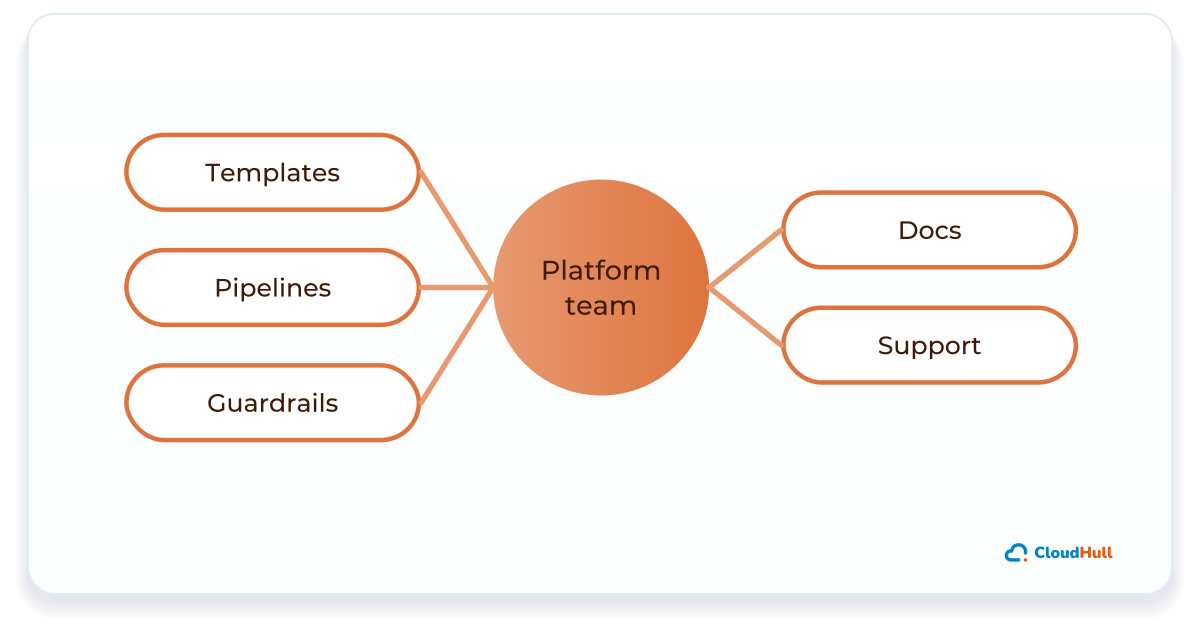
Setting Up the Platform Team
- Staff a small team with a product owner and engineers.
- Interview product teams to find their top pains.
- Publish two or three paved paths with documentation.
- Measure adoption and time to first deployment.
- Retire paths nobody uses and add what teams ask for.
Tools for a Platform
An internal developer portal such as Backstage can front the catalog. Pipelines and infrastructure templates make up the paved paths themselves.
Reviewing the Strategy Every Quarter With Kill Criteria
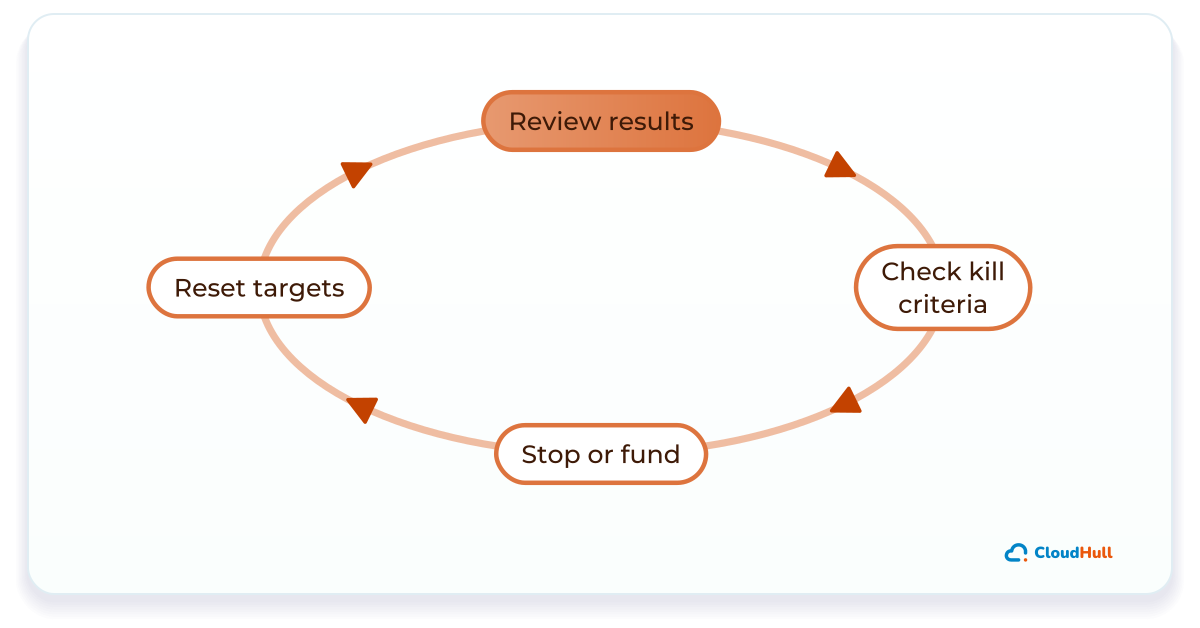
A healthcare services company set a quarterly review with specific criteria. If a wave ran more than 20 percent over budget or a service missed its availability target twice, the plan had to be reopened. Work that failed the criteria was paused, not defended.
Two initiatives were stopped early, which saved money that went into the next wave. The strategy stayed alive because it changed. A strategy with no stop rule rarely gets stopped, even when it should.
Running the Quarterly Review
- Pick three to five measures: cost, availability, security findings and delivery speed.
- Set a threshold for each that triggers a rethink.
- Hold the review at fixed dates with finance and security present.
- Decide to continue, change or stop each initiative.
- Write the decisions down and update the roadmap.
Tools for the Review
A simple dashboard from your cost and monitoring tools is enough. Keep the review notes in one shared document.
How to Choose Which Tactics to Copy
Start from your biggest risk. If you cannot explain your bill, begin with tagging. If a contract end date drives you, use the fixed date. If several teams build independently, start with the landing zone and the platform. The framework behind the order is laid out in the cloud strategy framework, and the cloud strategy checklist lets you verify the tactics you pick.
Combine two or three, never nine. In my experience programs fail from too many parallel initiatives far more often than from a missing tactic. Add one tactic per quarter after the first result is in.
Questions About Cloud Strategy Examples
Are These Examples Based on Real Projects?
Yes. They are patterns from client work, with industries and details changed to protect confidentiality. Results are given as ranges or in general terms, because your numbers depend on your estate and your starting point.
Which Tactic Should I Try First?
Start with the one that addresses your biggest risk. For most teams that is either cost visibility through tagging or a landing zone, because both make every later step easier and neither needs a big budget.
Can a Small Company Use These Tactics?
Yes, in a lighter form. A five-person team can tag resources, write a one-page security baseline and plan around its busy season without any extra staff. The principle stays the same, the paperwork shrinks.
How Long Before These Tactics Show Results?
Tagging and non-production shutdowns can show savings within the first one or two billing cycles. A landing zone pays back over the second and third waves. Platform and review practices take two to three quarters to show up.
Do I Need a Consultant to Apply Them?
Not always. Many teams apply one or two on their own. Outside help is most useful for the decisions that are expensive to reverse, such as provider choice, account structure and the security baseline.
What If a Tactic Does Not Work for Us?
Use the kill criteria idea from example 9. Define in advance what failure looks like, review it at a fixed date and stop or change course without blame. Quitting early is cheaper than defending a bad plan.
How Do These Examples Relate to My Cloud Costs?
Four of the nine, tagging, retiring, wave planning and the quarterly review, have a direct effect on cost. The others lower risk or raise speed, which also reduces the cost of mistakes.
Please note: this guide is general information and not legal, financial or tax advice. Numbers and examples are typical-project estimates; confirm current details with your providers and advisers.
Did this article help you?
Thanks, noted.
Garrett Linville
Garrett leads the Cloud Hull editorial team and works with the consultants to turn real client projects into practical guides on cloud migration, DevOps, security and cost control. Each article is edited together with the consultant who did the work, and every price and limit is checked against current provider documentation. He is based in the USA and works remotely.