Main Points
- Plan seven phases, from mobilize to modernize, and expect the last three to overlap.
- The foundation phase usually takes longest because of security review, so schedule for review time.
- Run waves of 10 to 25 workloads after a small pilot, and add a 20 percent buffer.
- Report five milestones to the board and move dates in the open.
A cloud transformation roadmap turns the strategy into a calendar. It lists the phases, the milestones that close each one and the date you expect to reach them. Done well, it also tells people when they will be asked to do something, which is the part most roadmaps leave out.
Below is the 18-month shape I use as a starting point with clients of cloud transformation consulting. Treat the durations as a pattern, since a ten-application company and a two-hundred-application company will land differently. If you have not set priorities yet, start with the cloud transformation strategy and come back.
The Roadmap in One Table
| Phase | Typical length | Milestone that closes it | Who is busy |
|---|---|---|---|
| 0. Mobilize | 3 to 4 weeks | Sponsor, team and budget confirmed | Leadership, finance |
| 1. Assess | 4 to 6 weeks | Inventory, readiness score and wave plan | Application owners, architects |
| 2. Foundation | 6 to 10 weeks | Landing zone, identity, network and pipelines live | Platform and security teams |
| 3. Pilot wave | 4 to 8 weeks | 2 to 5 low-risk workloads in production | Delivery squads |
| 4. Migrate in waves | 4 to 9 months | All planned workloads moved, old hosting off | Everyone |
| 5. Optimize | Ongoing, first review at month 3 after each wave | Cost per product at target, rightsizing done | Platform team, finance |
| 6. Modernize | 6 to 12 months, overlaps phase 4 | Selected systems refactored or replaced | Product engineering |
Phases 4 to 6 overlap in practice. While wave three moves, wave one is already being rightsized, and a refactor team is working on the system that will move last. Draw the overlaps on your chart, or the schedule will look shorter than the staffing allows.
Phase 0: Mobilize in the First Month
Weeks 1 to 4
Name one accountable sponsor and a program lead with the authority to say no. Agree the budget envelope, including the period when you pay for old and new environments at once. A roadmap without a funded double-running line is a roadmap that stops at 60 percent.
Hold a kickoff with every department that owns an application. Tell them what you will ask for and when. The inventory interviews in the next phase go much faster when people have heard about them first.
- Sponsor and program lead named.
- Budget approved with a contingency line.
- Weekly status meeting and a single tracker.
Phase 1: Assess What You Have
Weeks 5 to 10
Build the application inventory, then score each application for cloud readiness, business value and risk. My cloud transformation assessment guide describes the scoring method in detail. The output is a wave plan with a disposition per application.
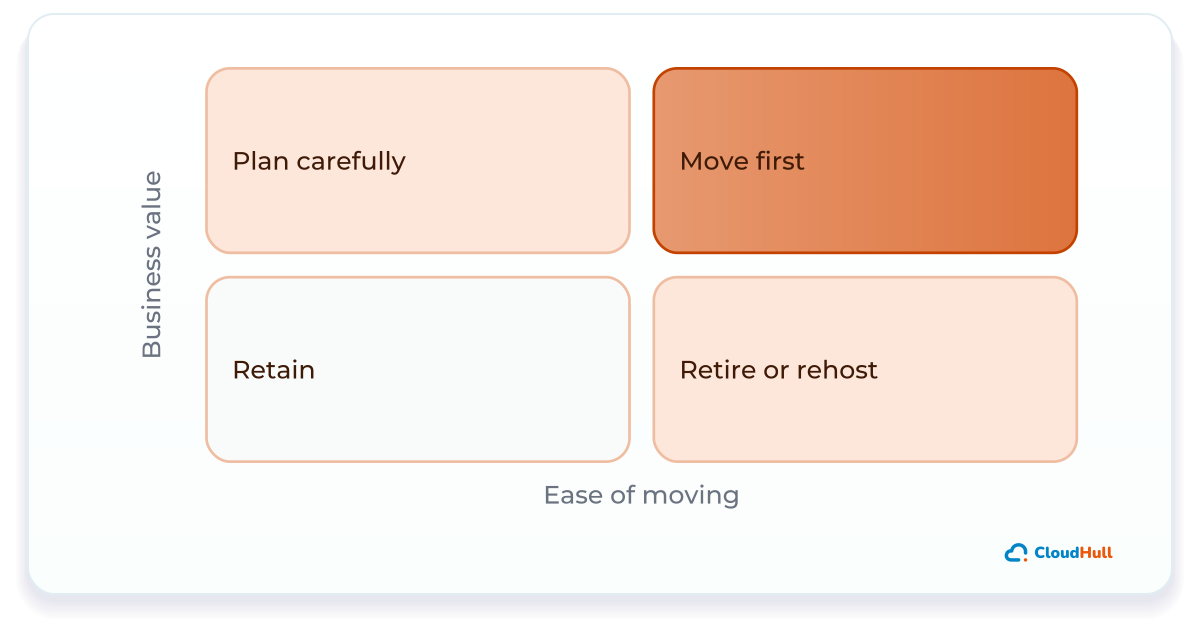
Group applications by dependency, not by department. Two systems that call each other every second should move in the same weekend. Splitting them across waves creates latency problems that look like cloud problems.
- Inventory with owners and dependencies.
- Readiness score per application.
- Wave plan reviewed by the application owners.
- Updated cost estimate.
Phase 2: Build the Foundation
Weeks 11 to 20
Stand up the landing zone: account structure, identity, networking, logging, tagging and budget alerts. Add the base pipeline and infrastructure-as-code repository that every team will use. Keep the first version boring and well documented.
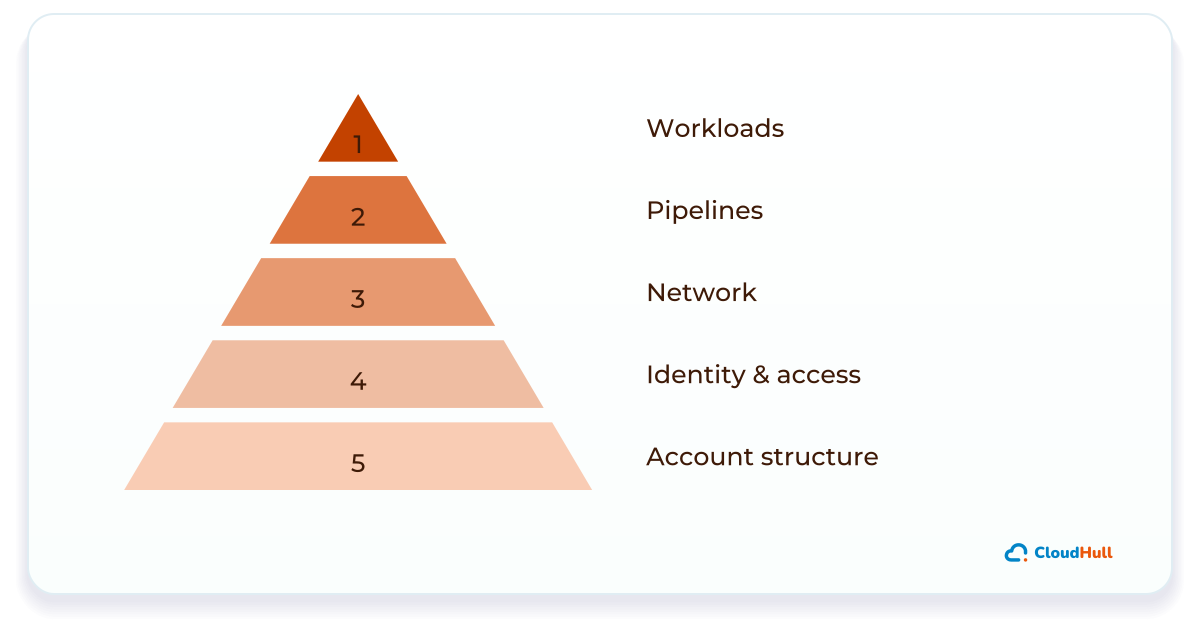
This is the phase where cloud architecture design choices get locked in, so involve the engineers who will live with them. Changing a network layout after 80 workloads have moved is a project of its own.
- Network connectivity to existing sites tested.
- Single sign-on and role model approved by security.
- Pipelines deploy a sample app end to end.
- Cost reports show spend per tag.
Phase 3: Prove It With a Pilot Wave
Weeks 21 to 28
Choose two to five workloads with low risk and some visibility, such as an internal tool and a mid-sized web application. Run a full test cutover, then the real one, and write down every surprise. A pilot that goes smoothly teaches little, so pick at least one application with an awkward dependency.
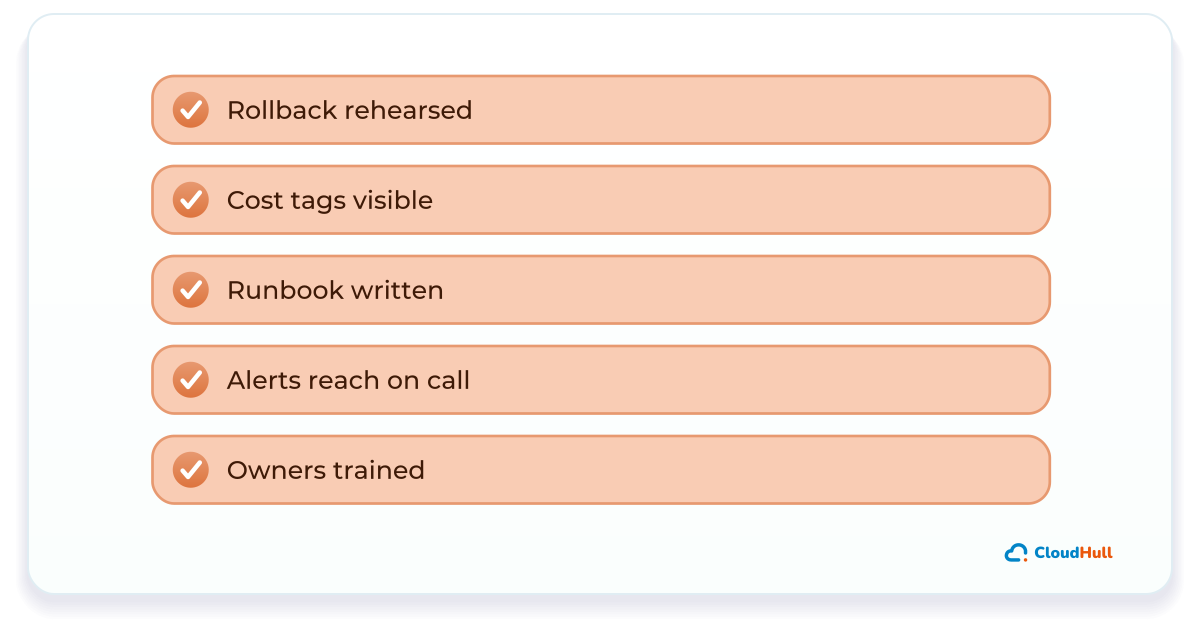
Publish the results to the whole program. Moved workloads, hours spent, issues found and the fixes are what convince skeptical teams to book their own wave.
- Rollback plan tested at least once.
- Runbooks written during the pilot, not after.
- Lessons list shared with all wave owners.
Phase 4: Move in Waves
Months 7 to 15
Run waves of 10 to 25 workloads, each with a freeze window and a cutover rehearsal. Keep waves steady in size. Teams that start with a big first wave and a tiny last one burn out early, and the tail drags on.
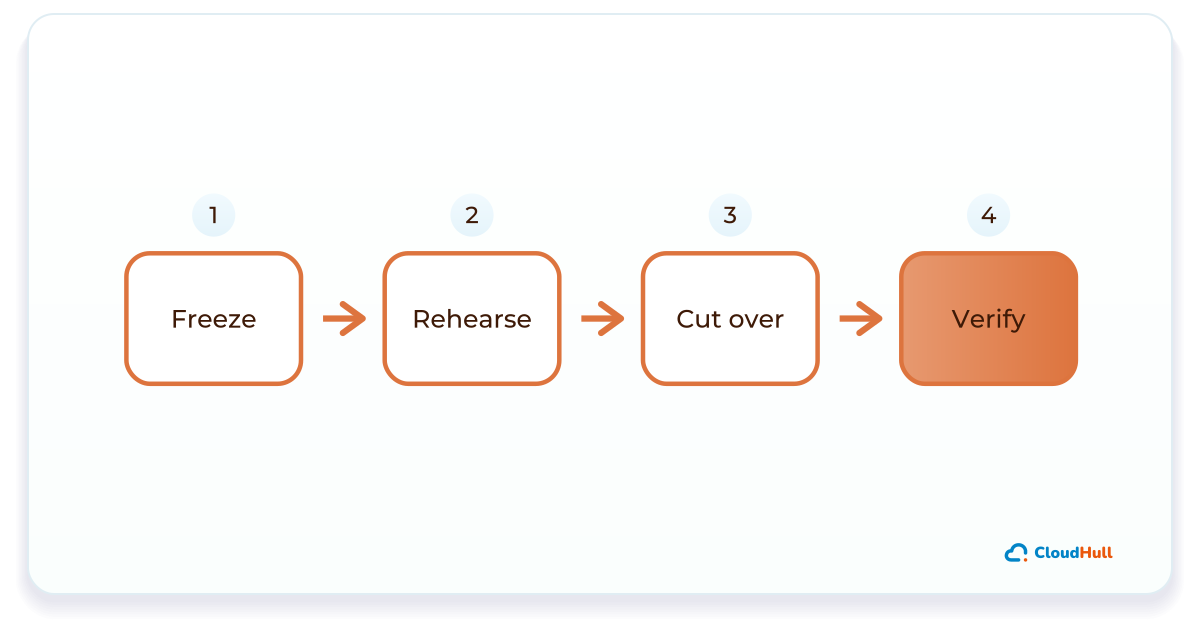
Expect one wave in four to slip by a few weeks. Build that into the plan rather than the excuse list. The challenges are predictable, and my cloud transformation challenges article covers the eight I meet most often.
- Wave kickoff two weeks before cutover.
- Rehearsal in a copy of production.
- Old environment kept read-only for 30 days.
- Wave retrospective within a week.
Phase 5 and 6: Optimize and Modernize
Overlapping, months 9 to 18
Review each wave 60 to 90 days after cutover: rightsize instances, buy commitments for steady workloads and delete leftovers. This is also when the cost savings you promised the board appear, or do not.
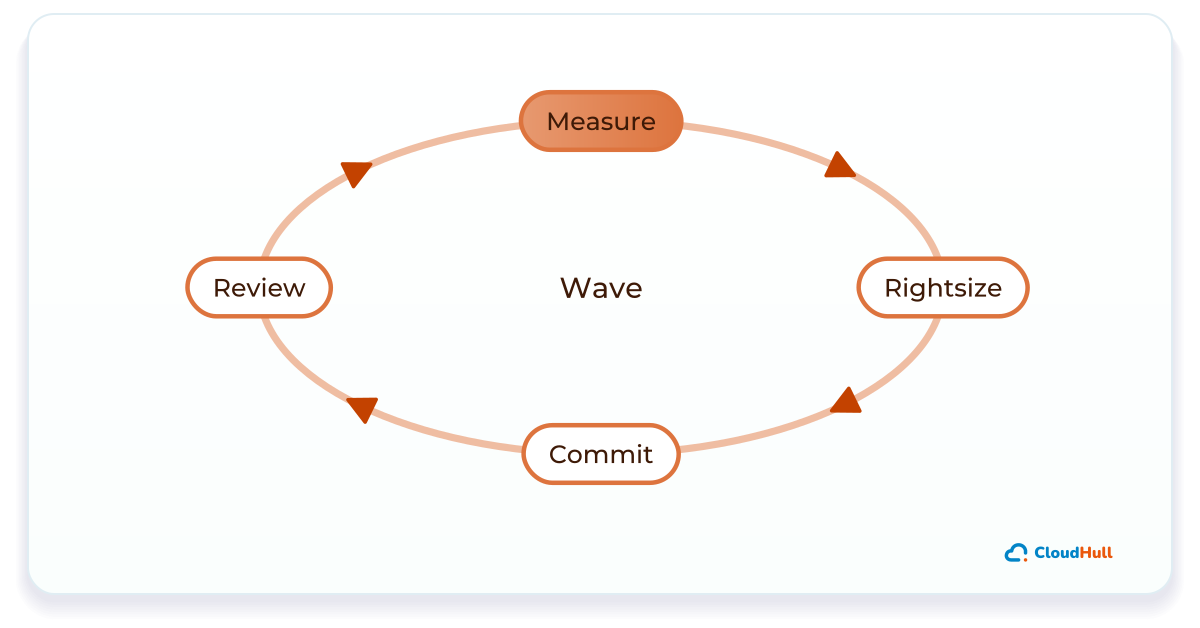
Modernization targets the few systems that hold you back, such as a monolith that blocks daily releases. The habits that keep both phases on track are listed in the cloud transformation best practices guide.
- Monthly cost review per product.
- Commitment purchases approved by finance.
- Refactoring candidates ranked by value.
Milestones Worth Reporting to the Board
Executives do not need the full chart. Five dates tell the story, and a slip in any of them deserves an explanation.
| Milestone | Evidence | Typical month |
|---|---|---|
| Foundation approved | Security sign-off document | 4 to 5 |
| First production workload | Live traffic on the new platform | 6 to 7 |
| Half of planned workloads moved | Inventory dashboard | 11 to 12 |
| Old hosting contract ended | Signed termination | 15 to 17 |
| Cost per product at target | Finance report | 18 |
Dates tied to external events, such as a lease end, are the exception. Those are fixed, so the plan works backward from them. The Cloud Adoption Framework for Azure uses a similar sequence of strategy, plan, ready, migrate and govern steps, which is a useful cross-check for your own chart.
How to Choose Your Own Timeline
Three factors move the schedule most: the number of applications, the share that needs refactoring and how quickly your teams can make decisions. Add four to six weeks for every regulated data set that needs a compliance review. Take off time only if you have done a similar program in the last two years.
- Count applications by disposition and multiply rehost by your pilot's actual effort.
- Add a 20 percent buffer for dependencies you have not found yet.
- Mark fixed external dates first, then place everything else around them.
- Review the chart monthly and move dates in the open, with the reason.
A short working session usually exposes the unrealistic dates faster than a document review does.
Staffing and Budget Across the Phases
A roadmap that ignores people is a wish list. Each phase needs a different mix of skills, and the peak load falls in the migration waves, when product teams are asked to test and sign off at the same time as their normal work.
| Phase | Core team | Extra effort from |
|---|---|---|
| Mobilize and assess | Program lead, architect, analyst | Application owners (interviews) |
| Foundation | Platform engineers, security | Network and identity teams |
| Pilot and waves | Migration engineers, platform team | Product teams (testing, sign-off) |
| Optimize and modernize | Platform team, finance, product engineers | Whole engineering organization |
Budget follows the same shape. The foundation phase is a modest share of the total, the migration waves are the largest, and optimization pays back part of the program over the following year. Keep a contingency line of roughly 15 to 20 percent for the surprises that every program has, and release it only with the sponsor's approval.
Protect the time of application owners. The most common cause of a slipped wave in my client work is an owner who could not test in the planned week. Book those weeks when you approve the plan, and put them in the owners' calendars.
Risks That Move the Dates
Four risks push the schedule more than any technical issue. The first is owner availability during testing weeks. The second is a security review that finds a design change late, and the third is a contract or license that ends the old hosting earlier or later than planned. The fourth is a freeze period, such as a holiday peak or year-end close, when nobody may touch production.
Mark freeze periods on the chart first, because they remove weeks from the calendar that look available. Then leave a gap before each one, so a delayed wave does not collide with the freeze. Programs that run waves right up to a freeze usually lose six to eight weeks to a single slip.
Finally, decide in advance what you will cut if time runs short. Moving a low-value application to the next quarter is easy when the decision was agreed upfront, and painful when it is made under pressure.
Share the chart with every team lead before it is final, and ask each one to find the date that looks wrong. They usually find two or three within an hour, such as a hidden dependency or a vacation block, and each fix removes a later argument. A roadmap that the people doing the work have already corrected is far easier to defend to the board.
Finally, publish the chart where everybody can see it and update it on the same day each month. A visible, current roadmap builds trust, while a stale one is quickly ignored.
Questions About Your Cloud Transformation Timeline
How Long Does a Cloud Transformation Take?
For a mid-sized company, 12 to 24 months is common from kickoff to the end of the last migration wave. Smaller estates can finish in six to nine months, and large regulated ones take longer. Optimization and modernization continue after the last wave.
What Should Come First on a Cloud Transformation Roadmap?
Mobilization and assessment. You need a funded sponsor, an application inventory and a wave plan before any workload moves. The foundation phase follows, because the landing zone must exist before the pilot.
How Many Workloads Should the First Wave Include?
Two to five low-risk workloads for the pilot. Later waves usually hold 10 to 25 workloads each, sized so your team can rehearse and support every cutover without burning out.
Can Phases Overlap?
Yes, and they should. Optimization of early waves runs while later waves move, and modernization of selected systems starts mid-program. Show the overlaps on the chart and plan staffing for them.
What Causes Roadmap Delays Most Often?
Unlisted dependencies, slow security reviews and application owners who are not available for testing. A buffer of about 20 percent and early booking of owner time prevent most of them.
How Often Should the Roadmap Be Updated?
Review it monthly and re-baseline after each wave. Move dates openly with the reason, so stakeholders keep trusting the plan.
Do We Need a Roadmap If We Only Migrate a Few Applications?
A short one, yes. Even a one-page plan with a sequence, owners and a cutover date prevents the common mistake of starting without a rollback plan.
Please note: this guide is general information and not legal, financial or tax advice. Numbers and examples are typical-project estimates; confirm current details with your providers and advisers.
Did this article help you?
Thanks, noted.
Garrett Linville
Garrett leads the Cloud Hull editorial team and works with the consultants to turn real client projects into practical guides on cloud migration, DevOps, security and cost control. Each article is edited together with the consultant who did the work, and every price and limit is checked against current provider documentation. He is based in the USA and works remotely.