Main Points
- A strategy answers five questions: drivers, scope, operating model, guardrails and funding.
- Sort every application into rehost, replatform, refactor, replace, retire or retain before you move anything.
- Set tagging, identity and budget guardrails first, so the first workload follows the same rules as the 60th.
- Track five numbers monthly and include the double-running period in the business case.
A cloud transformation strategy is the document that decides what moves, what changes and what gets switched off, and in which order. Most companies already have a cloud account and a few workloads running in it. What they lack is a shared answer to why the rest should follow, and who pays for the disruption on the way.
I write these strategies with clients, usually as the first deliverable of a cloud transformation consulting engagement. The playbook below is the version I use when a leadership team has about two weeks to agree on direction. It is built in six steps, each with a short output you can hand to someone else.
What a Cloud Transformation Strategy Has to Decide
Transformation goes further than migration. Moving a server from a data center to a virtual machine changes where it runs. Transformation changes how you build, release, secure and pay for software. A strategy has to cover both, or you end up with the same old problems on a bigger invoice.
I keep the document to five decisions. Anything longer tends to be read once and filed.
| Decision | What it answers | Typical owner |
|---|---|---|
| Business drivers | Which outcomes justify the effort: speed, cost, resilience, new markets or a data center exit? | CEO or CFO |
| Scope and sequence | Which applications move first, which stay, which retire? | CTO |
| Target operating model | Who builds, runs and secures workloads after the move? | CTO and heads of engineering |
| Guardrails | Which security, cost and compliance rules apply from the first workload? | Security and finance |
| Funding and measures | What is the budget, and which numbers prove it worked? | CFO |
If one of those five rows is empty, the strategy is incomplete. The most common empty row is the operating model, because it feels like an organizational topic instead of a technical one. It is the row that decides whether your cloud bill and your incident count go down or up after the first year.
The Six Steps at a Glance
Each step has a clear output and an owner. Skipping a step usually shows up later as a delay, so I list the typical symptom as well. Details on every step follow the table, and the dated version of this plan lives in my cloud transformation roadmap.
| Step | Output | Symptom if skipped |
|---|---|---|
| 1. Name the drivers | Two or three ranked business goals | Every team argues for a different priority |
| 2. Take stock | Application inventory with owners and dependencies | Surprise systems appear in the middle of a cutover |
| 3. Sort the portfolio | A disposition per application (rehost, replatform, refactor, retire, retain) | Everything gets lifted and shifted, including waste |
| 4. Design the operating model | Roles, a cloud platform team and a funding model | Shadow accounts and an unowned bill |
| 5. Set guardrails | Landing zone, tagging, access and budget rules | Security findings and cost spikes in month three |
| 6. Fund and measure | Business case, milestones and five tracked metrics | The program loses sponsorship after the first reorg |
Step 1: Rank Your Drivers Before Anything Else
Pick the two or three outcomes that matter and put them in order. A fintech that must pass a partner security review in six months has a different strategy from an ecommerce brand that needs to survive a holiday peak. If both goals sit at the top with equal weight, the first hard trade-off will stall the project.
I ask clients to finish this sentence: "If the program delivers only one thing, it is ___." The answers rarely match inside one leadership team, and that disagreement is better found in week one than in month six.
Step 2: Build an Inventory You Can Trust
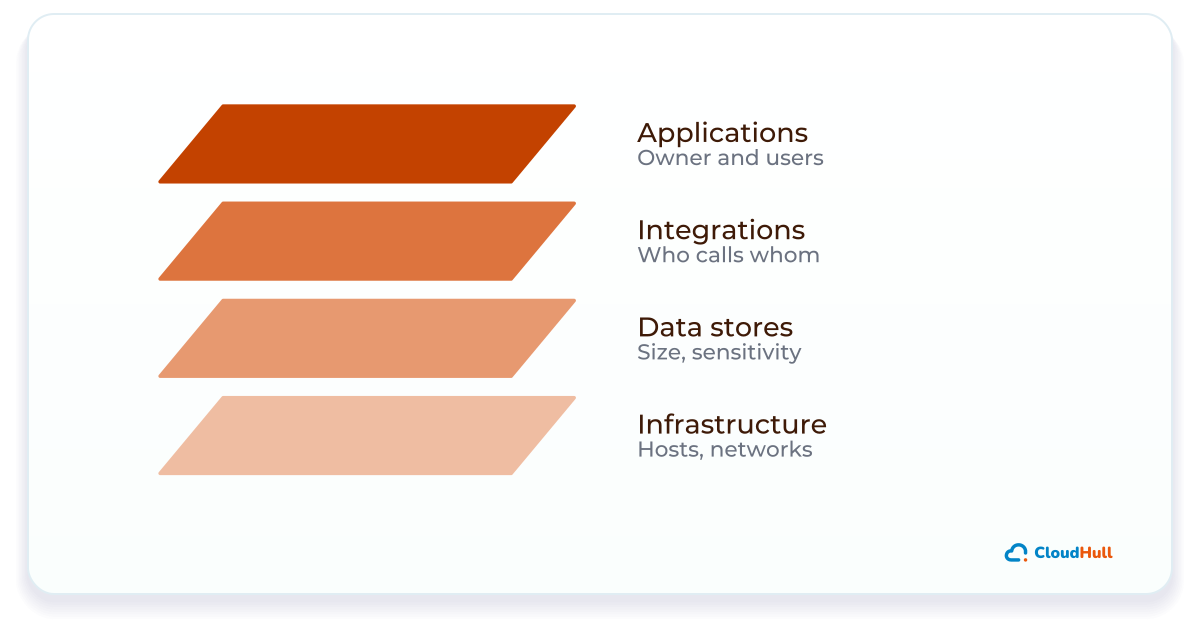
You cannot sort a portfolio you cannot see. Start with the application list, then add owner, data sensitivity, dependencies, hosting and rough monthly cost. Discovery tools help with infrastructure details, and I have yet to see one that finds the spreadsheet a finance analyst runs every month. Interview the owners as well.
In my client work, the inventory almost always grows by a fifth or more once interviews finish. The extra items are small tools, scheduled jobs and integrations that nobody listed because they never broke. They are also the usual cause of a failed test cutover, so they deserve the effort.
Step 3: Decide What Happens to Each Application
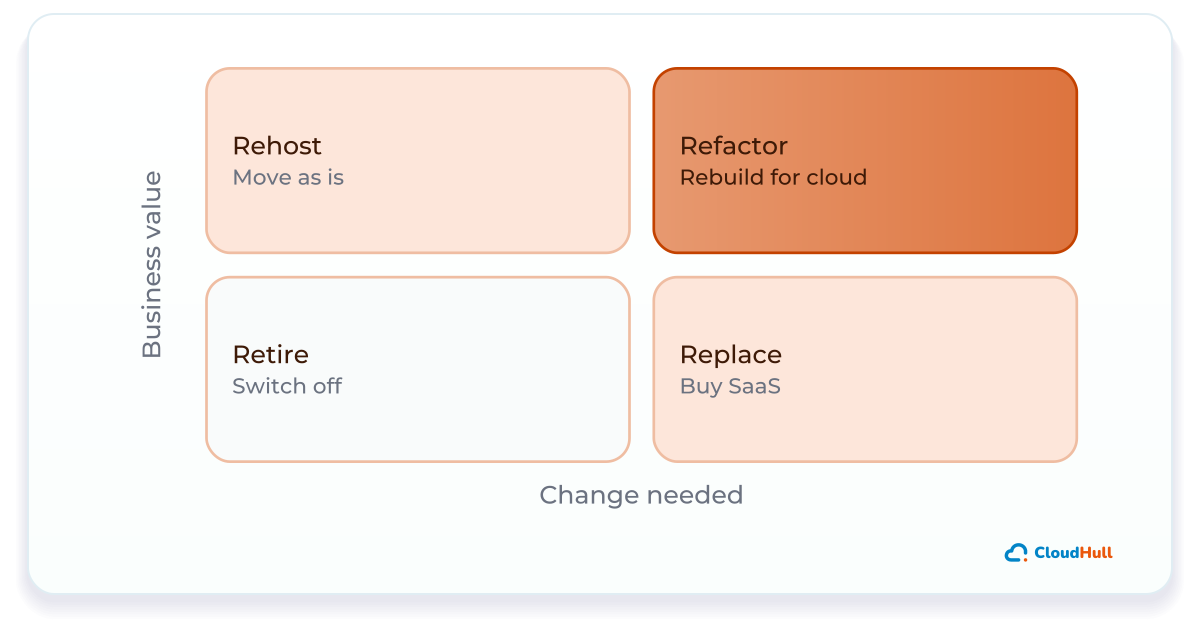
This is the step that saves the most money. Each application gets one disposition: rehost, replatform, refactor, replace, retire or retain. The AWS documentation describes these as the migration strategies most large programs use, and the logic carries over to every provider.
Be blunt about retire and retain. Applications with no active users should be switched off before anyone pays to move them. Systems with hard latency needs or end-of-life software are often better left alone for now. A first wave that moves 40 workloads of which six should have been retired is a common and avoidable embarrassment.
| Disposition | Use it when | Watch out |
|---|---|---|
| Rehost | Deadline pressure, stable workload, little change wanted | Costs stay high if you never rightsize afterward |
| Replatform | A managed database or container service removes real toil | Small code changes can grow into a rewrite |
| Refactor | The application limits growth or release speed | Longest timeline and highest risk |
| Replace | A SaaS product does the job for less | Data migration and retraining effort |
| Retire | No meaningful usage in the last quarter | Hidden dependents; check before you switch off |
| Retain | Compliance, latency or contract reasons | Needs a review date, or it becomes permanent |
Step 4: Design Who Runs the Cloud
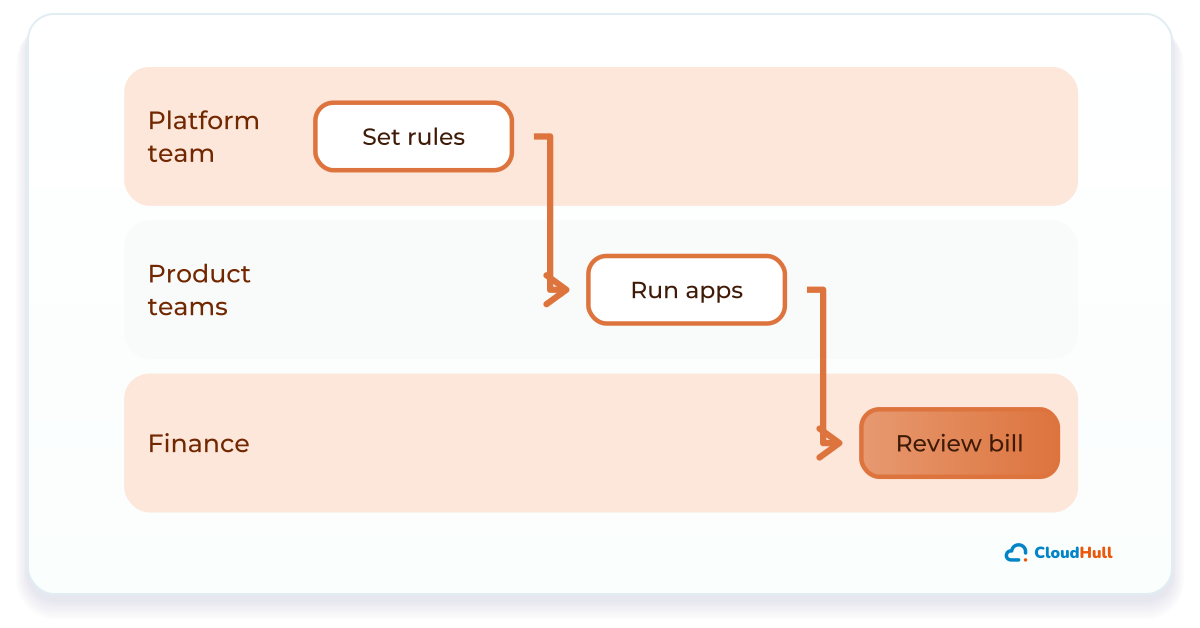
The strongest predictor of a calm first year is a small platform team that owns the landing zone, the shared pipelines and the cost reporting. Product teams then build on top and own their own workloads. Without that team, every squad invents its own account setup, and your security team reviews twelve different designs.
Decide three things early: who may create accounts, who answers when a shared service breaks at night, and which team sees the bill. The Microsoft Cloud Adoption Framework and the AWS Cloud Adoption Framework both treat people and governance as first-class topics next to technology, and I agree with that weighting.
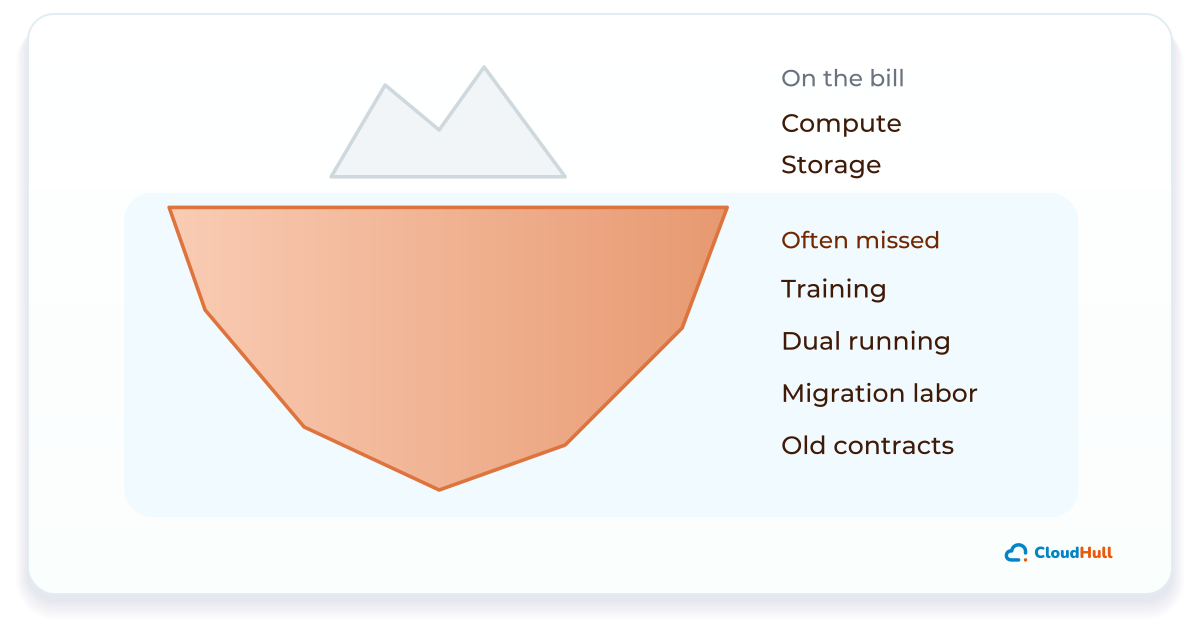
Skills are part of the model. Plan training for the first wave, and pair your engineers with an experienced practitioner on the first two or three workloads. Cutting that pairing to save money tends to cost more in rework.
Step 5: Set Guardrails Before the First Workload Moves
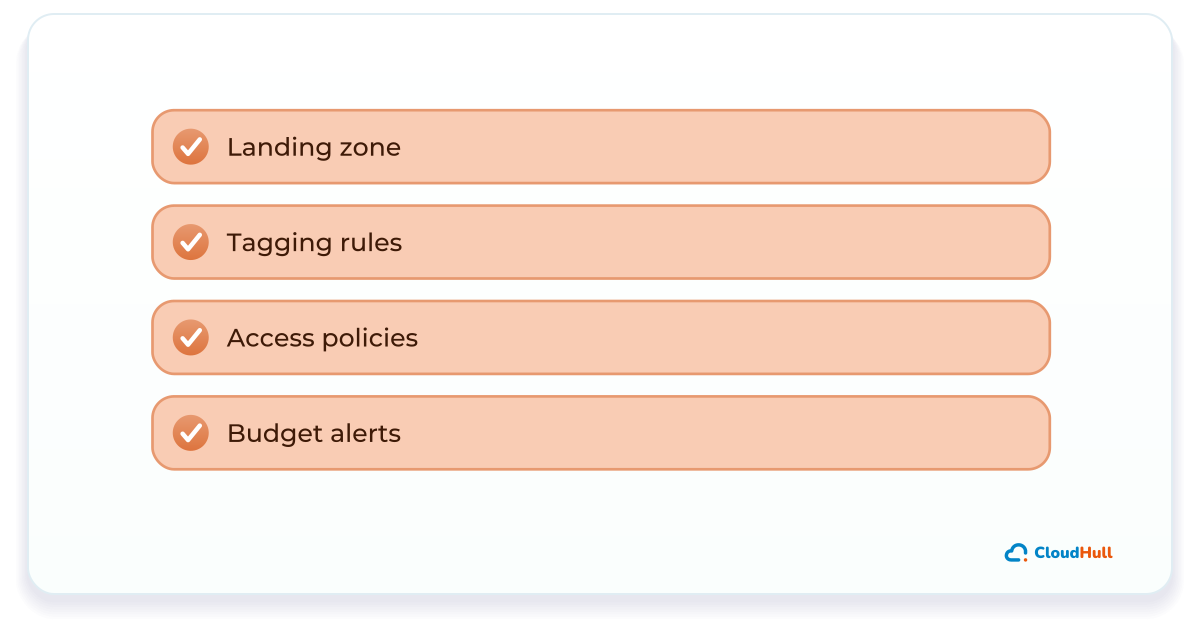
Guardrails are rules that apply automatically, so teams move fast without asking permission each time. Four cover most of the risk:
- A landing zone with separate accounts or subscriptions for production, non-production and shared services.
- Mandatory tags for owner, application and cost center, enforced by policy.
- Identity rules: single sign-on, least-privilege roles and no long-lived access keys.
- Budgets and alerts per account, with a named person who gets the alert.
Retrofitting these after 60 workloads have moved is painful. Doing it first adds a few weeks to the start and removes months of cleanup. For the architecture side of a landing zone, my cloud architecture consulting team covers the design choices, which I mention here because strategy and design overlap on this one.
Step 6: Fund the Program and Pick Five Measures
A good business case shows three lines: the cost of running today, the cost of running in the cloud once optimized, and the one-time cost of getting there. Include the double-running period, when you pay for both environments. Teams that forget it report a miss in the first quarter even when the program is on plan.
For measures, five are enough: cloud spend per product, deploy frequency, mean time to restore service, percent of workloads meeting guardrails, and share of the portfolio migrated against plan. Review them monthly with the sponsor, and publish them where engineers can see them.
Priorities by Situation
The playbook stays the same, but the order of emphasis shifts. These are the three situations I meet most.
| Your situation | Top priority | Second priority | Defer |
|---|---|---|---|
| Data center lease or hardware refresh ends soon | Inventory and sequence by deadline | Guardrails | Refactoring |
| Cloud bill growing faster than revenue | Tagging and cost ownership | Rightsizing and commitments | Large migrations |
| Slow releases and fragile deploys | Pipelines and infrastructure as code | Operating model | Retiring low-value apps |
Early assessment work pays for itself here, and my cloud transformation assessment guide shows how to score readiness before you commit to a sequence. Once the sequence exists, the cloud transformation best practices cover the habits that keep it on track, and the cloud transformation challenges article covers the problems you will meet anyway.
How to Choose Your Strategy Scope
Start smaller than feels natural. A strategy for the whole estate is useful, and a detailed plan for the first wave is what teams actually execute. Before you sign off, check that your document passes these tests:
- Every priority has an owner and a date.
- The first wave is small enough to finish in one quarter.
- Security and finance signed the guardrails.
- The business case includes the double-running period.
- One page explains the strategy to a new engineer.
If you want a second pair of eyes on the draft, a short call is enough to find the gaps.
Questions About Cloud Transformation Strategy
How Long Does It Take to Write a Cloud Transformation Strategy?
For a mid-sized company, two to six weeks is typical. The inventory step takes the longest because it depends on interviews with application owners. A focused workshop format can produce a first draft in about two weeks, which you then refine as data arrives.
What Is the Difference Between a Cloud Strategy and a Cloud Migration Plan?
A strategy sets goals, scope, principles and guardrails for the whole program. A migration plan lists the workloads, waves, dates and cutover steps. The strategy comes first and guides the plan, so the plan can change without reopening the big decisions.
Who Should Own the Cloud Transformation Strategy?
One executive sponsor, usually the CTO or CIO, should own it, with finance and security as named co-signers. Ownership by a committee leads to slow decisions. A small platform or transformation team then runs the work day to day.
Do We Need a Multi-Cloud Strategy?
Most companies do better with one primary provider and a clear reason for any second one. Multi-cloud adds skills, tooling and egress costs. Valid reasons include a regulatory requirement, a customer demand or a specific service that only one provider offers.
How Much Does Cloud Transformation Cost?
It depends on the number of applications, their age and how much you refactor. Rehosting is the cheapest per workload, and refactoring costs the most. Ask for a range with the double-running period included, and expect the number to firm up after the inventory.
Should We Move Everything to the Cloud?
Not always. Some systems have latency, licensing or regulatory reasons to stay. A good strategy names those systems, gives the reason and sets a date to review the decision again.
How Do We Know the Strategy Is Working?
Track a few numbers monthly: cloud spend per product, deploy frequency, time to restore service, guardrail compliance and migration progress. If the first two improve while the others hold steady, the strategy is doing its job.
Please note: this guide is general information and not legal, financial or tax advice. Numbers and examples are typical-project estimates; confirm current details with your providers and advisers.
Did this article help you?
Thanks, noted.
Garrett Linville
Garrett leads the Cloud Hull editorial team and works with the consultants to turn real client projects into practical guides on cloud migration, DevOps, security and cost control. Each article is edited together with the consultant who did the work, and every price and limit is checked against current provider documentation. He is based in the USA and works remotely.