Main Points
- Design every tier to survive the loss of a component and test it on a schedule.
- Separate accounts, code your infrastructure and review every change.
- Security and cost belong in the design from the start.
- Start with the one or two practices that match your biggest current pain.
Cloud architecture advice tends to arrive as a wall of principles. I would rather give you seven habits that I watch separate calm cloud teams from firefighting ones. They come from reviews I run as part of cloud architecture consulting for fintech, ecommerce and SaaS teams.
Each practice has a short explanation, a do this line and an avoid this line. If you only have time for one, read the first and the fifth. Those two are where I find the biggest gaps.
The 7 Practices at a Glance
| Practice | Do this | Avoid this |
|---|---|---|
| 1. Design for failure | Assume every component fails and test it | Trusting one zone or one instance |
| 2. Separate accounts and environments | Isolate production, staging and teams | One account for everything |
| 3. Define everything as code | Version every network, role and service | Console changes nobody records |
| 4. Keep services loosely coupled | Use queues and clear APIs | Chained synchronous calls |
| 5. Build security in at the start | Least privilege and central logging | Adding controls after launch |
| 6. Tag and watch cost from day one | Owner and purpose on every resource | A shared bill nobody owns |
| 7. Right-size, then review often | Measure usage and adjust quarterly | Sizing once and forgetting |
1. Design for Failure From the First Diagram
Every cloud component fails sooner or later. Instances restart, zones go down and a DNS record gets deleted by mistake. A good design assumes this and keeps working. In practice that means at least two availability zones, health checks on every tier and no state stored on a single server.
The habit I push hardest is a regular failure test. Pick one component each quarter, switch it off in a staging copy and watch what happens. Teams are often surprised by which service turns out to be the weak link, and it is rarely the one on the risk register.
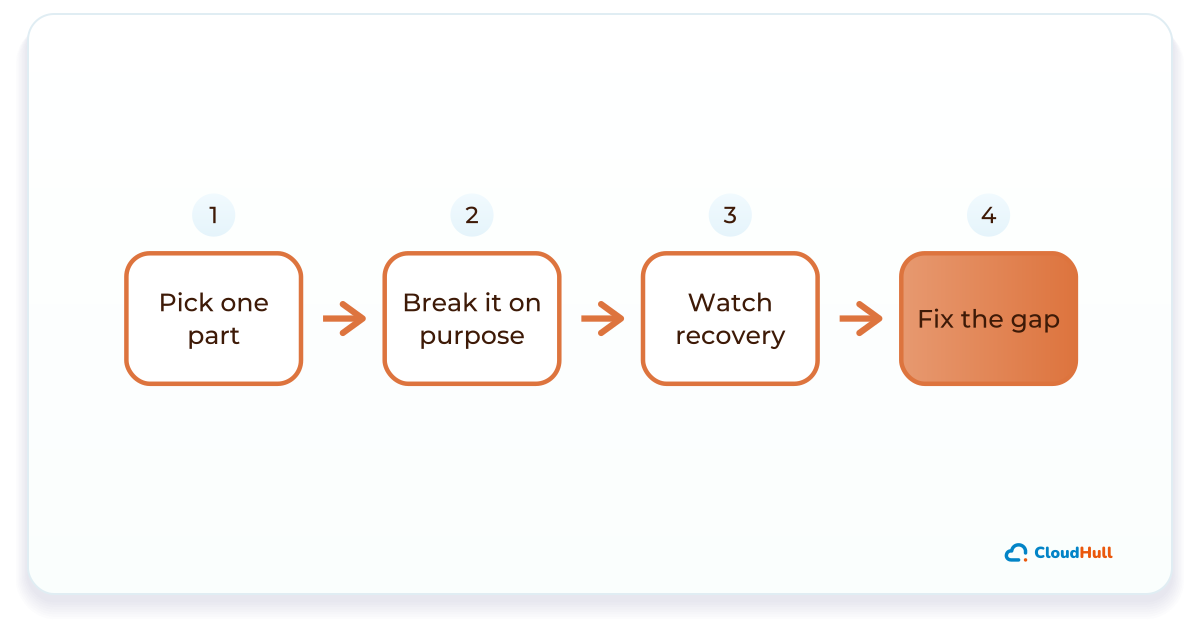
Do this: Spread tiers across zones, add automatic recovery and run a failure drill every quarter.
Avoid this: A single database instance with no replica because it has never failed so far.
2. Separate Accounts and Environments Early
Putting production, test and experiments into one account is the cheapest shortcut and the most expensive mistake. One leaked key or one wrong delete command then reaches everything. Separate accounts give you a clear blast radius, cleaner billing and simpler permissions.
If you want to see how this looks in real designs, the landing zone is example one in my list of cloud architecture examples. Setting it up late is possible but painful, because resources have to be moved while people are using them.
Do this: Create a separate account per environment and give each team its own space with a shared baseline.
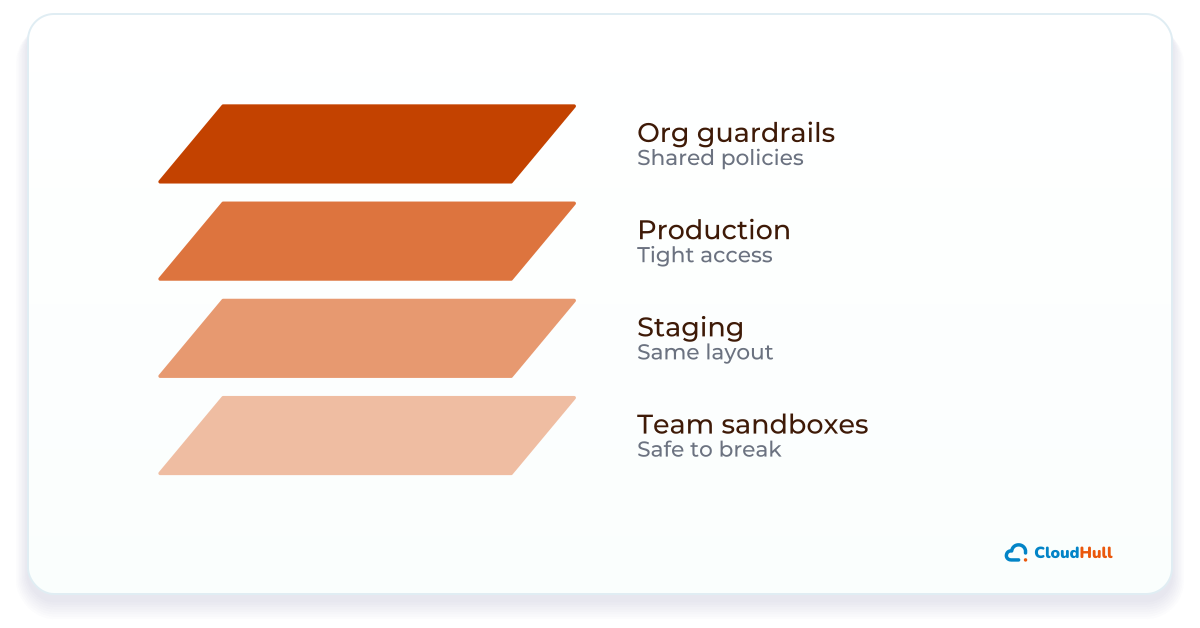
Avoid this: Sharing one admin role across teams because onboarding is quicker that way.
3. Define Everything as Code and Review It
Infrastructure written as code gives you history, review and repeatability. When a network rule changes, you can see who changed it, why and what it replaced. Rebuilding an environment becomes a single command.
Teams often adopt code for servers and skip the rest. Identity roles, DNS and monitoring rules drift the fastest, so include them. Start with a small module library and a mandatory pull request for any change to production.
Do this: Keep all infrastructure in version control and require a reviewed plan before any apply.
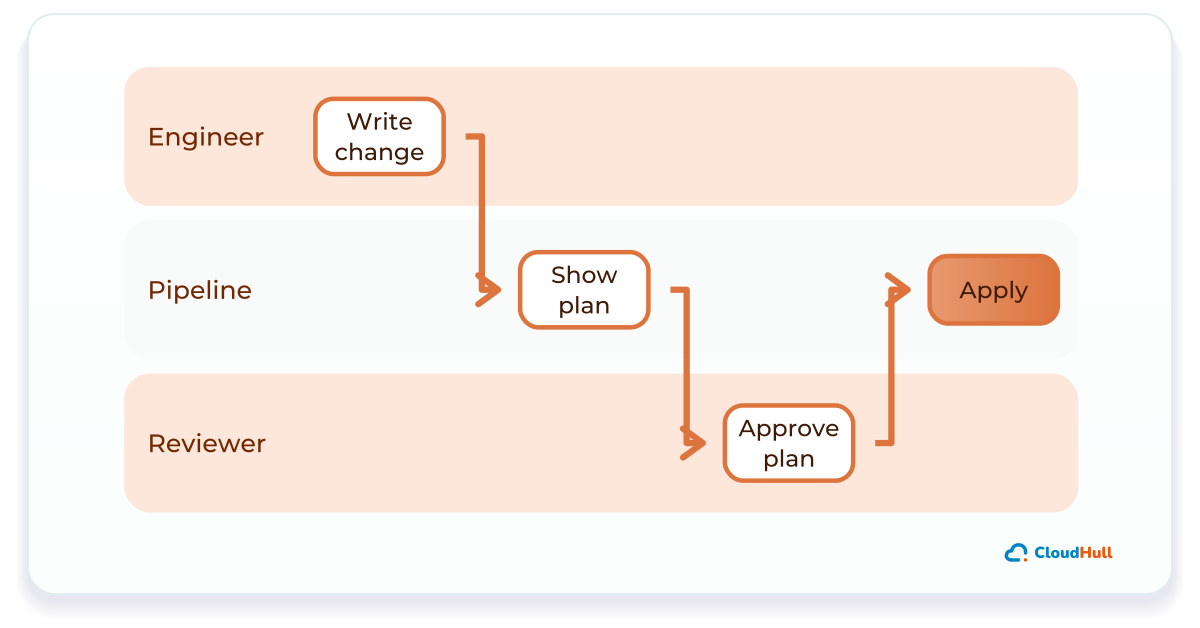
Avoid this: Hotfixes in the console that never make it back into code.
4. Keep Services Loosely Coupled
A chain of synchronous calls is only as reliable as its weakest service. When checkout waits on stock, email and fraud checks one after another, one slow response slows the whole sale. Queues and events let each service work at its own pace and recover alone.
Loose coupling has a cost: you debug across services. Add correlation IDs to every request and keep a dead-letter queue for failed messages. Teams that skip this tend to roll the design back after the first ugly incident.
Do this: Put a queue between services that do not need an instant answer and set clear API contracts.
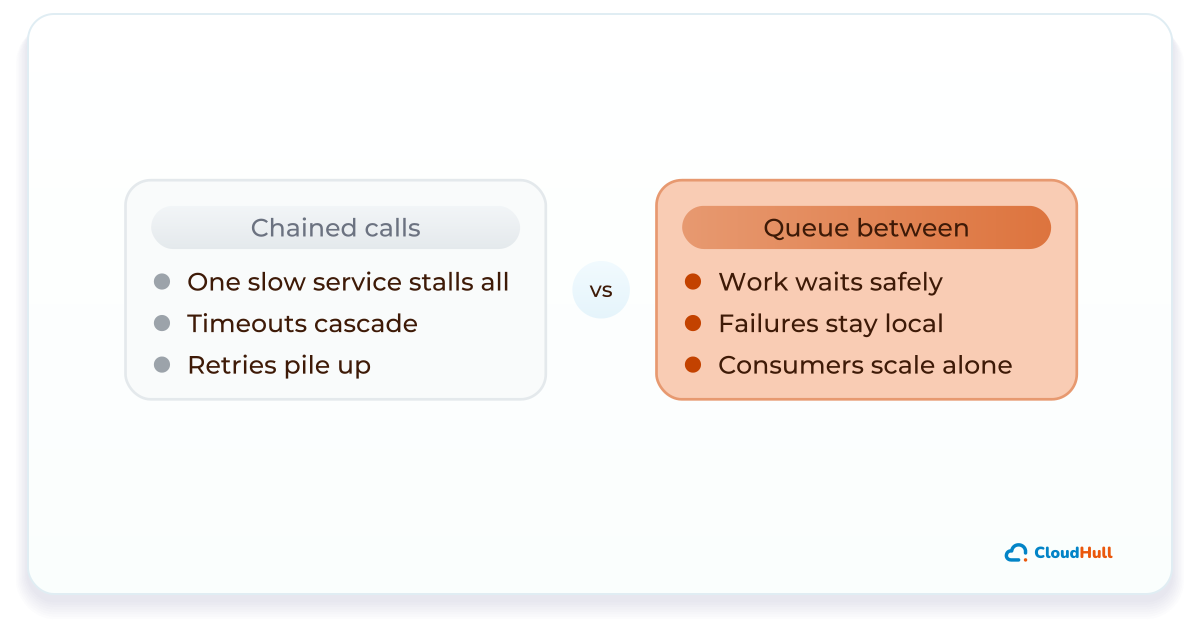
Avoid this: A request chain five services deep with no timeouts.
5. Build Security Into the Design, Not the Launch Plan
Security added after launch costs several times more than security designed in. Start with least privilege, encryption by default and central logging into an account the workload teams cannot edit. Add network segmentation so a compromised service cannot reach everything.
If you are unsure where your gaps are, a cloud architecture assessment ranks them by risk before you spend money. In my client work, the most common finding is a role with far more access than its job needs.
Do this: Grant the minimum access, encrypt data at rest and in transit and log every administrative action.
Avoid this: Wildcard permissions granted to get a deployment working and never removed.
6. Tag Resources and Watch Cost From Day One
A cloud bill without tags is a puzzle. When every resource carries an owner, a purpose and an environment, you can see who spends what and shut down what nobody claims. Budgets and alerts per team catch overruns while they are small.
Cost is also an architecture topic. Choosing a managed service, a storage class or a commitment plan changes the bill more than any later tuning. Build cost into design reviews as a normal question, next to security and reliability.
Do this: Enforce tags in your pipeline, set budgets per team and review the bill monthly.
Avoid this: One shared bill that finance forwards to engineering once a quarter.
7. Right-Size Resources, Then Review on a Schedule
Most teams size for peak traffic on day one and never look again. Instances sit at ten percent usage while the invoice stays high. Measure real utilization for a few weeks, then move to smaller sizes, autoscaling or reserved capacity where usage is steady.
Put the review on the calendar. Every quarter, check utilization, new service options and the unused resources that accumulate in every account. The savings are usually found in the first review, and later reviews keep them from creeping back.
Do this: Review utilization each quarter and commit to reserved capacity only for stable workloads.
Avoid this: Buying a three-year commitment before you know your steady-state usage.
What Each Practice Costs and Returns
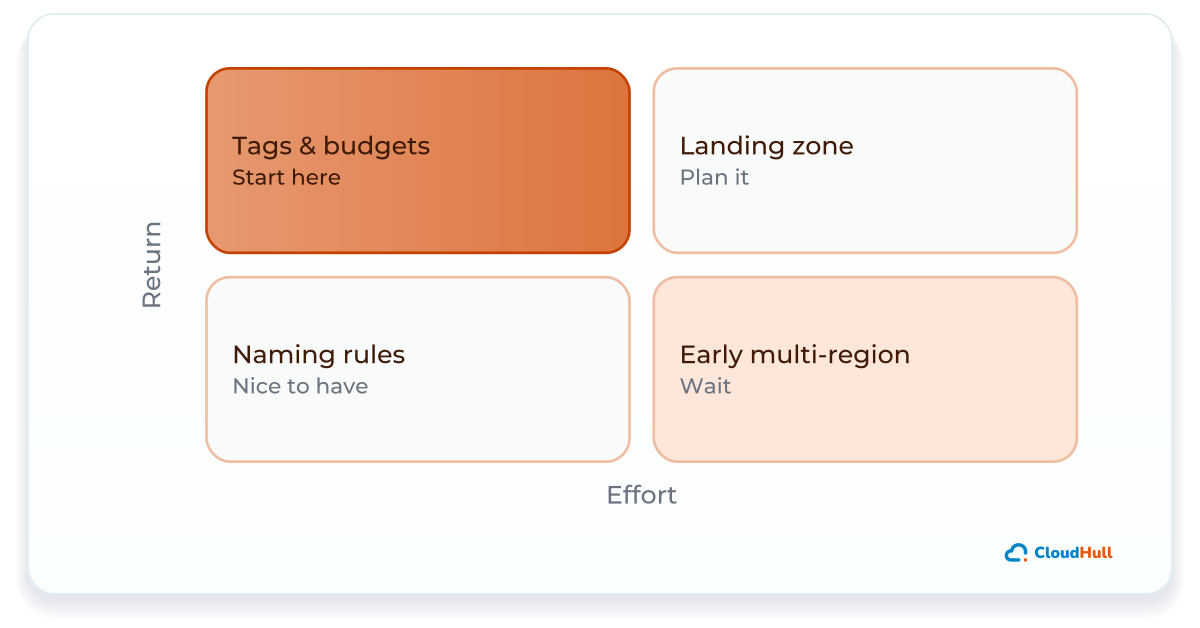
Not every practice carries the same effort. Some take an afternoon, others change how your team works. The table below shows how I size them in client reviews, so you can plan the order before you commit people.
| Practice | Typical effort | Where the return shows up |
|---|---|---|
| Design for failure | Several weeks for a first pass | Fewer and shorter outages |
| Separate accounts | Two to four weeks for a landing zone | Smaller blast radius, cleaner audits |
| Infrastructure as code | Ongoing, first modules in weeks | Faster rebuilds and safer changes |
| Loose coupling | Per service, planned with each release | Failures stay local |
| Security by design | Starts in week one, never ends | Fewer findings and cheaper audits |
| Tags and cost review | One to two days to enforce, monthly review | Visible spend and quick savings |
| Right-sizing | A few days per quarter | Lower steady bill |
The cheapest items to start are tags, budgets and a utilization review. They need no redesign, and the first review often pays for the time spent on all the others. Failure design and loose coupling take the most effort, because they touch how services are built.
A 90-Day Order for Rolling Them Out
In the first month, set up tags, budgets and central logging, and write down who owns each account. These steps are quick and give you a baseline. In the second month, move your most critical workload into code and run one failure drill on it. You will learn more from that drill than from any workshop.
In the third month, review permissions, tighten the worst offenders and right-size the largest resources. Then pick one service chain with too many synchronous calls and put a queue in the middle. By the end of the quarter you have a visible improvement on all seven practices, even if none is finished.
Mistakes Teams Make When They Apply These Practices
Good practices fail when they are applied as a rulebook. The first mistake is copying a big company standard into a team of eight. Three approval boards and a dozen mandatory templates slow a small team down, and people start to route around the process. Keep the rule, shrink the ceremony.
The second mistake is treating a practice as a one-time project. Tagging, right-sizing and access reviews decay within months unless a person owns them. Name an owner and a date for each practice, and put the review on the same calendar as your release planning.
The third mistake is measuring nothing. If you adopt infrastructure as code, track the share of resources it covers. If you adopt failure drills, track how many ran and what they found. A practice without a number turns into a slogan within a year.
Teams also confuse maturity with speed. A team that skips the review step to ship faster pays for it in incidents within two quarters. Slow is not the problem. Unplanned work is, and good practices turn unplanned work into scheduled work that people can prepare for.
How the Practices Scale With Team Size
| Practice | Team of 5 to 10 | Team of 30 or more |
|---|---|---|
| Design for failure | Two zones, one tested restore | Multi-zone tiers, quarterly drills |
| Accounts and environments | Separate production and non-production | Account per team with guardrail policies |
| Infrastructure as code | One repository, one pipeline | Shared module library and policy checks |
| Loose coupling | Queues at the two riskiest joints | Event standards and ownership per service |
| Security | Single sign-on, least privilege, central logs | Dedicated security reviews and automated scans |
| Cost | Tags and a monthly review | Budgets per team and a cost owner |
| Right-sizing | Quarterly manual review | Automated recommendations and reserved capacity plan |
Picking Your First Step With These Practices
You do not need all seven at once. Rank them by the pain you feel now. If outages worry you, start with failure design and decoupling. If audits worry you, start with accounts, code and security. If the bill worries you, start with tags and right-sizing.
Then check progress against a written list. The cloud architecture checklist turns each practice into verifiable items, and the cloud architecture framework shows the order to roll them out. For tooling, my ranking of cloud architecture tools compares what teams use for diagrams and reviews.
A small company with one product and five engineers should not copy the habits of a bank. Pick the lightest version of each practice: two zones instead of three, a single shared pipeline instead of a platform team and a monthly cost review instead of a dashboard project. Larger teams with regulated data need the heavier versions, and they should budget time for them in the plan.
- Which failure hurt you most in the last year?
- Who owns each account, and who can change production?
- What share of your infrastructure is defined in code?
- How much of your bill carries an owner tag?
Please note: this guide is general information and not legal, financial or tax advice. Numbers and examples are typical-project estimates; confirm current details with your providers and advisers.
Did this article help you?
Thanks, noted.
Garrett Linville
Garrett leads the Cloud Hull editorial team and works with the consultants to turn real client projects into practical guides on cloud migration, DevOps, security and cost control. Each article is edited together with the consultant who did the work, and every price and limit is checked against current provider documentation. He is based in the USA and works remotely.