Main Points
- Pick the simplest architecture that survives your most likely failure.
- Landing zones, hub-and-spoke networks and tested recovery plans are the foundation of most good designs.
- Active-active and Kubernetes platforms carry real cost, so add them only when the numbers support it.
- Every example here comes with a trade-off you should weigh before copying the design.
Most cloud architecture diagrams you see online are tidy and unreal. The ones I get handed on a first call have three generations of decisions layered on top of each other. If you are planning cloud architecture consulting or just want to compare your design with something concrete, real patterns help more than principles do.
Below are 10 architectures I see repeated across fintech, ecommerce, SaaS and logistics work. Each one shows the situation it fits, what the design looks like, how the flow runs and the tools that usually carry it. Costs and gains are ranges from my own client work, so treat them as a starting point and test them against your traffic.
The 10 Architectures at a Glance
| Architecture | Fits when | Main payoff |
|---|---|---|
| 1. Multi-Account Landing Zone | Regulated teams with many workloads | Isolation and audit trail |
| 2. Autoscaling Storefront | Seasonal ecommerce traffic | Peak load without overbuying |
| 3. Event-Driven Order Pipeline | Order, payment and stock flows | Loose coupling between services |
| 4. Active-Active Payments | Payment and ledger APIs | Near-zero regional downtime |
| 5. Serverless API Backend | Spiky, unpredictable request volume | Pay per request, small ops load |
| 6. Lake-to-Warehouse Analytics | Reporting on many data sources | One governed analytics layer |
| 7. Kubernetes Service Platform | Many teams shipping microservices | Standard deploys and scaling |
| 8. Hub-and-Spoke Network | Many VPCs, on-premise links | Central control of traffic |
| 9. Hybrid Core Modernization | Legacy systems that cannot move yet | Step-by-step migration path |
| 10. Pilot Light Disaster Recovery | Tight budget, real recovery needs | Fast restore at low standby cost |
How I Judge a Cloud Architecture Example
A diagram on its own proves nothing. I judge an architecture by three things: which failure it survives, who has to operate it at 2 a.m. and what it costs when traffic doubles. An example that only shows the happy path is marketing.
Every example below comes with its trade-off in the text. If you want the rules that sit underneath all of them, my list of cloud architecture best practices covers the do and avoid side.
10 Cloud Architecture Examples You Can Borrow
Multi-Account Landing Zone
A payments startup came to me with one cloud account holding production, staging and a data science sandbox. A single leaked key could have reached everything. The fix was a landing zone: separate accounts per environment and team, a shared logging account and guardrail policies set at the organization level.
The landing zone is the foundation example, since every other pattern here sits on top of it. Regulated teams in fintech and healthcare get a clean audit trail and a blast radius that stops at one account. The cost is more setup work and a naming scheme people must follow, and I have seen that discipline slip within a year when nobody owns it.
How the account structure is laid out
- Create a management account and an organizational unit tree for production, non-production and security.
- Send all audit logs to one locked-down logging account.
- Apply guardrail policies that block risky actions, such as public storage buckets, at the organization level.
- Give each team its own account with a baseline of network, identity and tagging.
- Connect accounts to one central identity provider so access ends when employment ends.
Tools that carry this design
AWS Control Tower and Organizations, Azure management groups with Azure Policy, or Google Cloud resource hierarchy with organization policies all cover this. Terraform keeps the baseline repeatable across accounts.
Autoscaling Storefront
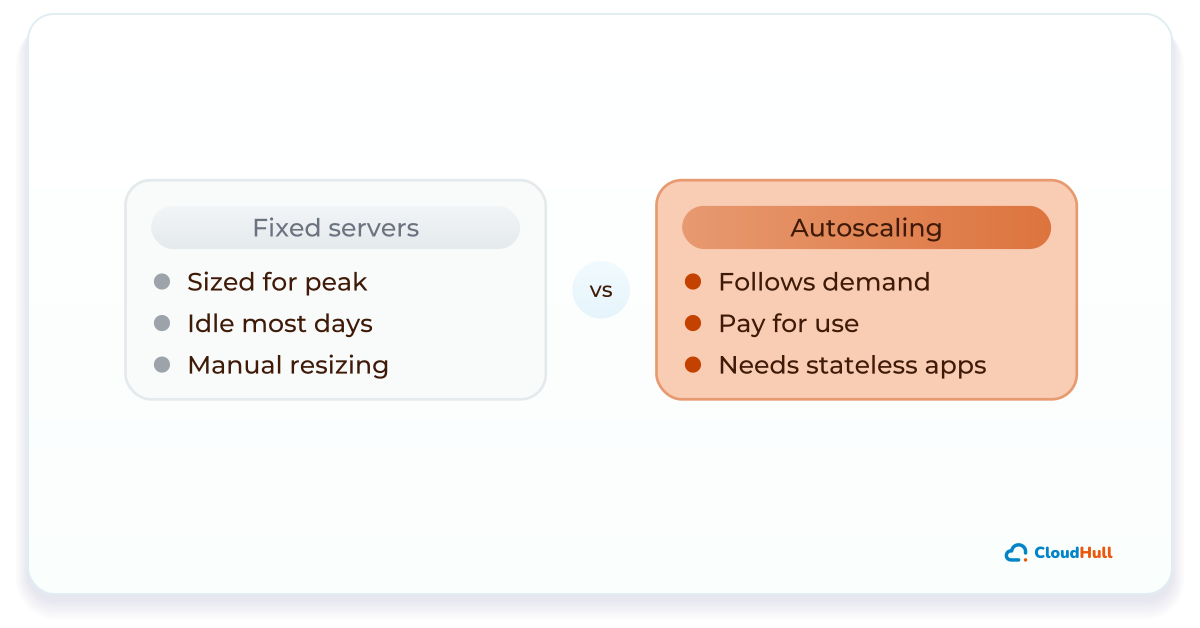
An online shop I worked with slowed to a crawl every November. The site ran on a few large servers sized for an average day. We split the stack into a stateless web tier behind a load balancer, a managed database with read replicas and a cache in front of product pages.
Autoscaling only helps if the app can scale out. Sessions have to move out of server memory and images move to object storage behind a CDN. Expect the first load test to find a bottleneck you did not plan for, usually the database connection limit, so budget a week for tuning before the season starts.
How a shopper request travels
- The CDN serves images, scripts and cached category pages from the edge.
- The load balancer sends dynamic requests to any healthy web instance.
- Web instances read sessions and product data from the cache first.
- Cache misses go to a read replica, and writes go to the primary database.
- Autoscaling adds instances when CPU or request counts cross a set threshold.
Tools that fit this design
CloudFront, Azure Front Door or Cloud CDN handle the edge. Managed Redis or Memcached covers the cache, and k6 or Locust works for load tests before the peak.
Event-Driven Order Pipeline
Order systems break when one slow service holds up the rest. In a retail project, the checkout waited on stock updates, email and the warehouse system, so any one of them could fail an order. We changed checkout to publish an order event and let each service react on its own.
The payoff is that a warehouse outage no longer blocks sales. Orders queue up and drain when it recovers. The price is harder debugging, because one order now touches five services. Plan correlation IDs and a dead-letter queue from day one.
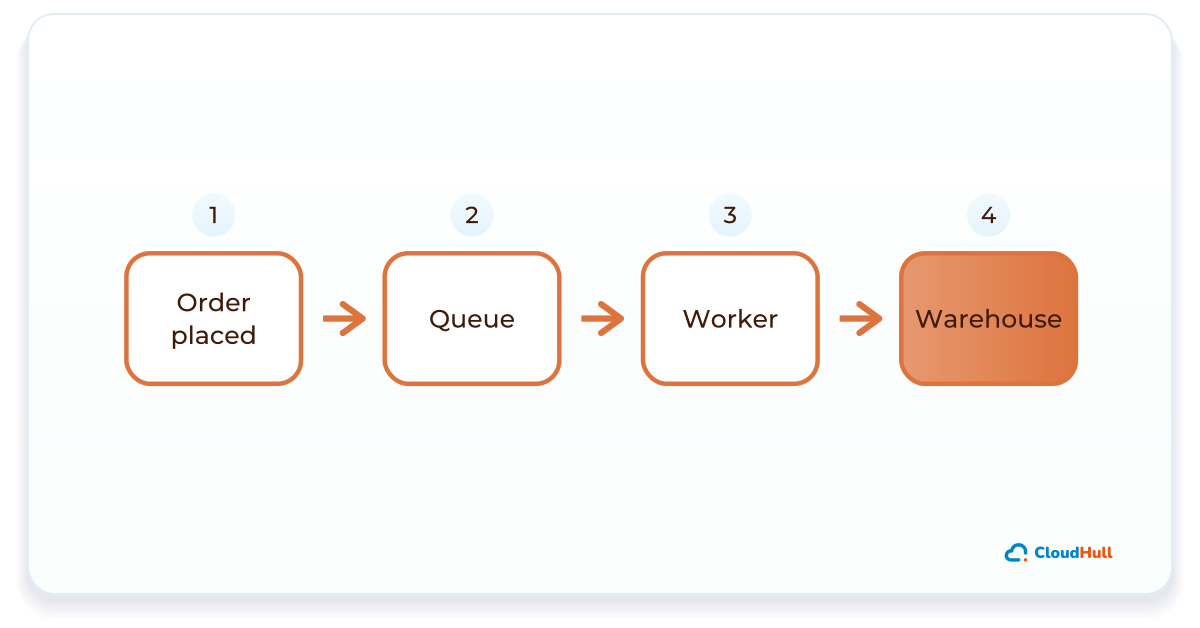
How one order moves through the system
- Checkout writes the order and publishes an order-created event.
- Payment, stock and email services each subscribe to that event.
- Each service handles it independently and publishes its own result event.
- Failed messages land in a dead-letter queue with the order ID attached.
- A small status service reads the events and shows the order state to support staff.
Tools worth knowing
Amazon SNS with SQS, Azure Service Bus and Google Pub/Sub cover managed messaging. Kafka suits very high volume, but it is more to run than most teams expect.
Active-Active Payments
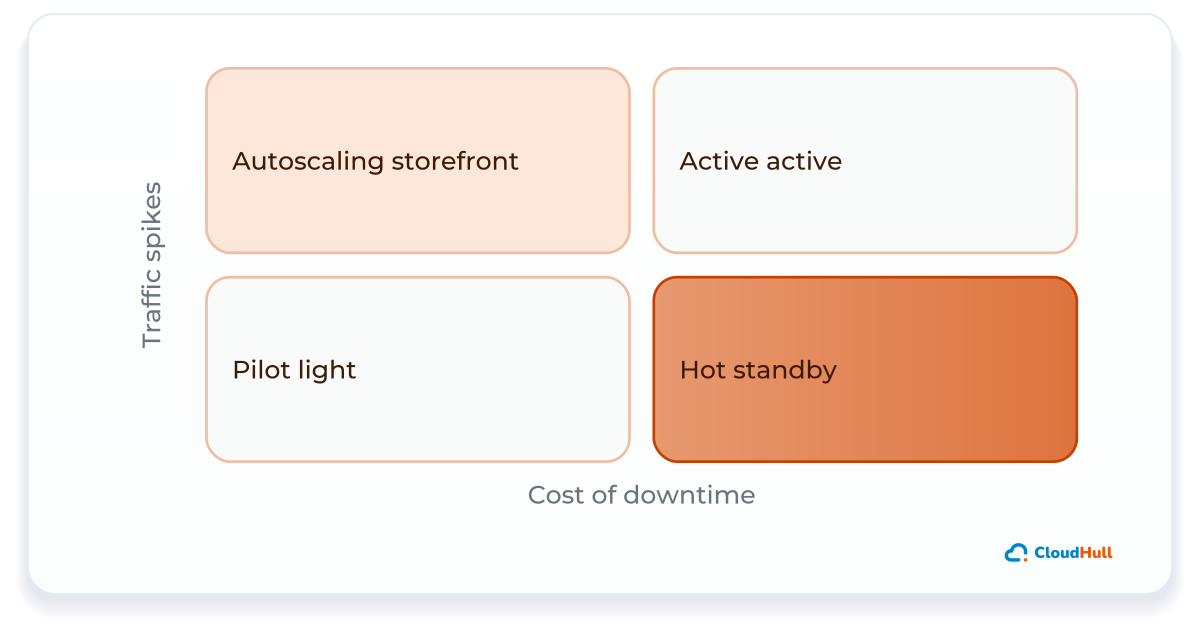
A fintech client needed its payment API to keep working through a full regional outage. We ran the API and ledger in two regions at once, with traffic split by a global router and data replicated between them. Failing over became a routing change.
I would only recommend this when downtime has a clear price. It roughly doubles the infrastructure bill and forces you to solve write conflicts in the database. Many teams that think they need active-active would be well served by the pilot light design in example 10, so check the downtime cost first.
How traffic and data stay in sync
- A global router sends users to the nearest healthy region.
- Each region runs the full API stack and its own cache.
- The database replicates writes across regions with a conflict rule you define.
- Health checks pull a failing region out of rotation within seconds.
- Quarterly game days practice a real regional failover.
Tools used here
Amazon Aurora Global Database, Azure Cosmos DB, Google Spanner and CockroachDB handle multi-region data. Route 53, Azure Front Door and Cloud Load Balancing handle the routing.
Serverless API Backend
A SaaS team with two engineers could not afford to run servers around the clock for an API that sat idle most of the day. Functions behind an API gateway, with a managed database, cut their operations work to almost nothing. They paid per request and slept at night.
Serverless fits spiky and small workloads well. It fits steady high-volume traffic badly, because per-request pricing passes the cost of a reserved instance at a certain volume. Cold starts also matter for latency-sensitive endpoints, so measure before you commit.
What a single API call touches
- The API gateway authenticates the request and applies rate limits.
- A function runs the business logic and talks to the database.
- The database scales on demand and keeps connections pooled.
- Logs and traces flow to a central monitoring service.
- Deployments ship through a pipeline that versions each function.
Tools for this pattern
AWS Lambda with API Gateway, Azure Functions and Google Cloud Run cover the compute. DynamoDB, Cosmos DB and Firestore pair well with them, and the Serverless Framework or Terraform handle deployment.
Lake-to-Warehouse Analytics
Reporting teams often pull data straight from production databases, and the numbers never match. A cleaner design lands raw data in object storage, transforms it in stages and serves curated tables from a cloud data warehouse. Everyone then reads from one governed source.
I like this example because it separates cheap storage from expensive compute. Raw files stay in the lake for pennies, and the warehouse only holds the tables people query. The usual failure is skipping data ownership, which leaves the lake full of files nobody trusts. If this is your direction, my page on cloud data warehouse consulting goes deeper.
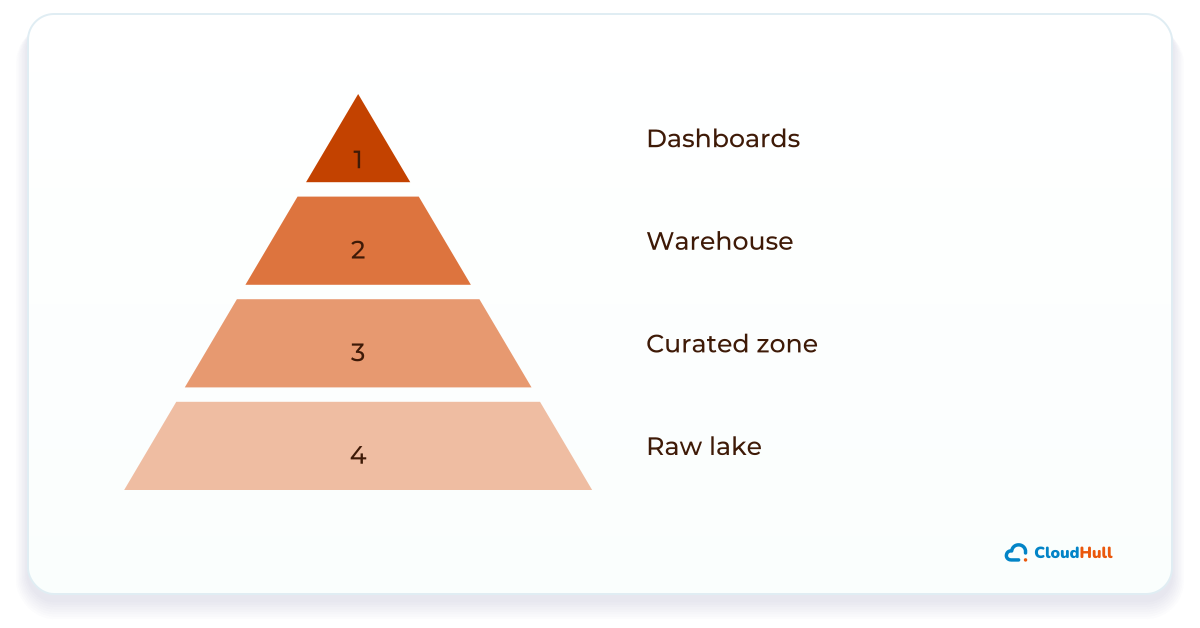
How data flows from source to dashboard
- Ingestion jobs copy source data into a raw zone in object storage.
- Transformation jobs clean and join data into curated tables.
- The warehouse loads curated tables and exposes them to analysts.
- Access rules limit sensitive columns by role.
- A catalog records where each table came from and who owns it.
Tools that appear here
Snowflake, BigQuery, Redshift and Databricks handle the warehouse side, and dbt handles transformation. Fivetran or Airbyte cover ingestion for common sources.
Kubernetes Service Platform
When eight product teams all deploy differently, nobody can help anybody. A shared Kubernetes platform gives each team a namespace, a standard pipeline and the same monitoring. In one engagement, onboarding a new service dropped from weeks to a couple of days.
Be honest about the cost. Kubernetes needs a platform team or a managed service and real training. For a team of five engineers with three services, it is usually too much, and a managed container service is the better call.
How a new service gets onto the platform
- The team requests a namespace through a short template.
- The platform applies network policies, quotas and default alerts.
- A pipeline builds the image, scans it and deploys it.
- Horizontal autoscaling adjusts pods to load.
- Dashboards and alerts appear automatically for the new service.
Tools behind the platform
Amazon EKS, Azure AKS and Google GKE reduce the cluster upkeep. Argo CD or Flux handle deployment, and Prometheus with Grafana covers monitoring.
Hub-and-Spoke Network
Ten virtual networks with peering links between every pair turn into a mess fast. The hub-and-spoke design puts shared services, firewalls and the link to your office in one central network. Each workload network connects only to the hub.
I set this design up most often for companies with on-premise links. It makes traffic inspection and routing rules a one-place job. The hub becomes a bottleneck and a single point of failure if you do not size it, so plan for redundancy in the hub itself.
How traffic is routed between networks
- Spoke networks route outbound traffic to the hub.
- A firewall in the hub inspects traffic between spokes and to the internet.
- A VPN or dedicated link connects the hub to your offices and data centers.
- Shared services such as DNS sit in the hub.
- Flow logs go to one place for security review.
Tools for network design
AWS Transit Gateway, Azure Virtual WAN and Google Network Connectivity Center manage the hub. Palo Alto or the native cloud firewalls handle inspection.
Hybrid Core Modernization
A lender I worked with ran a core system that nobody dared to touch. Moving it in one go was too risky. We placed an API layer in front of it, moved the surrounding channels to the cloud first and replaced the core piece by piece over time.
The pattern is slower than a lift and shift, and I will not pretend otherwise. But it keeps the business running while you change it. Skip the big-bang rewrite unless you enjoy long freezes and surprise weekends.
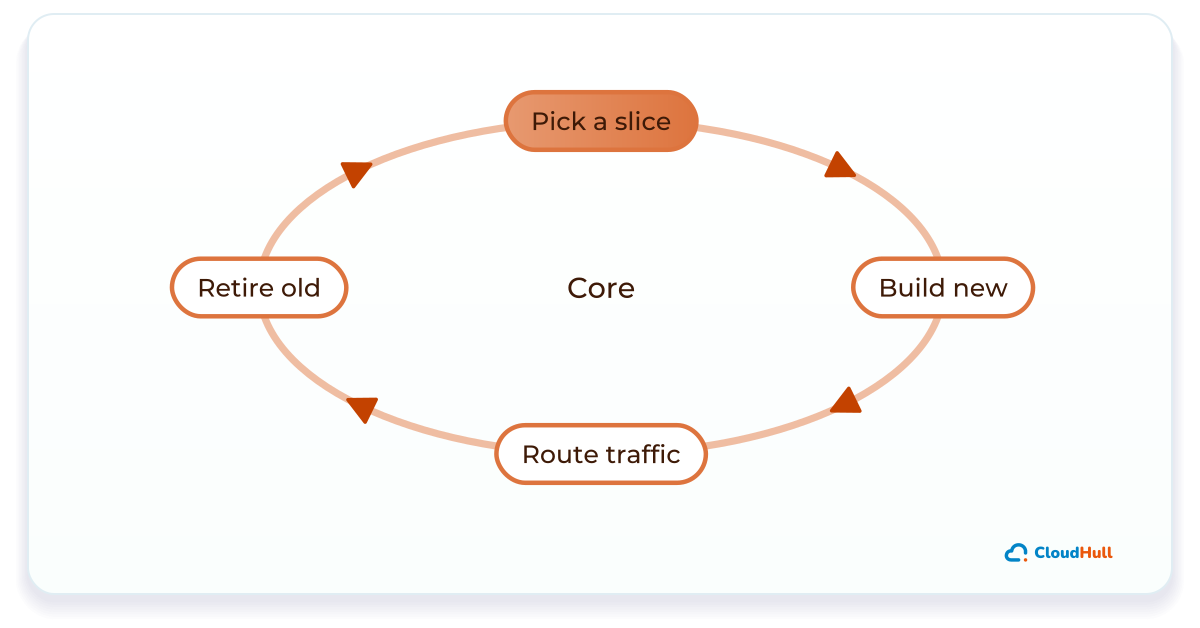
How the migration proceeds in slices
- Put an API layer in front of the legacy system.
- Move customer-facing channels to cloud services behind that layer.
- Replicate legacy data to a cloud database for reporting.
- Replace one legacy function at a time and redirect the API.
- Switch the legacy system off once nothing calls it.
Tools used for the bridge
API gateways, change data capture tools such as Debezium and a private link between your data center and the cloud do most of the work. AWS DMS and Azure Database Migration Service help with data replication.
Pilot Light Disaster Recovery
Many teams need a recovery plan and cannot pay for a second full environment. A pilot light keeps data replicated in a second region and the compute switched off. When disaster hits, you start the servers and point traffic over.
Recovery takes minutes to an hour. For plenty of businesses that is fine, and the standby bill stays small. The test matters more than the design: I have seen untested plans fail on a missing permission, so run a real failover at least twice a year.
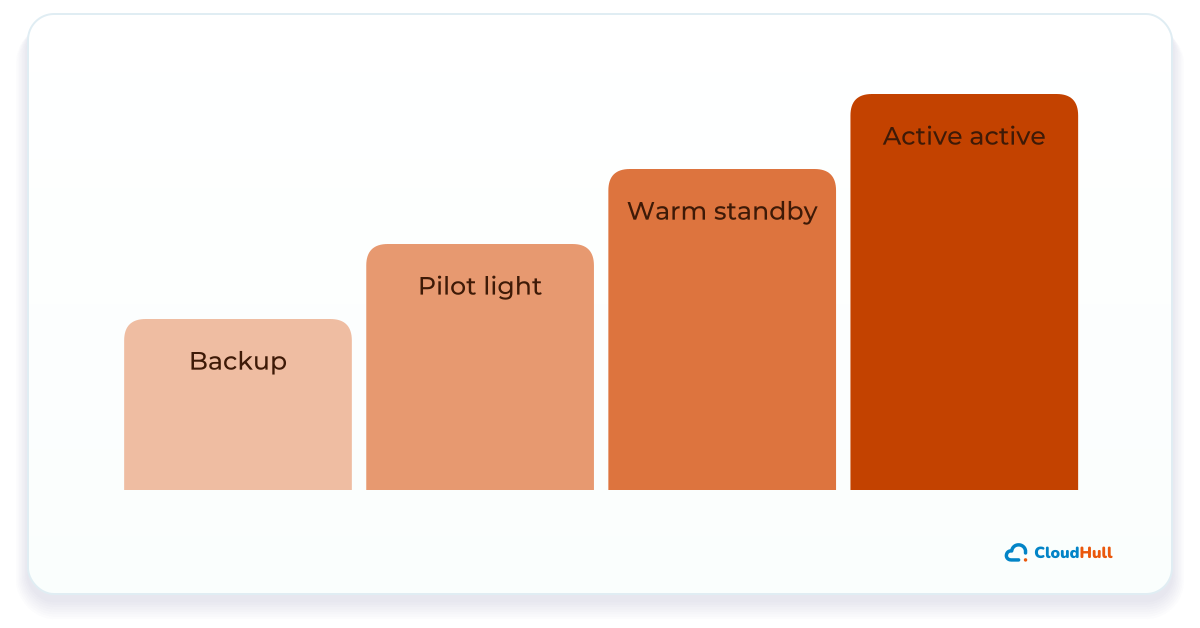
How a failover is carried out
- Data replicates continuously to the recovery region.
- Infrastructure code can build the full stack there on demand.
- An alarm or a person declares the disaster and starts the runbook.
- Compute starts from prebuilt images and attaches to the replicated data.
- DNS changes route users to the recovery region.
Tools for recovery plans
AWS Elastic Disaster Recovery, Azure Site Recovery and Google backup and DR services automate much of this. Terraform keeps the recovery stack in code.
How to Choose Which Example Fits Your Workload
Start from the failure you cannot accept. In my experience, four questions narrow a list of ten to one or two:
- What does one hour of downtime cost you, and how often can you afford it?
- How spiky is your traffic across a day and across a year?
- How many teams will deploy to this design, and how experienced are they?
- Which parts of your stack are legacy and must stay where they are?
Run the answers through a structured review before you build. My notes on a cloud architecture assessment show how to score your current design, and the cloud architecture framework turns the result into phases. Once the design is chosen, the cloud architecture checklist catches what teams forget, and my ranking of cloud architecture tools covers the diagramming side.
Please note: this guide is general information and not legal, financial or tax advice. Numbers and examples are typical-project estimates; confirm current details with your providers and advisers.
Did this article help you?
Thanks, noted.
Garrett Linville
Garrett leads the Cloud Hull editorial team and works with the consultants to turn real client projects into practical guides on cloud migration, DevOps, security and cost control. Each article is edited together with the consultant who did the work, and every price and limit is checked against current provider documentation. He is based in the USA and works remotely.