Main Points
- Lucidchart suits mixed teams, and draw.io is the best free option for diagrams stored with code.
- Cloudcraft and Lucidchart can draw diagrams from live cloud accounts, which fights stale diagrams.
- Brainboard, Eraser and Structurizr tie diagrams to code, and IcePanel models systems in the C4 style.
- Choose by audience and update method, then test with one real workload.
The Best Cloud Architecture Tools at a Glance
| Tool | Type | Best for |
|---|---|---|
| 1. Lucidchart | Collaborative diagrams | Mixed teams that review together |
| 2. draw.io | Free, open-source editor | Diagrams stored in your repository |
| 3. Cloudcraft | Live cloud diagrams | Datadog users on AWS, Azure or Google Cloud |
| 4. Brainboard | Visual design with Terraform output | Teams that want diagrams tied to code |
| 5. IcePanel | C4 modeling platform | Platform teams mapping many services |
| 6. Microsoft Visio | Enterprise diagramming | Microsoft 365 companies and audits |
| 7. Miro | Whiteboard | Early design workshops |
| 8. Eraser | Diagram-as-code and docs | Engineer-led documentation |
| 9. Structurizr | C4 architecture as code | Teams that review diagrams in pull requests |
The 9 Best Cloud Architecture Tools, Ranked
I start with the tools that suit the widest range of teams and move toward specialist modeling and diagram-as-code tools. The tool matters less than the design behind it: in the cloud architecture consulting reviews I run, the biggest problems are rarely drawing problems. If you want to check what your diagrams should contain, my cloud architecture checklist lists what to verify, and the cloud architecture framework guide explains the model behind a good design.
Lucidchart
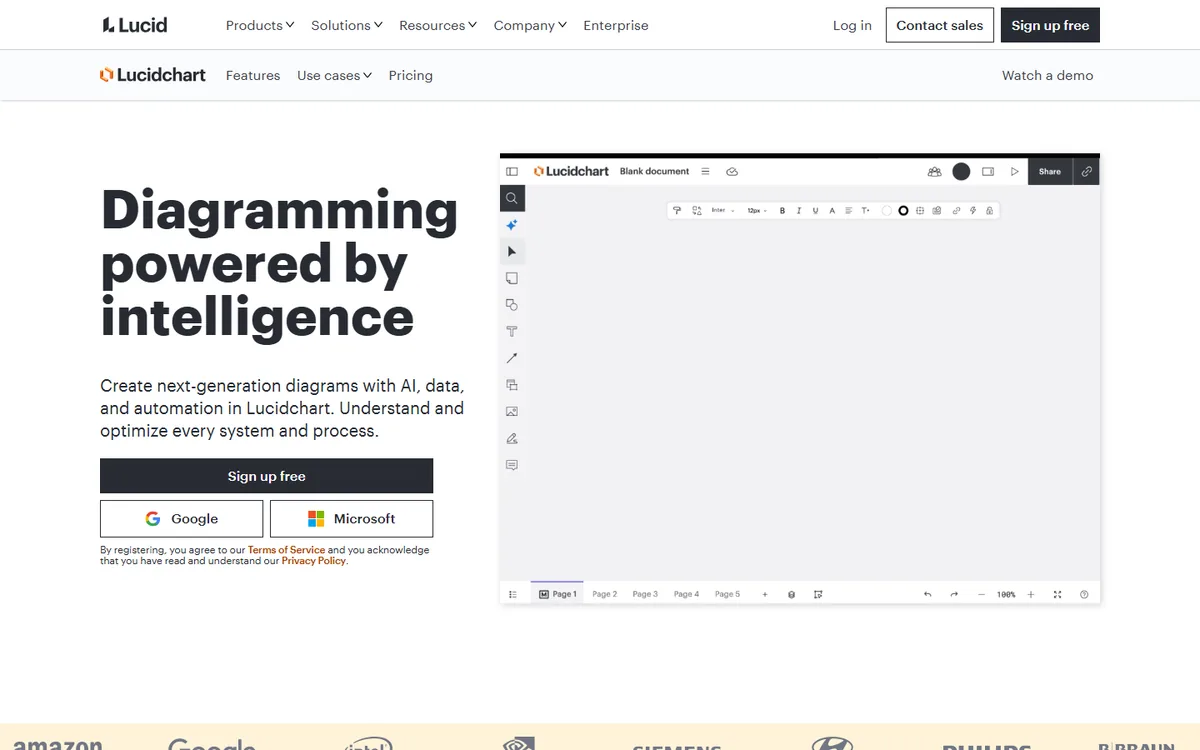
The Safe Pick for Teams That Need Shared, Polished Architecture Diagrams
Lucidchart is a browser-based diagramming tool with cloud shape libraries for AWS, Azure and Google Cloud, and it can import live infrastructure to draw diagrams for you.
I recommend Lucidchart when several people have to edit the same diagrams and review them with non-engineers. Real-time editing, comments and a large template library make it easy to get a clean architecture diagram out in an afternoon. Its cloud import features can scan an account and build a diagram, which saves a lot of manual drawing for large environments.
The trade-off is cost per seat and a diagram that can drift from reality if nobody refreshes it. In my client work, the import is a good starting point and still needs a person to tidy and label it. Check which import features sit in which plan before you buy.
Lucidchart Strengths
- Real-time collaboration and comments suit mixed teams
- Shape libraries cover the three main clouds
- Imports from cloud accounts give you a head start
Lucidchart Weaknesses
- Per-seat pricing adds up for large groups
- Imported diagrams need manual cleanup and refreshing
Lucidchart Pricing
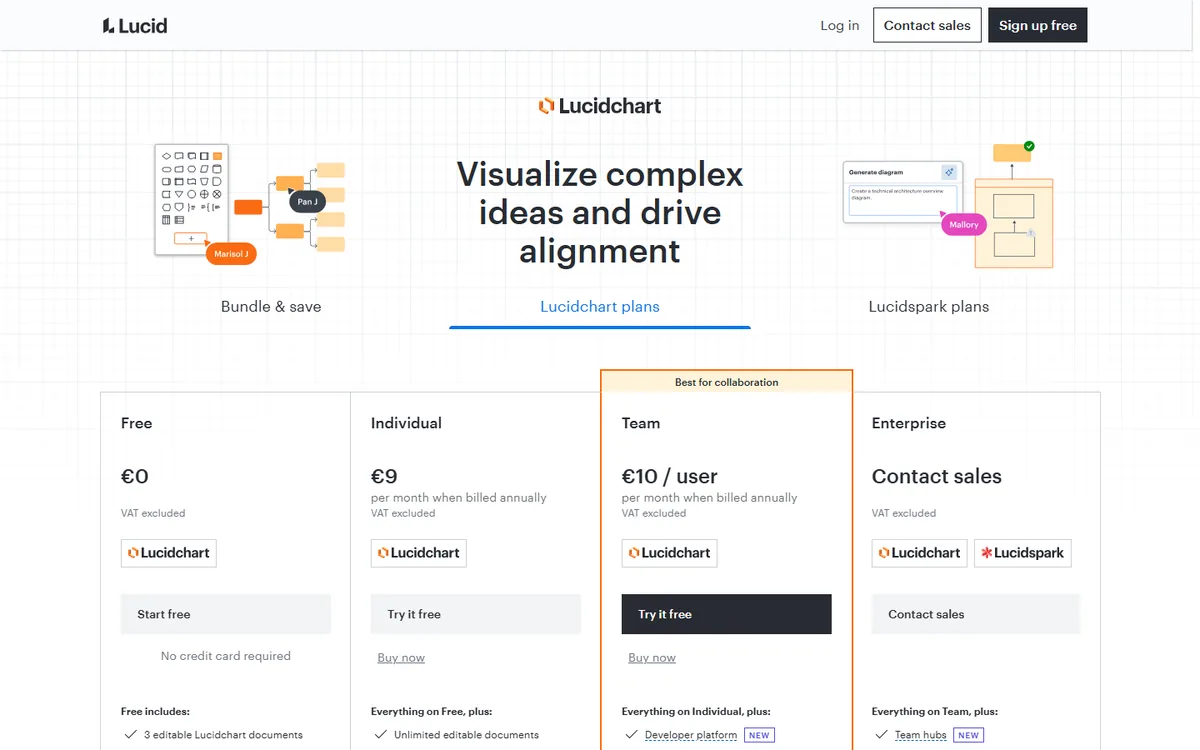
Lucidchart has a Free plan with limited documents, plus Individual, Team and Enterprise plans. Lucid does not show per-seat prices in the plan overview I could read, so check the live pricing page before budgeting. Cloud import features sit in higher plans.
Lucidchart Reviews
- G2: 4.5 of 5 stars (based on 9,107 verified reviews for Lucid)
draw.io (diagrams.net)
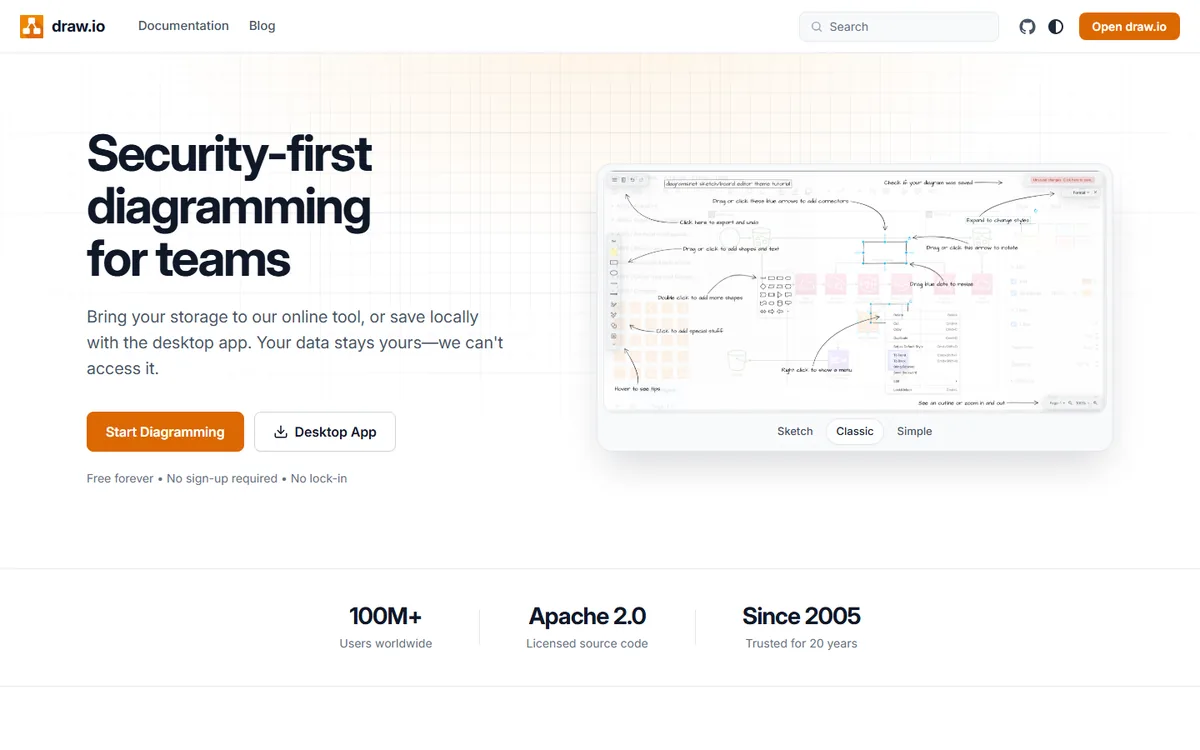
The Best Free Option, and the One I Would Use for Diagrams Stored Next to Your Code
draw.io is a free, open-source diagram editor that runs in the browser or as a desktop app and works with GitHub, VS Code, Google and Microsoft storage.
draw.io costs nothing, has no sign-up and stores files where you choose. The source is Apache 2.0 licensed, which matters to security teams that dislike sending architecture data to a third party. It includes cloud shape libraries, and diagrams can live in a repository next to the infrastructure code.
The limit is collaboration and automation. You get no built-in discovery of your cloud account, and live editing depends on the storage you connect. I like it for teams that treat diagrams as files in version control, and I steer larger groups toward a collaborative tool.
draw.io (diagrams.net) Strengths
- Free, open source and no account needed
- Files live in your own storage or repository
- Works as a VS Code extension and desktop app
draw.io (diagrams.net) Weaknesses
- No automatic import from cloud accounts
- Collaboration depends on the storage you connect
draw.io (diagrams.net) Pricing
draw.io is free. The vendor describes it as free forever, with no sign-up and no lock-in.
draw.io (diagrams.net) Reviews
- G2: 4.4 of 5 stars (based on 450 verified reviews)
Cloudcraft
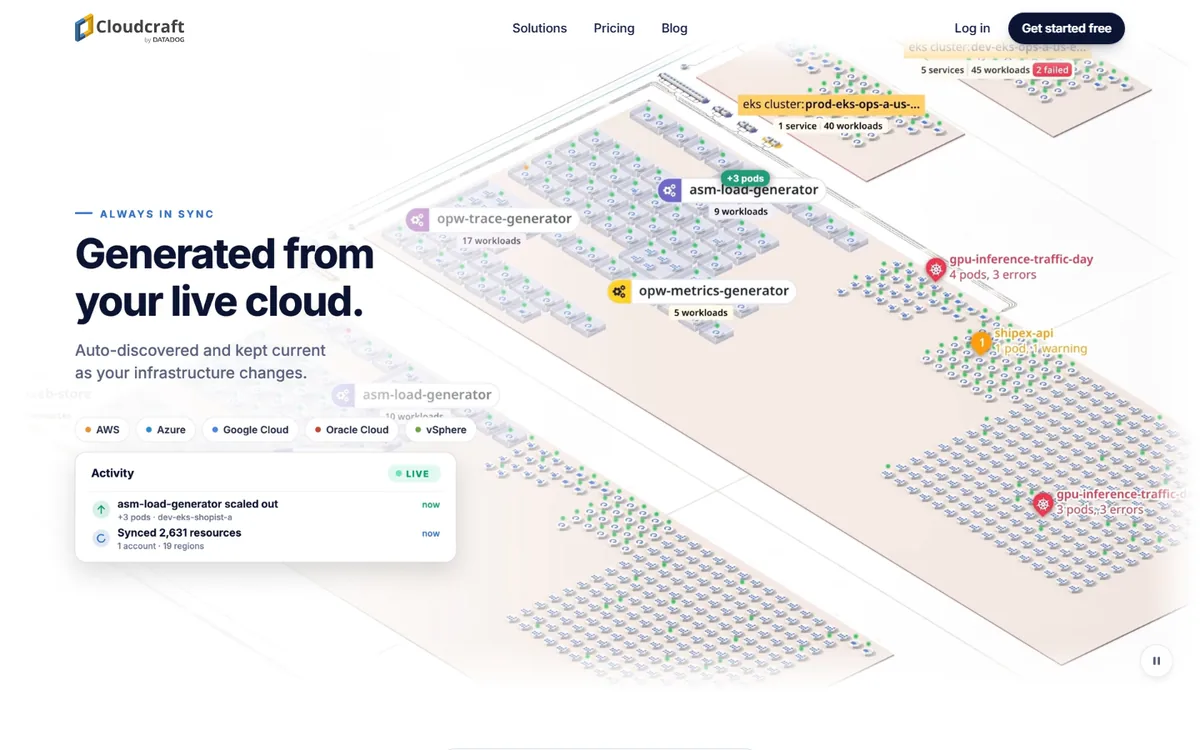
Live-Linked Diagrams of AWS, Azure and Google Cloud That Update From Your Account
Cloudcraft draws architecture diagrams from live cloud accounts in 2D and 3D, and it is part of Datadog.
Cloudcraft connects to your accounts and builds a diagram of what is really running, with the option to overlay cost, security and monitoring data from Datadog. That live link solves the stale diagram problem better than most tools, and the 3D view is a good fit for presentations.
The vendor page lists support for AWS, Azure, Google Cloud, Oracle Cloud and VMware vSphere. It is most attractive if you already use Datadog, since access is included with any Datadog subscription. If you do not, you will need to decide whether signing up is worth it for diagrams alone.
Cloudcraft Strengths
- Diagrams reflect what is actually deployed
- Cost and security overlays are available with Datadog
- Unlimited diagrams and teammates are included
Cloudcraft Weaknesses
- Tied to the Datadog ecosystem
- Less flexible than a blank-canvas tool for custom drawings
Cloudcraft Pricing
Cloudcraft's pricing page states it is $0 with any Datadog subscription, including the free tier and the free trial, with unlimited teammates and diagrams. Overlays such as cost and security need the matching Datadog product, and their prices are not listed on that page.
Cloudcraft Reviews
- G2: 4.5 of 5 stars (based on 201 verified reviews)
Brainboard

Draw the Architecture and Get Terraform Code Back
Brainboard is a visual design tool that generates Terraform code from architecture diagrams for AWS, Azure, Google Cloud and Oracle Cloud.
Brainboard flips the usual order. You design the cloud architecture visually, and the tool writes the Terraform for it, with Git integration and a CI/CD engine in the paid plan. For teams that want diagrams that cannot drift from the code, that is a strong idea.
It is also the smallest vendor on this list by review count, so I treat it as promising and still young. Try it on a non-critical environment and check how the generated code fits your module standards before you commit.
Brainboard Strengths
- Diagram and Terraform code stay in sync
- Free plan includes unlimited architectures
- Imports from existing AWS and Azure environments
Brainboard Weaknesses
- Few public reviews so far
- Pro plan is priced per user and costs more than most diagram tools
Brainboard Pricing

Brainboard's Free plan is $0 and covers unlimited cloud architectures and Terraform code generation. Pro is listed at $99 per user per month, with a yearly price of $999 shown on the same page, so confirm the billing terms. Enterprise is custom-priced and adds SSO, audit logs and self-hosting.
Brainboard Reviews
- G2: 4.5 of 5 stars (based on 3 verified reviews)
IcePanel

Model Your Systems Once and Show Them at Four Levels With the C4 Approach
IcePanel is a modeling tool built around the C4 model, so one set of objects powers several diagram levels.
The C4 model describes software at four levels: system context, containers, components and code. IcePanel keeps one shared model behind those views, so a change to a service shows up in every diagram that includes it. That is the problem draw-style tools cannot solve.
It suits platform and architecture teams that want a living map of many services. It is less suitable for a quick one-off diagram, since the modeling takes thought, and its review base is small.
IcePanel Strengths
- One model feeds many diagram levels
- Flows and tags help explain how systems interact
- Free plan allows unlimited viewers
IcePanel Weaknesses
- The free plan limits you to 100 model objects
- More setup effort than a drawing tool
IcePanel Pricing
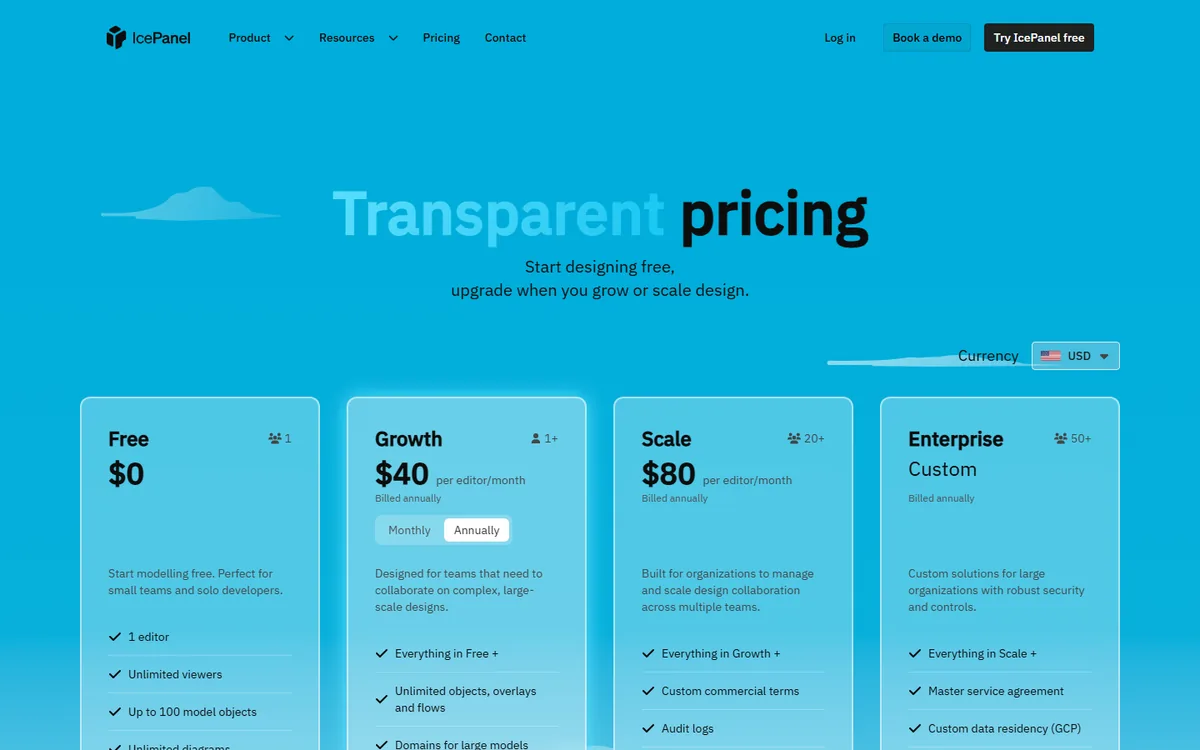
IcePanel's Free plan is $0 for one editor and up to 100 model objects. Growth is $40 per editor per month billed annually, and Scale is $80 per editor per month billed annually. Enterprise is custom-priced, and a 14-day Growth trial needs no credit card.
IcePanel Reviews
- G2: 5.0 of 5 stars (based on 2 verified reviews)
Microsoft Visio
The Default in Microsoft Shops, Especially for Network and Compliance Diagrams
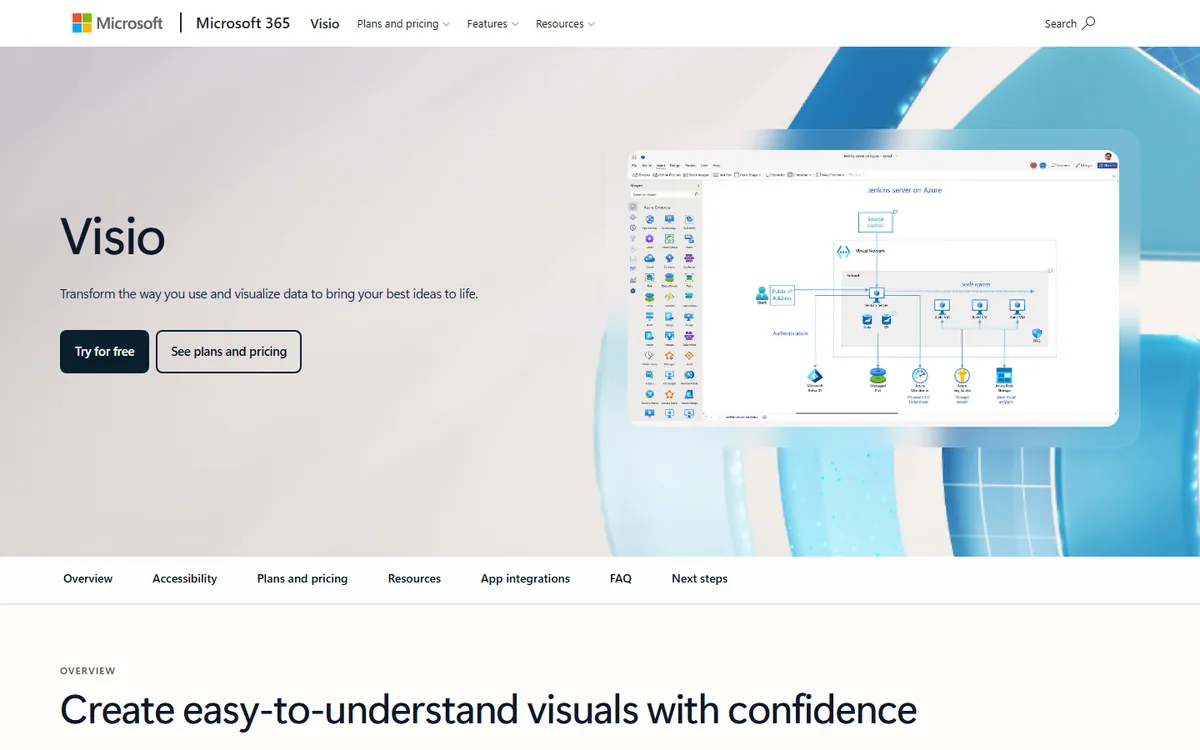
Visio is Microsoft's diagramming tool, with a web app and a desktop app and templates for Azure and AWS architecture.
If your company lives in Microsoft 365, Visio is already near the people who need it. Diagrams embed in Teams, SharePoint and Word, and the desktop app handles dense network diagrams well. Azure and AWS shape sets are available.
The downside is that it is not designed for live cloud discovery, and collaboration is less fluid than in newer tools. I choose it when the audience expects Visio files, such as auditors and enterprise IT teams.
Microsoft Visio Strengths
- Fits Microsoft 365 and SharePoint workflows
- Handles detailed network and compliance diagrams
- Familiar to auditors and enterprise IT
Microsoft Visio Weaknesses
- No automatic import from your cloud account
- Desktop features need the higher plan
Microsoft Visio Pricing
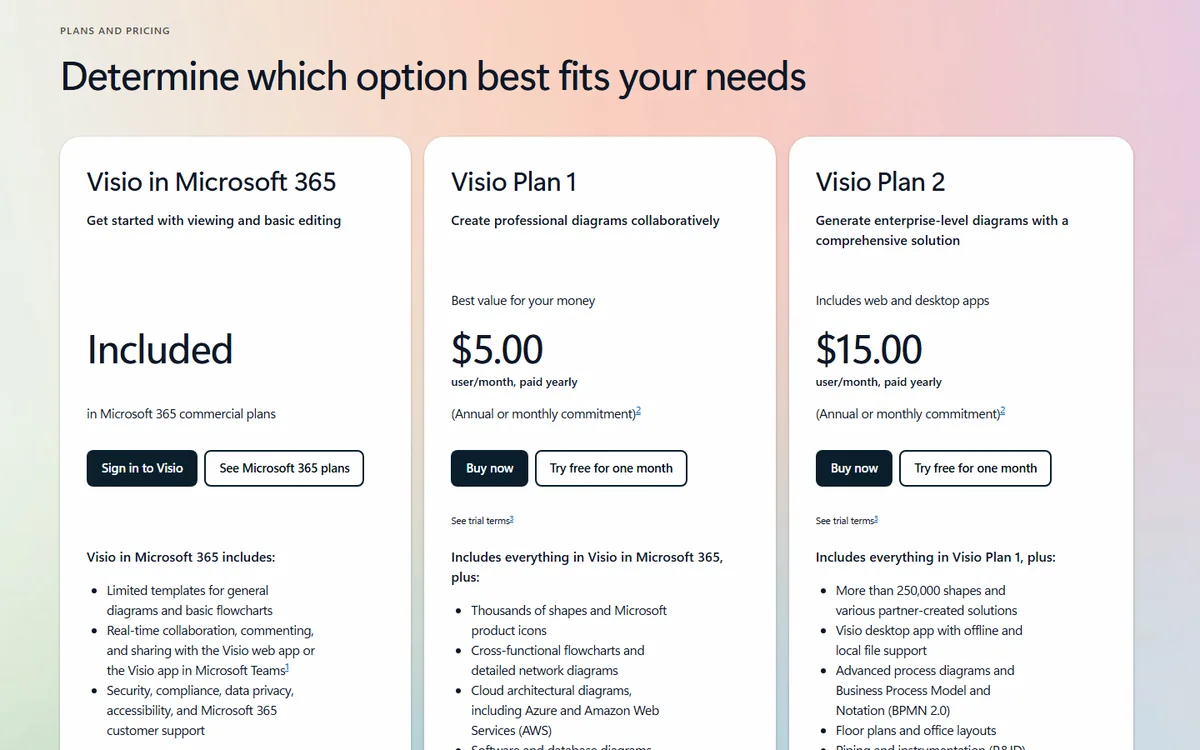
Microsoft lists Visio Plan 1 at $5.00 per user per month, which includes Visio for the web. Plan 2 is $15.00 per user per month and adds the desktop app. Both offer a one-month trial that needs a credit card.
Microsoft Visio Reviews
- G2: 4.2 of 5 stars (based on 693 verified reviews)
Miro

Best for Design Workshops Where the Whole Team Sketches the Architecture Together
Miro is an online whiteboard with diagramming, cloud shape sets and AI features, built for workshops and team planning.
Miro shines in the first hours of a design, when engineers, product managers and security people argue around one board. Sticky notes, shapes and templates make it easy to explore options before anybody opens a formal tool.
I rarely keep final architecture diagrams in Miro. Boards grow messy, and the formal view belongs in a tool that holds a model or code. Use it for workshops, then move the result.
Miro Strengths
- Excellent for live workshops and brainstorming
- Large template library, including cloud architecture sets
- Easy for non-engineers to join
Miro Weaknesses
- Final diagrams can get messy on large boards
- Free plan limits you to three editable boards
Miro Pricing

Miro's Free plan is $0 and includes three editable boards. Starter is $8 per member per month billed yearly, Business is $20 per member per month billed yearly, and Enterprise is custom-priced from 30 members.
Miro Reviews
- G2: 4.6 of 5 stars (based on 13,805 verified reviews)
Eraser
Diagrams From Text for Engineers Who Would Rather Type Than Drag Shapes
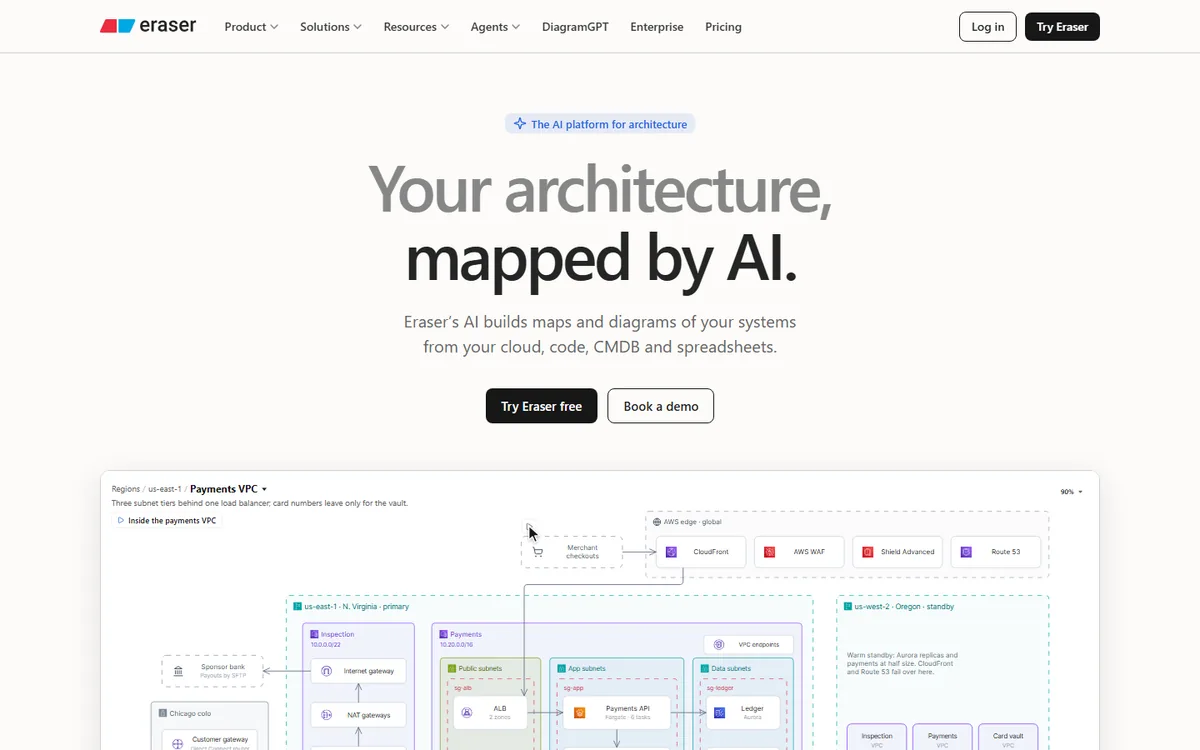
Eraser combines documents with diagram-as-code, so you describe a cloud architecture in text and get a diagram.
Eraser lets engineers write a short description of a system and see the diagram update. Diagrams live next to technical docs, and AI helps draft the first version. That keeps documentation closer to the pace of development.
It is a smaller product with a short review history. I would add it to the shortlist for engineering-led teams, and skip it if your audience wants pixel-perfect slides.
Eraser Strengths
- Diagram-as-code speeds up edits
- Documents and diagrams sit together
- Unlimited guests on the free plan
Eraser Weaknesses
- Less control over layout than a drawing tool
- Free plan is limited to three files
Eraser Pricing
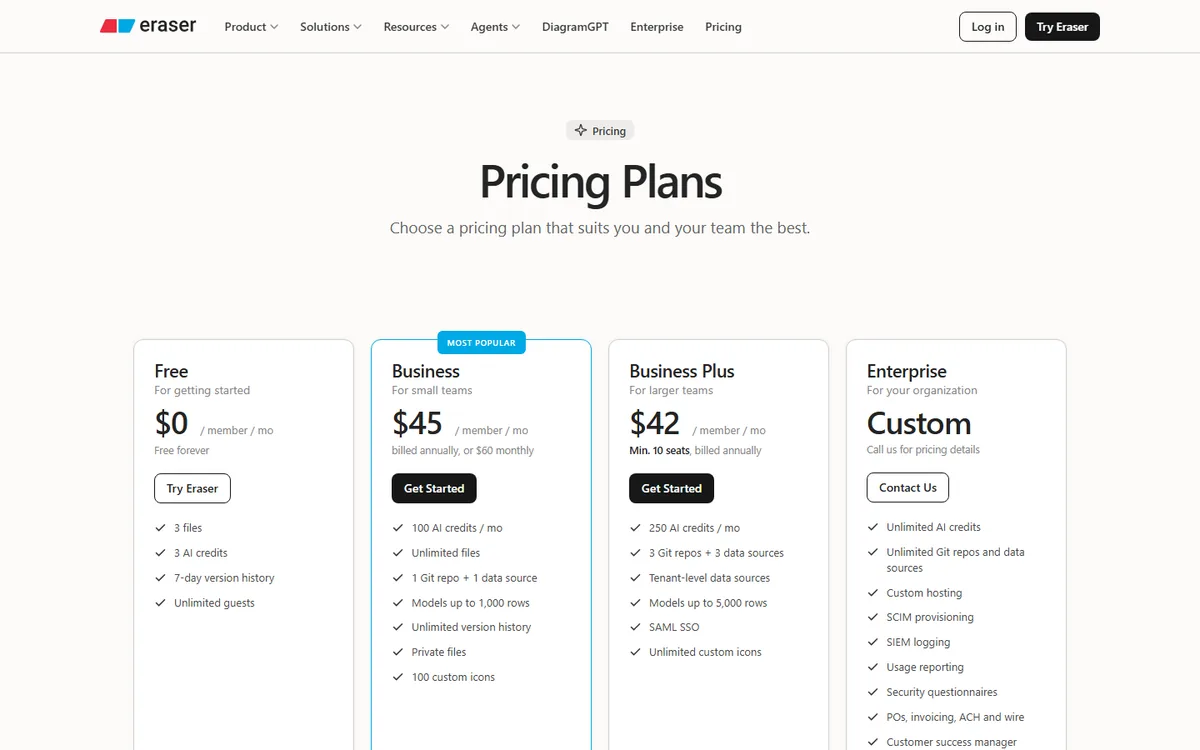
Eraser's Free plan is $0 with three files, three AI credits and 7-day version history. Business is $45 per member per month billed annually, or $60 monthly. Business Plus is $42 per member per month billed annually with a 10-seat minimum, and Enterprise is custom.
Eraser Reviews
- G2: 4.3 of 5 stars (based on 3 verified reviews)
Structurizr
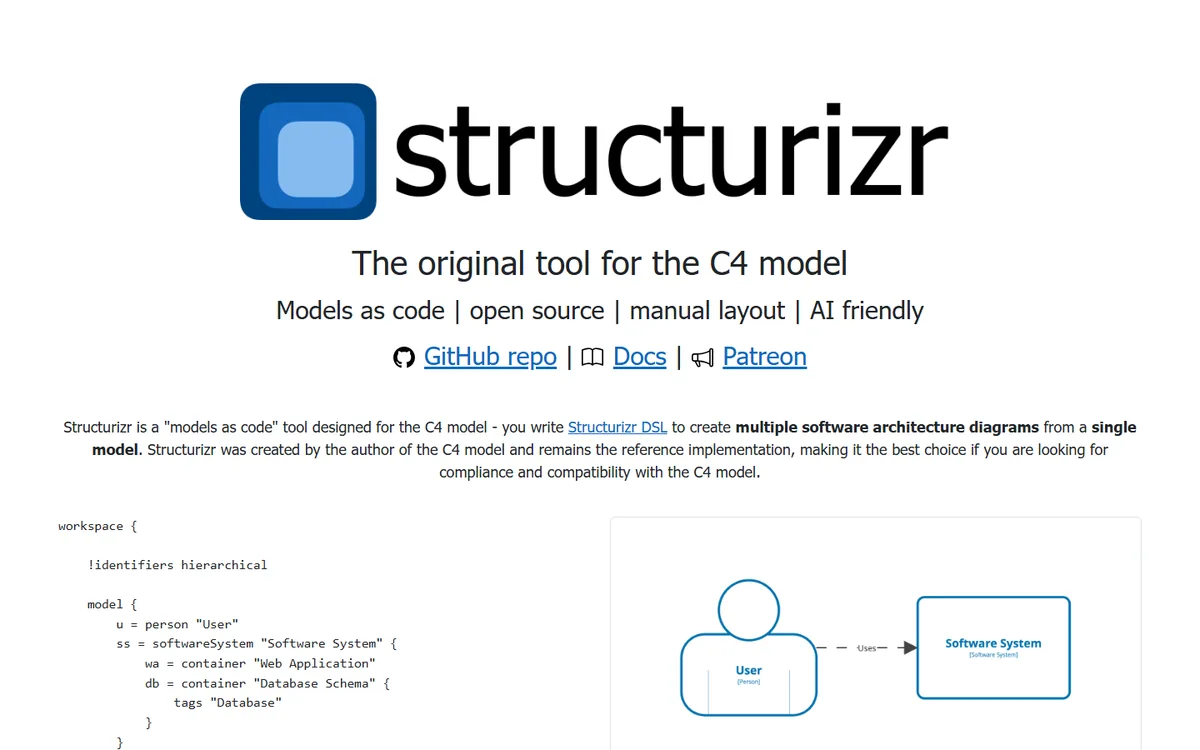
The Reference Tool for C4 Diagrams Written as Code
Structurizr is a tool for describing architecture as code, built by the author of the C4 model, with a text-based language and several diagram outputs.
Structurizr uses a domain-specific language to define systems, containers and components once, then renders them in several views. It fits teams that already practice the C4 approach and want diagrams reviewed in pull requests.
It takes comfort with text-based modeling, and it is not the quickest route to a pretty diagram. Technical teams value the control. Business stakeholders usually prefer an export into a slide.
Structurizr Strengths
- A single model produces consistent views
- Works with version control and code review
- Directly tied to the C4 approach
Structurizr Weaknesses
- Learning curve for the modeling language
- Styling takes effort compared with drag-and-drop tools
Structurizr Pricing
Structurizr's own pricing page says a free account includes one workspace, and a paid subscription adds more workspaces and features. It lists no plan prices on that page, so request a current quote from the vendor.
Structurizr Reviews
- G2: No rating yet. G2 shows the product as not yet reviewed.
Estimate What Better Architecture Tooling Is Worth
Diagram upkeep, onboarding and design reviews eat real hours. Enter the hours your team spends each week on them and the monthly price of the tool you are considering to see what it could return in a year.
Does the Tool Make Sense for You?
Drag the sliders to reflect your tasks and the plan you want to compare.
How to Choose the Right Cloud Architecture Tool
In my experience, the right tool depends on who reads the diagrams and how often reality changes. Before you compare vendors, I suggest you answer four questions:
- Who needs to read and edit the diagrams: engineers, architects, auditors or executives?
- Should the diagram update from your cloud account, or does it describe a design before anything is built?
- Must diagrams live in version control beside the infrastructure code?
- Which clouds and compliance rules apply, and can the vendor see your data?
If you want live diagrams of what exists, look at Cloudcraft or Lucidchart's import. If you treat diagrams as code, draw.io, Eraser and Structurizr fit, and Brainboard goes the other way and generates Terraform from the picture. For Microsoft-heavy audits, Visio is still the default, and Miro is best for early workshops. Where a design needs an expert review before you pick tooling, a cloud architecture assessment shows what the diagram has to prove. The best practices to pair with any of these are in my guide on cloud architecture best practices, and real designs are shown in the cloud architecture examples article.
Questions About Choosing Cloud Architecture Tools
What Is the Best Cloud Architecture Diagram Tool for Most Teams?
Lucidchart is my default for mixed teams that need to edit and review together. If you want a free option, draw.io covers most needs. If your environment already runs on Datadog, Cloudcraft draws diagrams from your live accounts.
Which Tool Draws Diagrams from a Live Cloud Account?
Cloudcraft builds diagrams from connected AWS, Azure and Google Cloud accounts, and Lucidchart offers cloud import features in certain plans. Both still need a person to tidy and label the result.
Are There Free Cloud Architecture Tools?
Yes. draw.io is free and open source. Brainboard, IcePanel, Miro, Eraser and Structurizr offer free tiers with limits, and Cloudcraft is free with any Datadog subscription, including the free tier.
What Is the C4 Model?
It describes software at four levels: system context, containers, components and code. IcePanel and Structurizr are built around it, and it works as a method in any drawing tool.
Can a Tool Generate Infrastructure Code from a Diagram?
Brainboard generates Terraform from visual designs. Most other tools produce pictures only, so pair them with infrastructure code written by your team.
How Do I Keep Architecture Diagrams Up to Date?
Store them with the code, review them in pull requests and tie them to a live data source where you can. A quarterly review against the real environment catches what drifts.
Do I Need a Tool to Design a Good Architecture?
No. The design decisions matter more than the software. A tool makes diagrams easier to share and maintain, but a whiteboard and clear written decisions are a valid start.
Important: prices, plans and ratings move quickly. They were checked on vendor and G2 pages when this article was last updated, so confirm them before you buy. Nothing in this article is legal or financial advice.
Did this article help you?
Thanks, noted.
Garrett Linville
Garrett leads the Cloud Hull editorial team and works with the consultants to turn real client projects into practical guides on cloud migration, DevOps, security and cost control. Each article is edited together with the consultant who did the work, and every price and limit is checked against current provider documentation. He is based in the USA and works remotely.