Main Points
- Design routing from real contact reasons and keep menus short.
- Connect your CRM, train agents on the real tools and plan staffing around peaks.
- Prepare a fallback route and test it twice a year.
- Track a few measures and review seats and cost every month.
Cloud platforms make a contact center easy to launch and just as easy to run badly. A fast setup with default menus and a few seats works for a month, and then queues grow, agents complain and the bill creeps up. The ten habits below come from reviews I run as part of cloud contact center consulting, mostly for fintech and ecommerce teams.
Each habit has a short explanation, a do this line and an avoid this line. If you only have time for three, start with the first, fourth and sixth. Those are the gaps I find most often.
The 10 Practices at a Glance
| Practice | Do this | Avoid this |
|---|---|---|
| 1. Map Why Customers Contact You Before Designing Routing | Base routing on real contact reasons | Menus built from the org chart |
| 2. Keep the Menu Short and Always Offer a Way to a Person | Two levels at most, with an agent option | Deep menus that trap callers |
| 3. Route by Skill, Language and Context | Match contacts to the best-placed agent | Round-robin to whoever is free |
| 4. Connect the CRM So Agents See the Customer | Show the record on every contact | Agents searching while customers wait |
| 5. Plan Staffing Around Peaks, Not Averages | Forecast by interval and season | Staffing to the monthly average |
| 6. Build a Fallback Route for Outages | Prepare a second path for calls | Assuming the cloud never fails |
| 7. Protect Payments and Recordings by Design | Mask sensitive data and set retention | Card numbers spoken to agents and stored in recordings |
| 8. Train Agents and Supervisors Before Go-Live | Practice on the real tools first | Learning on live customers |
| 9. Track a Few Metrics and Act on Them | Service level, abandonment, resolution, cost | Dashboards with fifty numbers |
| 10. Review Seats, Add-Ons and Cost Every Month | Match licenses to real usage | Paying for seats nobody uses |
1. Map Why Customers Contact You Before Designing Routing
Most routing problems start with a menu that mirrors your departments. Customers do not know your departments. They know their problem. Pull a month of contacts, group them by reason and let the top reasons shape your queues.
Keep the list short. Five to eight reasons usually cover most volume, and everything else can go to a general queue with a skilled agent. Review the list every quarter, because new products and campaigns change why people call.
Do this: Group a month of real contacts by reason and design queues around the top ones.
Avoid this: Copying the department structure into the phone menu.
2. Keep the Menu Short and Always Offer a Way to a Person
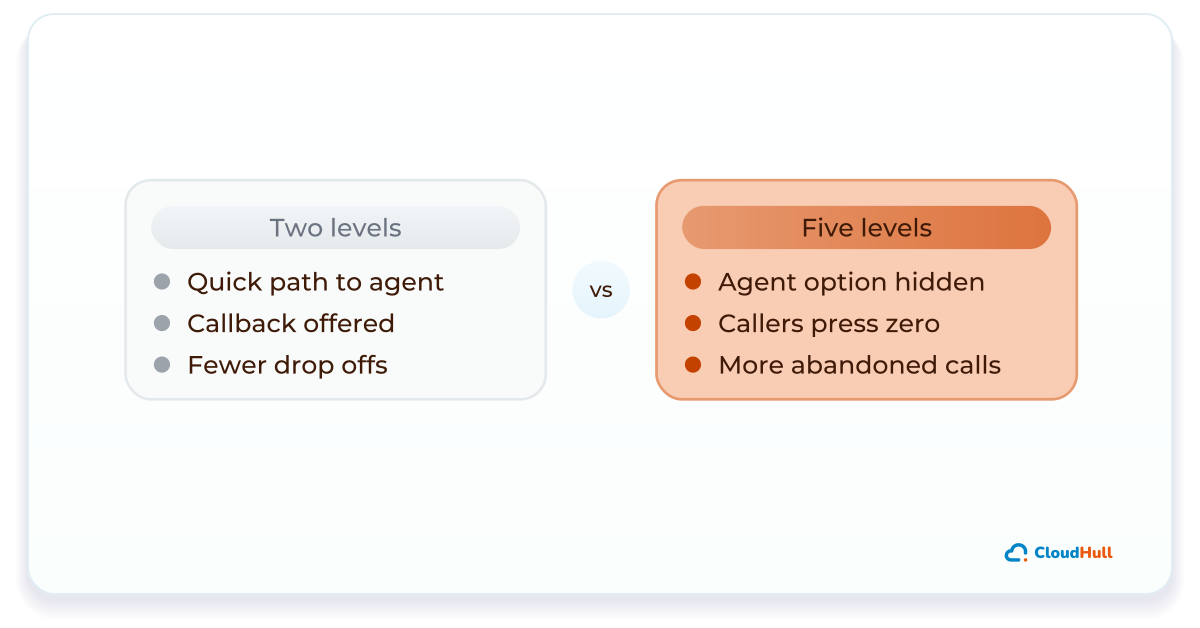
Every menu level costs you callers. Two levels are usually enough, and a clear path to an agent keeps frustration down. Callbacks are a good option when waits are long, because customers keep their place without holding the line.
Test the menu by calling it yourself on a bad day, with a bad connection. If you cannot reach a person in under a minute of menu time, your customers cannot either.
Do this: Limit menus to two levels, offer a callback and test with real calls.
Avoid this: Hiding the agent option behind five menu levels.
Callers decide within seconds whether a menu is worth their time.
3. Route by Skill, Language and Context
Sending a billing question to a technical specialist wastes both people's time. Skills-based routing matches the contact to an agent who can solve it, and context such as customer value or open cases can raise its priority.
Start with a few skills and add more when data shows a need. Too many skills create thin queues where contacts wait while capable agents sit idle in another queue.
Do this: Define a small set of skills and review queue waits per skill every month.
Avoid this: Creating a skill for every product and a queue for every skill.
4. Connect the CRM So Agents See the Customer
A customer who has to repeat a name, order number and history is already annoyed. Integrating your CRM or helpdesk means the record opens as the contact arrives, and notes flow back without retyping.
Integration is the step teams underestimate. Plan for field mapping, permissions and testing with real records. My notes on cloud contact center implementation describe where this phase usually slips.
Do this: Open the customer record automatically and write notes back to the CRM.
Avoid this: Launching without the CRM connection and promising to add it later.
5. Plan Staffing Around Peaks, Not Averages
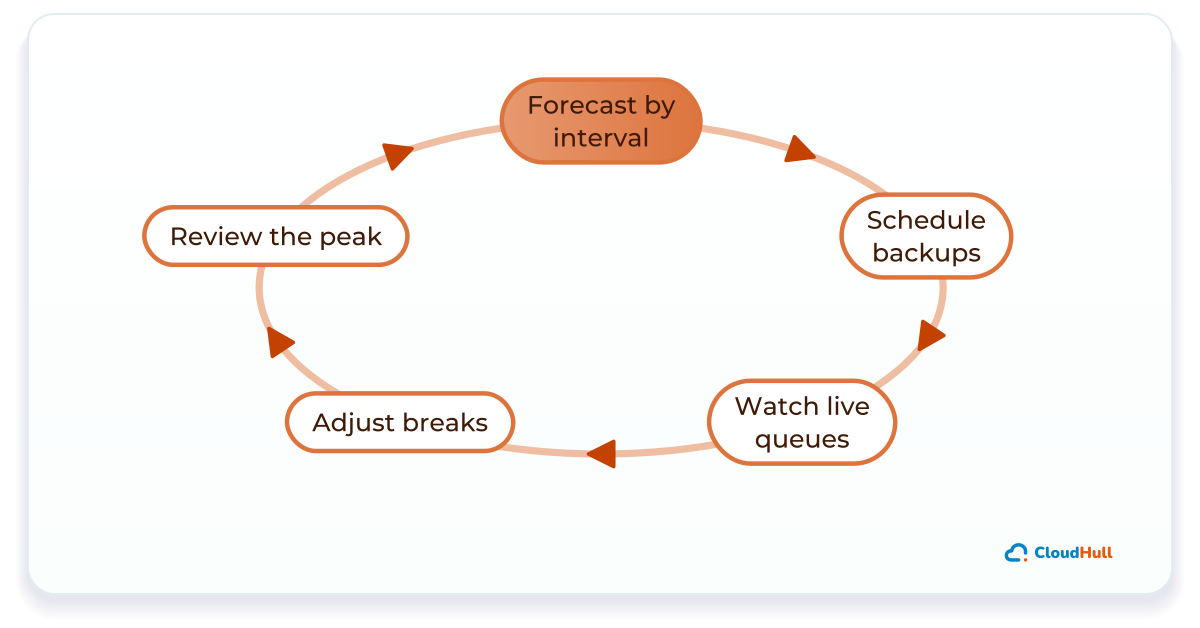
Contacts arrive in waves. A team sized for the average is overwhelmed at the peak and idle in the valley. Forecast by half-hour for the weeks that matter and build schedules around the peaks.
Cloud platforms let you add seats quickly, which helps, but people still need training and shifts. Keep a list of trained backup agents from other teams for seasonal spikes.
Do this: Forecast by interval and keep a trained backup pool for peaks.
Avoid this: Sizing the team once a year from an annual average.
You can see how other teams handle peaks in my list of cloud contact center examples.
6. Build a Fallback Route for Outages
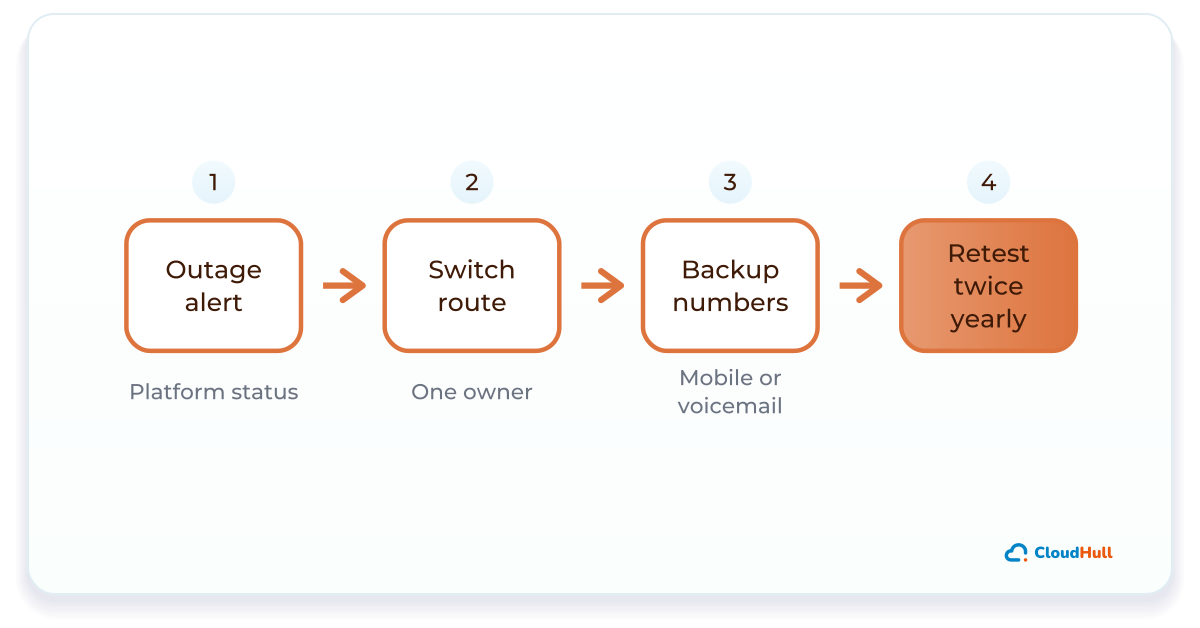
Platforms fail rarely, but they do, and so do carriers and your own internet connection. A fallback route sends calls to mobile numbers, a secondary site or a voicemail with a callback promise, and it must be set up before the day you need it.
Test it twice a year. Switch routing in a quiet hour and check that calls reach the backup, that agents know what to do and that you can switch back.
Do this: Write the fallback plan, assign owners and test it twice a year.
Avoid this: Keeping the runbook in the head of one administrator.
Draw the fallback route on one page before an outage forces you to.
7. Protect Payments and Recordings by Design
Sensitive data in recordings and agent screens creates risk. Many platforms and partners offer ways to take payments without the agent hearing the card number, and to mask or pause recording at the right moment. Decide which approach you use before launch.
Set retention rules for recordings and transcripts, and limit who can listen. Your own obligations differ by industry and country, so check them with your compliance advisers and write the answer into the configuration.
Do this: Use masked payment flows, set retention and limit access to recordings.
Avoid this: Keeping every recording forever because storage seems cheap.
8. Train Agents and Supervisors Before Go-Live
The best platform in the world frustrates agents who were shown it once. Train them on the real tools with realistic scenarios, including the awkward ones such as transfers, holds and failed lookups.
Train supervisors separately. They need the dashboards, the real-time controls and the reports more than anyone, and they are the ones who will change routing when volumes shift.
Do this: Run scenario practice for agents and a separate session for supervisors.
Avoid this: A one-hour demo the day before launch.
Platform choice affects how much training you need, and my ranking of cloud contact center software compares ten options.
9. Track a Few Metrics and Act on Them
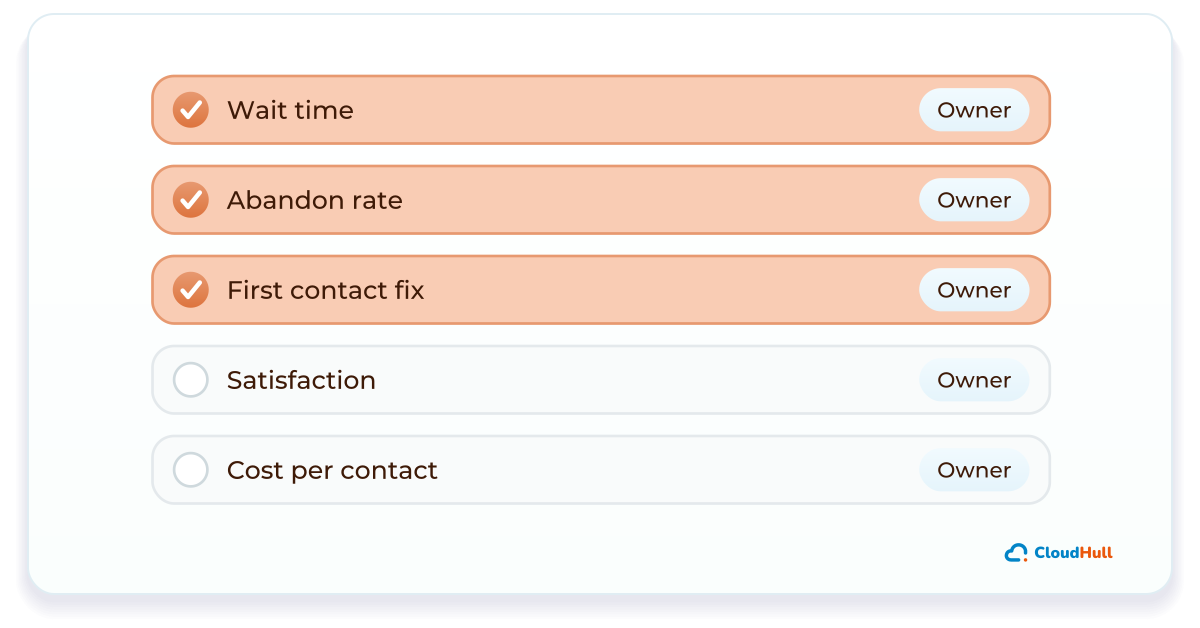
Pick a handful of measures and review them weekly: service level, abandonment rate, first contact resolution and cost per contact. Each one has an owner and a target.
More metrics are not better. A report that nobody acts on is a cost. When a number moves, you should know who looks into it and what they check first.
Do this: Track four to six measures with owners and targets.
Avoid this: Reporting everything the platform can export.
To see where measurement is heading, read cloud contact center trends.
10. Review Seats, Add-Ons and Cost Every Month
Contracts drift. Agents leave, teams change and add-ons go unused. A monthly review of seats and usage against the bill catches waste early. My guide to cloud contact center cost shows the formula I use.
Look at plan tiers too. Supervisors and specialists may need a higher plan, while standard agents do fine on a lower one where the vendor allows it. Ask for flexibility on seat counts in the contract.
Do this: Compare seats and usage with the invoice every month.
Avoid this: Auto-renewing a plan without checking who still uses it.
A Quick Self-Check for Your Team
Score yourself honestly. One point for each statement that is true today.
| Statement | Practice |
|---|---|
| Our queues come from real contact reasons | 1 |
| Callers reach an agent within two menu levels | 2 |
| The customer record opens on every contact | 4 |
| We staff by interval, not by average | 5 |
| We have tested our fallback route this year | 6 |
| Card data never reaches agents or recordings | 7 |
| We review seats against the bill monthly | 10 |
Five or more means your foundations are solid. Three or fewer means you should pause new features and fix the basics, because every new channel inherits the gaps. Run the check with supervisors and agents, not only managers. They know which rules exist on paper only.
The Order I Suggest for a New Launch
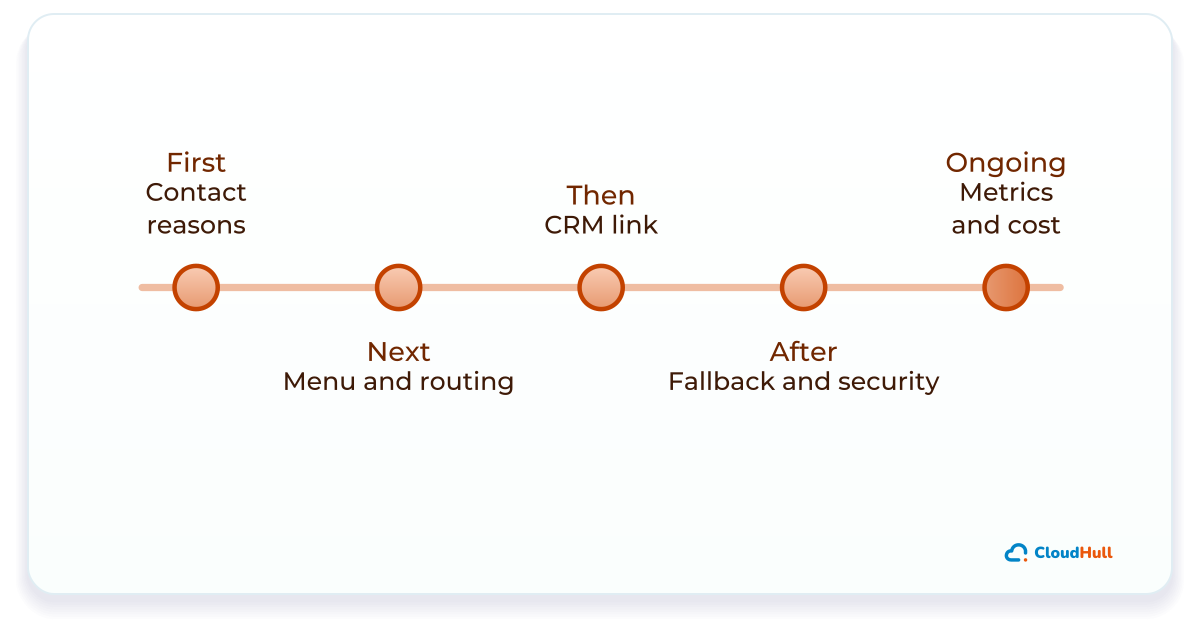
Teams ask whether the ten habits have to happen at once. They do not. For a launch, I put the contact reasons and the CRM connection first, because everything else depends on them. Routing, menus and staffing come next, once you can see real traffic. Fallback and payment protection need to be in place before you take live customers, so schedule them before go-live and not after.
Training runs alongside all of it, and the metrics and cost reviews start in the first week, because a baseline is only useful if it begins early. A launch plan that follows this order tends to produce fewer surprises in the first month and a calmer team in the second.
How to Choose Which Practice to Adopt First
Pick by pain. If customers complain about waiting, start with routing and staffing. If agents complain about tools, start with the CRM connection and training. If finance complains, start with the cost review.
- What was the last customer complaint, and which practice would have stopped it?
- Which practice would be hardest to add after more channels launch?
- Which change can your team finish in one month?
The hardest to add later is usually the CRM integration, which is why I rank it high.
Questions About Cloud Contact Center Best Practices
What Are the Most Important Cloud Contact Center Best Practices?
Design routing from real contact reasons, connect your CRM, plan staffing around peaks, prepare a fallback route and review cost every month. Those five prevent most of the problems I see.
How Long Should a Contact Center Menu Be?
Two levels at most, with a clear route to an agent. Offer a callback when waits are long.
Which Metrics Matter Most?
Service level, abandonment rate, first contact resolution and cost per contact cover most needs. Add others only when someone owns acting on them.
How Do I Prepare for Platform Outages?
Write a fallback route, such as forwarding to mobile numbers or a secondary site, assign owners and test it twice a year in a quiet hour.
How Should I Handle Payments on Calls?
Use a masked payment flow so agents never hear or see card numbers, and set recording rules to match. Check your obligations with your compliance advisers.
Should I Train Agents Before or After Launch?
Before. Run scenario practice on the real tools, and train supervisors on dashboards and routing separately.
How Often Should I Review My Contact Center Setup?
Review metrics weekly, seats and cost monthly, and routing and contact reasons quarterly. Test the fallback route twice a year.
Please note: this guide is general information and not legal, financial or tax advice. Numbers and examples are typical-project estimates; confirm current details with your providers and advisers.
Did this article help you?
Thanks, noted.
Garrett Linville
Garrett leads the Cloud Hull editorial team and works with the consultants to turn real client projects into practical guides on cloud migration, DevOps, security and cost control. Each article is edited together with the consultant who did the work, and every price and limit is checked against current provider documentation. He is based in the USA and works remotely.