Main Points
- Measure a baseline before you pick a platform.
- Test vendors with your own calls, flows and CRM.
- Pilot on one live queue, then move queue by queue with a rehearsed rollback.
- Keep the old platform available until each queue has run stably for a month.
A contact center cutover is one of the few IT projects where customers notice your mistakes within minutes. Phone numbers stop ringing, agents cannot log in or a menu sends everyone to the wrong queue. That is why the order of work matters more than the platform you pick, and why I run every cloud contact center consulting project in the same seven phases.
Below, you see each phase with its goal, the work, the checkpoint that lets you move on and the mistakes I see most. Timelines are ranges from my projects for teams of 20 to 150 agents.
The Seven Phases and Their Checkpoints
| Phase | Typical time | Checkpoint before you move on |
|---|---|---|
| 1. Scope and Success Measures | 1 to 2 weeks | Signed goals, queues in scope and a baseline report |
| 2. Platform Selection | 2 to 4 weeks | A shortlist tested with your own calls, and a priced scenario |
| 3. Design | 2 to 4 weeks | Call flows, routing, integrations and security reviewed |
| 4. Build and Integrate | 4 to 8 weeks | Every flow works in a test environment |
| 5. Test and Pilot | 2 to 4 weeks | One live queue meets the baseline for two weeks |
| 6. Train and Cut Over | 2 to 3 weeks | Agents certified, rollback plan rehearsed |
| 7. Run and Improve | Ongoing | Monthly review of quality, cost and knowledge |
Phases 4 and 5 overlap in practice, and training can start while the last integrations are tested. What does not overlap is the checkpoint column: nobody moves on until the previous one is met.
Phase 1: Write Down What Success Looks Like
Start with the queues, channels and numbers that matter. Pull four weeks of data on volume by hour, average handle time, abandonment, first contact resolution and customer satisfaction. Without a baseline, you cannot tell later whether the project helped.
Pick three or four success measures and a sponsor who owns them. In one project, the stated goal was "a modern platform", and eight months later nobody could say if it had worked. A better goal reads: cut abandoned calls from 11 percent to under 6 and keep satisfaction flat.
List constraints now: contract end dates for your current system, recording rules, languages and any peak period that blocks a cutover.
Phase 2: Choose a Platform With Your Own Traffic
Demos use clean data. Ask each shortlisted vendor to run a trial with your call flows, your recorded audio and your CRM. The main options, and how they differ on pricing and integration, are compared in my guide to cloud contact center software.
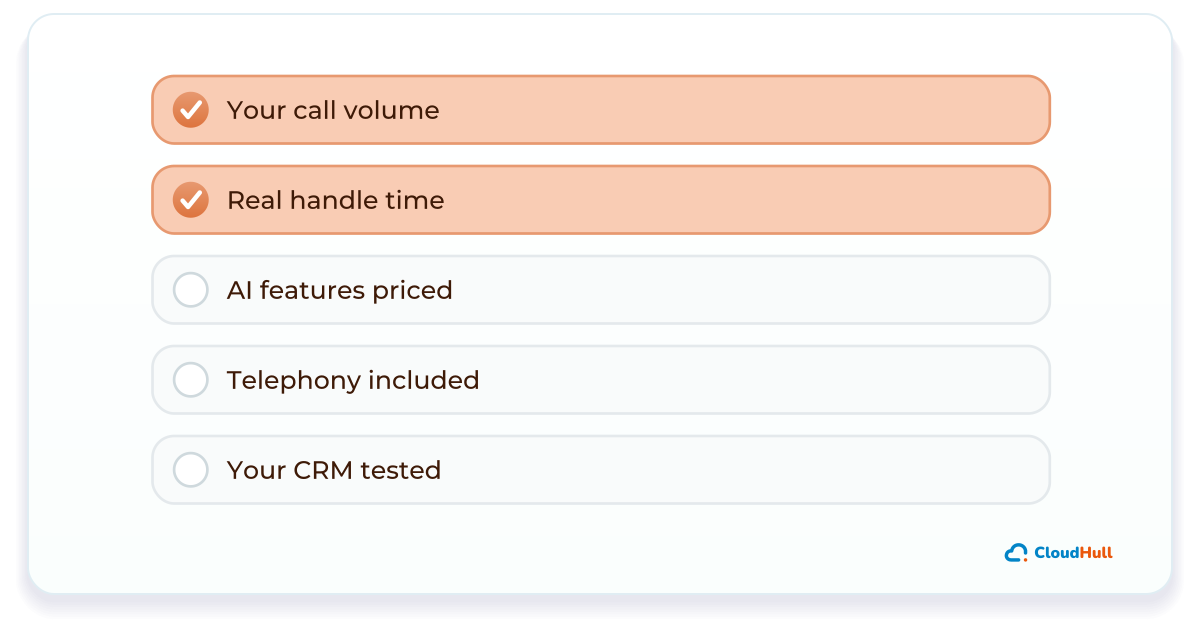
Insist on a priced scenario: your volume, handle time and the AI features you plan to use, written as a monthly bill. Add telephony, number porting and support tiers, since these often sit outside the headline price. The costs to expect are listed in cloud contact center cost.
Phase 3: Design the Flows Before Anyone Builds
Draw each call flow on one page: entry number, greeting, identification, intent, routing, queue rules, overflow and failure paths. The failure paths are the ones teams forget. Decide what happens when the CRM does not answer, when the queue is full and when the speech service is down.
Plan the security design here too. Decide where recordings are stored, how long they are kept, which fields are masked and who can export transcripts. Rules on consent and retention differ by region, so confirm the current requirements with your legal adviser and write the result into the design.
Finally, design the knowledge. If you plan virtual agents or agent assist, every answer needs an owner and a review date before the build starts.
Phase 4: Build, Integrate and Keep Everything in Code
Build in a test environment that mirrors production. Store configuration as code where the platform allows it, so a flow change goes through review like any other change. Teams that click settings together by hand end up with a production system nobody can reproduce.
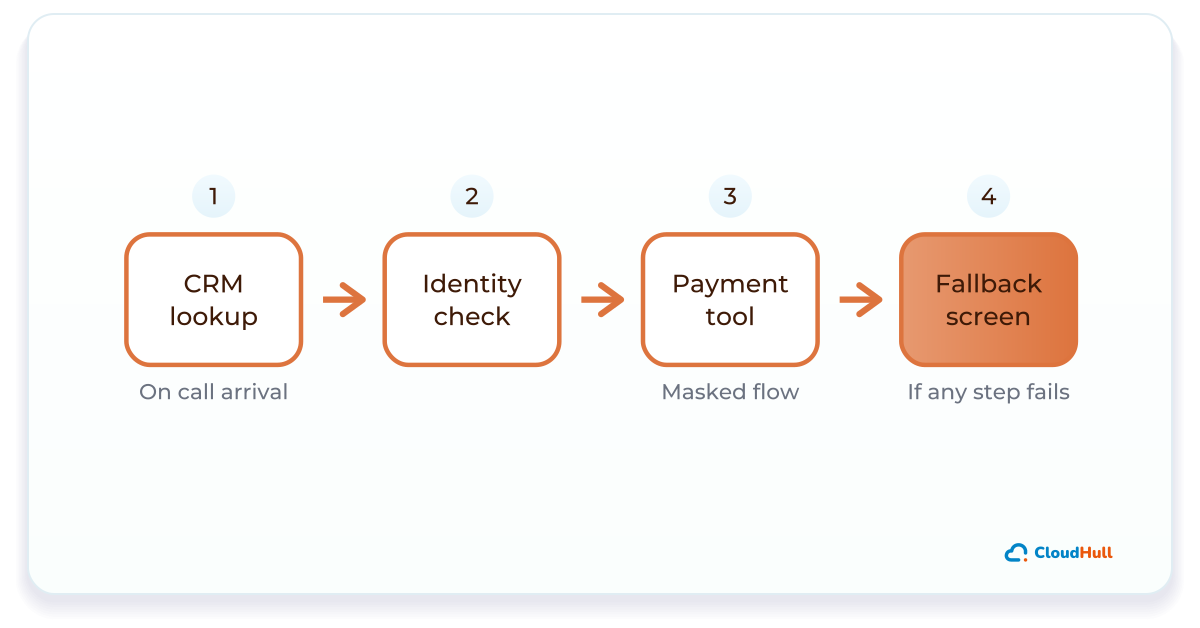
Integrations take the longest. Plan for the CRM lookup, the identity check, the order or account system and the reporting export. Give each integration a timeout and a fallback, because a slow API during a call feels like silence to the customer.
Number porting needs its own plan. Carrier lead times vary and can slip by weeks, so start the request early and agree on a cutover window with your carrier.
Phase 5: Test, Then Pilot on One Live Queue
Test in three layers. First, functional tests: every menu option, every route and every failure path. Second, load tests at peak volume, including the CRM and the speech service. Third, a pilot with real customers on one queue with moderate volume and low risk.
Run the pilot for at least two weeks and compare it against your baseline. If a number worsens, find out why before you add the next queue. I have seen a pilot show better handle time and worse satisfaction, because callers were stuck in a menu that agents never saw.
| Test | What you check | Pass mark |
|---|---|---|
| Functional | Every route and failure path | No dead ends |
| Load | Peak calls and chats, with integrations | Stable at 120 percent of peak |
| Security | Masking, access and retention settings | Signed off by security |
| Pilot | Live queue against the baseline | No measure worse for two weeks |
Phase 6: Train Agents and Cut Over Queue by Queue
Train agents on the real system with real scenarios, and certify them before their queue moves. Two hours of slides do not prepare someone for a live call with a customer who is angry. Give supervisors extra practice, because they will handle the first week's questions.
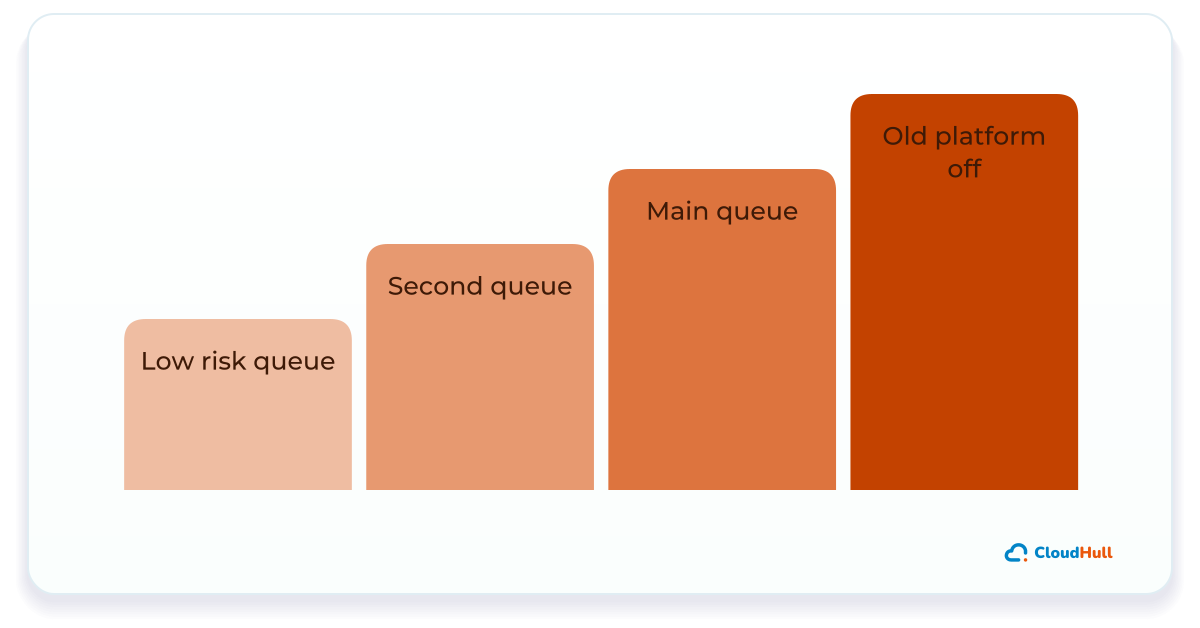
Move queue by queue, starting with the lowest risk. Rehearse the rollback: a documented way to point numbers back to the old system within minutes. Schedule cutovers outside peaks and keep your build team on call for the first days.
Phase 7: Run It Like a Service
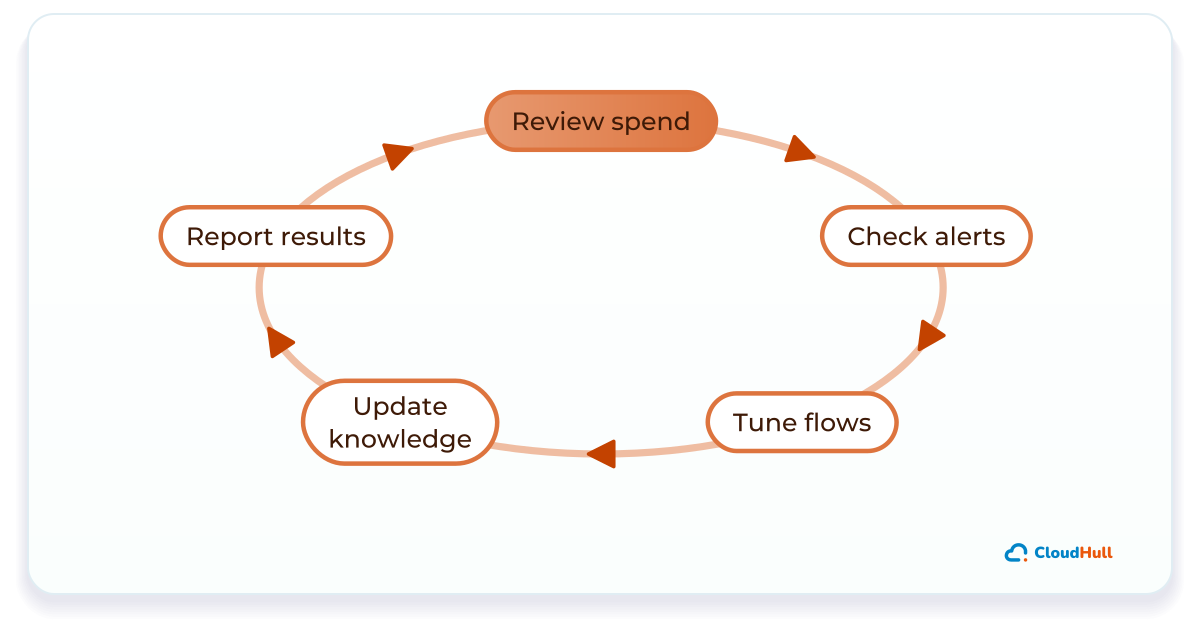
After launch, the work shifts to improvement. Review quality scores, knowledge gaps, usage cost and customer feedback every month. Retire what nobody uses and add features one at a time, so you can tell which change moved a number.
Usage-billed platforms need a budget per queue and alerts at set thresholds. The habits that keep a contact center healthy are listed in the guide to cloud contact center best practices, and the newest developments are tracked in cloud contact center trends.
Who Does What During the Project
Contact center projects fail on ownership more often than on technology. I ask clients to name five roles in week one, even if one person holds two of them.
| Role | Responsibility | Time needed |
|---|---|---|
| Sponsor | Owns the goals, removes blockers, approves the budget | 1 to 2 hours a week |
| Project lead | Runs the plan, the checkpoints and the vendor relationship | Half to full time |
| Operations lead | Owns routing, staffing, agent training and the pilot | Half time |
| Technical lead | Owns integrations, security settings and the test environment | Half to full time |
| Knowledge owner | Owns the articles that virtual agents and assist rely on | A few hours a week |
The operations lead is the role teams most often leave empty. Without that person, the platform is built to the vendor defaults, and agents discover the problems on their first day.
Budget and Contingency
Budget for more than the license. Telephony, number porting, integration work, training time and a parallel run of the old system all cost money. In my projects, one-time costs outside the platform fee often equal several months of platform usage.
Add a contingency of 15 to 20 percent for the build phase. Integrations with old systems are the usual cause of overruns, and a CRM that turns out to have no usable API can add weeks. Ask for a technical spike on each integration before you commit to a date.
Mistakes I See in Almost Every Rollout
Three patterns repeat. Teams skip the baseline and cannot prove results. They underestimate number porting and integration time, and the date slips. And they train agents late, which shows up as long handle times in the first month.
A fourth, less obvious one: copying the old call flows exactly. The old menu was built around the limits of the old system. Review each option and remove the ones customers never use. For ideas that worked on real projects, see my collection of cloud contact center examples.
The First 90 Days After Cutover
Expect a dip in the first two weeks, even in a good project. Agents are learning new screens, and small routing mistakes show up only under real traffic. Schedule daily 15-minute reviews during that time, covering abandoned calls, longest waits and transfers, and fix routing issues the same day.
By day 30, compare your measures with the baseline. By day 90, retire the old platform and cancel its contract on a date you have set in advance, since contract renewals have a way of arriving unnoticed. Then start a short list of improvements, such as callbacks or summaries, and add one at a time.
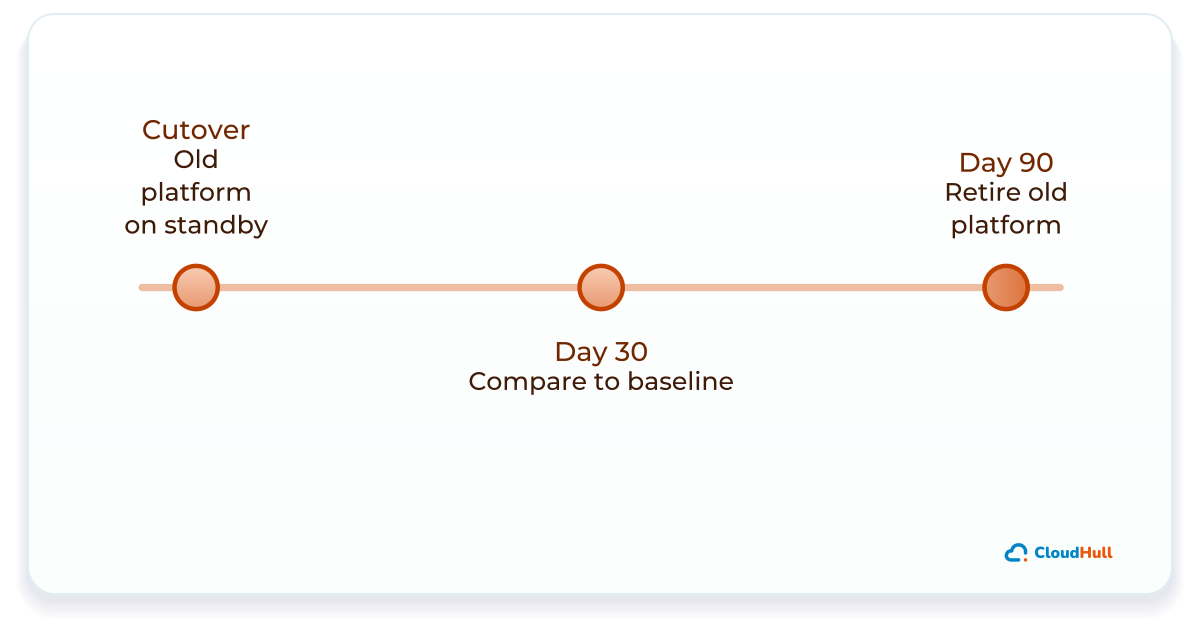
Keep one person accountable for the old platform's shutdown. Without a named owner, I have seen two systems run in parallel for a year, which means paying twice for something nobody uses.
How to Know You Are Ready to Start
- You have a baseline report for the queues in scope.
- A sponsor owns the success measures.
- Your contract end dates and peak periods are on a calendar.
- Security and legal have seen the recording and data plan.
- Someone owns the knowledge base.
If three or more of these are missing, spend two weeks on them before you talk to vendors. That short delay is cheaper than rework in phase 5.
Questions About Cloud Contact Center Implementation
How Long Does a Cloud Contact Center Implementation Take?
For 20 to 150 agents, expect three to six months from scope to full cutover. Number porting, integrations and security reviews cause most delays, so start them early.
What Should I Do First?
Collect a baseline: volume by hour, handle time, abandonment, resolution and satisfaction for the queues in scope. Everything later is measured against it.
Can I Move All Queues at Once?
You can, but I advise against it. Moving queue by queue, starting with a low-risk one, limits the damage of a mistake and gives you real data to adjust the next move.
How Do I Handle Phone Number Porting?
Ask your carriers for lead times in writing, submit the requests in phase 3 and agree on a cutover window. Keep numbers pointing to a rollback option until each queue is stable.
Do I Need a Test Environment?
Yes. A test environment that mirrors production lets you check every flow, failure path and integration without risking customers. Keep configuration in code where possible.
How Much Training Do Agents Need?
Plan for hands-on practice with realistic scenarios, not only slides. Supervisors need extra time, since they field questions in the first weeks.
What Happens If the Cutover Goes Wrong?
You follow the rollback plan: numbers point back to the old platform, and you review what failed before trying again. Rehearse the rollback before the first cutover so it takes minutes.
Disclaimer: This article is for general information only and is not legal, financial or compliance advice. Timelines are ranges from typical projects. Recording, consent and data rules vary by region, so confirm them with your legal adviser.
Did this article help you?
Thanks, noted.
Garrett Linville
Garrett leads the Cloud Hull editorial team and works with the consultants to turn real client projects into practical guides on cloud migration, DevOps, security and cost control. Each article is edited together with the consultant who did the work, and every price and limit is checked against current provider documentation. He is based in the USA and works remotely.