Main Points
- Automate a short list of simple intents, and always give customers a quick way to reach a person.
- Treat knowledge quality as the ceiling for every AI feature you add.
- AI features turn seat prices into usage bills, so set budgets per queue.
- Review trends twice a year and pilot before you scale.
Most contact center roadmaps I review were written before AI answered a phone call. The platforms moved faster than the plans, and the cloud contact center you chose two years ago may now be priced, staffed and secured in ways your original business case never covered. In my cloud contact center consulting work, the same nine shifts come up in almost every planning meeting.
I rank them by how much they should change your decisions this year. A few are ready to build on, some deserve a small pilot, and one or two are mostly noise. Where a claim needs a source, it is linked at the end.
Nine Trends Compared by Maturity and Effort
Use the table to see where each trend sits before you read the detail. "Adopt" means the feature works in production today. "Pilot" means test it on one queue with a deadline. "Watch" means keep an eye on it and do nothing yet.
| Trend | Maturity | What to do this year |
|---|---|---|
| 1. Containment with a human exit | Adopt | Automate simple intents and always offer a person |
| 2. Real-time voice AI | Pilot | Test on one low-risk voice queue |
| 3. Agent roles split in two | Adopt | Plan new roles before you cut headcount plans |
| 4. Knowledge as the AI fuel | Adopt | Name an owner for every article |
| 5. Usage-based AI pricing | Adopt | Set a budget per queue and per feature |
| 6. Composable, API-first stacks | Pilot | Keep telephony, AI and CRM loosely coupled |
| 7. Customers arrive through other AI tools | Watch | Make your policies and status pages readable by machines |
| 8. Full-coverage quality scoring | Adopt | Replace random call sampling with scored coverage |
| 9. Tighter controls on recordings and data | Adopt | Review redaction, retention and regional storage |
Automation That Always Leaves a Door to a Person
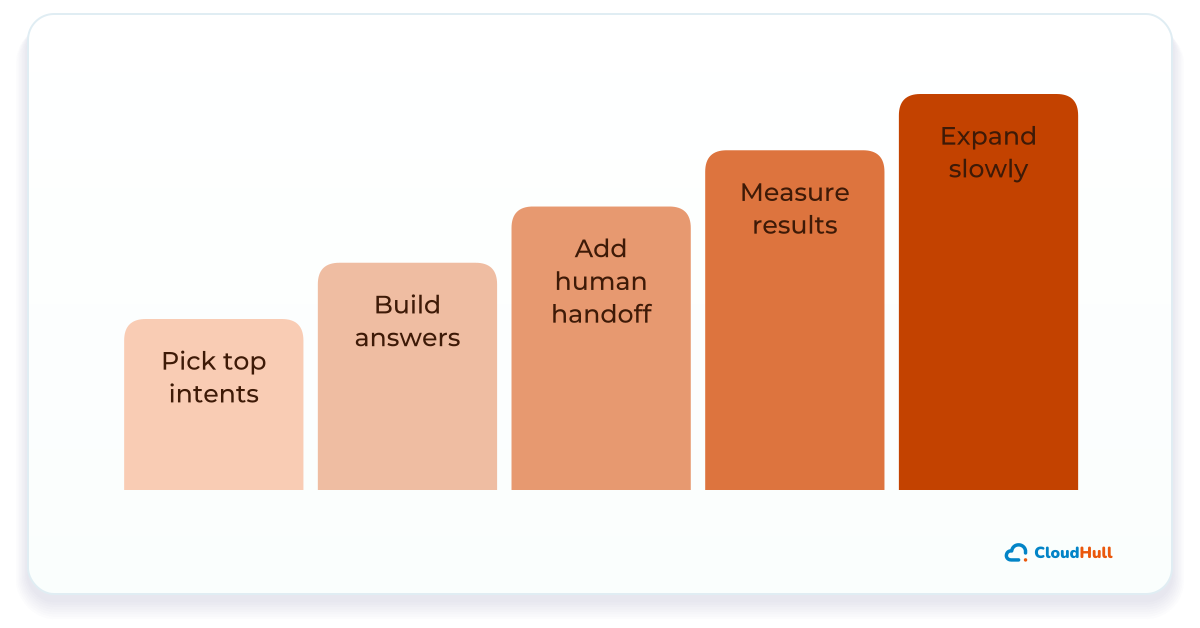
The loudest trend is AI handling whole conversations, such as order status, password resets and appointment changes. It works best on a short list of intents with clear answers. A Gartner survey of 3,566 customers, run in early 2026, found that 87 percent consider it essential that companies using generative AI for service offer a way to reach a human agent, and that half of customers said interactions were easier with generative AI. Both numbers point the same way: build the automation, and build the exit with it.
Gartner's own advice from that survey is to avoid making AI a mandatory first step for every issue, and to let it attempt resolution only when confidence is high. I agree, and I have seen the opposite fail. One retail client forced every caller through a virtual agent before reaching a person, and abandoned calls climbed for two weeks until they added a "talk to someone" option on the first prompt.
Start with three to five intents that make up the most contact volume and have a single correct answer. Measure how many customers finish without a person and how many ask for one afterward. The second number tells you more than the first.
Voice AI Is Finally Usable, Within Limits
Speech models now answer with short delays and natural pacing, which was the main reason earlier voice bots frustrated callers. The major cloud contact center platforms, including Amazon Connect, Google Cloud's contact center offerings and Genesys Cloud, now ship voice AI features, so you no longer need a custom speech pipeline to try it.
I still treat voice as a pilot. Accents, background noise, payment details and angry callers expose gaps that demos hide. Test with recordings of your own calls, not the vendor's sample audio, and measure how often the system needs a human to rescue the call. A reasonable first target is one queue with simple, repetitive requests and a clean data source behind it.
Check cost per minute before you scale. Voice AI usually bills on top of the platform's telephony charges, and a long call that loops costs real money. The cost drivers are laid out in my guide to cloud contact center cost.
Agent Jobs Change Shape Before They Shrink
A Gartner survey of 321 service leaders, conducted in October 2025, found that nearly 80 percent of organizations plan to move at least some agents into new roles as routine tasks become automated. Eighty-four percent plan to add new skills to the agent role, and 58 percent want to upskill agents into knowledge management specialists.
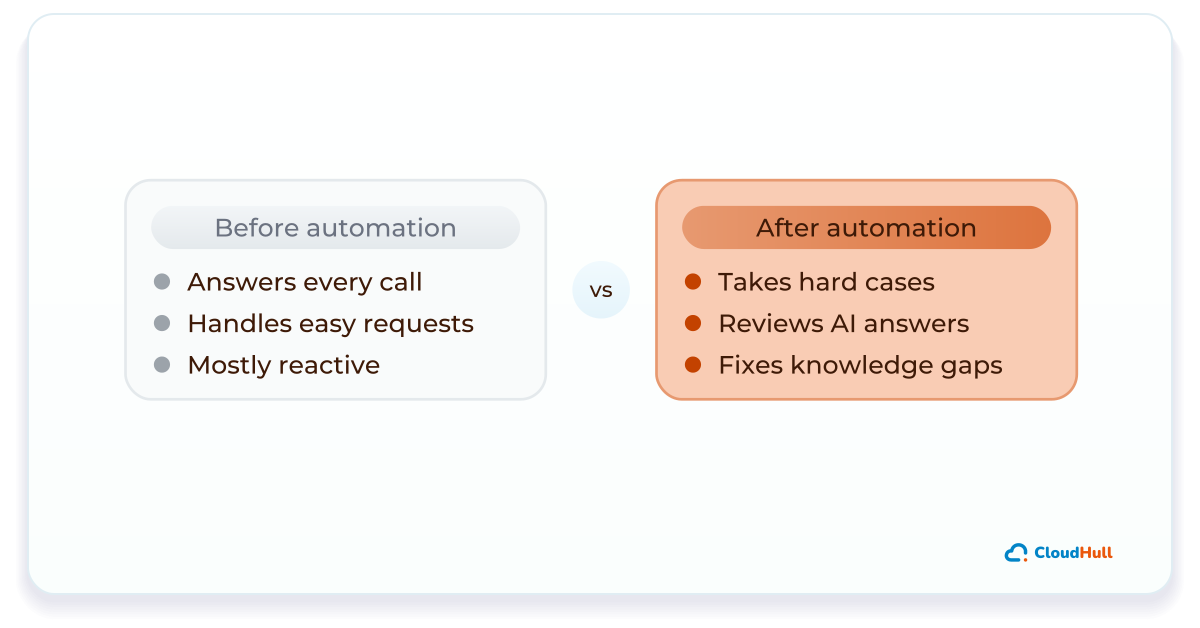
That matches what I see on projects. When automation takes the easy contacts, the remaining ones are longer and harder, so your average handle time goes up even while the platform is doing its job. Plan staffing, coaching and quality targets for that shift. If you set the same handle-time goal after automating, your best agents will hit it by rushing the customers who need the most care.
Two new jobs matter most: someone who reviews and corrects what the AI says, and someone who writes the knowledge it relies on. Name them early, and give them time in their week.
Your Knowledge Base Becomes the Quality Ceiling
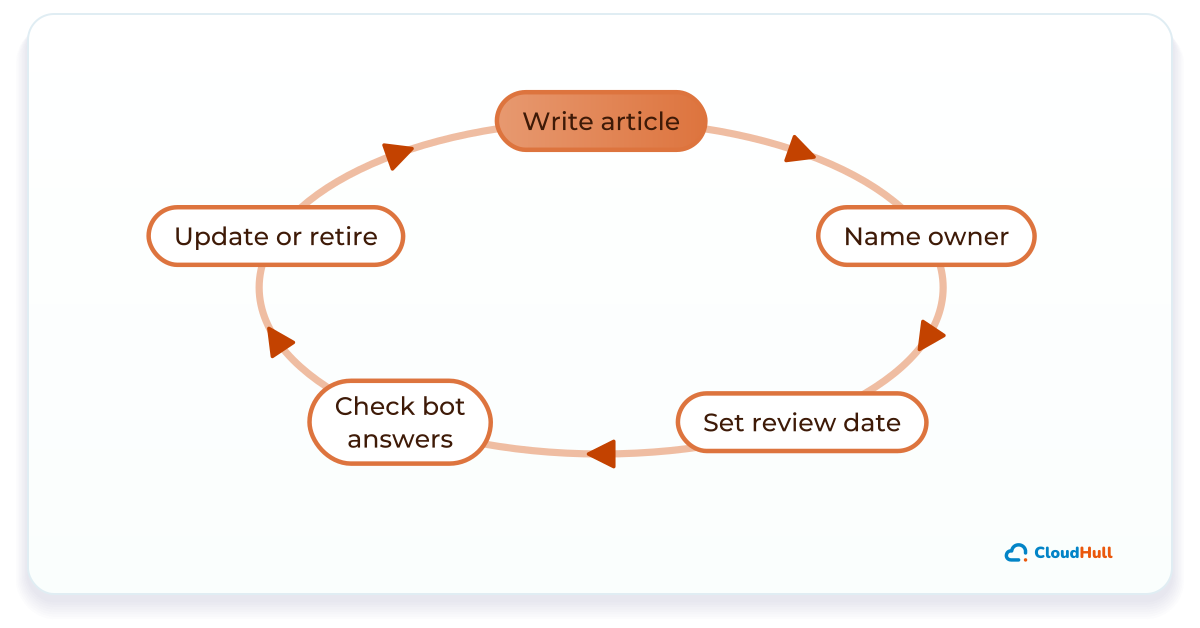
Every AI feature in a cloud contact center, from virtual agents to agent assist, answers from your content. If an article is out of date, the assistant repeats the error faster than a person would. I now start many projects with a knowledge audit and not a platform demo, because the audit predicts results better.
A workable standard is simple. Each article has an owner, a review date and a short list of the intents it serves. Articles nobody has opened in a year are rewritten or removed. Gartner's finding that most leaders want agents to become knowledge specialists suggests the industry has reached the same conclusion.
AI Features Turn a Seat Price Into a Usage Bill
Older contact center contracts priced by seat. Cloud platforms increasingly add usage-based charges for minutes, messages, AI summaries, speech recognition and transcription. The bill follows your traffic, which is fair, and it also means a busy week or a looping bot can move your spend by a large amount without anyone approving it.
This is where cloud cost discipline meets customer service. Treat contact center usage like any other cloud workload: tag spend by queue, set budgets and alerts, and review it monthly. The method is the same one used for compute, and the broader approach is covered in the cloud contact center best practices guide.
Ask every vendor for a worked example with your call volume, average handle time and the AI features you plan to use. If the answer is a range wider than 30 percent, ask what drives the range.
Composable Stacks Replace the All-in-One Suite
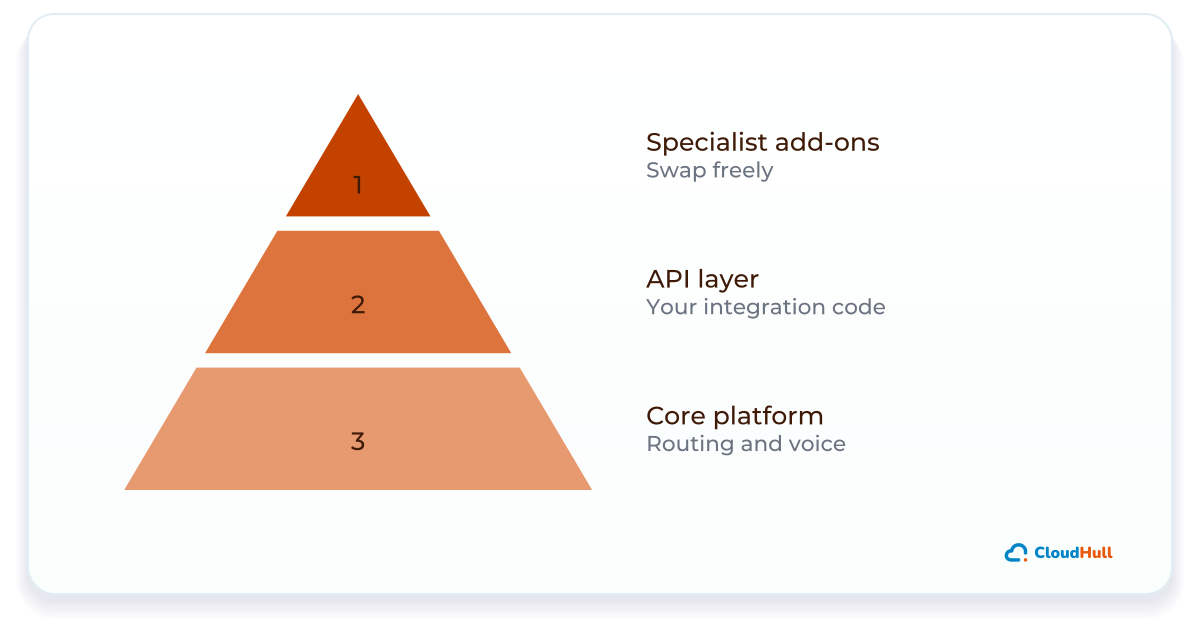
More teams now run telephony on one service, AI on another and the customer record in their CRM, connected by APIs. The benefit is choice: you can swap a speech model or add a channel without replacing the platform. The cost is integration work and more places for a call to fail.
I recommend a middle path. Choose a core platform that covers routing, recording and reporting, and keep AI services and data connections behind your own API layer. That way a change of AI vendor is a configuration job, not a migration. If you are comparing platforms, the shortlist in my cloud contact center software guide shows how the main options handle this.
Customers Now Reach You Through Their Own AI Tools
The same Gartner survey found that customers were about three times more likely to use third-party tools such as ChatGPT, Gemini or Copilot than a company-provided chatbot in their most recent service interaction. Many of your customers now ask an assistant first, and arrive at your contact center with a half-correct answer.
I rate this a watch item with one cheap action. Publish your return, warranty, outage and pricing policies as clear, current pages, because outside assistants read them. Inconsistent public information creates contacts that your own AI then has to untangle.
Quality Scoring Covers Every Interaction
Traditional quality programs sample a few calls per agent each month. Cloud platforms and add-on tools can now transcribe and score every conversation against your rubric, flag risky ones and surface coaching examples. The gain is coverage: problems show up in days, not at the monthly review.
Two cautions from my projects. First, automatic scores are only as good as the rubric, so test the scoring against a set of calls your supervisors have already rated. Second, agents distrust a score they cannot challenge, so give them a way to dispute one. Programs that skip this step lose the goodwill that makes coaching work.
Recordings and Customer Data Face Tighter Handling
Recordings, transcripts and AI summaries multiply the amount of customer data you store. Payment details, health information and identity data can end up in transcripts if you do not redact them. Rules on call recording consent, retention and data location differ by country and by state, so confirm the current requirements with your legal adviser before you design retention settings.
On the technical side, I ask four questions of every platform: where is data stored, how long is it kept, can sensitive fields be masked in audio and text, and who can export transcripts. Having these answers on one page also speeds up security reviews, which can otherwise delay a launch by weeks. If you need a structured way to carry these decisions into a rollout, the cloud contact center implementation guide covers the order of work.
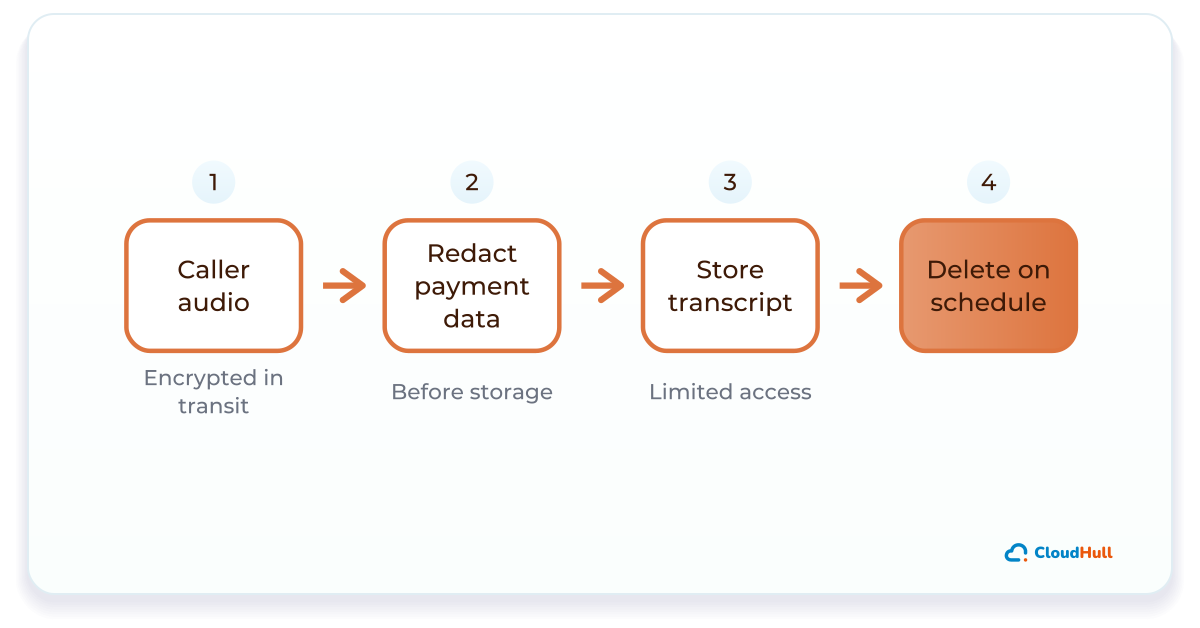
Seeing These Trends in Real Deployments
Trends are easier to judge when you see them in a working setup. I collected ten deployments, each with a short step list, in my article on cloud contact center examples. Most of them combine two or three of the trends above, which is typical: containment needs knowledge, knowledge needs quality scoring, and all of them need a usage budget.
How to Decide Which Trends to Act On
Pick trends with one test: does this fix a measurable problem I have today? Rank your candidates by the size of the problem, then by how mature the feature is. The fastest path in most companies is knowledge cleanup first, usage budgets second, and one automation pilot third.
- Which queue has the highest volume of simple, repeatable contacts?
- Who owns the knowledge that answers them?
- What is the monthly budget for AI usage in that queue?
- What is the exit to a person, and how fast is it?
Review the list twice a year. Features that were a pilot in spring are often production-ready by autumn, and vendors change prices as often as features.
Sources
- Gartner: 91% of customer service leaders under pressure to implement AI in 2026
- Gartner: 87% of customers say companies using GenAI for service must provide access to a human agent
Questions About Cloud Contact Center Trends
What Is a Cloud Contact Center?
It is a customer service platform that runs on a provider's cloud and not on hardware in your building. You get voice, chat, email and messaging channels, routing, recording and reporting through a subscription or usage bill, and you add features without installing servers.
Which Cloud Contact Center Trend Should I Act on First?
Knowledge cleanup. Every AI feature depends on current, owned content, and the work pays off even if you change platforms later. Usage budgets are a close second, because AI features change how your bill behaves.
Will AI Replace My Contact Center Agents?
In the plans I see, roles change before headcount does. Routine contacts move to automation, and agents handle harder conversations, review AI answers and maintain knowledge. Gartner's survey found nearly 80 percent of organizations plan to move some agents into new roles.
Is Voice AI Ready for Production?
For narrow, repetitive requests on a clean data source, yes. For complex or emotional calls, test carefully on your own recordings and keep a fast path to a person. I suggest a pilot on one queue with a clear exit measure.
How Do I Keep AI Usage Costs Predictable?
Tag usage by queue, set monthly budgets with alerts and ask vendors for a worked cost example at your volume. Review the bill monthly in the first quarter, because that is when the surprises appear.
Should I Use One Platform or Several Services?
A core platform with AI and CRM connections behind your own API layer is the middle path I recommend. It keeps routing and recording simple and lets you replace an AI service without a full migration.
How Often Should I Review My Contact Center Roadmap?
Twice a year is enough for most teams. Features move from preview to production quickly, so a spring pilot may be a safe choice by autumn.
Disclaimer: This article is for general information only and is not legal, financial or compliance advice. Platform features, prices and recording rules change often, so check current details with your vendors and legal adviser.
Did this article help you?
Thanks, noted.
Garrett Linville
Garrett leads the Cloud Hull editorial team and works with the consultants to turn real client projects into practical guides on cloud migration, DevOps, security and cost control. Each article is edited together with the consultant who did the work, and every price and limit is checked against current provider documentation. He is based in the USA and works remotely.