Main Points
- Genesys, NICE CXone, Five9 and Talkdesk lead on breadth, and most of them price per agent per month.
- Amazon Connect and Twilio Flex charge by usage or by active hours, which suits uneven volumes and teams with developers.
- Zoom, Dialpad and RingCentral fit teams that already use the same vendor for business phones and meetings.
- Model total cost with telephony, add-ons and minimum seat counts before you compare list prices.
The Best Cloud Contact Center Software at a Glance
| Tool | Type | Best for |
|---|---|---|
| 1. Genesys Cloud CX | Enterprise CCaaS suite | Mid-sized and large operations that want broad channel and routing coverage |
| 2. NICE CXone | Enterprise CCaaS suite | Large contact centers that want workforce, quality and analytics in one suite |
| 3. Five9 | Cloud contact center platform | Teams that want a proven platform with both published and quoted bundles |
| 4. Talkdesk | Cloud contact center platform | Teams that want published per-user tiers and industry-specific packages |
| 5. Amazon Connect | Pay-as-you-go contact center on AWS | Teams with uneven volumes, AWS skills and a need for custom workflows |
| 6. Twilio Flex | Programmable contact center | Companies with developers that want to shape the agent experience |
| 7. RingCentral RingCX | Contact center from a business phone vendor | Companies already using RingCentral for business phones and messaging |
| 8. Zoom Contact Center | Contact center from a meetings vendor | Companies already on Zoom that want video-friendly support and simple setup |
| 9. 8x8 Contact Center | Contact center from a business phone vendor | Mid-sized teams that want phones and contact center from one vendor |
| 10. Dialpad Contact Center | AI-focused cloud communications | Smaller teams that want published plans and built-in AI call summaries |
The 10 Best Cloud Contact Center Platforms, Ranked
I start with the large suites that cover many channels and regions, then move to usage-based builders and to platforms from business phone vendors. Keep in mind that the platform is only part of the result. In the cloud contact center consulting projects I review, clean call flows and CRM integration decide agent satisfaction more than the logo on the login page.
Genesys Cloud CX

A Broad Platform With Published Tiers for Teams That Want Depth in Routing and Channels
Genesys Cloud CX is one of the most widely used cloud contact center suites, with voice, digital channels, routing and workforce tools.
The vendor publishes four tiers, so you can see where voice, digital and AI features start. Routing is a strength, and large operations use it to match contacts to agents by skill and context.
I find it works best when you have a team to own the configuration. The breadth means more settings than a small team needs, so I often suggest a lower tier and a tight scope for a first launch.
Genesys Cloud CX Strengths
- Published tiers make budgeting easier
- Deep routing and channel coverage
- Very large review base
Genesys Cloud CX Weaknesses
- Many settings to learn for small teams
- Usage-based charges can apply on top of seats
Genesys Cloud CX Pricing
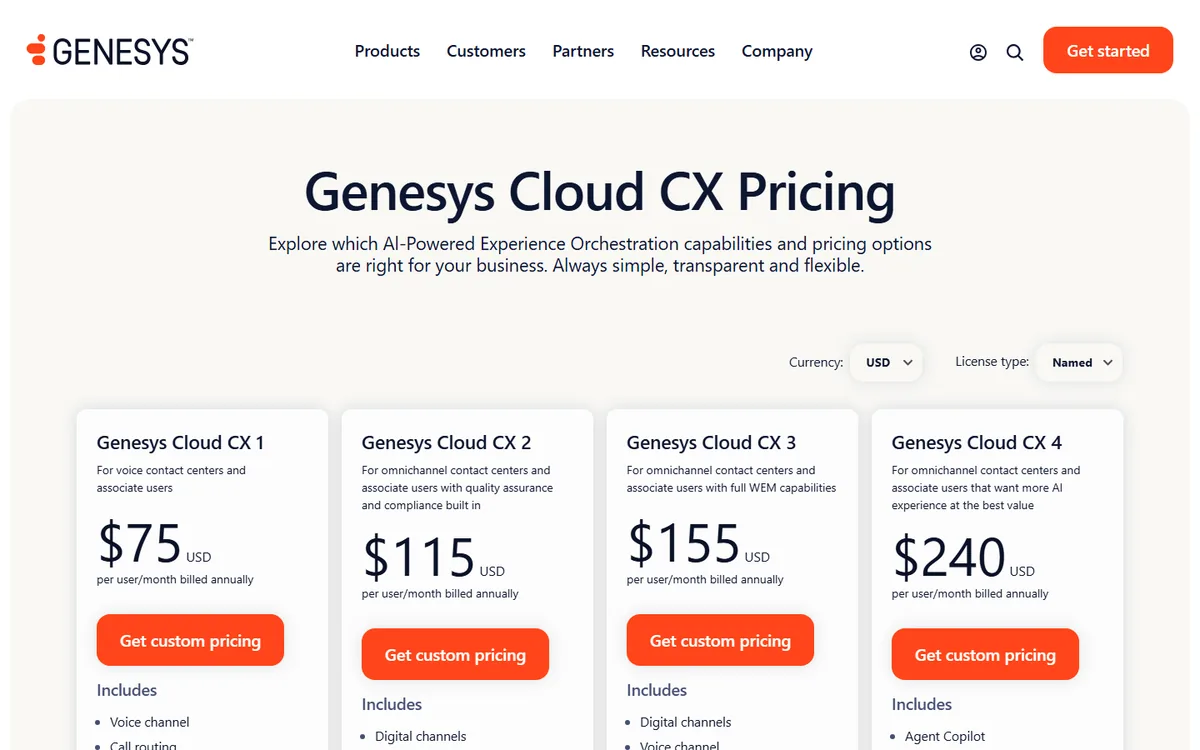
Genesys lists Cloud CX 1 at $75, CX 2 at $115, CX 3 at $155 and CX 4 at $240, each per user per month billed annually. The page notes that usage-based pricing may apply and that named licenses are the default option.
Genesys Cloud CX Reviews
- G2: 4.4 of 5 stars (based on 1,586 verified reviews)
NICE CXone
A Large Suite With Strong Workforce and Analytics Tools for Established Operations
NICE CXone combines contact routing, workforce management, quality tools and analytics on one cloud platform.
It is popular with larger operations that care about scheduling, quality scoring and reporting as much as routing. Having those tools in one suite means fewer integrations to maintain.
The flip side is scale. Implementation tends to be a real project, and pricing is quote-based, so budget time for scoping. I would ask for a detailed cost model with every module you expect to use.
NICE CXone Strengths
- Workforce and quality tools in one suite
- Strong reporting and analytics
- Largest number of G2 reviews in this list
NICE CXone Weaknesses
- Pricing is by quote
- Implementation is a real project
NICE CXone Pricing
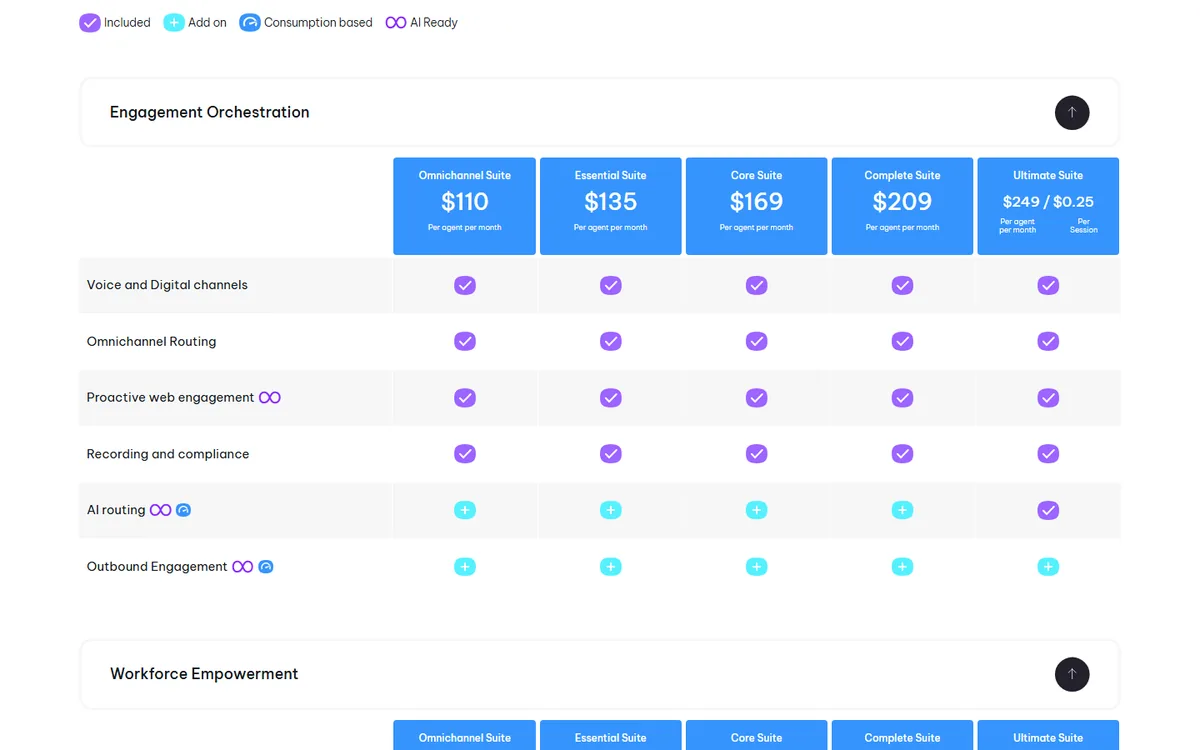
I could not read published prices for NICE CXone when I checked, so expect a quote built on your agents, channels and modules.
NICE CXone Reviews
- G2: 4.3 of 5 stars (based on 1,730 verified reviews)
Five9
A Mature Platform for Outbound and Inbound Teams, With Published Prices on Two Bundles
Five9 offers a cloud contact center platform with strong outbound dialing and bundles for digital and voice channels.
Two bundles have published prices, which helps you plan, while the higher tiers need a quote. Sales and collections teams that depend on outbound dialing often look at it first.
Pay attention to the commercial details. Prices are per concurrent user, usage-based charges may apply and the page lists a 50-seat minimum, so it fits larger teams better than very small ones.
Five9 Strengths
- Good fit for outbound dialing teams
- Two bundles show list prices
- Established platform with a large review base
Five9 Weaknesses
- A 50-seat minimum on published prices
- Higher tiers are quote only
Five9 Pricing
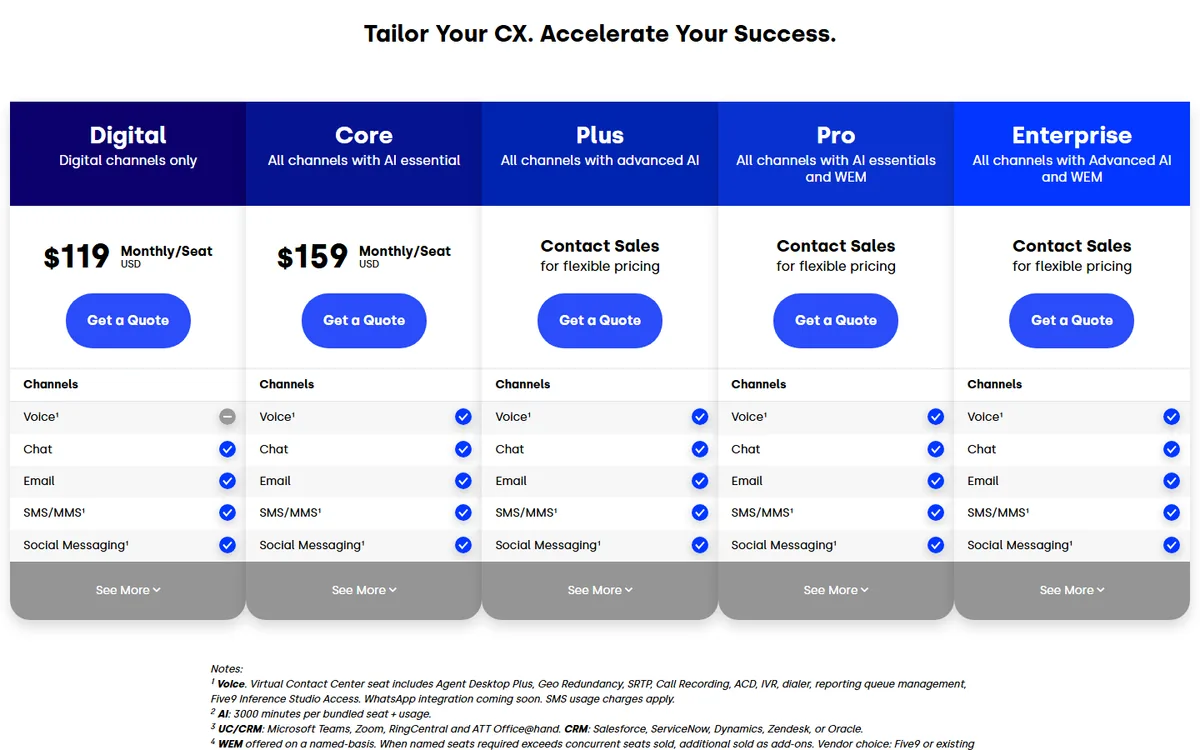
Five9 lists Digital at $119 and Core at $159 per seat per month in USD. Plus, Pro and Enterprise are quote only. Published prices are per concurrent user, usage-based charges may apply and there is a 50-seat minimum.
Five9 Reviews
- G2: 4.2 of 5 stars (based on 650 verified reviews)
Talkdesk
Clear Per-User Tiers and Industry Packages for Teams That Want Quick Pricing Answers
Talkdesk offers a cloud contact center platform with tiers for digital, voice and industry-specific needs.
Its pricing page lists per-user prices for several plans, including packages for specific industries. That makes first budgeting easier than with quote-only vendors.
It has a large review base and strong ratings. I would test its AI features on your own transcripts before paying for them, because the value depends on your data and call types.
Talkdesk Strengths
- Published per-user prices
- Industry-specific packages
- Strong G2 rating on a large review base
Talkdesk Weaknesses
- Higher tiers cost much more per seat
- Add-ons need careful scoping
Talkdesk Pricing
Talkdesk lists Digital Essentials at $85, Voice Essentials at $105, Elite at $165 and Industry Experience Clouds at $225, billed per user per month in USD. Government is custom priced, and Talkdesk Express for small businesses in the US and Canada shows no per-user price.
Talkdesk Reviews
- G2: 4.4 of 5 stars (based on 2,609 verified reviews)
Amazon Connect
Usage-Based Pricing and Deep AWS Integration for Teams That Like to Build
Amazon Connect is AWS’s cloud contact center, billed by usage instead of by agent seat.
You pay by the minute for voice and by the message for chat, so a quiet month costs less than a busy one. It connects to other AWS services, which helps if your data and developers already live there.
Flexibility comes with responsibility. You will likely configure more yourself than with a packaged suite, and telephony charges are separate. I like it for seasonal businesses with technical staff.
Amazon Connect Strengths
- Pay for use, not for idle seats
- Close integration with AWS services
- Good fit for custom workflows
Amazon Connect Weaknesses
- More setup effort than packaged suites
- Telephony rates are billed in addition
Amazon Connect Pricing
AWS lists $0.038 per voice minute and $0.010 per chat message sent or received. Standard telephony rates apply in addition, prices vary by region and communication type, and the page I read described no free usage allowance.
Amazon Connect Reviews
- G2: 4.4 of 5 stars (based on 94 verified reviews)
Twilio Flex
A Programmable Contact Center for Teams That Want Full Control of the Agent Experience
Twilio Flex is a contact center you can customize in code, built on Twilio’s communication services.
Instead of adopting a finished product, you assemble the experience you want, from the agent desktop to routing logic. That suits software companies with engineering capacity and unusual workflows.
Three billing options exist, and they cannot be mixed, so choose with care. I would run the numbers for active-hour and named-user models against your real shift patterns before committing.
Twilio Flex Strengths
- Fully customizable agent experience
- Choice of active-hour and named-user billing
- A free trial with 5,000 active user hours
Twilio Flex Weaknesses
- Needs developers to get the most from it
- Billing options cannot be mixed
Twilio Flex Pricing
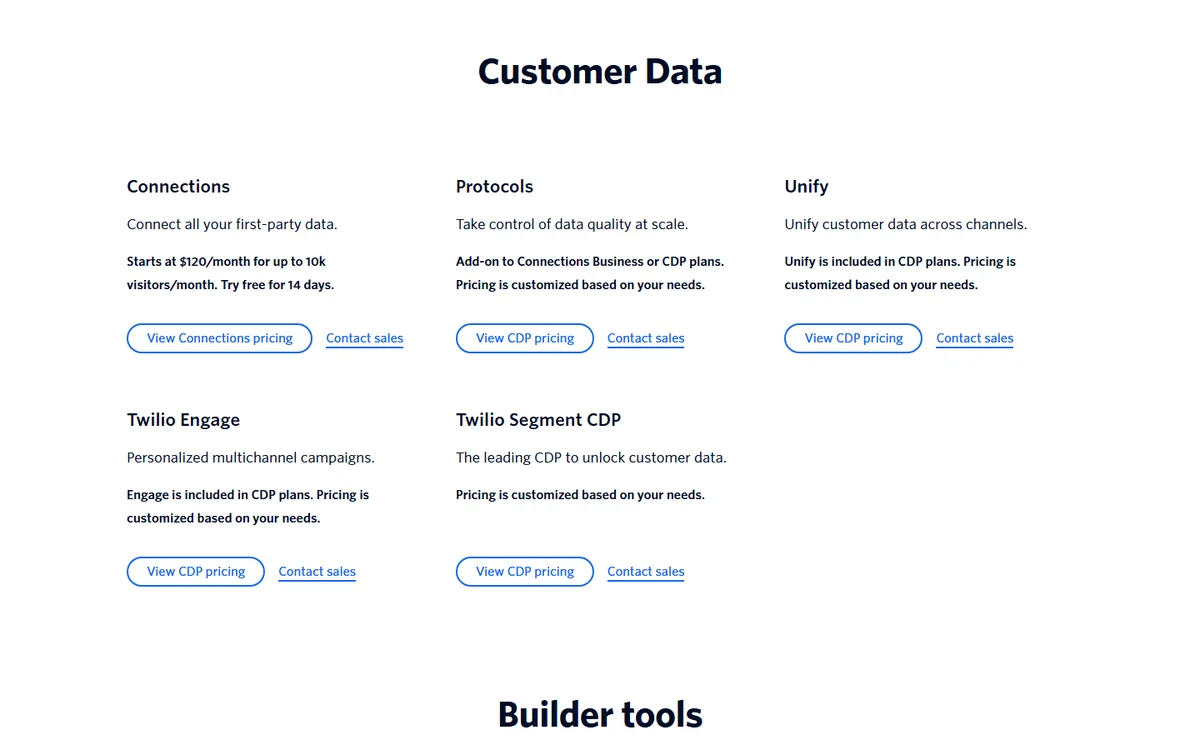
Twilio lists Flex from $1 per active user hour, or from $150 per named user per month. A third option costs $35 per monthly active user plus metered charges. New accounts get a free trial with 5,000 active user hours. You cannot mix plans.
Twilio Flex Reviews
- I could not read a live G2 or Capterra rating for this product when I checked, so I am not quoting one.
RingCentral RingCX
A Natural Choice If RingCentral Already Runs Your Phones and Meetings
RingCX is RingCentral’s cloud contact center, built to sit beside its business phone and meeting products.
Having one vendor for office calls and contact center simplifies contracts and user management. Agents and back-office staff can reach each other on the same platform.
I could not read a price on RingCentral’s own pages, and the third-party figure below comes from Capterra, so confirm it in a quote. The platform suits mid-sized teams better than the largest operations in my experience.
RingCentral RingCX Strengths
- Fits into an existing RingCentral setup
- Single vendor for phones and contact center
- Review base on Capterra above 250 reviews
RingCentral RingCX Weaknesses
- Pricing needs confirmation with the vendor
- Less depth than the largest suites
RingCentral RingCX Pricing
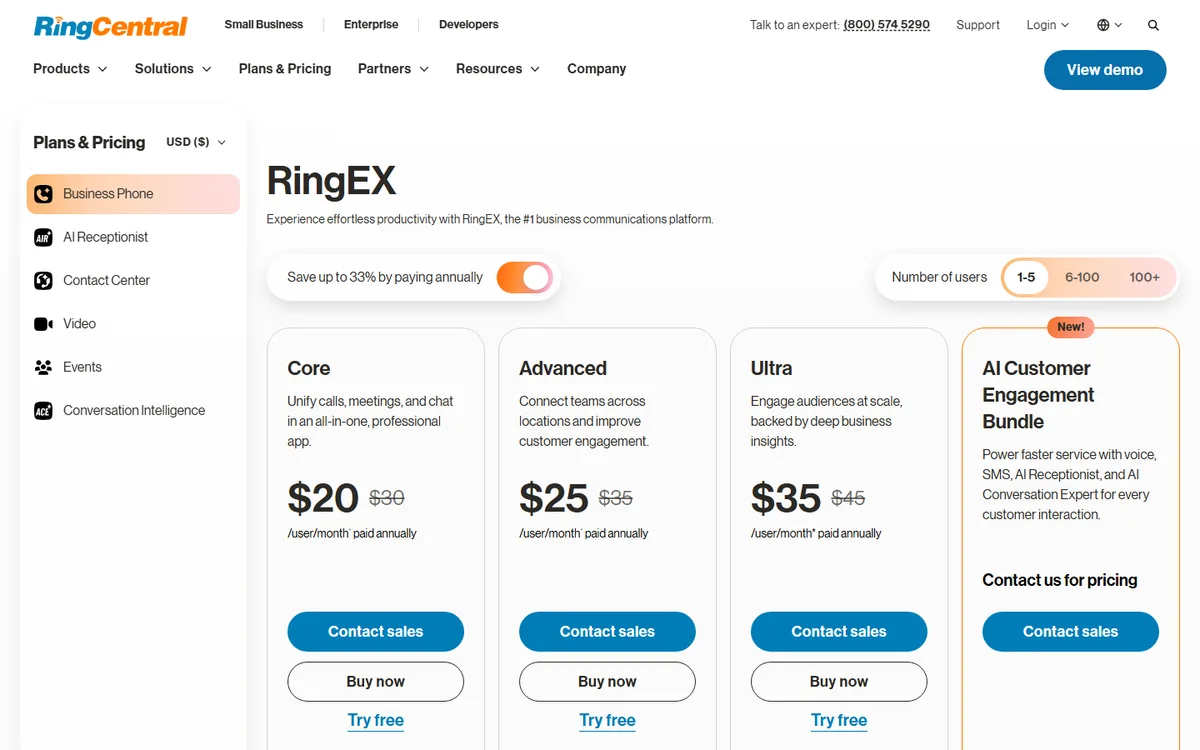
I could not read a price on RingCentral’s own pages. Capterra lists a starting price of $65 per user per month for the product, with a free trial and no free version, so confirm the current figure with RingCentral.
RingCentral RingCX Reviews
- Capterra: 4.2 of 5 stars (based on 264 verified reviews)
Zoom Contact Center
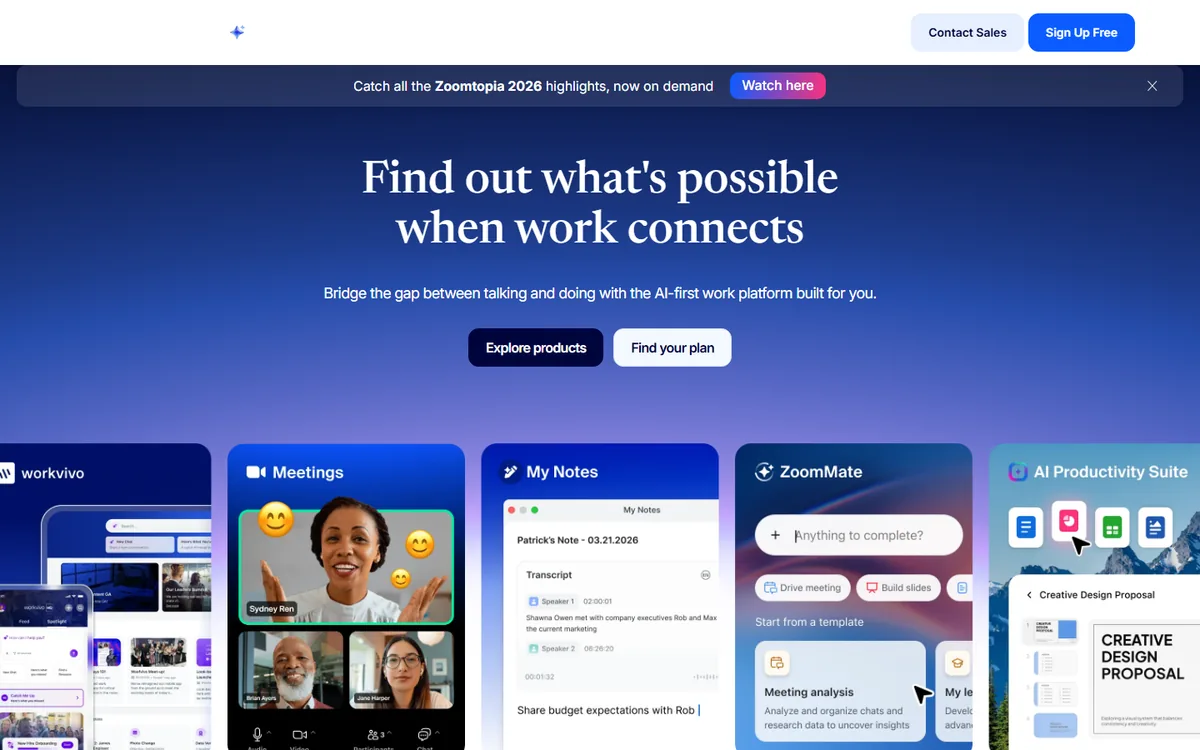
A Simple Option for Zoom Customers That Wants Video and Voice Support in One Place
Zoom Contact Center adds voice, video and digital channels to the Zoom platform many companies already use.
Agents and customers can move from a call to a video session without leaving the platform, which helps for support that needs screen sharing or a visual walkthrough. Existing Zoom admins can manage it in a familiar environment.
The review base is small, so ask for references. A third-party page lists three plans, and the figures should be confirmed with Zoom before you plan a budget.
Zoom Contact Center Strengths
- Video support inside the same platform
- Familiar to existing Zoom admins
- Three plans with published tiers on a third-party page
Zoom Contact Center Weaknesses
- Small review base on G2
- Fewer large-operation features than the top suites
Zoom Contact Center Pricing
TrustRadius lists Zoom Contact Center at $69 for Essentials, $99 for Premium and $149 for Elite per user per month billed annually. I could not read Zoom’s own pricing page, so confirm these figures with Zoom.
Zoom Contact Center Reviews
- G2: 4.4 of 5 stars (based on 82 verified reviews)
8x8 Contact Center
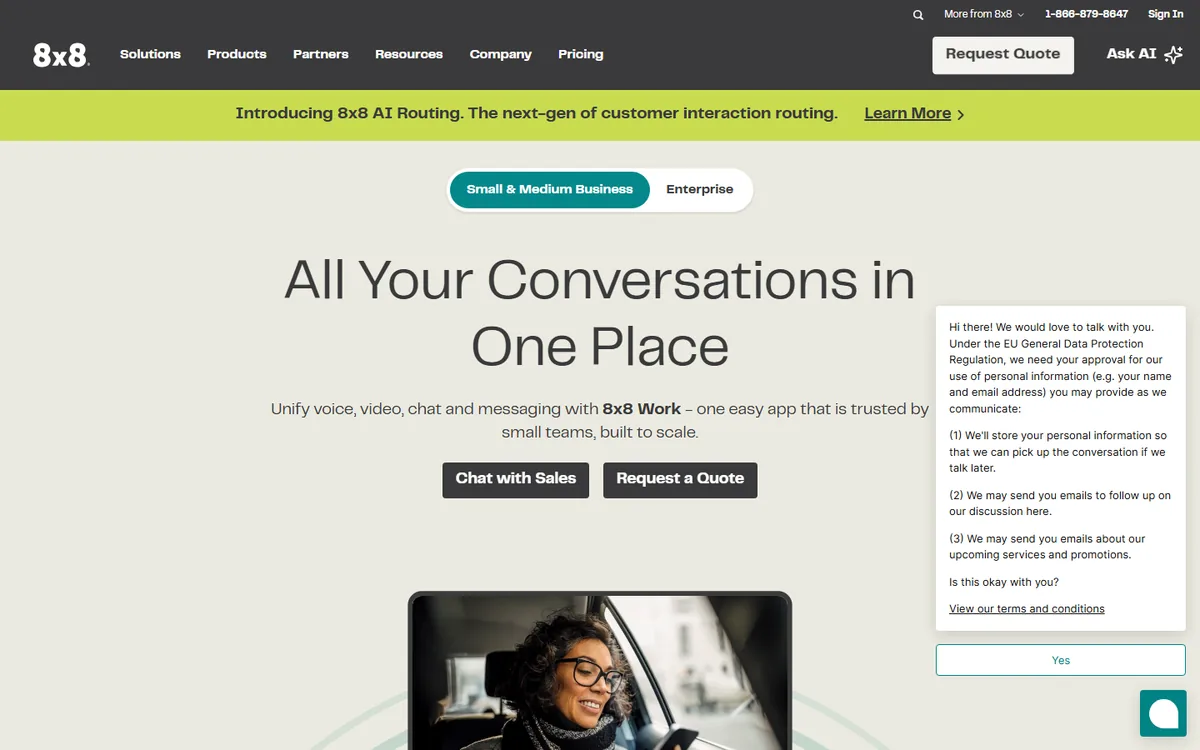
A Practical Choice for Mid-Sized Teams That Want One Vendor for Phones and Contact Center
8x8 sells business phones, meetings and a contact center on one cloud platform.
Combining them can simplify your vendor list and user setup. Features cover voice and digital channels, with analytics and quality tools in the higher tiers.
I could not read current prices on its pages when I checked. G2 reviewers rate it lower than most platforms in this list, so I would ask for references from companies of your size before you decide.
8x8 Contact Center Strengths
- One vendor for phones and contact center
- Covers voice and digital channels
- Suits mid-sized teams
8x8 Contact Center Weaknesses
- Lowest G2 rating in this list
- Pricing needs a quote
8x8 Contact Center Pricing
I could not read published prices for 8x8 Contact Center when I checked, so ask for a quote with your seats, channels and telephony.
8x8 Contact Center Reviews
- G2: 4.1 of 5 stars (based on 262 verified reviews)
Dialpad Contact Center
Three Published Plans and Built-In AI for Smaller Teams That Want a Fast Start
Dialpad offers business phones and a contact center with AI features built into the call experience.
Its pricing page lists three contact center plans, which makes budgeting simple. Real-time transcripts and call summaries come from the platform itself rather than a separate add-on.
The G2 rating below is for the listing G2 names Dialpad Support, so check that it matches the product you plan to buy. For very large operations with complex routing I would compare it against the bigger suites.
Dialpad Contact Center Strengths
- Three published plans
- AI call summaries built in
- Quick to set up for small teams
Dialpad Contact Center Weaknesses
- Less depth for very large operations
- The page does not state the billing period for its prices
Dialpad Contact Center Pricing
Dialpad lists contact center plans at $89 for Essentials, $119 for Advanced and $149 for Premium per user per month in USD. The page has a monthly and annual toggle and does not say which period the prices reflect.
Dialpad Contact Center Reviews
- G2: 4.4 of 5 stars (based on 727 verified reviews) for the Dialpad Support listing
How to Choose the Right Cloud Contact Center Software
In my experience, your channels, agent count and integrations decide most of the choice. Before you compare vendors, answer four questions:
- How many agents do you have at peak, and how much do volumes swing?
- Which channels matter: voice, chat, email, messaging or all of them?
- Which CRM and ticketing tools must connect on day one?
- Do you have developers who can build, or do you need configuration in a console?
For steady teams that want one product with wide coverage, start with Genesys, NICE CXone, Five9 or Talkdesk. For uneven volumes or custom workflows, test Amazon Connect or Twilio Flex. If your company already runs Zoom, RingCentral, 8x8 or Dialpad for business phones, check their contact center plans first. Before you sign, run the numbers with my guide to cloud contact center cost. A pilot on one queue tells you more than any demo, and the setup habits in my cloud contact center best practices help you run it well. For what comes after the contract, my notes on cloud contact center implementation cover the rollout, and the cloud contact center examples show what other teams did with their platforms. Where the market is heading is in cloud contact center trends.
Questions About Choosing Cloud Contact Center Software
What Is the Best Cloud Contact Center Software?
There is no single best platform. Large teams with many channels often shortlist Genesys, NICE CXone, Five9 and Talkdesk. Teams with uneven volumes and developers often prefer Amazon Connect or Twilio Flex. Teams that already use one vendor for phones and meetings should check that vendor first.
What Does CCaaS Mean?
CCaaS stands for contact center as a service. The provider runs the platform in the cloud, and you pay a subscription or usage fees instead of buying phone hardware. Agents work in a browser or app.
How Much Does Cloud Contact Center Software Cost?
List prices published by vendors range from about $65 to $240 per agent per month, depending on plan and channels, and some platforms bill by usage. Telephony, add-ons and minimum seat counts change the total, so model your own numbers.
Is Pay-as-You-Go Better than Per-Agent Pricing?
It depends on your pattern. Usage pricing such as Amazon Connect's per-minute model suits uneven or seasonal volumes. Per-agent pricing is easier to budget when your team size is steady. Compare both on a real month of traffic.
Can Cloud Contact Center Software Connect to My CRM?
Yes. The major platforms offer connectors for common CRM and ticketing tools, and APIs for the rest. Ask each vendor to show the connector working with your CRM, not a slide about it.
How Long Does It Take to Switch Platforms?
A small team can launch in weeks. Larger operations with several channels and integrations often take months. Plan number porting early, because carrier timelines are outside your control.
Do I Need a Consultant to Choose a Platform?
You can do it yourself with a careful scorecard and a pilot. A consultant helps most when you have complex call flows, strict compliance needs or a tight deadline, because the mistakes are expensive to undo once a contract is signed.
Important: prices, plans and ratings move quickly. They reflect our last update, so double-check each vendor’s site before purchasing. Nothing in this article is legal or financial advice.
Did this article help you?
Thanks, noted.
Garrett Linville
Garrett leads the Cloud Hull editorial team and works with the consultants to turn real client projects into practical guides on cloud migration, DevOps, security and cost control. Each article is edited together with the consultant who did the work, and every price and limit is checked against current provider documentation. He is based in the USA and works remotely.