Main Points
- Automate frequent, identical, error-prone tasks first: builds, tests, deployments and environment setup.
- Hours saved = minutes per task x runs per week x share automated, divided by 60.
- Fix the manual process on paper before you script it, or you automate the mess.
- Give every pipeline the minimum permissions it needs, and review its changes like code.
Engineering time disappears into small repeated jobs: kicking off a build, copying a release to staging, creating a test environment, rotating a credential. None of them takes long. Together they eat days every month, and they are the first thing to go wrong when someone is in a hurry. Cloud DevOps automation removes them, and it is a core part of any cloud DevOps consulting project I lead.
This guide shows which tasks to automate first, how to estimate the hours you win back and how to roll the work out safely.
Where DevOps Hours Disappear
Before you automate anything, find out where your hours go. Ask your team to keep a rough log for two weeks, or read your ticket and chat history. The results are usually lopsided: three or four tasks account for most of the manual time.
| Task | Typical manual effort | What automation replaces it with |
|---|---|---|
| Build and test on every commit | 5 to 15 minutes, several times a day | A CI pipeline that runs on each push |
| Deploy to staging and production | 30 to 90 minutes per release | A deployment pipeline with automatic checks and rollback |
| Create a test environment | Hours to days | Infrastructure code applied on demand |
| Dependency and security scans | Occasional, often skipped | Scans that run in the pipeline on every change |
| Credential and certificate rotation | An hour per round, easy to forget | Scheduled rotation from a secrets manager |
| Shutting down idle environments | Manual, so rarely done | Scheduled start and stop rules |
The effort column is a range from my own client work, not a benchmark. Your numbers will differ, which is why the formula below matters more than the table.
The Formula for Hours Saved
You only need four numbers to estimate savings for one task.
- Minutes per run of the task today.
- Runs per week.
- The share of that work the automation will cover. Never use 100%, because exceptions remain.
- Loaded hourly cost of the people who do it now.
Hours saved per week = minutes per run x runs per week x share covered / 60. Multiply by 52 for a year and by the hourly cost for a money figure. Subtract the build time and running costs to get a real return.
A Worked Example
An online retailer deployed twice a week. Each deployment took an engineer about 75 minutes: pull the build, run migration scripts, restart services, check pages by hand and post an update. Automation covered roughly 85% of those steps, and engineers kept a final manual check.
| Input | Value |
|---|---|
| Minutes per deployment | 75 |
| Deployments per week | 2 |
| Share covered | 85% |
| Hours saved per week | 75 x 2 x 0.85 / 60 = 2.1 |
| Yearly hours saved | about 110 |
On its own, 110 hours looks modest. The bigger effect was indirect. With a ten-minute pipeline, the team moved from two deployments a week to roughly ten, and each change was smaller and easier to roll back. The time saving paid for the project. The lower risk is why the team kept going. My DevOps implementation steps show the order I use for this kind of rollout.
Estimate Your Own Savings
Pick one task from the table above and enter your numbers. Treat the result as a starting estimate, since it ignores build time and running costs.
How Much Time Could You Save?
Move the sliders to match one repetitive task in your business.
What to Automate, and in What Order
I follow the same order on most projects, because each step makes the next one safer.
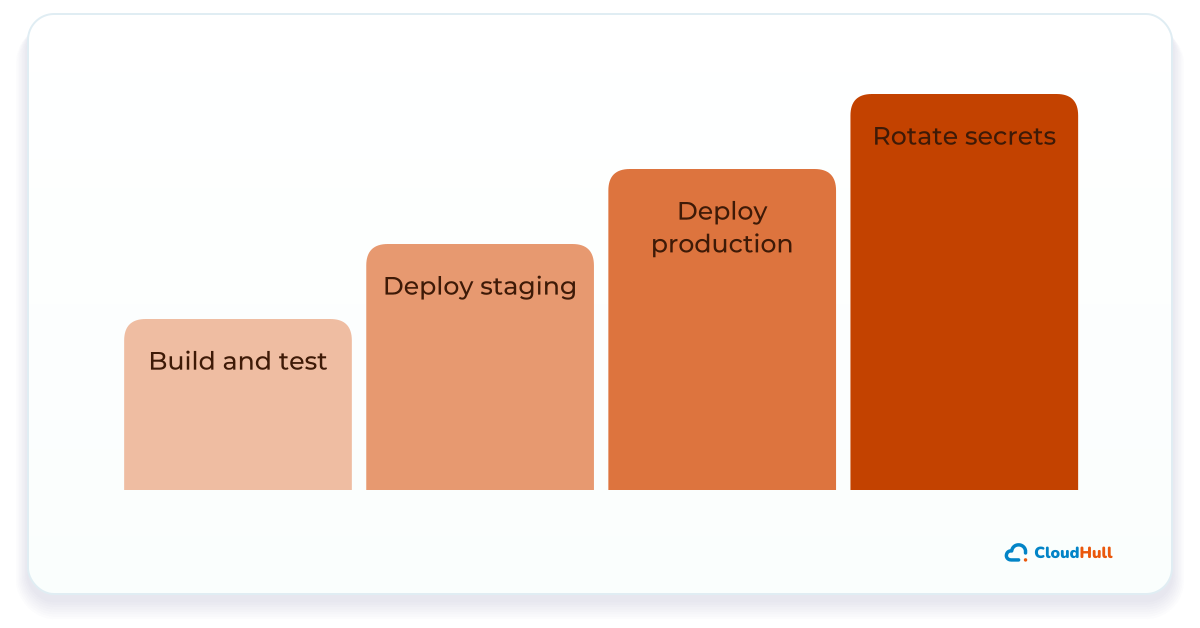
- Build and test. Every commit builds and runs tests, and a failing run blocks the merge.
- Deployment to staging. The same pipeline deploys, then runs a smoke test.
- Infrastructure from code. Environments are created and changed through reviewed files.
- Deployment to production. Add progressive rollout and automatic rollback once staging is reliable.
- Security and cost checks. Scans, policy rules and shutdown schedules run without anyone asking.
The tools for each step are covered in my ranked list of DevOps tools, and the habits that keep a pipeline healthy are in DevOps best practices. Pick tools after you know the process, not before.
Where Automation Goes Wrong
Automation fails in predictable ways. I have seen all of these, some of them more than once.
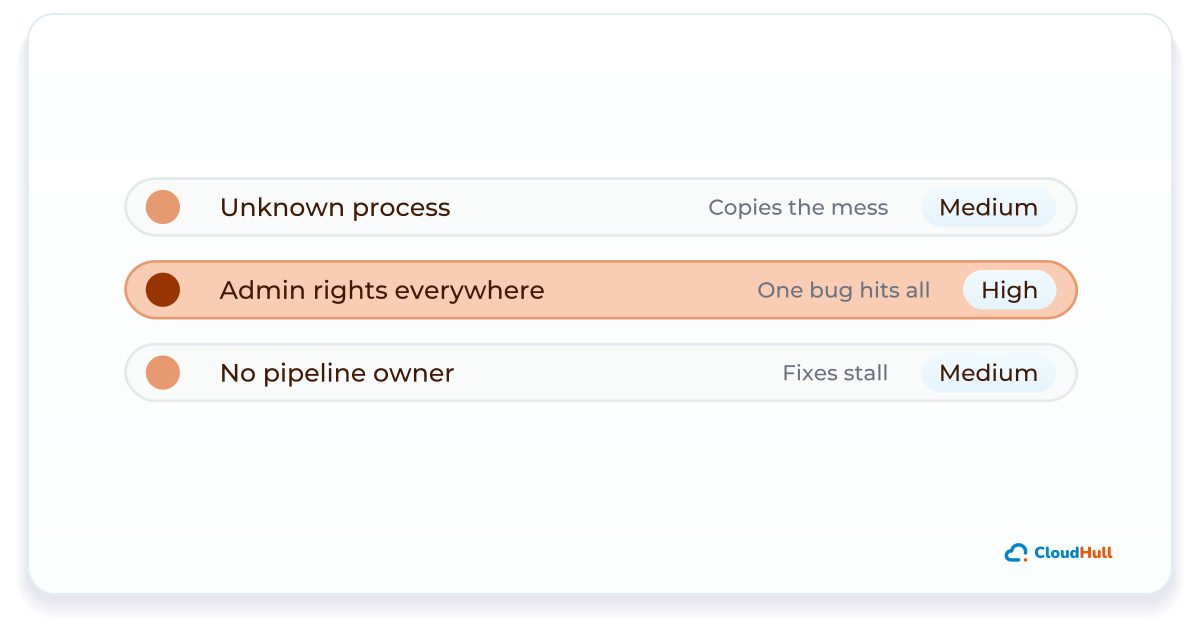
The first is automating a process nobody understands. A script that copies a manual routine will copy its errors too. Write the steps down, remove the pointless ones and then automate what remains.
The second is a pipeline with admin rights everywhere. A deployment job needs access to deploy, and nothing else. Broad credentials turn a leaked token into a company-wide incident.
The third is nobody owning the pipeline. Pipelines are software. They need a maintainer, a review process and a test now and then. The failures I find most often are listed in my article on DevOps challenges, and many of them start as a pipeline nobody owns.
Before you scale up, check where you stand today. A short DevOps assessment shows which parts of the delivery path are manual and which are already in good shape.
Rolling Out Deployments Safely
Automating the deployment step is where teams feel the most fear, because a script now pushes to production without a person watching every command. The fear is reasonable, and the answer is to build safety into the pipeline instead of relying on attention.
Three controls do most of the work. First, a smoke test runs right after every deployment and checks the pages and endpoints that matter, such as login, search and checkout. Second, the pipeline rolls out gradually: a small share of traffic sees the new version first, and the rest follows only if error rates stay normal. Third, rollback is one command, and you have tried it on staging this month.
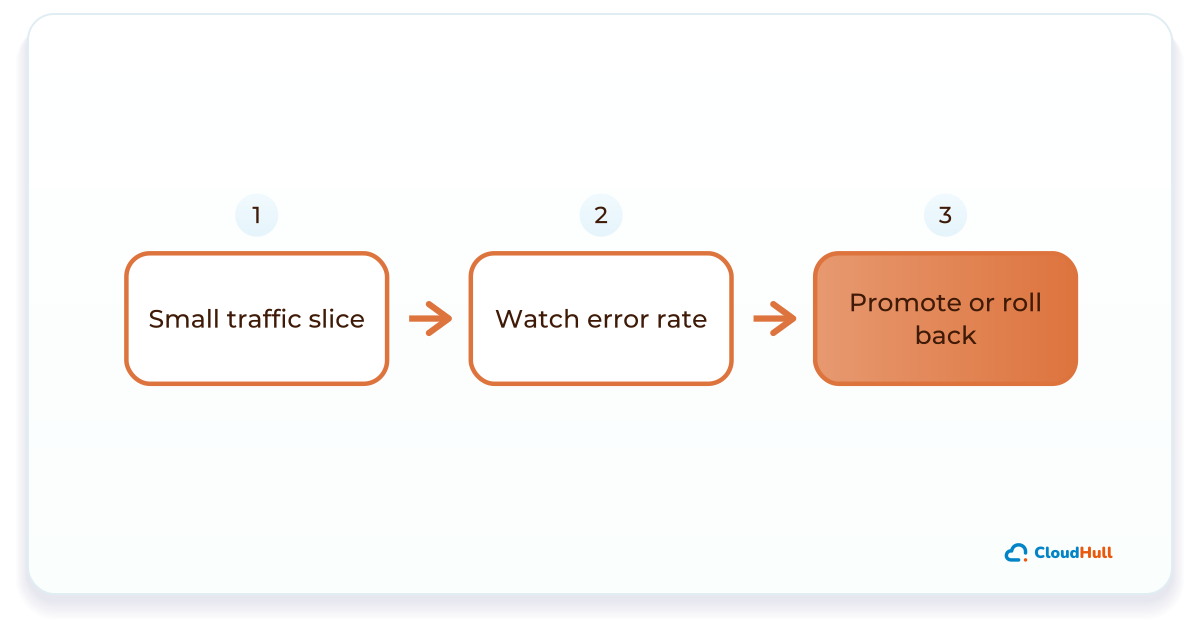
With those three in place, a bad release becomes a short, boring event. A team I worked with moved from a Thursday release window to deployments on any weekday afternoon within about two months. The first rollback happened in week three. It took four minutes, and nobody had to stay late.
Measuring What Automation Changed
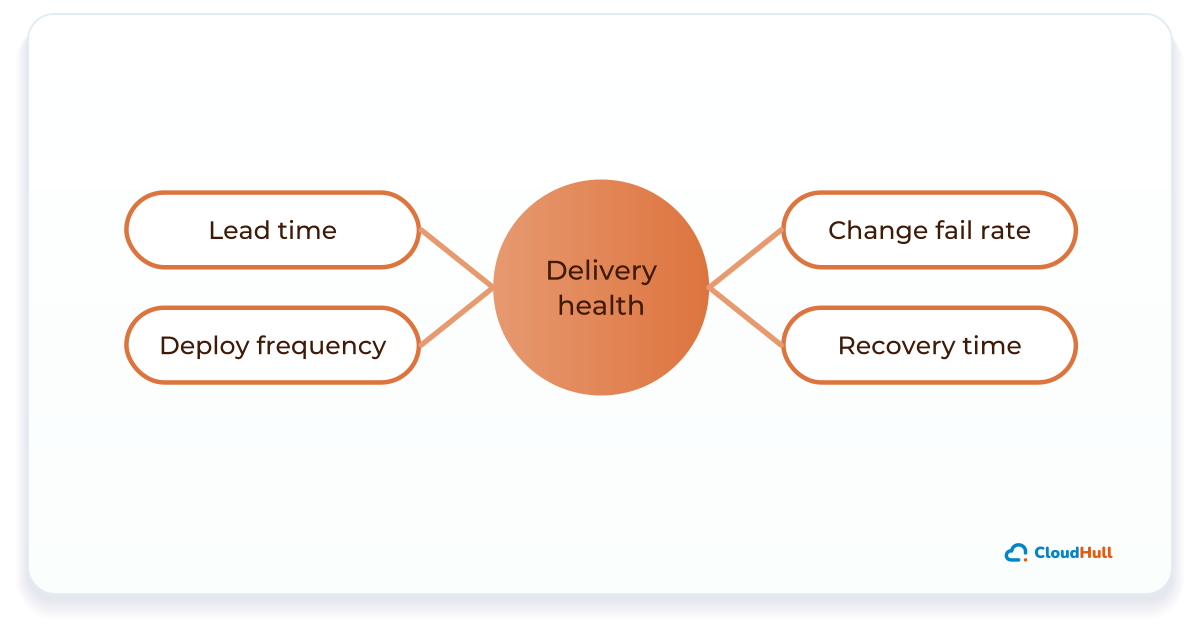
Hours saved is one number. Delivery speed and stability are the other two, and they show whether the automation helps or only moves work around. Track these before and after, using the same method each time.
| Measure | How to get it | What you hope to see |
|---|---|---|
| Change lead time | Commit time to production time, from Git and deployment logs | Falling over a few months |
| Deployment frequency | Count of production deployments per week | Rising as changes get smaller |
| Change fail rate | Share of deployments needing a rollback or hotfix | Flat or falling |
| Recovery time | Time from a failed deployment to restored service | Measured in minutes |
| Manual hours | Time log or ticket sample for the automated task | Down by the share you estimated |
The first four are among the DORA delivery metrics, which also include deployment rework rate. If speed rises while the change fail rate climbs with it, you are going faster at the cost of quality. Slow down and fix the tests.
A 30-Day Plan for Your First Automation
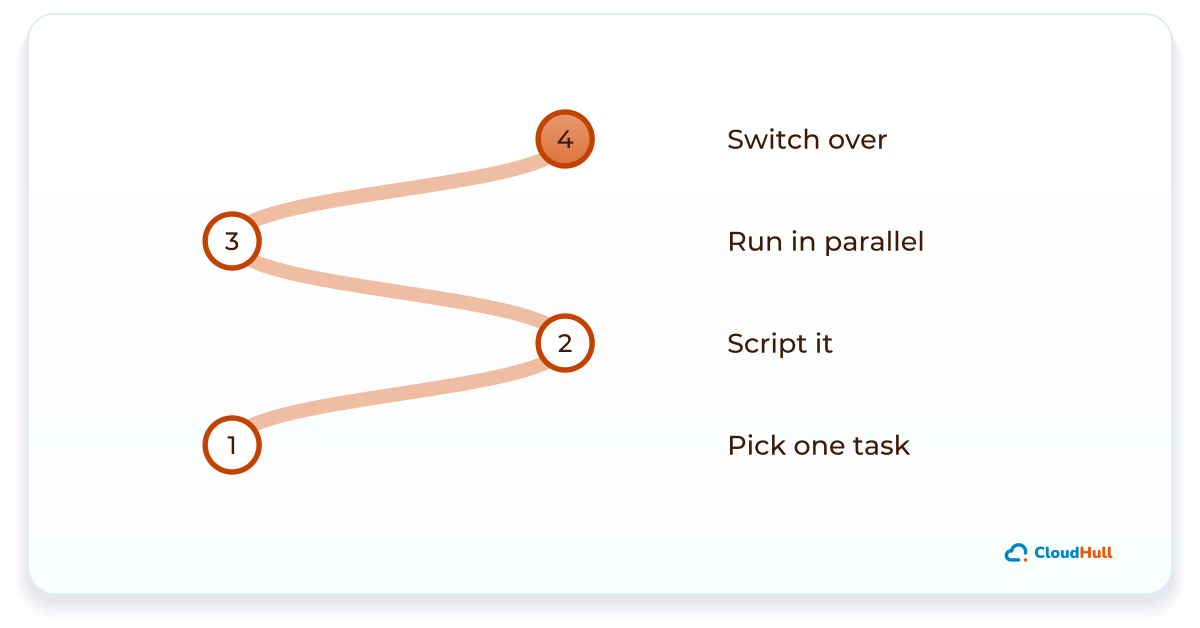
- Week 1. Choose one task with the formula, write down its steps and record the baseline.
- Week 2. Build the pipeline step on a staging environment and test it with the people who do the task today.
- Week 3. Run it in parallel with the manual routine, compare results and fix the differences.
- Week 4. Switch over, keep the manual path as a fallback for a month and report the hours saved.
The parallel run is the step teams skip, and it is the one that builds trust. When people see the pipeline do the same work correctly twice, they stop asking for the manual routine. Add the saved hours to your assessment baseline, so the next score reflects the change.
Handling Secrets in Automated Pipelines
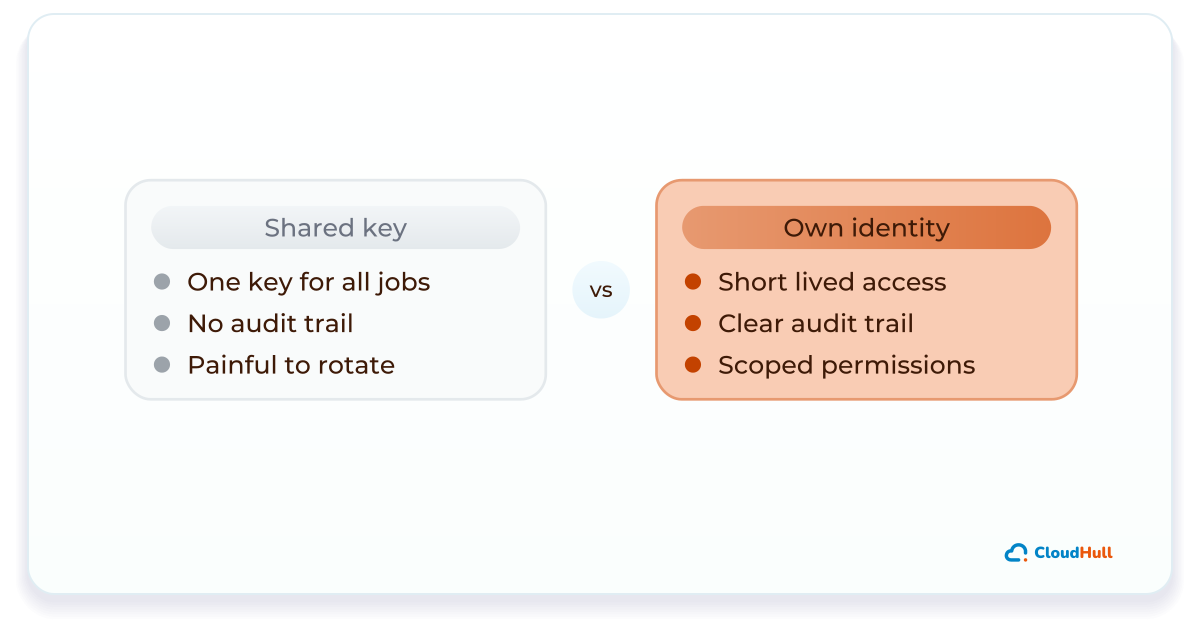
Automation needs credentials, and credentials leak. Keep secrets out of repositories and build logs, store them in a secrets manager and give the pipeline short-lived access that expires on its own. Scan every commit for accidentally committed keys. If a secret does leak, rotate it at once. A pipeline that can rotate its own credentials turns that emergency into a routine job.
Give each pipeline its own identity, so you can see which job did what. A shared deployment account makes the audit trail useless, and it makes one leaked key a company-wide problem.
Who Owns the Pipeline After Launch
Every pipeline needs a named maintainer and a few hours of sprint time each month. Dependencies age, runners need updates and someone has to answer when a job turns red. Without an owner, the pipeline slowly decays, and the team drifts back to manual routines. Put the owner in your service catalog next to the runbook, and review the list whenever people change teams.
Picking Your First Step
Look for the task that scores yes on three questions: does it run at least weekly, does it look the same every time, and does a mistake cost real money or time? Among those, pick the one with the highest hours-saved figure from the formula.
- The task has a written, agreed set of steps.
- You can test the automation on a non-production environment.
- Someone on your team will own it after launch.
- You recorded a baseline, so you can show the saving.
Questions About Cloud DevOps Automation
What Is Cloud DevOps Automation?
It means replacing repeated manual work in your delivery process with pipelines and scripts that run on their own. Typical examples are building and testing every commit, deploying to environments, provisioning infrastructure from code, running security scans and rolling back a failed release.
How Many Hours Can DevOps Automation Save?
It depends on how manual your process is today. Use the formula in this article with your own numbers: minutes per task, runs per week and the share the automation covers. Teams with fully manual releases usually find the largest savings in deployment and environment setup.
What Should I Automate First?
Automate the task that is frequent, identical every time and painful when done wrong. For most teams that means the build and test run, followed by deployment to staging and then production.
Is Infrastructure as Code Part of DevOps Automation?
Yes. Describing servers, networks and permissions in version-controlled files lets a pipeline create and change them the same way every time. It also gives you a review step and a history for every infrastructure change.
Can Automation Make Things Worse?
It can. Automating a broken process produces broken results faster, and an unreviewed script with broad permissions is a security risk. Fix the process on paper first, then automate it, and give every pipeline the minimum access it needs.
Do I Need a New Tool for DevOps Automation?
Usually not. Your Git host, CI platform and cloud provider already include most of what you need. Add tools only after you hit a limit you can describe in one sentence.
How Do I Prove the Savings to My Manager?
Record a baseline before you start: how long the task takes, how often it runs and how often it fails. After rollout, compare the same numbers. Hours saved multiplied by loaded hourly cost gives a figure finance will accept.
Sources
Please note: this guide is general information and not legal, financial or tax advice. Numbers and examples are typical-project estimates; confirm current details with your providers and advisers.
Did this article help you?
Thanks, noted.
Garrett Linville
Garrett leads the Cloud Hull editorial team and works with the consultants to turn real client projects into practical guides on cloud migration, DevOps, security and cost control. Each article is edited together with the consultant who did the work, and every price and limit is checked against current provider documentation. He is based in the USA and works remotely.