Main Points
- Start with the pipeline: GitHub Actions or GitLab for CI/CD, Terraform or Pulumi for infrastructure as code.
- Adopt Kubernetes only if you run many services and have people to operate it.
- Budget for monitoring early, since Datadog and similar tools grow with hosts, metrics and log volume.
- Keep the toolchain small and give each tool a clear owner.
The Best DevOps Tools at a Glance
| Tool | Category | Best for |
|---|---|---|
| 1. GitHub Actions | CI/CD | Teams that already host code on GitHub |
| 2. GitLab | CI/CD and DevSecOps platform | Teams that want code, CI/CD and security in one product |
| 3. Jenkins | CI/CD automation server | Teams with complex, custom build needs |
| 4. CircleCI | Hosted CI/CD | Teams that want fast, managed pipelines |
| 5. Argo CD | GitOps continuous delivery | Kubernetes teams that deploy from Git |
| 6. Terraform | Infrastructure as code | Teams defining infrastructure across several clouds |
| 7. Pulumi | Infrastructure as code | Developers who want to use real programming languages |
| 8. Ansible | Configuration management and automation | Teams that configure servers and run repeatable tasks |
| 9. Docker | Containers | Teams packaging applications as containers |
| 10. Kubernetes | Container orchestration | Teams running many containerized services |
| 11. Datadog | Monitoring and observability | Teams that want metrics, logs and traces in one place |
| 12. Grafana | Dashboards and observability | Teams that want open dashboards and flexible data sources |
| 13. Prometheus | Metrics monitoring | Teams monitoring Kubernetes and cloud-native services |
| 14. PagerDuty | Incident response | Teams with an on-call rota |
| 15. Snyk | Security scanning | Teams adding security checks to pipelines |
The 15 Best DevOps Tools, Ranked
I start with the pipeline tools most teams need first, move through infrastructure and containers, and finish with monitoring and security. A tool only helps if it sits inside a working delivery process, which is why the cloud DevOps consulting projects I review start with the process and pick tools second. If you are not sure where your team stands, the DevOps assessment guide scores your current state first.
GitHub Actions
The Obvious First Choice When Your Code Already Lives on GitHub
GitHub Actions runs builds, tests and deployments from workflow files stored next to your code, with a large marketplace of reusable steps.
If your repositories are on GitHub, Actions is where I start. The workflow file lives in the repo, pull requests trigger it and the results show up right next to the code review. Reusable actions cover most common jobs, from building a container to deploying to AWS, Azure or Google Cloud.
The part to watch is sprawl. Every team writes its own workflows, and after a year you have fifty slightly different deploy pipelines. In my client work I fix that with shared reusable workflows and a short standard that every repo follows, in line with the DevOps best practices I recommend.
GitHub Actions Strengths
- Setup takes minutes and sits next to the code
- The marketplace covers most common build and deploy steps
- Free minutes are enough for small teams and open source
GitHub Actions Weaknesses
- Workflows copied between repos drift apart
- Complex pipelines turn into long YAML files that are hard to test locally
GitHub Actions Pricing
GitHub's pricing page lists a Free plan at $0 with 2,000 Actions minutes per month, Team at $4 per user per month with 3,000 minutes and Enterprise at $21 per user per month with 50,000 minutes.
GitHub Actions Reviews
I could not read a current G2 or Capterra rating for GitHub Actions when I checked, so none is shown here. You can read the latest user reviews on G2.
GitLab
One Product for Source Control, Pipelines and Security Scanning
GitLab combines repositories, CI/CD, package registries and security scanning in a single application, available as SaaS or self-managed.
GitLab is the platform I suggest when a team is tired of stitching tools together. Source control, merge requests, pipelines, a container registry and security scans all share one data model and one permission system. Self-managed installs also suit companies that must keep code on their own servers.
The trade-off is weight. GitLab does a lot, and the learning curve for administrators is real, especially for self-managed setups. If you only need CI on top of another code host, a lighter tool may serve you better.
GitLab Strengths
- One platform covers repositories, CI/CD and security scans
- Self-managed option for strict data requirements
- Strong built-in pipeline features such as environments and approvals
GitLab Weaknesses
- Administration of a self-managed instance takes real effort
- Advanced security features sit in the higher tiers
GitLab Pricing
GitLab's pricing page lists Free at $0 with 400 compute minutes on GitLab.com, Premium at $29 per user per month billed annually with 10,000 minutes and Ultimate on custom pricing with 50,000 minutes. Extra minutes cost $10 per 1,000.
GitLab Reviews
I could not read a current G2 or Capterra rating for GitLab when I checked, so none is shown here. You can read the latest user reviews on G2.
Jenkins
The Veteran Automation Server That Bends to Almost Any Build
Jenkins is an open source automation server with a huge plugin ecosystem, run on your own infrastructure.
Jenkins has been around for years and still runs a large share of enterprise builds. Its strength is flexibility: thousands of plugins and pipeline-as-code let it handle odd build processes that newer tools struggle with. Many companies I work with have Jenkins somewhere, often in a corner nobody wants to touch.
The cost is maintenance. You host it, patch it and manage plugins, and plugin conflicts are a classic source of broken builds. When I see a Jenkins server with 200 plugins and one maintainer, migrating to a managed CI service is usually on the DevOps implementation plan.
Jenkins Strengths
- Open source with no license cost
- Plugins for almost every tool and build type
- Pipeline-as-code keeps jobs in version control
Jenkins Weaknesses
- You must host, patch and secure it yourself
- Plugin sprawl makes upgrades risky
Jenkins Pricing
Jenkins is open source, and its site describes it as an open source automation server. You pay no license fee, but you do pay for the servers, storage and the people who maintain them.
Jenkins Reviews
I could not read a current G2 or Capterra rating for Jenkins when I checked, so none is shown here. You can read the latest user reviews on G2.
CircleCI
A Fast Managed CI Service With Strong Caching and Parallelism
CircleCI is a hosted CI/CD service known for fast builds, caching, parallel test runs and reusable configuration packages called orbs.
CircleCI is a good fit when build speed matters and you do not want to run runners yourself. Test splitting, caching and Docker layer reuse can cut a long pipeline noticeably. Orbs package common steps so teams share configuration instead of copying it.
Credit-based pricing needs attention. A big test suite on large machines can burn credits faster than you expect, so I advise teams to watch usage in the first month and right-size the executors.
CircleCI Strengths
- Fast builds with caching and parallelism
- Reusable orbs reduce copy-paste configuration
- Works with GitHub and Bitbucket repositories
CircleCI Weaknesses
- Credit-based billing is harder to predict
- Another vendor to manage if you already pay for GitHub or GitLab
CircleCI Pricing
CircleCI's pricing page lists a Free plan with 30,000 credits per month for up to 5 active users, Performance from $15 per month including 30,000 credits with extra credits at $15 per 25,000, and Scale on custom pricing.
CircleCI Reviews
I could not read a current G2 or Capterra rating for CircleCI when I checked, so none is shown here. You can read the latest user reviews on G2.
Argo CD
GitOps Delivery for Kubernetes That Keeps the Cluster Matching Git
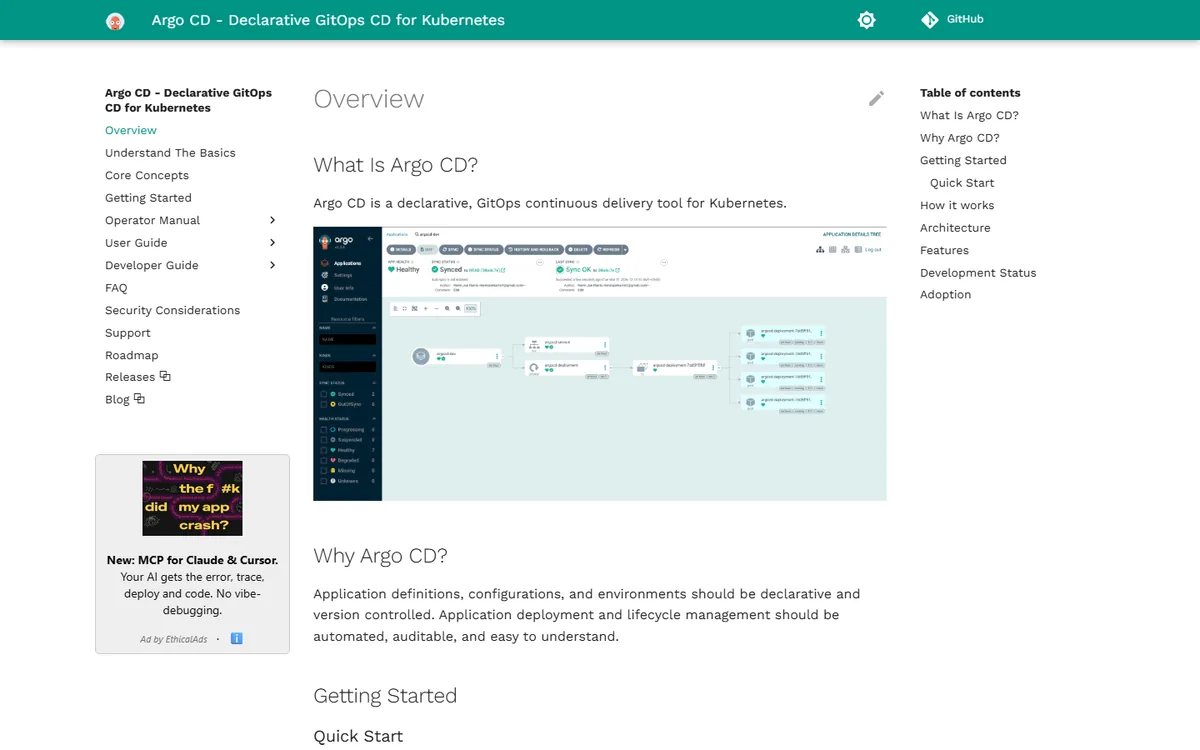
Argo CD is a declarative GitOps tool that keeps Kubernetes applications in sync with the desired state stored in Git.
Argo CD runs as a controller in your cluster and compares what is running with what Git says should run. When the two differ it flags the application as out of sync and can correct it automatically or on approval. It supports Helm, Kustomize and plain YAML.
I like it because the deploy history is your Git history, and a rollback is a revert. It only helps if you are on Kubernetes, and you still need a CI tool to build and test the images. Teams new to GitOps should start with one application and grow from there.
Argo CD Strengths
- Git becomes the single source of truth for deployments
- Clear view of drift between Git and the cluster
- Supports Helm, Kustomize and plain manifests
Argo CD Weaknesses
- Only useful on Kubernetes
- Multi-cluster and multi-tenant setups take design effort
Argo CD Pricing
Argo CD is an open source project, so there is no license fee. You pay for the cluster resources it runs on and for the time to operate it.
Argo CD Reviews
I could not read a current G2 or Capterra rating for Argo CD when I checked, so none is shown here. You can read the latest user reviews on G2.
Terraform
The Standard Way to Describe Cloud Infrastructure in Code Across Providers
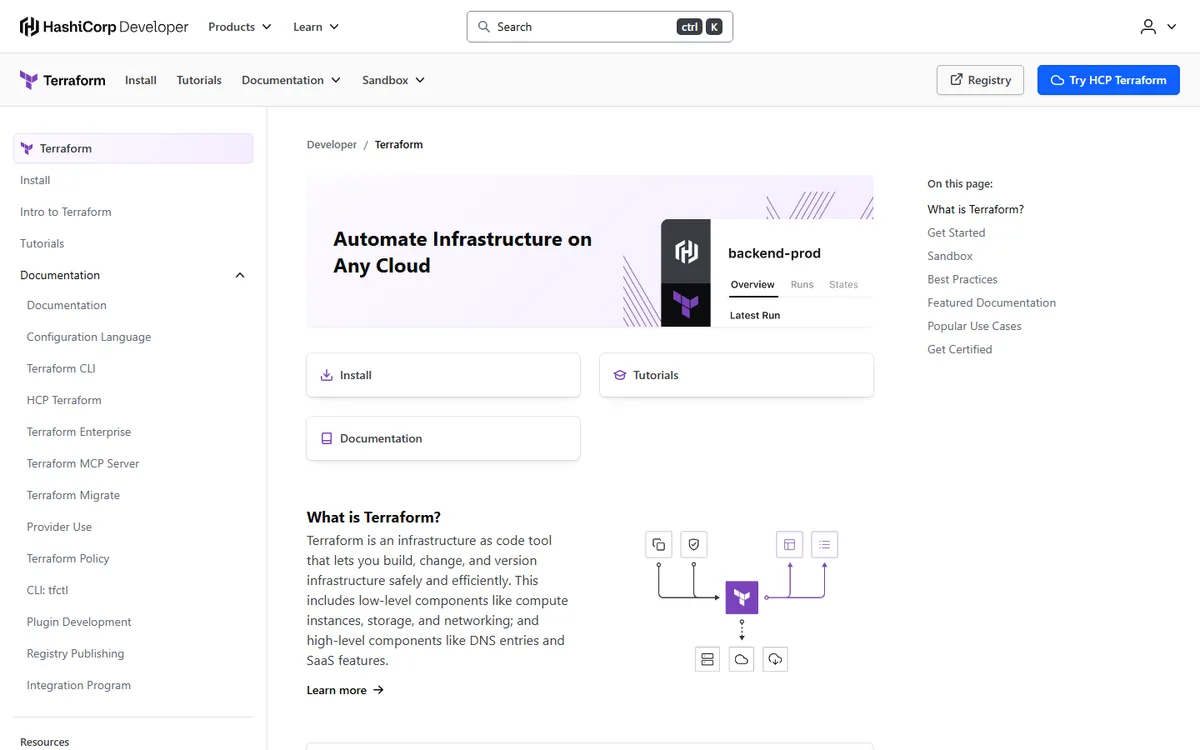
Terraform lets you describe cloud resources in configuration files and apply them in a repeatable way across AWS, Azure, Google Cloud and many other providers.
Terraform is the tool I meet most often for infrastructure as code. You describe networks, databases and permissions in files, review the plan and apply it, and the same code can rebuild an environment on demand. A large provider ecosystem covers almost every cloud service.
Be aware that licensing changed in recent years, and an open source fork called OpenTofu now exists, so check which one fits your policy. State management needs care: shared remote state with locking is a must, or two engineers will overwrite each other's changes.
Terraform Strengths
- Provider-neutral and widely supported
- Plan step shows what will change before you apply
- Large community with ready modules
Terraform Weaknesses
- State files need careful handling and locking
- Licensing and the OpenTofu fork add a decision to make
Terraform Pricing
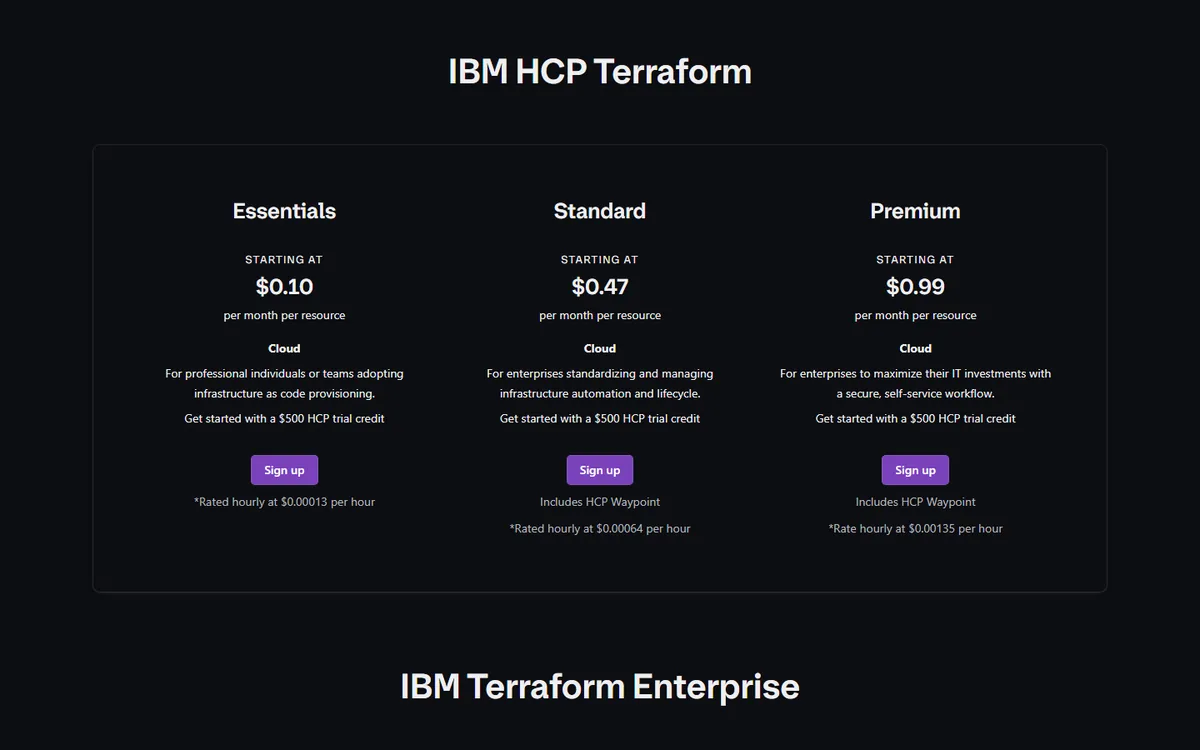
HashiCorp's pricing page lists pay-as-you-go, Flex and enterprise self-managed options, with a $500 credit to get started. It does not name individual tiers on that page, so check the current table before you budget.
Terraform Reviews
I could not read a current G2 or Capterra rating for Terraform when I checked, so none is shown here. You can read the latest user reviews on G2.
Pulumi
Infrastructure as Code in the Languages Your Developers Already Write
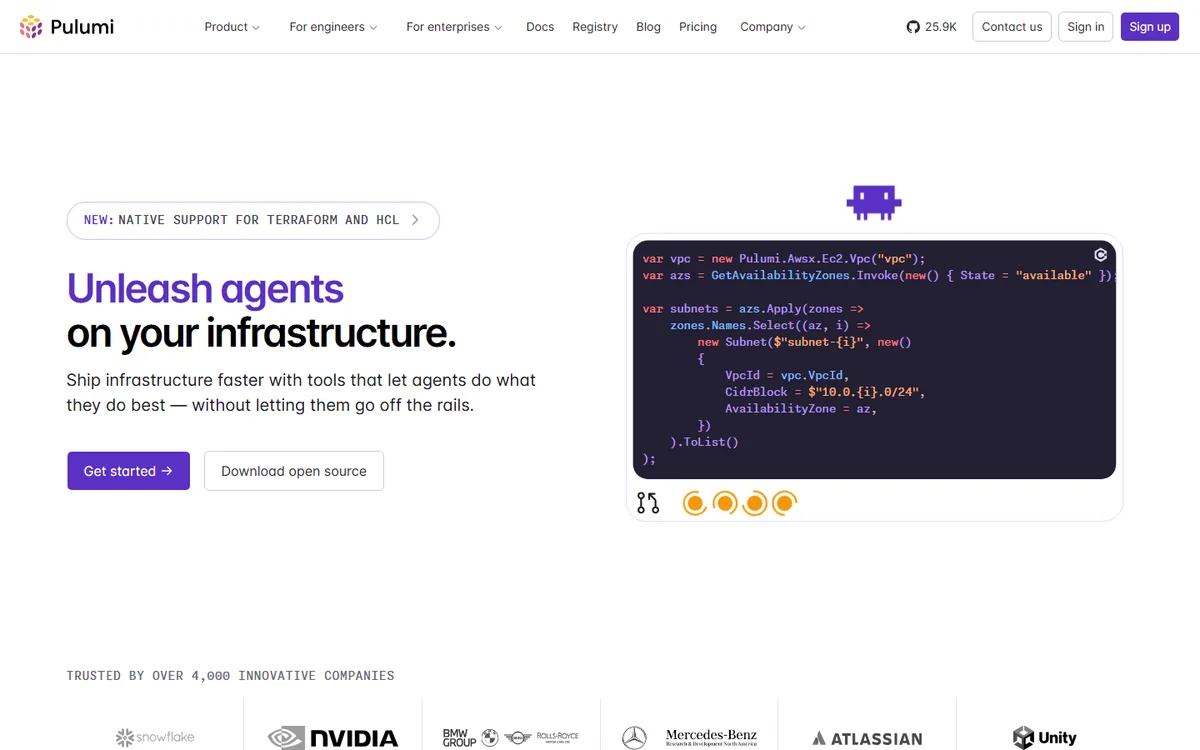
Pulumi defines cloud infrastructure with TypeScript, Python, Go and other general-purpose languages instead of a custom configuration language.
Pulumi appeals to teams where developers own infrastructure. Loops, functions and tests work the way they do in application code, so complex setups are easier to express and reuse. It supports the major clouds and Kubernetes.
The flexibility has a price. Code can become too clever, and reviewers need to read real programs instead of declarative files. I recommend a small set of shared components and strict reviews so the setup stays readable.
Pulumi Strengths
- Use familiar languages, tests and package managers
- Good for reusable components and complex logic
- Supports the major cloud providers
Pulumi Weaknesses
- Smaller community than Terraform
- Flexible code needs discipline to stay readable
Pulumi Pricing
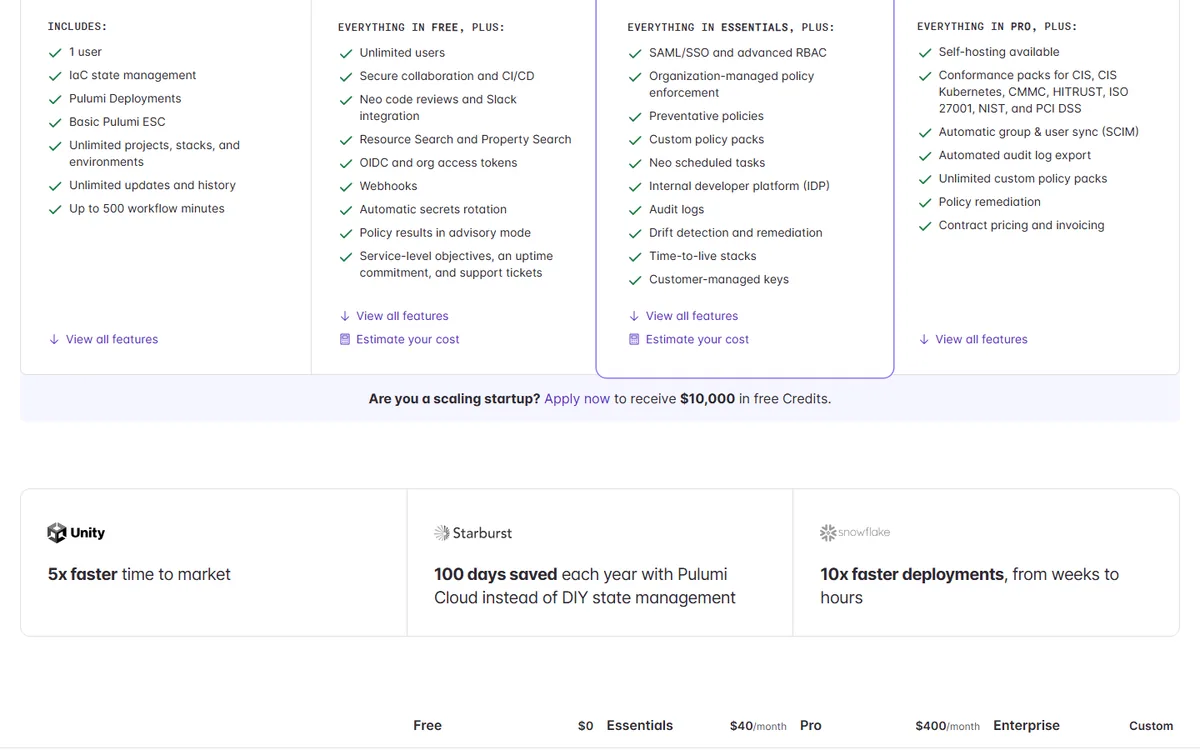
Pulumi's pricing page lists Free at $0 for one user, Essentials at $40 per month with up to 500 managed resources, Pro at $400 per month with up to 2,000 managed resources and Enterprise on custom pricing.
Pulumi Reviews
I could not read a current G2 or Capterra rating for Pulumi when I checked, so none is shown here. You can read the latest user reviews on G2.
Ansible
Agentless Configuration Management Written in Readable YAML
Ansible automates server configuration, software installs and repeatable operations using simple YAML playbooks over SSH, without agents.
Ansible is my go-to for configuring servers and for operational tasks such as patching and rolling restarts. Playbooks are readable by people who are not programmers, and because there is no agent to install, getting started is quick.
It is not a replacement for infrastructure as code tools. I usually pair it with Terraform or Pulumi: those create the resources, and Ansible configures what runs inside them. Large playbook libraries need testing and structure, or they turn into hard-to-read scripts. Teams exploring automation more broadly can read my notes on cloud DevOps automation.
Ansible Strengths
- Agentless and easy to start with
- Playbooks are readable by operations and developers alike
- Large library of ready modules and roles
Ansible Weaknesses
- Slower than agent-based tools at large scale
- Not designed to manage cloud resource lifecycles like Terraform
Ansible Pricing
The Ansible project is open source. Red Hat sells a supported product called Ansible Automation Platform, and I could not read a public price for it, so ask Red Hat for a quote if you need support.
Ansible Reviews
I could not read a current G2 or Capterra rating for Ansible when I checked, so none is shown here. You can read the latest user reviews on G2.
Docker
The Tool That Made Containers a Daily Habit for Developers
Docker packages an application and its dependencies into a container image that runs the same way on a laptop, in CI and in the cloud.
Docker is where most container journeys start. Docker Desktop gives developers a local environment, and images move through registries into pipelines and clusters. Containers remove the classic problem of software that works on one machine only.
Look closely at image hygiene. Large, outdated base images carry vulnerabilities, so use small base images, pin versions and scan on every build. Teams on paid Docker plans also get management and security features that help with larger organizations.
Docker Strengths
- Same environment from laptop to production
- Huge library of base images and tooling
- Desktop app is easy for new developers
Docker Weaknesses
- Image security needs active management
- Licensing for Docker Desktop applies to larger companies
Docker Pricing
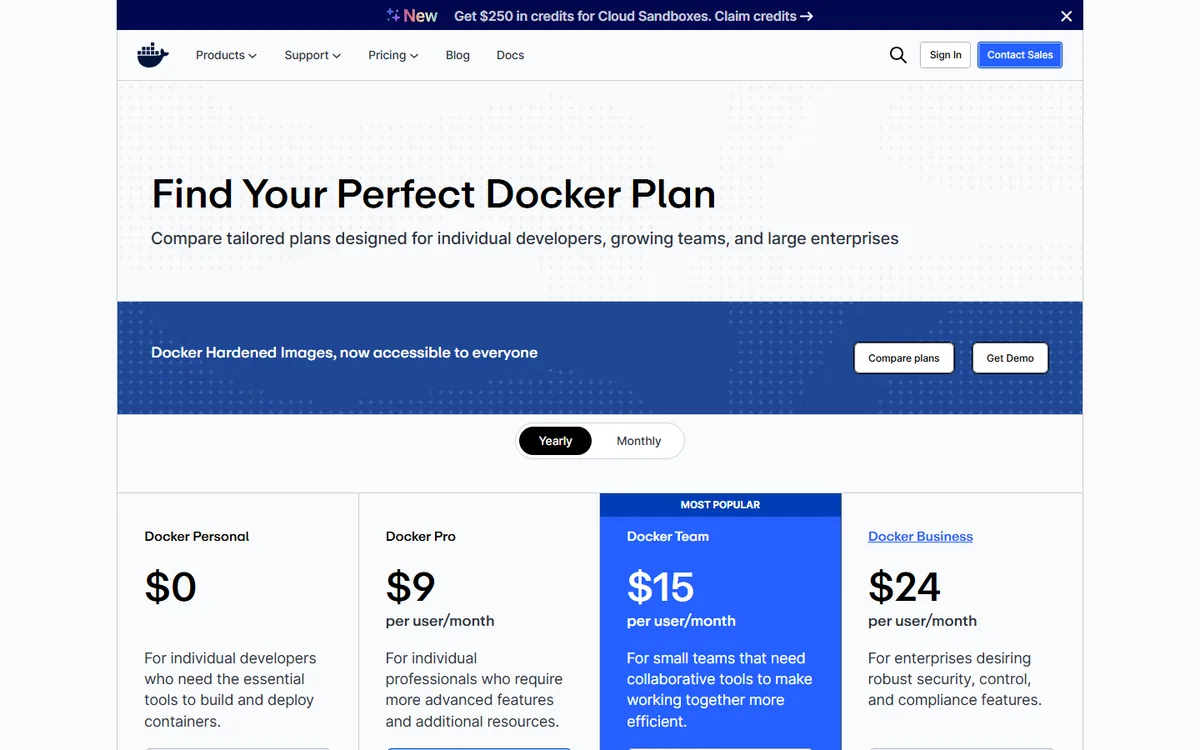
Docker's pricing page lists Personal at $0, Pro at $11 per user per month ($9 billed annually), Team at $16 ($15 annually) and Business at $24 per user per month.
Docker Reviews
I could not read a current G2 or Capterra rating for Docker when I checked, so none is shown here. You can read the latest user reviews on G2.
Kubernetes
The Standard Platform for Running Containers at Scale, If You Need It
Kubernetes schedules, scales and heals containers across a cluster and is available as a managed service from every major cloud.
Kubernetes decides where your containers run, restarts them when they fail and scales them with load. Managed offerings such as Amazon EKS, Azure AKS and Google GKE take the control plane off your hands, which is how most teams should consume it.
I say this to many clients: do not adopt Kubernetes by default. It shines with many services and a team to run it. For a handful of applications, a managed container service or a platform-as-a-service is simpler, cheaper and easier to hire for.
Kubernetes Strengths
- Strong scaling, self-healing and rollout features
- Huge ecosystem and a portable skill set
- Managed versions remove the hardest operations work
Kubernetes Weaknesses
- High learning curve and operational overhead
- Easy to over-engineer for small workloads
Kubernetes Pricing
Kubernetes itself is open source and has no license fee. Managed services from the major clouds charge for the cluster and the compute behind it, so check the provider's current price list.
Kubernetes Reviews
I could not read a current G2 or Capterra rating for Kubernetes when I checked, so none is shown here. You can read the latest user reviews on G2.
Datadog
A Single Pane for Metrics, Logs, Traces and Security Signals
Datadog is a hosted observability platform covering infrastructure metrics, application traces, logs and cloud security.
Datadog is what I see on many production teams because it connects the dots. You move from a spike on a dashboard to the trace and the log lines behind it without switching tools. Over 1,000 integrations get you running quickly on AWS, Azure and Google Cloud.
Bills grow with hosts, custom metrics and log volume, so set budgets and review usage monthly. Without that, observability spend can climb faster than the infrastructure it watches.
Datadog Strengths
- Metrics, logs and traces correlate in one place
- Large integration library
- Good dashboards and alerting out of the box
Datadog Weaknesses
- Costs grow quickly with scale and custom metrics
- Pricing across products is complex
Datadog Pricing
Datadog's pricing page lists Infrastructure Pro at $15 per host per month billed annually ($18 on demand) and Enterprise at $23 ($27 on demand). A free tier covers up to five Basic hosts with one day of metric retention.
Datadog Reviews
I could not read a current G2 or Capterra rating for Datadog when I checked, so none is shown here. You can read the latest user reviews on G2.
Grafana
Open Dashboards That Connect to Almost Any Data Source
Grafana turns metrics, logs and traces from many sources into dashboards and alerts, as open source software or as Grafana Cloud.
Grafana is the dashboard layer many teams settle on, usually in front of Prometheus, Loki and Tempo. It reads from dozens of data sources, so you can show cloud metrics, database stats and business numbers on one screen.
Grafana Cloud removes the work of running the stack yourself, and the free tier is enough to try it on a real workload. Self-hosting is cheaper in license terms but costs engineering time.
Grafana Strengths
- Works with many data sources
- Open source core and a managed cloud option
- Flexible dashboards and alert rules
Grafana Weaknesses
- Self-hosting the full stack takes effort
- Dashboards can sprawl without ownership rules
Grafana Pricing
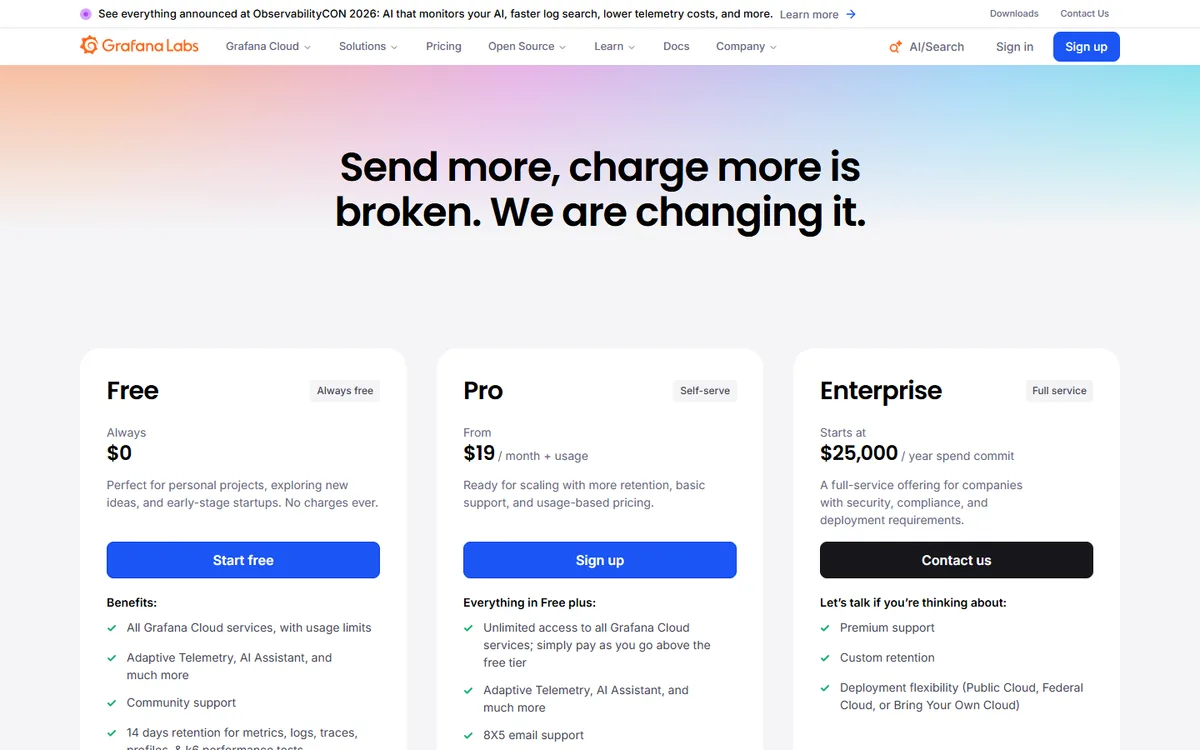
Grafana's pricing page lists a Free tier with 10,000 active metrics series and 50 GB of logs, traces or profiles per month, Pro from a $19 per month platform fee plus usage and Enterprise with a $25,000 per year minimum commit.
Grafana Reviews
I could not read a current G2 or Capterra rating for Grafana when I checked, so none is shown here. You can read the latest user reviews on G2.
Prometheus
The Default Metrics Engine for Kubernetes and Cloud-Native Services
Prometheus is an open source system that collects time series metrics and runs alert rules, widely used with Kubernetes.
Prometheus pulls metrics from your services at regular intervals and stores them for querying and alerting. Its query language, PromQL, is powerful once you learn it, and exporters exist for most common software.
It does not do long-term storage or logs by itself, so teams add Grafana, Alertmanager and a long-term store as they grow. For a small estate that is fine. For a large one, a managed service saves a lot of operating time.
Prometheus Strengths
- Free and open source
- Standard choice for Kubernetes metrics
- Strong alerting rules and a large exporter library
Prometheus Weaknesses
- Single-node storage limits long-term retention
- PromQL has a learning curve
Prometheus Pricing
Prometheus is open source and free to use. Your costs are the servers, storage and the time to run and scale it.
Prometheus Reviews
I could not read a current G2 or Capterra rating for Prometheus when I checked, so none is shown here. You can read the latest user reviews on G2.
PagerDuty

Reliable On-Call Alerting and Incident Response When Production Breaks
PagerDuty routes alerts to the right on-call engineer, manages escalations and tracks incidents from alert to review.
A monitoring tool is only useful if someone responds. PagerDuty handles schedules, escalation rules and notification channels so the right person gets woken up and nobody gets woken for noise. Integrations connect it to Datadog, Grafana and most monitoring tools.
Tune your alerts before you buy more seats. Teams with hundreds of low-value alerts burn out their on-call engineers, and the tool cannot fix that. Review every page after each incident and delete the ones nobody acted on.
PagerDuty Strengths
- Strong scheduling and escalation features
- Integrates with nearly every monitoring tool
- Incident timelines support useful post-incident reviews
PagerDuty Weaknesses
- Add-ons increase the total cost
- Does not fix noisy alerting by itself
PagerDuty Pricing
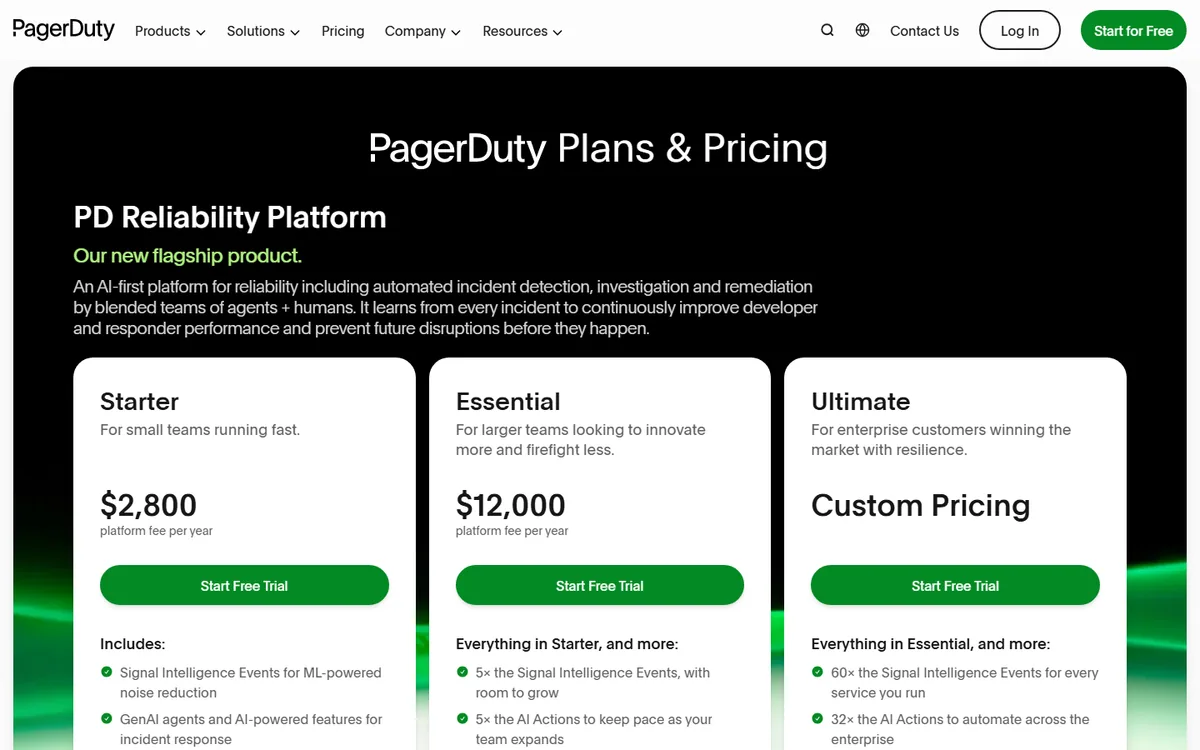
PagerDuty's pricing page lists Incident Management with a Free plan for up to 5 users and Professional at $25 per user per month billed monthly or $21 billed annually. Platform plans start at $2,800 per year.
PagerDuty Reviews
I could not read a current G2 or Capterra rating for PagerDuty when I checked, so none is shown here. You can read the latest user reviews on G2.
Snyk
Security Scanning for Code, Dependencies, Containers and Infrastructure Code
Snyk scans application code, open source dependencies, container images and infrastructure as code for vulnerabilities, inside your IDE and pipelines.
Snyk fits the security step of a CI/CD pipeline. It checks dependencies and container images on every build, and it suggests fixes such as the version to upgrade to. Developers see results in the tools they already use.
Start by blocking only critical findings, or developers will learn to ignore the output. Tighten the rules as the backlog shrinks. I treat scanning as a pipeline stage, not a separate project.
Snyk Strengths
- Developer-friendly scanning inside IDE and pipeline
- Covers code, dependencies, containers and infrastructure code
- Fix suggestions speed up remediation
Snyk Weaknesses
- Noise if every finding blocks the build
- Advanced features need higher tiers
Snyk Pricing
Snyk's pricing page lists a Free plan with 5 projects, Team from $25 per month for up to 10 developers and Enterprise on credit-based pricing through sales.
Snyk Reviews
I could not read a current G2 or Capterra rating for Snyk when I checked, so none is shown here. You can read the latest user reviews on G2.
How to Choose the Right DevOps Tools
Fit with your team decides more than features. Before you compare vendors, answer four questions:
- Where does your code live, and which CI tool fits next to it?
- Which cloud and which runtime do you deploy to, such as virtual machines, containers or serverless?
- Who will run and patch each tool, and do you have time for self-hosted ones?
- How much spend growth can you accept for monitoring and scanning as usage rises?
If your code is on GitHub, start with GitHub Actions, Terraform and Docker, then add monitoring. If you run Kubernetes, add Argo CD and Prometheus with Grafana. If you want fewer vendors, look at GitLab. Keep the toolchain small: three or four well-run tools beat ten half-configured ones. Rolling tools out in a sensible order is covered in the guide to DevOps implementation, and the common problems that follow are in my article on DevOps challenges.
Questions About Choosing DevOps Tools
What Is the Best DevOps Tool for a Small Team?
For a small team with code on GitHub, GitHub Actions, Terraform and Docker cover most needs at a low cost. Add Grafana Cloud or Datadog for monitoring when you have production traffic. Keep the toolchain small, because every extra tool needs someone to run it.
Do I Need Kubernetes for DevOps?
No. DevOps is about fast, safe delivery, and you can do it on virtual machines, serverless functions or a managed container service. Kubernetes pays off when you run many services and have people to operate it.
Should I Choose Terraform or Pulumi?
Choose Terraform if you want the widest community and ready modules. Choose Pulumi if your developers prefer real programming languages and want to test infrastructure code like application code. Both work well, so team skills should decide.
Are Open Source DevOps Tools Really Free?
The license is free, but running them is not. You pay for servers, storage, upgrades, security patches and the engineers who do the work. Compare that cost with the managed version before you decide.
How Many DevOps Tools Is Too Many?
If nobody on the team can explain what each tool does and who owns it, you have too many. A solid baseline is one tool each for source control and CI/CD, infrastructure as code, containers, monitoring and alerting, and security scanning.
Can I Mix Tools from Different Vendors?
Yes, and most teams do. Open standards such as containers, Git and OpenTelemetry make the combination work. The risk is integration effort, so choose tools that already connect to each other.
Do the Prices in This Ranking Change?
Yes. They were read from each vendor's pricing page when I last updated the article. Confirm current prices and limits before you buy, and run a short trial with your own workload to see real usage.
Disclaimer: Prices and plans change often. They were read from each vendor's pricing page when this article was last updated, so confirm them on the vendor's site before you buy. Nothing in this article is legal or financial advice.
Did this article help you?
Thanks, noted.
Garrett Linville
Garrett leads the Cloud Hull editorial team and works with the consultants to turn real client projects into practical guides on cloud migration, DevOps, security and cost control. Each article is edited together with the consultant who did the work, and every price and limit is checked against current provider documentation. He is based in the USA and works remotely.