Main Points
- Manual releases, flaky tests and alert noise cause most of the pain I see.
- Many challenges trace back to a missing owner, not a missing tool.
- Fix the problems that slow delivery first, and measure lead time to prove it.
- Each fix below starts with a step you can take this week.
Almost every team I meet believes its DevOps problems are unusual. They rarely are. The same twelve show up across fintech platforms, online shops and logistics companies, and most have a known fix. The first thing a cloud DevOps consulting engagement does is name which of them are yours.
Below, each challenge gets two short paragraphs on what it looks like and why it hurts, then the steps I use to fix it. Work through the ones that sound familiar.
Where the 12 Challenges Show Up
Some challenges slow delivery, some raise risk and some quietly raise cost. This table sorts them, so you can see where your own team might hurt most. If you want a number for each area before you start, my DevOps assessment framework scores them.
| Challenge | Area |
|---|---|
| 1. Slow, Manual Releases | Delivery |
| 2. Flaky Tests Nobody Trusts | Quality |
| 3. Handoffs Between Dev and Ops | Process |
| 4. Configuration Drift and Hand-Built Environments | Infrastructure |
| 5. Pipelines That Take Too Long | Delivery |
| 6. Alert Fatigue and Noisy Monitoring | Operations |
| 7. Security Bolted On at the End | Security |
| 8. Unclear Ownership and Missing Runbooks | Process |
| 9. Skills Concentrated in Two People | People |
| 10. Cloud Costs Growing Unnoticed | Cost |
| 11. Tool Sprawl Without a Standard Path | Process |
| 12. Culture That Punishes Failure | Culture |
12 DevOps Challenges and How to Fix Them
Start with the first three if you ship rarely. If you ship often but sleep badly, jump to challenges 6 and 7.
Slow, Manual Releases
A release that needs a checklist, a Thursday window and two named people is the most common problem I see. The code is ready on Monday and customers get it two weeks later. Each manual step also adds a chance of error, so teams release less often, which makes every release bigger and riskier. If you want a plan to get there, read my DevOps implementation guide.
The fix is not a faster checklist. It is a pipeline that builds, tests and deploys the same way every time, with a human approval only where a rule demands one. Once releases are boring, teams ship smaller changes and rollbacks become simple.
How to Fix Release Speed
- List every manual step in your last release with its owner and wait time.
- Script the steps that never change, starting with the deploy itself.
- Add an automatic smoke test after each deploy.
- Build a one-click rollback and test it on staging.
- Move approvals from meetings to the pipeline, as a merge rule.
Where to Start
Your CI platform's built-in deployment features cover most teams. Add a deployment tool with progressive rollout only after the basic pipeline is stable.
Flaky Tests Nobody Trusts
When a test fails at random, people learn to re-run the build and ignore red. I have seen suites with a dozen known flaky tests that everyone skips on deadline days. At that point a green build proves nothing, and the real failures hide among the noise.
Treat a flaky test as a defect with an owner. Quarantine it so it stops blocking merges, then fix or delete it within a fixed time. A smaller suite that always tells the truth beats a larger one that sometimes lies.
How to Bring Tests Back Under Control
- Record which tests fail and pass on the same commit over two weeks.
- Move every flaky test into a quarantine job that cannot block a merge.
- Assign each one to a person with a deadline.
- Delete tests that nobody will fix.
- Track the flaky rate as a number you review monthly.
Useful Tooling
Most CI systems report test history and retries. A test analytics add-on helps when you have thousands of tests across many repositories.
Handoffs Between Dev and Ops
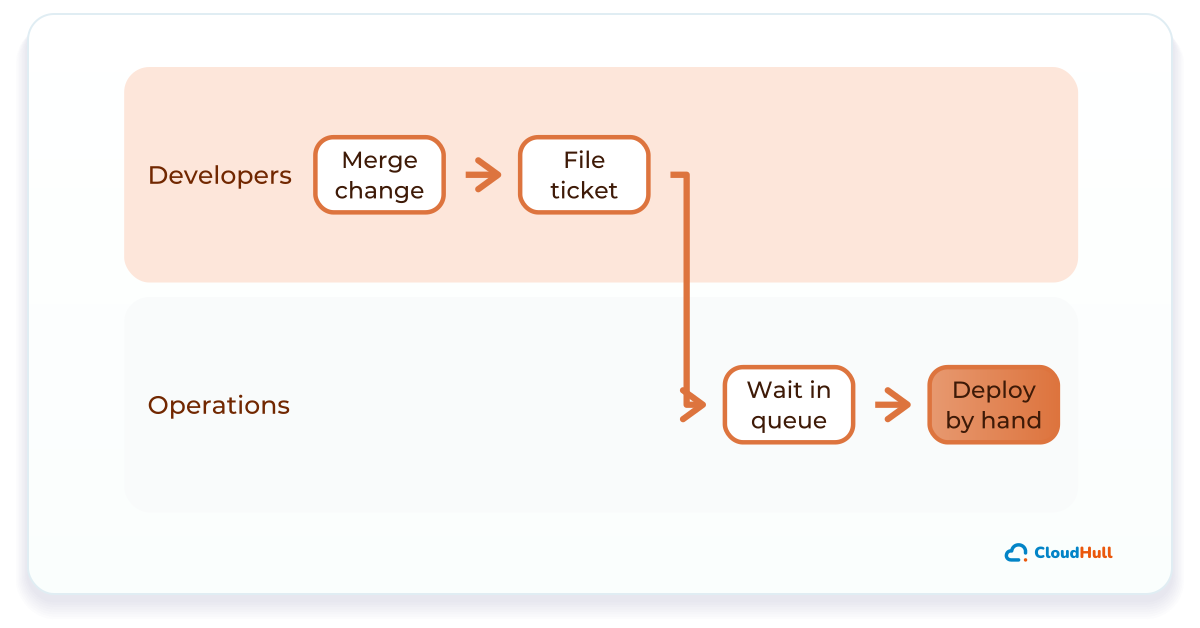
If developers write code and a separate team deploys it, every release becomes a ticket. Developers wait, the operations team lacks context and an incident turns into a blame game about whose change broke what. The queue time between steps often exceeds the working time.
Give the team that builds a service the ability to deploy and run it, with a platform team supplying paved roads. Operations people stay valuable, since they build the shared tooling that makes this safe for everybody.
How to Remove the Handoff
- Measure how long a change waits between commit and production.
- Pick one service and let its team own deployment end to end.
- Provide a standard pipeline template as the default route.
- Put developers on the on-call rota for their own services.
- Review the first month of incidents together and adjust.
Supporting Tools
An internal developer portal or a set of pipeline templates works. Start with templates, since a portal adds maintenance you may not need yet.
Configuration Drift and Hand-Built Environments
Staging that differs from production hides bugs until the worst moment. Manual console changes create small differences that nobody records, and a rebuild after a failure turns into archaeology. Teams discover the drift when a release works in staging and breaks in production. Provisioning by code is a core part of cloud DevOps automation.
Describe infrastructure in code, store it in version control and apply it through the pipeline. Drift detection then tells you when somebody changed something by hand. The Terraform workflow of write, plan and apply is a good model for this: you preview a change before it happens.
How to Stop Drift
- Inventory every resource and record how it was created.
- Import the most important resources into code first.
- Block manual changes in production, with an emergency path that logs them.
- Run a scheduled drift check and send results to the team channel.
- Rebuild staging from code to prove the code is complete.
Infrastructure as Code Options
Terraform and OpenTofu work across providers, and each major cloud has its own native tool. Choose the one your team can already read, not the one with the longest feature list.
Pipelines That Take Too Long
A pipeline that runs for 50 minutes changes how people work. They batch commits, start something else and lose the thread when the result arrives. Long pipelines also stretch lead time directly, since every change waits for the full run.
Profile the pipeline before you add hardware. Most slow runs have two or three culprits, such as installing dependencies from scratch every time, running every test on every change or building the same image twice.
How to Cut Run Time
- Chart the duration of each stage over the last month.
- Cache dependencies and build layers between runs.
- Run independent jobs in parallel.
- Run fast tests on every commit and slow ones on merge or on a schedule.
- Set a target, for example 10 minutes, and alert when it is missed.
What Helps
Build caching and larger runners are built into most CI platforms. Check your plan's concurrency limits before you add parallel jobs.
Alert Fatigue and Noisy Monitoring
I audited a team that received around 60 alerts a week, and about five needed action. People muted the channel, and a real outage sat unseen for forty minutes. Noise trains your team to ignore the pager.
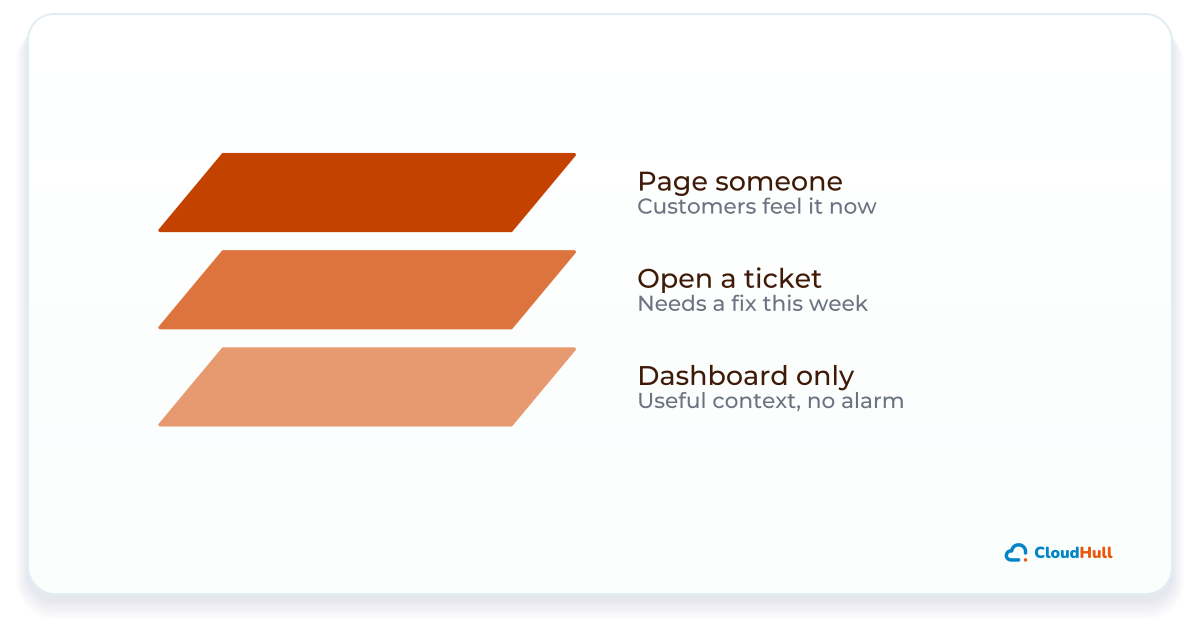
Alert on what customers feel, such as error rates, latency and failed payments. Everything else becomes a dashboard or a ticket. Every alert needs an owner and a runbook link, or it should be deleted.
How to Quiet the Pager
- Export a month of alerts and mark which ones led to action.
- Delete or downgrade every alert nobody acted on.
- Rewrite the rest around customer-facing symptoms.
- Attach a runbook link to each alert.
- Review the alert list at the end of every incident.
Monitoring Options
Your cloud provider's monitoring covers the basics. A dedicated observability platform pays off once you run many services and need traces across them.
Security Bolted On at the End
When a security review happens one week before launch, findings turn into delays and arguments. Fixes at that stage cost far more than the same fix made during development. Teams respond by treating the review as an obstacle.
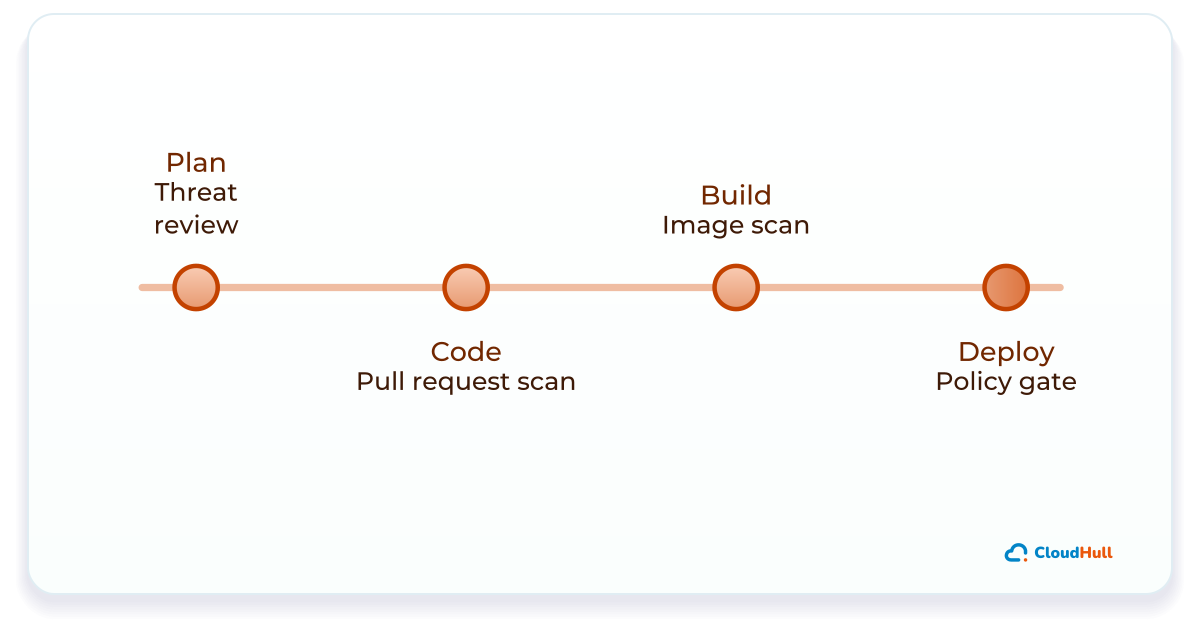
Move checks into the pipeline so developers see issues in the pull request. Start with dependency scanning, secret detection and container image checks, and add rules gradually so you do not bury people in findings.
How to Add Checks Early
- Turn on secret scanning in every repository.
- Add dependency and container scanning to the pipeline.
- Fail the build only on high-severity findings at first.
- Give each finding an owner and a due date.
- Review the rules quarterly and tighten them in small steps.
Security Tooling
Your Git host likely includes secret and dependency scanning. Add a dedicated scanner when you need policy rules or reports for an auditor.
Unclear Ownership and Missing Runbooks
At 2 a.m., somebody asks who owns the billing service, and nobody knows. Systems outlive the people who built them, and the knowledge sits in one head or an old chat thread. The cost shows up as long incidents and nervous on-call engineers.
Keep a simple service catalog with an owner, a repository, a runbook and a dashboard link per service. It takes a day to start and pays back in the first incident.
How to Make Ownership Visible
- List every production service in one table.
- Assign a team, not a person, to each one.
- Write a one-page runbook with the three most common failures.
- Link runbooks from the alerts.
- Review the catalog whenever a team changes.
Where to Keep It
A wiki page or a file in a repository is enough to start. Move to a portal only when the list grows past what people can scan.
Skills Concentrated in Two People
Every team has a person who understands the pipeline, and they are always the busiest. When they go on vacation, releases stop. This bottleneck is rarely visible on a plan until it breaks something.
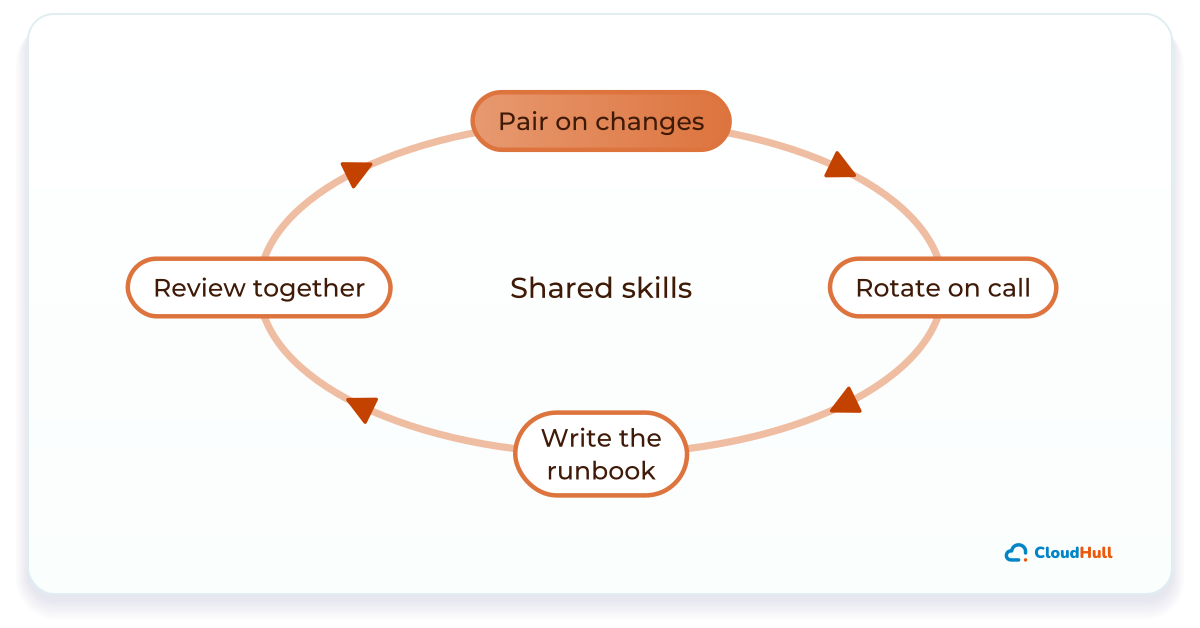
Spread the knowledge on purpose. Pair people on pipeline changes, rotate who handles releases and write down the odd steps. Training helps, but real tasks teach faster than courses do.
How to Share the Knowledge
- Ask who could fix the pipeline if the main expert were away.
- Pair a second person on the next three pipeline changes.
- Rotate the release owner every sprint.
- Record short walkthroughs of the awkward parts.
- Set a rule that no change merges that only one person understands.
Learning Resources
Provider certification paths give shared vocabulary. Internal pairing and review do more for your specific pipeline.
Cloud Costs Growing Unnoticed
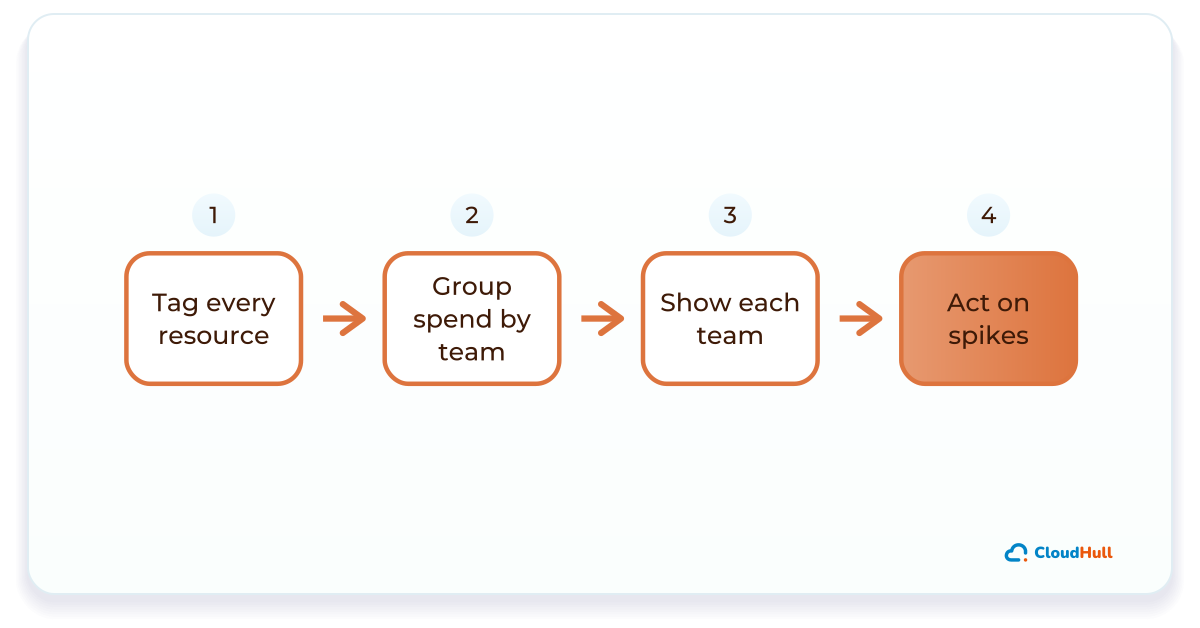
Fast delivery makes it easy to leave things running. Test environments stay up over weekends, instances are bigger than needed and storage piles up. Nobody sees the bill by team, so nobody feels responsible for it.
Tag every resource with an owner and an environment, and show each team its own spend. Add schedules that shut down non-production environments overnight. More habits like these are listed in my DevOps best practices.
How to Bring Spend into View
- Enforce tags for owner, product and environment in your infrastructure code.
- Send each team a weekly cost summary.
- Schedule non-production shutdowns.
- Review the top ten resources by cost each month.
- Set budget alerts per team.
Cost Tools
Native billing dashboards work for tagging and budgets. Add a third-party cost platform when you run several accounts or providers.
Tool Sprawl Without a Standard Path
Each team picks its own CI platform, deploy script and monitoring stack. Individually the choices make sense, together they create a maintenance burden and make it hard to move people between teams. New hires spend weeks learning local habits.
Offer a standard path that is easier than the alternatives, and let teams deviate with a reason. Standardize the interfaces first, such as how a service is built, deployed and monitored. My comparison of DevOps tools helps you pick the default.
How to Settle on a Standard
- List the tools in use and who maintains each.
- Choose a default for build, deploy and monitoring.
- Publish a template that uses the defaults.
- Migrate one team and fix what breaks.
- Retire duplicate tools on a dated schedule.
Choosing Defaults
Pick by team skills, integration with your Git host and pricing at your scale. A ranked comparison saves weeks of trial runs.
Culture That Punishes Failure
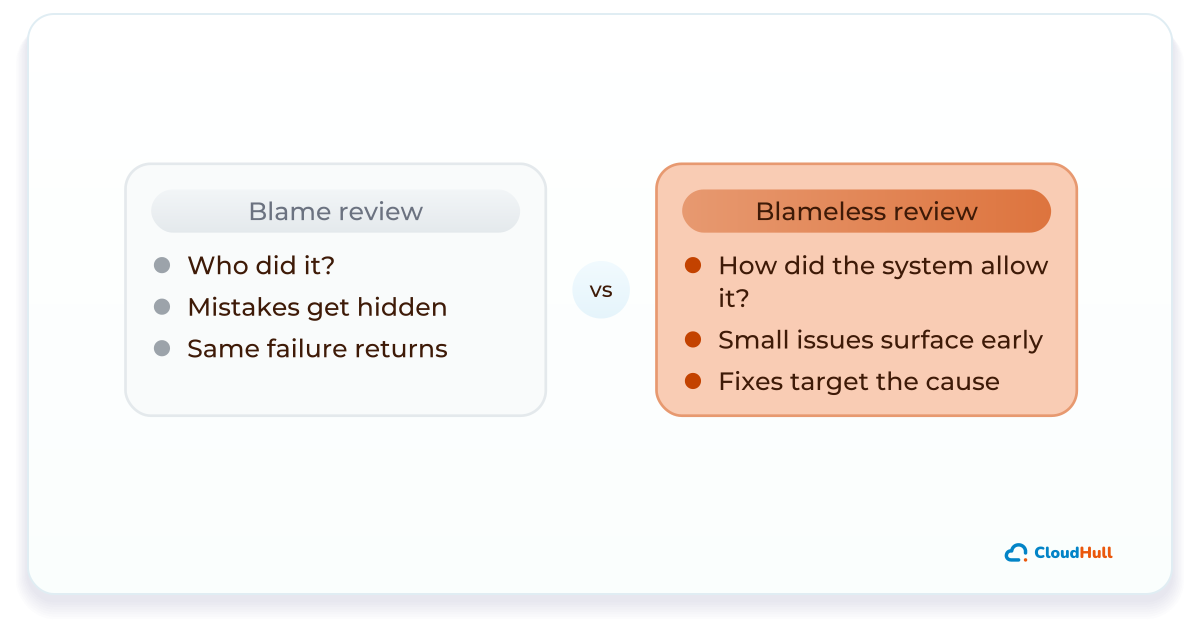
If an outage ends with a search for who to blame, people stop reporting small problems. Near misses stay hidden until they become incidents. The same failure repeats because nobody examines how it happened.
Run blameless reviews that ask how the system allowed the mistake, not who made it. Write down what you learned and track the follow-up actions to completion.
How to Learn from Incidents
- Hold a review within a week of every significant incident.
- Describe the timeline and contributing factors in neutral terms.
- List follow-up actions with an owner and a date.
- Share the write-up beyond the team.
- Check in a month later on whether the actions were done.
Templates to Use
A simple document template with timeline, impact, causes and actions is enough. Keep reviews short so they actually happen.
How to Choose Which Challenge to Fix First
You cannot fix twelve things at once. I rank them with two questions: does this make work wait, and does it risk an outage or a breach? Anything that scores yes on either goes to the top. Cost and culture items come next, since they respond well to steady effort over several months.
- Pick no more than two challenges per quarter.
- Attach one measurable goal to each, such as lead time under a week.
- Name an owner and review progress monthly.
- Write down what you removed, so the gains do not slip back.
Questions About DevOps Challenges
What Is the Biggest DevOps Challenge for Most Teams?
In my client work it is usually slow, manual releases. They hide inside almost every other problem, from long lead times to risky deployments. Automating the release path removes the most pain for the least effort.
How Do I Know Which Challenge to Tackle First?
Measure first. Lead time, deployment frequency, change fail rate and recovery time show where delivery is slow or fragile. A short DevOps assessment ranks the causes and gives you a starting point.
Is DevOps Still Worth It for a Small Team?
Yes, and small teams benefit quickly. A simple pipeline, infrastructure in code and a few good alerts cost little and spare you the manual work that eats a three-person team's week.
Do We Need a Dedicated Platform Team?
Not at the start. Once you have five or more product teams repeating the same setup work, a small platform team that provides pipeline templates and shared tooling usually pays for itself.
How Long Does It Take to Fix These Problems?
Individual fixes such as quieting alerts or caching builds take days to weeks. Culture and ownership changes take months. Plan the work in quarters, with one measurable goal each.
Which DevOps Tools Should I Buy First?
Buy nothing until you have used what your Git host and cloud provider already include. Most teams need a CI pipeline, infrastructure as code and basic monitoring before anything else.
How Can an Outside Consultant Help with These Challenges?
A consultant brings comparison, since they have seen the same problems in many organizations, and extra capacity for the first fixes. The goal should always be that your team can run the result alone.
Sources
Please note: this guide is general information and not legal, financial or tax advice. Numbers and examples are typical-project estimates; confirm current details with your providers and advisers.
Did this article help you?
Thanks, noted.
Garrett Linville
Garrett leads the Cloud Hull editorial team and works with the consultants to turn real client projects into practical guides on cloud migration, DevOps, security and cost control. Each article is edited together with the consultant who did the work, and every price and limit is checked against current provider documentation. He is based in the USA and works remotely.