Main Points
- Start with one pilot service and a written baseline of four delivery measures.
- Build in layers: pipeline first, then infrastructure as code, then deployment automation and monitoring.
- Protect the pilot team's time, because overloaded teams are the top reason projects drag on.
- Scale only after the pilot meets its goal, and turn the setup into reusable templates.
A DevOps implementation fails when it tries to change everything at once. The plan below starts with one service, builds the delivery path in layers and scales only after the pilot proves its value. If you want a partner to run it, the cloud DevOps consulting team I work with follows exactly this sequence.
Expect roughly three to four months for a first service with a team of four to eight engineers. Larger organizations repeat the pattern per team, with shared templates after the first success.
The Seven Phases and Their Timing
| Phase | Timing | Main output |
|---|---|---|
| 1. Set the Baseline and the Goal | Weeks 1 to 2 | Four baseline numbers, one written goal |
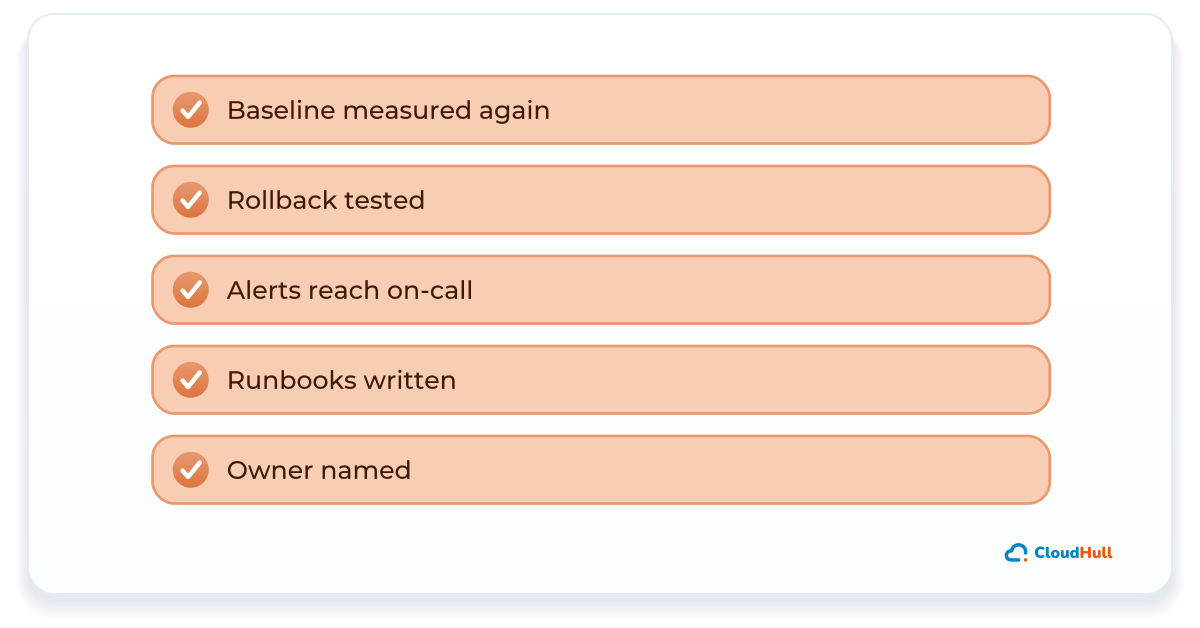
| 2. Choose a Pilot Service | Week 2 | One service, one team, a named owner |
| 3. Put Code and Pipeline in Order | Weeks 2 to 5 | Branch rules, automated build and tests, a green main branch |
| 4. Build Environments From Code | Weeks 4 to 8 | Infrastructure as code for dev, staging and production |
| 5. Automate Deployment and Rollback | Weeks 6 to 10 | Push-button deploys with tested rollback |
| 6. Add Monitoring and On-Call | Weeks 8 to 11 | Dashboards, user-focused alerts, runbooks |
| 7. Review, Go Live and Scale | Weeks 11 to 14 | Go-live decision, lessons learned, a rollout plan |
Phase 1: Set the Baseline and the Goal
Record where you stand before you change anything: deployment frequency, lead time for changes, change failure rate and time to restore. Pull rough numbers from your ticketing system and deployment history. Then write one goal, such as "deploy to production at least weekly with a failure rate under 15 percent within a quarter".
Pick numbers you can measure with data you already have. A perfect measurement that takes a month to build delays the project.
A team-wide agreement on the goal. If the head of engineering wants daily releases and the QA lead wants a monthly freeze, resolve it now.
Phase 2: Choose a Pilot Service
Choose one service that matters but will not take down the business if the pilot goes wrong. A mid-sized internal or customer-facing service with an engaged team works well. Avoid your most fragile legacy system and avoid the trivial one nobody cares about.
The pilot has to be visible enough that a win persuades other teams. I look for a service with frequent changes, because that is where automation pays back fastest.
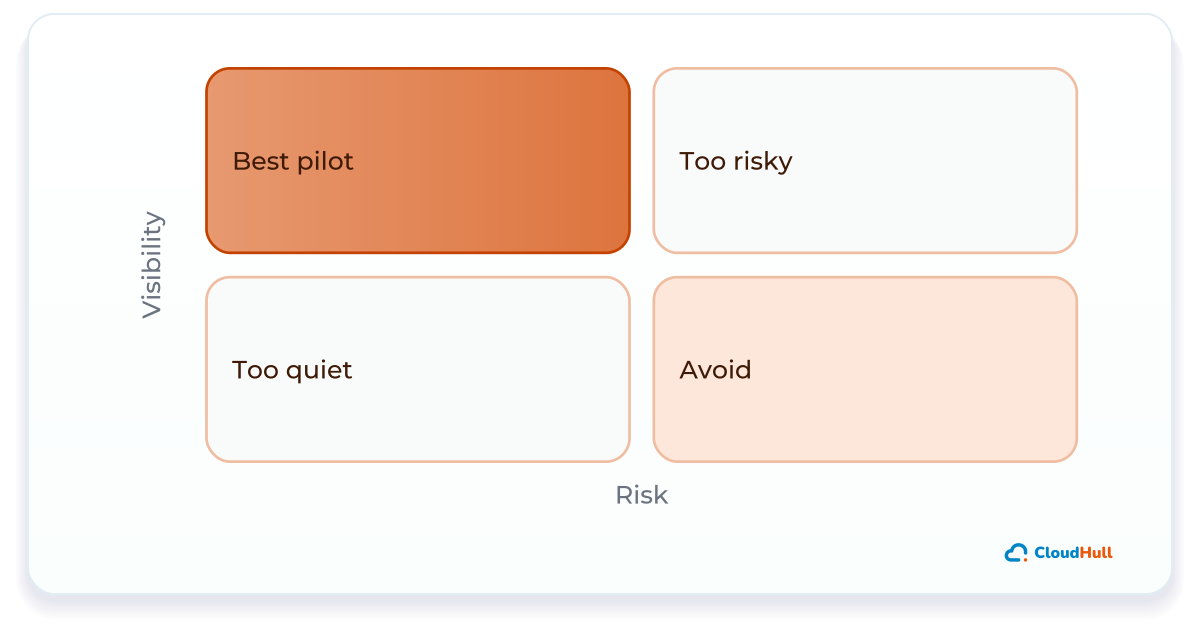
A named owner on the team who can make decisions, plus a sponsor who clears blockers. If you want a scored starting point, the DevOps assessment guide helps you pick.
Phase 3: Put Code and Pipeline in Order
Move the code into a Git host if it is not there, protect the main branch and add automated build and test steps. Fix flaky tests before anything else, because a pipeline that fails at random teaches people to ignore it.
Choose the CI/CD tool that sits next to your code. The DevOps tools ranking compares GitHub Actions, GitLab, CircleCI and Jenkins on cost and fit.
A pipeline that finishes in about ten minutes and a main branch that is green by default.
Phase 4: Build Environments From Code
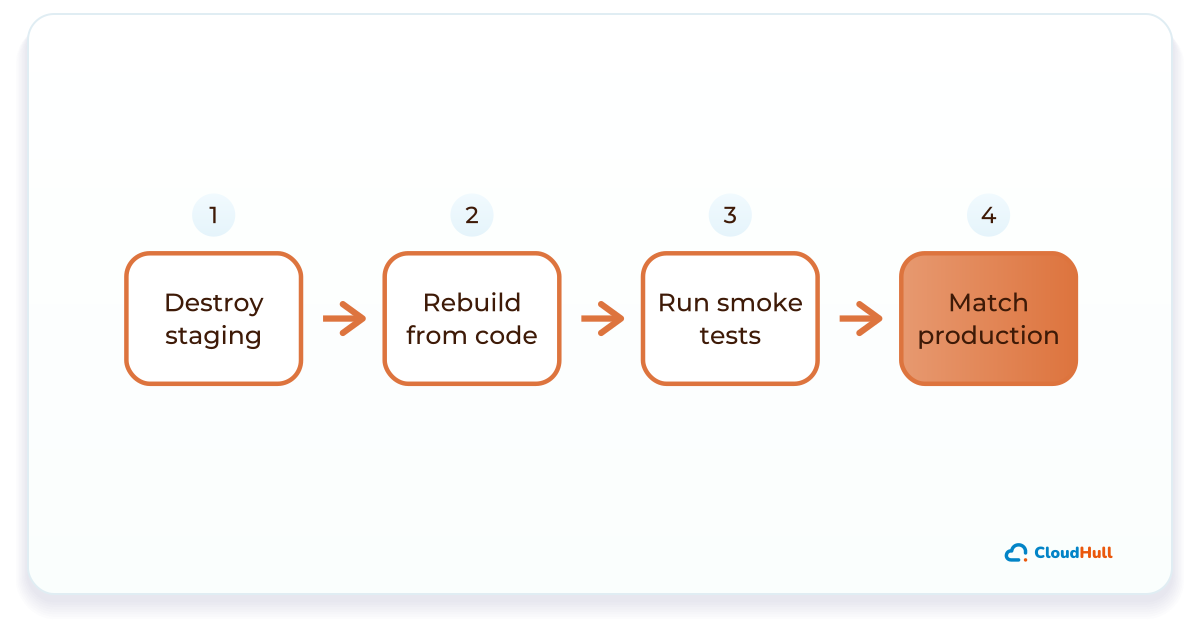
Describe the pilot's infrastructure in code: network, compute, database, permissions and secrets handling. Create staging from the same templates as production, with smaller sizes. Store state remotely with locking.
Import existing resources carefully. Mixing hand-built and coded infrastructure is the usual source of confusing drift.
Proof that you can destroy staging and rebuild it from code in under an hour.
Phase 5: Automate Deployment and Rollback
Extend the pipeline to deploy to staging automatically and to production with an approval step at first. Use a safe release method such as rolling updates, blue-green or canary releases. Test the rollback on purpose before you need it.
Add smoke tests after every deployment so a bad release is caught in minutes. Feature flags let you ship code without exposing it to users yet.
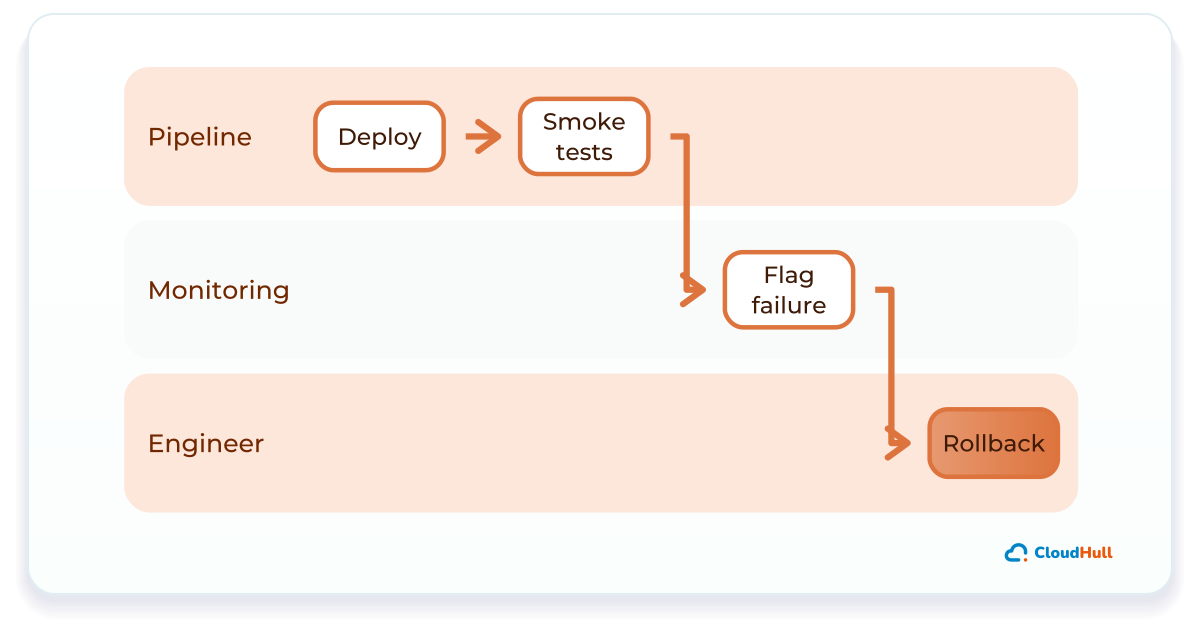
A rollback that one person can run in a few minutes, documented and rehearsed.
Many repeated steps in this phase become candidates for the next level of tooling, which I describe in cloud DevOps automation.
Phase 6: Add Monitoring and On-Call
Instrument the pilot with metrics, logs and traces. Alert on what users feel, such as error rate and latency, and write a short runbook for each page. Set up a simple on-call rota with clear escalation.
Start with a small number of alerts and add more only after an incident shows a gap. Every alert should have an action attached.
A real test: trigger a failure in staging and see whether the right person is alerted with the right context.
Phase 7: Review, Go Live and Scale
Compare the four numbers with the baseline and hold a review with the team. If the goal is met, turn the pilot setup into templates other teams can reuse, then plan the next two services. If it is not met, fix the largest remaining gap before you scale.
Document what you built in a short guide and a repository template. Hold a short training for the next team before they start.
A go or no-go decision recorded in writing, and a rollout plan for the next services. When the rollout meets resistance, the DevOps challenges article covers the typical causes.
What the Effort Looks Like in Practice
Effort depends on how much exists already. A team with tests and a Git host starts at phase 3 with a head start. A team with manual deployment and no tests spends most of its first month making the build trustworthy. Use the table as a rough guide for one service and adjust it after phase 1.
| Starting point | Typical extra effort | Where the time goes |
|---|---|---|
| Tests and Git already in place | Light | Pipeline setup, infrastructure code, monitoring |
| Git, but few tests | Medium | Writing and stabilizing tests before automating deploys |
| Manual builds and deploys, no tests | Heavy | Source control hygiene, test baseline, repeatable builds |
| Legacy system with no automation | Heavy and gradual | Wrapping scripts around deploys, adding monitoring first |
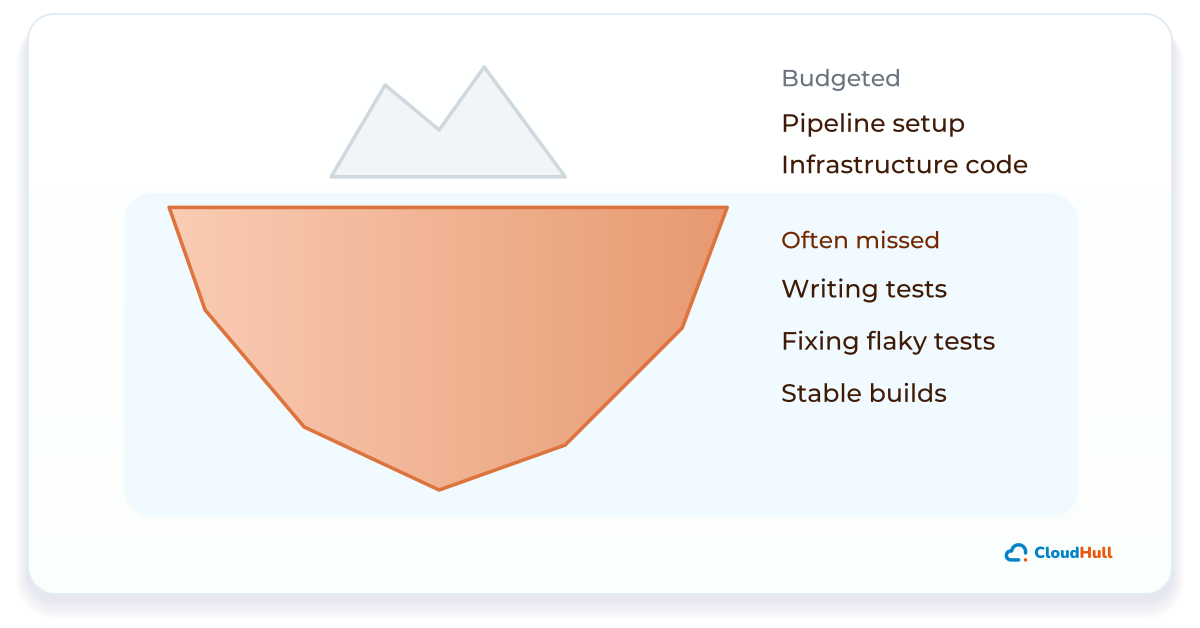
The hidden cost is almost always tests. Teams budget for the pipeline tool and forget that a pipeline is only as trustworthy as the tests behind it. If coverage is low, add tests for the code paths that change most often rather than trying to cover everything.
Pitfalls That Stall a Rollout
Four patterns show up in almost every implementation I review. The first is the endless tool evaluation: a team compares nine CI tools for three months and never ships a pipeline. Pick the tool that sits next to your code and move on. The second is the shared pipeline nobody owns, where one change breaks every team. Give it an owner and a change process. The third is the approval bottleneck, where a change advisory meeting once a week undoes the speed you just built. Replace it with automated checks and a lightweight peer review. The fourth is celebrating the tool launch instead of the outcome. Tell the business what got faster, not which product you installed.
Add a short retrospective at the end of each phase and write down two things to change. Small corrections early cost far less than a rework in month four. Keep the retrospective notes in the repository next to the pipeline code, so the next team starts with what you learned and does not repeat the same mistakes. A page of notes per phase is plenty, and it makes the final review much easier to run.
Who Does What During the Rollout
A small group carries the work. You need a sponsor who removes blockers, a technical lead who owns the pipeline design, one or two engineers on the pilot team, a security contact who reviews the baseline and an operations contact who owns monitoring. One person can hold two roles on a small team, but every role needs a name.
| Role | Responsibility | Time during pilot |
|---|---|---|
| Sponsor | Clears blockers, protects the team's time | 1 to 2 hours a week |
| Technical lead | Pipeline and infrastructure design, reviews | Half time |
| Pilot engineers | Build, test and document the setup | Most of their week |
| Security contact | Reviews the baseline and scanning rules | A few hours in total |
| Operations contact | Monitoring, alerts and on-call rota | A few hours a week in phase 6 |
Protect the pilot team's time. The most common reason a DevOps implementation drags on is that the people doing it also carry a full load of feature work. Agree upfront what the team stops doing, and tell the business.
Rules to Keep Following After Go-Live
Once the pilot is live, the habits matter more than the tools. Keep changes small, keep everything in Git and keep measuring. The seven rules in my guide to DevOps best practices are what I give teams to hold onto after the project ends.
Build, Buy or Bring in Help
You can run the implementation yourself if you have an engineer who has done it before and the time to do it. Bring in help when the team has never built a pipeline, when a deadline is tight or when you need an outside voice to push through organizational resistance. A good consultant works alongside your team, leaves documentation and training behind and makes themselves unnecessary by the end.
Whichever path you take, keep ownership of the repository, the pipeline definitions and the infrastructure code in your own accounts from day one.
Questions About DevOps Implementation
How Long Does a DevOps Implementation Take?
A first service typically takes three to four months from baseline to go-live with a small team. Rolling the practices out across several teams takes longer, often two to three quarters, but later teams move faster because templates and habits already exist.
What Should I Automate First?
Start with build and test on every commit. It gives the fastest feedback and builds the foundation for everything else. Infrastructure as code and automated deployment follow once the pipeline is stable.
Do I Need to Hire a DevOps Engineer?
Not necessarily. Many teams upskill existing developers and operations staff, perhaps with outside help for the first service. A dedicated platform role makes sense once several teams share the same tooling.
How Much Does a DevOps Implementation Cost?
Costs depend on team size, the number of services and how much outside help you use. The tool licenses are often small compared with engineering time. Ask for a fixed quote after an assessment so you know the figure before you start.
What If Our Legacy Systems Cannot Be Automated?
Start with the parts that can, such as source control, build and test, and wrap the rest with scripted deployments. Legacy systems often get most of their benefit from consistent environments and monitoring, even without a full pipeline.
How Do I Handle Resistance from the Team?
Show a small win on a pilot, involve skeptics in the design and give everyone time to learn. Resistance often has a real reason behind it, such as an earlier failed rollout, so listen first and fix what they point out.
How Do I Know the Implementation Worked?
Compare the four baseline numbers: deployment frequency, lead time, change failure rate and time to restore. If at least two improved and none got worse, the pilot worked. Add developer feedback to see whether the work feels better.
Please note: this guide is general information and not legal, financial or tax advice. Numbers and examples are typical-project estimates; confirm current details with your providers and advisers.
Did this article help you?
Thanks, noted.
Garrett Linville
Garrett leads the Cloud Hull editorial team and works with the consultants to turn real client projects into practical guides on cloud migration, DevOps, security and cost control. Each article is edited together with the consultant who did the work, and every price and limit is checked against current provider documentation. He is based in the USA and works remotely.