Main Points
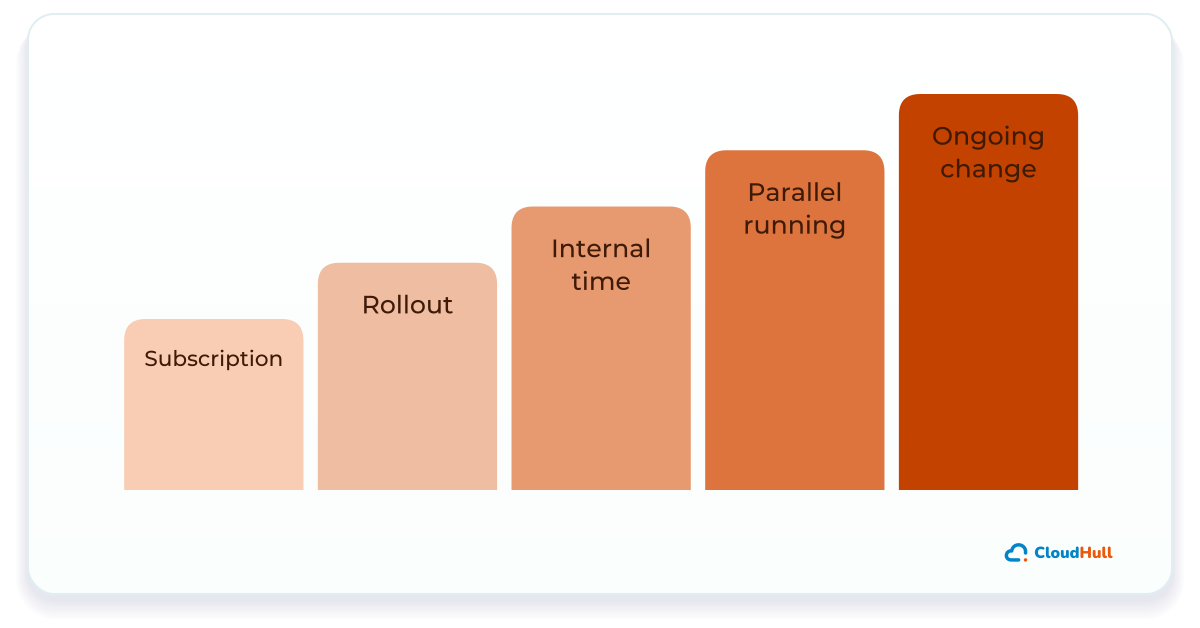
- Total cost is subscription plus implementation, internal time, parallel running and ongoing change.
- Over three years, the subscription is often only about half of the total.
- User types, module timing and contract terms are your biggest levers.
- Add a 15 to 25 percent contingency and compare quotes on the same sheet.
Cloud ERP pricing looks simple on a vendor page: a price per user per month. The real cost is three to four times the subscription once you add setup, data migration, training and the months of running two systems. In cloud ERP consulting work, a budget that leaves out those lines is the number one reason finance teams get an unpleasant surprise in month five.
This guide gives you a formula for the total cost, a worked example with round numbers you can replace with your own, benchmark ranges from my client projects and the levers that move the bill. Vendor prices change often, so treat every figure as a starting point and confirm it with a current quote.
The Formula for Total Cost of Ownership
Total cost over a planning period is the sum of five parts. I use three years, because a one-year view flatters the subscription and hides the cost of staying.
| Part | What it includes | How to estimate it |
|---|---|---|
| Subscription | Users, modules, environments, storage, support tier | Quote per user per month times users times 36 |
| Implementation | Configuration, data migration, integrations, testing | Fixed quote from a partner, plus a 15 to 25% buffer |
| Internal time | Your staff in workshops, testing and training | Hours times a loaded hourly rate |
| Parallel running | Old system fees while the new one proves itself | Old monthly cost times two to four months |
| Ongoing change | Admin, new reports, extra integrations, upgrades | Ten to twenty percent of subscription per year as a start |
Write the formula down: three-year cost equals subscription plus implementation plus internal time plus parallel running plus ongoing change. If any term is blank in a quote you have received, ask for it before you compare vendors.
Pricing Benchmarks by Company Size
The ranges below come from my own client projects and are rounded. They show how the cost mix shifts as the company grows. Subscription dominates at 10 users, while implementation dominates at 100.
| Company size | Users | Subscription per year | Implementation, one time |
|---|---|---|---|
| Small | 10 to 25 | Low five figures | Low to mid five figures |
| Growing | 25 to 75 | Mid five figures | Mid to high five figures |
| Mid-market | 75 to 250 | High five to low six figures | Six figures |
| Multi-entity | 250 or more | Six figures and up | Six to seven figures |
Official price pages help you check the subscription side. Several vendors, such as Oracle NetSuite, publish only a quote process, while others, such as Microsoft Dynamics 365 Business Central, list per-user plans. Use the published numbers as a floor and compare them with a written quote that includes your modules.
A Worked Example With 40 Users
Take a distributor with 40 users: 25 full users and 15 light users. I use round numbers so you can swap in your own. Say the quote is $100 per full user and $30 per light user per month, plus $1,000 a month for extra modules and integrations.
| Line | Calculation | Three-year cost |
|---|---|---|
| Full users | 25 x $100 x 36 | $90,000 |
| Light users | 15 x $30 x 36 | $16,200 |
| Modules and integrations | $1,000 x 36 | $36,000 |
| Implementation | Fixed quote plus 20% buffer on $60,000 | $72,000 |
| Internal time | 600 hours x $50 | $30,000 |
| Parallel running | 3 months x $1,500 | $4,500 |
| Ongoing change | 15% of subscription per year, three years | $21,300 |
| Total | Sum of all lines | $270,000 |
The subscription lines add up to about $142,200, which is just over half of the total. Many teams budget only for that half. The average monthly cost over 36 months is $7,500, or $187 per user per month, nearly double the headline per-user price.
Seven Levers That Move the Bill
You control more of the cost than the price list suggests. These are the levers I check first, in the order I usually see them pay off.
- User types. Move occasional users to light or approval-only licenses.
- Module timing. Switch on modules when the process is ready, not on day one.
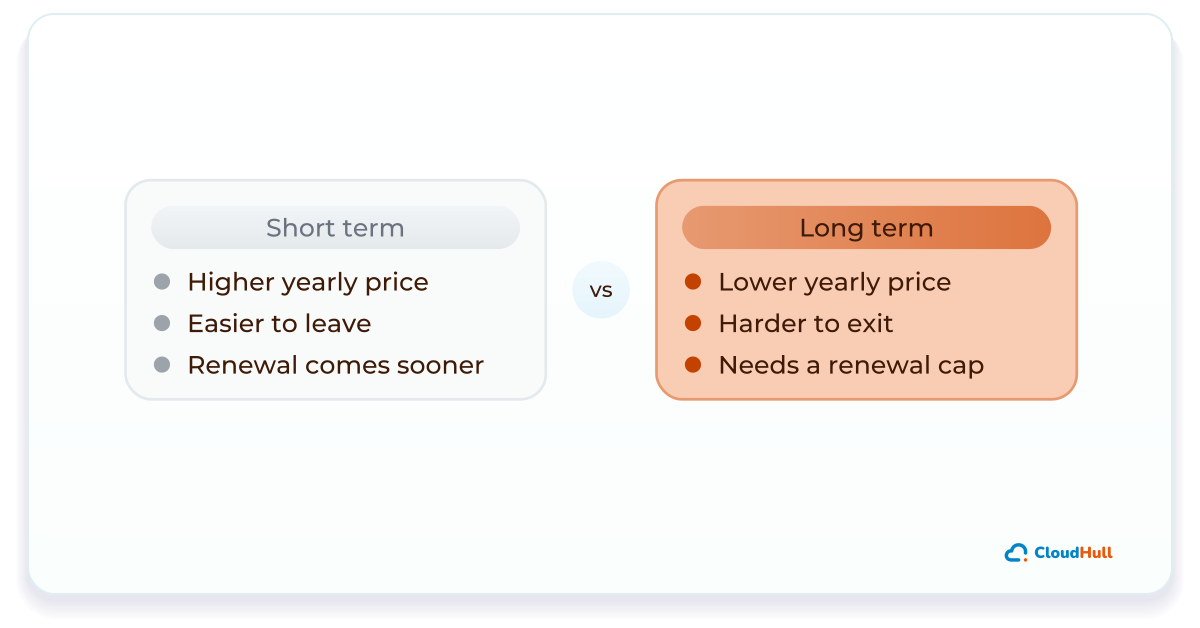
- Contract length. Multi-year terms lower the rate and raise the risk. Add exit rights.
- Integrations. Built-in connectors are cheaper than custom ones. Count them before you sign.
- Data volume. Archive old transactions. Storage limits and overage fees apply on some plans.
- Environments. A separate test environment can cost extra, and you will need one.
- Partner model. Fixed price, capped time and materials, or open time and materials. Prefer fixed price for a first project.
Contract length deserves a second look. A three-year commitment can cut the rate, yet it locks you in at the user count you chose today. Ask for the right to reduce users at renewal, and for a price cap on increases. My article on cloud ERP risks covers the contract traps in more detail.
Costs Nobody Puts in the Quote
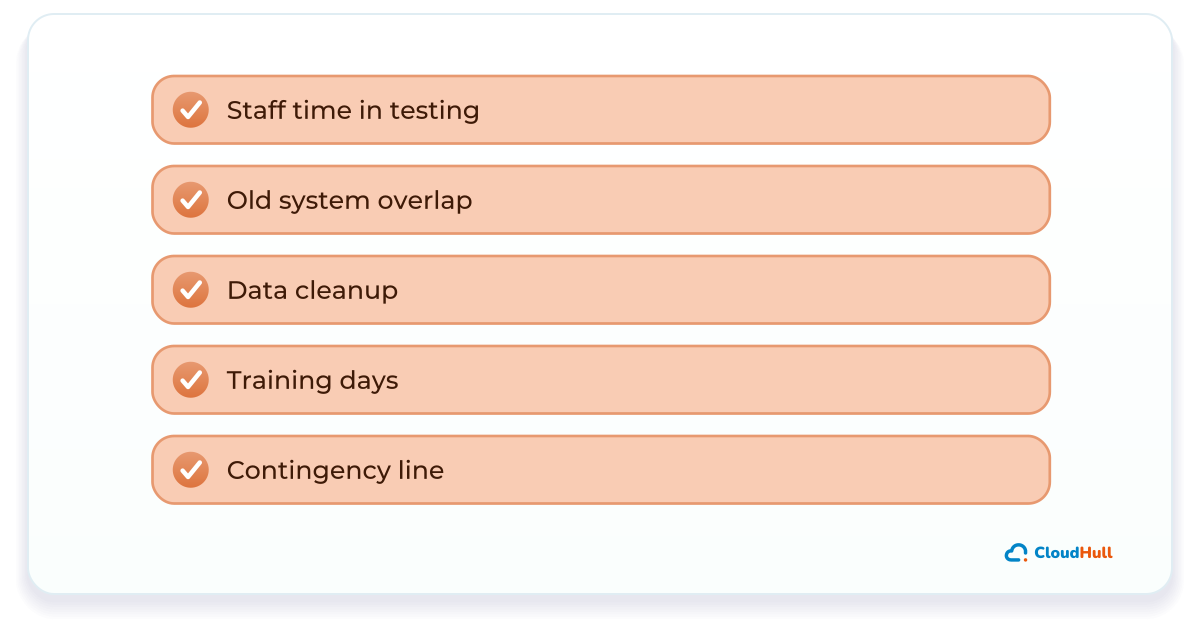
Five items turn up again and again as surprises. Data cleanup is first: duplicate customers, inconsistent item codes and open orders that need a decision. Next is report rebuilding, because your old reports do not move over by themselves. Third is integration upkeep, since every connector breaks when either side changes. Fourth is user training that continues after go-live as people join and leave. Last is the cost of a slower first quarter while people learn the system.
I suggest you add a contingency line of 15 to 25 percent for these items. If you finish under it, you have a good story for your board. If you go over, you already told them it might happen.
Where You Can Save Without Hurting the Project
Cut scope before you cut quality. A smaller first release with a clean cutover beats a full rollout with a bad one. You can save by launching finance and orders first and adding inventory later, by using standard reports for the first quarter, and by choosing a partner who has done your industry before and needs less discovery time.
What I would not cut is data migration testing and training. Both look optional in a tight budget and both decide whether people use the system. For a view of how small companies keep scope tight, see my guide to cloud ERP for small business.
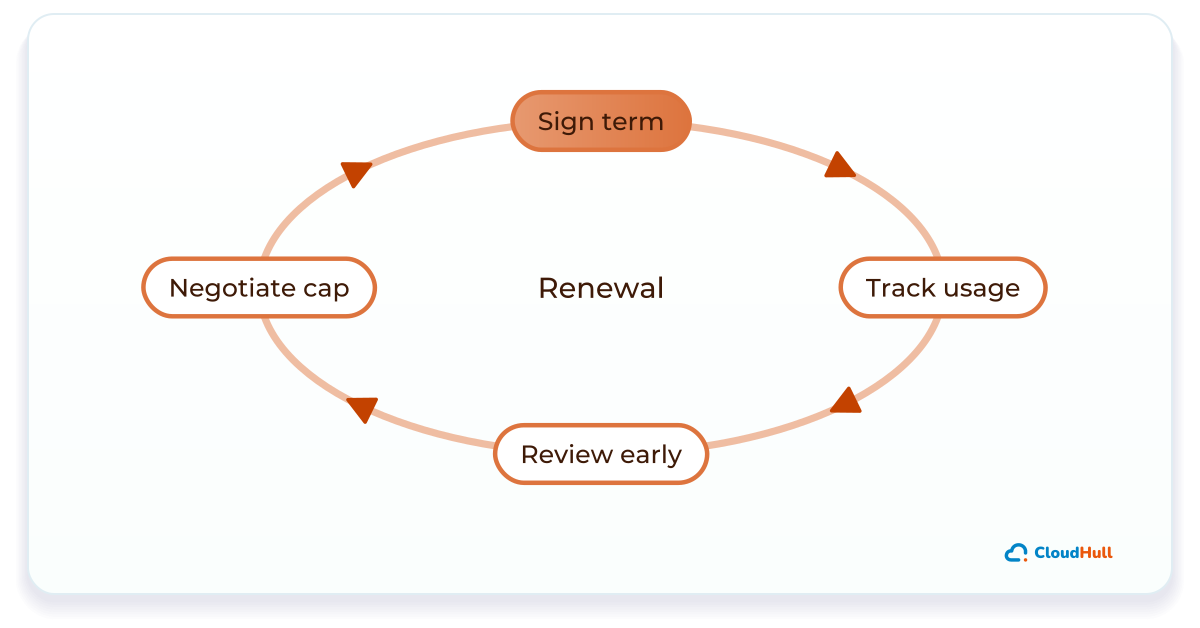
One more saving is easy to miss: the renewal. Vendors raise prices at renewal more often than they cut them, so mark the notice date in your calendar six months ahead and ask for the renewal quote early. A team that arrives at renewal with a competing quote and a clear list of unused licenses usually gets a better rate than one that arrives with questions. Review user counts every quarter and remove accounts of people who left, because seats that nobody uses still show up on the invoice.
Comparing Quotes From Two or Three Vendors
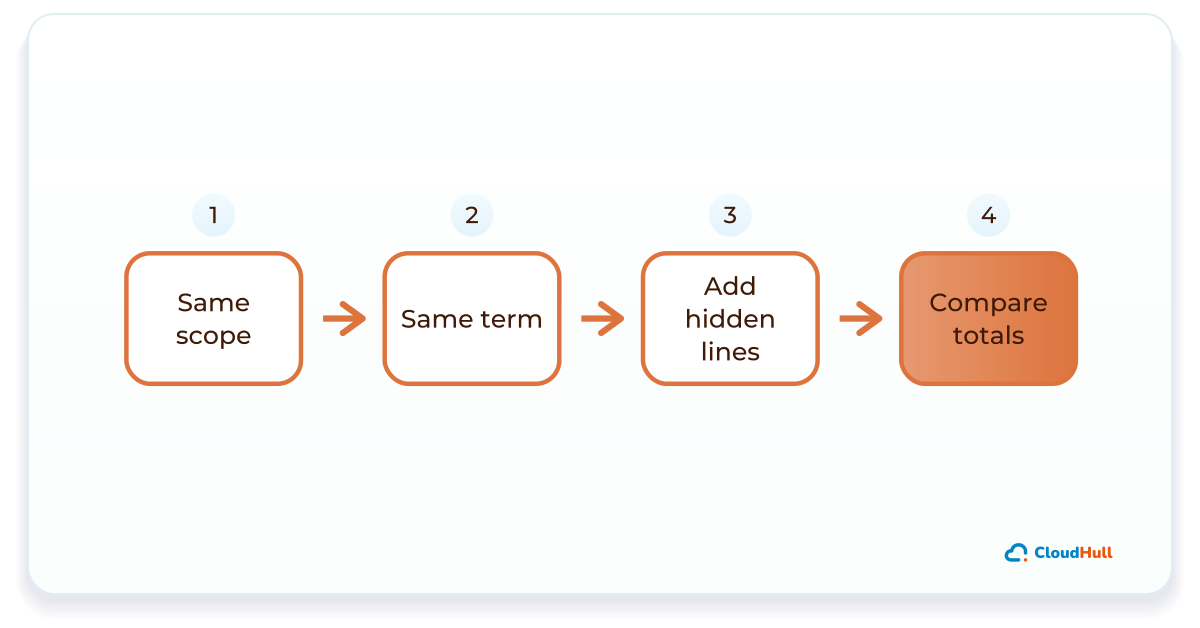
Put each quote on the same sheet with the same user counts, modules, integrations and period. Where one vendor includes a feature and another charges for it, add the price to the second quote. Where a vendor leaves a line blank, ask. Then compare the three-year total and the cost of the second year, because first-year discounts hide the real price.
My ranking of cloud ERP software shows the main platforms and their pricing models side by side. The cloud ERP trends article explains why more vendors now bundle AI features into higher tiers, which changes how you compare plans.
Checking the Payback Before You Sign
A budget is half the case. The other half is what you get back. List the savings you can defend with numbers: hours saved in the close, fewer stock write-offs, retired software licenses and avoided errors in orders. Use the low end of each estimate, because every project member has an incentive to round up.
In the 40-user example, suppose the new system retires $2,000 a month of old software, saves 60 hours of finance time a month at $50, and cuts stock write-offs by $1,500 a month. That is $6,500 a month, or $234,000 over 36 months, against a $270,000 total. The case is close to break-even on cost alone, and the rest of the benefit comes from faster decisions and a business that can grow without adding finance staff.
If your list of defendable savings is much smaller than the budget, that is useful news before you sign, not after. You can reduce scope, delay modules or choose a lighter platform. Ask each vendor for two reference customers of your size and ask them what the project really cost compared with the quote.
How to Build Your Own ERP Budget
Start with the user count by type, then ask each vendor for a quote with the same assumptions. Add implementation, internal time and parallel running from the formula. Apply a 20 percent contingency. Then pressure-test the total by asking what happens if go-live slips by two months, because it often does. For examples of finished projects and what they cost in effort, read my cloud ERP examples.
- Count users by type, not in total.
- List every module you need within 12 months.
- Request a written quote with a fixed implementation price.
- Add internal time at a real hourly rate.
- Hold back 15 to 25 percent as contingency.
Questions About Cloud ERP Cost
How Much Does a Cloud ERP Cost per User?
Published prices vary widely by vendor and user type, and full users cost much more than light users. The headline figure is only part of the cost. Plan for three to four times the annual subscription over three years once setup, training and parallel running are included.
Is Implementation More Expensive than the Subscription?
In the first year it often is, especially for mid-market companies. Over three years the subscription usually catches up. Small companies with simple needs may pay less for implementation than for a year of subscription.
Why Do ERP Quotes Differ So Much?
Quotes differ in scope. One vendor includes migration and training, another lists them separately, and a third assumes you will do them yourself. Put every quote on the same sheet with the same assumptions before you compare totals.
Can I Negotiate the Price?
Yes, within limits. Multi-year terms, annual prepayment and a clear competing quote help. Ask for a price cap on renewals and for the right to reduce users, because those protect you more than a small discount does.
What Contingency Should I Add?
I recommend 15 to 25 percent of the implementation and internal time costs. Data cleanup and integration testing are the usual reasons projects use it. If you finish under budget, nobody complains.
Are There Usage-Based or Consumption Fees?
Some platforms charge for storage, API calls, extra environments or transaction volume on top of user fees. Ask for a list of every metered item, and estimate your usage for the next three years.
When Does a Cloud ERP Pay for Itself?
It depends on what you replace. Savings come from faster closes, fewer errors, lower stock levels and retired systems. In my client work, payback usually takes between one and three years, and the clearest cases replace several tools at once.
Sources
Please note: this guide is general information and not legal, financial or tax advice. Numbers and examples are typical-project estimates; confirm current details with your providers and advisers.
Did this article help you?
Thanks, noted.
Garrett Linville
Garrett leads the Cloud Hull editorial team and works with the consultants to turn real client projects into practical guides on cloud migration, DevOps, security and cost control. Each article is edited together with the consultant who did the work, and every price and limit is checked against current provider documentation. He is based in the USA and works remotely.