Main Points
- Finance, inventory and bank reconciliation are the safest first ERP projects.
- Manufacturing planning and consolidation need more design and come second.
- Each example needs an owner, existing data and a deadline.
- Measure your own baseline before you start, then compare at 90 days.
A cloud ERP is easier to judge when you see what it did for a company like yours. In cloud ERP consulting work, eleven setups come up again and again across fintech, ecommerce, distribution and software, and I picked the ones that returned the most for the effort.
Each example names the problem, how the setup works, what to watch and which tools carry it. Results are ranges from my own client projects and you should check them against your volumes before you promise anything to your finance team. Where a vendor claim matters, I link the source.
The 11 Examples at a Glance
| Example | Typical industry | Main gain |
|---|---|---|
| 1. Faster Month-End Close | Finance, all industries | Days saved each close |
| 2. Live Inventory Across Channels | Ecommerce, retail | Fewer stockouts and oversells |
| 3. Automated Purchasing and Approvals | Distribution, services | Fewer manual purchase orders |
| 4. Multi-Entity Consolidation | Growing groups | One consolidated view |
| 5. Subscription Billing and Revenue Recognition | SaaS, fintech | Cleaner audits |
| 6. Project Costing and Billing | Agencies, services | Margin by project |
| 7. Warehouse and Shipping Integration | Logistics, ecommerce | Faster order fulfillment |
| 8. Bank Feeds and Payment Reconciliation | Fintech, all | Less manual matching |
| 9. Expense and Procurement Control | All industries | Spend visibility |
| 10. Light Manufacturing Planning | Makers, assemblers | Better material planning |
| 11. Self-Service Reporting for Managers | All industries | Fewer report requests |
What Makes an ERP Example Worth Copying
A good example solves a repeated problem, uses data you already have and has an owner who will act on the result. If one of those is missing, the ERP becomes an expensive filing cabinet. I also check the cost to run, because a feature that needs three integrations and a consultant to keep alive may not pay back in a small company.
11 Cloud ERP Examples You Can Borrow
Faster Month-End Close
A services company with 60 staff closed its books in eight working days because bank feeds, invoices and expense claims lived in three tools. After moving to a cloud ERP with automatic bank matching and recurring journals, the close came down to about four days. The gain came from fewer manual entries, not from faster people.
The trap is chasing speed before accuracy. Lock periods after the close and track the number of post-close adjustments for three months. If adjustments climb, fix the process before you promote the faster close.
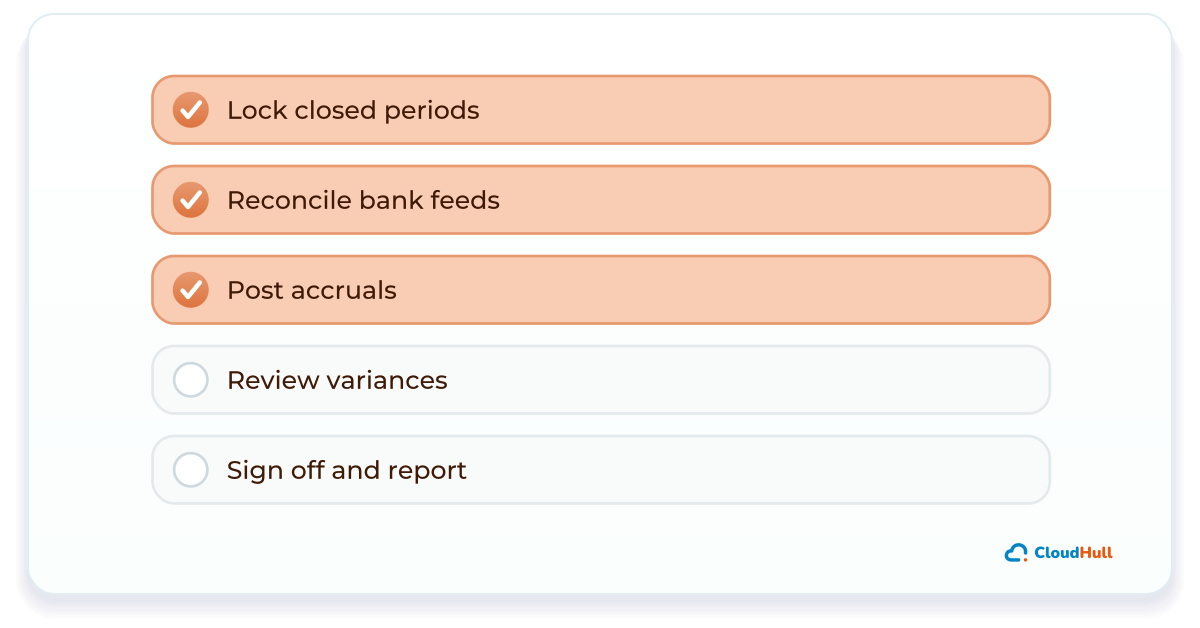
How the close runs after the change
- Bank feeds import every day and match to open invoices and bills.
- Recurring entries, such as rent and depreciation, post on schedule.
- Approvals happen in the system, with a log.
- Accruals are reviewed on a checklist with owners.
- The period locks and reports go to the owner.
Tools that fit here
Most small-business ERPs include bank feeds and recurring journals. Add a close checklist tool only when the standard task list is too limited.
Live Inventory Across Channels
An online retailer sold through its own store and two marketplaces, and stock in the spreadsheet was always a day late. The ERP became the single stock source, with each channel reading from it. Oversells dropped, and the team stopped doing a daily manual sync.
The risk is sync delay. Test what happens when two orders for the last item arrive in the same minute, and set a safety buffer for fast-moving products.
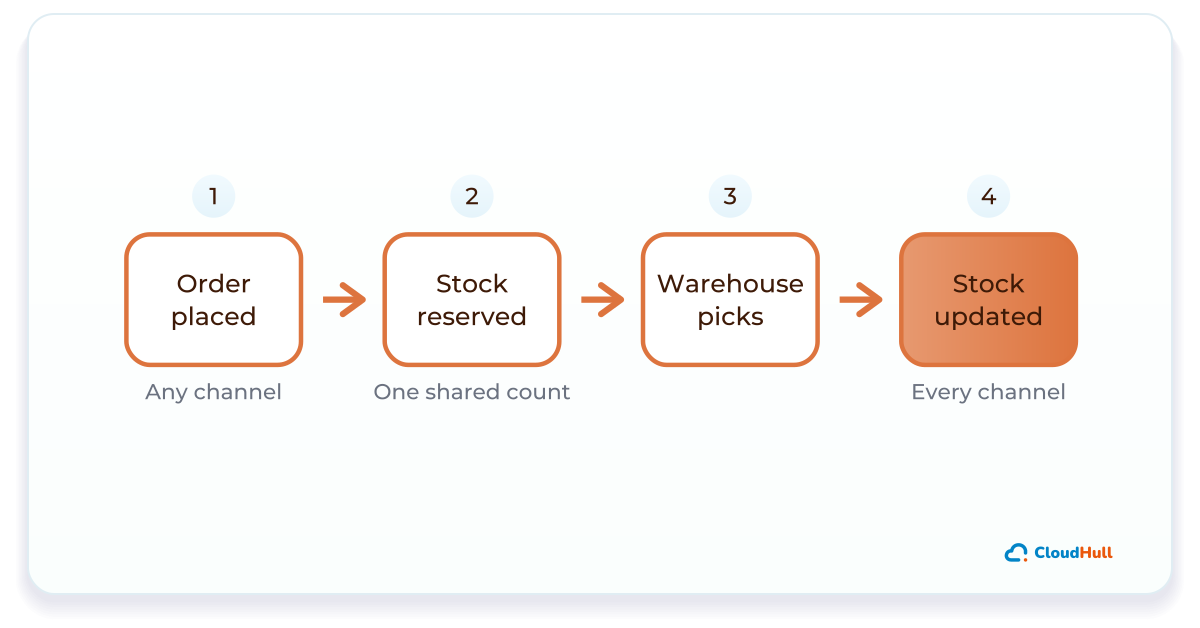
How the stock number stays right
- Receipts and returns update stock in the ERP.
- Channel connectors read available stock every few minutes.
- Orders from every channel write back to the ERP.
- Safety buffers hold back units for fast sellers.
- A daily exception report lists mismatches.
Tools that fit here
Your ERP vendor may offer connectors for the main marketplaces. A middleware tool is the next step when you sell on many channels.
Automated Purchasing and Approvals
A distributor placed purchase orders from email and approvals from memory. The ERP set reorder points per item, drafted purchase orders and routed them for approval by amount. Buyers shifted from typing orders to checking suggestions.
Approval limits are the heart of this one. Set them with the owner and test that no one can approve their own request.
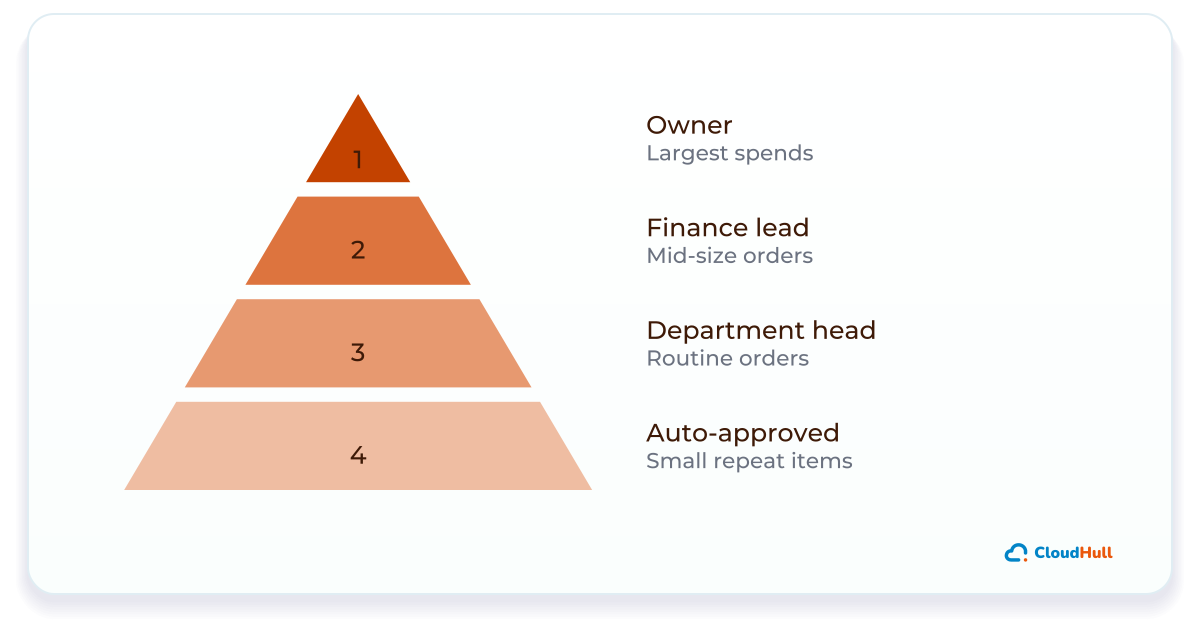
How a purchase order moves
- Stock falls below the reorder point.
- The system drafts a purchase order to the preferred supplier.
- The buyer reviews quantities and price.
- Orders above a limit go to a manager for approval.
- Receipts are matched to orders and invoices.
Tools that fit here
Built-in purchasing and approval workflows cover most needs. Supplier portals help once you have many suppliers.
Multi-Entity Consolidation
A holding company with four subsidiaries rebuilt a consolidation workbook every month. The ERP held each entity as a company in one system, with intercompany eliminations and a consolidated report. The time spent on consolidation dropped, and the numbers matched across entities.
Plan the chart of accounts carefully. A shared structure with room for local accounts is easier to consolidate than four unrelated ones.
How entities roll up
- Each entity gets its own books under a shared chart of accounts.
- Intercompany transactions are tagged at entry.
- Eliminations run at close.
- Currencies are translated at the right rates.
- The consolidated report goes to management.
Tools that fit here
Mid-market ERPs include consolidation modules. Smaller setups may need a reporting add-on.
Subscription Billing and Revenue Recognition
A software company billed through a payment tool and recognized revenue in a spreadsheet. The ERP took the subscriptions, produced invoices and scheduled revenue over the contract term. Audits became simpler because each recognition entry traced to a contract.
Contract changes mid-term cause the errors. Decide the rule for upgrades, credits and refunds before you configure the schedules.
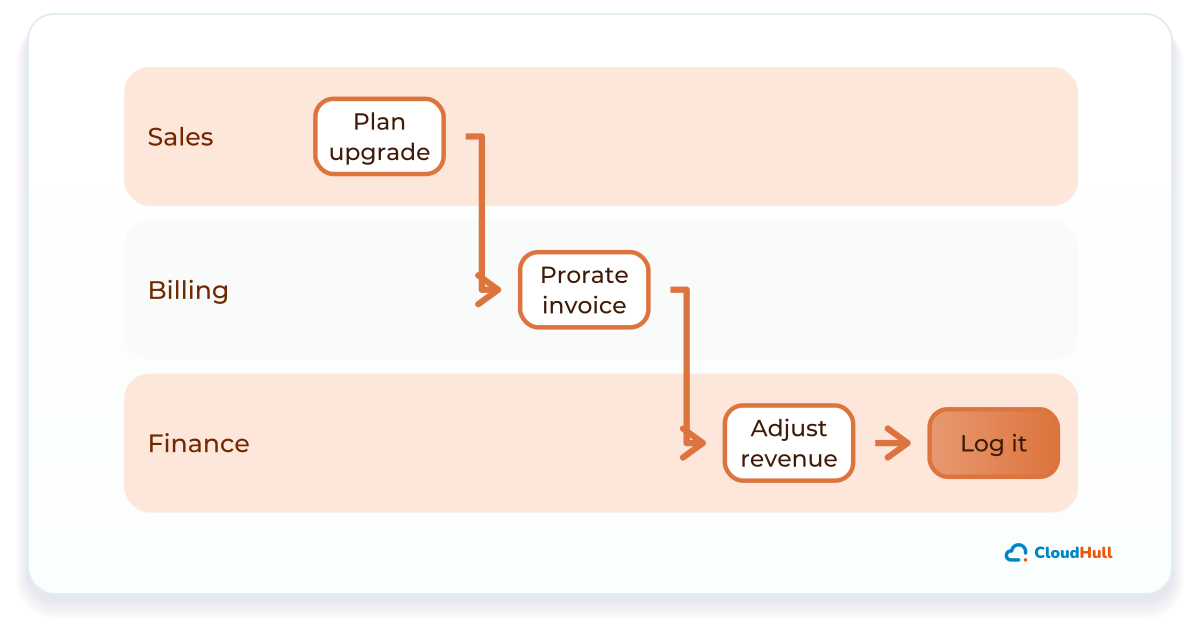
How a subscription flows to revenue
- A contract is entered with term, price and start date.
- Invoices generate on the billing schedule.
- Revenue recognition entries post each month.
- Upgrades and credits adjust the schedule.
- Deferred revenue reconciles to the balance sheet.
Tools that fit here
Some ERPs include revenue recognition modules. Others work with a dedicated billing tool that posts summaries into the ledger.
Project Costing and Billing
A marketing agency knew its revenue and had no idea which projects made money. Time entries, expenses and invoices linked to project codes in the ERP, and managers saw margin by project every week. Two low-margin clients were repriced within a quarter.
Time tracking discipline decides success. If people record time on Fridays from memory, the margins are fiction.
How project margin is calculated
- Each project gets a code and a budget.
- Staff record time against the project daily.
- Expenses and supplier costs are tagged to the same code.
- Invoices are raised from approved time and milestones.
- A weekly margin report flags projects over budget.
Tools that fit here
Many ERPs include time and project modules. Standalone time tracking tools work well when they sync with the ERP.
Warehouse and Shipping Integration
A small manufacturer shipped by hand-copying orders to carrier sites. The ERP created pick lists and sent shipment data to carriers, then wrote tracking numbers back to the order. Order handling time fell, and customers got tracking emails without anyone typing them.
Carrier integrations break when rates or formats change. Assign an owner and watch the error log.
How an order gets shipped
- The order is confirmed and stock is reserved.
- A pick list prints or appears on a handheld.
- Packing confirms items and weight.
- The carrier label is created through the integration.
- Tracking returns to the order and the customer.
Tools that fit here
Shipping connectors are usually add-ons. Barcode scanners reduce picking errors more than any software setting.
Bank Feeds and Payment Reconciliation
A fintech startup reconciled payments from three processors by hand. The ERP imported bank and processor files each day and matched them against invoices, flagging fees and refunds. Reconciliation moved from a weekly chore to a daily check of exceptions.
Matching rules need a review loop. Look at what the system matched wrongly each week and adjust the rules.
How a payment gets matched
- Bank and processor files import daily.
- Rules match by amount, reference and date.
- Fees and refunds are split into their accounts.
- Unmatched items appear on an exception list.
- Finance clears the list and updates the rules.
Tools that fit here
Native bank feeds handle simple cases. High-volume processors may need a reconciliation tool.
Expense and Procurement Control
A growing company had no view of spending until the invoice arrived. Purchase requests, approvals and card expenses moved into the ERP with budgets by department. Managers saw committed spend, not only paid spend, so overruns showed up early.
Culture matters here. If approvals take a week, people buy around the system.
How spend control works
- Departments get monthly budgets in the system.
- Requests above a limit need approval.
- Card expenses feed in with receipts.
- Committed spend shows on a dashboard.
- Variances go to managers monthly.
Tools that fit here
Spend management add-ons exist, and most ERPs include basic requisition and approval flows.
Light Manufacturing Planning
A small maker of custom enclosures ran materials from a notebook. The ERP held bills of materials and routings and produced a purchase list from open orders. Material shortages that used to stop the line became rare.
Accurate bills of materials are the make-or-break. If they are wrong, the plan is wrong, so audit the top fifty items before go-live.
How materials get planned
- Bills of materials are entered and checked.
- Sales orders create demand.
- The system compares demand with stock and open purchase orders.
- Suggested purchase orders are generated.
- Production orders release when materials are available.
Tools that fit here
Mid-market ERPs include manufacturing modules. For simple assembly, inventory plus bills of materials is often enough.
Self-Service Reporting for Managers
Managers asked finance for reports every week. The ERP offered saved dashboards by role, so a sales lead saw pipeline and margin, and a warehouse lead saw stock and open orders. Report requests to finance fell, and meetings started from the same numbers.
Define the metrics once. Two dashboards that show different revenue figures destroy trust faster than no dashboard.
How a dashboard gets built
- List the five numbers each manager checks every week.
- Define each metric in writing.
- Build one dashboard per role.
- Test numbers against a trusted report.
- Review usage after a month and remove what nobody opens.
Tools that fit here
ERP dashboards cover most needs. A business intelligence tool helps when you need data from other systems.
How to Choose the ERP Example to Build First
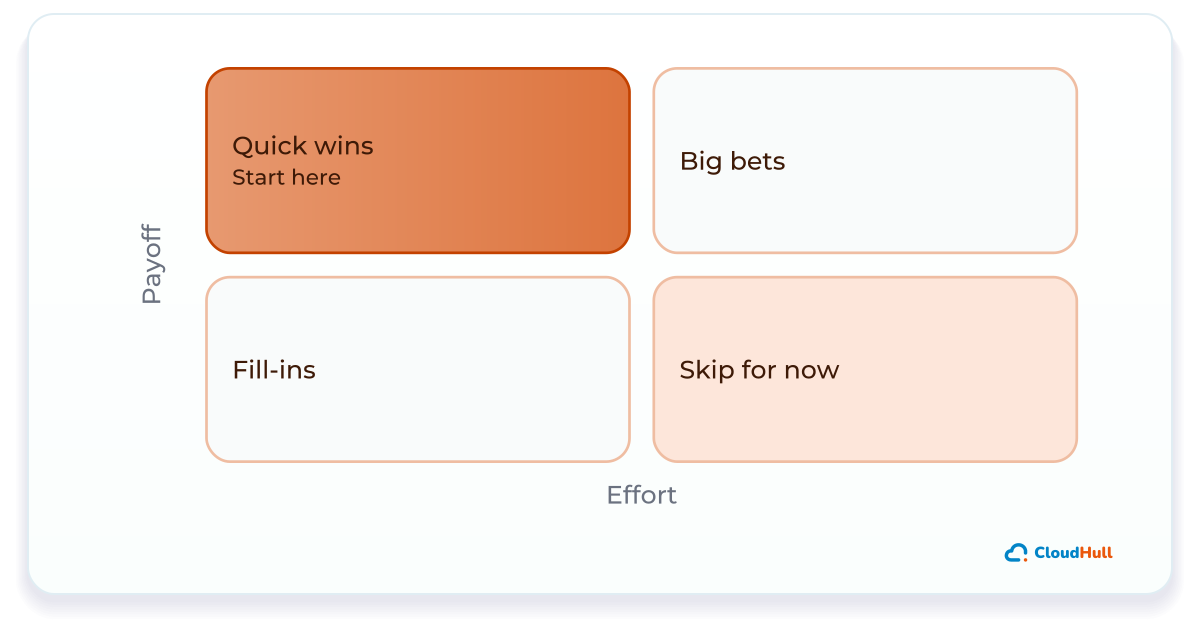
Pick the example with the clearest owner and shortest path from data to decision. For most companies that is the faster close, live inventory or bank reconciliation. Manufacturing planning and multi-entity consolidation need more design and make better second projects.
- Who acts on the result, and how often?
- Is the data already in a system you can export?
- How many integrations does the example need?
- What does it cost in subscription, setup and training?
Then check cost and risk. My guide to cloud ERP cost shows how to budget a first phase, and the list of cloud ERP risks helps you pick what to protect. Smaller companies should read about cloud ERP for small business before they choose a platform from my ranking of cloud ERP software. Platform shifts that might change your plan are in cloud ERP trends.
Questions About Cloud ERP Examples
What Is a Good First Cloud ERP Use Case?
Finance and orders usually come first. A faster close, bank reconciliation or live inventory has clear data, a monthly deadline and an owner. Start there and add other modules once people trust the system.
How Long Does It Take to See Results from an ERP?
Finance gains often show at the first or second close after go-live. Inventory and purchasing gains need a few months of clean data. Set a review at 90 days and compare it with the numbers you started with.
Which Industries Benefit Most from Cloud ERP?
Ecommerce, distribution, services and software companies see clear gains because they have many repeat transactions. Fintech teams benefit from reconciliation and audit trails. Companies with few, large custom projects gain less.
Can I Start with Just the Finance Module?
Yes, and many companies do. Choose a platform that lets you add inventory, purchasing and projects later without a second migration. Ask for the module prices before you sign, so the second phase is not a surprise.
How Many Integrations Will I Need?
Most small companies need three to six: bank, payments, a store or CRM, a shipping tool and sometimes payroll. Count them before you choose a platform, and check which ones are built in.
Do These Examples Need a Consultant?
You can run simple ones, such as bank feeds or approvals, with vendor support. Multi-entity consolidation, revenue recognition and manufacturing planning benefit from experienced help, because the design choices are hard to change later.
What Results Can I Expect?
Results vary with data quality and discipline. In my client work, closes shortened by days, stock accuracy improved and report requests dropped. Treat any range as a hypothesis and measure your own baseline first.
Please note: this guide is general information and not legal, financial or tax advice. Numbers and examples are typical-project estimates; confirm current details with your providers and advisers.
Did this article help you?
Thanks, noted.
Garrett Linville
Garrett leads the Cloud Hull editorial team and works with the consultants to turn real client projects into practical guides on cloud migration, DevOps, security and cost control. Each article is edited together with the consultant who did the work, and every price and limit is checked against current provider documentation. He is based in the USA and works remotely.