Main Points
- Data quality, scope creep and low adoption cause most failed ERP projects.
- You secure access and configuration. The vendor secures the infrastructure.
- Test the data export and write an outage plan before you sign.
- Rank risks by likelihood and impact, and give the top three an owner.
A cloud ERP holds your money, your customers and your stock in one system, so a problem there reaches every department at once. In cloud ERP consulting work I see the same nine risks again and again. Most are cheap to prevent and expensive to fix after go-live.
Each risk below says how it shows up, what to do about it and what to avoid. I rank them roughly by how often they hurt, not by how scary they sound. Data problems come first, and vendor failure comes last.
The Nine Risks at a Glance
| Risk | Where it hits | Typical warning sign |
|---|---|---|
| 1. Dirty migration data | Go-live | Duplicate customers in the test import |
| 2. Scope creep | Budget and timeline | The "must have" list keeps growing |
| 3. Weak user adoption | After go-live | Spreadsheets reappear in month two |
| 4. Access and security gaps | Daily operations | Too many users with admin rights |
| 5. Integration failures | Orders, payments, stock | Manual fixes after every sync |
| 6. Vendor lock-in | Contract and exit | No clean export in the trial |
| 7. Downtime and outages | Business continuity | No written plan for a vendor outage |
| 8. Cost overruns | Budget | Quotes that leave out migration and training |
| 9. Compliance and audit trail gaps | Finance and audits | Approvals that cannot be traced |
Nine Cloud ERP Risks and How to Reduce Them
1. Dirty Data Moves Into the New System
Old systems hide years of duplicate customers, retired items and open orders nobody owns. If you import them as they are, the new ERP looks as bad as the old one on day one, and users blame the software.
In one project I worked on, a distributor loaded 14,000 item records and found that roughly a third were never sold in the last three years. Cleaning them before the import took two weeks. Cleaning them after would have taken months.
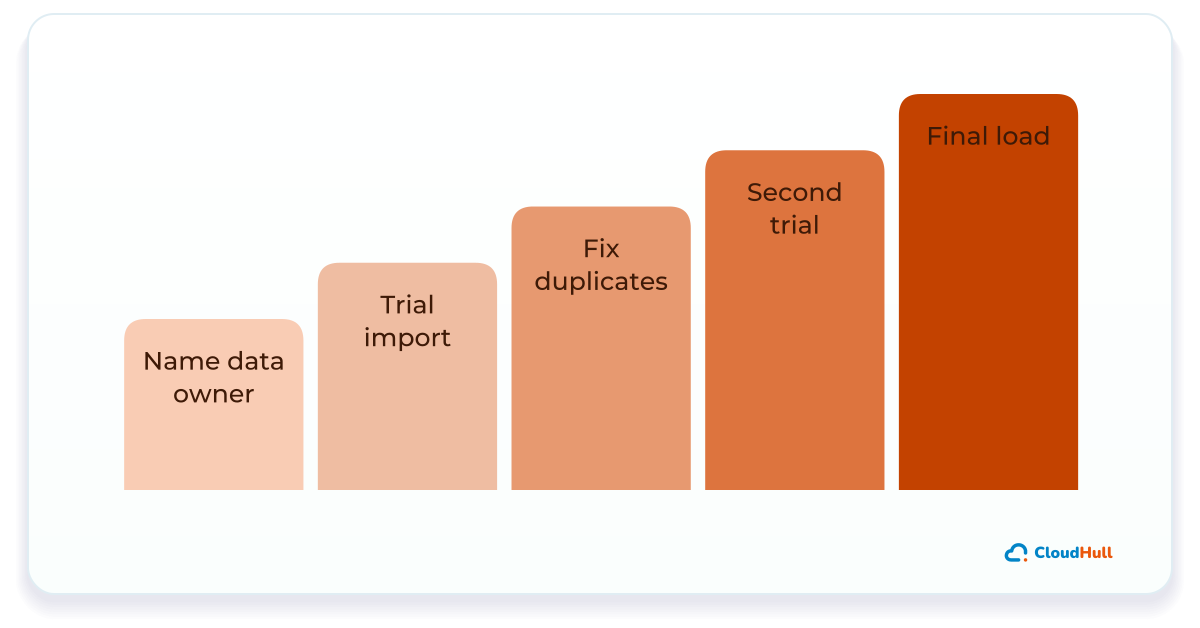
Do this: Name a data owner for customers, suppliers and items. Run two trial imports before the real one and review the errors with the business, not only IT.
Avoid this: Importing everything "just in case" and promising to clean it later. Later does not arrive.
2. Scope Creep Eats the Budget
Every department sees the project as its chance to fix a favorite problem. Requests pile up, the timeline slips and the budget grows. The risk grows with the number of stakeholders.
Write a must-have list before vendor demos, and give each request a place: phase one, phase two or no. A visible parking list keeps people calm because they can see where their request went. My article on cloud ERP cost explains how each added module changes the three-year bill.
Do this: Freeze phase one scope in writing and review change requests weekly with one decision maker.
Avoid this: Saying yes in the workshop and deciding later what it costs.
3. People Do Not Use the System
A rollout is a success only when people stop using their old tools. If training is a single session and no one owns the change, staff keep side spreadsheets, and your data fragments again.
Adoption is the risk that technical plans ignore. It improves when each department has a champion, when the first month has daily support and when managers use ERP reports in meetings instead of spreadsheets.
Do this: Train by role with real tasks, appoint champions and retire the old tools on a fixed date.
Avoid this: Running both systems indefinitely. Parallel running should have an end date.
4. Access and Security Gaps
An ERP contains payroll, bank details and customer data. In small companies, too many people end up with admin rights because it is easier than designing roles. A single compromised account then exposes everything.
The vendor secures the infrastructure, and you secure access. That split is called the shared responsibility model, and the major providers document it on their security pages.
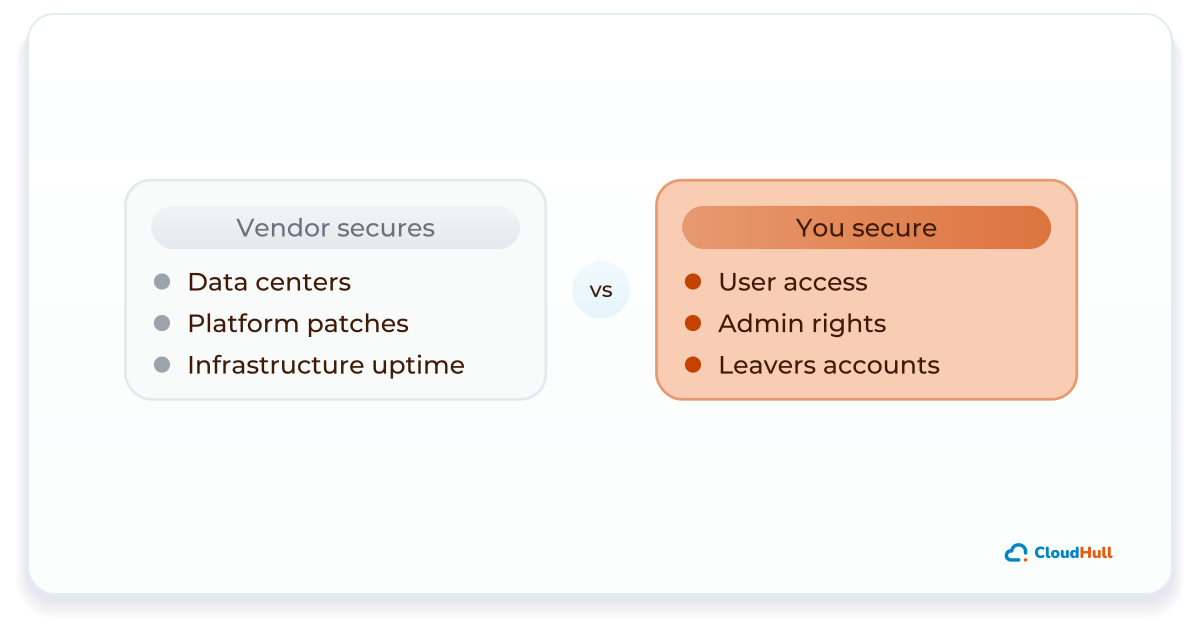
Do this: Use single sign-on, multi-factor authentication, role-based access and a quarterly access review. Separate duties so no one can create and approve the same payment.
Avoid this: Sharing admin accounts or leaving the accounts of departed staff active.
5. Integrations Break Quietly
Your ERP connects to a store, a payment processor, a bank and maybe a warehouse tool. Each connector can fail when either side updates. The danger is silent failure: orders stop syncing and nobody notices for a day.
I look for three things: a monitoring alert for every sync, a log someone reads and a manual fallback written on one page. Teams that skip them find out from a customer.
Do this: Count integrations early, assign an owner for each and set alerts for failed jobs.
Avoid this: Building custom code for something a standard connector already does.
6. Vendor Lock-In and a Weak Exit
Moving between ERPs is possible, but costly. The risk grows when data export is limited, when the contract is long and when custom code ties you to the vendor language.
Ask for a full export in a usable format during the trial and test it. Check what happens to your data when the contract ends, and how long the vendor keeps it.
Do this: Negotiate data export rights, a price cap on renewals and a notice period you can live with.
Avoid this: Signing a three-year term before you test the export. For more on how vendors package contracts, see my ranking of cloud ERP software.
7. Downtime and Outages
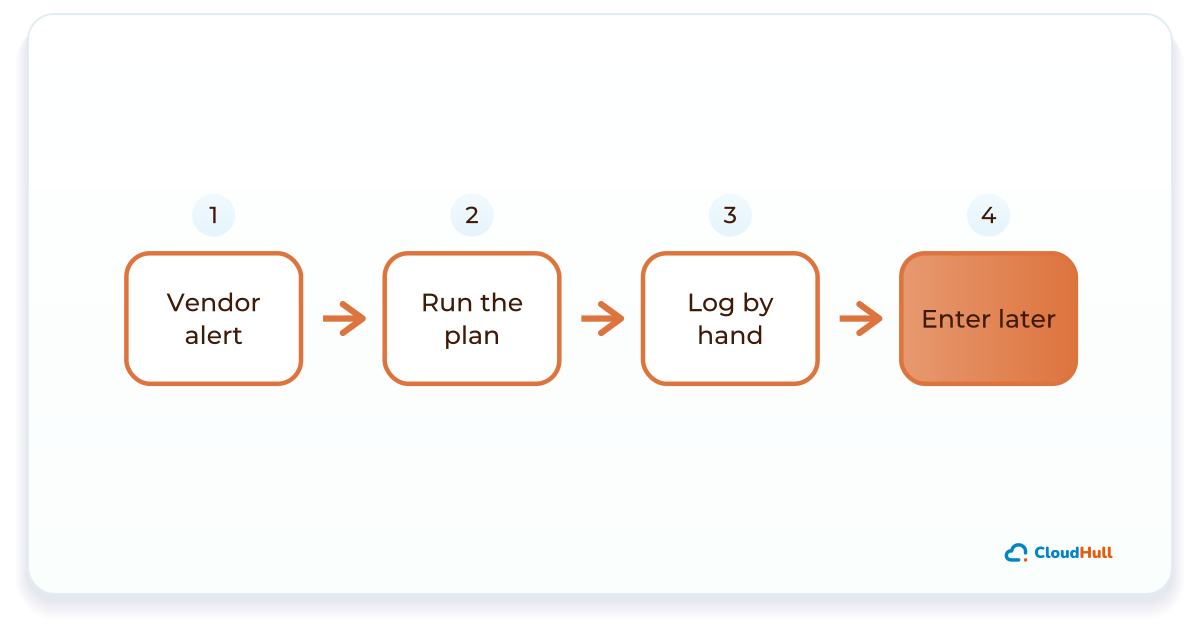
Cloud vendors publish uptime targets, and outages still happen. If your warehouse picks orders from the ERP, a two-hour outage stops shipping. If you take card payments, the outage reaches your customers.
Read the service level agreement for what it promises and what it pays if the vendor misses. The credit is usually small compared with your cost of a lost day.
Do this: Write a one-page continuity plan: how to take orders, ship and record sales while the system is down.
Avoid this: Assuming the cloud means it never goes down.
8. Costs Run Over the Quote
The most common overrun comes from lines missing in the quote: migration, training, testing and parallel running. The second cause is scope creep, and the third is extra users and modules once people see what the system can do.
A contingency of 15 to 25 percent is normal. If a vendor tells you the project has no risk of overrun, you are talking to a salesperson.
Do this: Use a fixed price for implementation where possible and track spend against the plan every month.
Avoid this: Comparing vendors on the subscription alone.
9. Compliance and Audit Trail Gaps
Auditors and lenders ask who changed what and when. If approvals happen in email and not in the system, you cannot prove them. Tax and reporting rules also differ by country, so a global setup needs local checks.
I am not a lawyer, and requirements change, so confirm current rules with your accountant or counsel. What I can say is that an ERP with approvals, logs and locked periods makes their job much easier.
Do this: Turn on change logs, lock closed periods and keep approvals inside the system.
Avoid this: Letting people approve by email and entering the result afterward.
Several of these risks feed each other. Dirty data slows testing, which squeezes training, which hurts adoption, which pushes people back to spreadsheets, which makes the data dirty again. Breaking the loop at one point helps the others. That is why I put data ownership first: it is the cheapest link to fix, and every later step gets easier once someone is accountable for the records, and you can see progress in a simple count of duplicates removed each week.
A Simple Way to Rank Risks for Your Project
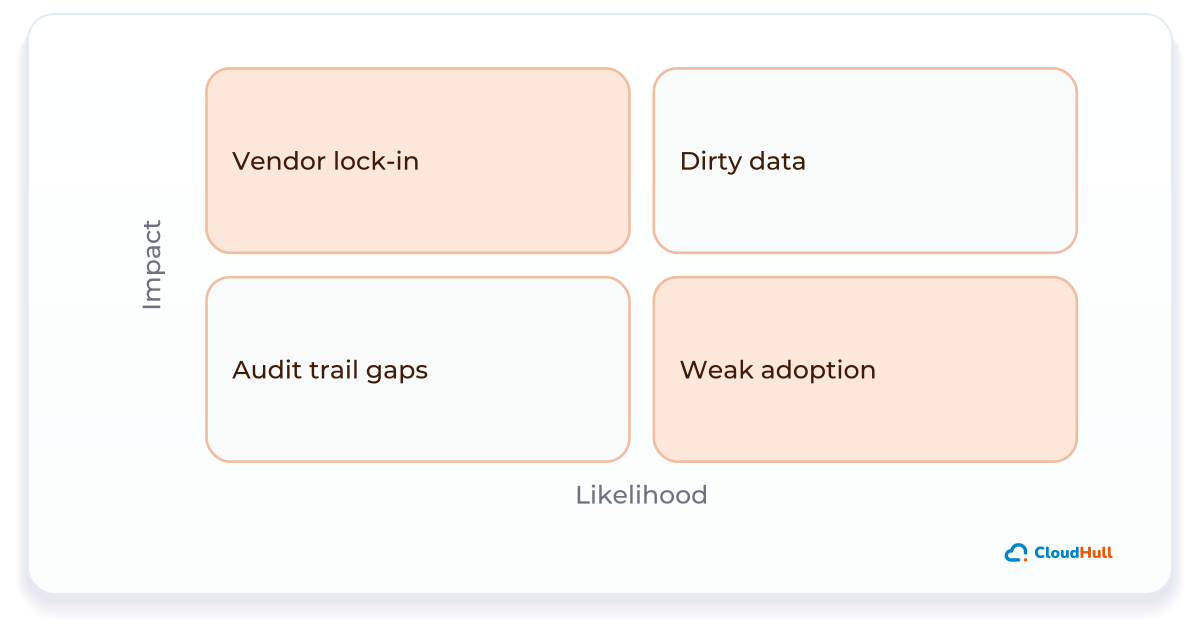
Not every risk matters equally to every company. A retailer cares most about integrations and outages, a fintech about security and audit trails, and a manufacturer about data and scope. Score each risk from one to five for likelihood and for impact, multiply and sort. The top three get an owner and a written action. The rest go on a watch list that you review every month during the project.
Revisit the list after go-live, because the risks shift from migration to adoption and cost. A company that did this in a short workshop of two hours told me it saved more than the consultant fee in avoided rework. For stories of projects that handled these risks well, see my cloud ERP examples, and for small companies in particular, read about cloud ERP for small business.
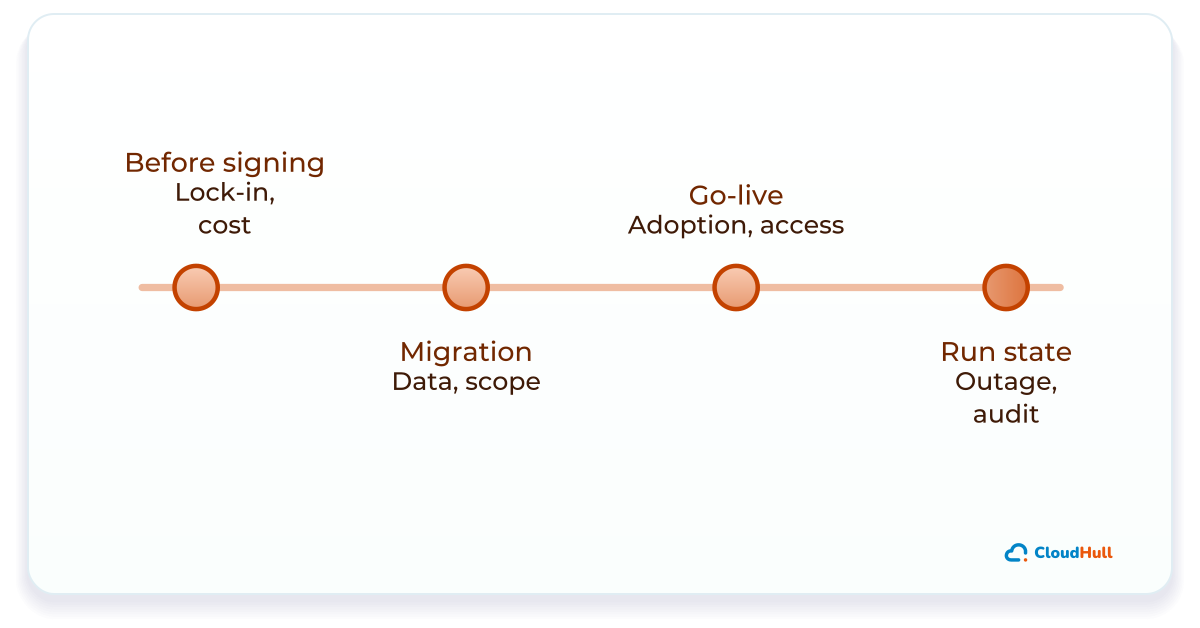
How to Choose Which Risks to Tackle First
Start with the risks you can see in your own project today. If you have not named a data owner, that comes first. If your quote does not include migration, ask for it this week. If your contract has no export clause, raise it before you sign. Then look at the market, because some risks change as vendors change. My notes on cloud ERP trends cover the shifts that affect contracts and security.
- Is there a named owner for each data type?
- Does the quote include migration, training and parallel running?
- Can you export all data in a usable format?
- Is there a written plan for an outage?
- Are roles and approvals set up before go-live?
Questions About Cloud ERP Risks
What Is the Biggest Risk in a Cloud ERP Project?
Data quality is the most common problem I see, followed by scope creep and low adoption. All three are about people and process, so they are cheaper to prevent than to fix, and a short planning phase pays for itself.
Is Cloud ERP Safer than On-Premise ERP?
Cloud vendors invest heavily in infrastructure security, which many small companies cannot match. Your own risk moves to access control, configuration and integrations. Safer depends on how well you manage those parts.
What Happens If the ERP Vendor Has an Outage?
Your team cannot use the system until it comes back. Read the service level agreement, and write a one-page plan for taking orders and shipping during downtime. Test the plan once a year.
How Do I Reduce Vendor Lock-in?
Test a full data export during the trial, keep customizations limited to supported methods and negotiate exit terms before you sign. Keep your own copy of key reports and master data.
How Much Contingency Should I Add to the ERP Budget?
I suggest 15 to 25 percent on top of implementation and internal time. Projects with messy data or many integrations should sit at the higher end.
Who Should Own ERP Risk in a Small Company?
One named person with authority, usually the finance or operations lead, not the IT contractor. They run a monthly risk review during the project and report to the owner or board.
Do I Need a Consultant to Manage These Risks?
You can manage them yourself if you have time and experience. A consultant helps most with vendor selection, contract review and data migration planning, where mistakes are costly and hard to undo.
Sources
- AWS shared responsibility model
- Microsoft shared responsibility in the cloud
- NIST Cybersecurity Framework
Please note: this guide is general information and not legal, financial or tax advice. Numbers and examples are typical-project estimates; confirm current details with your providers and advisers.
Did this article help you?
Thanks, noted.
Garrett Linville
Garrett leads the Cloud Hull editorial team and works with the consultants to turn real client projects into practical guides on cloud migration, DevOps, security and cost control. Each article is edited together with the consultant who did the work, and every price and limit is checked against current provider documentation. He is based in the USA and works remotely.