Main Points
- Give every shared data field one owning system and replicate in one direction.
- Make every consumer idempotent, because cloud messaging delivers duplicates.
- Retry with backoff, then send failures to a dead letter queue someone watches.
- Monitor message age and cost per integration, not only server health.
Good integration advice is short. The nine rules below are the ones that change the outcome on a real project, and I apply them in every cloud integration consulting engagement. Each rule comes from a failure I have seen at least twice.
Every rule has one thing to do and one thing to avoid. Read them in order the first time, then use the table to see which ones your current setup is missing.
Nine Rules in One Table
| Group | Rules | What they protect |
|---|---|---|
| Design | 1 to 3: owner per field, pattern first, contracts | Data quality and change speed |
| Build | 4 to 6: idempotency, retries, secrets | Reliability and security |
| Run | 7 to 9: monitoring, cost, retirement | Uptime and budget |
Nine Cloud Integration Best Practices With Do and Avoid
Give Every Data Field One Owner
Two systems that both change a customer's address will eventually disagree. When they sync both ways, the last write wins and nobody notices the loss. In my client work, most of the data quality problems I diagnose trace back to a field with two owners.
Decide per field which system is the master and let others read or receive copies. It takes an afternoon to write down and saves months of cleaning.
Do this: List each shared field with its owning system, and replicate in one direction.
Avoid this: Turning on two-way sync between two tools because the connector offers it.
Choose the Pattern Before the Product
API calls, events, batch and replication behave differently under load and failure. A product picked first dictates the pattern, usually whichever it sells best. The pattern should follow what the business needs: an immediate answer, a notification or a periodic load.
Write a one-page pattern guide for your team. The earlier cloud integration strategy playbook shows how to build one.
Do this: Write down which pattern fits which type of connection and review it once a year.
Avoid this: Letting each project pick its own style because a vendor demo looked good.
Define a Contract for Every Interface
An integration without a written contract breaks the day someone renames a field. A contract lists the fields, types, required values and the version. It also gives you something to test against.
Version the contract and support the old version for an agreed period. That one habit prevents the Friday-night breakages caused by an unannounced change on the other side.
Do this: Publish an OpenAPI or schema file, version it and test both sides against it.
Avoid this: Sharing a sample payload in chat and calling it documentation.
Make Every Consumer Idempotent
Most cloud services deliver messages at least once, which means duplicates will happen. Azure Logic Apps documents this behavior, and message brokers from other providers work the same way. A consumer that creates a second invoice on a repeat delivery is a bug waiting for a busy day.
Give each message a unique ID and store processed IDs, or make the write itself safe to repeat. I treat this as the single most valuable rule on the list.
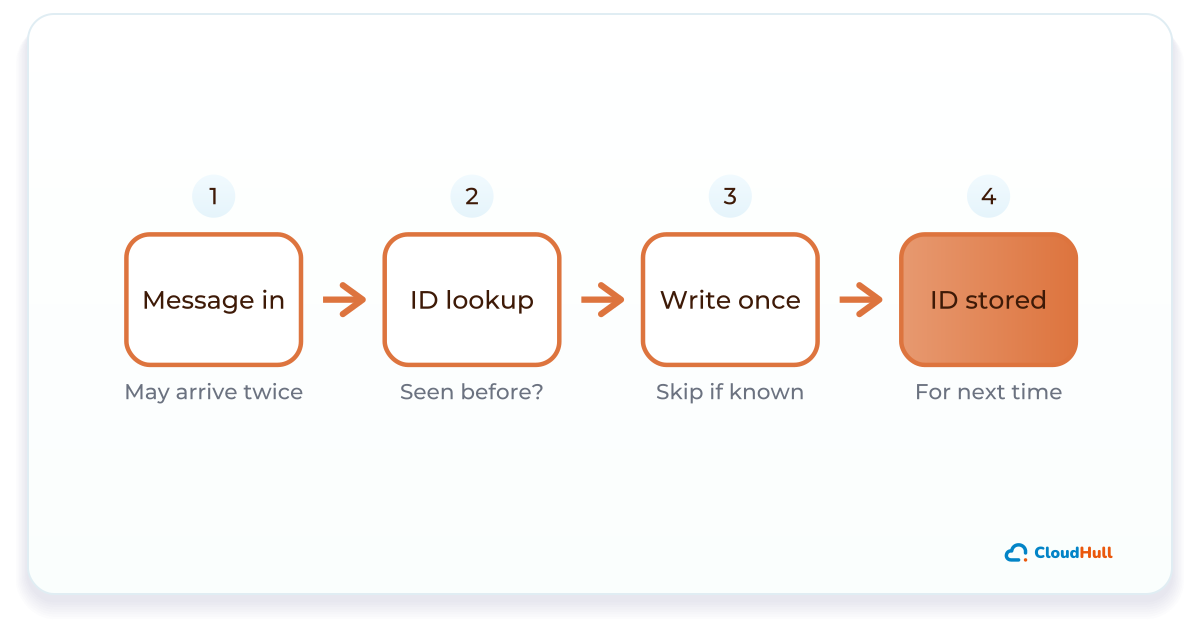
Do this: Use a message ID or a natural key and ignore anything already processed.
Avoid this: Assuming the network delivers each message exactly once.
Retry With Backoff and a Dead Letter Path
Transient errors are normal, and permanent errors are common. A retry loop without limits turns a short outage into a flood. A failure without a destination disappears.
Retry a few times with growing delays, then move the message to a dead letter queue and alert a person. Review that queue every morning, and fix the cause, not only the message.
Do this: Set a retry limit, add a dead letter queue and give it an owner and an alert.
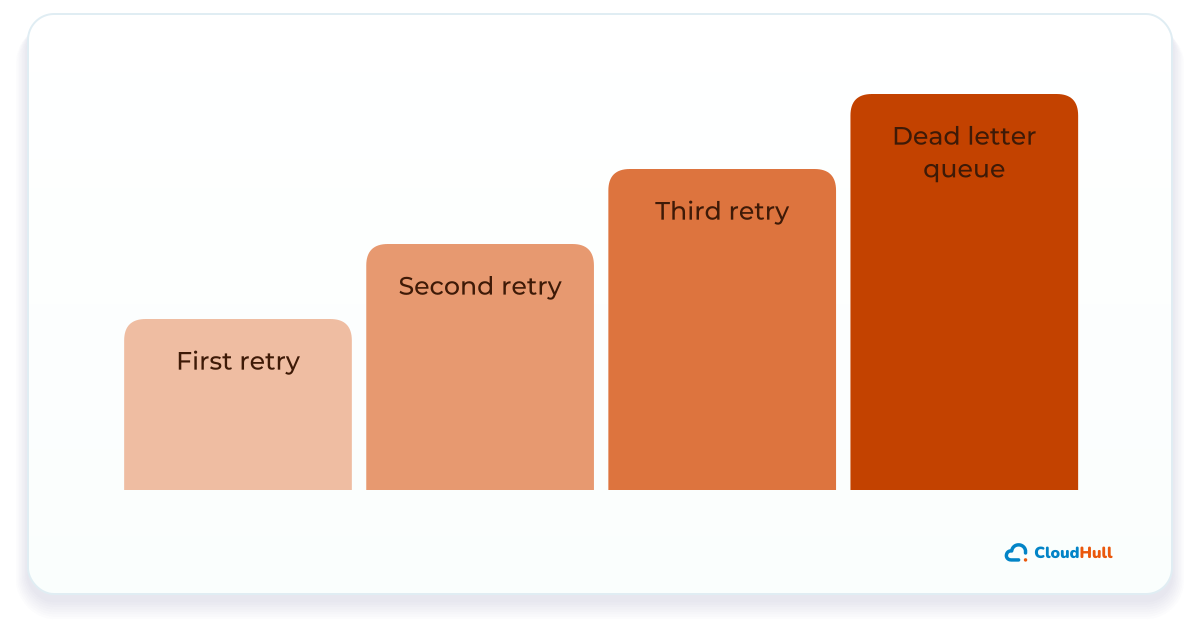
Avoid this: Retrying forever, or dropping failed messages with a log line nobody reads.
Keep Secrets and Permissions Tight
Integrations hold the keys to many systems. A shared admin token in a script is a standing breach risk, and I find at least one in most reviews. Credentials should live in a secret store and rotate on a schedule.
Give each integration its own identity with the minimum rights it needs. If it only reads orders, it should not be able to delete customers.
Do this: Store credentials in a secret manager and use one identity per integration.
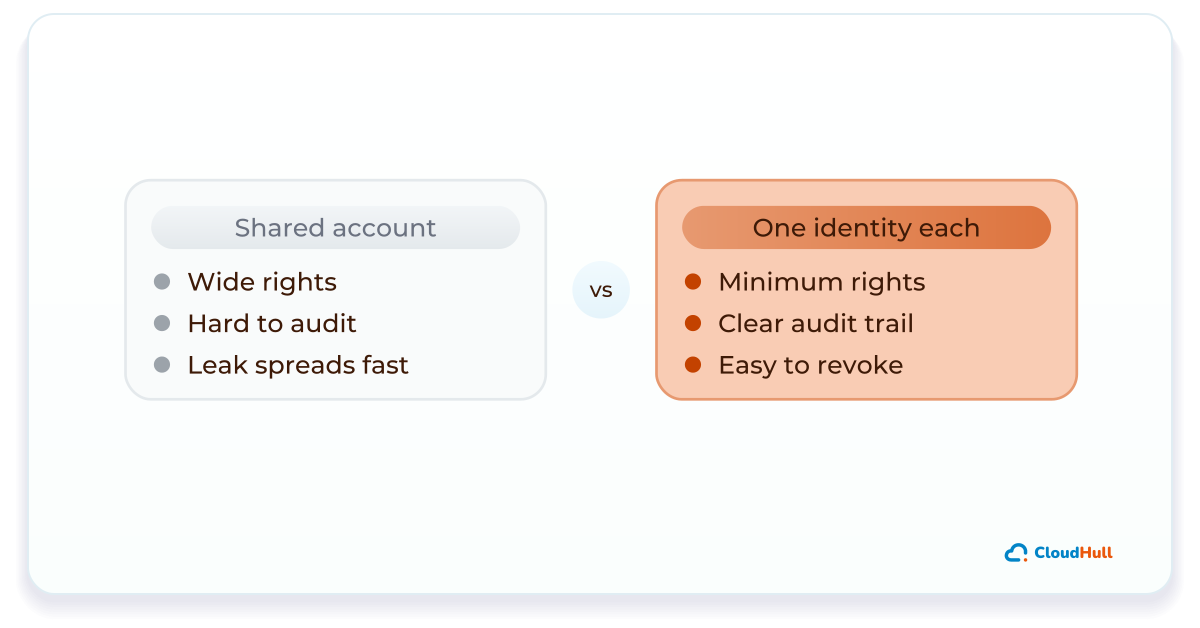
Avoid this: Reusing a personal or admin account because it already works.
Monitor the Flow, Not Only the Servers
A green server dashboard says nothing about whether yesterday's orders reached the ERP. Monitor the business flow: counts in, counts out, age of the oldest waiting message and error rate per integration.
Alert on the age of the oldest message, because it catches stuck flows that never raise an error. Pair each alert with a runbook that says what to do first.
Do this: Track throughput, error rate and oldest message age per integration, with a named responder.
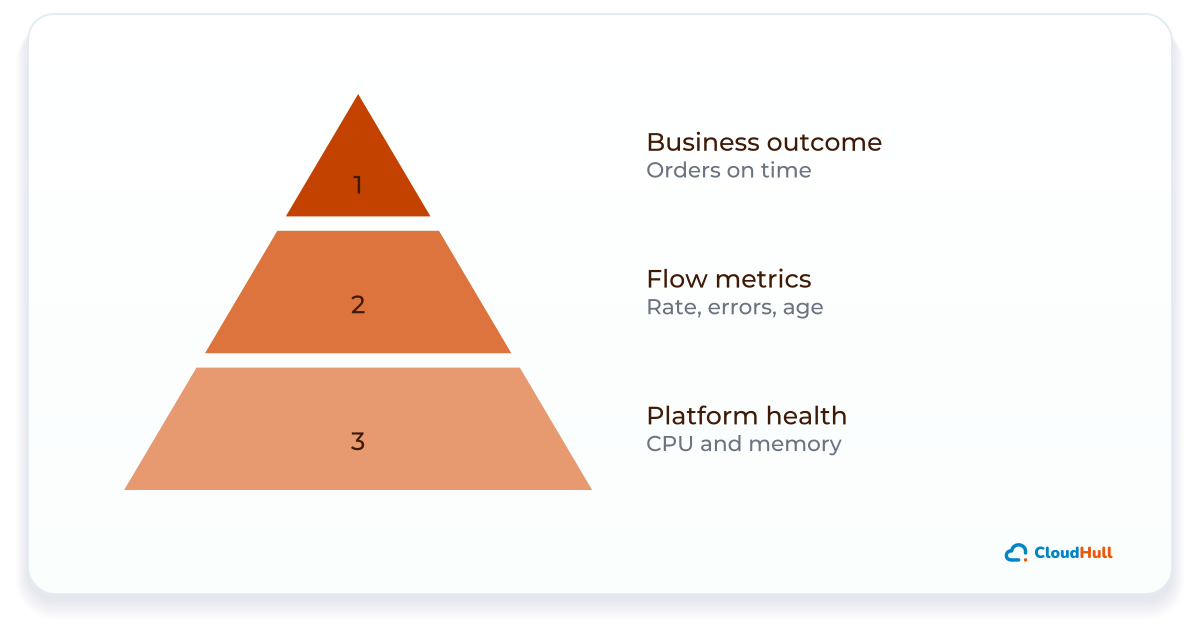
Avoid this: Watching CPU on the platform while a queue fills silently.
Watch Cost Per Integration
Platforms that bill by task, execution or connector can grow faster than your business. Google Cloud Application Integration, for example, bills per thousand executions and per connection node hour, and other tools use their own units. A chatty polling job can cost more than the data it moves.
Tag every integration with an owner and review cost monthly. Replace polling with events where you can. My ranking of cloud integration tools compares how vendors price this.
Do this: Review a monthly cost per integration and replace polling with events or webhooks.
Avoid this: Accepting the first bill as the baseline without checking which flows drive it.
Retire What Nobody Uses
Every estate has integrations that serve a report nobody opens. They still fail, still cost money and still need patching. Retiring them is the cheapest improvement available.
Once a quarter, check usage and ask owners to confirm that each integration is needed. The cloud integration challenges article shows what happens when the backlog is never cleaned.
Do this: Switch off integrations with no readers for 90 days, after owner approval.
Avoid this: Keeping everything alive just in case.
Mistakes That Break the Rules
Teams rarely break the rules on purpose. They skip them under pressure, and the damage shows up months later. The most frequent pattern in my reviews is a first flow built quickly with a shared admin token and no dead letter queue, which then becomes the template for the next twenty.
Another is applying the rules to new flows only. Old integrations carry the same risks, and they are usually the ones that handle money. Pick the five flows that touch orders or payments and bring them up to standard first, even if that means touching code nobody wants to open.
Helpful Tools Apply the Rules
Several tools support these rules directly. Managed queues give you retries and dead letter paths. Secret managers hold credentials and rotate them. API gateways add throttling and keys. Monitoring services track message age. None of them decide what the rules should be, and none replace the habit of reviewing them.
Pick tools your team can run on a bad night. A simple setup that people understand beats a clever one that only its author can fix.
How the Rules Change With Your Scale
| Rule | Small setup | Large setup |
|---|---|---|
| Contracts | A shared schema file in the repository | A catalog with versions and a review step |
| Monitoring | Alerts on queue age | Dashboards per business flow and on-call rotation |
| Secrets | A managed secret store | Automatic rotation and per-team policies |
| Cost review | Monthly look at the bill | Chargeback per product team |
A company with a dozen integrations can follow all nine rules with a spreadsheet and a wiki page. A company with hundreds needs a platform team that provides the paved road. The step-by-step model for that is in my cloud integration framework guide.
What the Rules Look Like on a Real Project
A distributor I worked with lost about 40 orders in a month, each time without any alarm. The cause was a consumer that failed on one unusual character and dropped the message after three retries. There was no dead letter queue, and the logs showed only that the job had finished.
Adding the queue, an idempotent write and an alert on queue age took two days. The first week after launch caught five bad messages that would have vanished before. Compare that with the cost of a single lost order, and the case for rules 4, 5 and 7 makes itself. The cloud integration examples show the same rules in other industries.
A Quick Audit You Can Run This Week
Pick one integration that handles orders or payments and test it against the rules. Replay a day of its messages into a test copy and see whether duplicates appear. Stop the consumer for an hour and check that the oldest message alert fires. Look up the credential it uses and see who else can use it.
Most teams fail at least one of the three checks on the first try. That is useful, not embarrassing, because each failure points at a rule and a fix you can finish in a day or two. Repeat the audit on the next flow, and you will have a ranked list of work by the end of the month.
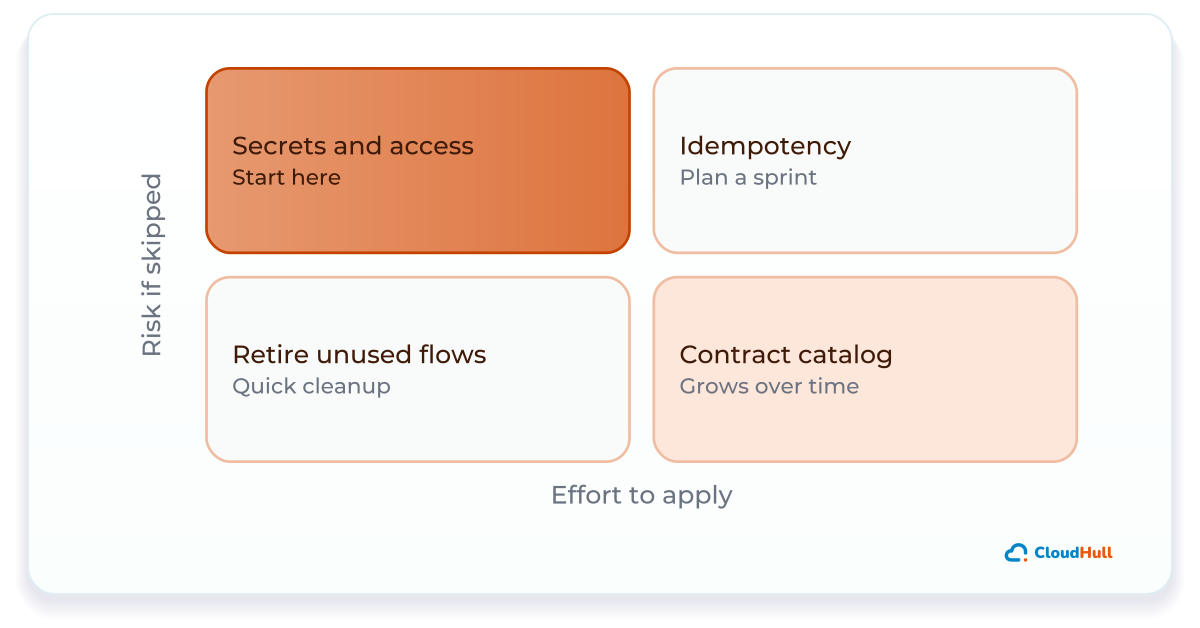
How to Choose Which Rules to Apply First
If you cannot apply all nine at once, start where a failure would hurt most. I suggest you ask four questions:
- Could you lose a message today without knowing?
- Does each integration have a named owner and an alert?
- Do you know which integrations drive your platform bill?
- Could someone replay yesterday's traffic safely?
A no to any of them tells you which rule to work on next. If several answers are no, a short outside review is a quick way to rank the work.
Questions About Cloud Integration Best Practices
What Are the Most Important Cloud Integration Best Practices?
In my experience, they are one owner per data field, idempotent consumers, retries with a dead letter queue and monitoring of message age. Those four prevent most of the silent failures I see.
What Does Idempotent Mean in Integration?
An operation is idempotent when running it twice has the same effect as running it once. Use a unique message ID or a natural key so a repeated delivery does not create a duplicate.
Should I Use Events or API Calls?
Use events when the sender should not wait for the result, and API calls when the caller needs an answer right away. Many systems use both.
How Do I Keep Integration Costs Under Control?
Tag every integration with an owner, review cost monthly and replace polling with events or webhooks where you can. Check how your platform bills, by task, execution or connector.
How Do I Secure Integrations?
Store credentials in a secret manager, rotate them, give each integration its own identity with minimum rights and log every call.
How Often Should I Review My Integrations?
Quarterly for ownership, usage and cost, and after every incident for the rule that failed. A small estate can do it in an hour.
Do These Practices Apply to Small Businesses?
Yes, scaled down. A small company can keep contracts in a shared file and alerts on a queue, but idempotency, retries and least privilege apply in full.
Please note: this guide is general information and not legal, financial or tax advice. Numbers and examples are typical-project estimates; confirm current details with your providers and advisers.
Did this article help you?
Thanks, noted.
Garrett Linville
Garrett leads the Cloud Hull editorial team and works with the consultants to turn real client projects into practical guides on cloud migration, DevOps, security and cost control. Each article is edited together with the consultant who did the work, and every price and limit is checked against current provider documentation. He is based in the USA and works remotely.