Main Points
- Most integration problems start with unclear ownership, not technology.
- Expect duplicate delivery and design every consumer to handle it.
- Monitor message age and flow counts, because green servers hide lost orders.
- Review cost per integration monthly, since platform bills scale with usage.
Cloud integration rarely fails because of one big mistake. It fails through small, quiet problems that pile up: a duplicate here, a silent timeout there, a bill that doubles. In my cloud integration consulting work, I see the same nine problems again and again.
Below, each challenge has what goes wrong, how to fix it in steps and the tools that help. The table gives you a quick scan, and the order follows a project from design to the first year of running it.
Nine Challenges at a Glance
| Challenge | What goes wrong | What fixes it |
|---|---|---|
| 1. Unclear data ownership | Conflicting records | One owner per field |
| 2. Brittle point-to-point links | Change breaks neighbors | A shared contract and hub |
| 3. Duplicate and lost messages | Double invoices, missing orders | Idempotency and dead letter queues |
| 4. Legacy and on-premises systems | No modern interface | A gateway or runtime in front |
| 5. API limits and slow partners | Timeouts and throttling | Queues, caches, backoff |
| 6. Security and access sprawl | Shared tokens everywhere | Secrets and least privilege |
| 7. Invisible failures | Problems found by customers | Monitoring of flows |
| 8. Runaway platform cost | Bills grow faster than volume | Per-flow cost review |
| 9. Skills and ownership gaps | One person knows it all | Runbooks and a platform team |
Nine Cloud Integration Challenges and How to Solve Them
Run the checks in my cloud integration best practices alongside this list. The cloud integration strategy playbook helps you decide which challenge to attack first.
Unclear Data Ownership
Two systems both hold the customer's address, and both let users edit it. Months later, sales mails the old address while billing uses the new one. Each team insists its data is right, and they are both partly correct.
Integration makes the problem visible rather than creating it. A sync that runs both ways copies errors in both directions, and the last write wins. The first step is not technical. It is an agreement about who owns each field.
How to solve it
- List the shared fields and the systems that edit them.
- Pick one owner per field, with the business sponsor present.
- Replicate in one direction, from owner to readers.
- Hide the edit option for the field in the other tools.
- Run a monthly mismatch report until the count reaches zero.
Tools for ownership
A simple data dictionary in a shared document is enough to start. Master data tools help at larger scale, but the decisions still come first.
Brittle Point-to-Point Links
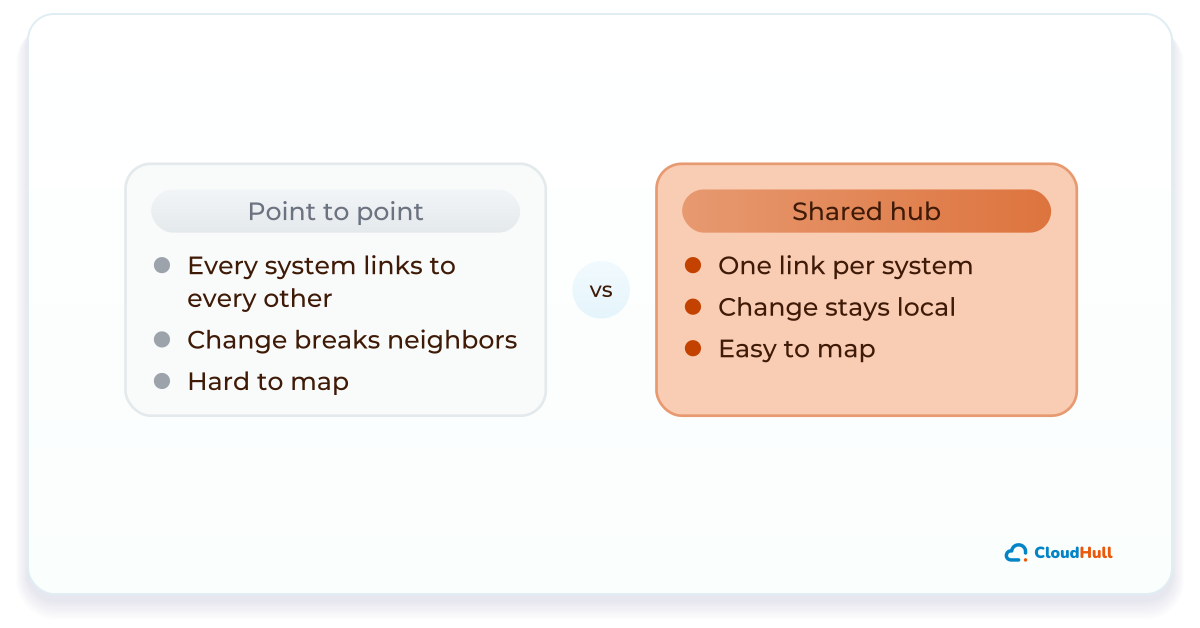
Each new system gets connected directly to every system it needs. With six systems you may have fifteen links, and with twelve you have sixty-six. A change to one field name sends a ripple through the estate.
A friend of mine calls it integration spaghetti, and the name fits. The fix is a shared contract and a hub, either an API gateway, an event bus or an integration platform, so each system connects once.
How to solve it
- Draw the current links and count them.
- Define a shared message format for the main business objects.
- Put an event bus or API layer in the middle.
- Move one link at a time and retire the old one.
- Version every contract before you change it.
Tools for decoupling
An event bus or an integration platform gives you the hub. Choose by the volume and number of SaaS tools, and compare options in my ranking of cloud integration tools.
Duplicate and Lost Messages
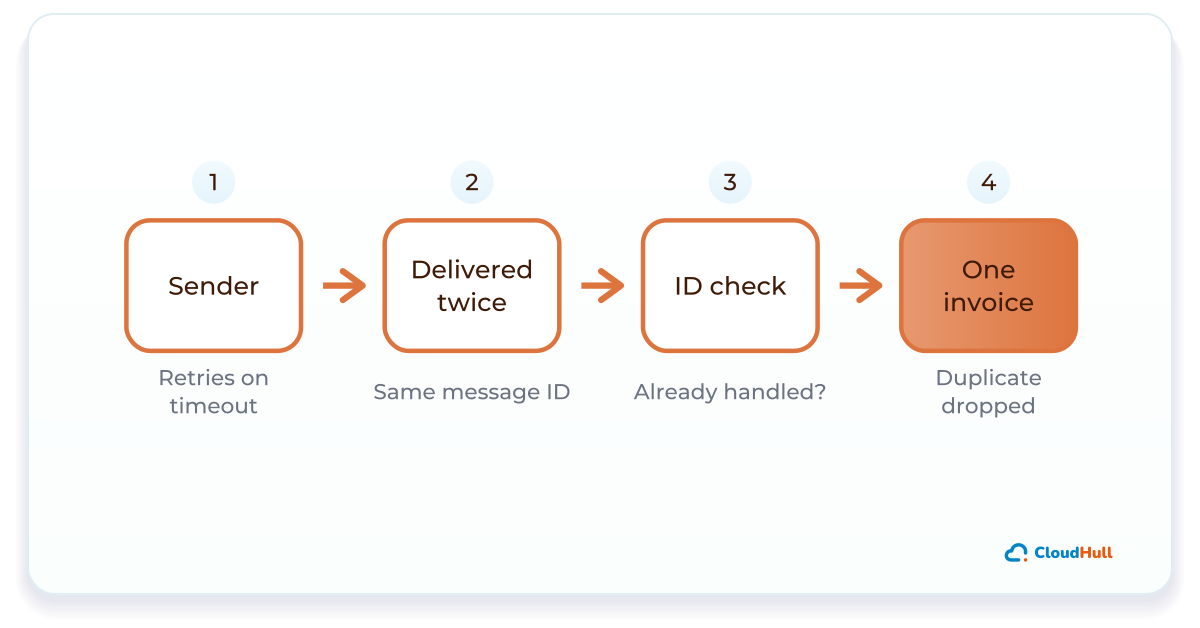
A customer is charged twice because a payment message arrived twice. In another case, an order disappears because a consumer crashed after reading it. Both come from delivery guarantees that teams assume instead of check.
Many cloud services deliver at least once. Azure Logic Apps documents that behavior, and other brokers behave the same way. Duplicates are expected, so the receiving side has to cope.
How to solve it
- Give each message a unique ID.
- Store processed IDs or make writes safe to repeat.
- Acknowledge a message only after the work is done.
- Send repeated failures to a dead letter queue.
- Test by replaying a day of messages into a copy.
Tools for reliability
Managed queues from your provider include dead letter support. Use their built-in retry settings before you write your own.
Legacy and On-Premises Systems
The ERP runs in a data center, has no modern API and is owned by two people who rarely change anything. Cloud apps need its data, and the only option offered is a nightly file.
You rarely need to replace the system to connect it. A thin layer in front can turn its interface into an API, and a private link keeps the traffic off the internet. The tough part is the ownership of the layer, not the code.
How to solve it
- List the interfaces the legacy system already offers.
- Choose the narrowest set of functions to expose.
- Place an integration runtime inside your network.
- Connect over a private link with identity checks.
- Test what happens when the link or the system is down.
Tools for legacy links
Hybrid-capable platforms offer an agent for your data center. Check how each vendor prices that agent and what network access it needs.
API Limits and Slow Partners
A marketplace allows a fixed number of calls per minute, and a carrier answers in four seconds on a good day. During a sale, your integration hits the limit, errors pile up and customers see an empty basket.
Limits are not bugs, they are the contract. Design for them: queue the work, cache what you can and back off when the partner asks you to slow down.
How to solve it
- Read each partner's limits and write them into the design.
- Put a queue in front of every rate-limited API.
- Cache responses for identical requests.
- Honor retry headers and add random delay between retries.
- Set timeouts shorter than your user's patience.
Tools for throttling
API gateways and queues handle throttling without custom code. Keep a dashboard of rejected calls per partner.
Security and Access Sprawl
An engineer built a quick script with an admin token two years ago. It still runs, nobody remembers its purpose and the token would unlock half the company's systems. Reviews of integration estates find this pattern regularly.
Integrations hold powerful credentials and move sensitive data. Treat each one as a user with its own identity, a minimal scope and a rotation date.
How to solve it
- Inventory every credential used by integrations.
- Move secrets into a managed secret store.
- Create one identity per integration with minimal rights.
- Rotate keys on a schedule and on staff changes.
- Log each call and review unusual patterns monthly.
Tools for access control
The secret managers of the major cloud providers cover storage and rotation. Pair them with your provider's identity service.
Invisible Failures
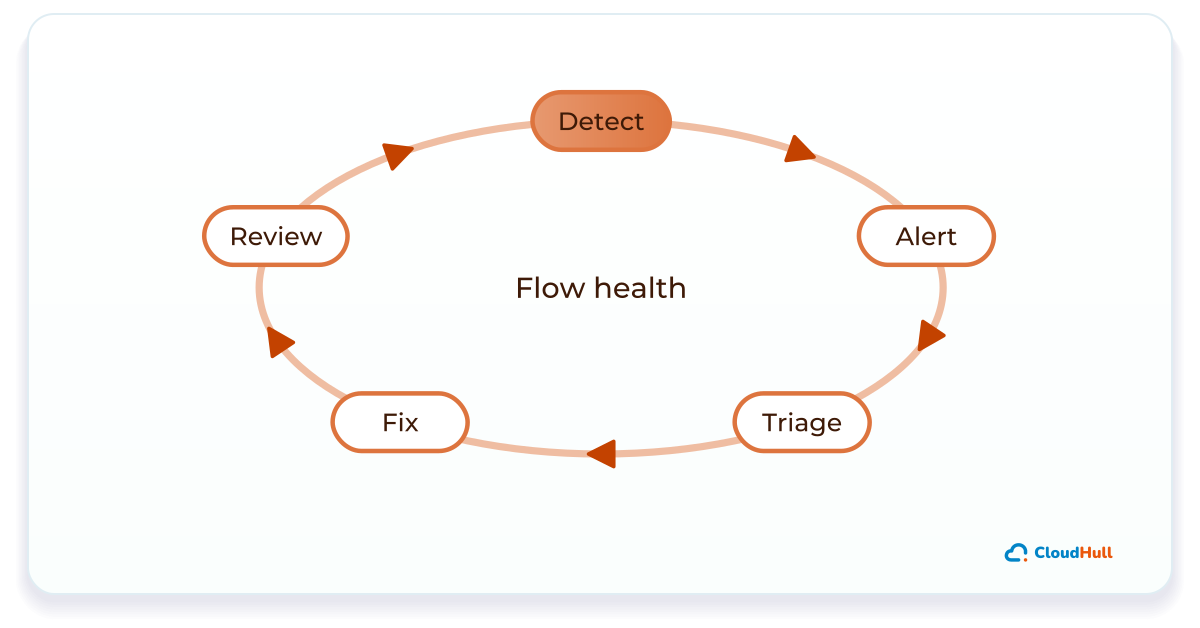
The first sign of a broken integration is a customer's email. Servers are green, the job finished and the logs look fine, yet 200 orders never reached the warehouse.
Infrastructure metrics describe machines. Integrations need flow metrics: how many messages came in, how many went out and how old the oldest waiting one is.
How to solve it
- Define the expected counts per flow and per hour.
- Alert when in and out counts diverge.
- Alert on the age of the oldest waiting message.
- Add a correlation ID that follows an order across systems.
- Write a short runbook for each alert.
Tools for observability
Your provider's monitoring service plus a log search tool cover most needs. Tracing helps where one request touches many systems.
Runaway Platform Cost
The pilot cost almost nothing. A year later, the bill is ten times higher because volume grew, and a polling job calls an API every minute for data that changes twice a day.
Task, execution and connector pricing all scale differently. Google Cloud Application Integration, for example, bills per thousand executions and per connection node, while some platforms charge per task. Without a view per integration, the bill is a lump nobody can reduce.
How to solve it
- Tag every integration with an owner and a product.
- Export usage per flow every month.
- Replace polling with events or webhooks.
- Batch small messages when latency allows.
- Review contract tiers against real volume each year.
Tools for cost control
Cloud billing exports and the platform's usage report give the numbers. Vendors publish pricing very differently, so check the notes in my cloud integration tools ranking.
Skills and Ownership Gaps
One engineer built the integrations and holds the knowledge in their head. When that person leaves or goes on holiday, a failure becomes a two-day outage.
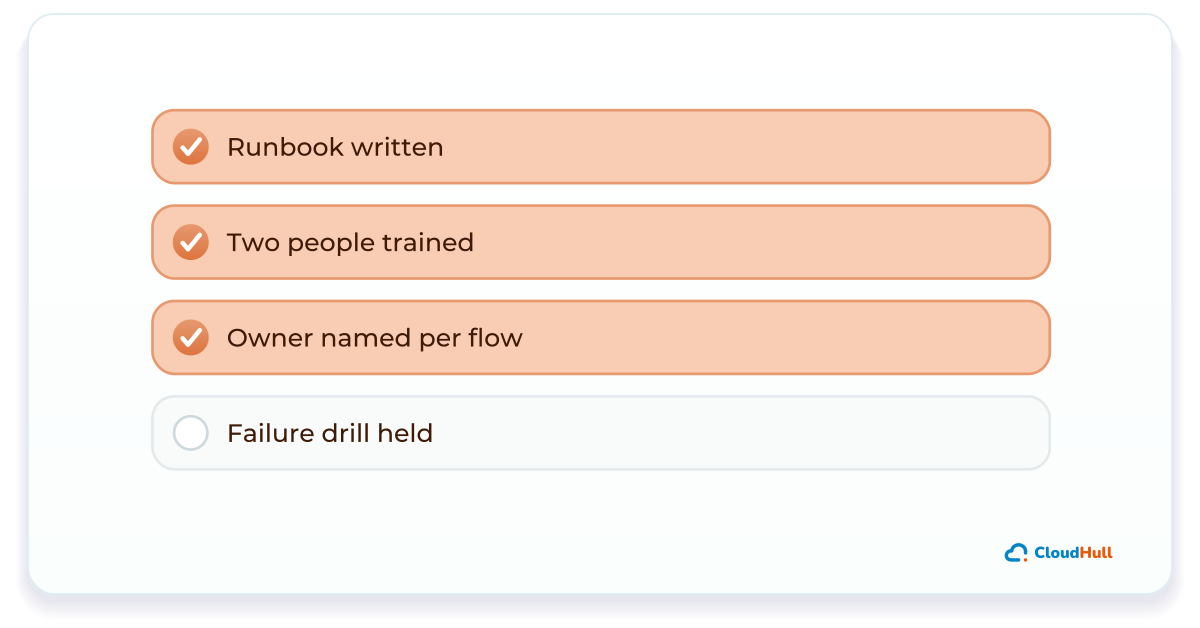
Documentation is only half the cure. You need at least two people who can fix each flow, and a team that owns the platform itself.
How to solve it
- Name a primary and a backup owner for each integration.
- Write a one-page runbook per flow.
- Run a failure drill twice a year.
- Create a small platform team once you pass about twenty flows.
- Train new staff on the paved road, not on every custom build.
Tools for knowledge sharing
A wiki with runbooks and a shared on-call rotation are enough. Keep diagrams next to the code so they stay current.
Which Challenge Do You Face First
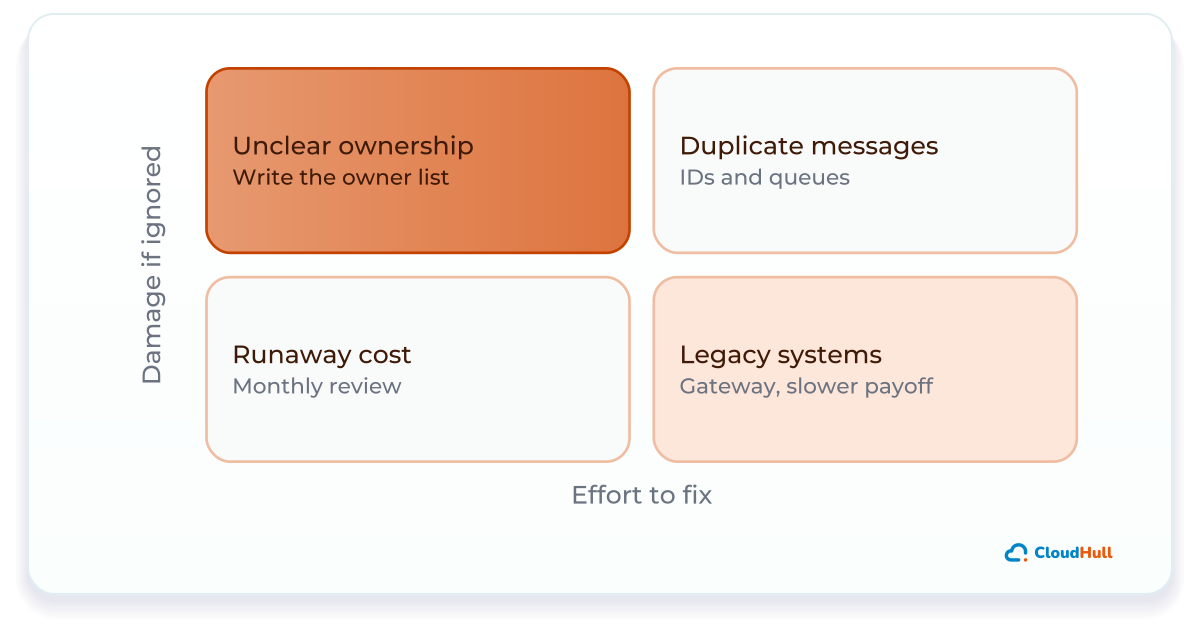
Challenges depend on your stage. A new integration estate hits ownership and brittle links first. A mature one hits cost, skills and invisible failures. The cloud integration examples show how teams at different stages solved them.
| Your stage | Likely first challenges | First action |
|---|---|---|
| Just starting | Ownership, point-to-point links | Write the field owner list |
| Growing fast | Duplicates, API limits, security | Idempotency and secret store |
| Mature estate | Cost, skills, invisible failures | Monitoring and per-flow cost review |
If you want a model that covers all nine in order, the cloud integration framework gives you one, layer by layer.
How to Decide What to Solve First
You cannot fix nine things at once. Start with the problem that costs money or customers today, and ask four questions:
- Did a customer notice the last integration failure before you did?
- Can you name the owner of every field that two systems share?
- Do you know which integrations drive your platform bill?
- Does anyone besides one engineer know how each flow works?
The first yes or no that hurts points to your starting challenge. If several do, a short outside review can rank them.
Questions About Cloud Integration Challenges
What Is the Biggest Challenge in Cloud Integration?
In my experience, it is unclear data ownership. When two systems both edit the same field, every sync copies errors. Technical problems are easier to fix than that agreement.
Why Do Cloud Integrations Fail Silently?
Teams monitor servers rather than flows. A job can finish successfully and still drop messages. Alert on message counts and the age of the oldest waiting message.
How Do I Handle Duplicate Messages?
Give each message a unique ID and make the receiver ignore any ID it has already processed. Also acknowledge a message only after the work is complete.
Can I Connect an Old On-Premises System to the Cloud?
Yes. Put an integration runtime next to it, connect over a private link and expose a narrow interface. You do not need to replace the system first.
Why Does My Integration Bill Keep Growing?
Volume grows, and pricing units such as tasks, executions or connectors scale differently. Polling jobs are a frequent cause. Review usage per integration every month.
How Many People Should Know Each Integration?
At least two. One primary and one backup owner, plus a short runbook, keeps a single absence from becoming an outage.
Should I Build or Buy My Integration Layer?
Buy when you have many SaaS apps and few engineers. Build when your logic is unusual and volume is high. Many companies use both, so decide per flow.
Please note: this guide is general information and not legal, financial or tax advice. Numbers and examples are typical-project estimates; confirm current details with your providers and advisers.
Did this article help you?
Thanks, noted.
Garrett Linville
Garrett leads the Cloud Hull editorial team and works with the consultants to turn real client projects into practical guides on cloud migration, DevOps, security and cost control. Each article is edited together with the consultant who did the work, and every price and limit is checked against current provider documentation. He is based in the USA and works remotely.