Main Points
- Six layers cover a healthy estate: connect, exchange, transform, orchestrate, secure and observe.
- Spend two weeks on scoping, ranking and design before building the first flow.
- Most teams are strong on connecting and weak on transformation and observability.
- Score each layer from 0 to 2 and fix the weakest one first.
A framework is useful when it fits on one page and survives contact with a real project. The model below has six layers and a seven-step build order. I developed it through my cloud integration consulting work, and I use it as a blueprint when a client asks where to begin.
The layers describe what a healthy integration estate contains. The steps describe the order in which to build it. Read the layers first, then use the checklist at the end to score your own setup.
The Six Layers of the Blueprint
| Layer | Job | Typical components | Ask yourself |
|---|---|---|---|
| 1. Connect | Reach every system | Connectors, APIs, file transfer, private links | Can every system be reached safely? |
| 2. Exchange | Move data between systems | Queues, event bus, batch jobs, replication | Which pattern fits each flow? |
| 3. Transform | Translate formats and rules | Mappings, schemas, validation | Is there one format per business object? |
| 4. Orchestrate | Run multi-step processes | Workflows, state, human approvals | Where does process state live? |
| 5. Secure | Control access and data | Identity, secrets, encryption, audit logs | Who can do what, and who checks? |
| 6. Observe | See what happens | Metrics, traces, alerts, cost reports | Would you know within minutes if it broke? |
Layer 1 and 2: Connect and Exchange
Connection comes first because it decides what is possible. Modern SaaS tools offer APIs, older systems offer files or database access, and some offer almost nothing. For each system, write down the interface it supports and the network path to reach it.
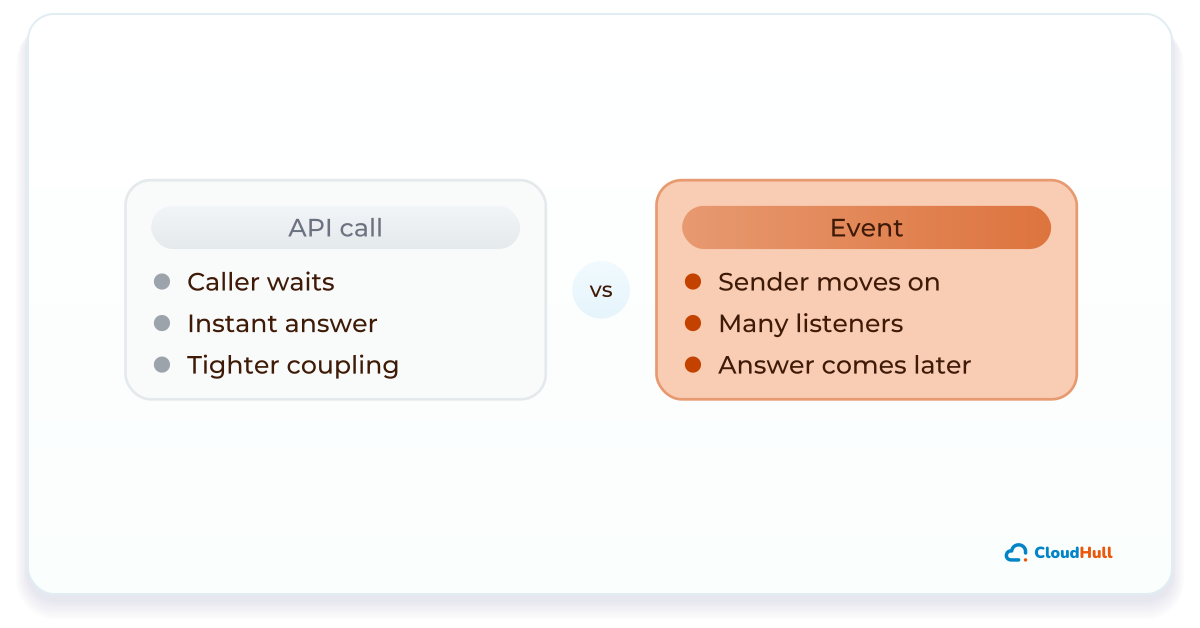
Exchange is the choice of pattern. Use an API when the caller needs an answer now, events when the sender should not wait, batch when a delay of hours is fine and replication when many systems read the same data. The catalog of messaging patterns at enterpriseintegrationpatterns.com is worth a read if you want the full vocabulary. My cloud integration strategy guide shows how to pick patterns by connection.
Layer 3 and 4: Transform and Orchestrate
Transformation is where most hidden cost lives. If each pair of systems translates its own formats, you maintain every translation separately. A canonical format per business object, such as customer, order and invoice, reduces the number of mappings from one per pair to one per system.
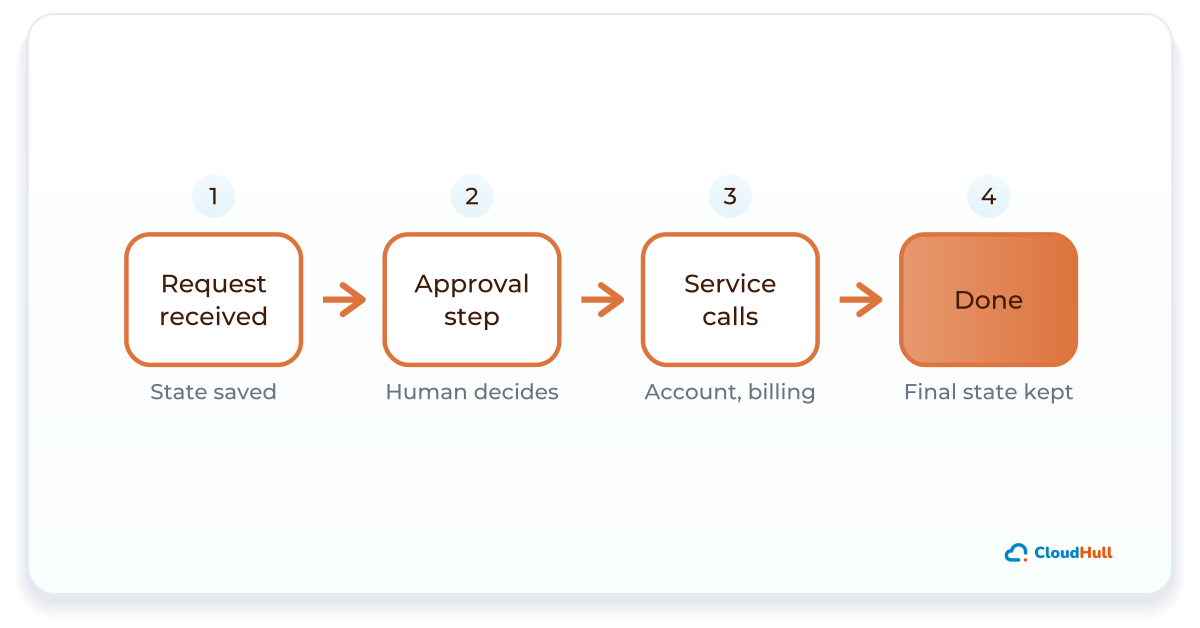
Orchestration handles processes that span several steps, such as onboarding a customer across CRM, billing and support. Keep state in the workflow, not in the heads of the systems. Services such as Azure Logic Apps and AWS Step Functions do this, and an integration platform covers the same ground. If you compare options, my review of cloud integration tools lists the strengths and prices.
Layer 5 and 6: Secure and Observe
Security belongs in the blueprint, not after it. Give every integration its own identity, store secrets in a secret manager and encrypt data in transit and at rest. Keep an audit log of who called what and when, because regulators and auditors ask. Check the specific rules of your industry and region with your own advisers.
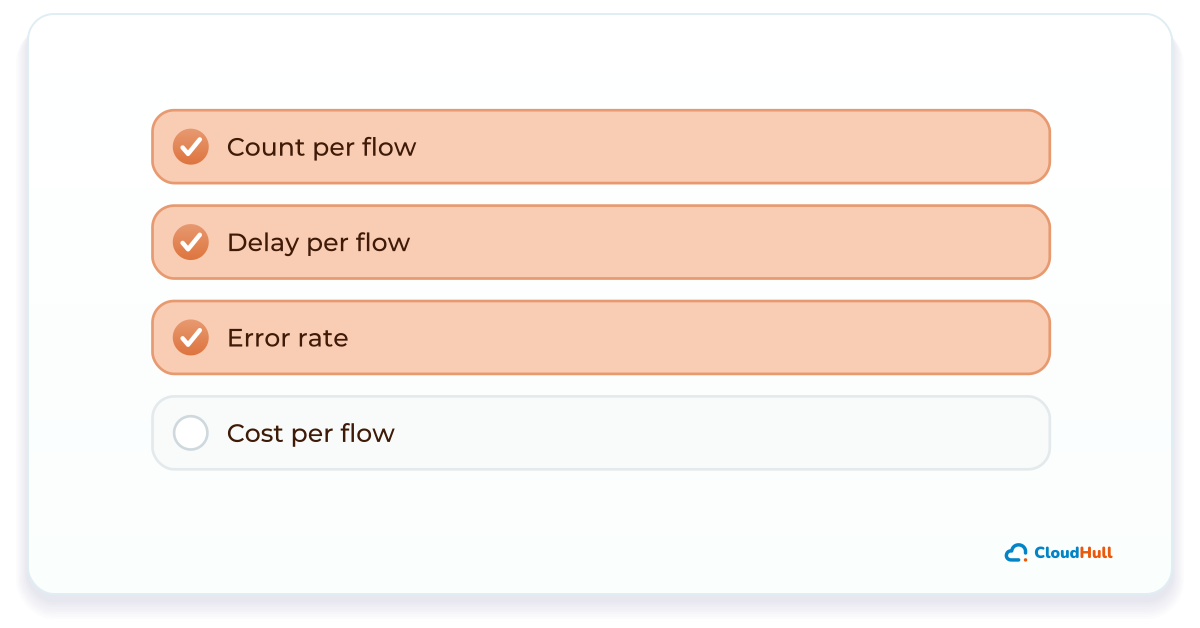
Observation means you see business flows, not only machines. Track counts in and out, the age of the oldest waiting message, error rate and cost per flow. The habits that keep these layers healthy are listed in my cloud integration best practices article.
The Seven Build Steps
The layers are the target. The steps below are the route, and they run roughly in this order. Several can overlap, but a step should not start before the previous one has an owner.
| Step | What you do | Output | Exit check |
|---|---|---|---|
| 1. Scope | List systems, flows and owners | Inventory | Every flow has an owner |
| 2. Rank | Score flows on value, failure and effort | Backlog | Top five agreed by business |
| 3. Design | Choose pattern, contract and format per flow | Design notes | Contracts versioned |
| 4. Platform | Select the runtime and tools | Decision record | Cost estimated from real volume |
| 5. Build | Implement the first flow end to end | Working flow | Replay test passes |
| 6. Harden | Add retries, security and alerts | Runbook | Failure drill done |
| 7. Run | Review cost, usage and ownership | Quarterly report | No flow without an owner |
A common stumble is to jump to step five because building feels like progress. The first flow then sets patterns by accident, and every later flow copies them. Spending two weeks on steps one to three costs far less than rewriting the first five flows.
What the Framework Looks Like in Practice
A software company with eight SaaS tools and one billing system used the blueprint over ten weeks. Steps one and two found 23 flows, of which 6 were unowned. Step three produced three approved patterns and a canonical customer format. The platform decision came down to a managed integration tool because the team had two engineers.
The first flow, customer creation from billing into the CRM and support desk, went live in week six. Steps six and seven added a dead letter queue, an alert on queue age and a monthly cost report. The team now adds new flows in days instead of weeks, since the layers already exist. Teams in other industries are described in my cloud integration examples.
Common Gaps the Blueprint Reveals
When I score an estate against the six layers, the same gaps appear. Most teams are strong on connect and exchange, weak on observe and uneven on secure. The cloud integration challenges article covers the failures that follow from each gap.
| Layer | Typical score | Typical gap |
|---|---|---|
| Connect | Strong | Legacy systems reached through nightly files |
| Exchange | Good | Polling where events would work |
| Transform | Weak | Mappings duplicated per pair of systems |
| Orchestrate | Mixed | State hidden in scripts |
| Secure | Uneven | Shared admin tokens |
| Observe | Weak | No alert on stuck messages |
Who Decides What: Governance for the Blueprint
A framework without decision rights becomes a poster on a wall. Settle who decides three things before the first build. Who approves a new pattern? Who owns the canonical format of each business object? Who can change a contract that other teams use?
For a small company, the answer can be one architect and a monthly meeting of thirty minutes. For a larger one, it is a platform team that publishes the approved patterns and a lightweight review for anything outside them. The aim is speed with guardrails. Teams that must wait two weeks for approval build around the process, and then nothing is governed at all.
| Decision | Small company | Larger company |
|---|---|---|
| New integration pattern | Architect decides in a short call | Platform team reviews against the pattern guide |
| Canonical format change | Owner of the source system | Data owner with a versioned proposal |
| Contract change | Both teams agree in a thread | Versioned release with a notice period |
| Platform change | CTO decides with a cost review | Architecture board with a cost and risk review |
A Reference Layout in Words
If you want a picture in your head, imagine a hub with three doors. The first door is for systems that speak APIs, and a gateway guards it with keys, throttling and logging. The second is for systems that publish events, and a broker holds them until consumers are ready. The third is for files and batch loads, and a managed transfer service tracks receipts.
Behind the doors sits the transform layer with one schema per business object, and next to it a workflow service that runs multi-step processes. A secret manager, an identity service and a monitoring service wrap the whole structure. Nothing here is exotic, and every major cloud provider sells a version of each box. The framework tells you which boxes you need and in what order to build them.
Applying the Framework to a Migration or a Merger
The same blueprint helps when the landscape changes suddenly. During a cloud migration, flows between moved and unmoved systems cross a network boundary, and latency and security change. During a merger, two estates must share data, and a canonical format prevents the new company from building every mapping twice.
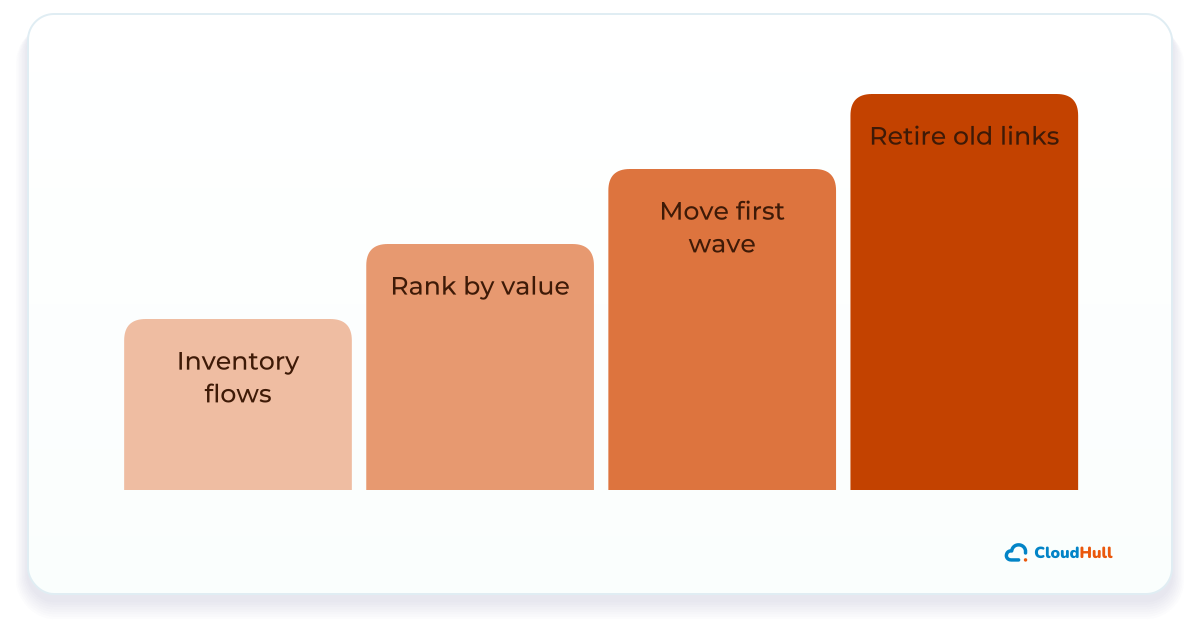
In both cases, repeat steps one and two first. Inventory the flows that cross the boundary, rank them by value and fix the top few before the cutover. If you plan a larger move, the work fits into the wider cloud strategy and migration plan, and your integration list becomes one of its inputs.
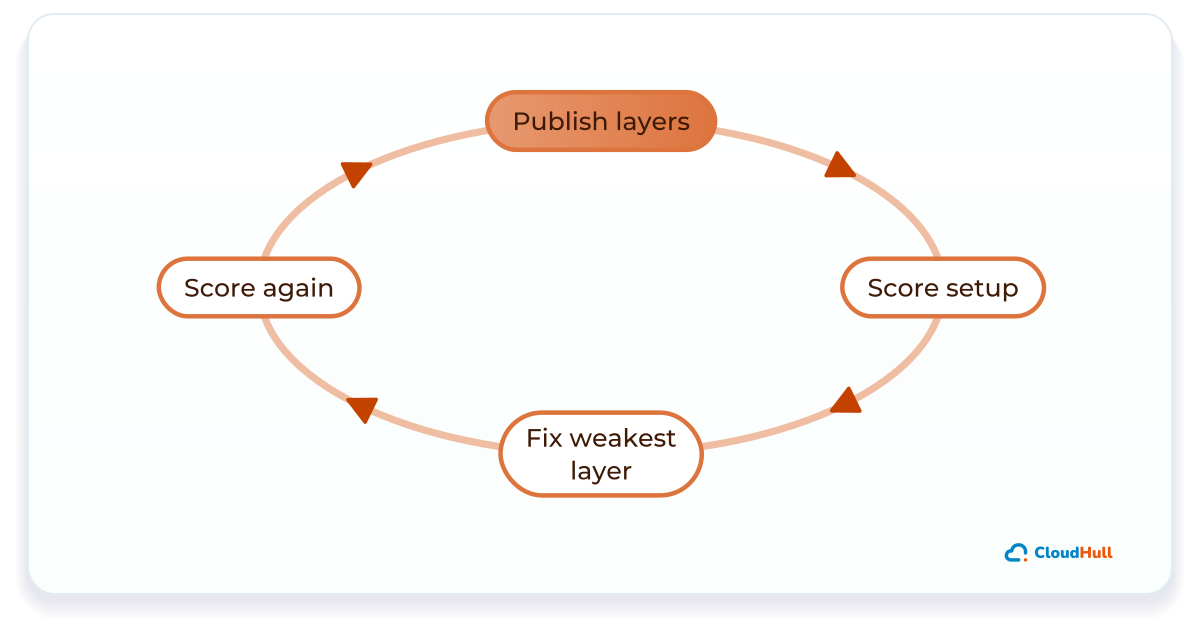
One last tip on adoption. Publish the six layers and the scoring checklist where engineers will see them, such as the repository wiki, and review the score in the same meeting as the quarterly cost report. A framework that is reviewed twice a year stays alive, and one that is only written once is forgotten within a quarter.
What the Framework Does Not Cover
The blueprint describes how systems exchange information. It does not choose your applications, design your data warehouse or decide your cloud provider. Those choices feed into it, and the framework helps you test whether they can be connected at a sensible price and risk.
It also does not replace a security review for regulated data. Use the secure layer as a checklist of topics, and ask a qualified adviser to confirm the specific controls your industry and region require.
How to Score Your Own Setup
Give each layer a score from 0 to 2: nothing in place, partly in place or in place and tested. Twelve is the maximum. Use this checklist, and answer honestly:
- Connect: every system has a documented interface and network path.
- Exchange: each flow has a chosen pattern written down.
- Transform: each business object has one agreed format.
- Orchestrate: process state lives in a workflow, not in scripts.
- Secure: each integration has its own identity and rotated secrets.
- Observe: you get an alert when a message is stuck.
Below six, start with step one and do not build anything new. Between six and nine, fix the weakest layer, usually observe or transform. Above nine, you are in the quarterly review phase. A short outside review is a fast way to check your own scoring.
Questions About the Cloud Integration Framework
What Is a Cloud Integration Framework?
It is a structured model of the layers and steps you need to connect applications, data and services across cloud and on-premises systems. It covers connection, data exchange, transformation, process orchestration, security and monitoring.
How Is a Framework Different from a Strategy?
A strategy ranks what to build and who owns it. A framework describes the structure you build into and the order of the work. I use both together.
Do I Need All Six Layers?
Yes, though small estates keep each layer light. A company with ten flows may use a managed platform for most layers and a wiki page for the rest.
Where Should I Start?
Start with scoping and ranking. A written inventory with owners costs almost nothing and shows which layer is weakest.
What Is a Canonical Data Format?
It is one agreed structure for a business object, such as a customer, used between all systems. Each system maps to it once instead of mapping to every other system.
How Long Does the Framework Take to Apply?
A small estate can complete steps one to four in four to six weeks. The first flow follows within another few weeks, and hardening runs alongside it.
Which Cloud Provider's Tools Fit This Framework?
All major providers offer parts of each layer. Azure Logic Apps, AWS Step Functions and Google Cloud Application Integration all cover orchestration, for example. Choose by where your workloads already run.
Sources
- Enterprise Integration Patterns by Gregor Hohpe and Bobby Woolf
- Microsoft Learn: What is Azure Logic Apps?
Please note: this guide is general information and not legal, financial or tax advice. Numbers and examples are typical-project estimates; confirm current details with your providers and advisers.
Did this article help you?
Thanks, noted.
Garrett Linville
Garrett leads the Cloud Hull editorial team and works with the consultants to turn real client projects into practical guides on cloud migration, DevOps, security and cost control. Each article is edited together with the consultant who did the work, and every price and limit is checked against current provider documentation. He is based in the USA and works remotely.