Main Points
- Inventory every connection with an owner before you choose any platform.
- Rank connections on value, failure rate and effort, and start with order-to-cash.
- Pick patterns first: API, events, batch or replication, then compare products.
- Review five numbers every quarter, including the count of connections with no owner.
Most cloud integration strategies are a diagram of boxes and arrows. A useful one is a ranked list of connections, with an owner, a pattern and a price for each. In my cloud integration consulting work, the strategy workshop decides more of the final result than the platform choice does.
The playbook below has five phases. I use it for companies with ten systems and companies with two hundred, and only the depth of each phase changes. Read the table first, then the phases in order.
The Five Phases in One Table
| Phase | What it answers | What you produce | Typical time |
|---|---|---|---|
| 1. Inventory | What is connected today? | A list of every integration with owner, data and frequency | 1 to 2 weeks |
| 2. Priorities | Which connections matter most? | A ranked backlog scored on value, risk and effort | 1 week |
| 3. Patterns | How should each one work? | A short set of approved patterns | 1 to 2 weeks |
| 4. Platform | What runs it? | A platform decision with a written reason | 2 to 3 weeks |
| 5. Operate | Who owns it afterward? | Monitoring, ownership and a quarterly review | Ongoing |
The times come from my own projects and assume a team that answers questions within a day. They stretch when decisions wait for a committee.
Phase 1: List What Is Already Connected
Start with what exists, because every estate has more integrations than anyone remembers. Export scheduled jobs, API gateways, file transfers and message queues, then ask each system owner what feeds their system and what it feeds.
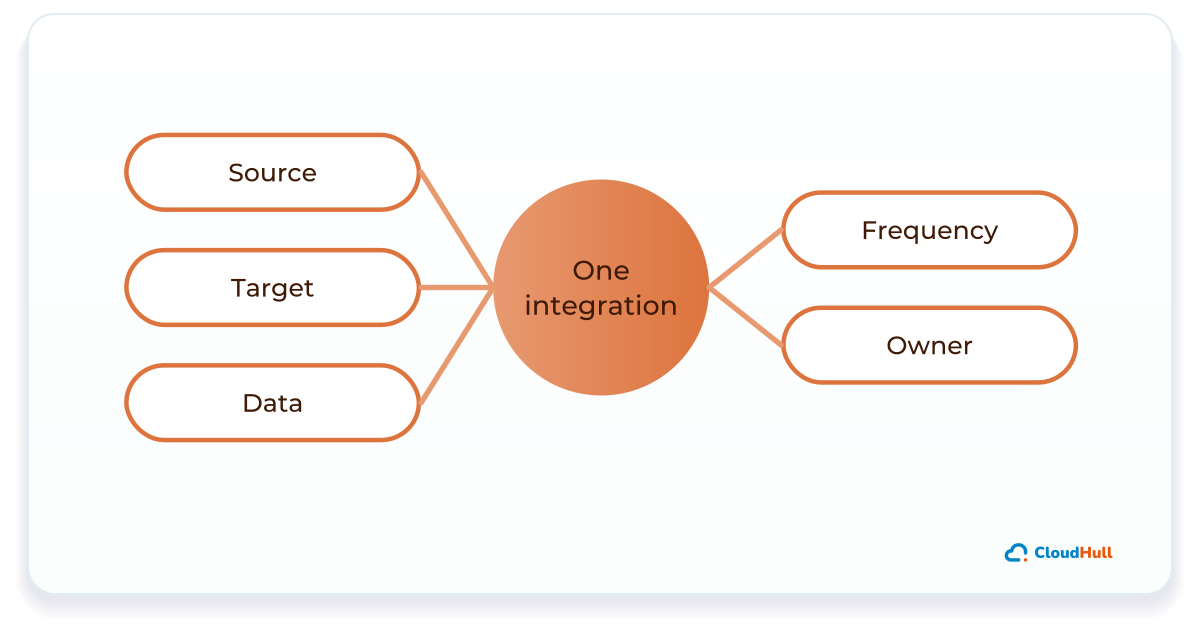
Record five facts for each connection: source, target, data, frequency and owner. Add a column for how it breaks, which is usually answered by the one person who gets the call at night. I have seen inventories grow by a third after those interviews, mostly from spreadsheets and scripts that never appeared in any diagram.
Phase 2: Rank the Connections That Matter
Score each connection from 1 to 5 on three questions. How much revenue or work depends on it? How often does it fail or need a manual fix? How hard is it to change? High value, frequent failure and moderate effort go to the top.
Resist the urge to start with the integration the business talks about most. The order-to-cash flow is usually the right first target because failures show up in cash. Anything that only moves reports around can wait, and some of it can be retired.
| Score pattern | Typical decision | Example |
|---|---|---|
| High value, fails often | Fix first | Orders from the shop into the ERP |
| High value, stable | Document and monitor | Payroll export to the bank |
| Low value, fails often | Simplify or retire | A nightly spreadsheet sync nobody reads |
| Low value, stable | Leave alone | An old file drop with no changes in years |
Keep the ranked list to two pages. The scoring method is simple on purpose, because the argument it starts is worth more than the number it produces. Real teams and their results are collected in my cloud integration examples.
Phase 3: Pick Patterns Before Products
Most connections fit one of four patterns: request and response through an API, events through a broker, scheduled batch transfer and data replication. Decide in writing which pattern applies to which kind of connection. Hohpe and Woolf catalogued 65 messaging patterns, and a team only needs a handful of them.
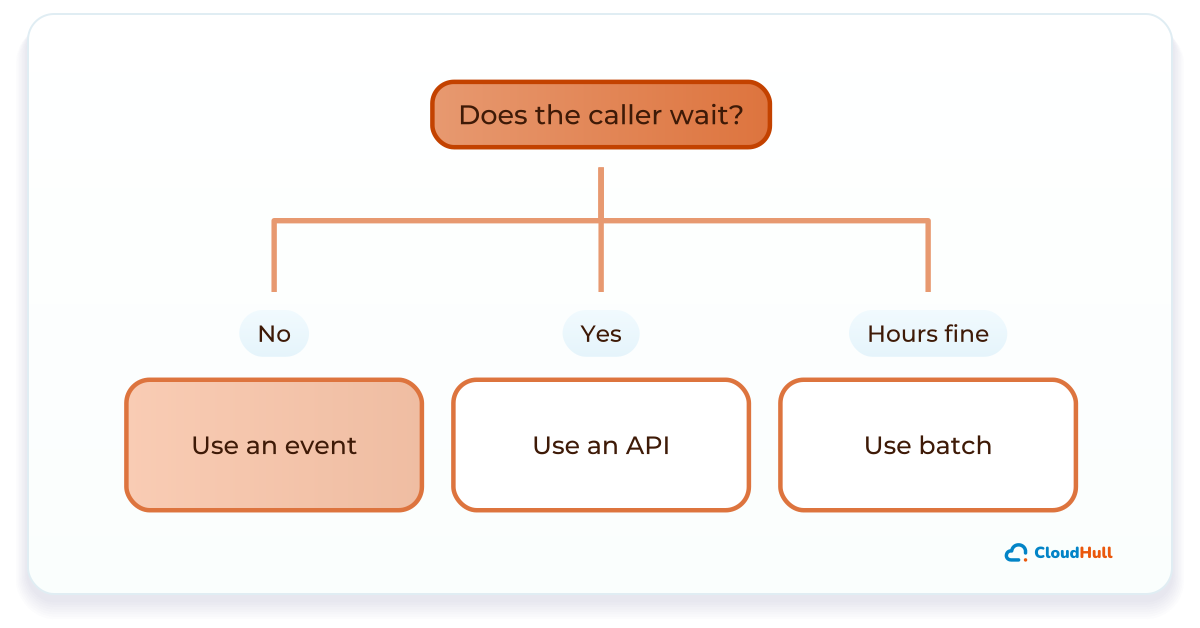
The rule I give clients is to use events when the sender should not wait, an API when the caller needs an answer now and batch only when a delay of hours is acceptable. A short pattern guide stops every project from inventing its own style, and it makes the platform choice easier because you know what the platform must do.
Phase 4: Choose the Platform Last
Now compare platforms against the patterns you need. Four options cover most cases: a managed integration platform, the integration services of your cloud provider, an event streaming service and custom code on containers. Many companies end up with two of them.
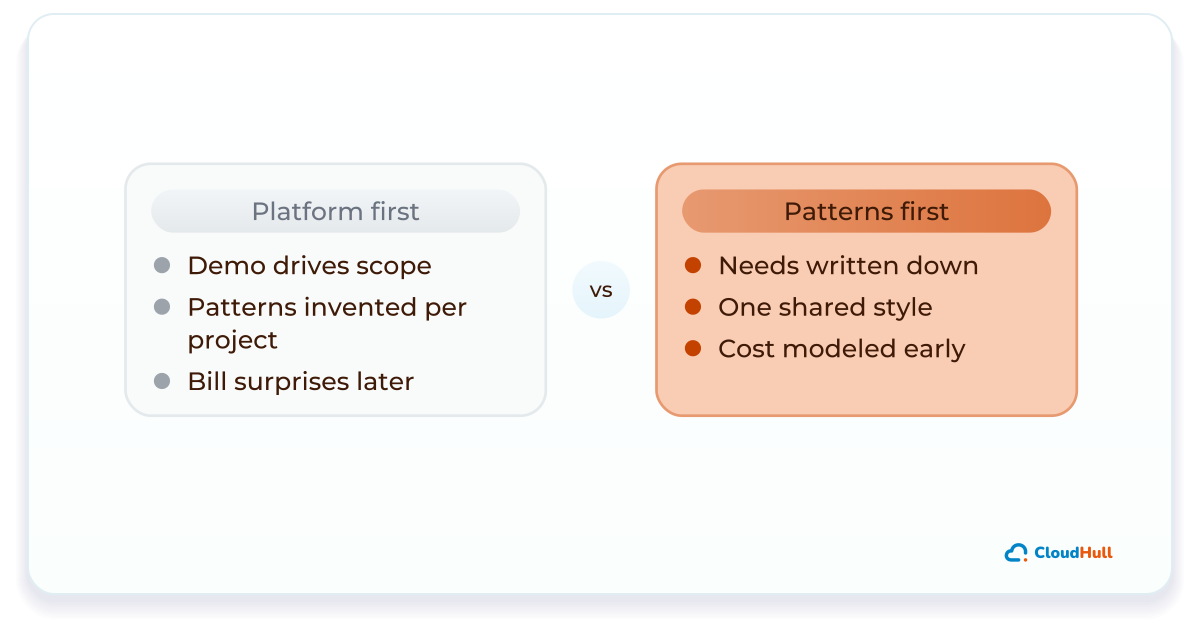
Price matters here more than most teams expect. Platforms that bill by connector, task or execution behave very differently as volume grows, so estimate from your inventory, not from the demo. My ranked list of cloud integration tools shows what each vendor publishes about price and what it hides.
| Option | Fits when | Watch for |
|---|---|---|
| Managed integration platform | You have many SaaS apps and few engineers | Cost that rises with volume |
| Cloud provider services | Most workloads already run on one provider | Lock-in and uneven connector coverage |
| Event streaming service | Systems must react in near real time | Operating effort for the broker |
| Custom code on containers | Logic is unusual and volume is high | You own every upgrade and every outage |
Phase 5: Decide Who Runs It
A platform without an operating model turns into a ticket queue. Settle four things before launch and write them on one page.
- Who owns the platform: upgrades, shared connectors and the paved road for new integrations.
- Who owns each integration: usually the team that owns the source system, including the on-call duty.
- How failures are handled: retries, a dead letter queue and who looks at it each morning.
- How cost is shown: a monthly view per integration, reviewed by someone who can change it.
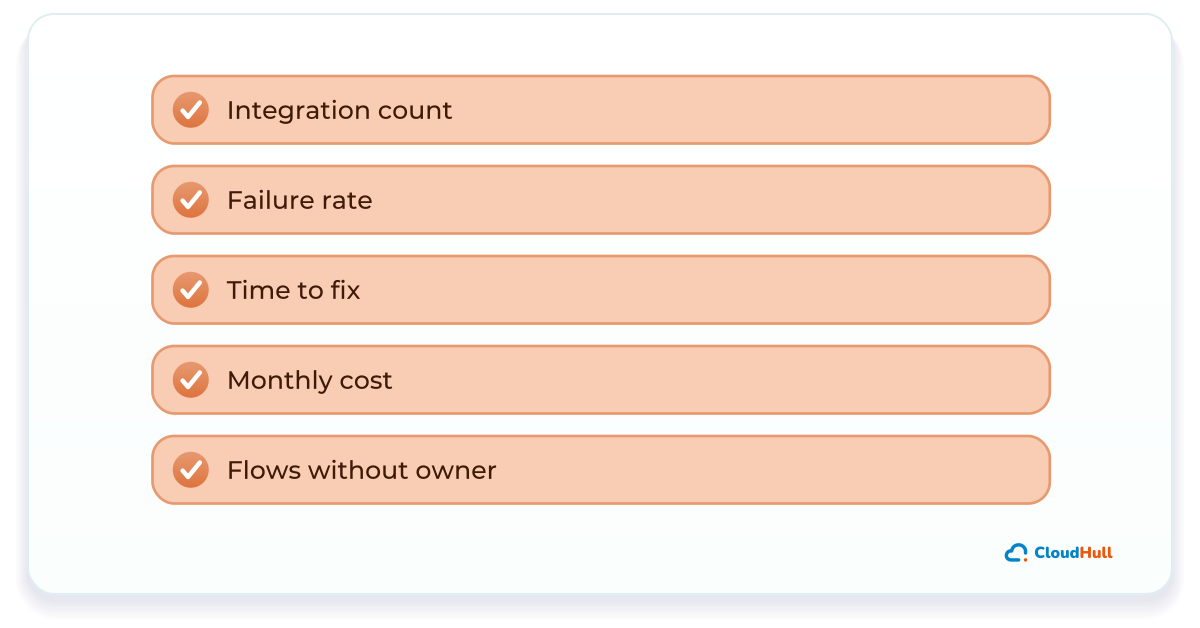
The details of the build habits that keep this working are in my guide to cloud integration best practices, and the typical failures are in cloud integration challenges. Add a quarterly review with five numbers: number of integrations, failure rate, time to fix, monthly cost and number without an owner.
A Worked Example of the Playbook
A regional retailer I worked with had 34 integrations between its web shop, ERP, warehouse system and carrier portals. The inventory found 41, including three CSV exports that finance ran by hand. Scoring put orders, stock levels and shipping labels at the top, and about a third of the list turned out to be reports that nobody opened.
The pattern guide chose events for stock changes, an API for shipping rates and batch for the monthly finance load. The platform decision was a managed integration platform for the SaaS side and the provider's queue service for stock events. The first phase cost roughly eight weeks. The retailer retired 9 integrations outright, which cut its run cost before any new build started.
If you want the same approach as a repeatable model with layers and checkpoints, the cloud integration framework lays it out step by step.
How Pricing Models Shape Your Strategy
Integration platforms bill in different units, and the unit changes your design. Per-task pricing rewards fewer, larger messages. Per-execution pricing punishes chatty workflows that call many small steps. Connector-based pricing punishes a long tail of small applications, and usage credits hide the real unit behind a conversion rate.
Take your inventory and count messages per month for each flow, then price the top ten flows on each shortlisted platform. In my client work, the flow with the highest message count usually decides the winner, and it is rarely the flow the business talks about.
| Billing unit | Rewards | Hurts |
|---|---|---|
| Per task or action | Fewer, richer steps | Long workflows with many small actions |
| Per execution | Simple flows with few steps | Polling jobs that run every minute |
| Per connector or endpoint | A few key systems | Many small SaaS applications |
| Usage credits | Bulk purchasing | Teams that cannot see what a credit buys |
Mistakes That Sink an Integration Strategy
The most common mistake is writing the strategy as a technology choice, with a platform name on the cover and no owners inside. The second is ranking by who shouts loudest. A strategy that moves the flow of a senior manager's favorite report to the top of the list loses the trust of the teams whose orders fail every week.
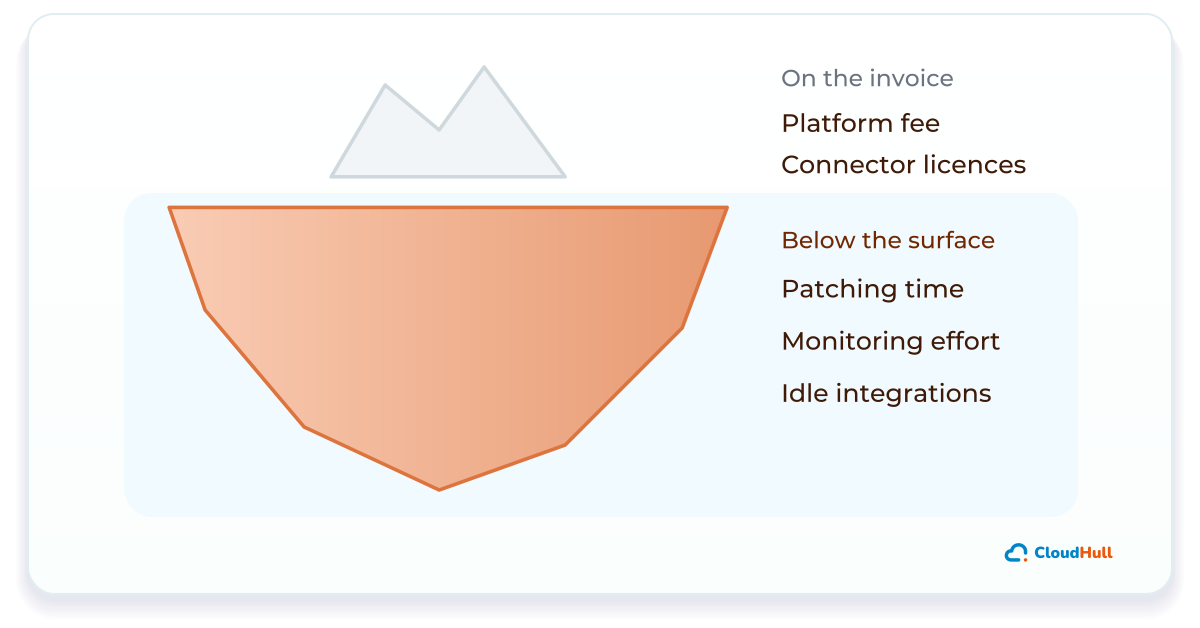
A third mistake is skipping the retirement list. Every estate has integrations that serve nobody, and each one still costs money and patching time. Put at least a few on the first backlog as items to switch off, and track the saving as a project result next to the new builds.
How Strategy Changes With Company Size
| Company size | Inventory | Platform | Review rhythm |
|---|---|---|---|
| Under 50 people | A shared spreadsheet | One managed platform | Twice a year |
| 50 to 500 people | Spreadsheet plus gateway export | Platform plus provider services | Quarterly |
| Over 500 people | A catalog with owners per team | Platform team and a paved road | Quarterly, with a named owner |
A small company can finish phases one to three in two weeks and learn more from that than from a long vendor comparison. A larger one needs a platform team so that every business unit does not build its own connections.
Handling Pushback on the Plan
Expect three objections. The first is that the inventory is too much work, and the answer is to start with the flows that touch revenue and add the rest over a quarter. The second is that the platform is already chosen, and the answer is to keep it and still write the pattern guide, because patterns matter on any platform.
The third is cost. A strategy costs a few weeks of senior time and often pays for itself by retiring flows and avoiding a platform tier you do not need. Put the retirement savings and the avoided tier in the first report, and the conversation about budget becomes much easier.
Choosing Where to Begin
If you cannot do all five phases at once, start with the inventory and the ranking. Those two cost almost nothing and they change the conversation. Ask yourself four questions:
- Can you name every integration that touches orders, payments or customer data?
- Does each one have an owner who would hear about a failure?
- Do you know what the integrations cost to run each month?
- Could you replace the platform in a year if its pricing changed?
A no to any of these is your next task. If several are no, a short outside review is a quick way to rank the work.
Questions About Cloud Integration Strategy
What Is a Cloud Integration Strategy?
It is a written plan for how your applications, data and services connect across cloud and on-premises systems. It covers which connections to build or fix first, which patterns and platform to use, and who owns each integration once it runs.
How Long Should a Strategy Take to Produce?
Most teams finish the inventory, ranking and pattern guide in four to six weeks. Platform selection adds a few more. Longer usually means the decisions are waiting for approvals, not that the work is hard.
Do I Need an Integration Platform?
Not always. A small estate with a few connections can run on provider services or scripts. A platform pays off when you have many SaaS applications, limited engineers and a growing list of requests.
Who Should Own the Strategy?
One named person with authority over both engineering and budget, usually a head of platform or a CTO. A strategy owned by a committee tends to stay a document.
How Is It Different from a Cloud Strategy?
A cloud strategy decides where workloads run and how you govern them. An integration strategy decides how they talk to each other. The two should share the same inventory and the same owners.
How Much Does a Cloud Integration Strategy Cost?
The cost depends on the number of systems and how deep the review goes. Many teams start with a fixed-price assessment that produces the inventory and ranking, then decide on the build.
How Do I Know the Strategy Is Working?
Track the number of integrations, failure rate, time to fix, monthly cost and the number with no owner. If failures and unowned connections fall while the count of connections grows, the strategy holds.
Sources
Please note: this guide is general information and not legal, financial or tax advice. Numbers and examples are typical-project estimates; confirm current details with your providers and advisers.
Did this article help you?
Thanks, noted.
Garrett Linville
Garrett leads the Cloud Hull editorial team and works with the consultants to turn real client projects into practical guides on cloud migration, DevOps, security and cost control. Each article is edited together with the consultant who did the work, and every price and limit is checked against current provider documentation. He is based in the USA and works remotely.