Main Points
- A cloud security assessment is a health check of your configuration, not a pen test.
- Start with an inventory of accounts and owners, because you cannot assess what you cannot see.
- Score six areas from 0 to 3 so results stay comparable quarter to quarter.
- Rank findings by internet exposure and data sensitivity, then fix 15 to 25 actions, not hundreds.
A cloud security assessment tells you where your cloud setup is exposed and what to fix first. It is not a pass or fail exam. You end up with a ranked list of gaps, an owner for each one and a rough sense of how much work stands between you and a safe baseline. If you plan to bring in outside help, this is the first job a cloud security consulting team will do.
I have run these assessments for fintech and ecommerce teams, mostly on AWS and Azure. The pattern is consistent: the scary findings are rarely exotic attacks. They are forgotten admin accounts, public storage buckets and logs nobody reads. This guide shows you how to evaluate readiness yourself and how to read the result.
What a Cloud Security Assessment Covers
An assessment looks at your whole cloud footprint at one point in time. It checks how accounts are organized, who can do what, how data is protected, how the network is split up and whether you would notice an attack. Think of it as a health check, not a penetration test. A pen test tries to break in. An assessment reads your configuration and your habits and tells you where the weak points are.
Most of the work is comparing what you run against a known baseline. The usual baselines are the CIS Benchmarks for your provider, the provider's own well-architected security guidance and, if a customer or regulator asks, a framework such as NIST CSF. You pick one as your yardstick so the results are repeatable next quarter.
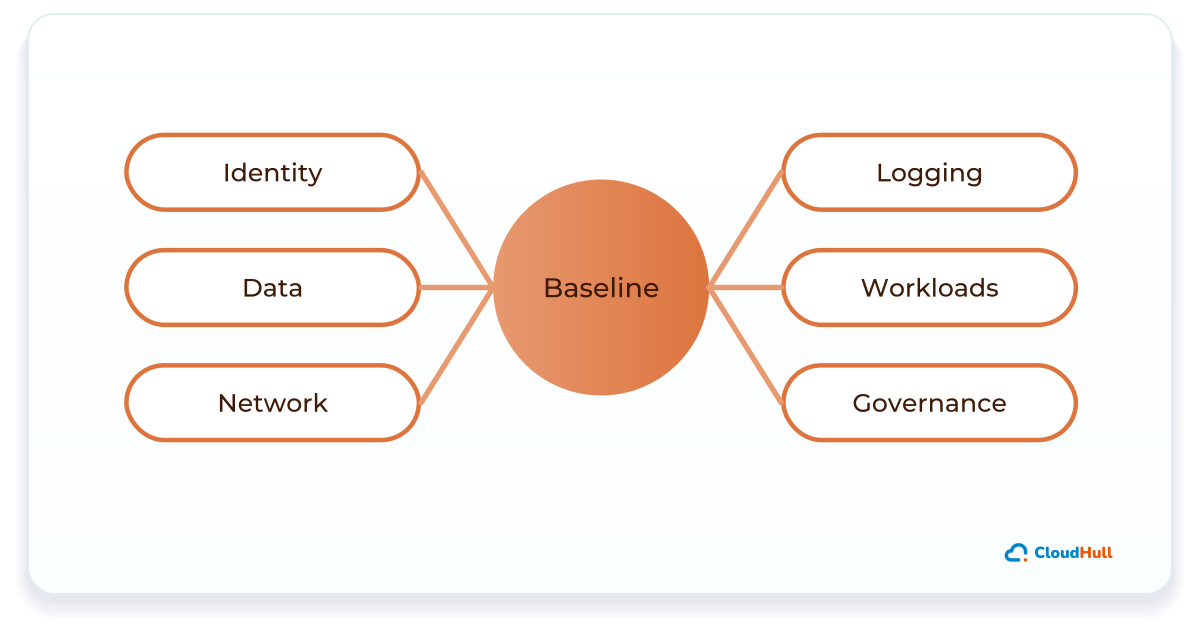
| Area | What gets checked | Typical gap I find |
|---|---|---|
| Identity and access | Admin roles, MFA, service accounts, access keys, single sign-on | Long-lived access keys and shared admin logins |
| Data protection | Encryption at rest and in transit, key ownership, backups, public storage | Storage buckets or snapshots open to the internet |
| Network | Security groups, private subnets, exposed ports, remote access paths | Management ports open to the whole internet |
| Logging and detection | Audit logs, alert rules, retention, who gets paged | Logs switched on but never reviewed |
| Workloads and containers | Image scanning, patching, runtime settings, secrets handling | Secrets stored in environment variables and code |
| Governance | Account structure, tagging, policies, ownership of each system | No clear owner for half the accounts |
Get These Four Things Ready Before You Start
The fastest assessments start with an inventory, because you cannot judge what you cannot see. Spend the first day on these four items and the rest goes quickly:
- A list of every cloud account, subscription and project, including the forgotten ones
- Read-only access for the assessor, never admin access
- A short list of the data you would hate to lose or leak, such as card data or customer records
- Names of the people who own each system, even if the answer is "nobody knows"
That last point surprises people. In one retail client the assessment found 14 accounts and the team could name owners for 9. The other five held old test environments with real customer data in them. The inventory alone justified the project.
How to Score Your Readiness From 0 to 3
I score each area on a simple scale so results are easy to compare and to explain to a non-technical manager. A score is only useful if two people would give the same one, so each level is tied to something you can check.
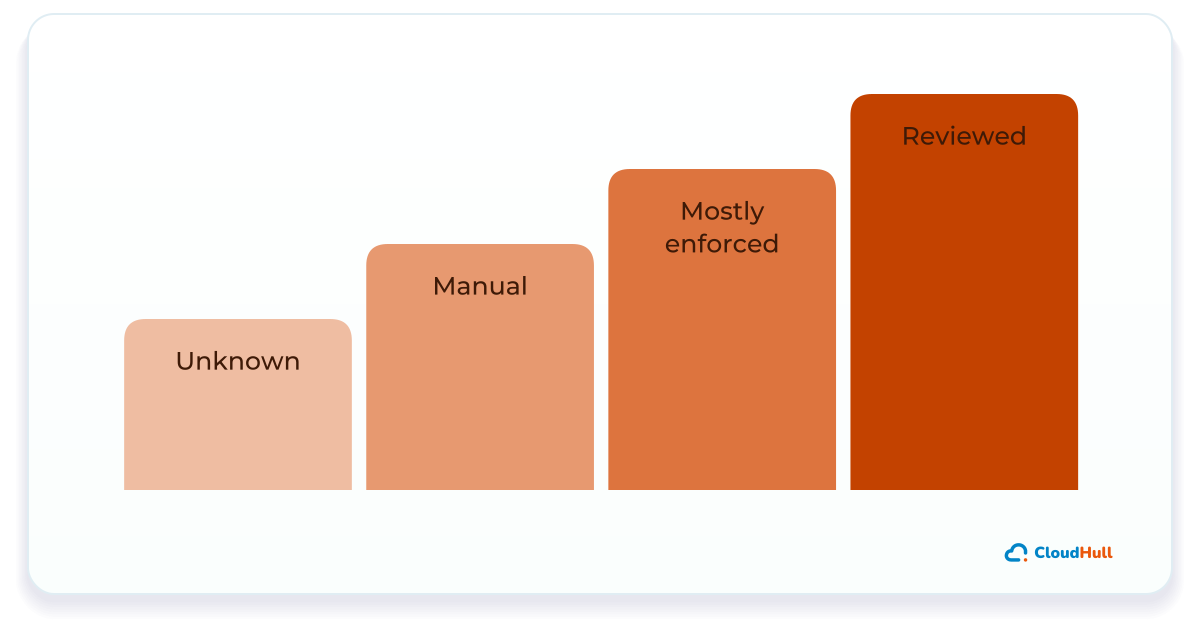
| Score | Meaning | Example for identity and access |
|---|---|---|
| 0 | Not in place or unknown | Nobody knows how many admins exist |
| 1 | Exists but manual and uneven | MFA is on for some admins, not all |
| 2 | Defined and mostly enforced | MFA enforced by policy, access keys reviewed once a year |
| 3 | Enforced, monitored and reviewed | MFA enforced, access reviewed each quarter, alerts on risky logins |
Add up the six area scores for a total out of 18. Under 8 means you have basic gaps that a determined attacker would find in a day. Between 8 and 13 is typical for a growing company, with good intentions and uneven follow-through. Above 13 means you are ready for deeper work such as a formal cloud security audit. Treat those bands as my rule of thumb from client work, not an industry standard.
Where Scanners Help and Where You Still Need a Person
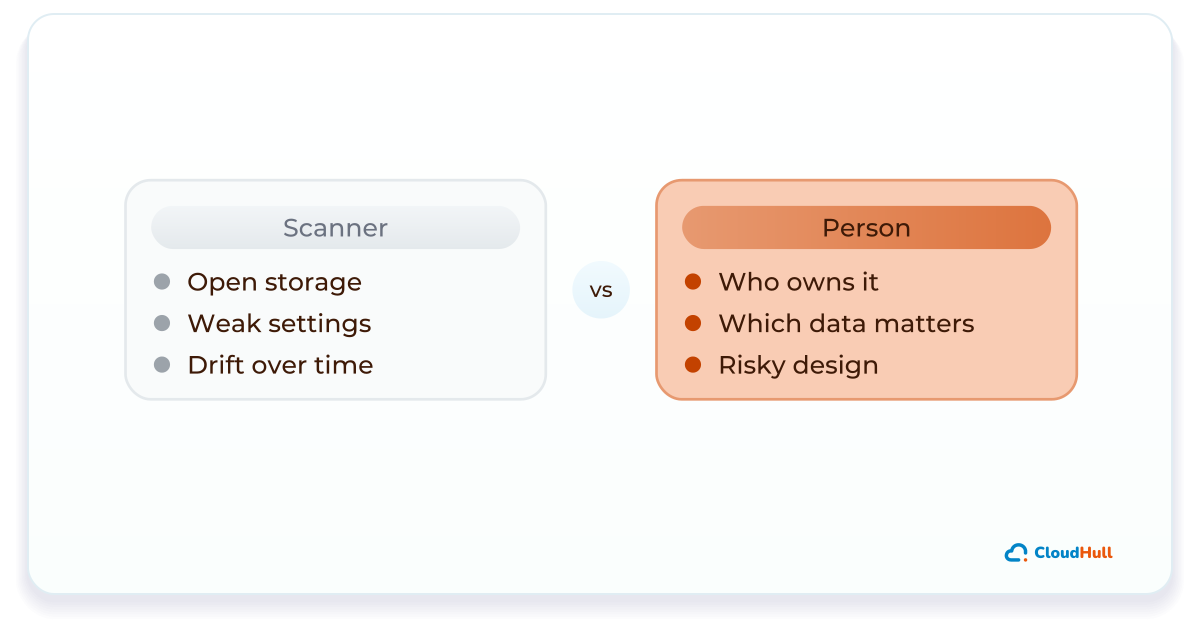
Cloud posture scanners read your configuration through the provider's APIs and flag risky settings in minutes. They are very good at the first three areas in the table above. They are weak at judgment: they cannot tell you that a test account holds production data, or that three teams share one admin login out of habit. I use a scanner for breadth and then spend human time on the findings that need context. My ranking of cloud security tools compares the main options if you want one.
Free options are enough for a first pass. AWS, Azure and Google Cloud each ship a built-in posture service with a free tier or trial, and the open source CIS-based checkers cover the basics. Use the tool for the long list, then read the top 20 findings yourself.
Turning Findings Into a Fix Order
A first scan on a real environment often returns hundreds of findings. Nobody fixes hundreds of things. Rank each finding on two questions: could an outsider reach it, and what is the worst thing that could happen if they did? Public exposure plus sensitive data goes to the top. Internal-only findings on test systems go to the bottom.
Then group the work. Ten findings that all come from one missing policy are one task, not ten. When I hand over results, I aim for a list of 15 to 25 actions with an owner and a due date each. Anything longer gets ignored.
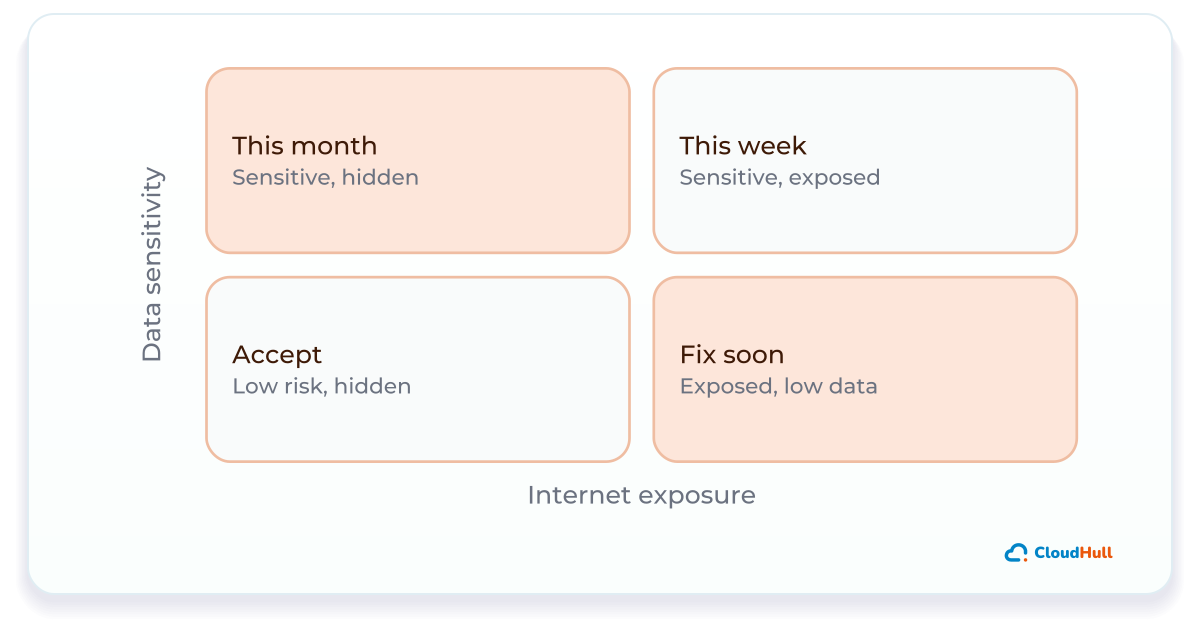
| Priority | Test | Time to fix |
|---|---|---|
| Fix this week | Reachable from the internet and touches sensitive data | Hours to days |
| Fix this month | Weak access control or missing logging on production | Days to weeks |
| Plan this quarter | Structural issues such as account layout or network redesign | Weeks to months |
| Accept or ignore | Low risk, low exposure, documented reason | None |
What to Do With the Result
The assessment is the start of a plan. If your score is low, your next step is a cloud security strategy that sets goals, owners and budget for the next year. If you only need a quick win list, work through a short cloud security checklist and rerun the assessment in a quarter. If you are a smaller team with one or two engineers, read my notes on cloud security for small business before you buy anything.
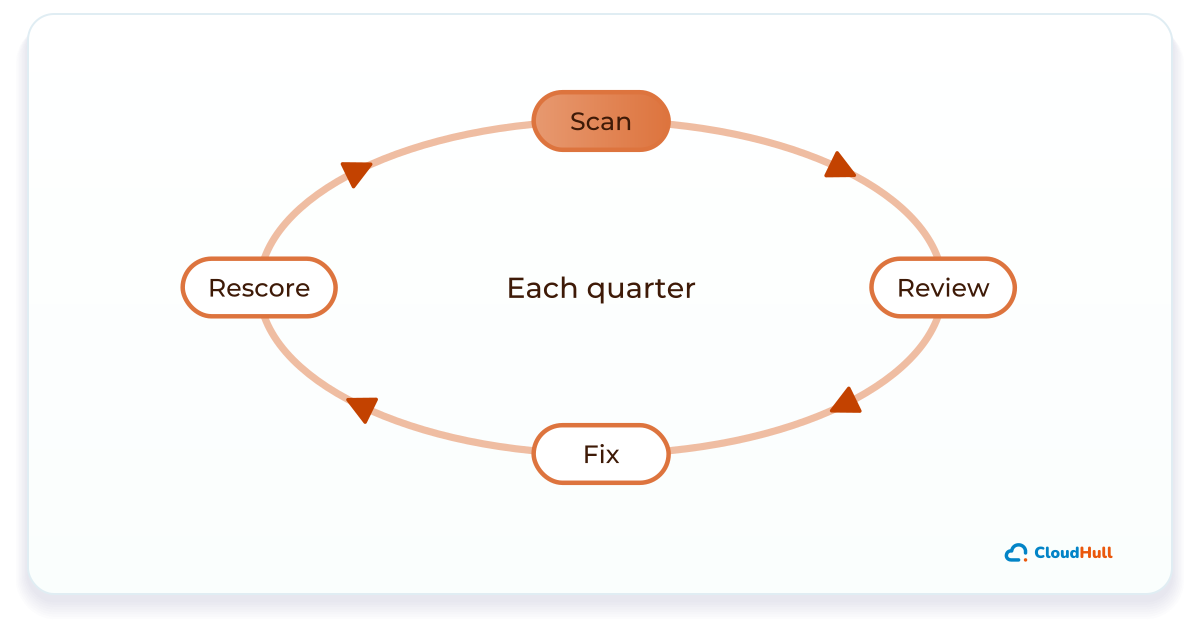
Rerun the same assessment every quarter, using the same scale. The trend matters more than the number. A score that climbs from 6 to 10 over two quarters tells you the program works, even if you are not yet at 13.
A Worked Example From a Payments Startup
A payments startup with 35 engineers asked me to assess its AWS setup before a bank partner's security review. The inventory found eleven accounts. The scores came out at identity 1, data protection 2, network 2, logging 1, workloads 1 and governance 0, a total of 7 out of 18. That is the "basic gaps" band.
The top findings were not subtle. Four engineers still used long-lived access keys with admin rights, audit logging was off in three accounts, and a staging bucket with a copy of production customer files was readable by anyone with the link. We fixed those three in a week. Governance took longer: two accounts had no owner, and it took a month of asking around before one was claimed and the other closed. The retest a quarter later scored 11, and the partner review passed without a follow-up round.
The lesson I take from cases like this is that a low score is not an emergency. It is a map. The company moved from 7 to 11 by closing about twenty actions, most of them configuration changes that took less than a day each.
Mistakes That Make an Assessment Useless
Four mistakes show up again and again. The first is scoping only the production account, which leaves the old test accounts holding real data. The second is treating the scanner output as the report: nobody reads 600 findings, so nothing gets fixed. The third is assessing once and never again, so the score drifts back down within a year as people change settings. The fourth is skipping the conversation with the engineers who own each system. Configuration tells you what exists, but only the owner can tell you why it exists and what breaks if you change it.
Avoid all four by fixing the scope in writing before you begin, limiting the report to the actions that matter, putting the next assessment date in the calendar and booking a short walkthrough with each owner.
How to Choose Between Doing It Yourself and Hiring Help
You can run a first assessment in-house if you have an engineer who knows your cloud and can spare a week. Hire help when you need an independent view, for example for a customer security questionnaire, or when nobody on your team has done one before. An outside reviewer also finds things insiders have stopped seeing. Ask any provider you consider to show you a sample report, the scale they use and how they handle your access. Avoid anyone who needs write access to do an assessment.
Sources
Questions About Cloud Security Assessments
How Long Does a Cloud Security Assessment Take?
A focused assessment of one provider with a handful of accounts usually takes one to two weeks from access to written findings. Most of that time goes to the inventory and to reviewing results with the people who own each system. Larger multi-account setups take longer, mainly because of scheduling.
How Much Does a Cloud Security Assessment Cost?
It depends on the number of accounts, providers and workloads in scope. Running a free provider tool yourself costs staff time only. An outside assessment is priced by scope, and a good provider quotes a fixed price after a short scoping call. Ask what is included in the report and the follow-up review.
What Is the Difference Between an Assessment and an Audit?
An assessment measures your current state against a baseline and tells you what to improve. An audit checks evidence against a specific standard and produces a formal opinion. Most teams do an assessment first, fix the gaps and then go into an audit.
Do I Need to Give the Assessor Admin Access?
No. Read-only access is enough for configuration review, and it is safer for you. Be careful with anyone who asks for write access just to look at settings.
Which Framework Should I Use as the Baseline?
Start with the CIS Benchmark for your cloud provider, because it is specific and checkable. Add a broader framework such as NIST CSF only if a customer, insurer or regulator asks for it. Using one baseline consistently is better than mixing several.
How Often Should I Repeat the Assessment?
Quarterly is a good rhythm for growing teams, and after any major change such as a migration or a new region. Automated posture checks can run daily between full reviews.
Can a Scanner Replace a Human Assessment?
A scanner covers configuration at scale, but it cannot judge business context. It does not know which data is sensitive or which accounts are really test. Use the tool for coverage and a person for the top findings.
Please note: this guide is general information and not legal, financial or tax advice. Numbers and examples are typical-project estimates; confirm current details with your providers and advisers.
Did this article help you?
Thanks, noted.
Garrett Linville
Garrett leads the Cloud Hull editorial team and works with the consultants to turn real client projects into practical guides on cloud migration, DevOps, security and cost control. Each article is edited together with the consultant who did the work, and every price and limit is checked against current provider documentation. He is based in the USA and works remotely.