Main Points
- Fix the scope and the standard in writing before you collect anything.
- Evidence must be something a third party could verify later, not just a screenshot.
- Score every failed control with Risk = Likelihood × Impact × Exposure to keep the order of work consistent.
- Retest critical and high findings and keep the proof, or the same issue returns next year.
A cloud security audit checks your real setup against a written standard and produces evidence that you can show a customer, an insurer or a regulator. It is stricter than an assessment: every statement needs proof. If you are not sure which one you need, a cloud security consulting partner can help you choose, but the steps below work whether you do it yourself or hire it out.
I run audits as a seven-step sequence with one scoring formula at the center. The formula keeps debates short, because every finding gets the same arithmetic. Here is the full method.
The Seven Steps in One Table
| Step | What you do | Evidence you collect |
|---|---|---|
| 1. Scope | List accounts, regions, services and data in scope | Signed scope sheet |
| 2. Standard | Pick the control set to test against | Control list with IDs |
| 3. Collect | Pull configuration, logs and access lists, read-only | Dated exports and screenshots |
| 4. Test | Check each control: pass, fail or not applicable | Test log with notes |
| 5. Score | Apply the risk formula to every failed control | Scored findings sheet |
| 6. Report | Write findings, fixes and owners | Final report |
| 7. Retest | Confirm fixes and close findings | Retest evidence |
Steps 1 and 2: Fix the Scope and Pick the Standard
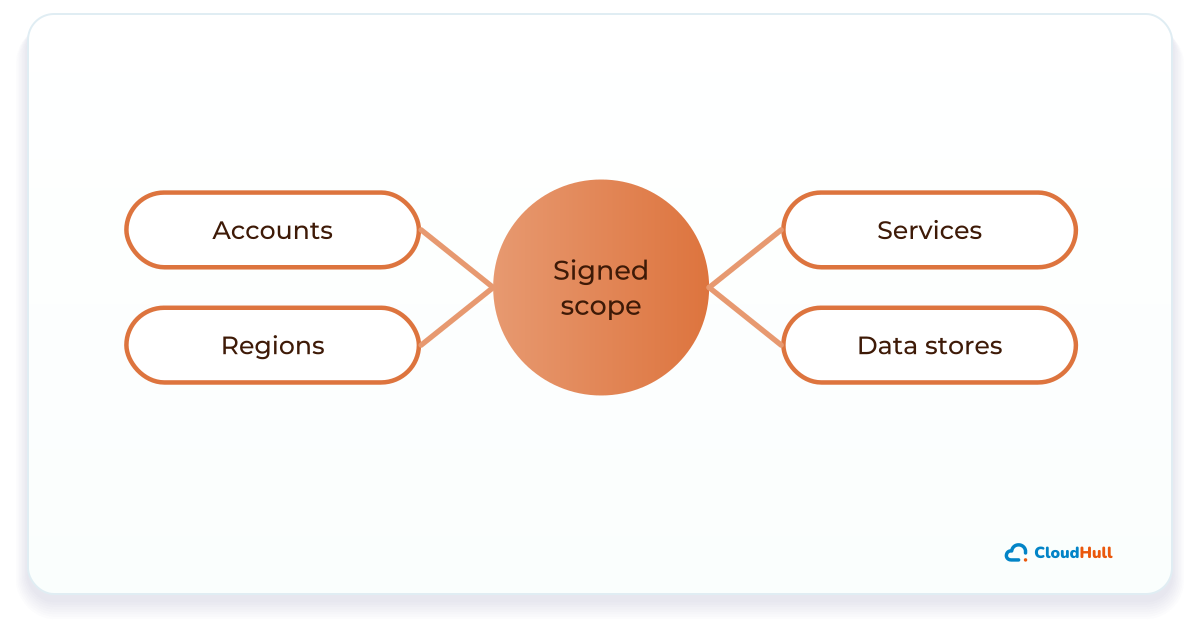
Audits go wrong first on scope. Write down exactly which accounts, regions and services are included, and why anything is excluded. If a payments environment is in scope, so are the identity system and the logging account that support it, even if they sit elsewhere. Auditors call this the boundary. A vague boundary is the easiest way to blow a timeline.
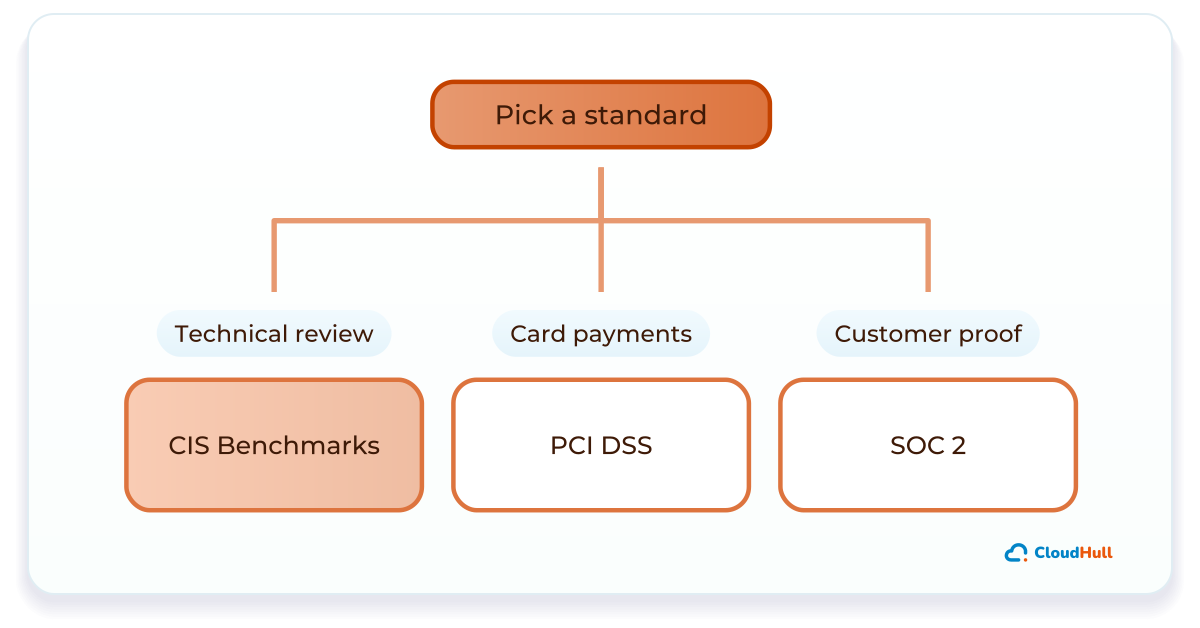
Next choose the standard. For a general technical audit I use the CIS Benchmark for your provider. If a customer demands a specific framework such as SOC 2, ISO 27001 or PCI DSS, map your controls to it, but do the technical testing against one list. Check the current version of the standard before you start, because they are revised.
Before you go further, run a quick cloud security assessment. Auditing an environment you have never reviewed is expensive, since the same obvious gaps get documented as formal findings.
Steps 3 and 4: Collect Evidence and Test Each Control
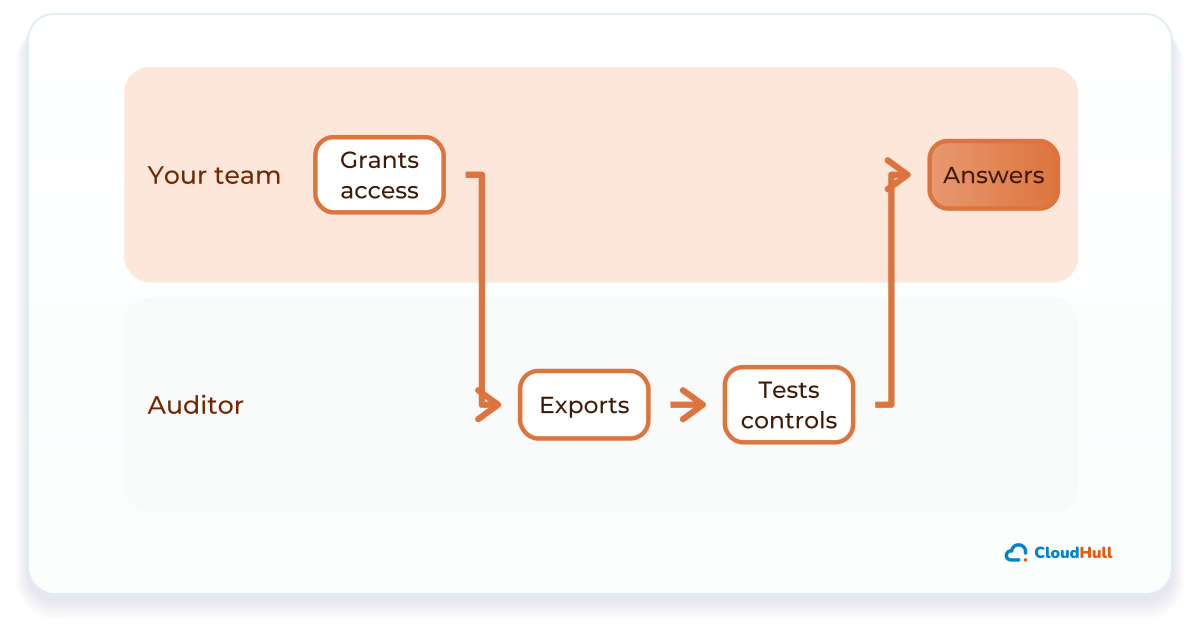
Evidence is anything a third party could verify later: a configuration export with a date, a log extract, a list of users with their roles. Screenshots are acceptable but weaker, since they are easy to challenge. Use read-only access, and save the raw files in a folder that does not change.
Test each control with a pass, a fail or a not-applicable result, and write one sentence of reasoning. For example, the control "multi-factor authentication is enforced for all users with console access" passes only if the policy is enforced, not if most people happen to have it switched on. Sampling is acceptable for large environments, but state the sample size and how you picked it.
Step 5: The Scoring Formula
Every failed control gets a risk score from three numbers, each from 1 to 5:
Risk = Likelihood × Impact × Exposure
Likelihood is how easily the weakness could be abused. Impact is the harm if it is: data loss, downtime, fines, trust. Exposure is who can reach it: 1 for internal admins only, 5 for anyone on the internet. Scores run from 1 to 125. As a working scale, I treat 60 and above as critical, 30 to 59 as high, 12 to 29 as medium and below 12 as low.
| Finding | Likelihood | Impact | Exposure | Score | Rating |
|---|---|---|---|---|---|
| Customer export bucket is public | 5 | 5 | 5 | 125 | Critical |
| Admin access keys older than 1 year | 3 | 5 | 2 | 30 | High |
| Audit logs kept for 30 days, standard asks 365 | 2 | 3 | 1 | 6 | Low |
| No encryption on a test database with real data | 3 | 4 | 2 | 24 | Medium |
The formula is a tool for ordering work, not a measure of truth. Two people may differ by a point on one factor, and that is fine as long as the order of the top findings stays the same. Do the scoring in a short meeting with an engineer who knows the system, and write down the reasoning behind any number above 3.
Steps 6 and 7: Write It Up and Prove the Fixes
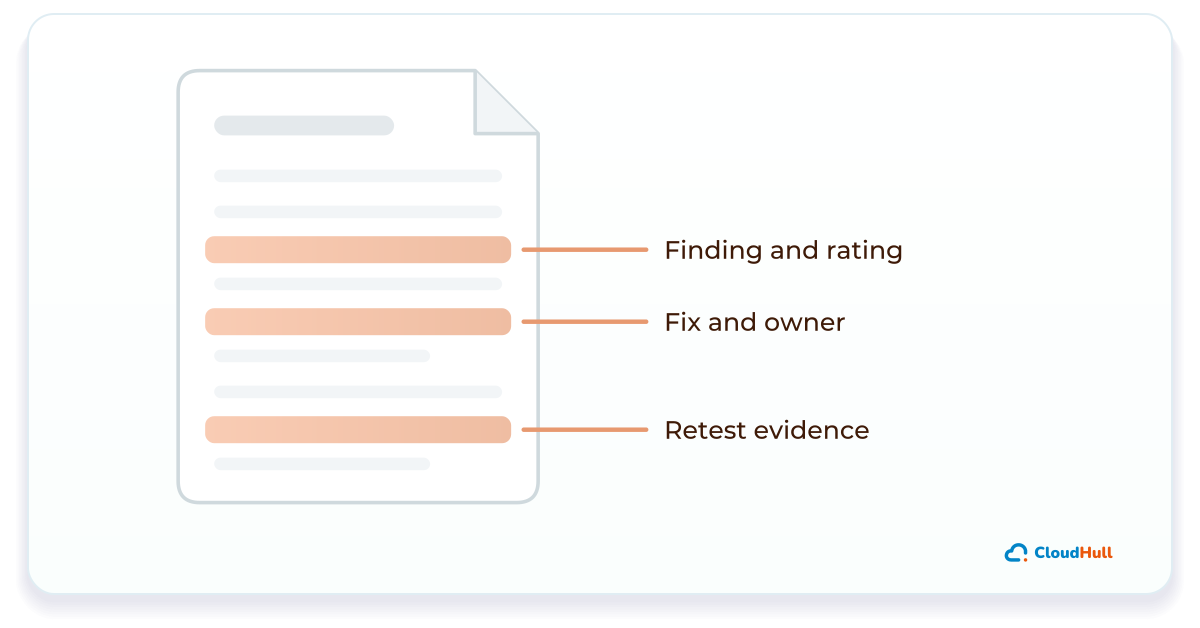
A useful audit report is short at the top and detailed at the bottom. The first page lists the scope, the standard, the date and the number of findings by rating. After that, every finding gets a title, the control it failed, the evidence, the score, the fix and an owner with a due date. Skip generic advice. "Improve access management" is not a finding. "Seven IAM users have console access without multi-factor authentication" is.
Retest every critical and high finding after the fix and keep the new evidence next to the old. Closing a finding without proof is how the same issue returns in the next audit. I give clients 30 days for criticals and 90 days for highs, and I put the retest date in the report itself.
The Controls That Fail Most Often
After enough audits you learn where to look first. These are the controls that failed most often in the audits I have seen, so test them early and save yourself surprises later.
| Control | Why it fails | What passing evidence looks like |
|---|---|---|
| MFA for all console users | Service or break-glass accounts get skipped | Policy export plus a user list with MFA status |
| Central audit logging in every account | New accounts are created without the baseline | Log configuration for each account and a sample entry |
| No public storage without approval | Teams open buckets for a launch and forget | Account-level block setting and an exception register |
| Access reviews every quarter | Nobody owns the review | Dated review sign-off with removed users listed |
| Encryption keys under your control | Defaults are used and never documented | Key list with owners and rotation settings |
Most of these fail for process reasons, not technical ones. The setting exists, but no person is responsible for keeping it that way. When you write findings, name the missing owner as part of the fix.
A Retest That Changed the Report
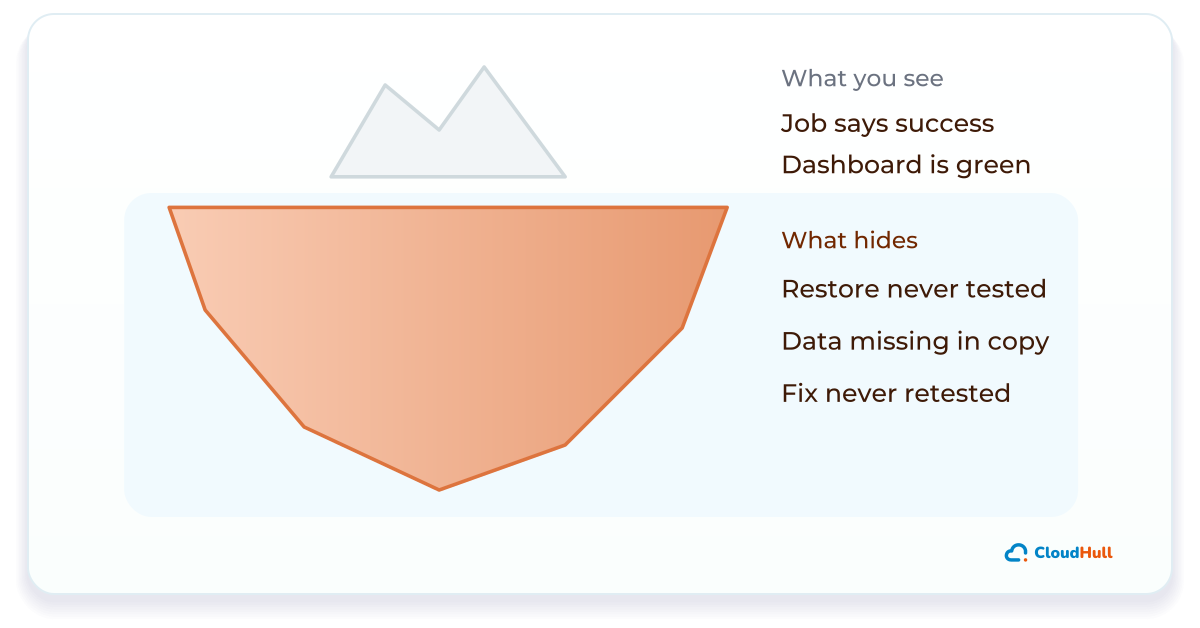
In one audit for an online retailer, the first pass scored the logging control as a pass because audit logging was enabled in all seven accounts. During evidence collection I asked for a sample log entry from each account. Two of them returned nothing, because the log destination bucket had been deleted during a cost clean-up three months earlier. The setting said enabled, but nothing was being recorded.
That finding was rated critical and fixed in an afternoon. It is the reason I insist on a sample of real data for every control that depends on a feature being active. A configuration screen only shows what someone intended.
The same applies to backups. A backup job that reports success does not prove you can restore. Ask for a restore test result and the date it ran, and treat anything older than a year as unproven.
Choosing the Standard for Your Industry
Your industry often decides the standard for you. Payments and card data point to PCI DSS. Software companies selling to larger customers usually get asked for SOC 2. Ecommerce stores that handle only tokenized payments may need less than they fear, but their payment partner will tell them. When a customer sends a security questionnaire, read it carefully: most questions map to a handful of controls you will already test with the CIS list.
Do not collect certifications for their own sake. Each one adds a yearly audit cost and a recurring evidence burden. Pick the one a real buyer or regulator has asked for, do it well and reuse the evidence for the rest.
A Realistic Timeline
Plan four to six weeks for a first audit of one provider. Scoping and picking the standard take the first week. Evidence collection takes one to two weeks, mostly waiting for owners to send exports. Testing and scoring take about a week, and the report another few days. Fixes happen in parallel with the next audit cycle, and retests close the loop 30 to 90 days later.
Things slip. Owners go on holiday, access requests wait for approval and a new account appears mid-audit. Build a buffer of a week and ask for a named backup contact on every system. Freeze the scope on a fixed date and write any later additions into the next cycle, or the audit never ends.
What Happens After the Audit
An audit is a snapshot, so turn it into a routine. Many teams repeat a light version every quarter and a full one each year, or before a major certification. Feed the results into your cloud security strategy so priorities change as findings do. Turn the controls that failed most often into a release-time cloud security checklist, so engineers catch them before they reach production. Posture tools also help here by running the same tests daily, and my comparison of cloud security tools shows which ones export evidence. If you run a small team, cloud security for small business explains how to scale the effort down.
How to Choose Who Runs the Audit
An internal audit is cheap and fast, but it lacks independence. Customers and regulators often want an outside view. If you hire, check three things: whether the auditor holds a relevant certification, whether they will show you a redacted sample report and whether the quote is fixed with a clear scope. Be careful with firms that sell the audit and the fixes together. Their incentive is to find a lot. Keep the roles separate when you can, or ask how they manage the conflict.
Sources
Questions About Running a Cloud Security Audit
What Is a Cloud Security Audit?
It is a formal check of your cloud environment against a written standard, backed by evidence. The output is a report with scored findings, owners and due dates, which you can share with customers or regulators.
How Is an Audit Different from an Assessment?
An assessment is a flexible health check that helps you improve. An audit tests specific controls and keeps proof, so the result can be verified later. Most teams do an assessment first.
How Long Does a Cloud Security Audit Take?
A single provider with a moderate number of accounts usually takes three to six weeks including the retest window. Evidence collection and waiting for owners to answer take most of the time.
How Much Does a Cloud Security Audit Cost?
Cost depends on scope, the standard and whether the audit is internal or external. A fixed quote after a scoping call is the safest route. Ask exactly what the quote covers, including the retest.
Which Standard Should I Audit Against?
Use the CIS Benchmark for your provider for technical testing. Map the results to SOC 2, ISO 27001 or PCI DSS if a customer or regulator requires it. Always check the current version of the standard.
Can I Run the Audit Myself?
You can run an internal audit with a good engineer and a written control list. For a customer or regulator, an independent reviewer carries more weight.
How Often Should I Audit?
A light internal review every quarter and a full audit once a year works for most teams. Repeat sooner after major changes such as a migration or a new provider.
Please note: this guide is general information and not legal, financial or tax advice. Numbers and examples are typical-project estimates; confirm current details with your providers and advisers.
Did this article help you?
Thanks, noted.
Garrett Linville
Garrett leads the Cloud Hull editorial team and works with the consultants to turn real client projects into practical guides on cloud migration, DevOps, security and cost control. Each article is edited together with the consultant who did the work, and every price and limit is checked against current provider documentation. He is based in the USA and works remotely.