Main Points
- Native tools such as AWS Security Hub and Defender for Cloud are the cheapest first step for single-cloud teams.
- Agentless platforms such as Wiz and Orca give the fastest visibility across several clouds.
- Runtime-first tools such as Sysdig, Aqua, CrowdStrike and SentinelOne fit container-heavy estates.
- Measure your gaps first, then run a trial on your own accounts before you buy.
The Best Cloud Security Tools at a Glance
| Tool | Type | Best for |
|---|---|---|
| 1. Wiz | Agentless CNAPP | Multi-cloud teams that want fast visibility |
| 2. Microsoft Defender for Cloud | Native CSPM and CWPP | Teams that run mostly on Azure |
| 3. Cortex Cloud | Full-stack CNAPP | Large enterprises that want one vendor for cloud, network and SOC |
| 4. CrowdStrike Falcon Cloud Security | Agent and agentless CNAPP | Teams that already use CrowdStrike for endpoints |
| 5. Orca Security | Agentless CNAPP | Teams that want agentless coverage and quick onboarding |
| 6. Sysdig Secure | Runtime-first CNAPP | Container and Kubernetes teams |
| 7. Check Point CloudGuard | CNAPP and network security | Teams that run Check Point firewalls on premises |
| 8. FortiCNAPP | Behavior-based CNAPP | Teams that want anomaly detection and use Fortinet |
| 9. Tenable Cloud Security | CNAPP with identity focus | Teams that already use Tenable for vulnerability management |
| 10. SentinelOne Singularity Cloud Security | Runtime-first CWPP and CNAPP | Teams that want AI-driven runtime protection |
| 11. Aqua Security | Container-focused CNAPP | Teams that secure the build pipeline and Kubernetes |
| 12. AWS Security Hub | Native AWS security aggregator | AWS-only teams that want a low-friction start |
The 12 Best Cloud Security Tools, Ranked
Three terms come up in every vendor pitch. CSPM, cloud security posture management, finds risky configuration. CWPP, cloud workload protection, protects servers, containers and functions at runtime. CNAPP, cloud-native application protection platform, bundles both with code scanning and identity analysis. I rank broad platforms first and specialists later. The tool matters less than the plan, which is why every cloud security consulting project I run starts with what you need to protect, not with a product demo.
Ratings come from G2 as I read them when I wrote this, and prices are only as published by each vendor. Most vendors in this category sell by quote, so I say so where that is the case.
Wiz
The Quickest Way to See Every Cloud Risk Across AWS, Azure and Google Cloud in One Place
Wiz scans your cloud accounts through provider APIs, builds a map of how resources connect and ranks risks by whether an attacker could actually reach them.
Wiz is the tool I most often see on shortlists, because the first scan needs no agents and no changes to your workloads. You connect your accounts, wait a short while and get a graph that links a vulnerable server to the permissions it holds and the data it can reach. That context is what makes the findings usable. Instead of 5,000 isolated alerts, you get a short list of toxic combinations, for example an internet-facing server with a known flaw and an admin role.
In my experience the weak spots are cost and depth at runtime. Wiz is priced as a premium product, and agentless scanning sees a snapshot, so it will not replace a runtime sensor if you need to block attacks as they happen. For most teams that are still fixing configuration and identity gaps, that trade-off is fine, and the speed to value is hard to beat.
Wiz Strengths
- The security graph links risks to show which ones are really reachable
- Setup takes hours, not weeks, because no agents are needed
- Covers the three big providers plus containers, Kubernetes and code in one console
Wiz Weaknesses
- Premium pricing that is hard to justify for a small environment
- Runtime protection is lighter than at agent-first vendors
Wiz Pricing
Wiz does not publish list prices. Its pricing page names three offerings, Wiz One, Wiz Go and À la Carte, and asks you to fill in a short questionnaire about your environment to get a customized quote. G2 reviewers rate the perceived cost at the top of its scale.
Wiz Reviews
- G2: 4.7 of 5 stars (based on 934 verified reviews)
Microsoft Defender for Cloud
The Obvious Starting Point If Azure Is Your Main Cloud, and a Credible Option for AWS and Google Cloud
Defender for Cloud is Microsoft's native posture and workload protection service, with a free foundational tier and paid plans for deeper coverage.
If most of your workloads run on Azure, start here before you buy anything else. The foundational posture features are free and cover continuous assessments, recommendations and a Secure Score across Azure, AWS and Google Cloud. You can see value on day one without a procurement cycle, which matters for small teams.
The paid plans add attack path analysis, workload protection for servers, containers and databases, and deeper posture features. The honest downside is licensing. Plans are priced by resource type, and I have watched finance teams spend a week trying to predict the bill. G2 reviewers say the same. If your estate is mostly AWS, the experience is good but not as smooth as the native AWS tools.
Microsoft Defender for Cloud Strengths
- A free foundational tier gives you a real baseline at no cost
- Tight integration with Entra ID, Microsoft Sentinel and the rest of the Microsoft stack
- Covers Azure, AWS and Google Cloud from one portal
Microsoft Defender for Cloud Weaknesses
- Per-resource licensing is hard to forecast
- The portal can feel busy, and recommendations need tuning to cut noise
Microsoft Defender for Cloud Pricing
Foundational CSPM is free. Defender CSPM and the workload protection plans are paid, and the pricing page says billing depends on the type and number of resources, such as servers, storage accounts and databases. Defender for Cloud is free for the first 30 days, after which usage is billed. Check the Azure pricing page for current per-unit rates.
Microsoft Defender for Cloud Reviews
- G2: 4.4 of 5 stars (based on 462 verified reviews)
Cortex Cloud
The Broadest Platform on the List, Best for Enterprises That Already Run Palo Alto Security
Cortex Cloud is Palo Alto Networks' cloud security platform, built from the Prisma Cloud CNAPP and Cortex detection and response.
Cortex Cloud is the product to evaluate if you are a large organization with a security operations team and existing Palo Alto tools. It covers posture, workload protection, code scanning, identity entitlements and runtime detection, and it feeds into a central response platform. For a large estate, one vendor for those layers reduces handoffs.
The trade-off is complexity and cost. In reviews, buyers describe the pricing as complex and the platform as heavy to deploy, and its G2 score is the lowest on my list. If you have two engineers and one cloud, this is too much product. If you have a security team and 50 accounts, it is worth a pilot.
Cortex Cloud Strengths
- Covers code, cloud posture, workloads and runtime in one platform
- Integrates with Palo Alto firewalls and the Cortex detection tools
- Strong policy library and compliance mapping
Cortex Cloud Weaknesses
- Pricing is described as complex and unclear in reviews
- Deployment and tuning take real effort
Cortex Cloud Pricing
Palo Alto does not publish pricing for Cortex Cloud. The product page offers a demo request and a contact form, and G2 reviewers rate the perceived cost at the top of its scale. Expect a quote based on your environment.
Cortex Cloud Reviews
- G2: 4.1 of 5 stars (based on 129 verified reviews)
CrowdStrike Falcon Cloud Security
A Strong Fit If You Already Trust Falcon on Your Endpoints and Want the Same Agent in the Cloud
Falcon Cloud Security extends CrowdStrike's sensor and threat intelligence to cloud workloads, containers and cloud posture.
CrowdStrike's strength is detection. If you already run Falcon on laptops and servers, adding cloud workloads means one console and one set of analysts looking at the same threat data. The platform combines agent-based runtime protection with agentless posture scanning, so you can choose the depth per workload.
I recommend it when runtime detection matters more than a pretty risk graph. Reviewers praise detection quality and support, and they also describe the price as high, which is consistent with what I hear from clients. If you do not already use Falcon, you will take on a new agent and a new vendor, so compare it carefully with agentless options.
CrowdStrike Falcon Cloud Security Strengths
- High-quality runtime detection backed by CrowdStrike threat intelligence
- One console if you already use Falcon for endpoints
- Flexible agent and agentless coverage
CrowdStrike Falcon Cloud Security Weaknesses
- Costs are described as high in reviews
- Less compelling if you have no other CrowdStrike products
CrowdStrike Falcon Cloud Security Pricing
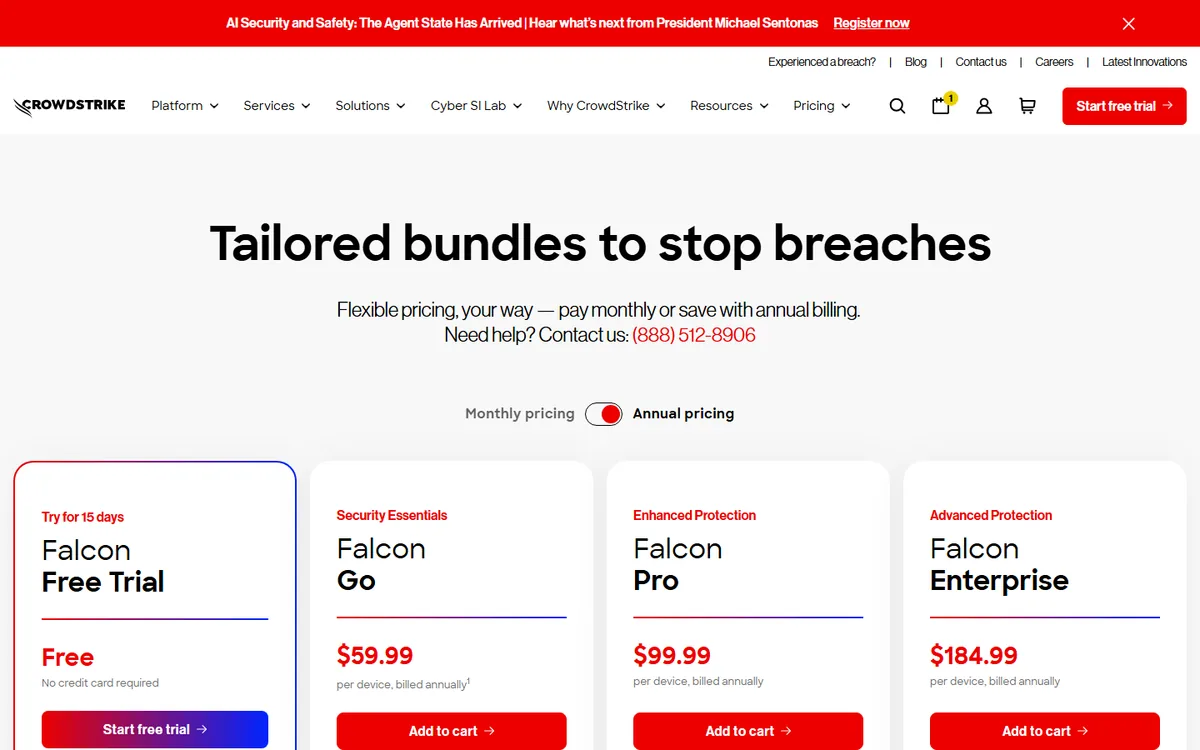
CrowdStrike does not publish Falcon Cloud Security prices. Its public pricing page lists only endpoint bundles, and Falcon Flex and cloud licensing go through sales. G2 reviewers rate the perceived cost at the top of its scale.
CrowdStrike Falcon Cloud Security Reviews
- G2: 4.5 of 5 stars (based on 254 verified reviews)
Orca Security
A Fast, Agentless Alternative With One of the Best G2 Scores on the List
Orca reads the data of your cloud workloads through the provider's own snapshots and APIs, so you do not install agents.
Orca pioneered what it calls side-scanning, which reads the disk and configuration of workloads without running software on them. That gives you vulnerability, malware, secrets and misconfiguration findings across accounts within a short time of connecting. For teams that cannot get agents approved on every server, that is a practical advantage.
Customers rate it highly, with a score of 4.7 from 315 G2 reviews, and they report about a month to implement. The limits are the same as for any agentless product: it sees what is stored, not what is happening in memory right now. If you need active blocking, add a runtime sensor or choose a vendor that offers one.
Orca Security Strengths
- Quick onboarding with no agents to deploy
- Covers vulnerabilities, secrets, malware and misconfigurations together
- Highly rated by customers on G2
Orca Security Weaknesses
- Limited visibility into live runtime behavior without a sensor
- Pricing requires a quote and is not transparent
Orca Security Pricing
I could not read a public price list for Orca. It sells through quotes and through the AWS and Azure marketplaces, so ask for a quote based on your accounts and workloads. G2 reviewers rate the perceived cost at the top of its scale.
Orca Security Reviews
- G2: 4.7 of 5 stars (based on 315 verified reviews)
Sysdig Secure
The Pick for Teams Running Kubernetes, Where Real-Time Detection Matters Most
Sysdig Secure combines posture management with runtime threat detection that grew out of the open source Falco project.
Sysdig is built for container-heavy environments. It watches what workloads do at runtime, flags suspicious behavior and ties alerts to the cluster, namespace and image. If your platform team runs Kubernetes at scale, that visibility is more useful than a list of static misconfigurations.
Its G2 score of 4.8 from 111 reviews is the highest of the larger vendors here, though reviewers also report a longer implementation, about three months on average. It rewards a team with the time to tune it. If you only run a few virtual machines and a database, it is more tool than you need.
Sysdig Secure Strengths
- Strong runtime detection for containers and Kubernetes
- Ties vulnerabilities to what is actually running
- Built on the open source Falco ecosystem
Sysdig Secure Weaknesses
- Longer to implement and tune than agentless tools
- Less helpful for estates without containers
Sysdig Secure Pricing
Sysdig does not publish plan prices. Its pricing page says prices are tailored to your needs and that CNAPP licensing is based on the number of hosts in your environment, with a quote on request. Detection of cloud log events is licensed by events processed.
Sysdig Secure Reviews
- G2: 4.8 of 5 stars (based on 111 verified reviews)
Check Point CloudGuard
A Natural Extension for Companies That Already Use Check Point Network Security
CloudGuard brings Check Point's posture management, workload protection and network security into the cloud under one management umbrella.
CloudGuard makes the most sense when your network team already knows Check Point. You can extend familiar firewall policies into virtual networks and add posture management and application security on top, so on-premises and cloud rules sit in the same management view.
The product line has several modules, and it takes some work to work out which ones you need. Check Point's cloud product page offers a demo and a free trial link, and does not list prices. I could not confirm a current G2 score for the CNAPP product, so I show none. Compare it with the others by running a trial against your own accounts.
Check Point CloudGuard Strengths
- Consistent policies between on-premises firewalls and cloud networks
- Broad coverage from posture to application protection
- A trial option is available
Check Point CloudGuard Weaknesses
- The module structure can be confusing at first
- Best value only if you already use Check Point elsewhere
Check Point CloudGuard Pricing
Check Point does not publish prices for CloudGuard. The product page offers a demo request, a contact form and a link to a free trial, without price figures or trial terms.
Check Point CloudGuard Reviews
- No current G2 or Capterra score could be confirmed for this product, so none is shown.
FortiCNAPP
The Former Lacework Platform, Now a Good Choice for Fortinet Shops That Want Behavior-Based Detection
FortiCNAPP is Fortinet's cloud security platform, built on the Lacework technology Fortinet acquired.
Lacework built its name on learning what normal looks like in your cloud and flagging deviations, and FortiCNAPP continues that approach. It collects data from configuration, workloads and activity logs, and tries to cut alert volume by grouping related events into one story. If you already use Fortinet firewalls, the vendor consolidation is an advantage.
Customers give it 4.4 from 386 reviews on G2. The product changed hands, and the rename and roadmap shifts have been a worry for some buyers I speak to. Ask about the roadmap and support model before you commit, and run it side by side with a competitor on real data.
FortiCNAPP Strengths
- Behavior-based detection that groups related events
- Broad coverage across posture, workloads and code
- Fits environments that already use Fortinet
FortiCNAPP Weaknesses
- The acquisition and rename left some buyers unsure about the roadmap
- Reviewers rate the perceived cost at the top of the scale
FortiCNAPP Pricing
Fortinet does not publish FortiCNAPP prices. The product page links an ordering guide and offers a live demo. G2 reviewers rate the perceived cost at the top of its scale.
FortiCNAPP Reviews
- G2: 4.4 of 5 stars (based on 386 verified reviews)
Tenable Cloud Security
The Best Fit When Identity and Permission Sprawl Is Your Biggest Cloud Risk
Tenable Cloud Security, built on the Ermetic technology Tenable acquired, focuses on identities, entitlements and posture across clouds.
Most serious cloud breaches involve an identity with too much access. Tenable Cloud Security is strong at finding that: it maps who and what can reach which resources, highlights excessive permissions and suggests least-privilege policies. If your biggest worry is permission sprawl across AWS, Azure and Google Cloud, it deserves a look.
It rates 4.5 on G2, from 44 reviews, a smaller sample than the big vendors, and reviewers report about a month to implement. If you already use Tenable for vulnerability scanning, it joins the same exposure view. It is less broad on runtime protection than runtime-first products.
Tenable Cloud Security Strengths
- Excellent visibility into identities and effective permissions
- Joins other Tenable exposure data in one view
- Quick to implement according to reviewers
Tenable Cloud Security Weaknesses
- Fewer reviews, so less public feedback to lean on
- Lighter on runtime protection
Tenable Cloud Security Pricing
Tenable does not list a price for its cloud security product. The page offers a request for pricing and says you can buy through a certified partner or a Tenable representative. A free trial is also offered.
Tenable Cloud Security Reviews
- G2: 4.5 of 5 stars (based on 44 verified reviews)
SentinelOne Singularity Cloud Security
A Runtime-Focused Option With a Very High G2 Score and Pricing Tied to the Wider Singularity Platform
Singularity Cloud Security applies SentinelOne's agent and automated response to cloud workloads and adds posture management.
SentinelOne's cloud product centers on a lightweight sensor that detects and can automatically stop malicious behavior on servers, containers and Kubernetes nodes. Its posture features add visibility into misconfigurations and secrets. Companies that already trust SentinelOne for endpoints can extend one platform into the cloud.
G2 reviewers score it 4.9 from 122 reviews and report about six months to a return on investment. As with any runtime tool, you need to deploy and maintain agents, which takes engineering time. If you want read-only visibility with no software on workloads, an agentless tool will be quicker.
SentinelOne Singularity Cloud Security Strengths
- Strong automated runtime detection and response
- Very high customer ratings on G2
- One platform with SentinelOne's endpoint protection
SentinelOne Singularity Cloud Security Weaknesses
- You need to deploy and maintain agents
- Pricing is bundled and hard to compare with pure cloud tools
SentinelOne Singularity Cloud Security Pricing
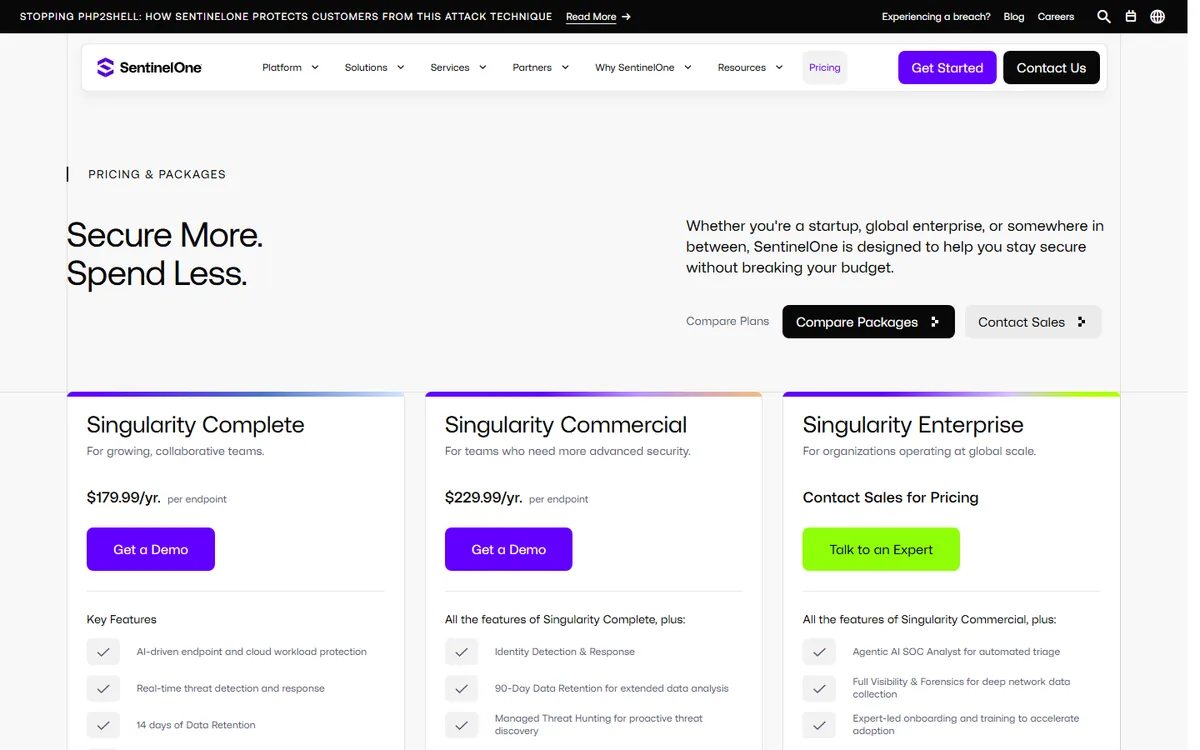
SentinelOne lists no separate price for cloud security. Its pricing page shows cloud workload protection included in the Singularity Complete tier at $179.99 per endpoint per year and Singularity Commercial at $229.99, for 5 to 100 workstations sold through partners, with Enterprise on request. Ask for a cloud-only quote.
SentinelOne Singularity Cloud Security Reviews
- G2: 4.9 of 5 stars (based on 122 verified reviews)
Aqua Security
A Container and Supply Chain Specialist With a Respected Open Source Scanner
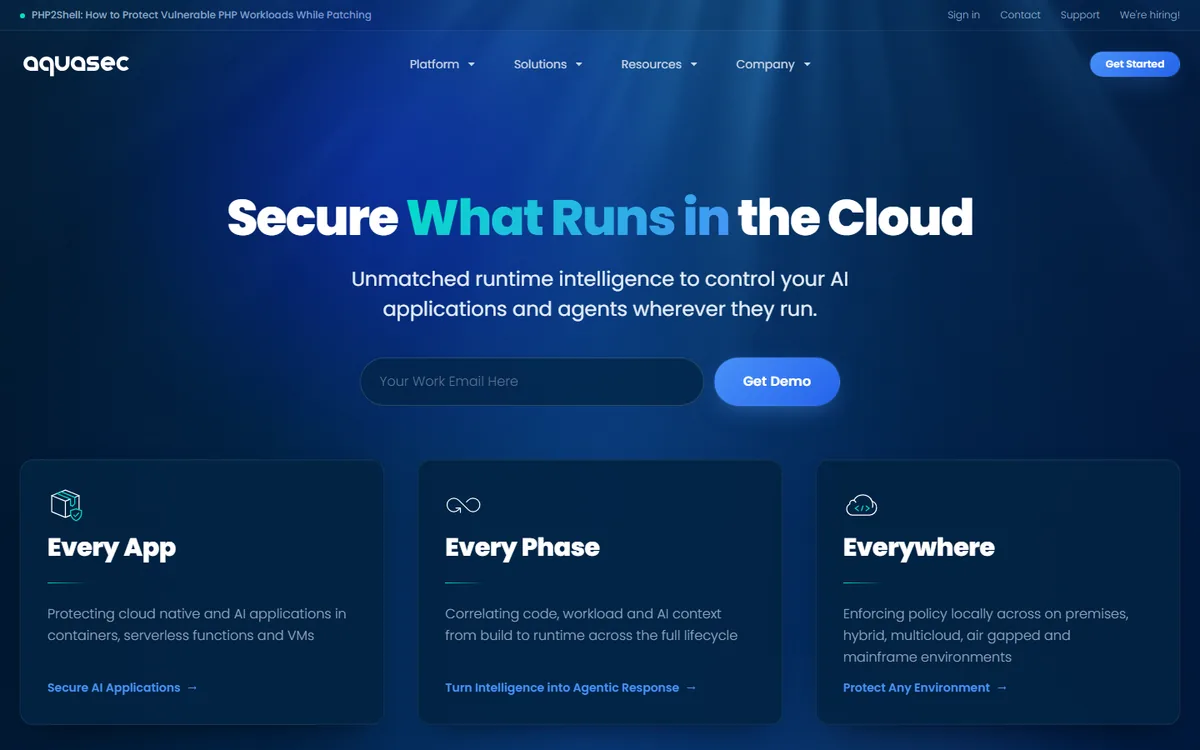
Aqua protects the full container lifecycle, from code and images to Kubernetes clusters and serverless functions.
Aqua is a specialist in cloud-native workloads. It scans code and images in your pipeline, enforces policies at deployment and watches containers at runtime. It also maintains the open source Trivy scanner, which many teams already use, so adopting the commercial platform can feel like a natural next step.
Its G2 score is 4.2 from 57 reviews, lower than most on this list. Buyers who run Kubernetes heavily praise the depth. Those with simpler needs may find it more than they need. For broad cloud posture across many services, I would pair it with a posture tool or choose a broader platform.
Aqua Security Strengths
- Deep coverage of images, pipelines and Kubernetes
- Connected to the popular open source Trivy scanner
- Covers build and runtime in one platform
Aqua Security Weaknesses
- Less broad on general cloud posture
- Smaller review base and a lower G2 score than peers
Aqua Security Pricing
Aqua says cloud security pricing is based on the number of workloads, such as EC2 instances, Fargate containers and Lambda functions, and dev security pricing on the number of code repositories. G2 lists a Basic tier at $10,000 per user per year, as supplied by Aqua, so confirm the current terms before you plan a budget.
Aqua Security Reviews
- G2: 4.2 of 5 stars (based on 57 verified reviews)
AWS Security Hub
A Practical Baseline for AWS-Only Teams That Do Not Want to Buy a Platform Yet
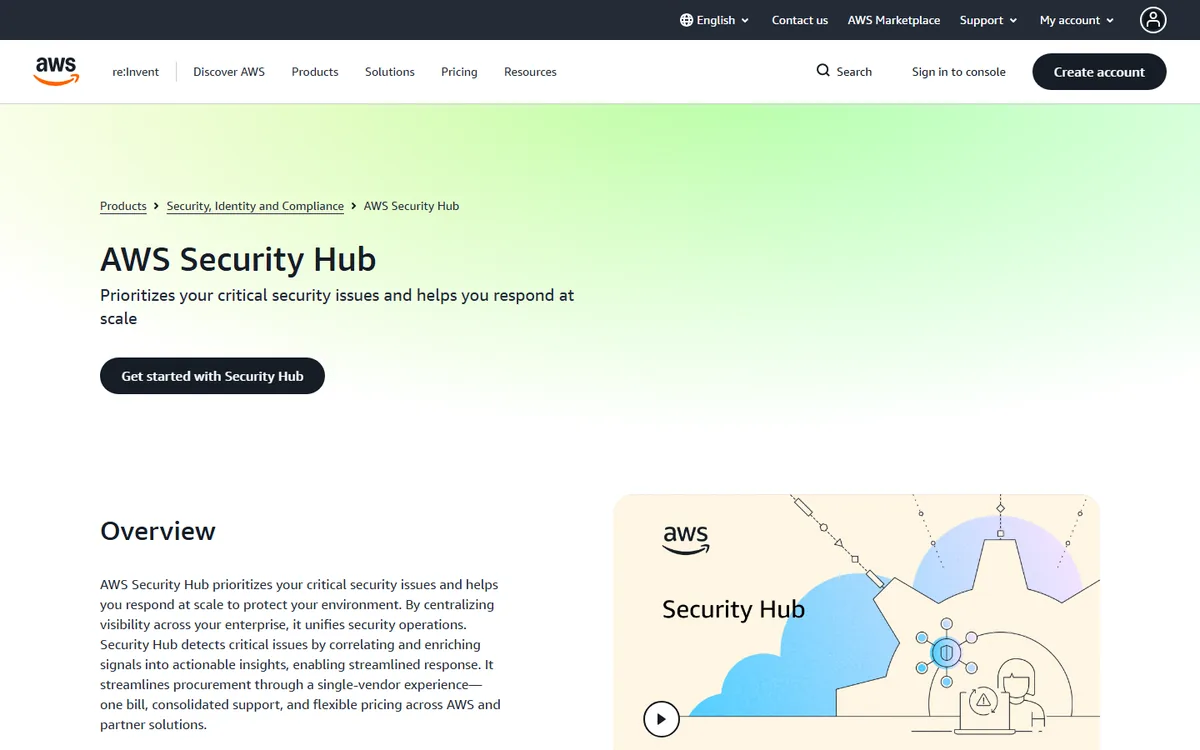
AWS Security Hub collects findings from AWS security services and partner tools, runs posture checks and shows them in one place.
Security Hub is where I send AWS-only clients who have no budget for a platform. It runs checks against standards such as the AWS Foundational Security Best Practices, aggregates results across accounts and regions and connects to services like GuardDuty and Inspector. It sits inside your AWS bill, which makes procurement simple.
Its limits are scope and context. It covers AWS only, so a second provider needs another tool, and its prioritization is less advanced than that of graph-based products. G2 shows 4.4 from just 29 reviews, so public feedback is thin. For a first step, it is hard to beat.
AWS Security Hub Strengths
- Native to AWS and billed on your existing account
- Aggregates findings from several AWS services and partners
- Runs checks against recognized standards
AWS Security Hub Weaknesses
- AWS only, so it will not cover other providers
- Prioritization is less advanced than in dedicated platforms
AWS Security Hub Pricing
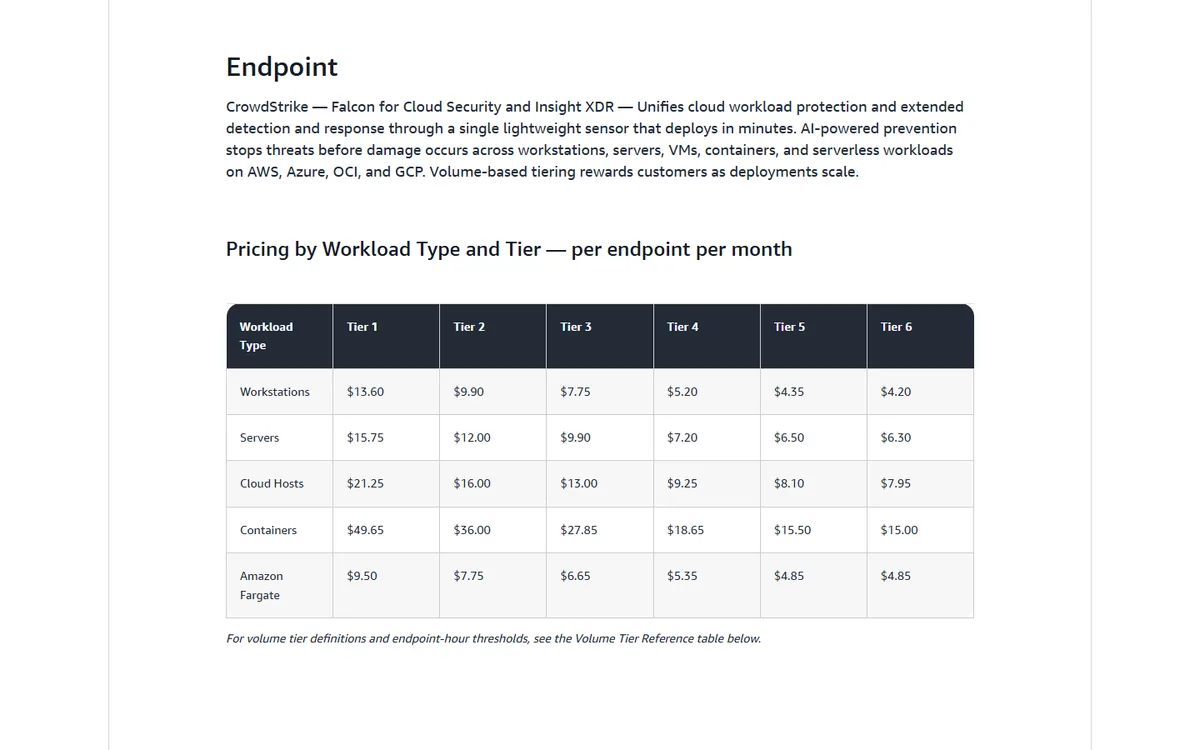
AWS offers a 30-day free trial of the Essentials plan capabilities. In its pricing examples, risk analytics costs $3.75 per resource unit per month, and security data processing starts at $0.55 per GB for the first 1,000 GB. A resource unit is one EC2 instance, 12 Lambda functions, 18 container images or 125 IAM users and roles. Check the AWS pricing page for current rates.
AWS Security Hub Reviews
- G2: 4.4 of 5 stars (based on 29 verified reviews)
Estimate Whether a Security Tool Pays for Itself
Security tools rarely show a return in hours saved alone, but part of the value is analyst time. Enter the manual hours your team spends on cloud security reviews and alert triage each week, the share a tool could cover and the monthly cost, and you will see a rough yearly result. It ignores the cost of a breach, which is the larger number and impossible to predict.
Does the Tool Make Sense for You?
Drag the sliders to reflect your tasks and the plan you want to compare.
How to Choose a Cloud Security Tool
Before you compare vendors, work out what you actually need. A tool cannot fix a gap you have not measured, so start with a scored cloud security assessment. If you want a baseline you can show customers, plan a cloud security audit. Answer these questions first:
- Which clouds do you run, and will that change in two years?
- Do you run containers and Kubernetes, or mostly virtual machines and managed services?
- Who will read the alerts and fix the findings?
- Do you need runtime blocking, or is visibility into configuration enough for now?
If you run only on AWS or Azure and have a small team, start with the native tool: AWS Security Hub or Microsoft Defender for Cloud. If you run several clouds and want quick visibility, evaluate Wiz and Orca. If you run Kubernetes at scale, look at Sysdig, Aqua and CrowdStrike. If identity sprawl is your worry, include Tenable. Large enterprises with a security team will want Cortex Cloud, FortiCNAPP or Check Point in the mix.
Do not buy before you have a plan. A cloud security strategy tells you which risks to cover first, and a short cloud security checklist often removes the basics before any tool is needed. If you are a small company, my notes on cloud security for small business explain which tools you can skip. Always run a trial against your own accounts, and ask each vendor how many alerts it produced and how many were real.
Questions About Choosing Cloud Security Tools
What Is the Best Cloud Security Tool for a Small Team?
Start with the native service of your provider: AWS Security Hub for AWS or Microsoft Defender for Cloud for Azure. Both have free tiers or trials and need no new vendor. Move to a dedicated platform when you run several accounts or clouds.
What Is the Difference Between CSPM, CWPP and CNAPP?
CSPM finds risky cloud configuration. CWPP protects workloads such as servers and containers at runtime. CNAPP combines both, usually with code scanning and identity analysis, in one platform.
Do I Need an Agent-Based or an Agentless Tool?
Agentless tools connect through the provider's APIs and snapshots, so setup is quick and nothing runs on your workloads. Agent-based tools see live behavior and can block attacks, but need deployment and upkeep. Many teams use agentless first and add agents for critical workloads.
How Much Do Cloud Security Tools Cost?
Most vendors sell by quote, based on resources, hosts or workloads. Native tools publish usage rates. Get quotes for your real environment and ask what is included, because bundles differ between vendors.
Which Tool Is Best for Kubernetes?
Sysdig, Aqua and CrowdStrike are the ones I look at first for container-heavy estates, because they focus on runtime and the pipeline. Wiz and Orca also cover Kubernetes from the agentless side.
Can One Tool Cover AWS, Azure and Google Cloud?
Yes. Wiz, Orca, Defender for Cloud, Cortex Cloud and most CNAPP platforms cover the three major providers. Native tools such as AWS Security Hub cover only their own cloud.
How Do I Run a Fair Trial?
Connect the same accounts to each tool for the same period, then compare how many findings were real, how many were duplicates and how long it took to fix the top ten. Judge by results on your own environment, not by the demo.
Important: prices, plans and ratings move quickly. They reflect our last update, so double-check each vendor’s site before purchasing. Nothing in this article is legal or financial advice.
Did this article help you?
Thanks, noted.
Garrett Linville
Garrett leads the Cloud Hull editorial team and works with the consultants to turn real client projects into practical guides on cloud migration, DevOps, security and cost control. Each article is edited together with the consultant who did the work, and every price and limit is checked against current provider documentation. He is based in the USA and works remotely.