Main Points
- Nine areas cause most avoidable cloud incidents: accounts, admins, access, data, network, logging, secrets, patching and recovery.
- Put an owner next to every unticked item so the list does not sit in a folder.
- Start with admin identity, least privilege and private data, then logging.
- Run the checklist every quarter and before big launches.
This checklist covers nine areas that cause most cloud security problems I see in client work. Work through it top to bottom, tick what is true and write an owner next to everything that is not. It is the working companion to a full cloud security consulting engagement, and it is written so a small team can finish it in a few days.
Each point has two parts: what to do and what to avoid. The order is deliberate. Early items such as accounts and admin access make later ones easier, and the final two keep you safe when something goes wrong anyway.
The Nine Points and What Each Prevents
| Point | What it prevents | Time to finish |
|---|---|---|
| 1. Know Every Account You Own | Forgotten accounts holding live data | 1 day |
| 2. Lock Down Admin Identities | Account takeover through admin logins | 1 to 2 days |
| 3. Give People the Least Access They Need | One stolen login reaching everything | 1 to 2 weeks |
| 4. Keep Data Private and Encrypted | Data leaks from open storage | 2 to 3 days |
| 5. Close Unneeded Network Doors | Direct attacks on exposed services | 2 to 3 days |
| 6. Log Everything Important and Read the Alerts | Attacks that go unnoticed for weeks | 3 to 5 days |
| 7. Keep Secrets Out of Code | Leaked keys giving full access | 1 week |
| 8. Patch and Scan What You Run | Known vulnerabilities being exploited | Ongoing, first pass 1 week |
| 9. Plan for the Day Something Goes Wrong | Permanent loss or slow recovery | 1 to 2 weeks |
The times are what I see for a company with one cloud provider and a small platform team. Larger setups take longer because of coordination, not because the checks are harder.
The Nine Checks, One by One
Know Every Account You Own
Start with a list of every cloud account, subscription and project, with an owner and a purpose next to each. It sounds basic, and it is where I find the most surprises. Old trial accounts, a contractor's sandbox and a forgotten staging environment all cost money and hold data, and nobody is watching them.
Your billing statements are the quickest source, because every account that costs money appears there. Compare the list with what your team believes it runs. In one fintech review the difference was six accounts, two of them with live customer records. Close what you do not need, and give every survivor an owner.
Do This
- Pull the account list from your billing or organization console
- Add an owner and a purpose to each row
- Close or archive anything without a clear purpose
- Review the list each quarter
Avoid This
- Trusting memory instead of the billing statement
- Leaving unowned accounts open because they are cheap
How I would review
Your provider's organization view lists every account and its creation date. A spreadsheet is enough to track owners.
Lock Down Admin Identities
Admin accounts are what attackers want. Enforce multi-factor authentication for every human who can sign in to the console, and keep the number of admins small. Prefer single sign-on through your identity provider so that when someone leaves, one change removes their access everywhere.
Treat the root or global owner account like a safe. Store its credentials offline, use it only for tasks that need it and set up an alert whenever it signs in. Service accounts need the same care, because they do not use MFA and are often forgotten.
Do This
- Enforce MFA by policy, not by request
- Put admins behind single sign-on
- Lock the root account and alert on any use
- List all service accounts and their owners
Avoid This
- Shared admin logins
- Long-lived access keys with admin rights
Where to look
The identity and access service of your provider shows MFA status per user. Export the list and look for gaps.
Give People the Least Access They Need
Most teams start with broad permissions to get things moving, and never tighten them. Review roles and remove permissions that nobody has used in 90 days. Both AWS and Azure show last-used data that makes this easier than it sounds.
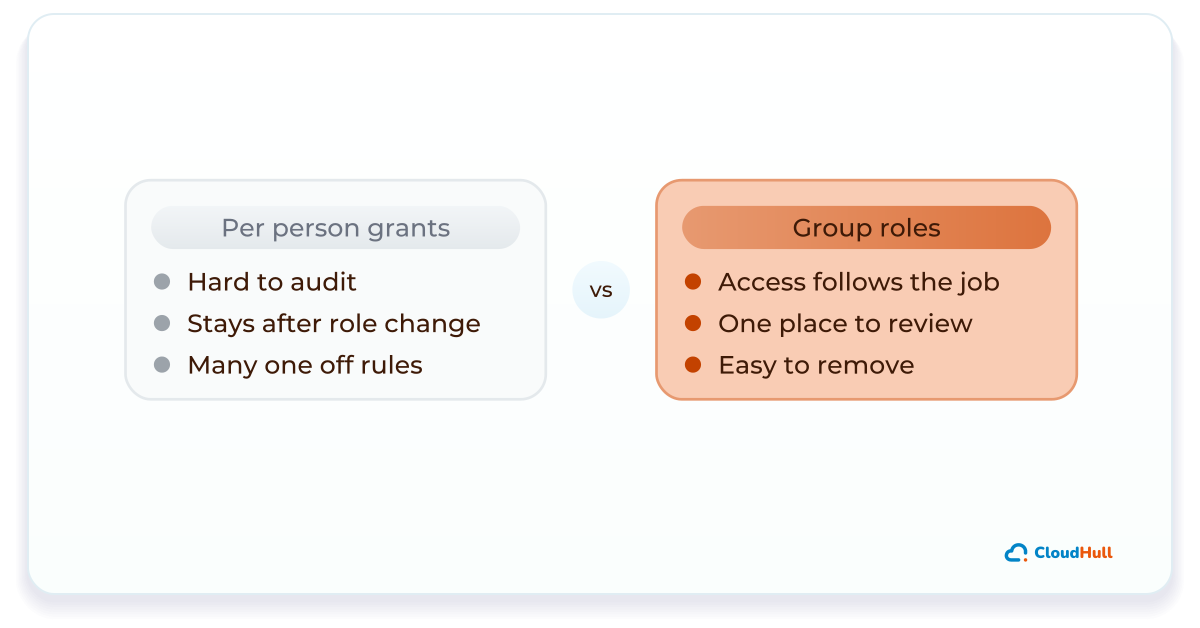
Use groups and roles instead of per-person grants, so access follows the job and not the individual. For production, require a short approval and an expiry for elevated access. The goal is that a stolen login can do limited harm.
Do This
- Replace per-user grants with groups and roles
- Remove permissions unused for 90 days
- Require time-limited elevation for production
- Review access every quarter and record the sign-off
Avoid This
- Wildcard permissions on production resources
- Keeping access after a role change
Tools to use
The access analyzer in your provider's console flags unused permissions and external sharing. Run it monthly.
Keep Data Private and Encrypted
Check storage first. Public buckets and open snapshots are still a leading cause of cloud data exposure. Turn on the account-level setting that blocks public access, and require an approved exception when a team really needs one.
Encrypt data at rest and in transit. Providers make this a checkbox for most services, so the work is making it the default and checking that nothing slipped through. Decide who owns the encryption keys and write it down. If you handle card data or health records, the rules are stricter, so check the requirements that apply to you.
Do This
- Block public storage at the account level
- Turn on default encryption for storage and databases
- Require TLS for traffic between services
- Record key owners and rotation settings
Avoid This
- Copies of production data in test accounts
- Public links shared and forgotten
Where to look
Storage and database settings pages, plus the provider's posture service, list unencrypted and public resources.
Close Unneeded Network Doors
Look at what is reachable from the internet. Remote administration ports, databases and internal dashboards should not be. A list of public IP addresses and the rules that allow traffic to them is the fastest way to find out.
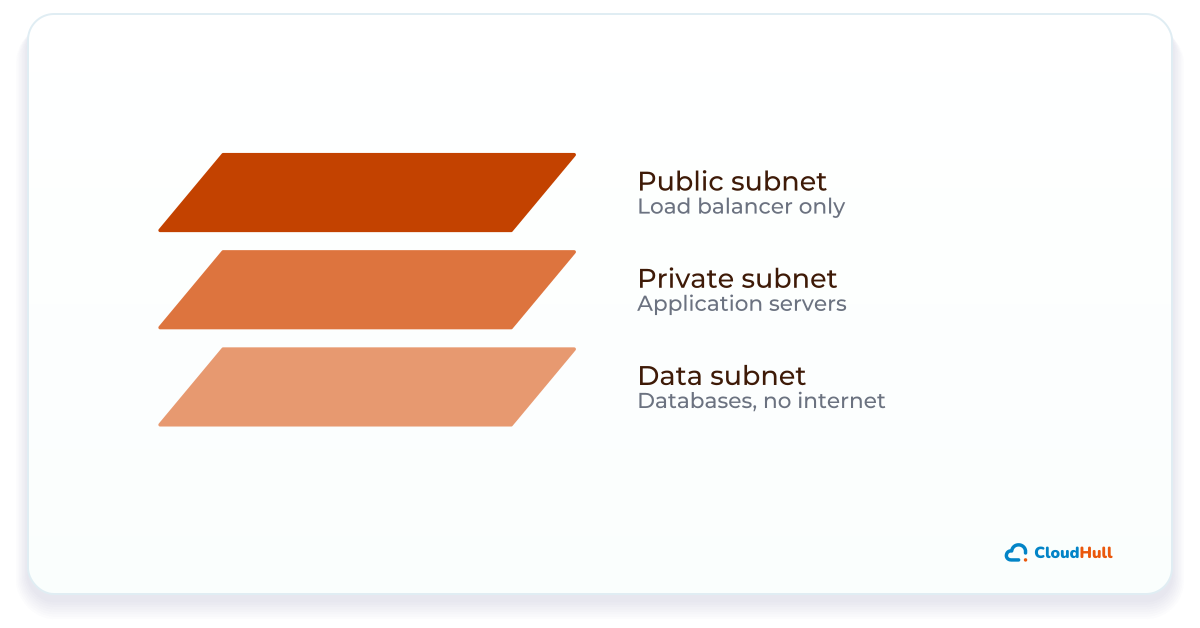
Split workloads into private and public subnets, keep databases in private ones and reach servers through a bastion or a managed session service. Restrict outbound traffic where you can, since many attacks need to call home.
Do This
- List public addresses and the rules that expose them
- Close management ports to the internet
- Place databases in private subnets
- Use managed remote access instead of open ports
Avoid This
- Rules that allow all traffic from anywhere
- Leaving temporary rules in place
How to check
Security group and firewall rule exports, sorted by source range, show open doors quickly.
Log Everything Important and Read the Alerts
Turn on audit logging in every account and send the logs to a separate, locked account so an attacker cannot erase them. Then set a handful of alerts: root sign-in, new admin created, logging disabled, public storage created.
Logs that nobody reads are only evidence for after the damage. Name a person or rotation who receives the alerts and agree what they do within an hour. A short, well-understood alert list works better than hundreds that people mute.
Do This
- Enable audit logs in all accounts and regions
- Store logs in a separate protected account
- Set five to ten high-value alerts
- Name an on-call owner and test the alert path
Avoid This
- Alert floods that people mute
- Logs kept only for a few days
Tools to use
Provider-native log services cover the basics. A posture platform adds correlation once you outgrow them.
Keep Secrets Out of Code
Passwords, API keys and tokens belong in a secrets manager, not in source code, chat or environment files on laptops. Scan your repositories for leaked secrets and rotate anything you find. Assume a key that was ever committed is compromised.
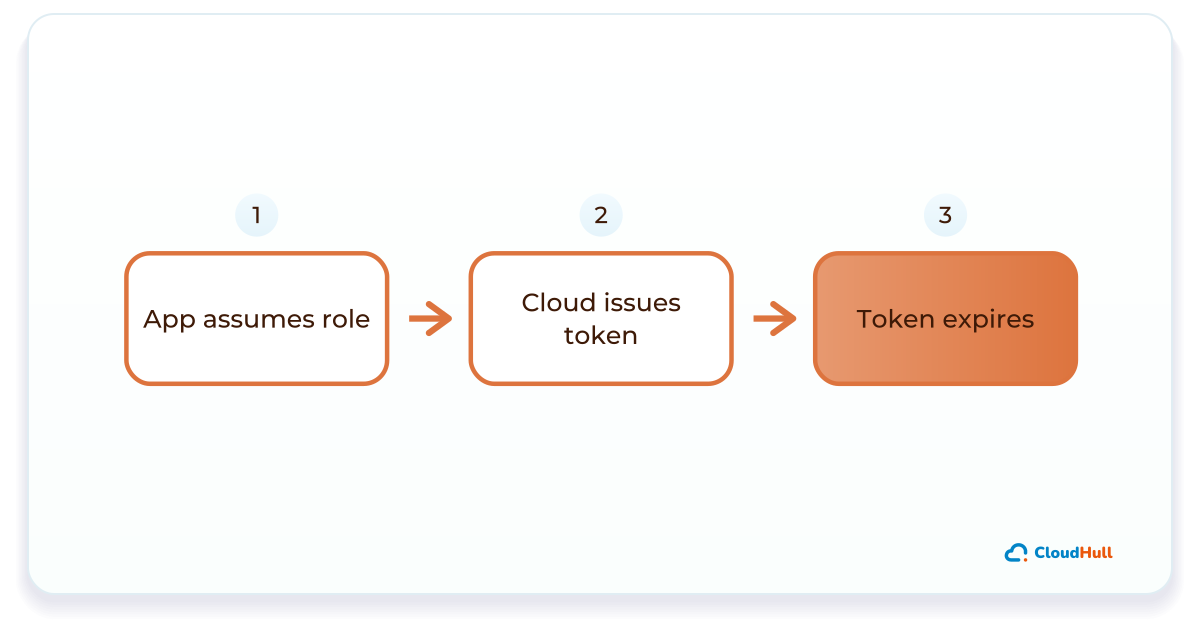
Prefer short-lived credentials issued through roles over static keys. Where static keys are unavoidable, rotate them on a schedule and give each application its own key, so one leak does not expose everything.
Do This
- Move secrets to your provider's secrets manager
- Scan repositories and history for exposed keys
- Rotate keys on a schedule
- Give each application its own credentials
Avoid This
- Sharing keys in chat
- Reusing one key across several systems
Where to look
Free secret scanners run inside your repository host. Turn them on for every repo.
Patch and Scan What You Run
Vulnerabilities in servers and container images are the next most common entry point. Scan images in your build pipeline, patch hosts on a schedule and retire old base images. Aim for a clear rule, such as critical issues fixed within 14 days.
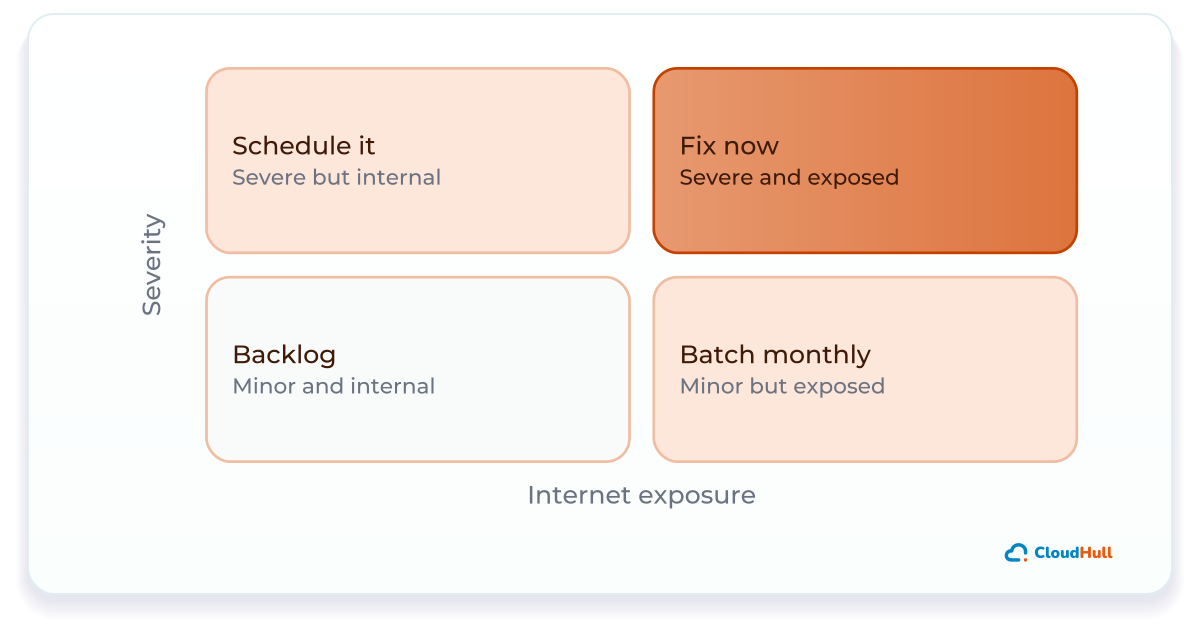
Do not chase every low-severity finding. Fix what is exposed to the internet and what is easy to exploit first. A short list of fixed critical issues is worth more than a long report of everything.
Do This
- Scan container images before they are deployed
- Patch operating systems on a monthly schedule
- Set a fix deadline per severity
- Remove unused images and old servers
Avoid This
- Running images with no owner
- Treating every finding as equally urgent
Tools to use
Your registry's built-in scanner plus your provider's patch manager cover most needs. My review of cloud security tools lists the bigger platforms.
Plan for the Day Something Goes Wrong
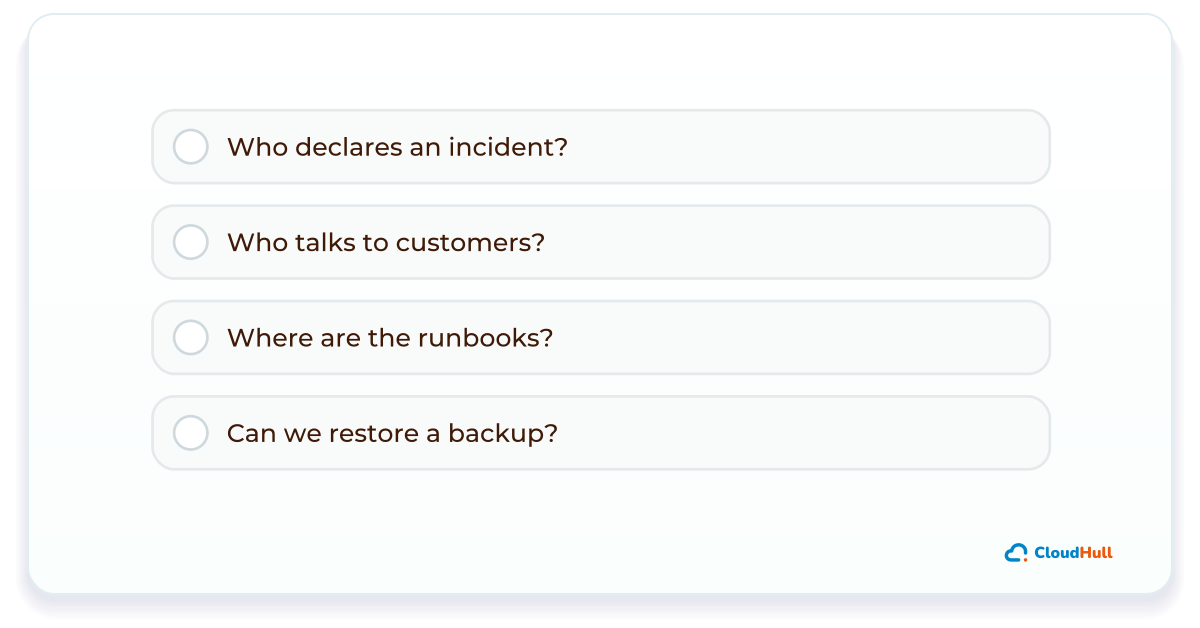
You will eventually have an incident. Keep backups in a separate account, test a restore at least once a year and write a one-page incident plan: who decides, who calls whom, where the logs are and how you tell customers.
Practice it once. A two-hour tabletop exercise, where the team walks through a leaked key scenario, finds more gaps than a month of reading documents. Fix what the exercise exposes, then repeat it next year.
Do This
- Store backups in a separate account with restricted access
- Run a restore test and record the result
- Write a one-page incident plan with names and numbers
- Hold a tabletop exercise once a year
Avoid This
- Backups that were never restored
- An incident plan nobody has read
What to prepare
A shared document with phone numbers, a log location list and a template customer message is enough to start.
Turn the Checklist Into a Score
Give each point one point when it is fully done and half a point when it is done in some accounts. A total of 9 means you are in good shape on the basics. A total under 5 means start with a deeper cloud security assessment, because the gaps are wide enough that you need a ranked fix list, not a checklist. If you are somewhere in between, fix the unticked items in the order above.
Next, decide how the checklist fits your year. Most teams run it at the start of each quarter and again before big launches. When you want proof that others can verify, move on to a full cloud security audit. To decide what to do with the remaining gaps over twelve months, write a cloud security strategy. Teams of one or two engineers can use the lighter version in cloud security for small business.
How to Choose What to Fix First
You will not fix nine areas at once. Start with the ones that prevent account takeover and data exposure: points 2, 3 and 4. Then logging, because it lets you see the rest. Then everything else in order. If your team is very small, put one name on each point and share the list in a place everyone can see. A visible list is the cheapest way to keep a security program alive.
Sources
Questions About the Cloud Security Checklist
What Should a Cloud Security Checklist Include?
At minimum: an account inventory, strong admin identities, least-privilege access, protected data, a closed network edge, logging with real alerts, secrets handling, patching and a recovery plan. Those nine areas cover most of the common cloud failures.
How Long Does It Take to Work Through the Checklist?
A small team with one provider can tick most items in one to three weeks. The first pass finds gaps quickly. Fixing them is what takes time.
How Often Should I Run It?
Run it quarterly and before major launches. Automated posture checks can monitor the technical items daily between runs.
Is a Checklist Enough to Be Secure?
No. It covers the basics that prevent most avoidable incidents. For a deeper view you need an assessment or audit, plus a plan for ongoing improvement.
Which Items Matter Most?
Admin identity protection, least privilege and keeping data private. They address the most common ways cloud environments are compromised.
Does This Work for AWS, Azure and Google Cloud?
Yes. The principles are the same. The settings have different names per provider, so check each provider's documentation for the exact controls.
Do I Need a Security Tool to Follow It?
Not to start. Native provider services and free scanners cover many checks. A dedicated tool helps once you have several accounts and need continuous monitoring.
Please note: this guide is general information and not legal, financial or tax advice. Numbers and examples are typical-project estimates; confirm current details with your providers and advisers.
Did this article help you?
Thanks, noted.
Garrett Linville
Garrett leads the Cloud Hull editorial team and works with the consultants to turn real client projects into practical guides on cloud migration, DevOps, security and cost control. Each article is edited together with the consultant who did the work, and every price and limit is checked against current provider documentation. He is based in the USA and works remotely.