Main Points
- Private cloud works best for steady, sensitive or latency-bound workloads, not for spiky ones.
- The strongest examples started with a one-sentence reason: audit scope, cost, sovereignty or resilience.
- Most projects are hybrid, keeping burst and experimental work in the public cloud.
- Name the operations team and the retirement date for old systems before you buy hardware.
Most companies I meet do not choose a private cloud for ideology. They choose it for a reason they can name: audit scope, steady cost, latency, sovereignty or control. If your reason is not that clear yet, a conversation about private cloud consulting usually sharpens it in an hour.
Below are 12 scenarios from my client work and from patterns I see across projects, described in general terms so no client can be identified. Treat them as patterns to learn from, not as benchmarks. Each one shows what the team did, what went well and what to watch.
12 Private Cloud Examples at a Glance
The 12 Examples in Detail
Read the examples for the pattern, not the sector. A hospital and a bank may both need an isolated enclave, and a retailer and a studio may both need burst capacity.
Payments Platform With Card Data Kept On Site
A payments company I worked with kept the systems that touch card data in its own data center and moved everything else to a public cloud. The private side was a small, tightly controlled cluster with its own network zones, which made the audit scope far smaller than it would have been with the whole estate in scope.
The result was a calmer audit season and fewer systems to evidence. The team did pay for it in operations, because the private cluster needed its own patching cycle and on-call rota. If your audit scope is the main reason you look at private cloud, start by shrinking the scope, then decide how much of it needs to sit on your hardware.
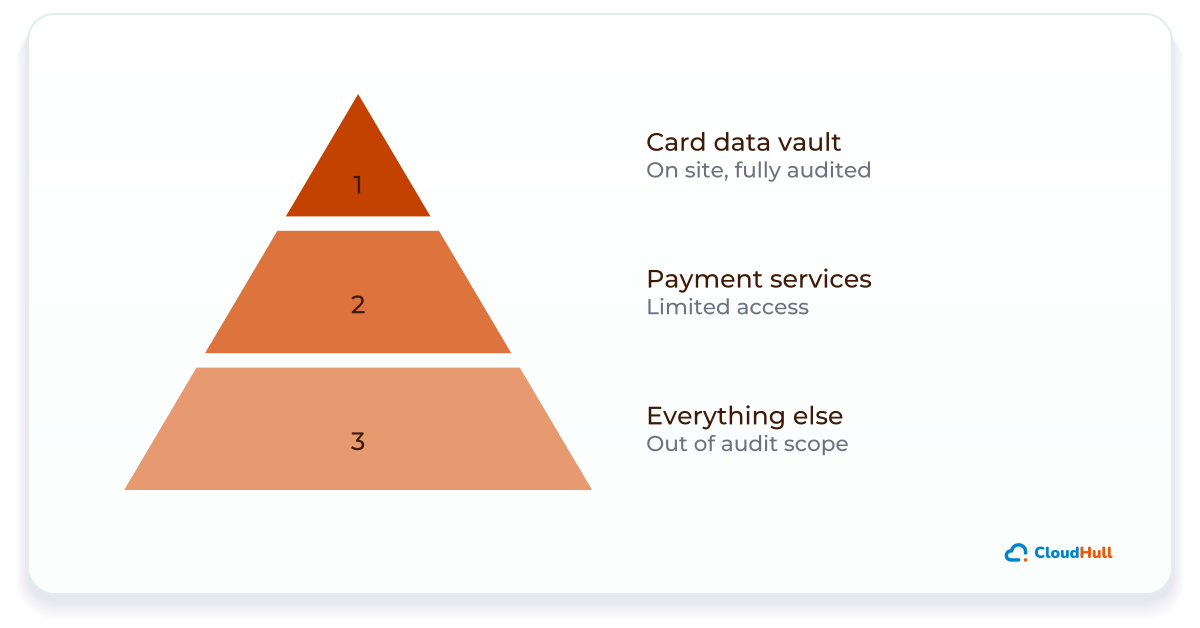
How the scope was narrowed
- Map every system that stores, processes or transmits card data.
- Separate those systems into their own network zones.
- Build a small private cluster for only that zone.
- Keep logging and access control identical to the public cloud side.
- Review the boundary at every release.
Tools that fit this setup
A hypervisor or container platform with strong network segmentation does most of the work. Pair it with a central logging service so evidence is collected the same way everywhere.
Retailer Handling Peak Season With a Hybrid Setup
An online retailer ran its steady catalog, pricing and order systems on a private cluster and used the public cloud for peak-season burst capacity. The base load was predictable, so owned hardware cost less per month than renting the same capacity all year.
In my client work, the part that took longest was not the burst itself but the network path between the two sides. Latency and data transfer fees decide whether this pattern pays off. Model both before you commit, as my guide to private cloud cost explains.
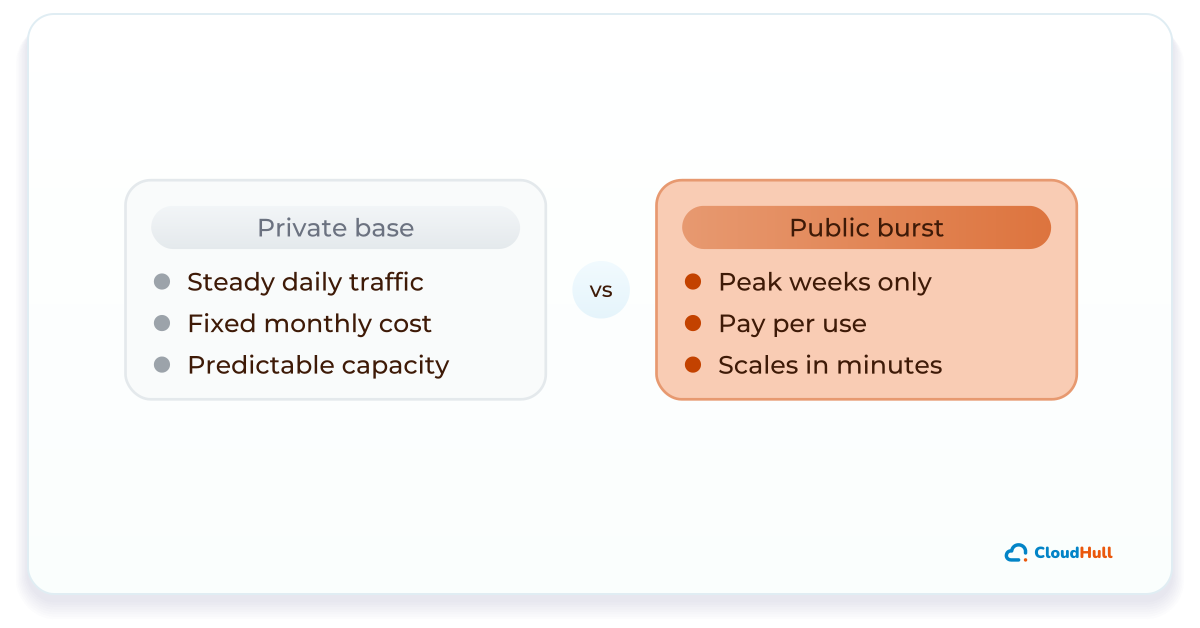
From steady base to peak burst
- Measure the baseline load across a full year.
- Size the private cluster for the baseline plus modest headroom.
- Set up a private link to the public cloud.
- Define which services may burst and which must stay local.
- Test the burst path before the peak, not during it.
- Set budget alerts on burst spend.
Where the tooling comes from
Container platforms and infrastructure-as-code tools let the same service definitions run in both places. Choose tools that treat the public cloud as another target, not a separate world.
Bank Replacing an Aging Virtualization Stack
A regional lender had a virtualization estate that was out of vendor support and expensive to renew. It chose a newer private cloud platform, moved workloads in waves and retired the old hardware on a fixed date.
The savings came from retiring hardware and cutting license overlap, not from a new technology. I would plan the retirement date before the first wave, because old systems that linger quietly erase the benefit. The platform comparison in my private cloud platforms ranking is where such teams usually start.
Moving in waves
- Inventory every workload and its owner.
- Score workloads by risk and dependency.
- Move low-risk systems first to prove the process.
- Rehearse the cutover for critical systems.
- Run old and new in parallel only as long as needed.
- Retire the old hardware on the planned date.
What helps the migration
Most platforms ship a migration tool for virtual machines, and a good runbook matters more than the tool. Keep a rollback path for each wave.
Healthcare Analytics Enclave
A provider group needed analysts to work on patient data without that data leaving its own control. It built a private enclave with strict access, no direct internet access and logged data movement.
The enclave made analysts slower at first, because they could not install tools freely. A curated set of approved tools and a request process fixed most of that. Keep the approval path short, or people will find workarounds.
Building the enclave
- Define who may enter and with which roles.
- Block outbound internet except through a controlled gateway.
- Provide a catalog of approved analysis tools.
- Log every data import and export.
- Review access every quarter.
Tools for the enclave
Virtual desktops or notebooks inside the enclave, plus identity and logging services, cover most needs. Check your regulator’s guidance for any specific control you must show.
SaaS Company Bringing Steady Workloads Home
A software company with large, steady storage and compute bills moved part of its estate from public cloud to colocated hardware it managed through a private cloud stack. It kept variable and customer-facing edge services in the public cloud.
The numbers worked because utilization was high and predictable. For workloads that grow in bursts, I would not do it. The honest pros and cons are covered in my verdict on private cloud pros and cons.
Deciding what moves
- List the largest cost lines by service.
- Check utilization and growth patterns for each.
- Pick only the steady, high-utilization services.
- Build a colocation footprint with spare capacity.
- Move one service as a pilot and compare the real bills.
What you need
An automation layer and a team that can run hardware. If you lack either, the savings may disappear into staffing.
Manufacturer With Plant-Edge Processing
A manufacturer put small private clusters inside its plants so that machine data could be processed locally and the line kept running if the internet link failed. Summary data went to a central cloud.
The key design choice was what happens when the link drops. Plants kept running, then synced later. That behavior should be tested on purpose, with the cable actually pulled.
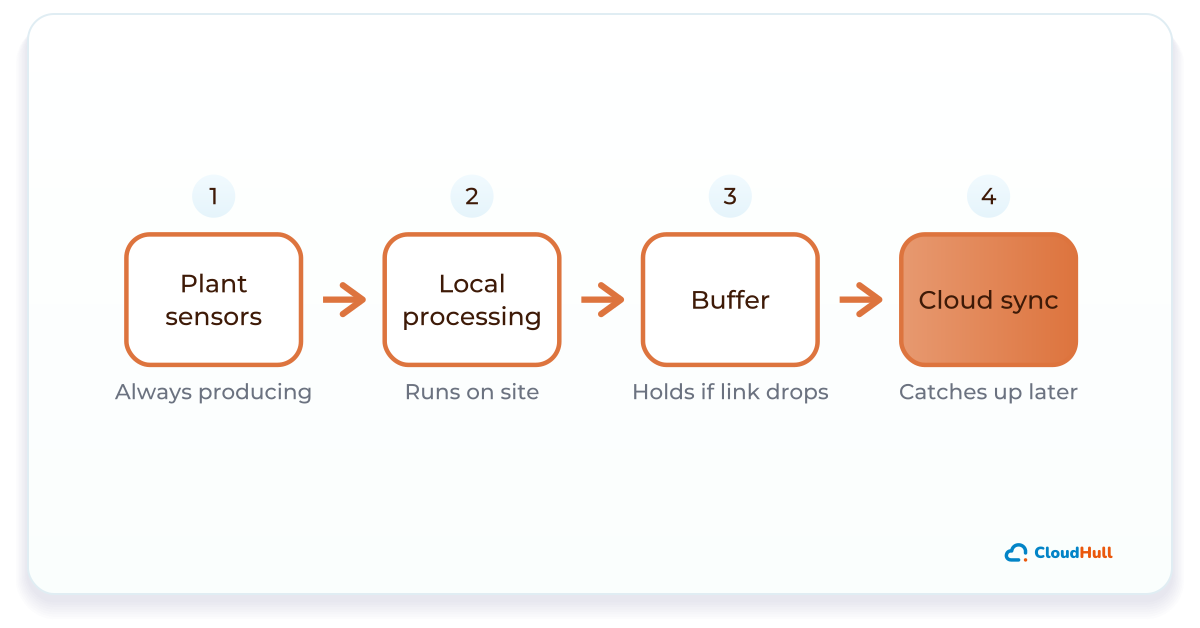
Rolling out plant clusters
- Define which functions must work offline.
- Standardize a small hardware kit for every plant.
- Manage all sites from one control plane.
- Sync data to the center when links return.
- Test a link failure at each plant.
Tools for edge sites
Lightweight container platforms or small hyperconverged kits suit these sites. Remote management matters more than raw power.
Professional Services Firm With Client Data Control
A firm with sensitive client files wanted its own environment, but had no desire to run hardware. It used a hosted private cloud from a provider, with dedicated hosts and a contract that spelled out data location.
For smaller teams, this model avoids most of the staffing burden while keeping isolation. It is also the route I describe for companies with limited IT staff in private cloud for small business.
Choosing a hosted private cloud
- List data location and isolation requirements.
- Ask providers for dedicated host options.
- Review contract terms on exit and data return.
- Test performance with a real workload.
- Agree on support hours and escalation.
What to compare
Compare isolation, support and exit terms before price. A cheap contract with weak exit rights is expensive later.
Studio Running a Render Farm
A design studio ran a render farm on its own servers because the work was predictable and heavy on local storage. It used the public cloud only for deadline crunches.
Private hardware worked because the queue was always full. When the queue is often empty, the economics reverse. Track utilization from the first week, and do not guess.
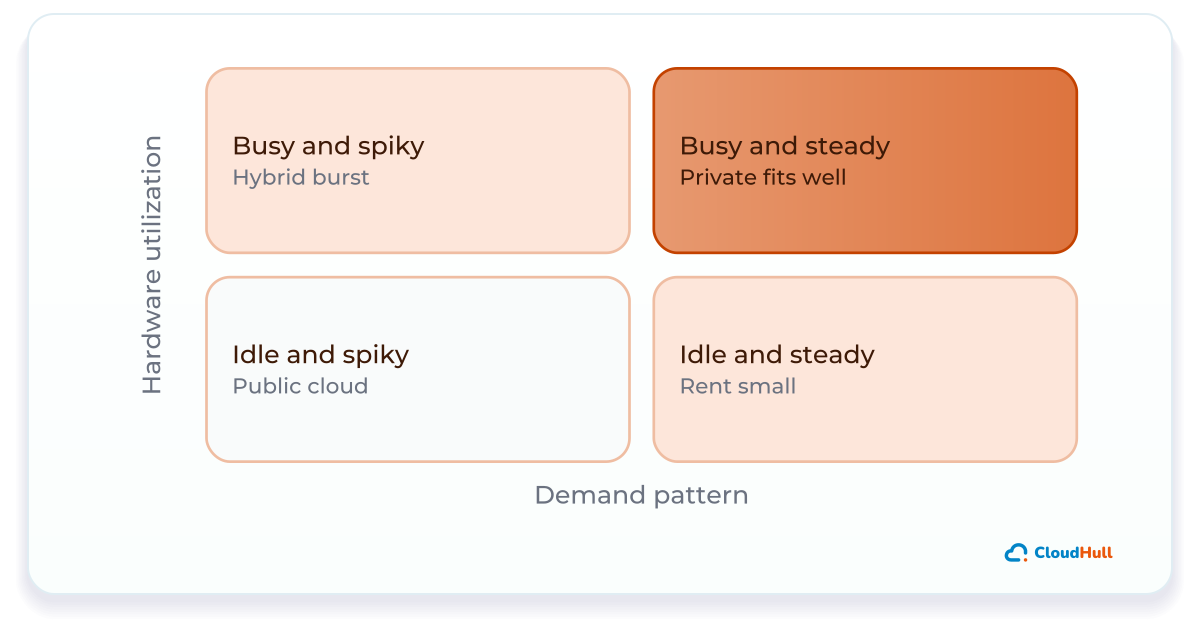
Keeping the farm busy
- Measure queue length and idle time.
- Size the farm for the average, not the peak.
- Add a cloud burst path for deadlines.
- Report utilization monthly.
Tools
A job scheduler and a shared file system are the core. Add cost reporting early.
Public Sector Body With Data Sovereignty Needs
A public body had to keep certain records within national borders and under its own control. It built a private cloud in two of its own sites with a documented operating model.
The technical part was straightforward. Governance took longer: who approves changes, who audits, who pays. Write the operating model before the hardware order goes in.
Setting up the operating model
- Define data classes and where each may live.
- Choose two sites for resilience.
- Write change and access rules.
- Plan audits and evidence collection.
- Train operators before go-live.
Tools
Standard virtualization or OpenStack-style stacks are common choices here, with strong identity controls.
Logistics Operator Standardizing on Containers
A logistics operator ran dozens of small services on aging virtual machines. It built a private container platform and moved the services over one by one, with a shared pipeline and monitoring.
The gain was consistency, not raw speed. New services followed one template and were easy to support. The mistake to avoid is moving everything at once. My private cloud implementation steps use the same phased approach.
Moving service by service
- Choose a platform and a standard service template.
- Build the pipeline and monitoring once.
- Move the simplest service first.
- Gather feedback and fix the template.
- Migrate the rest in batches.
Tools
A Kubernetes distribution, an image registry and a pipeline. Keep the stack small.
Fintech Developer Environments on Demand
A fintech built a self-service environment on its private cluster so developers could create test environments in minutes without a ticket. Environments expired automatically after a set time.
The visible benefit was speed. The less visible one was cost control, because expiry prevented forgotten environments from using capacity for months. Add expiry from day one.
Building self-service
- Define a standard environment template.
- Offer it through a catalog or a command.
- Set automatic expiry and quotas.
- Log who created what.
- Review usage monthly.
Tools
An automation tool, a template library and a quota system. Many platforms include these features.
Ecommerce Company Adding a Disaster Recovery Site
An ecommerce company kept its primary systems in the public cloud and built a small private site as an independent recovery option, so that a single provider issue would not stop sales.
It tested the failover twice a year and found something broken each time. That is the point. A recovery site you never test is a hope, not a plan.
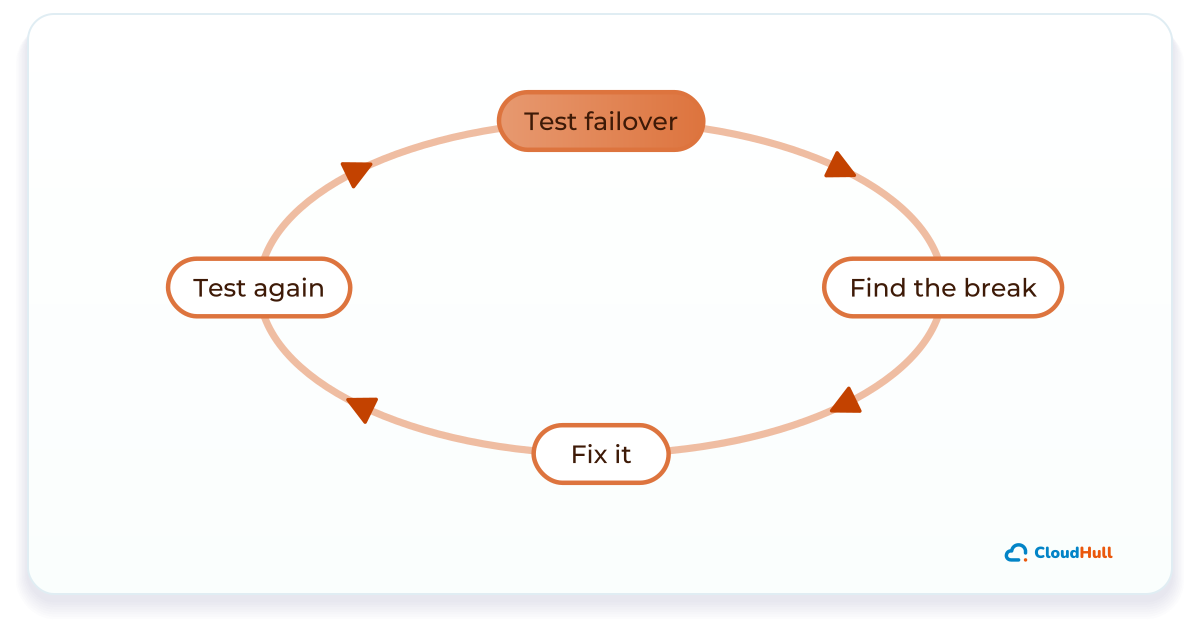
Testing the recovery site
- Define recovery time and recovery point targets.
- Replicate data to the private site.
- Document the failover steps.
- Run a failover drill twice a year.
- Fix every finding before the next drill.
Tools
Replication software and a runbook. Keep the second site small and focused on critical systems.
What the Examples Have in Common
Across these cases, four things repeat. The team had a named reason for private cloud. It measured utilization before it bought hardware. It planned operations, not just installation. And it tested failure on purpose.
The failures I see are the opposite: hardware ordered on a hunch, no platform team and no retirement date for the old systems. Money is rarely the reason these projects stall, and people and process usually are.
How to Pick the Example That Matches Your Situation
Start with your constraint. If audit scope is the issue, look at examples 1, 4 and 9. If cost is the issue, look at 2, 5 and 8. If resilience is the issue, look at 6 and 12.
- Write down the single reason you would run a workload on your own hardware.
- Measure utilization for at least a full business cycle.
- Name the team that will operate the platform.
- Set a retirement date for whatever the private cloud replaces.
If two or more of those are unclear, a short assessment is cheaper than a wrong purchase.
Questions About Private Cloud Examples
What Is an Example of a Private Cloud?
A company running its own virtualized servers with self-service provisioning in its data center or in a colocation facility is a typical example. Hosted private clouds from providers, with dedicated hardware, are another common form.
Which Industries Use Private Cloud Most?
Financial services, healthcare, public sector and manufacturing use it often, mainly for data control, audit scope and latency reasons. Software and ecommerce companies use it for steady, high-volume workloads.
Is a Hybrid Cloud the Same as a Private Cloud?
No. A hybrid cloud combines a private cloud, or on-premises systems, with public cloud services. Many of the examples above are hybrid setups.
Can a Private Cloud Be Cheaper than a Public Cloud?
It can be, mainly for steady and highly utilized workloads. For spiky workloads, the public cloud usually costs less. Compare real utilization and staffing costs before deciding.
How Long Does It Take to Build a Private Cloud?
A small platform can be ready in weeks to a few months, and larger multi-site builds take longer. Migration planning and operations training often take more time than installation.
Do I Need My Own Data Center for a Private Cloud?
No. You can use colocation space or a hosted private cloud from a provider. What matters is that the hardware and control are dedicated to you.
What Is the Biggest Mistake Teams Make?
Buying hardware before measuring utilization and before naming an operations team. Both lead to idle capacity and a platform nobody owns.
Please note: this guide is general information and not legal, financial or tax advice. Numbers and examples are typical-project estimates; confirm current details with your providers and advisers.
Did this article help you?
Thanks, noted.
Garrett Linville
Garrett leads the Cloud Hull editorial team and works with the consultants to turn real client projects into practical guides on cloud migration, DevOps, security and cost control. Each article is edited together with the consultant who did the work, and every price and limit is checked against current provider documentation. He is based in the USA and works remotely.