Main Points
- Run six phases, from goals and baseline to operations, and end each with a check you can verify.
- Build the landing zone with guardrails before the first workload arrives.
- Pilot with a real, low-risk workload, then migrate in small waves with a rollback for each.
- Set the retirement date for old systems before the first wave.
A private cloud rollout is a program, not a purchase. The hardware arrives in a few weeks, and the habits, processes and skills take months. I use the six phases below with clients, and I adjust the timing to the size of the estate. If you want a plan fitted to your own systems, our private cloud consulting starts from the same structure.
The timing assumes a mid-sized estate of a few hundred virtual machines. Smaller estates move faster, and larger or regulated ones slower. Every phase ends in a gate with a check you can verify, so you know when to move on.
The Rollout on One Page
| Phase | When | Output | Main task |
|---|---|---|---|
| Phase 1: Goals, Workloads and Baseline | Weeks 1 to 4 | Inventory and a written reason | List workloads, owners, utilization and today’s cost |
| Phase 2: Design and Platform Choice | Weeks 4 to 10 | Target design and chosen platform | Size the cluster, pick the platform and write the operating model |
| Phase 3: Build the Landing Zone | Weeks 10 to 16 | A working cluster with guardrails | Install, configure and secure the platform before any real workload |
| Phase 4: Pilot With a Real Workload | Weeks 16 to 22 | A pilot in production | Move one low-risk workload and learn from it |
| Phase 5: Migrate in Waves | Months 6 to 12 | Workloads in production | Move groups of workloads with rehearsed cutovers and a rollback |
| Phase 6: Operate, Optimize and Review | Ongoing | A run-state with a review cycle | Tune capacity, cost and security, and review every quarter |
Phase 1: Goals, Workloads and Baseline
Start with one sentence that explains why you are building a private cloud. Audit scope, steady cost, latency, sovereignty and resilience are all valid. Wanting to be modern is not. That sentence decides what you buy and what you leave in the public cloud.
Then take an inventory. For every workload, record the owner, the size, the dependencies, the peak and average utilization, and what it costs today. In my client work, this inventory finds systems nobody remembers about in almost every project, and a surprising share can simply be retired. Measure for at least one full business cycle, because month-end and seasonal peaks change the picture.
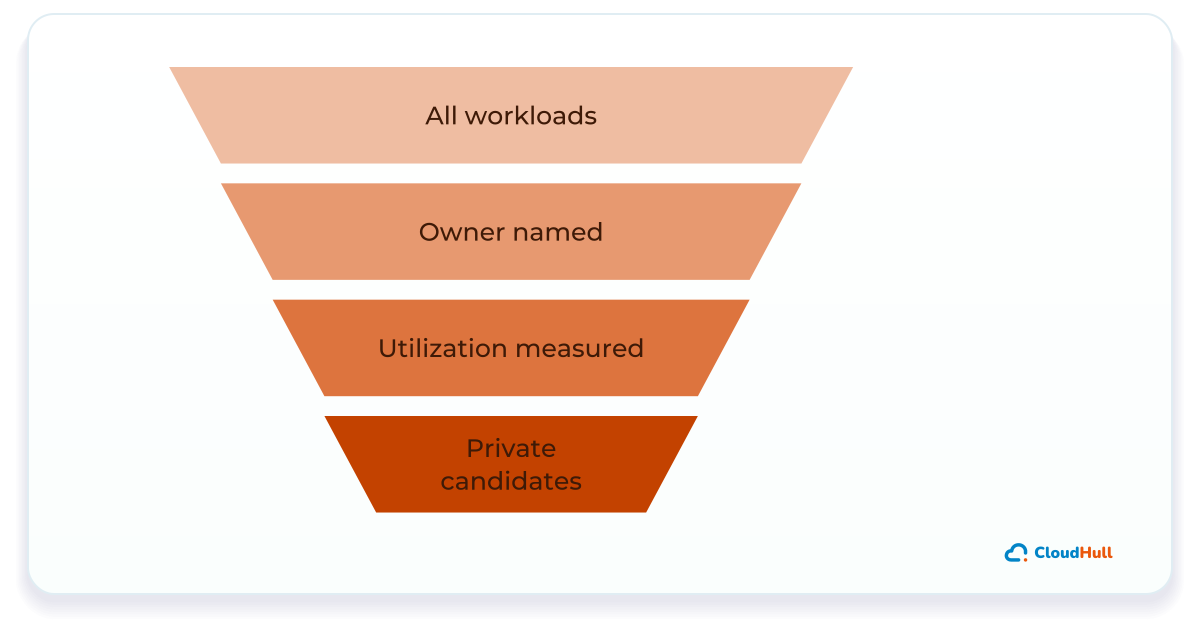
Gate to move on: a written goal, an owner for the program and an inventory with utilization numbers.
Phase 2: Design and Platform Choice
Design for the workloads you measured, not for the ones you fear. Size compute, storage and network for average load plus a stated headroom, and decide what happens in peaks: queue, burst to a public cloud or accept slower response. The private cloud platforms ranking compares the main options on features, pricing and fit.
Write the operating model in this phase too. Who patches, who is on call, who approves changes, who pays for capacity. Teams that skip this write it later under pressure. Also settle the network and identity design early: IP ranges, segmentation, directory integration and how administrators log in.
Gate to move on: platform chosen from at least two written quotes, a design reviewed by security and a named operations team.
Phase 3: Build the Landing Zone
Build the hardware and platform in a staging state first. Rack and cable, install the platform, join it to your identity system, set up logging, monitoring, backup and patching. Add guardrails now: quotas, network policy, naming and tagging rules. Retrofitting these after the first workloads arrive is much harder.
In my experience, this phase takes longer than hardware delivery suggests, because access, firewall rules and security reviews move slowly. Order hardware early, and start the reviews while the servers are still in transit.
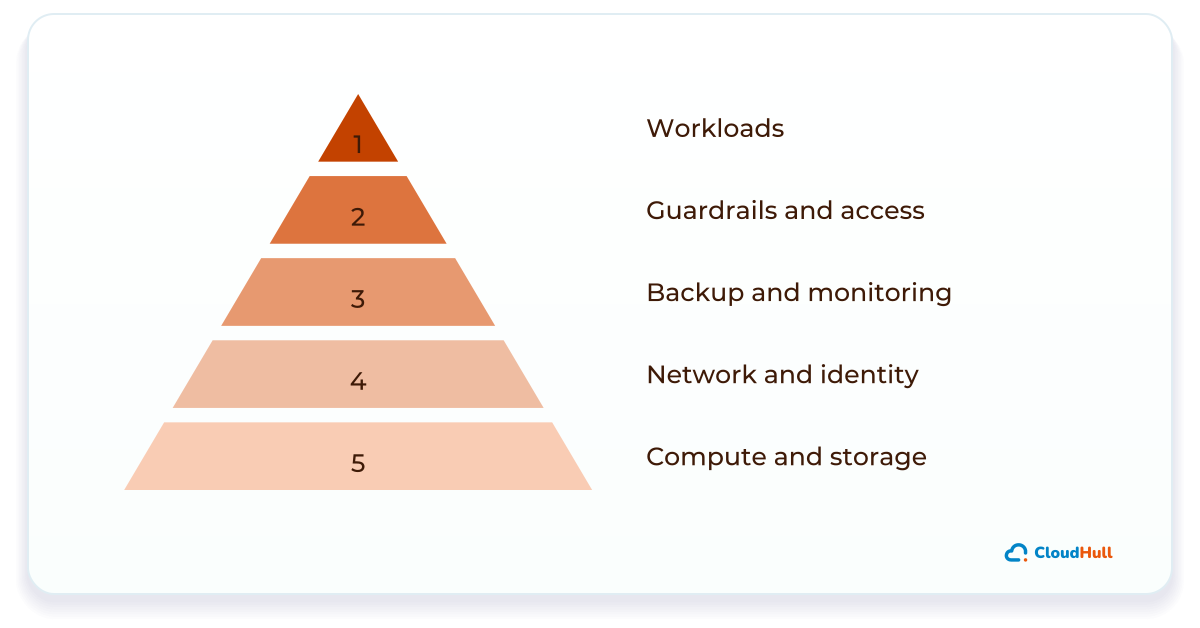
Gate to move on: a test workload runs, a backup restores and a failure test passes.
Phase 4: Pilot With a Real Workload
Pick a workload that matters enough to be real and not enough to hurt if the move goes slowly. An internal application or a test environment fits well. Run it in parallel, compare performance and cost with the old setup and fix what you find.
The pilot tests the platform and the people. Is on-call workable? Do alerts make sense? Can a new engineer follow the runbook? The private cloud examples show how other teams used a pilot to correct their plans before the main move.
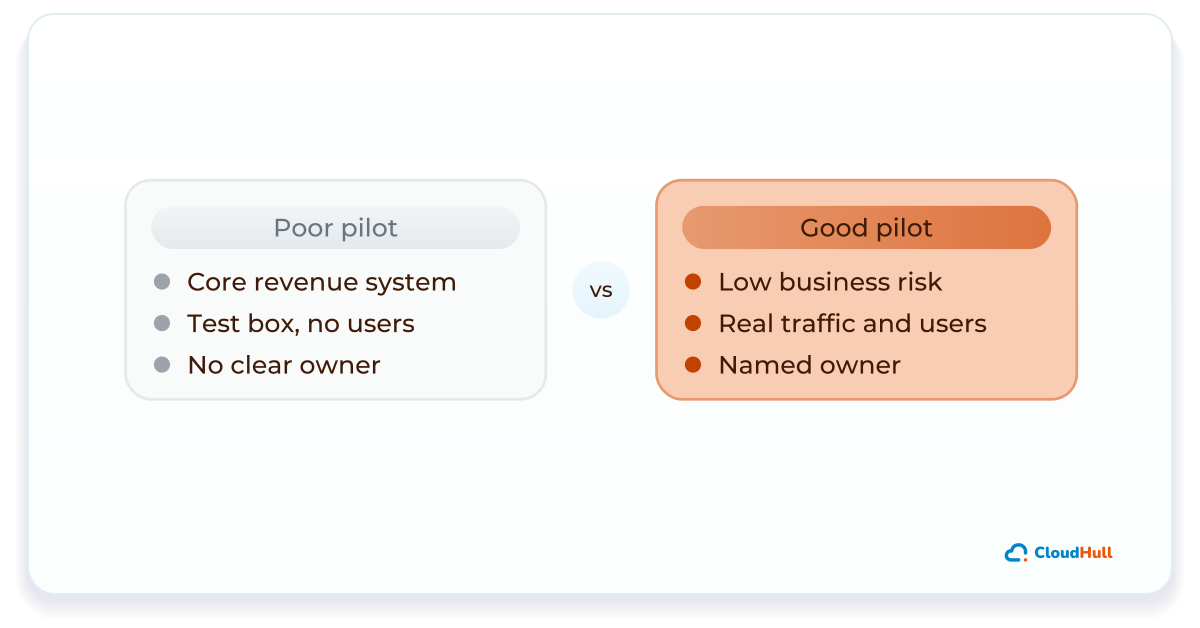
Gate to move on: the pilot meets agreed targets for performance, cost and support effort.
Phase 5: Migrate in Waves
Group workloads by dependency and risk, and move them in waves. Each wave has a rehearsed cutover, a rollback plan and an agreed freeze window. Keep waves small enough that a failure is manageable.
Set the retirement date for the old environment before the first wave. Old hardware that lingers erases much of the benefit, a point I make in my overview of private cloud cost. Track every wave against the plan, and share the results openly.
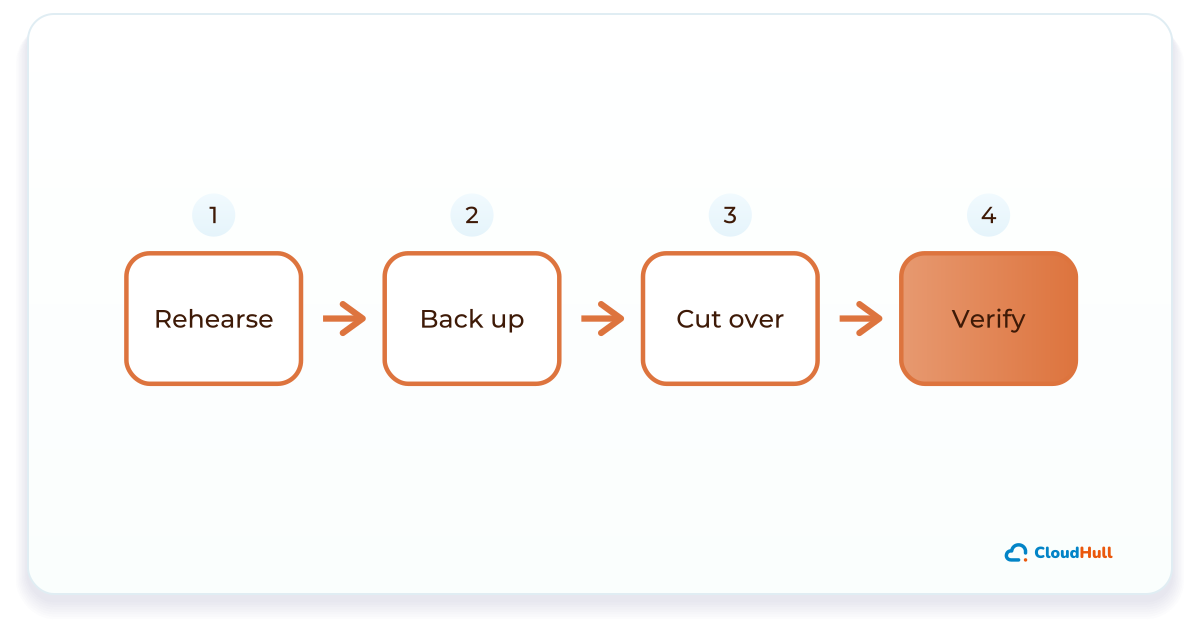
Gate to move on: the last wave is stable for 30 days and the old systems are switched off.
Phase 6: Operate, Optimize and Review
Operations starts on day one and never ends. Review utilization every month, rightsize virtual machines, remove idle environments and plan capacity at least two quarters ahead. Run a failure drill twice a year.
Review the original goal every quarter. If the reason you built the private cloud has changed, say so and adjust. The balanced view of benefits and limits in private cloud pros and cons is worth rereading at that point.
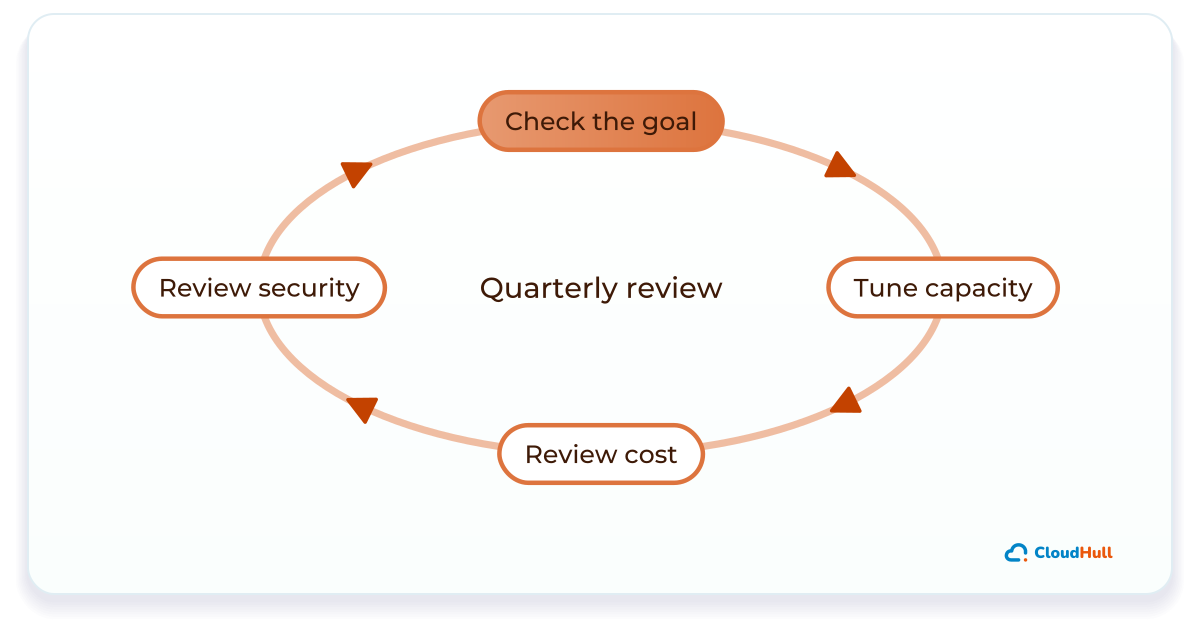
Gate: a quarterly report that shows cost per workload, utilization and open risks.
Who Does What During the Rollout
Roles matter more than headcount. I look for a program owner, a platform lead, a security reviewer, a network lead and a workload owner for every system that moves. In a small team one person holds several of these hats, and that is fine as long as the hats are named. What does not work is an unnamed role, because the work for it quietly lands on whoever is nearest.
The program owner has authority over budget and engineering time, and attends the gate reviews. The platform lead owns the design and the runbooks. The security reviewer signs off on the landing zone and each wave. Workload owners decide when their system moves and test it afterward. If a workload owner cannot be found for a system, treat that as a finding: the system is a candidate for retirement.
Outside partners fit best in two places: an independent design review in phase 2 and extra hands during the migration waves. Your own team should run the pilot, because the pilot is where they learn the platform.
Training and Handover
Plan training in three layers. Platform engineers need hands-on time with the chosen platform, ideally during the pilot. Application teams need a short guide on how to request resources, deploy and debug in the new environment. Support staff need to know what changed and where to look when users report slowness. A one-hour demo near the end of the project does not cover any of this.
Keep the runbooks in one place that everyone can find, and review them after each migration wave. A runbook that nobody has used since it was written is usually wrong in at least one step. Hand the platform to operations in stages: first shadowing, then joint on-call, then full ownership, so no one is surprised by their first night alone with it.
Numbers to Track From Day One
Pick a small set of measures and report them every month. Utilization of compute and storage shows whether the capacity was sized well. Cost per workload shows whether the case is holding. Change failure rate and time to restore show whether operations are healthy. The number of workloads migrated against plan shows whether you are on schedule, and the number of old systems switched off shows whether you are realizing the savings.
Write the target for each measure before the pilot, not after. A target you set afterward tends to match whatever the result was. Share the numbers openly with your sponsors, including the bad months. In my experience, sponsors forgive a slow month and do not forgive a surprise.
Where Rollouts Usually Slip
Three delays repeat. The first is procurement: hardware and licenses take longer than quoted, so I order early and plan around lead times. The second is access and security review, which can stall a build for weeks. The third is dependencies nobody mapped, such as a file share or a scheduled job that another system relies on.
A fourth, quieter delay is the people side. Engineers who run the old platform are asked to learn a new one while keeping the old one alive. Budget training time, and consider bringing in outside help for the first wave. If you run a smaller business, the lighter route in private cloud for small business avoids much of this load.
Keeping Stakeholders Informed
Technical projects fail socially more often than technically. Send a short update every two weeks that covers what moved, what is next, what is blocked and what you need from whom. Keep it to one page. Tell application owners at least two weeks before their cutover, and confirm the date again a few days before. People forgive a delayed migration, and they rarely forgive a surprise one.
Hold a brief review after each wave and write down what you would change. These notes become the checklist for the next wave, and by the third wave your cutovers should feel routine.
How to Judge Whether Your Plan Is Ready
Before you start building, check your plan against this list:
- A one-sentence goal and an owner with authority over budget and engineering time.
- An inventory with utilization numbers for a full business cycle.
- A written operating model and a named platform team.
- Two written platform quotes and a pilot workload.
- A retirement date for the old environment and a rollback plan for each wave.
If two or more of these are missing, finish them first. A week spent here saves months later.
Questions About Private Cloud Implementation
How Long Does a Private Cloud Implementation Take?
A mid-sized estate usually takes 9 to 12 months from goal setting to the last migration wave. Small pilots can run in weeks, and large or regulated programs take longer.
What Are the Main Steps in a Private Cloud Rollout?
Set goals and take an inventory, design and choose a platform, build the landing zone, run a pilot, migrate in waves, then operate and optimize with regular reviews.
Which Workload Should I Move First?
Choose a real but low-risk workload, such as an internal application or a test environment. It proves the platform without putting customers at risk.
Do I Need a Platform Team?
Yes. Someone must own patching, capacity, security and on-call work. Without a named team, a private cloud degrades quickly.
How Do I Avoid Paying for Two Environments?
Set a retirement date for the old environment before the first wave and track it like a milestone. Run parallel only as long as testing needs.
What Is a Landing Zone?
The base environment with identity, network, logging, backup and guardrails that every workload inherits. Building it first keeps security consistent.
Can I Implement a Private Cloud Without a Consultant?
Yes, if you have the skills and time. Many teams use an independent review of the design and the plan, because mistakes in those two are the costliest.
Please note: this guide is general information and not legal, financial or tax advice. Numbers and examples are typical-project estimates; confirm current details with your providers and advisers.
Did this article help you?
Thanks, noted.
Garrett Linville
Garrett leads the Cloud Hull editorial team and works with the consultants to turn real client projects into practical guides on cloud migration, DevOps, security and cost control. Each article is edited together with the consultant who did the work, and every price and limit is checked against current provider documentation. He is based in the USA and works remotely.