Main Points
- Most small businesses need a private cloud only for one or two large, steady or sensitive systems.
- A hosted private cloud usually costs less effort than owning hardware, because the provider runs it.
- Compare three-year totals including backup, support and staff time, not monthly prices.
- Start with a one-system pilot and test a restore before you move anything critical.
A private cloud sounds like something for banks and hospitals. Most small businesses do not need one, and some small businesses clearly do. I have advised companies with 15 employees and companies with 300, and the useful question has always been the same: what problem would owning or reserving your own infrastructure solve that a normal cloud subscription does not?
This guide helps you answer that. It covers the three realistic options, when each one makes sense and what a sensible first step looks like. If you want a second opinion on your own case, my private cloud consulting work starts with exactly this question.
What a Private Cloud Means at Small Business Scale
A private cloud is cloud-style infrastructure used by one organization only. The servers can sit in your office, in a colocation facility or in a provider’s data center, as long as the hardware and the control are dedicated to you. What makes it a cloud, and not just a server, is self-service and automation: you can create a virtual machine or a test environment without opening a ticket.
At small business scale, three forms exist. The first is a small cluster of servers you own, often running a virtualization platform. The second is a hosted private cloud, where a provider runs dedicated hardware for you. The third is a dedicated or isolated area inside a public cloud, which some providers call a private or isolated environment.
For most of the small companies I work with, the second and third forms are the realistic ones. Running your own hardware needs people, and small teams rarely have a spare engineer.
Your Three Options Side by Side
The table compares the options on the points that matter to a small team. Costs here are relative, because actual prices depend on your size and vendor.
| Option | Who runs it | Upfront cost | Ongoing effort | Best for |
|---|---|---|---|---|
| Own small cluster | You | Highest, because you buy hardware and licenses | High: patching, backups, hardware failures | Teams with an IT person and steady, predictable workloads |
| Hosted private cloud | A provider | Low to medium, with a contract | Low to medium: you manage workloads, the provider manages hardware | Firms with sensitive data and little IT staff |
| Isolated area in a public cloud | The cloud provider, with your configuration | Low, pay as you go | Medium: you must design the network and security | Companies that want isolation with flexible scaling |
Notice that the cheapest-looking option, owning hardware, has the highest effort. In my experience, small companies underestimate that effort by a wide margin, and the hidden cost is the time of whoever becomes the accidental administrator.
When a Private Cloud Makes Sense for You
There are four situations where I would seriously consider it. The first is a contract or rule that restricts where data may live. Some clients in healthcare and finance tell me their customers ask about data location in every security review. A hosted private cloud with a clear data location is an easy answer.
The second is a steady workload that runs all day, every day, such as a database or a line-of-business application. These cost less on reserved or owned capacity than on pay-as-you-go pricing. The third is software that does not run well in a public cloud, such as an older application with a license tied to hardware. The fourth is a need for predictable monthly bills.
If none of these four fits, a private cloud is probably not your next step. Many small companies are better served by improving access control, backups and cost tracking in the cloud they already use. My overview of private cloud pros and cons covers the trade-offs more broadly.
Simple Wins You Can Get Without a Big Project
You do not need a big build to get benefits. The wins I see most often for small teams are modest and fast.
One is moving a single sensitive system, such as an accounting database or client files, to a hosted private environment while everything else stays put. Another is replacing an aging office server with a small virtualization host and proper backups, which gives you a cloud-like way to create machines without any vendor lock-in. A third is adding automated backup to a second location and testing a restore. This is not glamorous, and it is the win clients thank me for most.
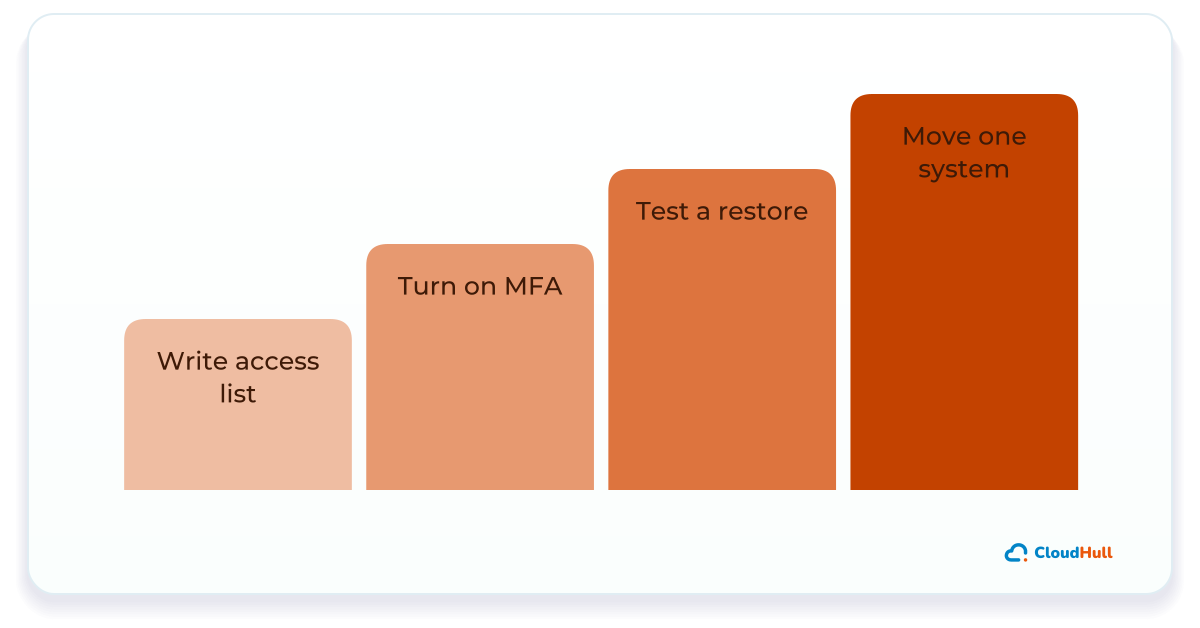
A fourth is writing down who may access what. It costs nothing, and it often reveals that former staff and contractors still have accounts.
What It Costs, and What People Forget
Costs fall into hardware or hosting, software licenses, networking, backup, people and the cost of change. For a small business, the forgotten items are usually backup storage, a second site for disaster recovery and the time to learn the platform. My private cloud cost guide goes through each line with a worked example.
As a rule of my own, I tell small clients to compare the total for three years, not the monthly price. Three years is long enough to cover a hardware refresh cycle or a hosting contract term, and short enough to be realistic about growth. In my client work, the cheapest option on paper is rarely the cheapest after staffing is counted.
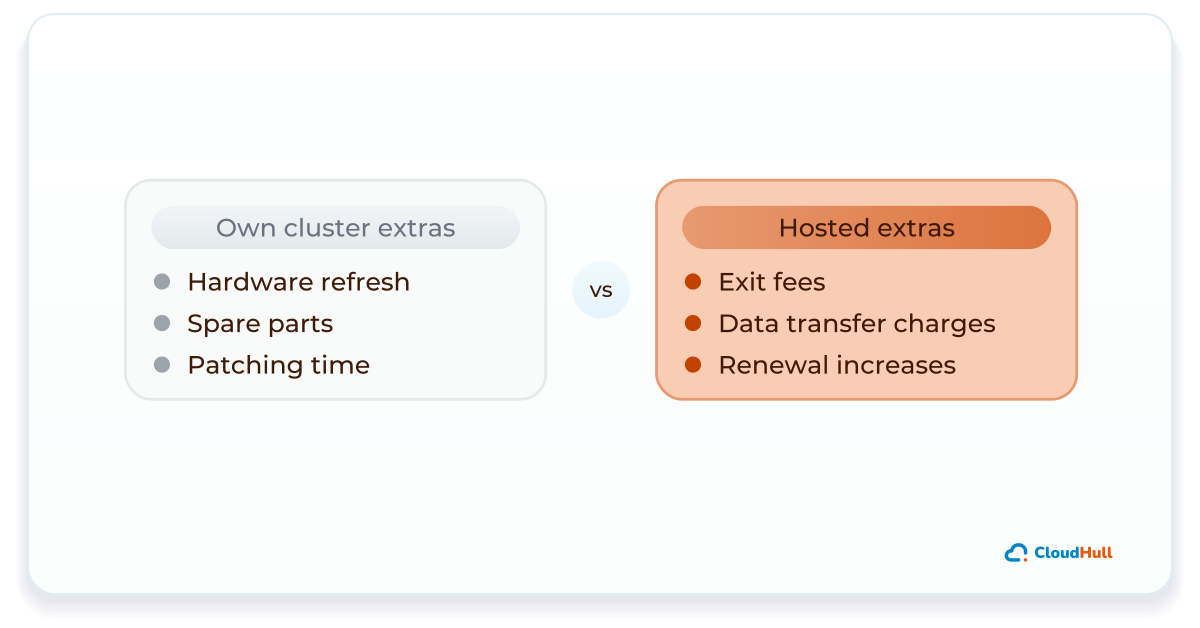
Licensing deserves special attention. Some virtualization vendors changed their licensing in recent years, and the changes hit small buyers hard in a few cases I saw. Ask for a written quote and check the renewal terms. You will find several lower-cost choices in my ranking of private cloud platforms.
Security Basics That Stay Your Job
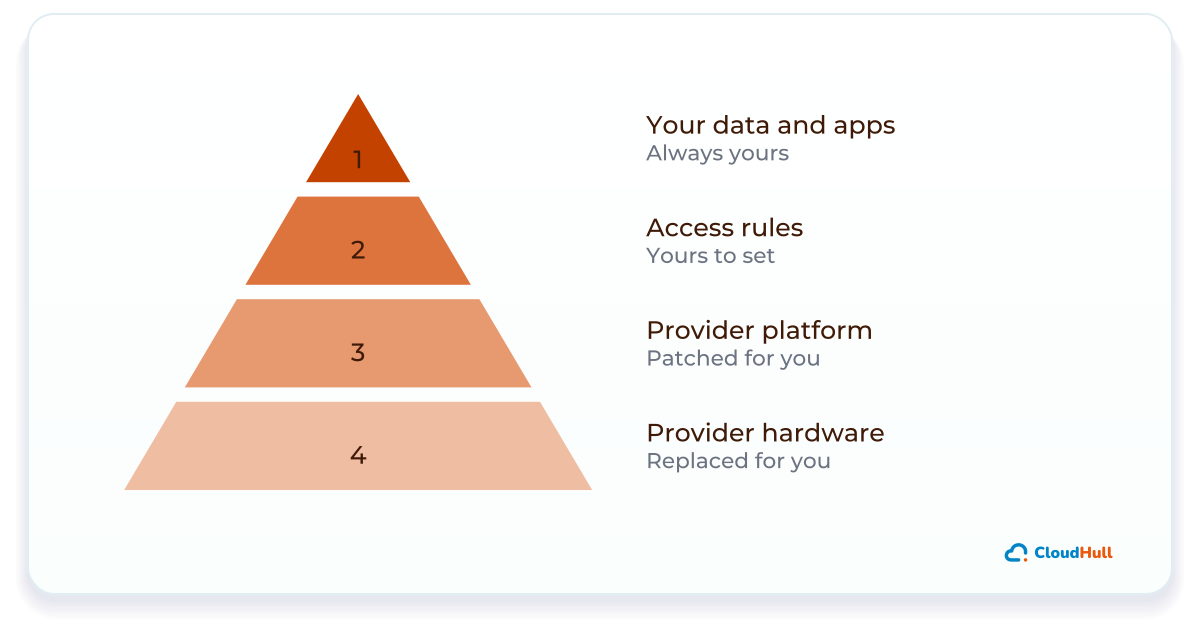
Isolation is a good start, and it is not a finished security plan. Even when a provider runs the hardware, your side includes user accounts, passwords, patching of the operating systems you run, encryption keys and the logs that show who did what. I have reviewed small environments where the hosting was excellent and the admin password was shared in a group chat.
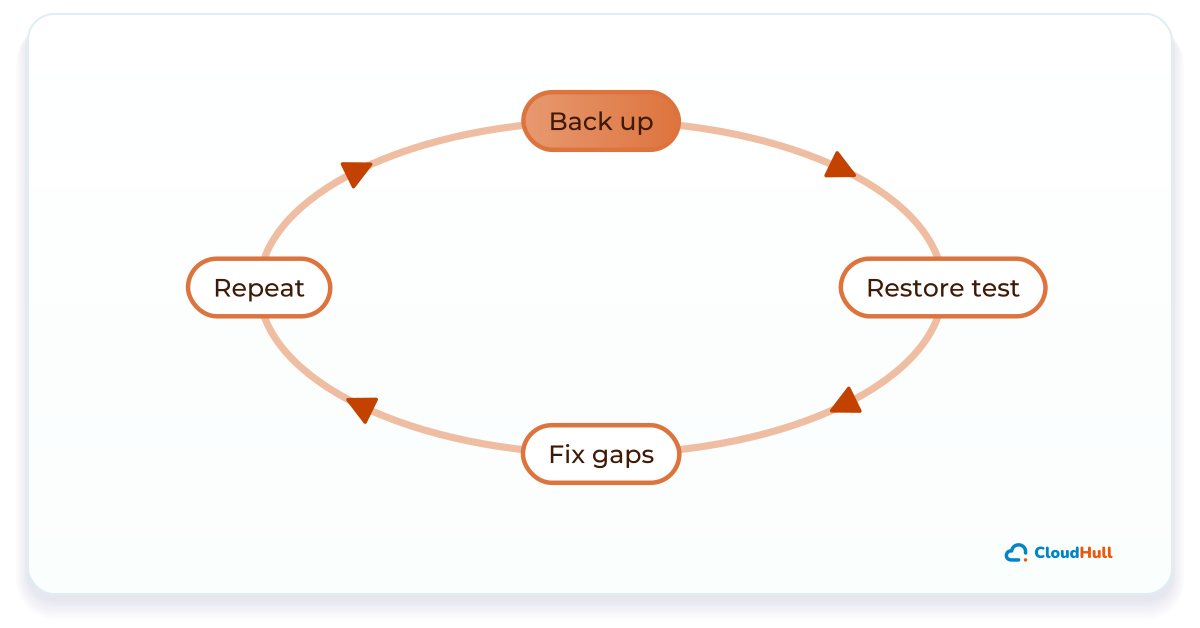
Four habits cover most of the risk. Use multi-factor authentication for every administrator. Give each person the smallest access they need and review the list every quarter. Keep backups in a place that an attacker with your admin account cannot delete. Write down how you would restore the system, then do it once a year to prove the document is right.
If you handle regulated data, ask your provider which certifications and audit reports they can share, and check with your advisers which controls your rules require. This is also where a short outside review earns its fee, because a fresh pair of eyes finds the shared passwords and forgotten accounts quickly.
Platform Choices for a Small Team
Small teams should value simplicity over features. A platform with a clean web interface, good documentation and a support option is more useful than one with every feature. Low-cost virtualization platforms with paid support suit many small estates. Larger hyperconverged and container platforms suit companies with a dedicated infrastructure team.
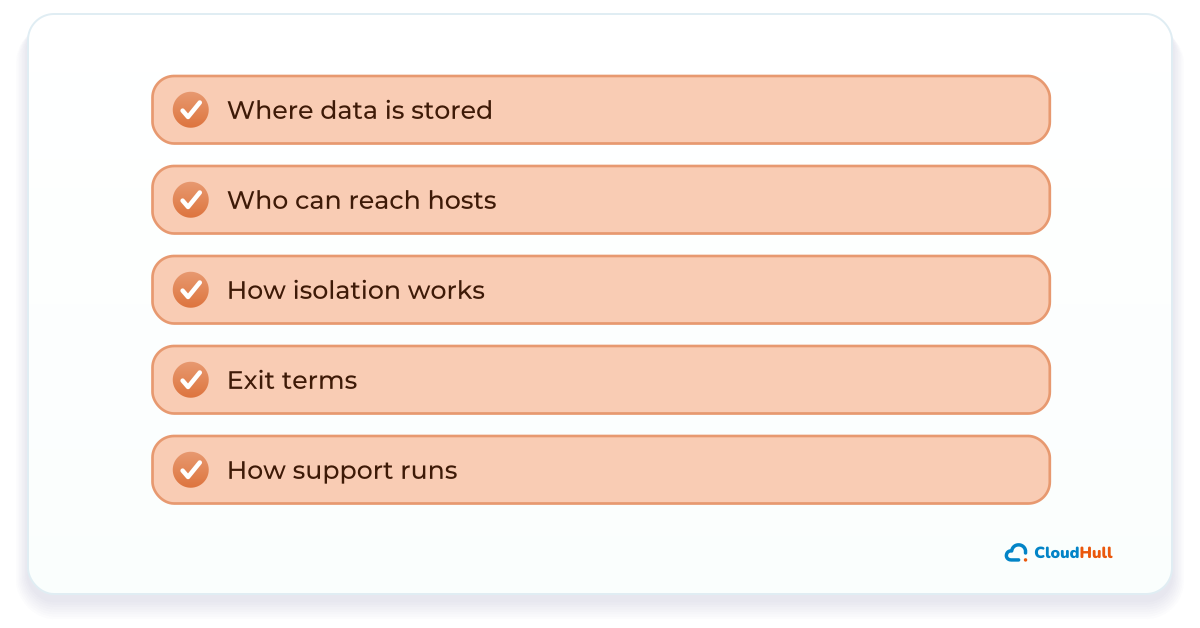
If you go the hosted route, ask the provider five questions: where is the data stored, who can access the hosts, how is isolation guaranteed, what happens if we leave and how is support delivered? Written answers matter, because verbal promises disappear at renewal time.
A Simple Rollout Path
I suggest a path that fits in a quarter. In the first month, list your systems, who uses them and what they cost today. In the second month, pick one system to move, run a pilot and test backup and restore. In the third month, move it for real, write a short runbook and review the cost against your estimate.
Resist the urge to move everything at once. A pilot with one system teaches you about networking, access and support at low risk. For the full method at larger scale, read my private cloud implementation guide, and look at private cloud examples to see how other teams handled each stage.
| Month | Goal | Output |
|---|---|---|
| 1 | Inventory and costs | A list of systems, owners and current cost |
| 2 | Pilot | One system running in the new setup with tested restore |
| 3 | Move and review | Production cutover, runbook and cost comparison |
One more habit pays off for small teams: keep a one-page list of every system, its owner, where it runs, how it is backed up and when the restore was last tested. When something breaks at 6 pm, that page is the difference between a quick fix and a long evening.
Mistakes I See Small Businesses Make
The first mistake is buying hardware for peak load and then running it at 15 percent. The second is skipping backup testing: backups that have never been restored are not backups. The third is treating security as the provider’s job. Even in a hosted private cloud, access control, patching of your workloads and logging remain yours.
The fourth is relying on one person. If a single employee holds all the knowledge, you have a risk, not a platform. Document the setup, and train a backup person.
Working With Vendors and Providers
Small buyers have less leverage, so ask for clarity early. Get quotes in writing, ask about price changes at renewal and ask for references from companies of your size. A provider who serves mostly large enterprises may treat a small account as an afterthought, and support quality shows it. Choose a partner who has a clear plan for companies like yours.
How to Decide in an Afternoon
Answer these questions honestly, and you will know your direction:
- Do you have a rule or contract that restricts where data may live?
- Do you run any large, steady workload that could be cheaper on reserved capacity?
- Does anyone on your team want to run servers, and is it in their job description?
- Have you tested a restore from backup in the last six months?
If you answered yes to the first two and no to the third, a hosted private cloud for those systems is probably your best fit. If you answered no to the first two, improve what you have and revisit in a year.
Questions About Private Cloud for Small Business
Does a Small Business Need a Private Cloud?
Most do not. A private cloud makes sense when data location rules, steady heavy workloads or special software requirements make a normal cloud subscription a poor fit. Otherwise, a well-configured public cloud is simpler and cheaper.
How Much Does a Private Cloud Cost for a Small Business?
It depends on the form. A hosted private cloud has a monthly contract, and an owned cluster needs hardware, licenses and staff time. Compare three-year totals including backup and support.
What Is the Easiest Private Cloud Option?
A hosted private cloud from a provider is usually the easiest, because the provider runs the hardware. You still manage your workloads, access and backups.
Can I Run a Private Cloud in My Office?
Yes, but you need power, cooling, network redundancy, backup and someone to maintain it. Many small businesses find colocation or a hosted option easier.
Is a Private Cloud More Secure than a Public Cloud?
Not automatically. Isolation helps, but security depends on configuration, access control, patching and monitoring, which you still have to do well.
How Long Does It Take to Set Up?
A small pilot can run in a few weeks. A full move of one system typically takes a quarter when you include testing and documentation.
Should I Move Everything to a Private Cloud?
Rarely. Move only the systems that benefit, and keep flexible or short-lived workloads in the public cloud.
Please note: this guide is general information and not legal, financial or tax advice. Numbers and examples are typical-project estimates; confirm current details with your providers and advisers.
Did this article help you?
Thanks, noted.
Garrett Linville
Garrett leads the Cloud Hull editorial team and works with the consultants to turn real client projects into practical guides on cloud migration, DevOps, security and cost control. Each article is edited together with the consultant who did the work, and every price and limit is checked against current provider documentation. He is based in the USA and works remotely.